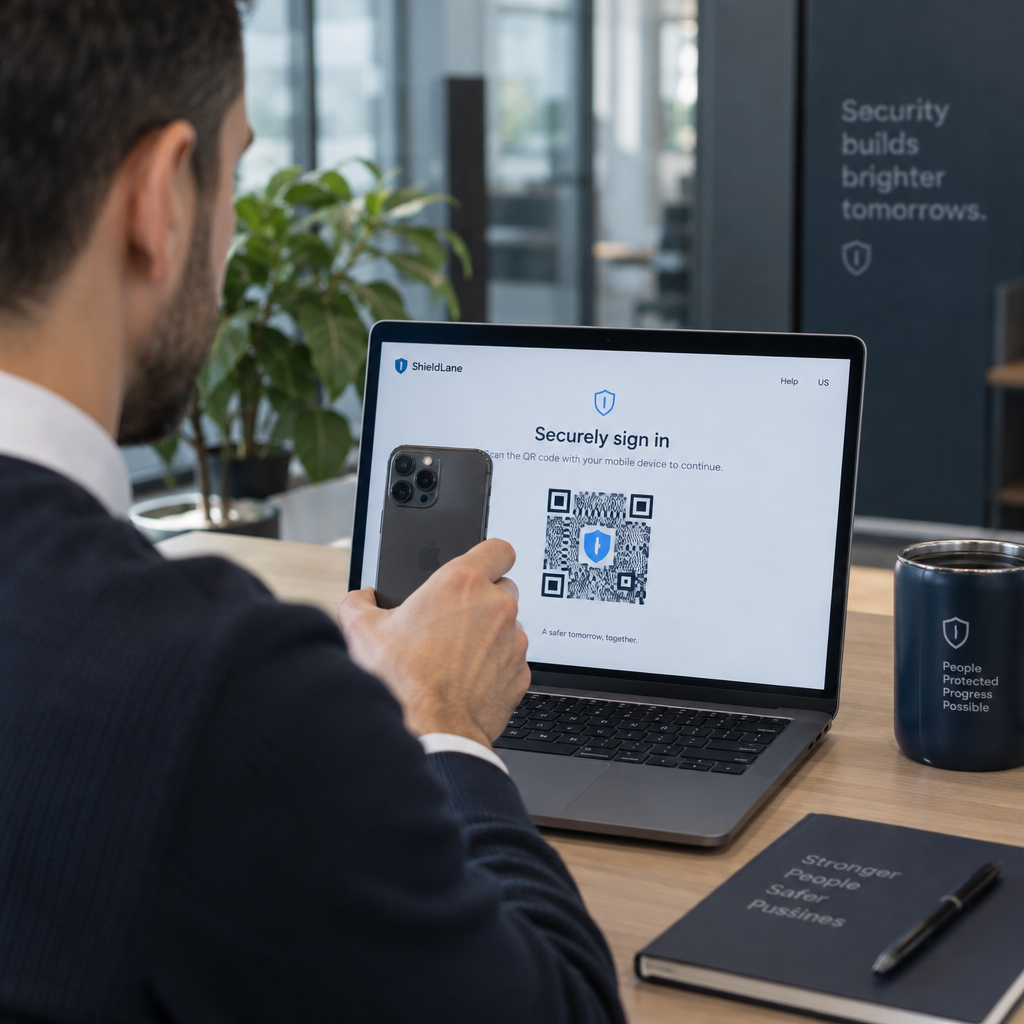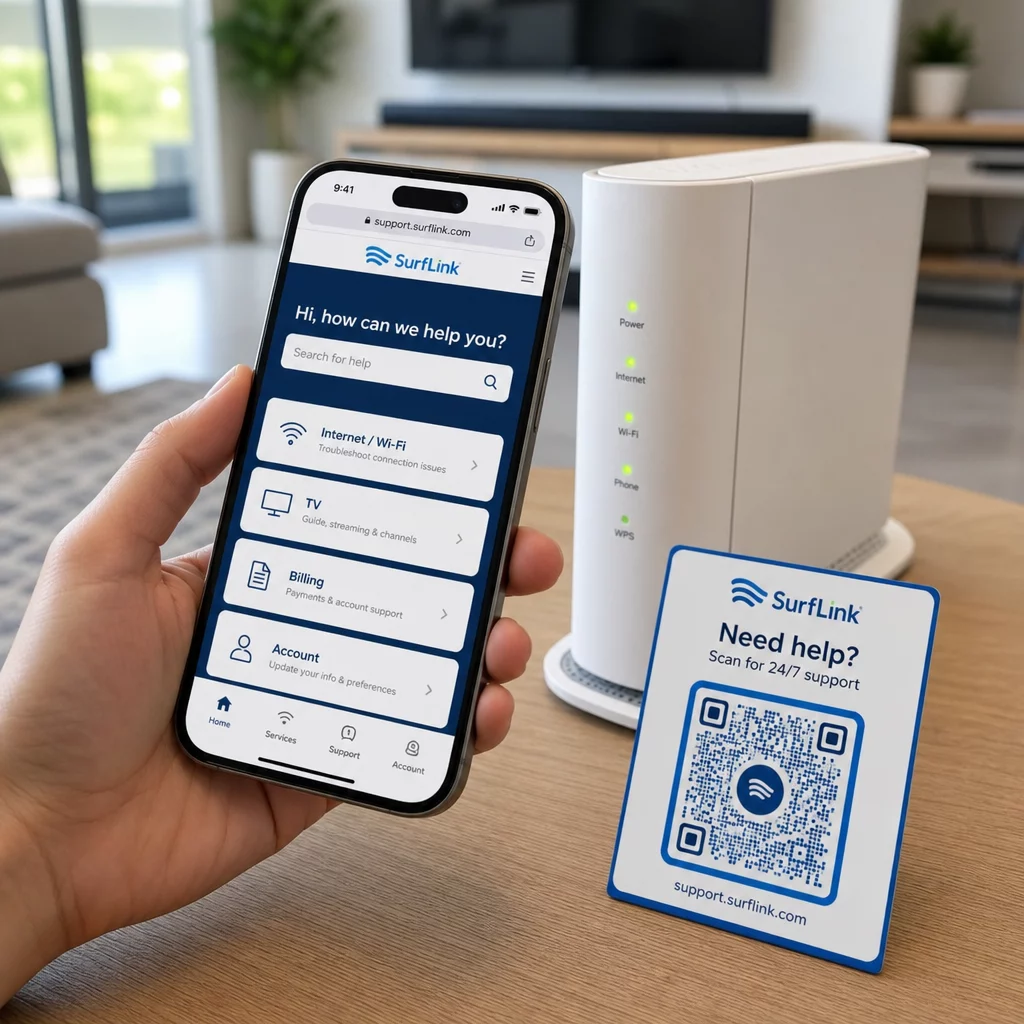
Are your customers struggling to find help when they need it most? In telecom, slow or fragmented support drives churn – and 17% of customers have already left a provider because of poor self-service experiences. This page shows you how QR codes give customers instant access to the right support resources, reduce ticket volume, and improve satisfaction at every touchpoint.
Why Self-Service Matters in Telecom
Customer expectations have shifted decisively toward self-service. About 67% of customers prefer to resolve issues on their own rather than speak with an agent, and 90% expect brands to offer an online self-service portal. In telecom specifically, self-service demand has grown 21% since Covid, and 69% of customers attempt to troubleshoot technical issues before requesting an in-home visit.
Yet more than 70% of customers who try self-service channels fail to fully resolve their issue online. The gap isn’t a lack of interest – it’s a lack of easy access. Customers abandon support flows when navigation is confusing, menus are buried, or they can’t find the right page quickly enough.
QR codes close that gap. A single scan connects a customer directly to the exact resource they need, without menus, searches, or hold times.
Key Benefits of QR Codes in Telecom Support
Faster Access to the Right Resources
Instead of navigating complex phone menus or scrolling through lengthy FAQ pages, a quick scan takes customers directly to the support resource they need. Telecom companies can place QR codes on product packaging, billing statements, equipment labels, and retail signage – each linking to a relevant destination like a setup guide, troubleshooting flow, or live chat.
For example, a QR code printed on a router’s label can link directly to network troubleshooting steps. A code on a monthly bill can open the account management portal. This kind of contextual access removes friction and reduces the volume of repeat contacts hitting your support queue.
You can generate these codes using the Pageloot QR code generator, which supports URLs, PDFs, forms, and over 25 other content types.
Personalized Support Experiences
Static support pages serve the same content to every customer. Dynamic QR codes change that. Because the destination URL is managed through a central dashboard, you can point the same printed code to different content based on device type, service plan, region, or time of day – without reprinting a single label.
A dynamic QR code on a SIM card package, for instance, can redirect postpaid customers to an activation guide and prepaid customers to a top-up portal. If your support hours change or you launch a new self-service feature, you update the destination once and every deployed code reflects the change immediately.
Deploy Personalized Support Links at Scale Use the Pageloot QR Code Generator for Telecom to create dynamic codes that connect customers to the right resource every time – without reprinting materials.
Simplified Feedback Collection
Collecting customer feedback is difficult when the process is inconvenient. QR codes printed on bills, welcome letters, or packaging link directly to a feedback form, capturing responses while the experience is still fresh.
Using a Google Form QR code is a practical way to route customers to a structured survey. Dynamic codes let you swap the form destination at any time – useful when you want to rotate surveys or test different questionnaires without redistributing materials. For a deeper look at implementation, see how to create QR codes for feedback collection.
Reduced Support Costs Through Automation
By routing customers to self-service resources – password resets, billing FAQs, device setup guides – QR codes reduce the volume of calls and tickets reaching your support team. Currently, 56% of telecom customer issues are resolved through self-service tools. QR codes accelerate that trend by making those tools easier to find at the moment they’re needed.
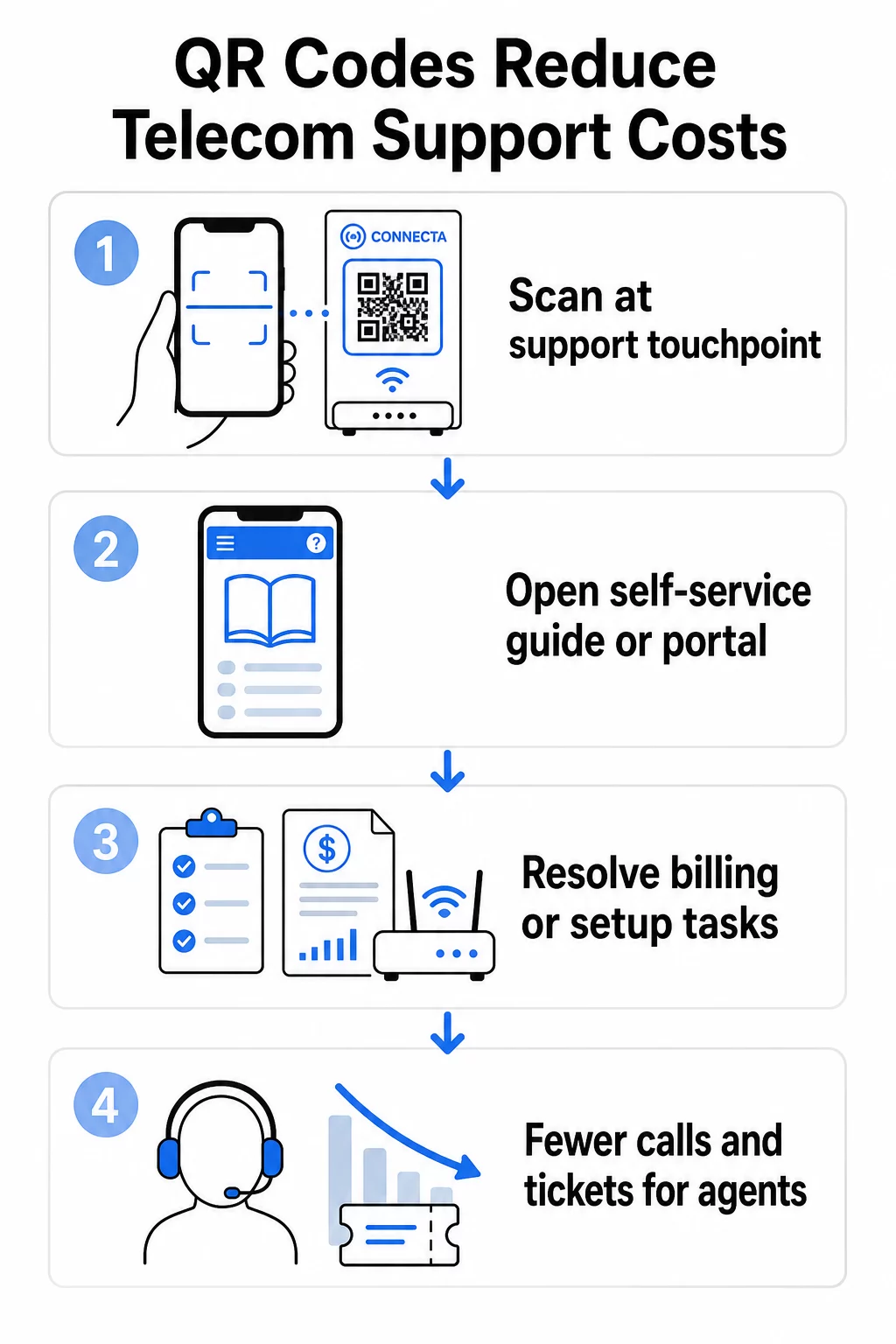
Tasks that previously required agent involvement – account updates, plan comparisons, service activation – can be handled through QR-linked portals, freeing your team for complex issues that genuinely require human attention.
How to Implement QR Codes for Telecom Support
Identify the Right Use Cases
Start by mapping the most common support touchpoints and pairing each with a QR-linked destination:
- Packaging and equipment labels – link to device-specific setup guides or video tutorials
- Monthly bills and invoices – link to account management, payment portals, or billing FAQs
- Retail and service desk signage – link to live chat or appointment scheduling
- Field technician materials – link to service status pages or post-visit feedback forms
- Email signatures – link to help center articles or support ticket submission
For content that changes frequently – such as service alerts or updated troubleshooting guides – use dynamic QR codes so you can update destinations without reprinting. For permanent resources like a fixed PDF user manual, a static code works fine.
Create and Customize Your Codes
Once you’ve defined your use cases, generate codes that customers will recognize and trust. Customize each code with your brand colors and logo to signal legitimacy – this matters in an industry where phishing is a real concern. Follow secure QR code generation best practices, including always linking to HTTPS destinations and using branded URLs.
For codes linking to downloadable documentation, a PDF QR code lets customers access user manuals, warranty information, or service agreements instantly. For support flows that consolidate multiple links – FAQs, live chat, bill payment – consider a QR code landing page that presents all options in a single mobile-friendly interface.
Write specific call-to-action text near every code. Instead of “Scan here,” use language like “Scan to troubleshoot your device” or “Scan to pay your bill in 30 seconds.” Targeted instructions consistently outperform generic prompts.
Place Codes Where Customers Need Them
Placement determines how many scans you actually receive. High-value locations include:
- Equipment packaging and device labels (where customers encounter setup challenges)
- Monthly bills and service notifications (where billing questions arise)
- Customer service desks and retail locations (where customers are already seeking help)
- Field technician vehicles and materials (for post-service follow-up)
- Digital surfaces like emails, account dashboards, and the company website
For physical placements, follow sizing guidance from QR code usability best practices: a minimum of 0.8 × 0.8 inches for close-range scanning, with matte finishes to reduce glare. Place codes at a comfortable height – roughly three to four feet from the ground for floor-standing displays. For detailed placement guidance, see the guidelines for placing QR codes on marketing materials.
Make sure every destination is mobile-optimized and loads quickly. Customers scanning from a phone expect the page to work immediately – see mobile QR code landing page best practices for technical guidance on page speed and touch-friendly design.
Track Performance and Refine
After deployment, use analytics to understand how customers interact with your support codes. Dynamic QR codes collect scan counts, timestamps, device types, and geographic locations – data that reveals peak support hours, high-demand regions, and which resources customers use most.
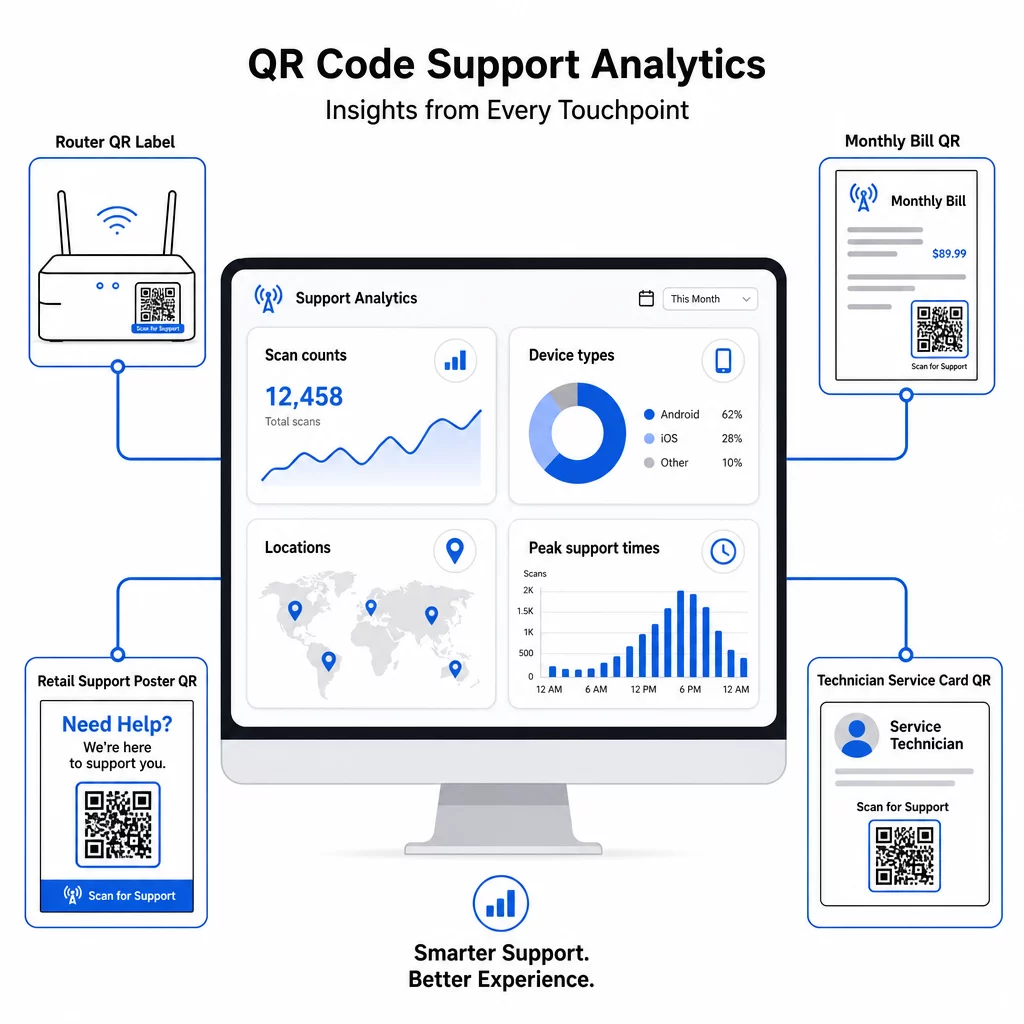
QR code tracking also enables conversion analysis: what percentage of bill-related scans result in a completed payment? Which troubleshooting codes lead to resolved issues versus escalations? This data helps you identify underperforming placements, improve destination content, and allocate support staff to peak demand windows.
Many QR code management platforms also integrate with analytics tools like Google Analytics, giving you a unified view of both physical and digital customer behavior.
See Exactly Where and When Customers Scan Track scan activity across every touchpoint with the Pageloot Link QR Code Generator – get real-time data on device type, location, and engagement to continuously optimize your support experience.
Advanced Applications
Dynamic Codes for Live Support Routing
Dynamic QR codes can route customers to live chat systems that show real-time agent availability, or to scheduling tools where customers can book a callback. If emergency protocols activate or service hours change, you update the destination once – every printed code in the field reflects the change instantly without reprinting.
Security and Data Protection
For QR codes linking to account management portals or billing systems, apply appropriate security controls. Password-protected codes add an authentication layer for sensitive destinations. Always use HTTPS links, verify that landing pages are SSL-certified, and use branded designs to help customers distinguish legitimate codes from phishing attempts. See secure QR code generation best practices for a full checklist.
QR codes placed in public spaces should link to general support resources. Codes on private documents like invoices can safely connect to account-specific tools, since access is already gated to the recipient.
Integration Across Support Channels
QR codes work alongside other support channels rather than replacing them. A scan might open a help center article, but if the customer still needs assistance, the landing page should surface a live chat option or support phone number. For a broader look at how this model applies across digital commerce contexts, see QR codes for support in e-commerce.
You can also use QR-triggered workflows to send automated follow-up messages – a satisfaction survey 24 hours after a technician visit, or a setup guide when a customer scans a new device’s packaging. This kind of customer feedback via QR code loop creates a continuous improvement cycle without additional manual effort.
Measuring What Works
Track these key performance indicators before and after QR code deployment:
- Resolution rate – percentage of scanned support sessions that resolve the customer’s issue without agent contact
- Scan-to-completion rate – percentage of scans that result in a completed action (payment made, form submitted, guide viewed)
- Support ticket volume – compare weekly totals before and after deployment to quantify deflection
- Customer satisfaction scores – correlate scan activity with post-interaction survey results
- Peak scan times and locations – use this data to align staffing and resource updates with actual demand
Establish baseline metrics before launching, then review monthly. If a code isn’t performing, check placement visibility, update the call-to-action text, or improve the destination page. Small adjustments based on real scan data consistently outperform assumptions about what customers want.
QR codes are most effective when treated as a living system – deployed thoughtfully, tracked consistently, and refined based on what the data shows. Telecom providers that take this approach reduce support costs, improve resolution rates, and give customers the fast, self-directed experience they expect.
Start by identifying your two or three highest-volume support touchpoints, generate QR codes for each, and measure the impact. Use Pageloot’s QR code tools for telecom to create dynamic, branded, trackable codes that you can update without reprinting – so your support infrastructure stays current as your services evolve.
Frequently Asked Questions
Telecom QR codes can link to almost any digital resource: troubleshooting guides, PDF user manuals, account management portals, payment pages, live chat windows, feedback forms, video tutorials, and mobile-optimized landing pages that consolidate multiple support options in one place. Dynamic QR codes let you update the destination at any time, so the same printed code can link to different content as your support resources change.
Static QR codes encode a fixed destination that cannot be changed after the code is created. Dynamic QR codes use a redirect link managed through a central dashboard, so you can update the destination without reprinting. For telecom support, dynamic codes are generally the better choice because support content changes frequently – troubleshooting guides get updated, service hours shift, and new self-service tools launch. Dynamic codes also provide scan analytics, which static codes do not support.
Always link QR codes to HTTPS-secured destinations and use branded, recognizable designs so customers can distinguish legitimate codes from phishing attempts. For codes that access account-specific tools or billing portals, password protection adds an authentication layer. Use dynamic QR codes so you can deactivate or redirect a compromised code immediately without reprinting materials. Educating customers about what legitimate QR codes look like and how to verify destinations before submitting any data is also an important layer of protection.