Apakah pelanggan Anda kesulitan mencari bantuan saat paling membutuhkannya? Di bidang telekomunikasi, dukungan yang lambat atau terfragmentasi mendorong churn – dan 17% pelanggan telah meninggalkan penyedia layanan karena pengalaman swalayan yang buruk. Halaman ini menunjukkan kepada Anda bagaimana kode QR memberikan pelanggan akses instan ke sumber daya dukungan yang tepat, mengurangi volume tiket, dan meningkatkan kepuasan di setiap titik kontak.
Mengapa Swalayan Penting dalam Telekomunikasi
Ekspektasi pelanggan telah bergeser secara tegas ke arah swalayan. Sekitar 67% pelanggan lebih memilih untuk menyelesaikan masalah sendiri daripada berbicara dengan agen, dan 90% mengharapkan merek untuk menawarkan portal swalayan online. Khusus di bidang telekomunikasi, permintaan swalayan telah tumbuh 21% sejak Covid, dan 69% pelanggan mencoba memecahkan masalah teknis sebelum meminta kunjungan ke rumah.
Namun, lebih dari 70% pelanggan yang mencoba saluran swalayan gagal menyelesaikan masalah mereka sepenuhnya secara online. Kesenjangan ini bukan karena kurangnya minat – melainkan kurangnya akses yang mudah. Pelanggan meninggalkan alur dukungan ketika navigasi membingungkan, menu tersembunyi, atau mereka tidak dapat menemukan halaman yang tepat dengan cukup cepat.
Kode QR menutup kesenjangan itu. Satu pemindaian menghubungkan pelanggan langsung ke sumber daya yang tepat yang mereka butuhkan, tanpa menu, pencarian, atau waktu tunggu.
Manfaat Utama Kode QR dalam Dukungan Telekomunikasi
Akses Lebih Cepat ke Sumber Daya yang Tepat
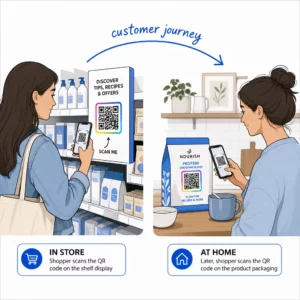
Daripada menavigasi menu telepon yang rumit atau menggulir halaman FAQ yang panjang, pemindaian cepat membawa pelanggan langsung ke sumber daya dukungan yang mereka butuhkan. Perusahaan telekomunikasi dapat menempatkan kode QR pada kemasan produk, laporan tagihan, label peralatan, dan papan nama ritel – masing-masing menautkan ke tujuan yang relevan seperti panduan pengaturan, alur pemecahan masalah, atau obrolan langsung.
Misalnya, kode QR yang dicetak pada label router dapat menautkan langsung ke langkah-langkah pemecahan masalah jaringan. Kode pada tagihan bulanan dapat membuka portal manajemen akun. Akses kontekstual semacam ini menghilangkan gesekan dan mengurangi volume kontak berulang yang masuk ke antrean dukungan Anda.
Anda dapat membuat kode-kode ini menggunakan Pembuat kode QR Pageloot, yang mendukung URL, PDF, formulir, dan lebih dari 25 jenis konten lainnya.
Pengalaman Dukungan yang Dipersonalisasi
Halaman dukungan statis menyajikan konten yang sama kepada setiap pelanggan. Kode QR dinamis mengubah hal itu. Karena URL tujuan dikelola melalui dasbor pusat, Anda dapat mengarahkan kode cetak yang sama ke konten yang berbeda berdasarkan jenis perangkat, paket layanan, wilayah, atau waktu – tanpa mencetak ulang satu label pun.
SEBUAH kode QR dinamis pada paket kartu SIM, misalnya, dapat mengarahkan pelanggan pascabayar ke panduan aktivasi dan pelanggan prabayar ke portal pengisian ulang. Jika jam dukungan Anda berubah atau Anda meluncurkan fitur swalayan baru, Anda memperbarui tujuan sekali dan setiap kode yang diterapkan akan segera mencerminkan perubahan tersebut.
Terapkan Tautan Dukungan yang Dipersonalisasi dalam Skala Besar Menggunakan Generator Kode QR Pageloot untuk Telekomunikasi untuk membuat kode dinamis yang menghubungkan pelanggan ke sumber daya yang tepat setiap saat – tanpa mencetak ulang materi.
Pengumpulan Umpan Balik yang Disederhanakan
Mengumpulkan umpan balik pelanggan sulit dilakukan jika prosesnya tidak nyaman. Kode QR yang dicetak pada tagihan, surat sambutan, atau kemasan terhubung langsung ke formulir umpan balik, menangkap tanggapan saat pengalaman masih segar.
Menggunakan Kode QR Formulir Google adalah cara praktis untuk mengarahkan pelanggan ke survei terstruktur. Kode dinamis memungkinkan Anda menukar tujuan formulir kapan saja – berguna saat Anda ingin merotasi survei atau menguji kuesioner yang berbeda tanpa mendistribusikan ulang materi. Untuk melihat lebih dalam implementasinya, lihat cara membuat kode QR untuk pengumpulan umpan balik.
Pengurangan Biaya Dukungan Melalui Otomatisasi
Dengan mengarahkan pelanggan ke sumber daya swalayan – pengaturan ulang kata sandi, FAQ penagihan, panduan pengaturan perangkat – kode QR mengurangi volume panggilan dan tiket yang mencapai tim dukungan Anda. Saat ini, 56% masalah pelanggan telekomunikasi diselesaikan melalui alat swalayan. Kode QR mempercepat tren tersebut dengan membuat alat-alat tersebut lebih mudah ditemukan saat dibutuhkan.

Tugas-tugas yang sebelumnya memerlukan keterlibatan agen – pembaruan akun, perbandingan paket, aktivasi layanan – dapat ditangani melalui portal yang terhubung dengan QR, membebaskan tim Anda untuk masalah kompleks yang benar-benar memerlukan perhatian manusia.
Cara Menerapkan Kode QR untuk Dukungan Telekomunikasi
Identifikasi Kasus Penggunaan yang Tepat
Mulailah dengan memetakan titik kontak dukungan yang paling umum dan pasangkan masing-masing dengan tujuan yang terhubung dengan QR:
- Label kemasan dan peralatan – tautan ke panduan pengaturan khusus perangkat atau tutorial video
- Tagihan dan faktur bulanan – tautan ke manajemen akun, portal pembayaran, atau FAQ penagihan
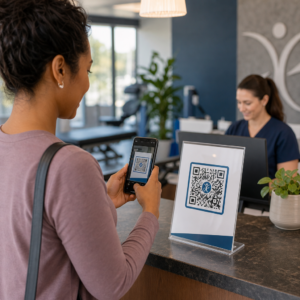
- Papan nama ritel dan meja layanan – tautan ke obrolan langsung atau penjadwalan janji temu
- Materi teknisi lapangan – tautan ke halaman status layanan atau formulir umpan balik pasca-kunjungan
- Tanda tangan email – tautan ke artikel pusat bantuan atau pengajuan tiket dukungan
Untuk konten yang sering berubah – seperti peringatan layanan atau panduan pemecahan masalah yang diperbarui – gunakan kode QR dinamis sehingga Anda dapat memperbarui tujuan tanpa mencetak ulang. Untuk sumber daya permanen seperti manual pengguna PDF tetap, kode statis berfungsi dengan baik.
Buat dan Sesuaikan Kode Anda
Setelah Anda menentukan kasus penggunaan Anda, buat kode yang akan dikenali dan dipercaya pelanggan. Sesuaikan setiap kode dengan warna dan logo merek Anda untuk menandakan legitimasi – ini penting dalam industri di mana phishing adalah kekhawatiran nyata. Ikuti praktik terbaik pembuatan kode QR yang aman, termasuk selalu menautkan ke tujuan HTTPS dan menggunakan URL bermerek.
Untuk kode yang menautkan ke dokumentasi yang dapat diunduh, sebuah Kode QR PDF memungkinkan pelanggan mengakses manual pengguna, informasi garansi, atau perjanjian layanan secara instan. Untuk alur dukungan yang mengkonsolidasikan beberapa tautan – FAQ, obrolan langsung, pembayaran tagihan – pertimbangkan sebuah halaman arahan kode QR yang menyajikan semua opsi dalam satu antarmuka yang ramah seluler.
Tulis teks ajakan bertindak spesifik di dekat setiap kode. Alih-alih “Pindai di sini,” gunakan bahasa seperti “Pindai untuk memecahkan masalah perangkat Anda” atau “Pindai untuk membayar tagihan Anda dalam 30 detik.” Instruksi yang ditargetkan secara konsisten mengungguli perintah generik.
Tempatkan Kode di Mana Pelanggan Membutuhkannya
Penempatan menentukan berapa banyak pemindaian yang benar-benar Anda terima. Lokasi bernilai tinggi meliputi:
- Kemasan peralatan dan label perangkat (tempat pelanggan menghadapi tantangan penyiapan)
- Tagihan bulanan dan notifikasi layanan (tempat muncul pertanyaan penagihan)
- Meja layanan pelanggan dan lokasi ritel (tempat pelanggan sudah mencari bantuan)
- Kendaraan dan materi teknisi lapangan (untuk tindak lanjut pasca-layanan)
- Permukaan digital seperti email, dasbor akun, dan situs web perusahaan
Untuk penempatan fisik, ikuti panduan ukuran dari praktik terbaik kegunaan kode QR: minimal 0,8 × 0,8 inci untuk pemindaian jarak dekat, dengan hasil akhir matte untuk mengurangi silau. Tempatkan kode pada ketinggian yang nyaman – kira-kira tiga hingga empat kaki dari tanah untuk tampilan berdiri di lantai. Untuk panduan penempatan terperinci, lihat panduan untuk menempatkan kode QR pada materi pemasaran.
Pastikan setiap tujuan dioptimalkan untuk seluler dan memuat dengan cepat. Pelanggan yang memindai dari ponsel mengharapkan halaman berfungsi segera – lihat praktik terbaik halaman arahan kode QR seluler untuk panduan teknis tentang kecepatan halaman dan desain yang ramah sentuhan.
Lacak Kinerja dan Sempurnakan
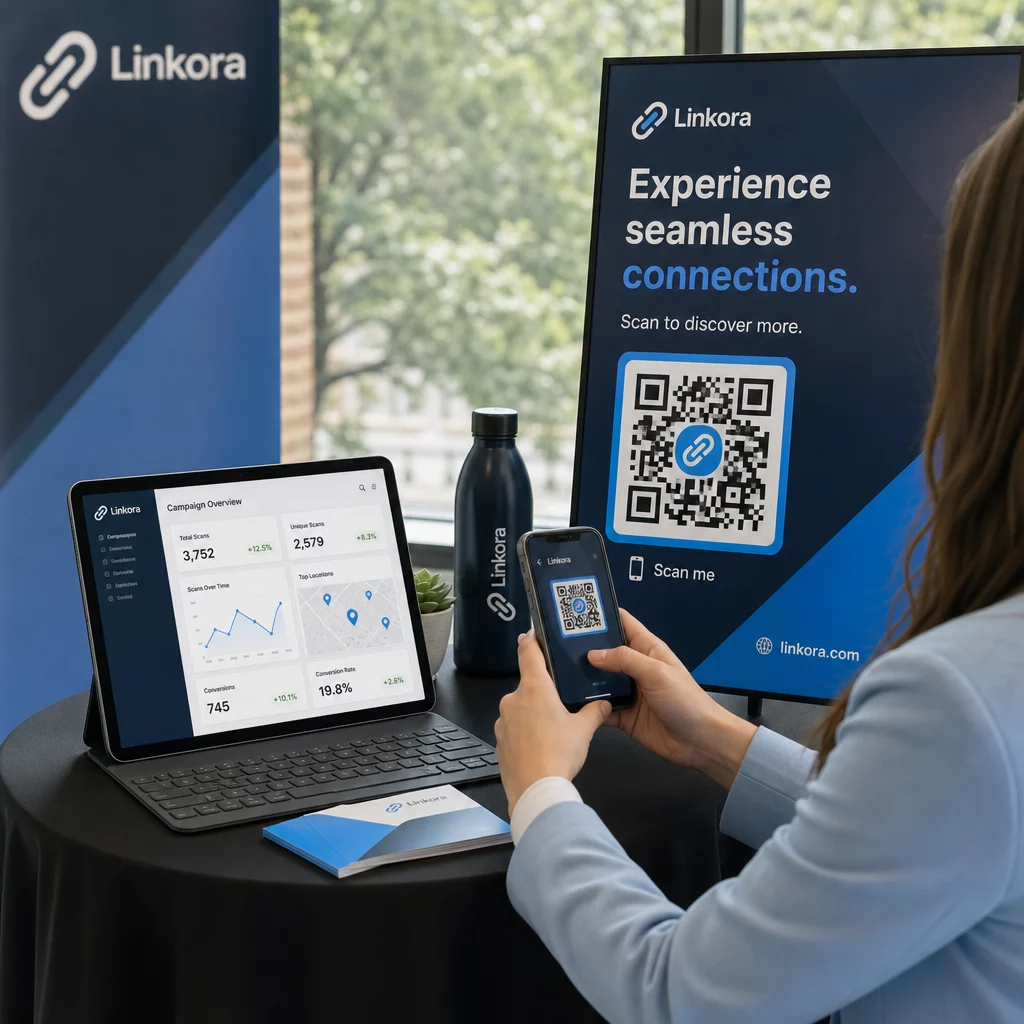
Setelah penerapan, gunakan analitik untuk memahami bagaimana pelanggan berinteraksi dengan kode dukungan Anda. Kode QR dinamis mengumpulkan jumlah pemindaian, stempel waktu, jenis perangkat, dan lokasi geografis – data yang mengungkapkan jam dukungan puncak, wilayah permintaan tinggi, dan sumber daya mana yang paling sering digunakan pelanggan.

Pelacakan kode QR juga memungkinkan analisis konversi: berapa persentase pemindaian terkait tagihan yang menghasilkan pembayaran yang berhasil? Kode pemecahan masalah mana yang mengarah pada masalah yang teratasi versus eskalasi? Data ini membantu Anda mengidentifikasi penempatan yang berkinerja buruk, meningkatkan konten tujuan, dan mengalokasikan staf dukungan ke jendela permintaan puncak.
Banyak platform manajemen kode QR juga terintegrasi dengan alat analitik seperti Google Analytics, memberi Anda pandangan terpadu tentang perilaku pelanggan fisik dan digital.
Lihat Tepat Di Mana dan Kapan Pelanggan Memindai Lacak aktivitas pemindaian di setiap titik kontak dengan Generator Kode QR Tautan Pageloot – dapatkan data real-time tentang jenis perangkat, lokasi, dan keterlibatan untuk terus mengoptimalkan pengalaman dukungan Anda.
Aplikasi Tingkat Lanjut
Kode Dinamis untuk Perutean Dukungan Langsung
Kode QR dinamis dapat mengarahkan pelanggan ke sistem obrolan langsung yang menunjukkan ketersediaan agen secara real-time, atau ke alat penjadwalan tempat pelanggan dapat memesan panggilan balik. Jika protokol darurat aktif atau jam layanan berubah, Anda memperbarui tujuan sekali – setiap kode yang dicetak di lapangan akan langsung mencerminkan perubahan tanpa perlu mencetak ulang.
Keamanan dan Perlindungan Data
Untuk kode QR yang menautkan ke portal manajemen akun atau sistem penagihan, terapkan kontrol keamanan yang sesuai. Kode yang dilindungi kata sandi menambahkan lapisan autentikasi untuk tujuan sensitif. Selalu gunakan tautan HTTPS, verifikasi bahwa halaman arahan bersertifikat SSL, dan gunakan desain bermerek untuk membantu pelanggan membedakan kode yang sah dari upaya phishing. Lihat praktik terbaik pembuatan kode QR yang aman untuk daftar periksa lengkap.
Kode QR yang ditempatkan di ruang publik harus menautkan ke sumber daya dukungan umum. Kode pada dokumen pribadi seperti faktur dapat dengan aman terhubung ke alat khusus akun, karena akses sudah dibatasi untuk penerima.
Integrasi Lintas Saluran Dukungan
Kode QR bekerja bersama saluran dukungan lain daripada menggantikannya. Sebuah pemindaian mungkin membuka artikel pusat bantuan, tetapi jika pelanggan masih membutuhkan bantuan, halaman arahan harus menampilkan opsi obrolan langsung atau nomor telepon dukungan. Untuk melihat lebih luas bagaimana model ini berlaku di seluruh konteks perdagangan digital, lihat Kode QR untuk dukungan dalam e-commerce.
Anda juga dapat menggunakan alur kerja yang dipicu QR untuk mengirim pesan tindak lanjut otomatis – survei kepuasan 24 jam setelah kunjungan teknisi, atau panduan pengaturan saat pelanggan memindai kemasan perangkat baru. Jenis umpan balik pelanggan melalui kode QR lingkaran ini menciptakan siklus peningkatan berkelanjutan tanpa upaya manual tambahan.
Mengukur Apa yang Berhasil
Lacak indikator kinerja utama ini sebelum dan sesudah penerapan kode QR:
- Tingkat penyelesaian – persentase sesi dukungan yang dipindai yang menyelesaikan masalah pelanggan tanpa kontak agen
- Tingkat pemindaian hingga selesai – persentase pemindaian yang menghasilkan tindakan yang selesai (pembayaran dilakukan, formulir dikirim, panduan dilihat)
- Volume tiket dukungan – bandingkan total mingguan sebelum dan sesudah penerapan untuk mengukur pengalihan
- Skor kepuasan pelanggan – korelasikan aktivitas pemindaian dengan hasil survei pasca-interaksi
- Waktu dan lokasi pemindaian puncak – gunakan data ini untuk menyelaraskan penempatan staf dan pembaruan sumber daya dengan permintaan aktual
Tetapkan metrik dasar sebelum peluncuran, lalu tinjau setiap bulan. Jika kode tidak berfungsi, periksa visibilitas penempatan, perbarui teks ajakan bertindak, atau tingkatkan halaman tujuan. Penyesuaian kecil berdasarkan data pemindaian nyata secara konsisten mengungguli asumsi tentang apa yang diinginkan pelanggan.
Kode QR paling efektif bila diperlakukan sebagai sistem yang hidup – diterapkan dengan cermat, dilacak secara konsisten, dan disempurnakan berdasarkan apa yang ditunjukkan data. Penyedia telekomunikasi yang mengambil pendekatan ini mengurangi biaya dukungan, meningkatkan tingkat penyelesaian, dan memberikan pelanggan pengalaman cepat dan mandiri yang mereka harapkan.
Mulailah dengan mengidentifikasi dua atau tiga titik kontak dukungan bervolume tertinggi Anda, buat kode QR untuk masing-masing, dan ukur dampaknya. Gunakan Alat kode QR Pageloot untuk telekomunikasi untuk membuat kode dinamis, bermerek, dan dapat dilacak yang dapat Anda perbarui tanpa mencetak ulang – sehingga infrastruktur dukungan Anda tetap terkini seiring berkembangnya layanan Anda.
Pertanyaan yang sering diajukan
Kode QR Telekomunikasi dapat menautkan ke hampir semua sumber daya digital: panduan pemecahan masalah, manual pengguna PDF, portal manajemen akun, halaman pembayaran, jendela obrolan langsung, formulir umpan balik, tutorial video, dan halaman arahan yang dioptimalkan untuk seluler yang mengonsolidasikan berbagai opsi dukungan di satu tempat. Kode QR Dinamis memungkinkan Anda memperbarui tujuan kapan saja, sehingga kode tercetak yang sama dapat menautkan ke konten yang berbeda saat sumber daya dukungan Anda berubah.
Kode QR statis mengkodekan tujuan tetap yang tidak dapat diubah setelah kode dibuat. Kode QR dinamis menggunakan tautan pengalihan yang dikelola melalui dasbor pusat, sehingga Anda dapat memperbarui tujuan tanpa mencetak ulang. Untuk dukungan telekomunikasi, kode dinamis umumnya merupakan pilihan yang lebih baik karena konten dukungan sering berubah – panduan pemecahan masalah diperbarui, jam layanan bergeser, dan alat swalayan baru diluncurkan. Kode dinamis juga menyediakan analitik pemindaian, yang tidak didukung oleh kode statis.
Selalu tautkan kode QR ke tujuan yang diamankan HTTPS dan gunakan desain bermerek yang mudah dikenali agar pelanggan dapat membedakan kode yang sah dari upaya phishing. Untuk kode yang mengakses alat khusus akun atau portal penagihan, perlindungan kata sandi menambahkan lapisan autentikasi. Gunakan kode QR dinamis agar Anda dapat menonaktifkan atau mengalihkan kode yang disusupi segera tanpa mencetak ulang materi. Mendidik pelanggan tentang seperti apa kode QR yang sah dan cara memverifikasi tujuan sebelum mengirimkan data apa pun juga merupakan lapisan perlindungan yang penting.