Worstelen uw klanten om hulp te vinden wanneer ze die het meest nodig hebben? In de telecomsector leidt trage of gefragmenteerde ondersteuning tot klantverloop – en 17% van de klanten heeft al een provider verlaten vanwege slechte selfservice-ervaringen. Deze pagina laat zien hoe QR-codes klanten direct toegang geven tot de juiste ondersteuningsbronnen, het aantal tickets verminderen en de tevredenheid bij elk contactpunt verbeteren.
Waarom selfservice belangrijk is in de telecomsector
Klantverwachtingen zijn doorslaggevend verschoven naar selfservice. Ongeveer 67% van de klanten lost problemen liever zelf op dan met een medewerker te spreken, en 90% verwacht dat merken een online selfserviceportaal aanbieden. Specifiek in de telecomsector is de vraag naar selfservice met 21% gegroeid sinds Covid, en 69% van de klanten probeert technische problemen zelf op te lossen voordat ze een huisbezoek aanvragen.
Toch slaagt meer dan 70% van de klanten die selfservicekanalen proberen er niet in hun probleem volledig online op te lossen. De kloof is geen gebrek aan interesse – het is een gebrek aan gemakkelijke toegang. Klanten verlaten ondersteuningsstromen wanneer de navigatie verwarrend is, menu's verborgen zijn, of ze de juiste pagina niet snel genoeg kunnen vinden.
QR-codes dichten die kloof. Eén enkele scan verbindt een klant direct met de exacte bron die ze nodig hebben, zonder menu's, zoekopdrachten of wachttijden.
Belangrijkste voordelen van QR-codes in telecomondersteuning
Snellere toegang tot de juiste bronnen
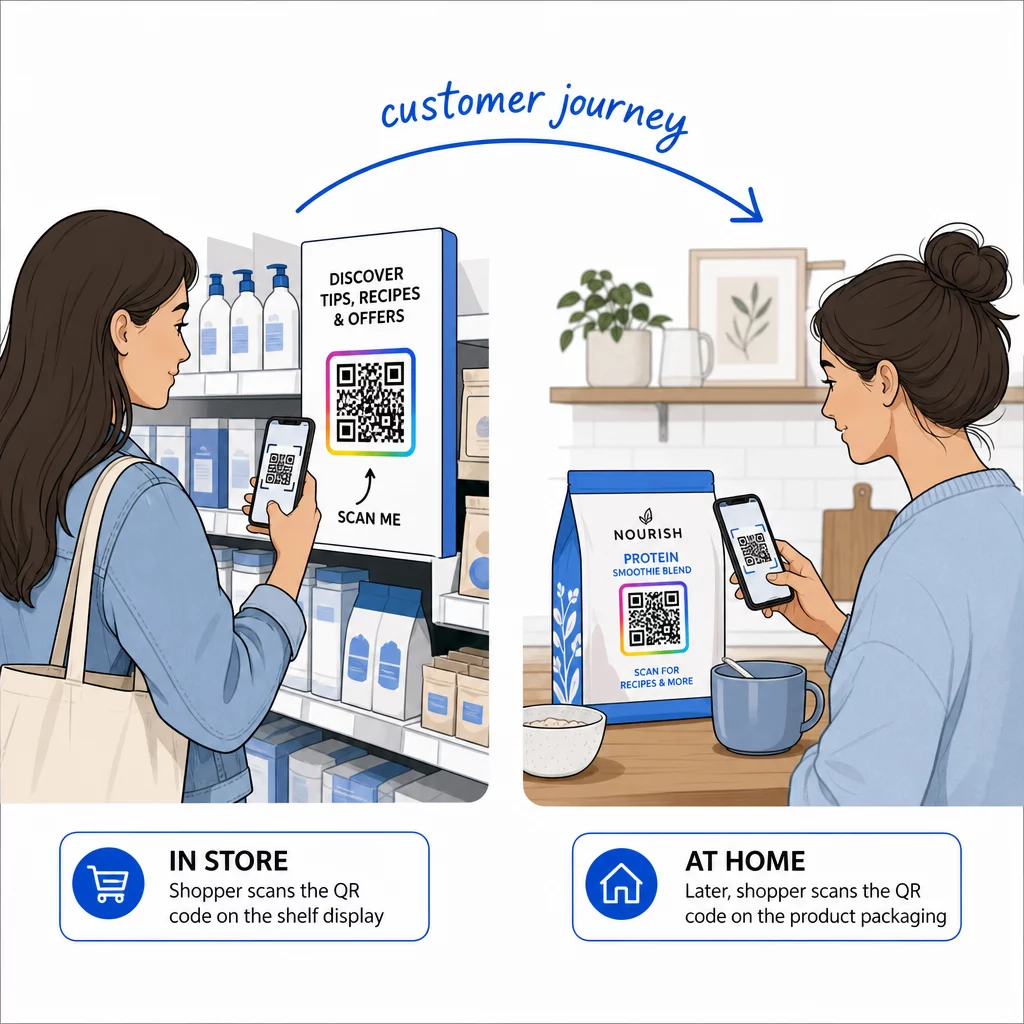
In plaats van door complexe telefoonmenu's te navigeren of door lange FAQ-pagina's te scrollen, brengt een snelle scan klanten direct naar de ondersteuningsbron die ze nodig hebben. Telecombedrijven kunnen QR-codes plaatsen op productverpakkingen, facturen, apparatuurlabels en winkelborden – elk gekoppeld aan een relevante bestemming zoals een installatiegids, probleemoplossingsstroom of livechat.
Een QR-code die op het label van een router is afgedrukt, kan bijvoorbeeld direct linken naar stappen voor netwerkprobleemoplossing. Een code op een maandelijkse factuur kan het accountbeheerportaal openen. Dit soort contextuele toegang vermindert frictie en verlaagt het aantal herhaalde contacten in uw ondersteuningswachtrij.
U kunt deze codes genereren met de Pageloot QR-codegenerator, die URL's, PDF's, formulieren en meer dan 25 andere inhoudstypen ondersteunt.
Gepersonaliseerde ondersteuningservaringen
Statische ondersteuningspagina's bieden dezelfde inhoud aan elke klant. Dynamische QR-codes veranderen dat. Omdat de bestemmings-URL wordt beheerd via een centraal dashboard, kunt u dezelfde afgedrukte code naar verschillende inhoud laten verwijzen op basis van apparaattype, serviceplan, regio of tijdstip van de dag – zonder één enkel label opnieuw af te drukken.
EEN dynamische QR-code op een simkaartverpakking kan bijvoorbeeld postpaidklanten omleiden naar een activeringsgids en prepaidklanten naar een opwaardeerportaal. Als uw ondersteuningstijden veranderen of u een nieuwe selfservicefunctie lanceert, werkt u de bestemming één keer bij en elke geïmplementeerde code weerspiegelt de wijziging onmiddellijk.
Gepersonaliseerde ondersteuningslinks op schaal implementeren Gebruik de Pageloot QR-codegenerator voor telecom om dynamische codes te creëren die klanten elke keer met de juiste bron verbinden – zonder materialen opnieuw af te drukken.
Vereenvoudigde Feedbackverzameling
Het verzamelen van klantfeedback is moeilijk wanneer het proces onhandig is. QR-codes afgedrukt op facturen, welkomstbrieven of verpakkingen linken direct naar een feedbackformulier, waardoor reacties worden vastgelegd terwijl de ervaring nog vers is.
Een Google formulier QR code is een praktische manier om klanten naar een gestructureerde enquête te leiden. Dynamische codes laten u de formulierbestemming op elk moment wijzigen – handig wanneer u enquêtes wilt rouleren of verschillende vragenlijsten wilt testen zonder materialen opnieuw te verspreiden. Voor een diepere blik op de implementatie, zie hoe QR-codes te maken voor feedbackverzameling.
Verlaagde Ondersteuningskosten Door Automatisering
Door klanten naar zelfservicebronnen te leiden – wachtwoordresets, veelgestelde vragen over facturering, installatiegidsen voor apparaten – verminderen QR-codes het aantal oproepen en tickets dat uw ondersteuningsteam bereikt. Momenteel wordt 56% van de telecomklantproblemen opgelost via zelfservicetools. QR-codes versnellen die trend door die tools gemakkelijker te vinden te maken op het moment dat ze nodig zijn.

Taken die voorheen agentbetrokkenheid vereisten – accountupdates, planvergelijkingen, serviceactivering – kunnen worden afgehandeld via QR-gekoppelde portals, waardoor uw team vrijkomt voor complexe problemen die echt menselijke aandacht vereisen.
Hoe QR-codes te implementeren voor Telecomondersteuning
Identificeer de Juiste Gebruiksscenario's
Begin met het in kaart brengen van de meest voorkomende ondersteuningscontactpunten en koppel elk aan een QR-gekoppelde bestemming:
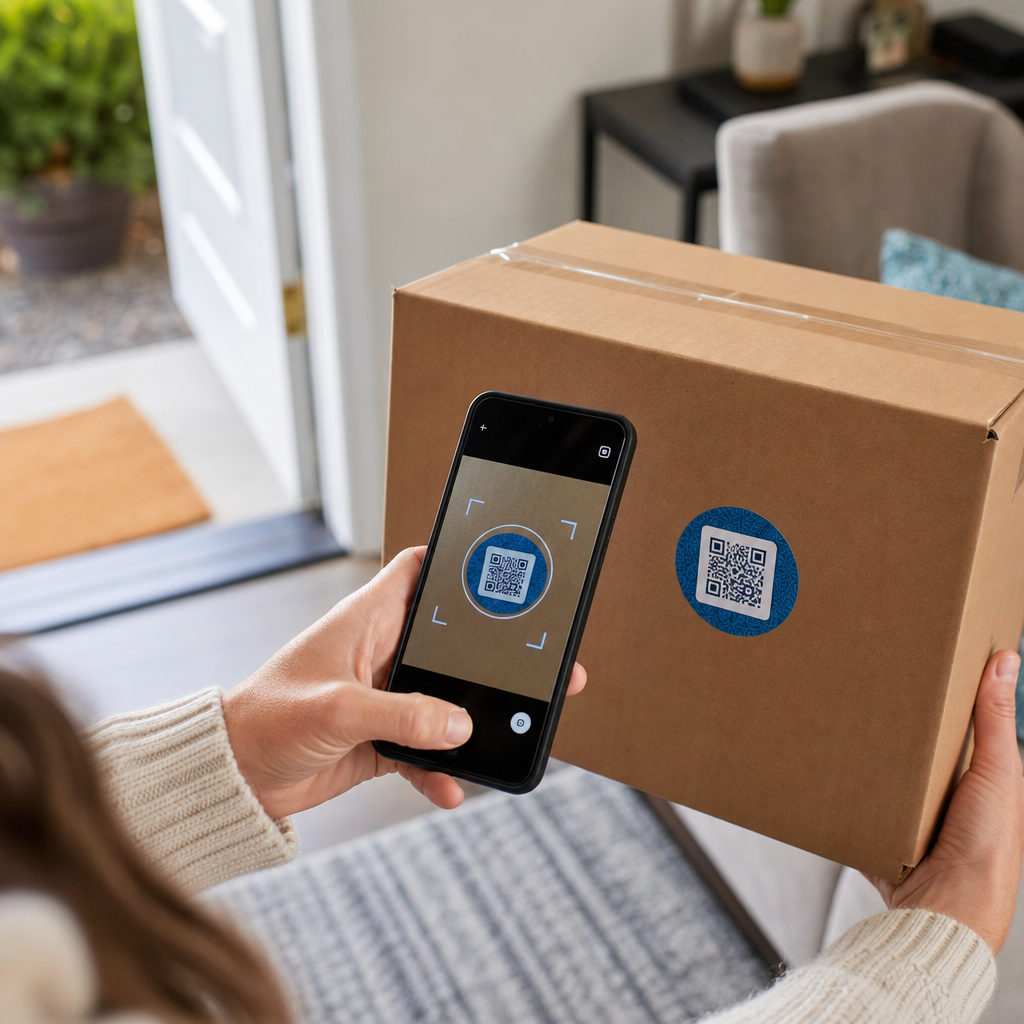
- Verpakkingen en apparatuurstickers – link naar apparaatspecifieke installatiegidsen of videotutorials
- Maandelijkse rekeningen en facturen – link naar accountbeheer, betaalportals of veelgestelde vragen over facturering
- Winkel- en servicedeskbewegwijzering – link naar livechat of afspraakplanning
- Materialen voor veldtechnici – link naar servicestatuspagina's of feedbackformulieren na bezoek
- E-mailhandtekeningen – link naar helpcentrumartikelen of het indienen van supporttickets
Voor inhoud die frequent verandert – zoals servicealerts of bijgewerkte handleidingen voor probleemoplossing – gebruik dynamische QR-codes zodat u bestemmingen kunt bijwerken zonder opnieuw te printen. Voor permanente bronnen zoals een vaste PDF-gebruikershandleiding werkt een statische code prima.
Maak en personaliseer uw codes
Zodra u uw gebruiksscenario's hebt gedefinieerd, genereert u codes die klanten zullen herkennen en vertrouwen. Pas elke code aan met uw merkkleuren en logo om legitimiteit te signaleren – dit is belangrijk in een branche waar phishing een reële zorg is. Volg beste praktijken voor veilige QR-codegeneratie, inclusief altijd linken naar HTTPS-bestemmingen en het gebruik van merk-URL's.
Voor codes die linken naar downloadbare documentatie, een PDF QR-code laat klanten direct toegang krijgen tot gebruikershandleidingen, garantie-informatie of serviceovereenkomsten. Voor ondersteuningsstromen die meerdere links consolideren – veelgestelde vragen, livechat, factuurbetaling – overweeg een QR-code landingspagina die alle opties presenteert in één mobielvriendelijke interface.
Schrijf specifieke call-to-action tekst bij elke code. Gebruik in plaats van “Scan hier” taal zoals “Scan om uw apparaat op te lossen” of “Scan om uw rekening in 30 seconden te betalen.” Gerichte instructies presteren consequent beter dan generieke prompts.
Plaats codes waar klanten ze nodig hebben
Plaatsing bepaalt hoeveel scans u daadwerkelijk ontvangt. Locaties met hoge waarde zijn onder meer:
- Verpakking van apparatuur en apparaatlabels (waar klanten installatieproblemen ondervinden)
- Maandelijkse facturen en servicemeldingen (waar factuurvragen ontstaan)
- Klantenservicebalies en winkellocaties (waar klanten al hulp zoeken)
- Voertuigen en materialen van buitendiensttechnici (voor follow-up na service)
- Digitale oppervlakken zoals e-mails, accountdashboards en de bedrijfswebsite
Voor fysieke plaatsingen, volg de richtlijnen voor formaat van best practices voor de bruikbaarheid van QR-codes: minimaal 0,8 × 0,8 inch voor scannen op korte afstand, met matte afwerkingen om schittering te verminderen. Plaats codes op een comfortabele hoogte – ongeveer drie tot vier voet van de grond voor vloerstaande displays. Voor gedetailleerde plaatsingsrichtlijnen, zie de richtlijnen voor het plaatsen van QR-codes op marketingmaterialen.
Zorg ervoor dat elke bestemming mobiel-geoptimaliseerd is en snel laadt. Klanten die scannen vanaf een telefoon verwachten dat de pagina onmiddellijk werkt – zie best practices voor mobiele QR-code landingspagina's voor technische richtlijnen over paginasnelheid en aanraakvriendelijk ontwerp.
Prestaties bijhouden en verfijnen
Gebruik na de implementatie analyses om te begrijpen hoe klanten omgaan met uw ondersteuningscodes. Dynamische QR-codes verzamelen scanaantallen, tijdstempels, apparaattypen en geografische locaties – gegevens die piekuren voor ondersteuning, regio's met veel vraag en welke bronnen klanten het meest gebruiken, onthullen.

QR-code tracking maakt ook conversieanalyse mogelijk: welk percentage van factuurgerelateerde scans resulteert in een voltooide betaling? Welke probleemoplossingscodes leiden tot opgeloste problemen versus escalaties? Deze gegevens helpen u onderpresterende plaatsingen te identificeren, bestemmingsinhoud te verbeteren en ondersteunend personeel toe te wijzen aan piekperioden.
Veel QR-codebeheerplatforms integreren ook met analysetools zoals Google Analytics, waardoor u een uniform beeld krijgt van zowel fysiek als digitaal klantgedrag.
Zie precies waar en wanneer klanten scannen Volg scanactiviteit over elk contactpunt met de Pageloot Link QR-codegenerator – ontvang real-time gegevens over apparaattype, locatie en betrokkenheid om uw ondersteuningservaring continu te optimaliseren.
Geavanceerde toepassingen
Dynamische codes voor live ondersteuningsroutering
Dynamische QR-codes kunnen klanten routeren naar live chatsystemen die de real-time beschikbaarheid van medewerkers tonen, of naar planningstools waar klanten een terugbelverzoek kunnen boeken. Als noodprotocollen worden geactiveerd of service-uren veranderen, werkt u de bestemming één keer bij – elke geprinte code in het veld weerspiegelt de wijziging direct zonder opnieuw te printen.
Beveiliging en gegevensbescherming
Voor QR-codes die linken naar accountbeheerportalen of facturatiesystemen, past u passende beveiligingscontroles toe. Met een wachtwoord beveiligde codes voegen een authenticatielaag toe voor gevoelige bestemmingen. Gebruik altijd HTTPS-links, controleer of landingspagina's SSL-gecertificeerd zijn en gebruik merkgebonden ontwerpen om klanten te helpen legitieme codes te onderscheiden van phishingpogingen. Zie beste praktijken voor veilige QR-codegeneratie voor een volledige checklist.
QR-codes die in openbare ruimtes worden geplaatst, moeten linken naar algemene ondersteuningsbronnen. Codes op privédocumenten zoals facturen kunnen veilig verbinding maken met accounts-specifieke tools, aangezien de toegang al beperkt is tot de ontvanger.
Integratie over ondersteuningskanalen heen
QR-codes werken naast andere ondersteuningskanalen in plaats van deze te vervangen. Een scan kan een artikel uit het helpcentrum openen, maar als de klant nog steeds hulp nodig heeft, moet de landingspagina een live chatoptie of een ondersteuningstelefoonnummer tonen. Voor een bredere kijk op hoe dit model van toepassing is in digitale handelscontexten, zie QR-codes voor ondersteuning in e-commerce.
U kunt ook QR-gestuurde workflows gebruiken om geautomatiseerde vervolgberichten te verzenden – een tevredenheidsonderzoek 24 uur na een technicusbezoek, of een installatiehandleiding wanneer een klant de verpakking van een nieuw apparaat scant. Dit soort klantfeedback via QR-code lus creëert een continue verbeteringscyclus zonder extra handmatige inspanning.
Meten wat werkt
Volg deze belangrijke prestatie-indicatoren voor en na de implementatie van QR-codes:
- Oplossingspercentage – percentage van gescande ondersteuningssessies die het probleem van de klant oplossen zonder contact met een medewerker
- Scan-naar-voltooiingspercentage – percentage van scans die resulteren in een voltooide actie (betaling gedaan, formulier ingediend, gids bekeken)
- Volume van ondersteuningstickets – vergelijk wekelijkse totalen voor en na implementatie om afbuiging te kwantificeren
- Klanttevredenheidsscores – correleer scanactiviteit met resultaten van enquêtes na interactie
- Piek scantijden en -locaties – gebruik deze gegevens om personeelsbezetting en resource-updates af te stemmen op de werkelijke vraag
Stel basisstatistieken vast vóór de lancering en evalueer vervolgens maandelijks. Als een code niet presteert, controleer dan de zichtbaarheid van de plaatsing, werk de call-to-action-tekst bij of verbeter de bestemmingspagina. Kleine aanpassingen op basis van echte scangegevens presteren consequent beter dan aannames over wat klanten willen.
QR-codes zijn het meest effectief wanneer ze worden behandeld als een levend systeem – doordacht geïmplementeerd, consistent gevolgd en verfijnd op basis van wat de gegevens laten zien. Telecomproviders die deze aanpak hanteren, verlagen de ondersteuningskosten, verbeteren de oplossingspercentages en bieden klanten de snelle, zelfgestuurde ervaring die ze verwachten.
Begin met het identificeren van uw twee of drie ondersteuningscontactpunten met het hoogste volume, genereer QR-codes voor elk en meet de impact. Gebruik Pageloot's QR-codetools voor telecom om dynamische, gebrande, traceerbare codes te maken die u kunt bijwerken zonder opnieuw af te drukken – zodat uw ondersteuningsinfrastructuur actueel blijft naarmate uw services evolueren.
Veelgestelde vragen
Telecom QR-codes kunnen linken naar bijna elke digitale bron: handleidingen voor probleemoplossing, PDF-gebruikershandleidingen, portals voor accountbeheer, betaalpagina's, live chatvensters, feedbackformulieren, videotutorials en voor mobiel geoptimaliseerde landingspagina's die meerdere ondersteuningsopties op één plek consolideren. Met dynamische QR-codes kunt u de bestemming op elk moment bijwerken, zodat dezelfde geprinte code naar verschillende inhoud kan linken naarmate uw ondersteuningsbronnen veranderen.
Statische QR-codes coderen een vaste bestemming die niet kan worden gewijzigd nadat de code is aangemaakt. Dynamische QR-codes gebruiken een omleidingslink die wordt beheerd via een centraal dashboard, zodat u de bestemming kunt bijwerken zonder opnieuw af te drukken. Voor telecomondersteuning zijn dynamische codes over het algemeen de betere keuze, omdat de inhoud van de ondersteuning frequent verandert – handleidingen voor probleemoplossing worden bijgewerkt, service-uren verschuiven en nieuwe zelfbedieningstools worden gelanceerd. Dynamische codes bieden ook scananalyses, wat statische codes niet ondersteunen.
Koppel QR-codes altijd aan HTTPS-beveiligde bestemmingen en gebruik herkenbare ontwerpen met branding, zodat klanten legitieme codes kunnen onderscheiden van phishingpogingen. Voor codes die toegang geven tot accounts-specifieke tools of facturatieportalen, voegt wachtwoordbeveiliging een authenticatielaag toe. Gebruik dynamische QR-codes zodat u een gecompromitteerde code onmiddellijk kunt deactiveren of omleiden zonder materialen opnieuw af te drukken. Klanten voorlichten over hoe legitieme QR-codes eruitzien en hoe bestemmingen te verifiëren voordat gegevens worden ingediend, is ook een belangrijke beschermingslaag.