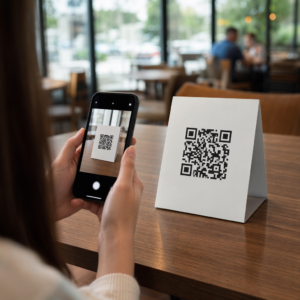
Ali se vaše stranke trudijo najti pomoč, ko jo najbolj potrebujejo? V telekomunikacijah počasna ali razdrobljena podpora povzroča odliv strank – in 17 % strank je že zapustilo ponudnika zaradi slabih izkušenj s samopostrežbo. Ta stran vam pokaže, kako QR kode strankam omogočajo takojšen dostop do pravih virov podpore, zmanjšujejo število zahtevkov in izboljšujejo zadovoljstvo na vsaki stični točki.
Zakaj je samopostrežba pomembna v telekomunikacijah
Pričakovanja strank so se odločno preusmerila k samopostrežbi. Približno 67 % strank raje rešuje težave samostojno, kot da bi govorile z agentom, in 90 % pričakuje, da bodo blagovne znamke ponudile spletni samopostrežni portal. V telekomunikacijah posebej je povpraševanje po samopostrežbi naraslo za 21 % od Covida, in 69 % strank poskuša odpraviti tehnične težave, preden zahteva obisk na domu.
Kljub temu več kot 70 % strank, ki poskusijo samopostrežne kanale, ne uspe v celoti rešiti svoje težave na spletu. Vrzel ni pomanjkanje zanimanja – je pomanjkanje enostavnega dostopa. Stranke opustijo potek podpore, ko je navigacija zmedena, meniji so skriti ali ne najdejo prave strani dovolj hitro.
QR kode zapolnjujejo to vrzel. En sam sken poveže stranko neposredno z natančnim virom, ki ga potrebuje, brez menijev, iskanj ali čakalnih dob.
Ključne prednosti QR kod pri telekomunikacijski podpori
Hitrejši dostop do pravih virov
Namesto navigacije po kompleksnih telefonskih menijih ali brskanja po dolgih straneh s pogostimi vprašanji, hiter sken stranke popelje neposredno do vira podpore, ki ga potrebujejo. Telekomunikacijska podjetja lahko QR kode namestijo na embalažo izdelkov, račune, nalepke opreme in maloprodajne oznake – vsaka povezuje na ustrezno destinacijo, kot je vodnik za namestitev, potek odpravljanja težav ali klepet v živo.
Na primer, QR koda, natisnjena na nalepki usmerjevalnika, se lahko neposredno poveže s koraki za odpravljanje težav z omrežjem. Koda na mesečnem računu lahko odpre portal za upravljanje računa. Ta vrsta kontekstualnega dostopa odpravlja trenje in zmanjšuje število ponavljajočih se stikov, ki obremenjujejo vašo čakalno vrsto za podporo.
Te kode lahko ustvarite z uporabo Generator QR kod Pageloot, ki podpira URL-je, PDF-je, obrazce in več kot 25 drugih vrst vsebine.
Prilagojene izkušnje podpore
Statične strani za podporo ponujajo enako vsebino vsaki stranki. Dinamične QR kode to spreminjajo. Ker se ciljni URL upravlja prek centralne nadzorne plošče, lahko isto natisnjeno kodo usmerite na različno vsebino glede na vrsto naprave, storitveni paket, regijo ali čas dneva – ne da bi ponovno natisnili eno samo nalepko.
A dinamična QR koda na paketu SIM kartice, na primer, lahko preusmeri naročnike s postpaid storitvijo na vodnik za aktivacijo in naročnike s prepaid storitvijo na portal za doplačilo. Če se vaše ure podpore spremenijo ali uvedete novo samopostrežno funkcijo, posodobite destinacijo enkrat in vsaka nameščena koda takoj odraža spremembo.
Uvedite prilagojene povezave za podporo v velikem obsegu Uporabi Pageloot generator QR kod za telekomunikacije za ustvarjanje dinamičnih kod, ki stranke vsakič povežejo s pravim virom – brez ponovnega tiskanja materialov.
Poenostavljeno zbiranje povratnih informacij
Zbiranje povratnih informacij strank je težavno, če je postopek nepriročen. QR kode, natisnjene na računih, pozdravnih pismih ali embalaži, se neposredno povežejo z obrazcem za povratne informacije, zajemanje odgovorov, medtem ko je izkušnja še sveža.
Uporaba Koda QR obrazca Google je praktičen način za usmerjanje strank na strukturirano anketo. Dinamične kode vam omogočajo, da kadar koli zamenjate cilj obrazca – uporabno, ko želite menjati ankete ali preizkusiti različne vprašalnike, ne da bi ponovno razdeljevali materiale. Za podrobnejši vpogled v implementacijo glejte kako ustvariti QR kode za zbiranje povratnih informacij.
Zmanjšani stroški podpore z avtomatizacijo
Z usmerjanjem strank na vire za samopostrežbo – ponastavitve gesel, pogosta vprašanja o obračunavanju, vodniki za nastavitev naprav – QR kode zmanjšujejo število klicev in zahtevkov, ki dosežejo vašo ekipo za podporo. Trenutno se 56 % težav strank v telekomunikacijah reši s pomočjo orodij za samopostrežbo. QR kode pospešujejo ta trend, saj omogočajo lažje iskanje teh orodij v trenutku, ko so potrebna.

Naloge, ki so prej zahtevale posredovanje agenta – posodobitve računov, primerjave paketov, aktivacija storitev – se lahko obravnavajo prek portalov, povezanih s QR kodami, s čimer se vaša ekipa sprosti za kompleksna vprašanja, ki resnično zahtevajo človeško pozornost.
Kako implementirati QR kode za telekomunikacijsko podporo
Prepoznajte prave primere uporabe
Začnite z mapiranjem najpogostejših kontaktnih točk podpore in vsako povežite z destinacijo, povezano s QR kodo:
- Embalaža in nalepke opreme – povezava do navodil za nastavitev, specifičnih za napravo, ali video vadnic
- Mesečni računi in fakture – povezava do upravljanja računa, plačilnih portalov ali pogostih vprašanj o obračunavanju
- Oznake v maloprodaji in na servisnih pultih – povezava do klepeta v živo ali načrtovanja termina
- Materiali za terenske tehnike – povezava do strani s statusom storitev ali obrazcev za povratne informacije po obisku
- Podpisi v e-pošti – povezava do člankov centra za pomoč ali oddaje podpornih zahtevkov
Za vsebino, ki se pogosto spreminja – kot so opozorila o storitvah ali posodobljeni vodniki za odpravljanje težav – uporabite dinamične QR kode da lahko posodobite destinacije brez ponovnega tiskanja. Za trajne vire, kot je fiksni uporabniški priročnik v PDF-ju, statična koda deluje dobro.
Ustvarite in prilagodite svoje kode
Ko določite svoje primere uporabe, ustvarite kode, ki jih bodo stranke prepoznale in jim zaupale. Vsako kodo prilagodite z barvami in logotipom vaše blagovne znamke, da signalizirate legitimnost – to je pomembno v industriji, kjer je lažno predstavljanje resnična skrb. Sledite varno generiranje QR kode najboljše prakse, vključno z vedno povezovanjem na HTTPS destinacije in uporabo URL-jev blagovne znamke.
Za kode, ki se povezujejo na prenosljivo dokumentacijo, a Koda QR PDF omogoča strankam takojšen dostop do uporabniških priročnikov, garancijskih informacij ali servisnih pogodb. Za podporne tokove, ki združujejo več povezav – pogosta vprašanja, klepet v živo, plačilo računov – razmislite o ciljna stran QR kode ki predstavlja vse možnosti v enem samem mobilniku prijaznem vmesniku.
Zraven vsake kode napišite specifično besedilo poziva k dejanju. Namesto “Skenirajte tukaj” uporabite besedilo, kot je “Skenirajte za odpravljanje težav z vašo napravo” ali “Skenirajte za plačilo računa v 30 sekundah.” Ciljna navodila dosledno prekašajo generične pozive.
Postavite kode tja, kjer jih stranke potrebujejo
Postavitev določa, koliko skeniranj dejansko prejmete. Lokacije z visoko vrednostjo vključujejo:
- Embalaža opreme in nalepke naprav (kjer stranke naletijo na težave pri namestitvi)
- Mesečni računi in obvestila o storitvah (kjer se pojavijo vprašanja o obračunavanju)
- Pulti za pomoč strankam in maloprodajne lokacije (kjer stranke že iščejo pomoč)
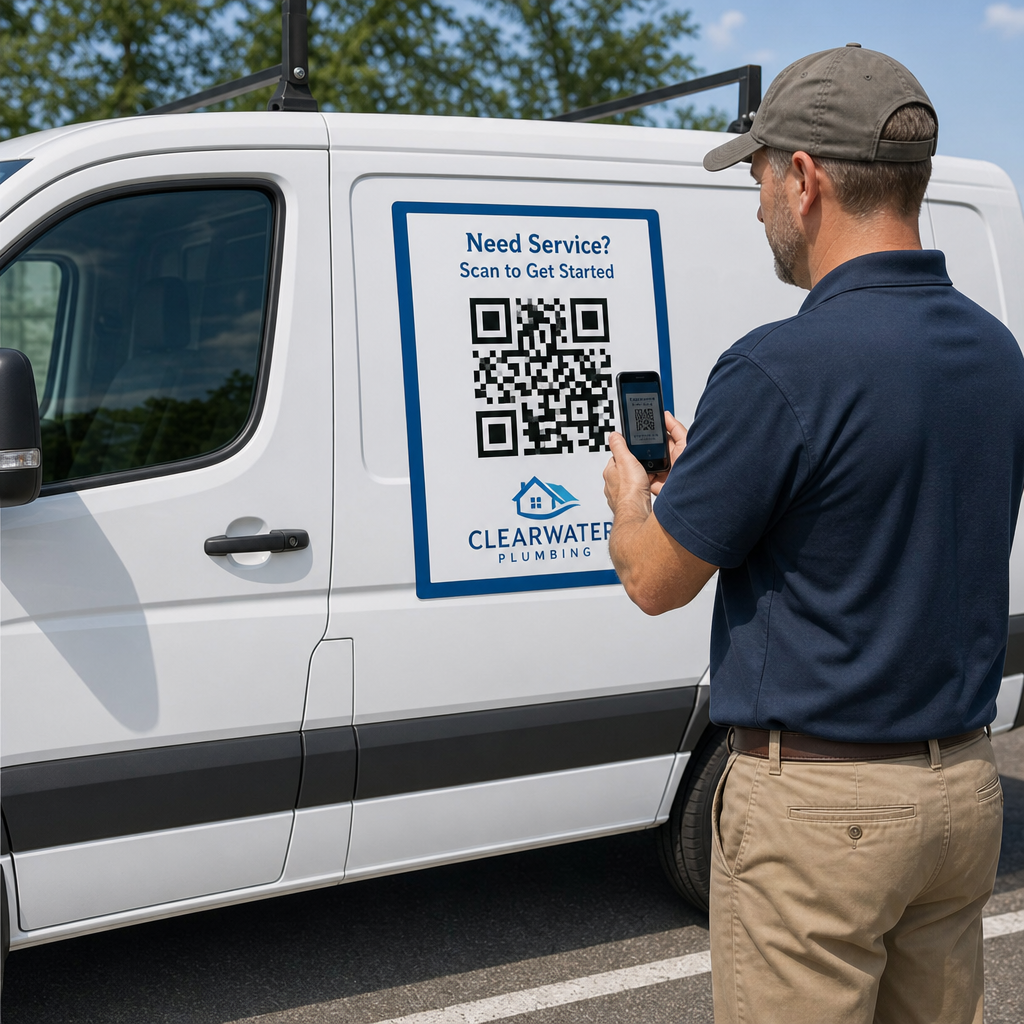
- Vozila in materiali terenskih tehnikov (za nadaljnje ukrepanje po servisu)
- Digitalne površine, kot so e-pošta, nadzorne plošče računov in spletna stran podjetja
Za fizične umestitve upoštevajte smernice za velikost iz najboljših praks za uporabnost QR kod: najmanj 0,8 × 0,8 palca za skeniranje od blizu, z mat površinami za zmanjšanje bleščanja. Kode postavite na udobno višino – približno tri do štiri čevlje od tal za samostoječe zaslone. Za podrobne smernice za postavitev glejte smernice za postavitev QR kod na marketinških materialih.
Poskrbite, da bo vsaka destinacija optimizirana za mobilne naprave in se bo hitro naložila. Stranke, ki skenirajo s telefonom, pričakujejo, da bo stran delovala takoj – glejte najboljše prakse za pristajalne strani mobilnih QR kod za tehnične smernice o hitrosti strani in uporabniku prijaznem dizajnu na dotik.
Spremljajte uspešnost in izboljšujte
Po uvedbi uporabite analitiko za razumevanje, kako stranke komunicirajo z vašimi podpornimi kodami. Dinamične QR kode zbirajo število skeniranj, časovne žige, vrste naprav in geografske lokacije – podatke, ki razkrivajo ure največje podpore, regije z velikim povpraševanjem in katere vire stranke najpogosteje uporabljajo.

Sledenje QR kode omogoča tudi analizo konverzij: kakšen odstotek skeniranj, povezanih z računi, se konča z dokončanim plačilom? Katere kode za odpravljanje težav vodijo do rešenih težav v primerjavi z eskalacijami? Ti podatki vam pomagajo prepoznati slabo delujoče umestitve, izboljšati vsebino destinacije in dodeliti podporno osebje v obdobjih največjega povpraševanja.
Številne platforme za upravljanje QR kod se integrirajo tudi z analitičnimi orodji, kot je Google Analytics, kar vam omogoča enoten pregled nad fizičnim in digitalnim vedenjem strank.
Natančno si oglejte, kje in kdaj stranke skenirajo Spremljajte dejavnost skeniranja na vsaki stični točki z Pageloot Generator QR kod za povezave – pridobite podatke v realnem času o vrsti naprave, lokaciji in angažiranosti za nenehno optimizacijo vaše izkušnje podpore.
Napredne aplikacije
Dinamične kode za usmerjanje podpore v živo
Dinamične QR kode lahko stranke usmerijo v sisteme za klepet v živo, ki prikazujejo razpoložljivost agentov v realnem času, ali v orodja za načrtovanje, kjer si stranke lahko rezervirajo povratni klic. Če se aktivirajo protokoli za nujne primere ali se spremenijo delovni časi, posodobite destinacijo enkrat – vsaka natisnjena koda na terenu takoj odraža spremembo brez ponovnega tiskanja.
Varnost in zaščita podatkov
Za QR kode, ki se povezujejo s portali za upravljanje računov ali sistemi za obračunavanje, uporabite ustrezne varnostne kontrole. Kode, zaščitene z geslom, dodajo plast avtentikacije za občutljive destinacije. Vedno uporabljajte HTTPS povezave, preverite, ali so ciljne strani SSL-certificirane, in uporabite blagovne znamke, da strankam pomagate razlikovati legitimne kode od poskusov lažnega predstavljanja. Glej varno generiranje QR kode najboljše prakse za celoten kontrolni seznam.
QR kode, nameščene na javnih mestih, naj se povezujejo s splošnimi viri podpore. Kode na zasebnih dokumentih, kot so računi, se lahko varno povežejo z orodji, specifičnimi za račun, saj je dostop že omejen na prejemnika.
Integracija med kanali podpore
QR kode delujejo skupaj z drugimi kanali podpore, namesto da bi jih nadomeščale. Skeniranje lahko odpre članek v centru za pomoč, a če stranka še vedno potrebuje pomoč, naj ciljna stran ponudi možnost klepeta v živo ali telefonsko številko za podporo. Za širši vpogled v to, kako se ta model uporablja v kontekstih digitalnega poslovanja, glej QR kode za podporo v e-trgovini.
Uporabite lahko tudi delovne tokove, sprožene z QR kodami, za pošiljanje avtomatiziranih nadaljnjih sporočil – anketo o zadovoljstvu 24 ur po obisku tehnika ali vodnik za namestitev, ko stranka skenira embalažo nove naprave. Ta vrsta povratnih informacij strank preko QR kode zanke ustvarja cikel nenehnega izboljševanja brez dodatnega ročnega dela.
Merjenje učinkovitosti
Spremljajte te ključne kazalnike uspešnosti pred in po uvedbi QR kod:
- Stopnja rešitve – odstotek skeniranih podpornih sej, ki rešijo težavo stranke brez stika z agentom
- Stopnja skeniranja do dokončanja – odstotek skeniranj, ki se končajo z dokončanim dejanjem (izvedeno plačilo, oddan obrazec, ogledan vodnik)
- Obseg podpornih zahtevkov – primerjajte tedenske skupne vrednosti pred in po uvedbi, da kvantificirate preusmeritev
- Ocene zadovoljstva strank – povežite dejavnost skeniranja z rezultati anket po interakciji
- Časi in lokacije največjega števila skeniranj – uporabite te podatke za uskladitev kadrovskih in virov posodobitev z dejanskim povpraševanjem
Pred zagonom določite osnovne metrike, nato jih pregledujte mesečno. Če koda ne deluje, preverite vidnost postavitve, posodobite besedilo poziva k dejanju ali izboljšajte ciljno stran. Majhne prilagoditve, ki temeljijo na resničnih podatkih o skeniranju, dosledno prekašajo predpostavke o tem, kaj si stranke želijo.
QR kode so najučinkovitejše, če jih obravnavamo kot živ sistem – premišljeno uvedene, dosledno spremljane in izboljšane na podlagi podatkov. Ponudniki telekomunikacij, ki uporabljajo ta pristop, zmanjšajo stroške podpore, izboljšajo stopnje reševanja in strankam zagotovijo hitro, samostojno izkušnjo, ki jo pričakujejo.
Začnite z identifikacijo dveh ali treh vaših podpornih točk z največjim obsegom, za vsako ustvarite QR kode in izmerite vpliv. Uporabite Pagelootova orodja za QR kode za telekomunikacije za ustvarjanje dinamičnih, blagovnih znamk, sledljivih kod, ki jih lahko posodobite brez ponovnega tiskanja – tako bo vaša podporna infrastruktura ostala posodobljena, ko se bodo vaše storitve razvijale.
Pogosta vprašanja
Telekomunikacijske QR kode se lahko povežejo na skoraj kateri koli digitalni vir: navodila za odpravljanje težav, uporabniške priročnike PDF, portale za upravljanje računov, strani za plačila, okna za klepet v živo, obrazce za povratne informacije, video vadnice in mobilno optimizirane pristajalne strani, ki združujejo več možnosti podpore na enem mestu. Dinamične QR kode vam omogočajo, da cilj posodobite kadarkoli, tako da se ista natisnjena koda lahko poveže na različno vsebino, ko se vaši viri podpore spreminjajo.
Statične QR kode kodirajo fiksno destinacijo, ki je ni mogoče spremeniti po tem, ko je koda ustvarjena. Dinamične QR kode uporabljajo preusmeritveno povezavo, ki se upravlja prek centralne nadzorne plošče, tako da lahko posodobite destinacijo brez ponovnega tiskanja. Za telekomunikacijsko podporo so dinamične kode na splošno boljša izbira, ker se vsebina podpore pogosto spreminja – vodniki za odpravljanje težav se posodabljajo, delovni čas se spreminja in lansirajo se nova orodja za samopostrežbo. Dinamične kode zagotavljajo tudi analitiko skeniranja, česar statične kode ne podpirajo.
Vedno povežite kode QR z destinacijami, zaščitenimi s HTTPS, in uporabite blagovne znamke, prepoznavne oblike, da lahko stranke ločijo legitimne kode od poskusov lažnega predstavljanja. Za kode, ki dostopajo do orodij, specifičnih za račun, ali portalov za obračunavanje, zaščita z geslom doda plast avtentikacije. Uporabite dinamične kode QR, da lahko takoj deaktivirate ali preusmerite ogroženo kodo, ne da bi morali ponovno tiskati materiale. Izobraževanje strank o tem, kako izgledajo legitimne kode QR in kako preveriti destinacije, preden oddajo kakršne koli podatke, je prav tako pomembna plast zaščite.