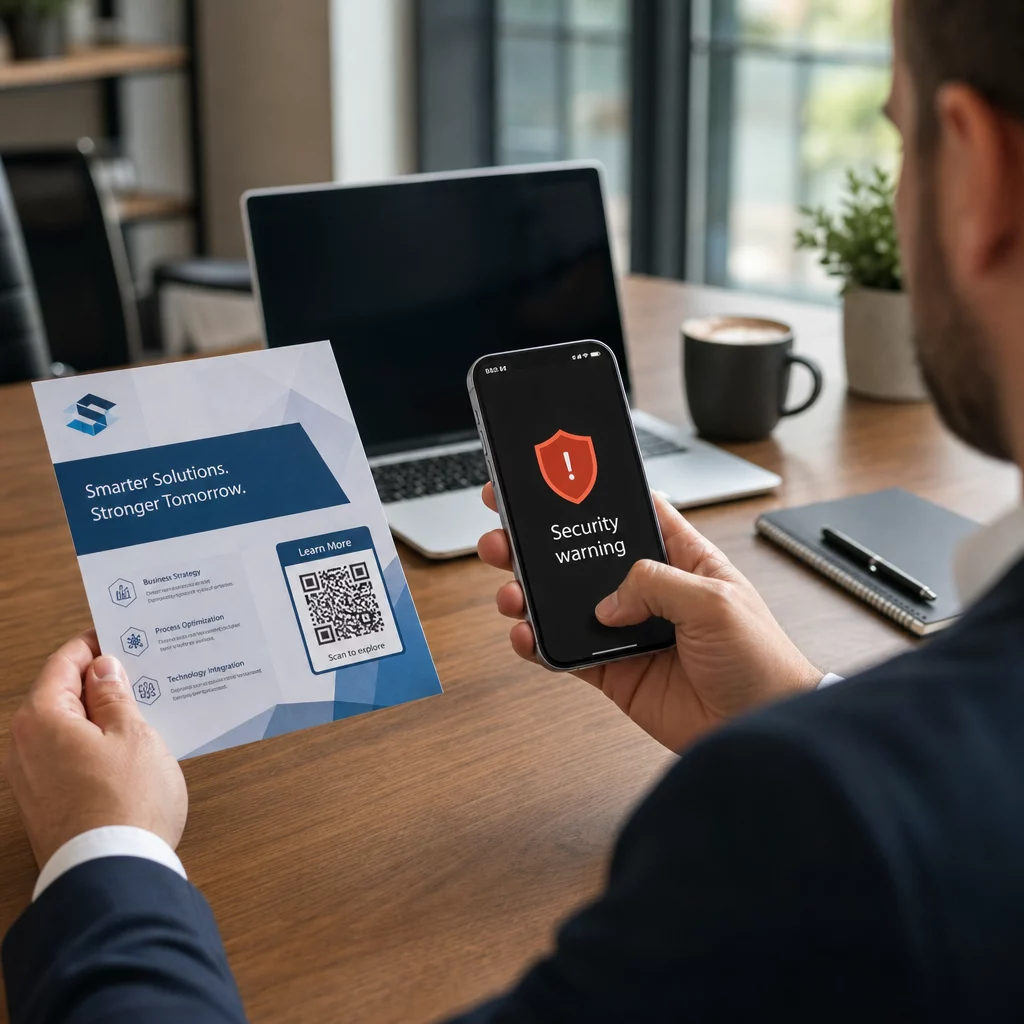
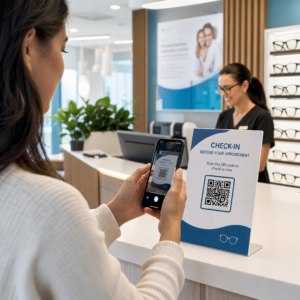
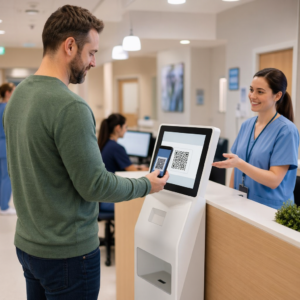
Da li se vaši korisnici muče da pronađu pomoć kada im je najpotrebnija? U telekomunikacijama, spora ili fragmentirana podrška dovodi do odliva korisnika – i 17% korisnika je već napustilo provajdera zbog lošeg iskustva sa samouslužnim opcijama. Ova stranica vam pokazuje kako QR kodovi korisnicima pružaju trenutni pristup pravim resursima za podršku, smanjuju broj tiketa i poboljšavaju zadovoljstvo na svakoj dodirnoj tački.
Zašto je samousluga važna u telekomunikacijama
Očekivanja korisnika su se odlučno pomerila ka samousluzi. Oko 67% korisnika više voli da rešava probleme samostalno, umesto da razgovara sa agentom, a 90% očekuje da brendovi ponude onlajn samouslužni portal. Konkretno u telekomunikacijama, potražnja za samouslugom je porasla za 21% od Kovida, a 69% korisnika pokušava da reši tehničke probleme pre nego što zatraži posetu kod kuće.
Ipak, više od 70% korisnika koji pokušaju samouslužne kanale ne uspeva da u potpunosti reši svoj problem onlajn. Jaz nije nedostatak interesovanja – već nedostatak lakog pristupa. Korisnici napuštaju tokove podrške kada je navigacija zbunjujuća, meniji su skriveni ili ne mogu dovoljno brzo da pronađu pravu stranicu.
QR kodovi premošćuju taj jaz. Jedno skeniranje direktno povezuje korisnika sa tačno onim resursom koji mu je potreban, bez menija, pretraga ili čekanja.
Ključne prednosti QR kodova u telekomunikacionoj podršci
Brži pristup pravim resursima
Umesto navigacije kroz složene telefonske menije ili skrolovanja kroz dugačke stranice sa čestim pitanjima, brzo skeniranje vodi korisnike direktno do resursa za podršku koji im je potreban. Telekomunikacione kompanije mogu postaviti QR kodove na pakovanja proizvoda, račune, etikete opreme i maloprodajne natpise – svaki povezujući sa relevantnom destinacijom kao što je vodič za podešavanje, tok rešavanja problema ili ćaskanje uživo.
Na primer, QR kod odštampan na etiketi rutera može direktno da vodi do koraka za rešavanje problema sa mrežom. Kod na mesečnom računu može da otvori portal za upravljanje nalogom. Ova vrsta kontekstualnog pristupa uklanja trenje i smanjuje broj ponovljenih kontakata koji opterećuju vaš red za podršku.
Ove kodove možete generisati koristeći Pageloot QR generator kodova, koji podržava URL-ove, PDF-ove, obrasce i preko 25 drugih tipova sadržaja.
Personalizovana iskustva podrške
Statične stranice podrške služe isti sadržaj svakom korisniku. Dinamički QR kodovi to menjaju. Budući da se odredišni URL upravlja putem centralne kontrolne table, isti odštampani kod možete usmeriti na različit sadržaj na osnovu tipa uređaja, paketa usluga, regiona ili doba dana – bez ponovnog štampanja ijedne etikete.
А. динамички КР код na pakovanju SIM kartice, na primer, može preusmeriti postpejd korisnike na vodič za aktivaciju, a pripejd korisnike na portal za dopunu. Ako se vaše radno vreme podrške promeni ili pokrenete novu samouslužnu funkciju, ažurirate destinaciju jednom i svaki primenjeni kod odmah odražava promenu.
Primena personalizovanih linkova za podršku u velikom obimu Користити Pageloot QR generator kodova za telekomunikacije za kreiranje dinamičkih kodova koji povezuju korisnike sa pravim resursom svaki put – bez ponovnog štampanja materijala.
Pojednostavljeno prikupljanje povratnih informacija
Prikupljanje povratnih informacija od korisnika je teško kada je proces nezgodan. QR kodovi odštampani na računima, pismima dobrodošlice ili pakovanju direktno vode do obrasca za povratne informacije, beležeći odgovore dok je iskustvo još uvek sveže.
Користећи КР код за Гоогле образац je praktičan način da usmerite korisnike na strukturiranu anketu. Dinamički kodovi vam omogućavaju da promenite odredište obrasca u bilo kom trenutku – korisno kada želite da rotirate ankete ili testirate različite upitnike bez ponovne distribucije materijala. Za detaljniji uvid u implementaciju, pogledajte kako kreirati QR kodove za prikupljanje povratnih informacija.
Smanjeni troškovi podrške kroz automatizaciju
Usmeravanjem korisnika na resurse za samousluživanje – resetovanje lozinki, često postavljana pitanja o naplati, vodiči za podešavanje uređaja – QR kodovi smanjuju obim poziva i tiketa koji stižu do vašeg tima za podršku. Trenutno se 56% problema korisnika telekomunikacija rešava putem alata za samousluživanje. QR kodovi ubrzavaju taj trend čineći te alate lakšim za pronalaženje u trenutku kada su potrebni.

Zadaci koji su ranije zahtevali angažovanje agenta – ažuriranje naloga, poređenje planova, aktivacija usluga – mogu se obavljati putem portala povezanih sa QR kodovima, oslobađajući vaš tim za složena pitanja koja zaista zahtevaju ljudsku pažnju.
Kako implementirati QR kodove za telekomunikacionu podršku
Identifikujte prave slučajeve upotrebe
Započnite mapiranjem najčešćih tačaka kontakta za podršku i uparite svaku sa odredištem povezanim sa QR kodom:
- Nalepnice na pakovanju i opremi – veza ka vodičima za podešavanje specifičnim za uređaj ili video tutorijalima
- Mesečni računi i fakture – veza ka upravljanju nalogom, portalima za plaćanje ili često postavljanim pitanjima o naplati
- Oznake u maloprodaji i na servisnom pultu – link ka ćaskanju uživo ili zakazivanju termina
- Materijali za terenske tehničare – link ka stranicama sa statusom usluge ili obrascima za povratne informacije nakon posete
- Potpisi e-pošte – link ka člancima centra za pomoć ili podnošenju tiketa za podršku
Za sadržaj koji se često menja – kao što su obaveštenja o uslugama ili ažurirani vodiči za rešavanje problema – koristite dinamički QR kodovi tako da možete ažurirati destinacije bez ponovnog štampanja. Za trajne resurse kao što je fiksni PDF korisnički priručnik, statički kod dobro funkcioniše.
Kreirajte i prilagodite svoje kodove
Kada definišete svoje slučajeve upotrebe, generišite kodove koje će kupci prepoznati i kojima će verovati. Prilagodite svaki kod bojama i logotipom vašeg brenda kako biste signalizirali legitimnost – ovo je važno u industriji gde je fišing stvarna briga. Pratite bezbedne najbolje prakse za generisanje QR koda, uključujući uvek povezivanje sa HTTPS destinacijama i korišćenje brendiranih URL adresa.
Za kodove koji vode do dokumentacije za preuzimanje, a ПДФ КР код omogućava korisnicima da odmah pristupe korisničkim priručnicima, informacijama o garanciji ili ugovorima o uslugama. Za tokove podrške koji objedinjavaju više linkova – često postavljana pitanja, ćaskanje uživo, plaćanje računa – razmislite o odredišna stranica QR koda koja predstavlja sve opcije u jednom interfejsu prilagođenom mobilnim uređajima.
Napišite specifičan tekst poziva na akciju pored svakog koda. Umesto “Skenirajte ovde”, koristite jezik poput “Skenirajte da biste rešili problem sa svojim uređajem” ili “Skenirajte da biste platili račun za 30 sekundi.” Ciljana uputstva dosledno nadmašuju generičke poruke.
Postavite kodove tamo gde su potrebni kupcima
Postavljanje određuje koliko skeniranja zapravo dobijate. Lokacije visoke vrednosti uključuju:
- Oprema za pakovanje i etikete uređaja (gde se kupci susreću sa izazovima pri podešavanju)
- Mesečni računi i obaveštenja o uslugama (gde se javljaju pitanja o naplati)
- Šalteri korisničke službe i maloprodajne lokacije (gde kupci već traže pomoć)
- Vozila i materijali terenskih tehničara (za praćenje nakon usluge)
- Digitalne površine kao što su e-pošta, kontrolne table naloga i veb lokacija kompanije
Za fizička postavljanja, pratite smernice za veličinu iz najboljih praksi upotrebljivosti QR kodova: minimum 0,8 × 0,8 inča za skeniranje izbliza, sa mat završnom obradom za smanjenje odsjaja. Postavite kodove na udobnu visinu – otprilike tri do četiri stope od zemlje za podne displeje. Za detaljne smernice za postavljanje, pogledajte smernice za postavljanje QR kodova na marketinške materijale.
Uverite se da je svaka destinacija optimizovana za mobilne uređaje i da se brzo učitava. Kupci koji skeniraju sa telefona očekuju da stranica odmah radi – pogledajte najbolje prakse za mobilne odredišne stranice sa QR kodom za tehničke smernice o brzini stranice i dizajnu prilagođenom dodiru.
Pratite performanse i usavršavajte
Nakon implementacije, koristite analitiku da biste razumeli kako kupci interaguju sa vašim kodovima za podršku. Dinamički QR kodovi prikupljaju broj skeniranja, vremenske oznake, tipove uređaja i geografske lokacije – podatke koji otkrivaju vršne sate podrške, regione visoke potražnje i koje resurse kupci najviše koriste.

Праћење КР кода takođe omogućava analizu konverzije: koji procenat skeniranja vezanih za račune rezultira završenim plaćanjem? Koji kodovi za rešavanje problema dovode do rešenih problema u odnosu na eskalacije? Ovi podaci vam pomažu da identifikujete loše postavljene lokacije, poboljšate sadržaj destinacije i rasporedite osoblje za podršku u periodima najveće potražnje.
Mnoge platforme za upravljanje QR kodovima se takođe integrišu sa analitičkim alatima kao što je Google Analytics, pružajući vam jedinstven pregled fizičkog i digitalnog ponašanja kupaca.
Pogledajte tačno gde i kada kupci skeniraju Pratite aktivnost skeniranja na svakoj dodirnoj tački sa Pageloot Generator QR kodova za linkove – dobijajte podatke u realnom vremenu o tipu uređaja, lokaciji i angažovanosti kako biste kontinuirano optimizovali svoje iskustvo podrške.
Napredne aplikacije
Dinamički kodovi za usmeravanje podrške uživo
Dinamički QR kodovi mogu usmeravati korisnike ka sistemima za ćaskanje uživo koji prikazuju dostupnost agenata u realnom vremenu, ili ka alatima za zakazivanje gde korisnici mogu rezervisati povratni poziv. Ako se aktiviraju protokoli za hitne slučajeve ili se promene radno vreme, odredište ažurirate samo jednom – svaki odštampani kod na terenu odmah odražava promenu bez ponovnog štampanja.
Bezbednost i zaštita podataka
Za QR kodove koji vode ka portalima za upravljanje nalogom ili sistemima za naplatu, primenite odgovarajuće sigurnosne kontrole. Kodovi zaštićeni lozinkom dodaju sloj autentifikacije za osetljiva odredišta. Uvek koristite HTTPS linkove, proverite da li su odredišne stranice SSL-sertifikovane i koristite brendirane dizajne kako biste pomogli korisnicima da razlikuju legitimne kodove od pokušaja fišinga. Pogledajte bezbedne najbolje prakse za generisanje QR koda za kompletnu kontrolnu listu.
QR kodovi postavljeni na javnim mestima treba da vode ka opštim resursima podrške. Kodovi na privatnim dokumentima poput faktura mogu se bezbedno povezati sa alatima specifičnim za nalog, budući da je pristup već ograničen na primaoca.
Integracija kroz kanale podrške
QR kodovi rade zajedno sa drugim kanalima podrške, umesto da ih zamenjuju. Skeniranje može otvoriti članak centra za pomoć, ali ako korisniku i dalje treba pomoć, odredišna stranica treba da prikaže opciju ćaskanja uživo ili telefonski broj podrške. Za širi pregled kako se ovaj model primenjuje u kontekstima digitalne trgovine, pogledajte QR kodovi za podršku u e-trgovini.
Takođe možete koristiti radne tokove pokrenute QR kodom za slanje automatizovanih poruka za praćenje – anketu o zadovoljstvu 24 sata nakon posete tehničara, ili vodič za podešavanje kada korisnik skenira pakovanje novog uređaja. Ova vrsta povratnih informacija korisnika putem QR koda petlje stvara ciklus kontinuiranog poboljšanja bez dodatnog ručnog napora.
Merenje šta funkcioniše
Pratite ove ključne pokazatelje performansi pre i posle implementacije QR kodova:
- Stopa rešavanja – procenat skeniranih sesija podrške koje rešavaju problem korisnika bez kontakta sa agentom
- Stopa skeniranja do završetka – procenat skeniranja koja rezultiraju završenom radnjom (izvršena uplata, poslat obrazac, pregledan vodič)
- Obim tiketa podrške – uporedite nedeljne ukupne vrednosti pre i posle implementacije da biste kvantifikovali preusmeravanje
- Ocene zadovoljstva korisnika – povežite aktivnost skeniranja sa rezultatima anketa nakon interakcije
- Vrhunsko vreme i lokacije skeniranja – koristite ove podatke za usklađivanje osoblja i ažuriranja resursa sa stvarnom potražnjom
Uspostavite osnovne metrike pre pokretanja, a zatim ih pregledajte mesečno. Ako kod ne funkcioniše, proverite vidljivost postavljanja, ažurirajte tekst poziva na akciju ili poboljšajte odredišnu stranicu. Mala prilagođavanja zasnovana na stvarnim podacima o skeniranju dosledno nadmašuju pretpostavke o tome šta korisnici žele.
QR kodovi su najefikasniji kada se tretiraju kao živi sistem – promišljeno implementirani, dosledno praćeni i usavršavani na osnovu onoga što podaci pokazuju. Telekom provajderi koji primenjuju ovaj pristup smanjuju troškove podrške, poboljšavaju stope rešavanja i pružaju korisnicima brzo, samostalno iskustvo koje očekuju.
Započnite identifikacijom dve ili tri tačke kontakta podrške sa najvećim obimom, generišite QR kodove za svaku i izmerite uticaj. Koristite Pageloot-ove alate za QR kodove za telekomunikacije za kreiranje dinamičkih, brendiranih kodova koji se mogu pratiti i koje možete ažurirati bez ponovnog štampanja – tako da vaša infrastruktura podrške ostaje aktuelna kako se vaše usluge razvijaju.
Često postavljana pitanja
Telekom QR kodovi mogu da vode do skoro bilo kog digitalnog resursa: vodiča za rešavanje problema, PDF korisničkih uputstava, portala za upravljanje nalogom, stranica za plaćanje, prozora za ćaskanje uživo, obrazaca za povratne informacije, video tutorijala i mobilno optimizovanih odredišnih stranica koje objedinjavaju više opcija podrške na jednom mestu. Dinamički QR kodovi vam omogućavaju da ažurirate odredište u bilo kom trenutku, tako da isti odštampani kod može da vodi do različitog sadržaja kako se vaši resursi podrške menjaju.
Statički QR kodovi kodiraju fiksnu destinaciju koja se ne može promeniti nakon što je kod kreiran. Dinamički QR kodovi koriste link za preusmeravanje kojim se upravlja putem centralne kontrolne table, tako da možete ažurirati destinaciju bez ponovnog štampanja. Za telekom podršku, dinamički kodovi su generalno bolji izbor jer se sadržaj podrške često menja – vodiči za rešavanje problema se ažuriraju, radno vreme službe se menja i pokreću se novi alati za samousluživanje. Dinamički kodovi takođe pružaju analitiku skeniranja, što statički kodovi ne podržavaju.
Uvek povezujte QR kodove sa HTTPS-zaštićenim destinacijama i koristite brendirane, prepoznatljive dizajne kako bi kupci mogli da razlikuju legitimne kodove od pokušaja fišinga. Za kodove koji pristupaju alatima specifičnim za nalog ili portalima za naplatu, zaštita lozinkom dodaje sloj autentifikacije. Koristite dinamičke QR kodove kako biste mogli odmah da deaktivirate ili preusmerite kompromitovani kod bez ponovnog štampanja materijala. Edukacija kupaca o tome kako izgledaju legitimni QR kodovi i kako da provere destinacije pre slanja bilo kakvih podataka je takođe važan sloj zaštite.