Czy Twoi klienci mają trudności ze znalezieniem pomocy, gdy najbardziej jej potrzebują? W telekomunikacji, powolne lub fragmentaryczne wsparcie prowadzi do rezygnacji – a 17% klientów już opuściło dostawcę z powodu słabych doświadczeń z samoobsługą. Ta strona pokazuje, jak kody QR zapewniają klientom natychmiastowy dostęp do odpowiednich zasobów wsparcia, zmniejszają liczbę zgłoszeń i poprawiają satysfakcję w każdym punkcie kontaktu.
Dlaczego samoobsługa ma znaczenie w telekomunikacji
Oczekiwania klientów zdecydowanie przesunęły się w kierunku samoobsługi. Około 67% klientów woli rozwiązywać problemy samodzielnie, zamiast rozmawiać z agentem, a 90% oczekuje, że marki będą oferować internetowy portal samoobsługowy. W telekomunikacji w szczególności, zapotrzebowanie na samoobsługę wzrosło o 21% od czasu Covid, a 69% klientów próbuje rozwiązywać problemy techniczne przed poproszeniem o wizytę w domu.
Jednak ponad 70% klientów, którzy próbują korzystać z kanałów samoobsługi, nie jest w stanie w pełni rozwiązać swojego problemu online. Luka nie wynika z braku zainteresowania – to brak łatwego dostępu. Klienci porzucają procesy wsparcia, gdy nawigacja jest myląca, menu są ukryte lub nie mogą wystarczająco szybko znaleźć odpowiedniej strony.
Kody QR wypełniają tę lukę. Pojedyncze skanowanie łączy klienta bezpośrednio z dokładnie tym zasobem, którego potrzebuje, bez menu, wyszukiwania czy czasu oczekiwania.
Kluczowe korzyści z kodów QR we wsparciu telekomunikacyjnym
Szybszy dostęp do właściwych zasobów
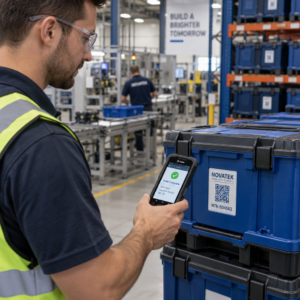
Zamiast nawigować po skomplikowanych menu telefonicznych lub przewijać długie strony FAQ, szybkie skanowanie przenosi klientów bezpośrednio do potrzebnego zasobu wsparcia. Firmy telekomunikacyjne mogą umieszczać kody QR na opakowaniach produktów, wyciągach rozliczeniowych, etykietach sprzętu i oznakowaniu detalicznym – każdy z nich prowadzi do odpowiedniego miejsca docelowego, takiego jak przewodnik konfiguracji, proces rozwiązywania problemów lub czat na żywo.
Na przykład kod QR wydrukowany na etykiecie routera może prowadzić bezpośrednio do kroków rozwiązywania problemów z siecią. Kod na miesięcznym rachunku może otworzyć portal zarządzania kontem. Ten rodzaj kontekstowego dostępu eliminuje tarcia i zmniejsza liczbę powtarzających się kontaktów trafiających do kolejki wsparcia.
Możesz wygenerować te kody za pomocą generator kodów QR Pageloot, który obsługuje adresy URL, pliki PDF, formularze i ponad 25 innych typów treści.
Spersonalizowane doświadczenia wsparcia
Statyczne strony wsparcia dostarczają tę samą treść każdemu klientowi. Dynamiczne kody QR to zmieniają. Ponieważ docelowy adres URL jest zarządzany za pośrednictwem centralnego pulpitu nawigacyjnego, możesz skierować ten sam wydrukowany kod do różnych treści w zależności od typu urządzenia, planu usług, regionu lub pory dnia – bez ponownego drukowania ani jednej etykiety.
A dynamiczny kod QR na opakowaniu karty SIM, na przykład, może przekierować klientów abonamentowych do przewodnika aktywacji, a klientów prepaid do portalu doładowań. Jeśli Twoje godziny wsparcia się zmienią lub uruchomisz nową funkcję samoobsługi, aktualizujesz miejsce docelowe raz, a każdy wdrożony kod natychmiast odzwierciedla zmianę.
Wdrażaj spersonalizowane linki wsparcia na dużą skalę Użyj Generator kodów QR Pageloot dla telekomunikacji tworzyć dynamiczne kody, które za każdym razem łączą klientów z właściwym zasobem – bez konieczności ponownego drukowania materiałów.
Uproszczone zbieranie opinii
Zbieranie opinii klientów jest trudne, gdy proces jest niewygodny. Kody QR wydrukowane na rachunkach, listach powitalnych lub opakowaniach prowadzą bezpośrednio do formularza opinii, rejestrując odpowiedzi, gdy doświadczenie jest jeszcze świeże.
Korzystanie z Kod QR formularza Google jest praktycznym sposobem kierowania klientów do ustrukturyzowanej ankiety. Dynamiczne kody pozwalają zmieniać miejsce docelowe formularza w dowolnym momencie – przydatne, gdy chcesz rotować ankiety lub testować różne kwestionariusze bez ponownego rozprowadzania materiałów. Aby uzyskać głębsze spojrzenie na wdrożenie, zobacz jak tworzyć kody QR do zbierania opinii.
Zmniejszone koszty wsparcia dzięki automatyzacji
Kierując klientów do zasobów samoobsługowych – resetowania haseł, często zadawanych pytań dotyczących rozliczeń, przewodników konfiguracji urządzeń – kody QR zmniejszają liczbę połączeń i zgłoszeń docierających do zespołu wsparcia. Obecnie 56% problemów klientów telekomunikacyjnych jest rozwiązywanych za pomocą narzędzi samoobsługowych. Kody QR przyspieszają ten trend, ułatwiając znalezienie tych narzędzi w momencie, gdy są potrzebne.

Zadania, które wcześniej wymagały zaangażowania agenta – aktualizacje konta, porównania planów, aktywacja usług – mogą być obsługiwane za pośrednictwem portali połączonych z kodami QR, uwalniając Twój zespół do rozwiązywania złożonych problemów, które naprawdę wymagają ludzkiej uwagi.
Jak wdrożyć kody QR do wsparcia telekomunikacyjnego
Zidentyfikuj odpowiednie przypadki użycia
Zacznij od zmapowania najczęstszych punktów kontaktu wsparcia i sparowania każdego z miejscem docelowym połączonym z kodem QR:
- Etykiety opakowań i sprzętu – link do przewodników konfiguracji specyficznych dla urządzenia lub samouczków wideo
- Miesięczne rachunki i faktury – link do zarządzania kontem, portali płatności lub często zadawanych pytań dotyczących rozliczeń
- Oznakowanie w punktach sprzedaży detalicznej i obsługi klienta – link do czatu na żywo lub planowania spotkań
- Materiały technika terenowego – link do stron ze statusem usług lub formularzy opinii po wizycie
- Podpisy e-mail – link do artykułów centrum pomocy lub zgłaszania zgłoszeń serwisowych
W przypadku treści, które często się zmieniają – takich jak alerty serwisowe lub zaktualizowane przewodniki rozwiązywania problemów – użyj dynamiczne kody QR aby móc aktualizować miejsca docelowe bez ponownego drukowania. W przypadku stałych zasobów, takich jak stała instrukcja obsługi w formacie PDF, statyczny kod działa dobrze.
Twórz i dostosowuj swoje kody
Po zdefiniowaniu przypadków użycia, generuj kody, które klienci rozpoznają i którym zaufają. Dostosuj każdy kod za pomocą kolorów i logo swojej marki, aby sygnalizować legalność – ma to znaczenie w branży, gdzie phishing jest prawdziwym problemem. Postępuj zgodnie z bezpieczne generowanie kodów QR najlepsze praktyki, w tym zawsze linkując do miejsc docelowych HTTPS i używając markowych adresów URL.
W przypadku kodów linkujących do dokumentacji do pobrania, Kod QR PDF umożliwia klientom natychmiastowy dostęp do instrukcji obsługi, informacji o gwarancji lub umów serwisowych. W przypadku przepływów wsparcia, które konsolidują wiele linków – FAQ, czat na żywo, płatność rachunków – rozważ strona docelowa z kodem QR która prezentuje wszystkie opcje w jednym, przyjaznym dla urządzeń mobilnych interfejsie.
Napisz konkretny tekst wezwania do działania obok każdego kodu. Zamiast “Skanuj tutaj”, użyj języka takiego jak “Skanuj, aby rozwiązać problem z urządzeniem” lub “Skanuj, aby zapłacić rachunek w 30 sekund”. Ukierunkowane instrukcje konsekwentnie przewyższają ogólne komunikaty.
Umieść kody tam, gdzie klienci ich potrzebują
Umiejscowienie decyduje o tym, ile skanów faktycznie otrzymasz. Miejsca o wysokiej wartości to:
- Opakowania sprzętu i etykiety urządzeń (gdzie klienci napotykają problemy z konfiguracją)
- Rachunki miesięczne i powiadomienia o usługach (gdzie pojawiają się pytania dotyczące rozliczeń)
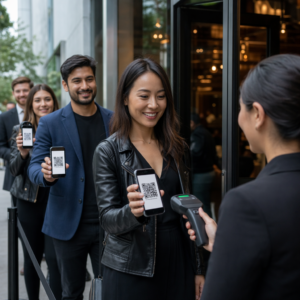
- Biura obsługi klienta i punkty sprzedaży detalicznej (gdzie klienci już szukają pomocy)
- Pojazdy i materiały techników terenowych (do działań po serwisie)
- Powierzchnie cyfrowe, takie jak e-maile, panele kont i strona internetowa firmy
W przypadku fizycznych umieszczeń, postępuj zgodnie z wytycznymi dotyczącymi rozmiaru z najlepszych praktyk użyteczności kodów QR: minimum 0,8 × 0,8 cala dla skanowania z bliskiej odległości, z matowym wykończeniem w celu zmniejszenia odblasków. Umieszczaj kody na wygodnej wysokości – około trzech do czterech stóp od ziemi dla stojących wyświetlaczy. Szczegółowe wytyczne dotyczące umieszczania znajdziesz w wytycznych dotyczących umieszczania kodów QR na materiałach marketingowych.
Upewnij się, że każde miejsce docelowe jest zoptymalizowane pod kątem urządzeń mobilnych i szybko się ładuje. Klienci skanujący z telefonu oczekują, że strona zadziała natychmiast – zobacz najlepszymi praktykami dla mobilnych stron docelowych kodów QR w celu uzyskania wskazówek technicznych dotyczących szybkości strony i projektu przyjaznego dla dotyku.
Śledź wydajność i udoskonalaj
Po wdrożeniu użyj analityki, aby zrozumieć, jak klienci wchodzą w interakcje z Twoimi kodami wsparcia. Dynamiczne kody QR zbierają liczbę skanów, znaczniki czasu, typy urządzeń i lokalizacje geograficzne – dane, które ujawniają szczytowe godziny wsparcia, regiony o wysokim zapotrzebowaniu i zasoby, z których klienci korzystają najczęściej.

Śledzenie kodu QR umożliwia również analizę konwersji: jaki procent skanów związanych z rachunkami skutkuje zakończoną płatnością? Które kody rozwiązywania problemów prowadzą do rozwiązania problemów, a które do eskalacji? Dane te pomagają zidentyfikować słabo działające miejsca, poprawić zawartość docelową i przydzielić personel wsparcia do okien szczytowego zapotrzebowania.
Wiele platform do zarządzania kodami QR integruje się również z narzędziami analitycznymi, takimi jak Google Analytics, zapewniając ujednolicony widok zarówno fizycznych, jak i cyfrowych zachowań klientów.
Zobacz dokładnie, gdzie i kiedy klienci skanują Śledź aktywność skanowania we wszystkich punktach styku za pomocą Generatora Kodów QR Pageloot Link – uzyskuj dane w czasie rzeczywistym na temat typu urządzenia, lokalizacji i zaangażowania, aby stale optymalizować swoje doświadczenie wsparcia.
Zaawansowane zastosowania
Dynamiczne kody do kierowania wsparcia na żywo
Dynamiczne kody QR mogą kierować klientów do systemów czatu na żywo, które pokazują dostępność agentów w czasie rzeczywistym, lub do narzędzi do planowania, gdzie klienci mogą zarezerwować oddzwonienie. Jeśli aktywują się protokoły awaryjne lub zmienią się godziny obsługi, aktualizujesz miejsce docelowe raz – każdy wydrukowany kod w terenie odzwierciedla zmianę natychmiast, bez konieczności ponownego drukowania.
Bezpieczeństwo i ochrona danych
W przypadku kodów QR łączących się z portalami zarządzania kontem lub systemami rozliczeniowymi, zastosuj odpowiednie środki bezpieczeństwa. Kody chronione hasłem dodają warstwę uwierzytelniania dla wrażliwych miejsc docelowych. Zawsze używaj linków HTTPS, weryfikuj, czy strony docelowe posiadają certyfikat SSL, i używaj markowych projektów, aby pomóc klientom odróżnić legalne kody od prób phishingu. Zobacz bezpieczne generowanie kodów QR najlepsze praktyki pełną listę kontrolną.
Kody QR umieszczone w miejscach publicznych powinny prowadzić do ogólnych zasobów wsparcia. Kody na prywatnych dokumentach, takich jak faktury, mogą bezpiecznie łączyć się z narzędziami specyficznymi dla konta, ponieważ dostęp jest już ograniczony do odbiorcy.
Integracja między kanałami wsparcia
Kody QR działają równolegle z innymi kanałami wsparcia, zamiast je zastępować. Skanowanie może otworzyć artykuł w centrum pomocy, ale jeśli klient nadal potrzebuje pomocy, strona docelowa powinna wyświetlić opcję czatu na żywo lub numer telefonu wsparcia. Aby uzyskać szerszy obraz tego, jak ten model stosuje się w kontekstach handlu cyfrowego, zobacz Kody QR do wsparcia w e-commerce.
Możesz również używać przepływów pracy wyzwalanych kodami QR do wysyłania automatycznych wiadomości uzupełniających – ankiety satysfakcji 24 godziny po wizycie technika lub przewodnika konfiguracji, gdy klient skanuje opakowanie nowego urządzenia. Ten rodzaj opinii klientów za pomocą kodu QR pętli tworzy cykl ciągłego doskonalenia bez dodatkowego wysiłku manualnego.
Mierzenie tego, co działa
Śledź te kluczowe wskaźniki wydajności przed i po wdrożeniu kodów QR:
- Wskaźnik rozwiązania – procent zeskanowanych sesji wsparcia, które rozwiązują problem klienta bez kontaktu z agentem
- Współczynnik skanowania do ukończenia – procent skanów, które skutkują ukończoną akcją (dokonana płatność, przesłany formularz, wyświetlony przewodnik)
- Liczba zgłoszeń do wsparcia – porównaj tygodniowe sumy przed i po wdrożeniu, aby określić ilościowo odciążenie
- Wyniki satysfakcji klienta – skorelować aktywność skanowania z wynikami ankiet po interakcji
- Szczytowe czasy i miejsca skanowania – wykorzystaj te dane do dostosowania obsady i aktualizacji zasobów do rzeczywistego zapotrzebowania
Ustal podstawowe metryki przed uruchomieniem, a następnie przeglądaj je co miesiąc. Jeśli kod nie działa, sprawdź widoczność umieszczenia, zaktualizuj tekst wezwania do działania lub popraw stronę docelową. Małe korekty oparte na rzeczywistych danych skanowania konsekwentnie przewyższają założenia dotyczące tego, czego chcą klienci.
Kody QR są najskuteczniejsze, gdy są traktowane jako żywy system – wdrażane z rozwagą, konsekwentnie śledzone i udoskonalane na podstawie danych. Dostawcy usług telekomunikacyjnych, którzy przyjmują to podejście, zmniejszają koszty wsparcia, poprawiają wskaźniki rozwiązywania problemów i zapewniają klientom szybkie, samodzielne doświadczenie, którego oczekują.
Zacznij od zidentyfikowania dwóch lub trzech punktów kontaktu wsparcia o największym wolumenie, wygeneruj dla każdego z nich kody QR i zmierz wpływ. Użyj narzędzi do kodów QR Pageloot dla telekomunikacji do tworzenia dynamicznych, markowych, śledzalnych kodów, które możesz aktualizować bez ponownego drukowania – dzięki czemu Twoja infrastruktura wsparcia pozostaje aktualna w miarę ewolucji Twoich usług.
Najczęściej zadawane pytania
Telekomunikacyjne kody QR mogą prowadzić do niemal każdego zasobu cyfrowego: przewodników rozwiązywania problemów, instrukcji obsługi w formacie PDF, portali do zarządzania kontem, stron płatności, okien czatu na żywo, formularzy opinii, samouczków wideo oraz zoptymalizowanych pod kątem urządzeń mobilnych stron docelowych, które konsolidują wiele opcji wsparcia w jednym miejscu. Dynamiczne kody QR pozwalają aktualizować miejsce docelowe w dowolnym momencie, dzięki czemu ten sam wydrukowany kod może prowadzić do różnych treści w miarę zmian w zasobach wsparcia.
Statyczne kody QR kodują stały cel, którego nie można zmienić po utworzeniu kodu. Dynamiczne kody QR wykorzystują link przekierowujący zarządzany z poziomu centralnego pulpitu nawigacyjnego, dzięki czemu można zaktualizować cel bez ponownego drukowania. W przypadku wsparcia telekomunikacyjnego kody dynamiczne są zazwyczaj lepszym wyborem, ponieważ treści wsparcia często się zmieniają – przewodniki rozwiązywania problemów są aktualizowane, godziny obsługi przesuwają się i uruchamiane są nowe narzędzia samoobsługowe. Kody dynamiczne zapewniają również analitykę skanowań, czego kody statyczne nie obsługują.
Zawsze łącz kody QR z miejscami docelowymi zabezpieczonymi protokołem HTTPS i używaj markowych, rozpoznawalnych wzorów, aby klienci mogli odróżnić legalne kody od prób phishingu. W przypadku kodów, które uzyskują dostęp do narzędzi specyficznych dla konta lub portali rozliczeniowych, ochrona hasłem dodaje warstwę uwierzytelniania. Używaj dynamicznych kodów QR, aby móc natychmiast dezaktywować lub przekierować skompromitowany kod bez ponownego drukowania materiałów. Edukowanie klientów na temat tego, jak wyglądają legalne kody QR i jak weryfikować miejsca docelowe przed przesłaniem jakichkolwiek danych, jest również ważną warstwą ochrony.