Os seus clientes estão a ter dificuldades em encontrar ajuda quando mais precisam? Nas telecomunicações, o suporte lento ou fragmentado impulsiona a rotatividade – e 17% dos clientes já abandonaram um fornecedor devido a experiências de autoatendimento deficientes. Esta página mostra como os códigos QR dão aos clientes acesso instantâneo aos recursos de suporte certos, reduzem o volume de tickets e melhoram a satisfação em cada ponto de contacto.
Por que o Autoatendimento é Importante nas Telecomunicações
As expectativas dos clientes mudaram decisivamente para o autoatendimento. Cerca de 67% dos clientes preferem resolver problemas por conta própria em vez de falar com um agente, e 90% esperam que as marcas ofereçam um portal de autoatendimento online. Nas telecomunicações especificamente, a procura por autoatendimento cresceu 21% desde a Covid, e 69% dos clientes tentam resolver problemas técnicos antes de solicitar uma visita em casa.
No entanto, mais de 70% dos clientes que experimentam canais de autoatendimento não conseguem resolver totalmente o seu problema online. A lacuna não é falta de interesse – é falta de acesso fácil. Os clientes abandonam os fluxos de suporte quando a navegação é confusa, os menus estão ocultos ou não conseguem encontrar a página certa com rapidez suficiente.
Os códigos QR fecham essa lacuna. Uma única leitura conecta o cliente diretamente ao recurso exato de que precisa, sem menus, pesquisas ou tempos de espera.
Principais Benefícios dos Códigos QR no Suporte de Telecomunicações
Acesso Mais Rápido aos Recursos Certos
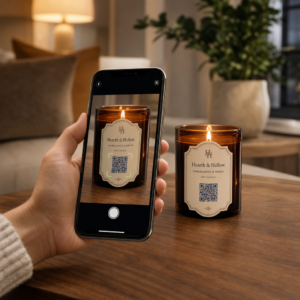
Em vez de navegar por menus telefónicos complexos ou percorrer longas páginas de FAQ, uma leitura rápida leva os clientes diretamente ao recurso de suporte de que precisam. As empresas de telecomunicações podem colocar códigos QR em embalagens de produtos, extratos de faturação, etiquetas de equipamentos e sinalização de retalho – cada um ligando a um destino relevante como um guia de configuração, fluxo de resolução de problemas ou chat ao vivo.
Por exemplo, um código QR impresso na etiqueta de um router pode ligar diretamente aos passos de resolução de problemas de rede. Um código numa fatura mensal pode abrir o portal de gestão de contas. Este tipo de acesso contextual remove o atrito e reduz o volume de contactos repetidos que chegam à sua fila de suporte.
Pode gerar estes códigos utilizando o Gerador de código QR Pageloot, que suporta URLs, PDFs, formulários e mais de 25 outros tipos de conteúdo.
Experiências de Suporte Personalizadas
As páginas de suporte estáticas servem o mesmo conteúdo a todos os clientes. Os códigos QR dinâmicos mudam isso. Como o URL de destino é gerido através de um painel central, pode apontar o mesmo código impresso para diferentes conteúdos com base no tipo de dispositivo, plano de serviço, região ou hora do dia – sem reimprimir uma única etiqueta.
UMA código QR dinâmico num pacote de cartão SIM, por exemplo, pode redirecionar clientes pós-pagos para um guia de ativação e clientes pré-pagos para um portal de carregamento. Se as suas horas de suporte mudarem ou se lançar uma nova funcionalidade de autoatendimento, atualiza o destino uma vez e cada código implementado reflete a alteração imediatamente.
Implemente Links de Suporte Personalizados em Escala Use o Gerador de Códigos QR Pageloot para Telecomunicações para criar códigos dinâmicos que conectam os clientes ao recurso certo todas as vezes – sem reimprimir materiais.
Coleta de Feedback Simplificada
Coletar feedback de clientes é difícil quando o processo é inconveniente. Códigos QR impressos em contas, cartas de boas-vindas ou embalagens linkam diretamente para um formulário de feedback, capturando respostas enquanto a experiência ainda está fresca.
Usando um Código QR do formulário do Google é uma forma prática de direcionar clientes para uma pesquisa estruturada. Códigos dinâmicos permitem que você troque o destino do formulário a qualquer momento – útil quando você deseja alternar pesquisas ou testar diferentes questionários sem redistribuir materiais. Para uma análise mais aprofundada da implementação, veja como criar códigos QR para coleta de feedback.
Custos de Suporte Reduzidos Através da Automação
Ao direcionar os clientes para recursos de autoatendimento – redefinições de senha, FAQs de faturamento, guias de configuração de dispositivos – os códigos QR reduzem o volume de chamadas e tickets que chegam à sua equipe de suporte. Atualmente, 56% dos problemas de clientes de telecomunicações são resolvidos através de ferramentas de autoatendimento. Os códigos QR aceleram essa tendência, tornando essas ferramentas mais fáceis de encontrar no momento em que são necessárias.

Tarefas que anteriormente exigiam envolvimento de um agente – atualizações de conta, comparações de planos, ativação de serviço – podem ser tratadas através de portais vinculados a QR, liberando sua equipe para questões complexas que realmente exigem atenção humana.
Como Implementar Códigos QR para Suporte em Telecomunicações
Identifique os Casos de Uso Certos
Comece mapeando os pontos de contato de suporte mais comuns e emparelhando cada um com um destino vinculado a QR:
- Rótulos de embalagens e equipamentos – link para guias de configuração específicos do dispositivo ou tutoriais em vídeo
- Contas e faturas mensais – link para gerenciamento de conta, portais de pagamento ou FAQs de faturamento
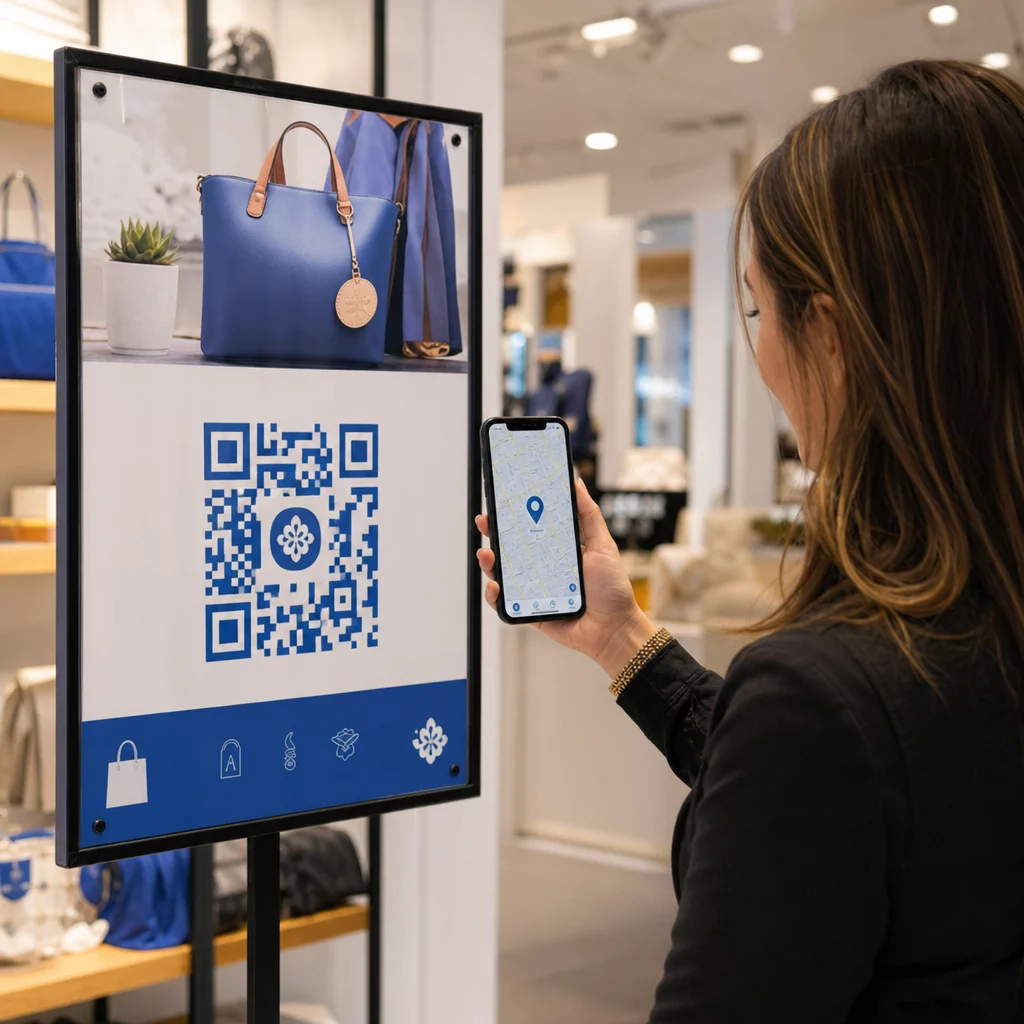
- Sinalização de varejo e balcão de atendimento – link para chat ao vivo ou agendamento de consultas
- Materiais do técnico de campo – link para páginas de status de serviço ou formulários de feedback pós-visita
- Assinaturas de e-mail – link para artigos da central de ajuda ou envio de tickets de suporte
Para conteúdo que muda frequentemente – como alertas de serviço ou guias de solução de problemas atualizados – use códigos QR dinâmicos para que você possa atualizar destinos sem reimprimir. Para recursos permanentes como um manual do usuário em PDF fixo, um código estático funciona bem.
Crie e Personalize Seus Códigos
Depois de definir seus casos de uso, gere códigos que os clientes reconhecerão e confiarão. Personalize cada código com as cores e o logotipo da sua marca para sinalizar legitimidade – isso é importante em um setor onde o phishing é uma preocupação real. Siga melhores práticas de geração segura de código QR, incluindo sempre o link para destinos HTTPS e o uso de URLs de marca.
Para códigos que linkam para documentação para download, um Código QR em PDF permite que os clientes acessem manuais do usuário, informações de garantia ou acordos de serviço instantaneamente. Para fluxos de suporte que consolidam vários links – FAQs, chat ao vivo, pagamento de contas – considere uma página de destino de código QR que apresenta todas as opções em uma única interface otimizada para celular.
Escreva um texto de chamada para ação específico perto de cada código. Em vez de “Escaneie aqui”, use uma linguagem como “Escaneie para solucionar problemas do seu dispositivo” ou “Escaneie para pagar sua conta em 30 segundos”. Instruções direcionadas superam consistentemente os prompts genéricos.
Coloque os Códigos Onde os Clientes Precisam Deles
A colocação determina quantos escaneamentos você realmente recebe. Locais de alto valor incluem:
- Embalagens de equipamentos e etiquetas de dispositivos (onde os clientes encontram desafios de configuração)
- Contas mensais e notificações de serviço (onde surgem questões de faturação)
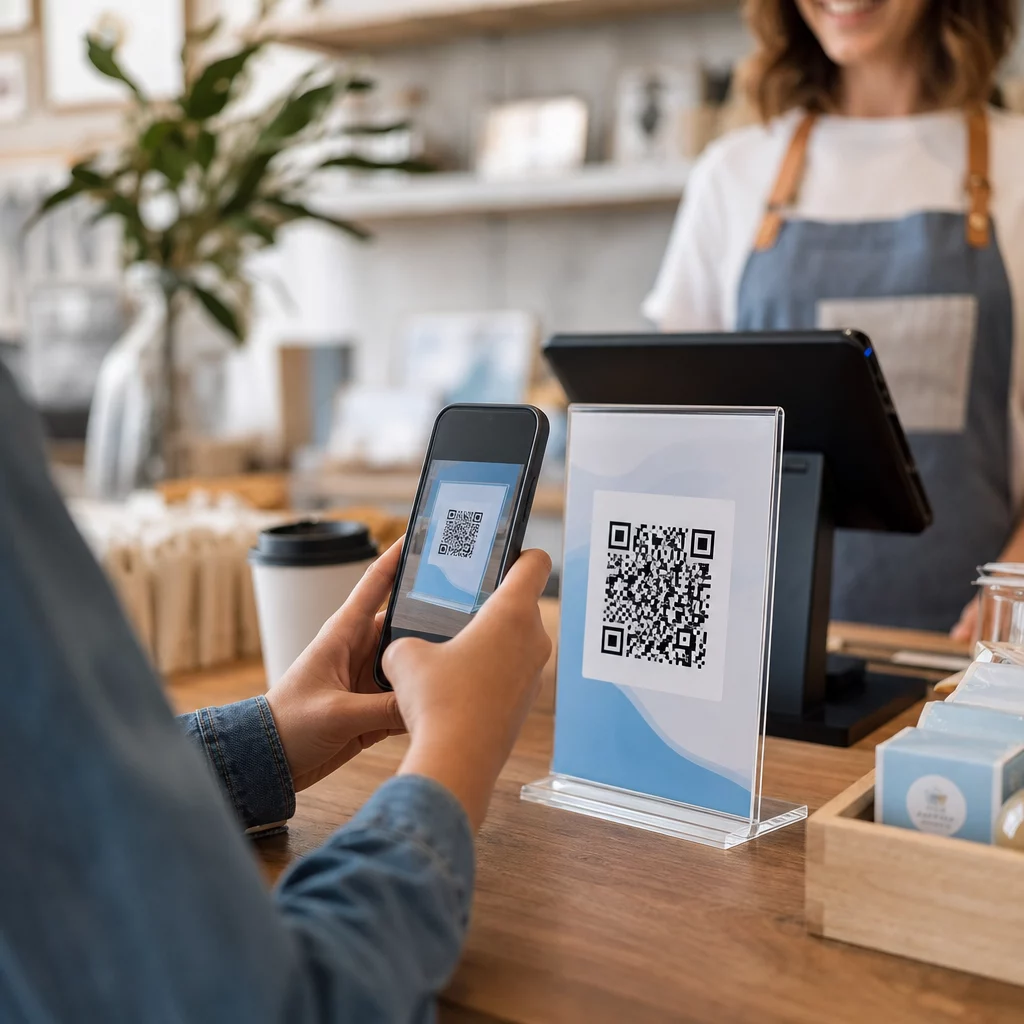
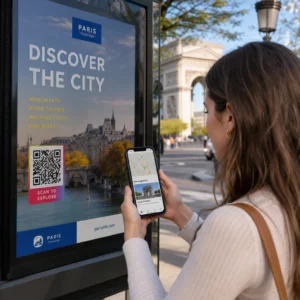
- Balcões de atendimento ao cliente e locais de retalho (onde os clientes já estão a procurar ajuda)
- Veículos e materiais de técnicos de campo (para acompanhamento pós-serviço)
- Superfícies digitais como e-mails, painéis de controlo de contas e o website da empresa
Para colocações físicas, siga as orientações de dimensionamento de melhores práticas de usabilidade de códigos QR: um mínimo de 0,8 × 0,8 polegadas para digitalização de curto alcance, com acabamentos mate para reduzir o brilho. Coloque os códigos a uma altura confortável – aproximadamente três a quatro pés do chão para expositores de chão. Para orientações detalhadas de colocação, consulte as diretrizes para colocar códigos QR em materiais de marketing.
Certifique-se de que cada destino é otimizado para dispositivos móveis e carrega rapidamente. Os clientes que digitalizam a partir de um telefone esperam que a página funcione imediatamente – consulte melhores práticas para páginas de destino de QR codes móveis para orientação técnica sobre velocidade da página e design amigável ao toque.
Acompanhe o Desempenho e Refine
Após a implementação, utilize análises para compreender como os clientes interagem com os seus códigos de suporte. Os códigos QR dinâmicos recolhem contagens de digitalizações, carimbos de data/hora, tipos de dispositivos e localizações geográficas – dados que revelam as horas de pico de suporte, regiões de alta procura e quais os recursos que os clientes mais utilizam.

Rastreamento de código QR também permite a análise de conversão: que percentagem de digitalizações relacionadas com faturas resulta num pagamento concluído? Quais os códigos de resolução de problemas que levam a problemas resolvidos versus escalonamentos? Estes dados ajudam a identificar colocações com baixo desempenho, melhorar o conteúdo de destino e alocar pessoal de suporte para janelas de pico de procura.
Muitas plataformas de gestão de códigos QR também se integram com ferramentas de análise como o Google Analytics, proporcionando uma visão unificada do comportamento do cliente, tanto físico como digital.
Veja Exatamente Onde e Quando os Clientes Digitalizam Acompanhe a atividade de digitalização em cada ponto de contacto com o Gerador de Código QR de Link Pageloot – obtenha dados em tempo real sobre o tipo de dispositivo, localização e engajamento para otimizar continuamente sua experiência de suporte.
Aplicações Avançadas
Códigos Dinâmicos para Roteamento de Suporte ao Vivo
Códigos QR dinâmicos podem direcionar clientes para sistemas de chat ao vivo que mostram a disponibilidade de agentes em tempo real, ou para ferramentas de agendamento onde os clientes podem reservar um retorno de chamada. Se protocolos de emergência forem ativados ou o horário de serviço mudar, você atualiza o destino uma vez – cada código impresso em campo reflete a mudança instantaneamente sem reimpressão.
Segurança e Proteção de Dados
Para códigos QR que se ligam a portais de gestão de contas ou sistemas de faturação, aplique controlos de segurança apropriados. Códigos protegidos por palavra-passe adicionam uma camada de autenticação para destinos sensíveis. Utilize sempre links HTTPS, verifique se as páginas de destino são certificadas por SSL e use designs de marca para ajudar os clientes a distinguir códigos legítimos de tentativas de phishing. Consulte melhores práticas de geração segura de código QR para uma lista de verificação completa.
Códigos QR colocados em espaços públicos devem ligar a recursos de suporte gerais. Códigos em documentos privados, como faturas, podem ligar-se com segurança a ferramentas específicas da conta, uma vez que o acesso já é restrito ao destinatário.
Integração Entre Canais de Suporte
Códigos QR funcionam em conjunto com outros canais de suporte, em vez de os substituir. Uma leitura pode abrir um artigo da central de ajuda, mas se o cliente ainda precisar de assistência, a página de destino deve apresentar uma opção de chat ao vivo ou um número de telefone de suporte. Para uma visão mais ampla de como este modelo se aplica em contextos de comércio digital, consulte Códigos QR para suporte em e-commerce.
Também pode usar fluxos de trabalho acionados por QR para enviar mensagens de acompanhamento automatizadas – um inquérito de satisfação 24 horas após a visita de um técnico, ou um guia de configuração quando um cliente digitaliza a embalagem de um novo dispositivo. Este tipo de feedback do cliente via código QR ciclo cria um ciclo de melhoria contínua sem esforço manual adicional.
Medindo o Que Funciona
Acompanhe estes indicadores chave de desempenho antes e depois da implementação de códigos QR:
- Taxa de resolução – percentagem de sessões de suporte digitalizadas que resolvem o problema do cliente sem contacto com o agente
- Taxa de digitalização para conclusão – percentagem de digitalizações que resultam numa ação concluída (pagamento efetuado, formulário enviado, guia visualizado)
- Volume de tickets de suporte – comparar os totais semanais antes e depois da implementação para quantificar a deflexão
- Pontuações de satisfação do cliente – correlacionar a atividade de digitalização com os resultados de inquéritos pós-interação
- Horários e locais de pico de digitalização – usar estes dados para alinhar a dotação de pessoal e as atualizações de recursos com a procura real
Estabeleça métricas de base antes do lançamento e, em seguida, reveja mensalmente. Se um código não estiver a ter o desempenho esperado, verifique a visibilidade do posicionamento, atualize o texto da chamada para ação ou melhore a página de destino. Pequenos ajustes baseados em dados reais de digitalização superam consistentemente as suposições sobre o que os clientes querem.
Os códigos QR são mais eficazes quando tratados como um sistema vivo – implementados de forma ponderada, monitorizados consistentemente e refinados com base no que os dados mostram. Os fornecedores de telecomunicações que adotam esta abordagem reduzem os custos de suporte, melhoram as taxas de resolução e proporcionam aos clientes a experiência rápida e autodirigida que esperam.
Comece por identificar os seus dois ou três pontos de contacto de suporte de maior volume, gere códigos QR para cada um e meça o impacto. Utilize As ferramentas de código QR da Pageloot para telecomunicações para criar códigos dinâmicos, de marca e rastreáveis que pode atualizar sem reimprimir – para que a sua infraestrutura de suporte se mantenha atualizada à medida que os seus serviços evoluem.
Perguntas frequentes
Códigos QR de telecomunicações podem ligar a quase qualquer recurso digital: guias de solução de problemas, manuais de usuário em PDF, portais de gerenciamento de contas, páginas de pagamento, janelas de chat ao vivo, formulários de feedback, tutoriais em vídeo e páginas de destino otimizadas para celular que consolidam várias opções de suporte em um só lugar. Códigos QR dinâmicos permitem que você atualize o destino a qualquer momento, para que o mesmo código impresso possa ligar a conteúdos diferentes à medida que seus recursos de suporte mudam.
Códigos QR estáticos codificam um destino fixo que não pode ser alterado após a criação do código. Códigos QR dinâmicos usam um link de redirecionamento gerenciado através de um painel central, para que você possa atualizar o destino sem reimprimir. Para suporte de telecomunicações, os códigos dinâmicos são geralmente a melhor escolha porque o conteúdo de suporte muda frequentemente – guias de solução de problemas são atualizados, horários de serviço mudam e novas ferramentas de autoatendimento são lançadas. Os códigos dinâmicos também fornecem análises de leitura, o que os códigos estáticos não suportam.
Sempre vincule códigos QR a destinos protegidos por HTTPS e use designs de marca, reconhecíveis para que os clientes possam distinguir códigos legítimos de tentativas de phishing. Para códigos que acessam ferramentas específicas de conta ou portais de faturamento, a proteção por senha adiciona uma camada de autenticação. Use códigos QR dinâmicos para que você possa desativar ou redirecionar um código comprometido imediatamente sem reimprimir materiais. Educar os clientes sobre a aparência de códigos QR legítimos e como verificar destinos antes de enviar quaisquer dados também é uma importante camada de proteção.