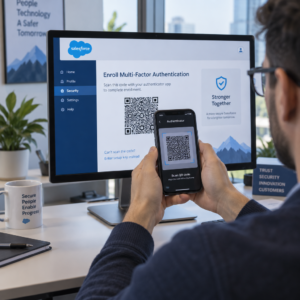
Muče li se vaši korisnici pronaći pomoć kada im je najpotrebnija? U telekomunikacijama, spora ili fragmentirana podrška potiče odlazak korisnika – a 17% korisnika već je napustilo pružatelja usluga zbog loših iskustava sa samoposluživanjem. Ova stranica pokazuje kako QR kodovi korisnicima omogućuju trenutačan pristup pravim resursima podrške, smanjuju broj zahtjeva i poboljšavaju zadovoljstvo na svakoj dodirnoj točki.
Zašto je samoposluživanje važno u telekomunikacijama
Očekivanja korisnika odlučno su se pomaknula prema samoposluživanju. Oko 67% korisnika radije rješava probleme samostalno nego da razgovara s agentom, a 90% očekuje od brendova da nude online portal za samoposluživanje. Konkretno u telekomunikacijama, potražnja za samoposluživanjem porasla je za 21% od Covida, a 69% korisnika pokušava riješiti tehničke probleme prije nego što zatraži posjet kod kuće.
Ipak, više od 70% korisnika koji pokušaju koristiti kanale samoposluživanja ne uspije u potpunosti riješiti svoj problem online. Jaz nije nedostatak interesa – to je nedostatak jednostavnog pristupa. Korisnici napuštaju procese podrške kada je navigacija zbunjujuća, izbornici su skriveni ili ne mogu dovoljno brzo pronaći pravu stranicu.
QR kodovi premošćuju taj jaz. Jednostavno skeniranje povezuje korisnika izravno s točno onim resursom koji mu je potreban, bez izbornika, pretraživanja ili čekanja.
Ključne prednosti QR kodova u telekomunikacijskoj podršci
Brži pristup pravim resursima
Umjesto navigacije kroz složene telefonske izbornike ili listanja dugih stranica s često postavljanim pitanjima, brzo skeniranje odvodi korisnike izravno do resursa podrške koji im je potreban. Telekomunikacijske tvrtke mogu postaviti QR kodove na pakiranja proizvoda, račune, naljepnice opreme i maloprodajne natpise – svaki povezuje s relevantnim odredištem poput vodiča za postavljanje, protoka za rješavanje problema ili chata uživo.
Na primjer, QR kod otisnut na naljepnici rutera može izravno voditi do koraka za rješavanje problema s mrežom. Kod na mjesečnom računu može otvoriti portal za upravljanje računom. Ova vrsta kontekstualnog pristupa uklanja trenje i smanjuje broj ponovljenih kontakata koji dolaze u vaš red čekanja za podršku.
Ove kodove možete generirati koristeći Pageloot generator QR kodova, koji podržava URL-ove, PDF-ove, obrasce i preko 25 drugih vrsta sadržaja.
Personalizirana iskustva podrške
Statične stranice podrške poslužuju isti sadržaj svakom korisniku. Dinamički QR kodovi to mijenjaju. Budući da se odredišni URL upravlja putem centralne nadzorne ploče, isti ispisani kod možete usmjeriti na različit sadržaj ovisno o vrsti uređaja, paketu usluga, regiji ili dobu dana – bez ponovnog ispisa niti jedne naljepnice.
A dinamički QR kod na pakiranju SIM kartice, na primjer, može preusmjeriti postpaid korisnike na vodič za aktivaciju, a prepaid korisnike na portal za nadoplatu. Ako se vaše radno vrijeme podrške promijeni ili pokrenete novu značajku samoposluživanja, odredište ažurirate jednom i svaki implementirani kod odmah odražava promjenu.
Implementirajte personalizirane veze za podršku u velikom opsegu Koristiti Pageloot generator QR kodova za telekomunikacije za stvaranje dinamičkih kodova koji svaki put povezuju korisnike s pravim resursom – bez ponovnog tiskanja materijala.
Pojednostavljeno prikupljanje povratnih informacija
Prikupljanje povratnih informacija od korisnika je teško kada je proces nezgodan. QR kodovi ispisani na računima, pismima dobrodošlice ili pakiranju izravno vode do obrasca za povratne informacije, bilježeći odgovore dok je iskustvo još svježe.
Korištenje a QR kod Google obrasca je praktičan način usmjeravanja korisnika na strukturiranu anketu. Dinamički kodovi omogućuju vam da u bilo kojem trenutku promijenite odredište obrasca – korisno kada želite rotirati ankete ili testirati različite upitnike bez ponovne distribucije materijala. Za detaljniji uvid u implementaciju, pogledajte kako stvoriti QR kodove za prikupljanje povratnih informacija.
Smanjeni troškovi podrške kroz automatizaciju
Usmjeravanjem korisnika na resurse za samoposluživanje – resetiranje lozinki, često postavljana pitanja o naplati, vodiči za postavljanje uređaja – QR kodovi smanjuju broj poziva i zahtjeva koji dolaze do vašeg tima za podršku. Trenutno se 56% problema korisnika telekoma rješava putem alata za samoposluživanje. QR kodovi ubrzavaju taj trend čineći te alate lakšima za pronalaženje u trenutku kada su potrebni.

Zadaci koji su prethodno zahtijevali angažman agenta – ažuriranja računa, usporedbe planova, aktivacija usluga – mogu se rješavati putem portala povezanih s QR kodovima, oslobađajući vaš tim za složene probleme koji istinski zahtijevaju ljudsku pažnju.
Kako implementirati QR kodove za telekom podršku
Identificirajte pravilne slučajeve upotrebe
Započnite mapiranjem najčešćih dodirnih točaka podrške i svaku povežite s odredištem povezanim s QR kodom:
- Naljepnice na pakiranju i opremi – poveznica na vodiče za postavljanje specifične za uređaj ili video upute
- Mjesečni računi i fakture – poveznica na upravljanje računom, portale za plaćanje ili često postavljana pitanja o naplati
- Oznake u maloprodaji i na servisnom pultu – poveznica na chat uživo ili zakazivanje termina
- Materijali za terenske tehničare – poveznica na stranice statusa usluge ili obrasce za povratne informacije nakon posjeta
- Potpisi e-pošte – poveznica na članke centra za pomoć ili podnošenje zahtjeva za podršku
Za sadržaj koji se često mijenja – kao što su obavijesti o uslugama ili ažurirani vodiči za rješavanje problema – koristite dinamični QR kodovi kako biste mogli ažurirati odredišta bez ponovnog ispisa. Za trajne resurse poput fiksnog PDF korisničkog priručnika, statički kod dobro funkcionira.
Izradite i prilagodite svoje kodove
Nakon što definirate svoje slučajeve upotrebe, generirajte kodove koje će korisnici prepoznati i kojima će vjerovati. Prilagodite svaki kod bojama i logotipom svoje marke kako biste signalizirali legitimnost – to je važno u industriji gdje je krađa identiteta stvarna briga. Slijedite sigurne najbolje prakse generiranja QR koda, uključujući uvijek povezivanje na HTTPS odredišta i korištenje brendiranih URL-ova.
Za kodove koji vode do dokumentacije za preuzimanje, a PDF QR kod omogućuje korisnicima trenutačni pristup korisničkim priručnicima, informacijama o jamstvu ili ugovorima o uslugama. Za tijekove podrške koji objedinjuju više poveznica – često postavljena pitanja, chat uživo, plaćanje računa – razmislite o odredišna stranica QR koda koja predstavlja sve opcije u jednom mobilnom sučelju.
Napišite specifičan tekst poziva na akciju pored svakog koda. Umjesto “Skenirajte ovdje”, koristite jezik poput “Skenirajte za rješavanje problema s uređajem” ili “Skenirajte za plaćanje računa u 30 sekundi.” Ciljane upute dosljedno nadmašuju generičke upute.
Postavite kodove tamo gdje ih korisnici trebaju
Postavljanje određuje koliko skeniranja zapravo primate. Lokacije visoke vrijednosti uključuju:
- Pakiranje opreme i naljepnice uređaja (gdje korisnici nailaze na izazove pri postavljanju)
- Mjesečni računi i obavijesti o uslugama (gdje se javljaju pitanja o naplati)
- Pultovi korisničke službe i maloprodajne lokacije (gdje korisnici već traže pomoć)
- Vozila i materijali terenskih tehničara (za praćenje nakon usluge)
- Digitalne površine poput e-pošte, nadzornih ploča računa i web stranice tvrtke
Za fizička postavljanja, slijedite smjernice za veličinu iz najboljih praksi upotrebljivosti QR kodova: minimalno 0,8 × 0,8 inča za skeniranje iz blizine, s mat završnim obradama za smanjenje odsjaja. Postavite kodove na udobnu visinu – otprilike tri do četiri stope od tla za samostojeće zaslone. Za detaljne smjernice o postavljanju, pogledajte smjernice za postavljanje QR kodova na marketinške materijale.
Provjerite je li svaka destinacija optimizirana za mobilne uređaje i brzo se učitava. Korisnici koji skeniraju s telefona očekuju da stranica odmah radi – pogledajte najbolje prakse za odredišne stranice mobilnih QR kodova za tehničke smjernice o brzini stranice i dizajnu prilagođenom dodiru.
Pratite performanse i usavršavajte
Nakon implementacije, koristite analitiku kako biste razumjeli kako korisnici komuniciraju s vašim kodovima podrške. Dinamički QR kodovi prikupljaju broj skeniranja, vremenske oznake, vrste uređaja i geografske lokacije – podatke koji otkrivaju vršne sate podrške, regije visoke potražnje i koje resurse korisnici najviše koriste.

Praćenje QR koda također omogućuje analizu konverzije: koliki postotak skeniranja povezanih s računima rezultira dovršenim plaćanjem? Koji kodovi za rješavanje problema dovode do riješenih problema u odnosu na eskalacije? Ovi podaci pomažu vam identificirati loše postavljene lokacije, poboljšati sadržaj odredišta i rasporediti osoblje podrške u razdobljima najveće potražnje.
Mnoge platforme za upravljanje QR kodovima također se integriraju s analitičkim alatima poput Google Analyticsa, pružajući vam jedinstven pregled fizičkog i digitalnog ponašanja korisnika.
Pogledajte točno gdje i kada korisnici skeniraju Pratite aktivnost skeniranja na svakoj dodirnoj točki s Pageloot Veza Generator QR kodova – dobijte podatke u stvarnom vremenu o vrsti uređaja, lokaciji i angažmanu kako biste kontinuirano optimizirali svoje iskustvo podrške.
Napredne aplikacije
Dinamički kodovi za usmjeravanje podrške uživo
Dinamički QR kodovi mogu usmjeriti korisnike na sustave za chat uživo koji prikazuju dostupnost agenata u stvarnom vremenu, ili na alate za zakazivanje gdje korisnici mogu rezervirati povratni poziv. Ako se aktiviraju protokoli za hitne slučajeve ili se promijeni radno vrijeme, odredište ažurirate jednom – svaki ispisani kod na terenu odmah odražava promjenu bez ponovnog ispisa.
Sigurnost i zaštita podataka
Za QR kodove koji vode na portale za upravljanje računima ili sustave naplate, primijenite odgovarajuće sigurnosne kontrole. Kodovi zaštićeni lozinkom dodaju sloj provjere autentičnosti za osjetljiva odredišta. Uvijek koristite HTTPS veze, provjerite jesu li odredišne stranice SSL-certificirane i koristite brendirane dizajne kako biste pomogli korisnicima razlikovati legitimne kodove od pokušaja krađe identiteta. Pogledajte sigurne najbolje prakse generiranja QR koda za potpuni popis provjere.
QR kodovi postavljeni na javnim mjestima trebali bi voditi na opće resurse podrške. Kodovi na privatnim dokumentima poput računa mogu se sigurno povezati s alatima specifičnim za račun, budući da je pristup već ograničen na primatelja.
Integracija kroz kanale podrške
QR kodovi rade zajedno s drugim kanalima podrške umjesto da ih zamjenjuju. Skeniranje može otvoriti članak centra za pomoć, ali ako korisnik i dalje treba pomoć, odredišna stranica bi trebala prikazati opciju chata uživo ili telefonski broj podrške. Za širi pogled na to kako se ovaj model primjenjuje u kontekstima digitalne trgovine, pogledajte QR kodovi za podršku u e-trgovini.
Također možete koristiti radne procese pokrenute QR kodom za slanje automatiziranih poruka za praćenje – anketu o zadovoljstvu 24 sata nakon posjeta tehničara, ili vodič za postavljanje kada korisnik skenira pakiranje novog uređaja. Ova vrsta povratnih informacija korisnika putem QR koda petlja stvara ciklus kontinuiranog poboljšanja bez dodatnog ručnog napora.
Mjerenje što funkcionira
Pratite ove ključne pokazatelje uspješnosti prije i nakon implementacije QR kodova:
- Stopa rješavanja – postotak skeniranih sesija podrške koje rješavaju problem korisnika bez kontakta s agentom
- Stopa skeniranja do dovršetka – postotak skeniranja koja rezultiraju dovršenom radnjom (izvršena uplata, poslan obrazac, pregledan vodič)
- Volumen zahtjeva za podršku – usporedite tjedne ukupne iznose prije i poslije implementacije kako biste kvantificirali preusmjeravanje
- Ocjene zadovoljstva korisnika – povežite aktivnost skeniranja s rezultatima anketa nakon interakcije
- Vršna vremena i lokacije skeniranja – koristite ove podatke za usklađivanje osoblja i ažuriranja resursa sa stvarnom potražnjom
Uspostavite osnovne metrike prije pokretanja, a zatim ih pregledavajte mjesečno. Ako kod ne funkcionira, provjerite vidljivost postavljanja, ažurirajte tekst poziva na akciju ili poboljšajte odredišnu stranicu. Male prilagodbe temeljene na stvarnim podacima o skeniranju dosljedno nadmašuju pretpostavke o tome što korisnici žele.
QR kodovi su najučinkovitiji kada se tretiraju kao živi sustav – promišljeno implementirani, dosljedno praćeni i dorađivani na temelju onoga što podaci pokazuju. Telekomunikacijski operateri koji primjenjuju ovaj pristup smanjuju troškove podrške, poboljšavaju stope rješavanja i pružaju korisnicima brzo, samostalno iskustvo koje očekuju.
Započnite identificiranjem dvije ili tri dodirne točke podrške s najvećim volumenom, generirajte QR kodove za svaku i izmjerite utjecaj. Koristite Pagelootove alate za QR kodove za telekomunikacije za stvaranje dinamičnih, brendiranih, prativih kodova koje možete ažurirati bez ponovnog ispisa – tako da vaša infrastruktura podrške ostaje aktualna kako se vaše usluge razvijaju.
Često postavljana pitanja
Telekom QR kodovi mogu voditi na gotovo bilo koji digitalni resurs: vodiče za rješavanje problema, PDF korisničke priručnike, portale za upravljanje računom, stranice za plaćanje, prozore za chat uživo, obrasce za povratne informacije, video upute i mobilno optimizirane odredišne stranice koje objedinjuju više opcija podrške na jednom mjestu. Dinamički QR kodovi omogućuju vam ažuriranje odredišta u bilo kojem trenutku, tako da isti ispisani kod može voditi na različit sadržaj kako se vaši resursi podrške mijenjaju.
Statični QR kodovi kodiraju fiksno odredište koje se ne može promijeniti nakon što je kod kreiran. Dinamični QR kodovi koriste vezu za preusmjeravanje kojom se upravlja putem centralne nadzorne ploče, tako da možete ažurirati odredište bez ponovnog ispisa. Za telekomunikacijsku podršku, dinamični kodovi su općenito bolji izbor jer se sadržaj podrške često mijenja – vodiči za rješavanje problema se ažuriraju, radno vrijeme službe se mijenja, i pokreću se novi alati za samoposluživanje. Dinamični kodovi također pružaju analitiku skeniranja, što statični kodovi ne podržavaju.
Uvijek povežite QR kodove s HTTPS-zaštićenim odredištima i koristite brendirane, prepoznatljive dizajne kako bi korisnici mogli razlikovati legitimne kodove od pokušaja krađe identiteta. Za kodove koji pristupaju alatima specifičnim za račun ili portalima za naplatu, zaštita lozinkom dodaje sloj provjere autentičnosti. Koristite dinamičke QR kodove kako biste mogli odmah deaktivirati ili preusmjeriti kompromitirani kod bez ponovnog ispisa materijala. Edukacija korisnika o tome kako izgledaju legitimni QR kodovi i kako provjeriti odredišta prije slanja bilo kakvih podataka također je važan sloj zaštite.