QR Code Folders: Organize QR Codes by Client and Campaign
QR code folders in Pageloot let you group your dynamic QR codes by client, campaign, store or team, so you can find any code in seconds. Folders are included on every plan. See plans and pricing, or start a free 14-day trial and make your first folder.

Trusted by 20,000+ companies in 110 countries


What QR code folders do
- Scans per folder
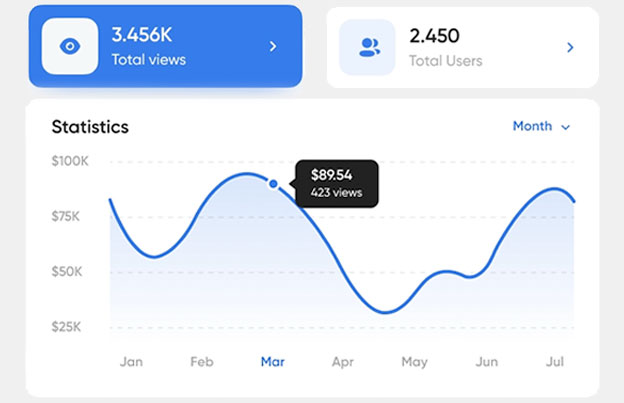
Open a folder to see the scan statistics of the codes inside it, so you can compare one campaign or client with another.
- Seats for your team
Every plan includes at least 1 user seat, and each seat has its own login. Pro has 3 seats and Agency has 5.
- One folder per project
Create a folder in your account, then put the codes for one client, campaign or location in it. Find any code without scrolling through a long list.
Organize QR codes with folders
How to organize QR codes with folders and campaigns: one folder per client, project or campaign

PROJECTS
Group QR codes by project, client or campaign
A restaurant chain can keep one folder per location. An agency can keep one folder per client. A marketing team can keep one folder per launch or season: posters, flyers, packaging and table cards each get their own code inside it.
When a campaign ends, you know exactly which codes belong to it. Dynamic codes also let you change the destination after printing, so a folder stays useful for years.
ANALYTICS
See scans for the codes in each folder
Scan statistics show when and where a code was scanned. Country data is on every plan, city data comes with Premium and above, and device data with Pro and above. CSV export is on Premium and above. Check pricing for the full list.
Use one folder per campaign and one code per placement, then compare the codes to see which poster, flyer or package gets scanned.


Team seats
Work on the same codes as your team
Each user seat is a separate login. Starter has 1 seat, Premium 2, Pro 3 and Agency 5. If more than one person manages your QR codes, folders keep each project in one place, so nobody needs to ask where a code is.
CLIENT REPORTS
Report results to clients
The plans page lists “Share statistics via link” for Pro and Agency, marked as coming soon. Until it is live, use CSV export (Premium and above) to send a client the scan data of a campaign. Agency plans also list client workspaces on the pricing page.


See how "Brand Name" uses QR codes on their business cards
“Pageloot has completely transformed the way we network and share information. By integrating customizable QR codes on our business cards, we’ve made it incredibly easy for potential clients and partners to access our digital profiles, websites, and contact details.
I highly recommend it to any tech company looking to enhance networking and boost engagement.”
Enhances networking
Modern touch
Leaves a lasting impression
Ann Smith
Head of Marketing, Company
Frequently asked questions about QR code folders

Create one folder per client, project or campaign in your Pageloot account, and put the dynamic QR codes for it inside. Name folders after the client or campaign so the list stays easy to scan.
Open a folder to see the scan statistics of its codes. With one folder per client or campaign, you can compare results and export scan data as CSV on Premium and above.
Yes, you can move a code to a different folder in your account. The code itself does not change, so printed codes keep working.
No. Folders are listed on every plan on the pricing page, from Starter at EUR 7 per month billed yearly. Your plan sets how many QR codes and scans you get.
The pricing page lists limits for QR codes and scans per plan, and it shows no separate folder limit. Check the plans page for the current numbers.
A shareable statistics link is listed on the pricing page for Pro and Agency and is marked as coming soon. For now, export the scan data as CSV (Premium and above) and send it.
Yes. All user seats work in the same account. Starter includes 1 seat, Premium 2, Pro 3 and Agency 5, and each seat has its own login.
Dynamic codes stop working after a paid plan expires, except on the lifetime deal. Keep the plan active for as long as your codes are in use.
Ready to create QR Codes?
Start a 14-day free trial, make a dynamic QR code and put it in your first folder.
Organize faster, report smarter
Create folders, add your team and compare scans across campaigns in one account.