Ar jūsų klientams sunku rasti pagalbos, kai jos labiausiai reikia? Telekomunikacijų srityje lėtas arba fragmentuotas palaikymas skatina klientų kaitą – ir 17% klientų jau paliko paslaugų teikėją dėl prastos savitarnos patirties. Šis puslapis parodo, kaip QR kodai suteikia klientams tiesioginę prieigą prie tinkamų palaikymo išteklių, sumažina užklausų skaičių ir pagerina pasitenkinimą kiekviename sąlyčio taške.
Kodėl savitarna svarbi telekomunikacijų srityje
Klientų lūkesčiai ryžtingai pasislinko savitarnos link. Apie 67% klientų mieliau sprendžia problemas patys, užuot kalbėję su agentu, o 90% tikisi, kad prekių ženklai pasiūlys internetinį savitarnos portalą. Būtent telekomunikacijų srityje savitarnos paklausa išaugo 21% nuo Covid, o 69% klientų bando spręsti technines problemas prieš prašydami apsilankymo namuose.
Tačiau daugiau nei 70% klientų, kurie bando savitarnos kanalus, nepavyksta visiškai išspręsti savo problemos internetu. Spraga yra ne susidomėjimo trūkumas, o lengvos prieigos trūkumas. Klientai nutraukia palaikymo procesus, kai naršymas yra painus, meniu paslėpti arba jie negali pakankamai greitai rasti tinkamo puslapio.
QR kodai užpildo šią spragą. Vienas nuskaitymas tiesiogiai sujungia klientą su tiksliu ištekliumi, kurio jam reikia, be meniu, paieškų ar laukimo laiko.
Pagrindiniai QR kodų privalumai telekomunikacijų palaikyme
Greitesnė prieiga prie tinkamų išteklių
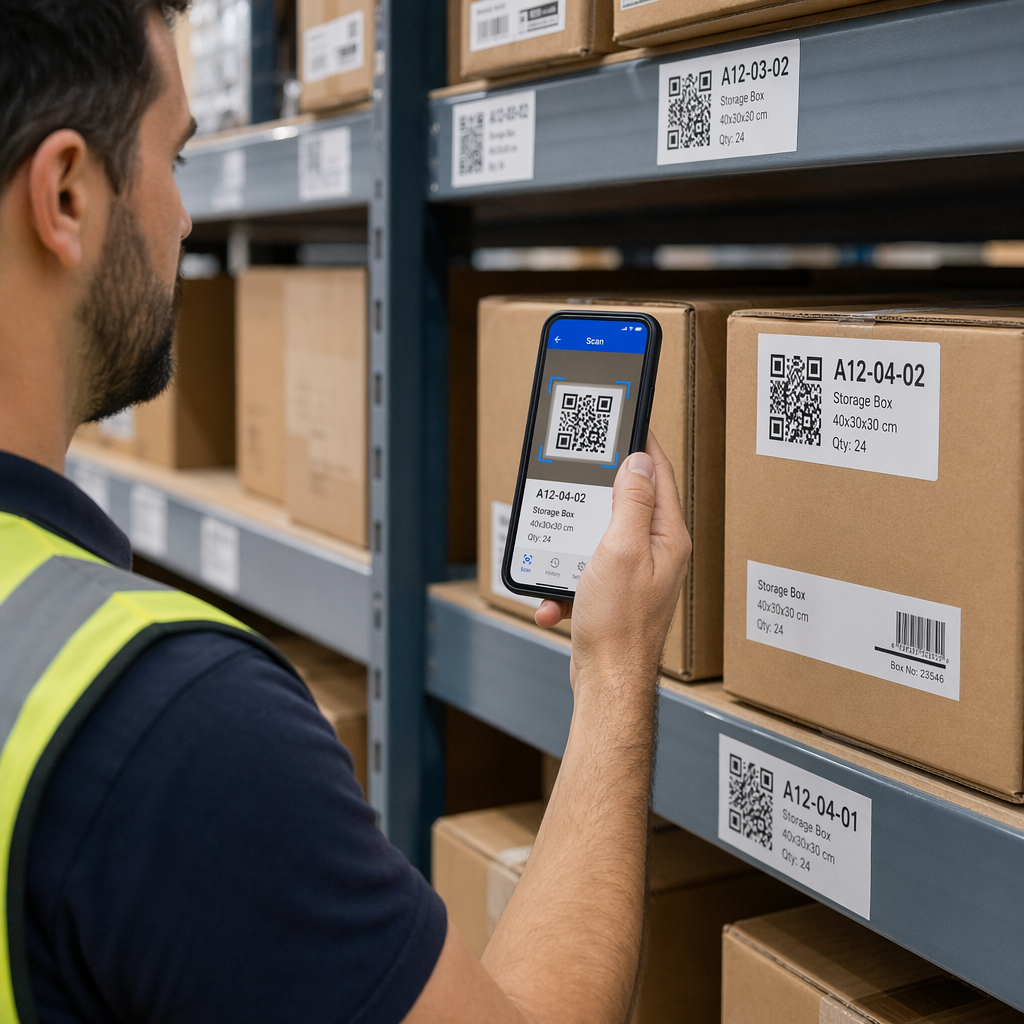
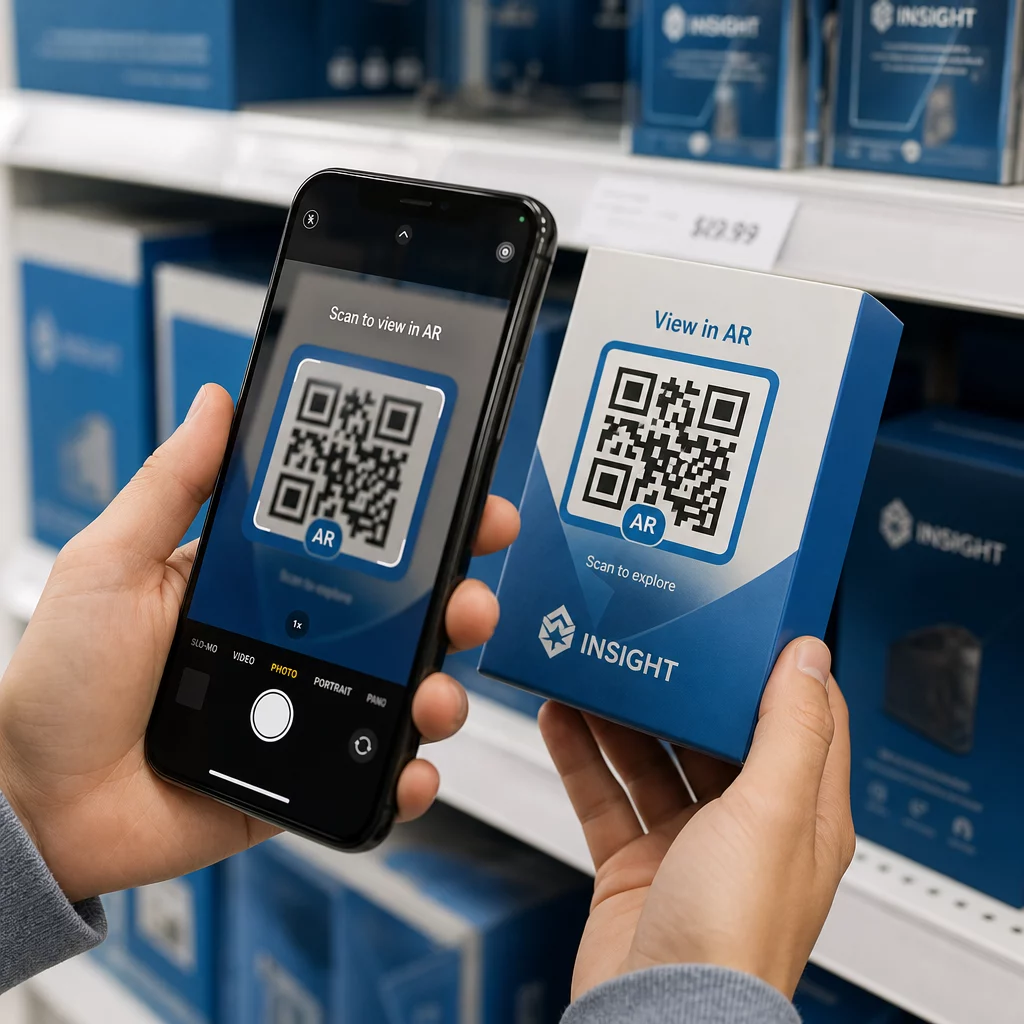
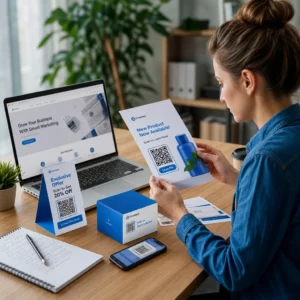
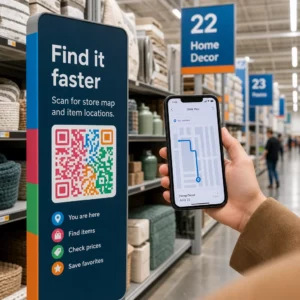
Užuot naršę sudėtingus telefono meniu ar slinkę ilgais DUK puslapiais, greitas nuskaitymas nukreipia klientus tiesiai į jiems reikalingą palaikymo išteklių. Telekomunikacijų įmonės gali patalpinti QR kodus ant produktų pakuočių, sąskaitų, įrangos etikečių ir mažmeninės prekybos iškabų – kiekvienas iš jų susieja su atitinkama paskirties vieta, pvz., sąrankos vadovu, trikčių šalinimo eiga ar tiesioginiu pokalbiu.
Pavyzdžiui, ant maršrutizatoriaus etiketės atspausdintas QR kodas gali tiesiogiai susieti su tinklo trikčių šalinimo veiksmais. Kodas ant mėnesinės sąskaitos gali atidaryti paskyros valdymo portalą. Tokia kontekstinė prieiga pašalina trintį ir sumažina pasikartojančių kontaktų, patenkančių į jūsų palaikymo eilę, skaičių.
Šiuos kodus galite generuoti naudodami Pageloot QR kodo generatorius, kuris palaiko URL, PDF, formas ir daugiau nei 25 kitus turinio tipus.
Personalizuotos palaikymo patirtys
Statiniai palaikymo puslapiai pateikia tą patį turinį kiekvienam klientui. Dinaminiai QR kodai tai keičia. Kadangi paskirties URL valdomas per centrinę prietaisų skydelį, tą patį atspausdintą kodą galite nukreipti į skirtingą turinį, atsižvelgiant į įrenginio tipą, paslaugų planą, regioną ar paros laiką – neperspausdindami nė vienos etiketės.
A dinaminis QR kodas ant SIM kortelės pakuotės, pavyzdžiui, gali nukreipti abonentinius klientus į aktyvavimo vadovą, o išankstinio mokėjimo klientus – į papildymo portalą. Jei pasikeičia jūsų palaikymo valandos arba paleidžiate naują savitarnos funkciją, paskirties vietą atnaujinate vieną kartą ir kiekvienas įdiegtas kodas iškart atspindi pakeitimą.
Diegti personalizuotas palaikymo nuorodas dideliu mastu Naudoti Pageloot QR kodo generatorius telekomunikacijoms sukurti dinaminius kodus, kurie kiekvieną kartą nukreipia klientus į tinkamą išteklių – neperspausdinant medžiagos.
Supaprastintas atsiliepimų rinkimas
Klientų atsiliepimų rinkimas yra sudėtingas, kai procesas nepatogus. Ant sąskaitų, pasveikinimo laiškų ar pakuotės atspausdinti QR kodai tiesiogiai susieja su atsiliepimų forma, fiksuodami atsakymus, kol patirtis dar šviežia.
Naudojant "Google" formos QR kodas yra praktiškas būdas nukreipti klientus į struktūrizuotą apklausą. Dinaminiai kodai leidžia bet kada pakeisti formos paskirties vietą – tai naudinga, kai norite keisti apklausas arba išbandyti skirtingus klausimynus neperskirstant medžiagos. Norėdami išsamiau susipažinti su įgyvendinimu, žr. kaip sukurti QR kodus atsiliepimų rinkimui.
Sumažintos palaikymo išlaidos automatizavimo dėka
Nukreipiant klientus į savitarnos išteklius – slaptažodžio atstatymą, dažnai užduodamus klausimus apie atsiskaitymą, įrenginių nustatymo vadovus – QR kodai sumažina skambučių ir užklausų, pasiekiančių jūsų palaikymo komandą, skaičių. Šiuo metu 56% telekomunikacijų klientų problemų išsprendžiamos naudojant savitarnos įrankius. QR kodai pagreitina šią tendenciją, nes padaro šiuos įrankius lengviau randamus tada, kai jų reikia.

Užduotys, kurioms anksčiau reikėjo agento įsitraukimo – paskyros atnaujinimai, planų palyginimai, paslaugų aktyvinimas – gali būti tvarkomos per QR kodais susietus portalus, atlaisvinant jūsų komandą sudėtingiems klausimams, kuriems tikrai reikia žmogaus dėmesio.
Kaip įdiegti QR kodus telekomunikacijų palaikymui
Nustatykite tinkamus naudojimo atvejus
Pradėkite nuo dažniausiai pasitaikančių palaikymo sąlyčio taškų nustatymo ir kiekvieną susiekite su QR kodu susieta paskirties vieta:
- Pakuotės ir įrangos etiketės – nuoroda į konkretaus įrenginio nustatymo vadovus arba vaizdo įrašų pamokas
- Mėnesinės sąskaitos ir sąskaitos faktūros – nuoroda į paskyros valdymą, mokėjimo portalus arba dažnai užduodamus klausimus apie atsiskaitymą
- Mažmeninės prekybos ir aptarnavimo skyriaus iškabos – nuoroda į tiesioginį pokalbį arba susitikimų planavimą
- Lauko techniko medžiagos – nuoroda į paslaugų būsenos puslapius arba atsiliepimų po apsilankymo formas
- El. laiškų parašai – nuoroda į pagalbos centro straipsnius arba palaikymo užklausos pateikimą
Dažnai besikeičiančiam turiniui – pvz., paslaugų įspėjimams ar atnaujintiems trikčių šalinimo vadovams – naudokite dinaminiai QR kodai kad galėtumėte atnaujinti paskirties vietas be pakartotinio spausdinimo. Nuolatiniams ištekliams, pvz., fiksuotam PDF vartotojo vadovui, statinis kodas veikia puikiai.
Kurkite ir pritaikykite savo kodus
Apibrėžę savo naudojimo atvejus, generuokite kodus, kuriuos klientai atpažins ir pasitikės. Kiekvieną kodą pritaikykite su savo prekės ženklo spalvomis ir logotipu, kad parodytumėte teisėtumą – tai svarbu pramonėje, kur sukčiavimas yra reali problema. Laikykitės saugios QR kodo generavimo geriausia praktika, įskaitant visada nuorodas į HTTPS paskirties vietas ir prekės ženklo URL naudojimą.
Kodams, susiejantiems su atsisiunčiama dokumentacija, a PDF QR kodas leidžia klientams akimirksniu pasiekti vartotojo vadovus, garantijos informaciją ar paslaugų sutartis. Palaikymo srautams, kurie konsoliduoja kelias nuorodas – DUK, tiesioginis pokalbis, sąskaitų apmokėjimas – apsvarstykite QR kodo nukreipimo puslapis kuris pateikia visas parinktis vienoje mobiliesiems pritaikytoje sąsajoje.
Šalia kiekvieno kodo parašykite konkretų raginimo veikti tekstą. Vietoj “Nuskaitykite čia” naudokite tokią kalbą kaip “Nuskaitykite, kad pašalintumėte įrenginio triktis” arba “Nuskaitykite, kad apmokėtumėte sąskaitą per 30 sekundžių”. Tikslinės instrukcijos nuolat pranoksta bendrus raginimus.
Patalpinkite kodus ten, kur jų reikia klientams
Paskirties vieta lemia, kiek nuskaitymų iš tikrųjų gausite. Didelės vertės vietos apima:
- Įrangos pakuotės ir įrenginių etiketės (kur klientai susiduria su sąrankos iššūkiais)
- Mėnesinės sąskaitos ir paslaugų pranešimai (kur kyla klausimų dėl atsiskaitymo)
- Klientų aptarnavimo skyriai ir mažmeninės prekybos vietos (kur klientai jau ieško pagalbos)
- Lauko techniko transporto priemonės ir medžiagos (po aptarnavimo)
- Skaitmeniniai paviršiai, tokie kaip el. laiškai, paskyrų prietaisų skydeliai ir įmonės svetainė
Fiziniam išdėstymui vadovaukitės dydžio nurodymais iš geriausios QR kodo naudojimo praktikos: mažiausiai 0,8 × 0,8 colio artimam nuskaitymui, su matiniais paviršiais, siekiant sumažinti atspindžius. Kodus dėkite patogiame aukštyje – maždaug trijų iki keturių pėdų nuo žemės, skirtiems ant grindų stovintiems ekranams. Išsamesnes išdėstymo gaires rasite gairėse dėl QR kodų išdėstymo rinkodaros medžiagoje.
Įsitikinkite, kad kiekviena paskirties vieta yra optimizuota mobiliesiems įrenginiams ir greitai įkeliama. Klientai, nuskaitantys iš telefono, tikisi, kad puslapis veiks nedelsiant – žr. geriausiomis mobiliųjų QR kodų nukreipimo puslapių praktikomis technines gaires dėl puslapio greičio ir patogaus lietimui dizaino.
Stebėkite našumą ir tobulinkite
Po diegimo naudokite analizę, kad suprastumėte, kaip klientai sąveikauja su jūsų palaikymo kodais. Dinaminiai QR kodai renka nuskaitymų skaičių, laiko žymas, įrenginių tipus ir geografines vietas – duomenis, kurie atskleidžia didžiausias palaikymo valandas, didelės paklausos regionus ir kokius išteklius klientai naudoja dažniausiai.

QR kodo sekimas taip pat leidžia atlikti konversijos analizę: koks procentas su sąskaitomis susijusių nuskaitymų baigiasi sėkmingu mokėjimu? Kurie trikčių šalinimo kodai veda prie išspręstų problemų, o kurie – prie eskalacijų? Šie duomenys padeda nustatyti prastai veikiančias vietas, pagerinti paskirties vietos turinį ir paskirstyti palaikymo personalą didžiausios paklausos laikotarpiams.
Daugelis QR kodų valdymo platformų taip pat integruojasi su analizės įrankiais, tokiais kaip „Google Analytics“, suteikdamos jums vieningą fizinio ir skaitmeninio klientų elgesio vaizdą.
Tiksliai matykite, kur ir kada klientai nuskaito Stebėkite nuskaitymo veiklą kiekviename sąlyčio taške su Pageloot nuorodų QR kodo generatoriumi – gaukite realaus laiko duomenis apie įrenginio tipą, vietą ir įsitraukimą, kad nuolat optimizuotumėte savo palaikymo patirtį.
Išplėstinės programos
Dinaminiai kodai tiesioginio palaikymo nukreipimui
Dinaminiai QR kodai gali nukreipti klientus į tiesioginio pokalbio sistemas, rodančias realaus laiko agentų prieinamumą, arba į planavimo įrankius, kur klientai gali užsisakyti atgalinį skambutį. Jei aktyvuojami avariniai protokolai arba keičiasi aptarnavimo valandos, paskirties vietą atnaujinate vieną kartą – kiekvienas atspausdintas kodas lauke akimirksniu atspindi pakeitimą be pakartotinio spausdinimo.
Saugumas ir duomenų apsauga
QR kodams, susietiems su paskyrų valdymo portalais ar atsiskaitymo sistemomis, taikykite atitinkamas saugumo kontrolės priemones. Slaptažodžiu apsaugoti kodai prideda autentifikavimo lygmenį jautrioms paskirties vietoms. Visada naudokite HTTPS nuorodas, patikrinkite, ar nukreipimo puslapiai yra SSL sertifikuoti, ir naudokite firminius dizainus, kad padėtumėte klientams atskirti teisėtus kodus nuo sukčiavimo bandymų. Žr. saugios QR kodo generavimo geriausia praktika išsamų kontrolinį sąrašą.
Viešose vietose patalpinti QR kodai turėtų būti susieti su bendraisiais palaikymo ištekliais. Kodai ant privačių dokumentų, tokių kaip sąskaitos faktūros, gali saugiai prisijungti prie konkrečiai paskyrai skirtų įrankių, nes prieiga jau yra apribota gavėjui.
Integracija tarp palaikymo kanalų
QR kodai veikia kartu su kitais palaikymo kanalais, o ne juos pakeičia. Nuskaitymas gali atidaryti pagalbos centro straipsnį, tačiau jei klientui vis dar reikia pagalbos, nukreipimo puslapyje turėtų būti rodoma tiesioginio pokalbio parinktis arba palaikymo telefono numeris. Norėdami plačiau sužinoti, kaip šis modelis taikomas skaitmeninės komercijos kontekstuose, žr. QR kodai palaikymui el. prekyboje.
Taip pat galite naudoti QR kodais suaktyvinamas darbo eigas automatiniams tolesniems pranešimams siųsti – pasitenkinimo apklausą praėjus 24 valandoms po techniko vizito arba sąrankos vadovą, kai klientas nuskaito naujo įrenginio pakuotę. Toks klientų atsiliepimai per QR kodą ciklas sukuria nuolatinio tobulinimo ciklą be papildomų rankinių pastangų.
Matavimas, kas veikia
Stebėkite šiuos pagrindinius veiklos rodiklius prieš ir po QR kodo diegimo:
- Išsprendimo rodiklis – nuskaitytų palaikymo sesijų, kurios išsprendžia kliento problemą be agento kontakto, procentas
- Nuskaitymo iki užbaigimo rodiklis – nuskaitymų, kurie baigiasi užbaigtu veiksmu (atliktas mokėjimas, pateikta forma, peržiūrėtas vadovas), procentas
- Palaikymo užklausų kiekis – palyginkite savaitės sumas prieš ir po diegimo, kad kiekybiškai įvertintumėte nukreipimą
- Klientų pasitenkinimo balai – susiekite nuskaitymo veiklą su po sąveikos atliktų apklausų rezultatais
- Didžiausio nuskaitymo laikas ir vietos – naudokite šiuos duomenis, kad suderintumėte personalo ir išteklių atnaujinimus su faktine paklausa
Nustatykite bazinius rodiklius prieš paleidimą, tada peržiūrėkite kas mėnesį. Jei kodas neveikia, patikrinkite jo matomumą, atnaujinkite raginimo veikti tekstą arba patobulinkite paskirties puslapį. Maži koregavimai, pagrįsti realiais nuskaitymo duomenimis, nuolat pranoksta prielaidas apie tai, ko nori klientai.
QR kodai yra efektyviausi, kai su jais elgiamasi kaip su gyva sistema – apgalvotai diegiami, nuosekliai stebimi ir tobulinami remiantis duomenimis. Telekomunikacijų paslaugų teikėjai, kurie taiko šį metodą, sumažina palaikymo išlaidas, pagerina problemų sprendimo rodiklius ir suteikia klientams greitą, savarankišką patirtį, kurios jie tikisi.
Pradėkite nuo dviejų ar trijų didžiausio srauto palaikymo kontaktinių taškų nustatymo, sugeneruokite QR kodus kiekvienam iš jų ir įvertinkite poveikį. Naudokite „Pageloot“ QR kodų įrankius telekomunikacijoms kad sukurtumėte dinaminius, firminius, sekamus kodus, kuriuos galite atnaujinti be pakartotinio spausdinimo – taip jūsų palaikymo infrastruktūra išliks aktuali, kai jūsų paslaugos vystysis.
Dažniausiai užduodami klausimai
Telekomunikacijų QR kodai gali nukreipti į beveik bet kokį skaitmeninį išteklių: trikčių šalinimo vadovus, PDF vartotojo vadovus, paskyrų valdymo portalus, mokėjimo puslapius, tiesioginio pokalbio langus, atsiliepimų formas, vaizdo įrašų pamokas ir mobiliesiems pritaikytus nukreipimo puslapius, kurie sujungia kelias palaikymo parinktis vienoje vietoje. Dinaminiai QR kodai leidžia bet kada atnaujinti paskirties vietą, todėl tas pats atspausdintas kodas gali nukreipti į skirtingą turinį, kai keičiasi jūsų palaikymo ištekliai.
Statiniai QR kodai užkoduoja fiksuotą paskirties vietą, kurios negalima pakeisti sukūrus kodą. Dinaminiai QR kodai naudoja nukreipimo nuorodą, valdomą per centrinę valdymo pultą, todėl galite atnaujinti paskirties vietą be pakartotinio spausdinimo. Telekomunikacijų palaikymui dinaminiai kodai paprastai yra geresnis pasirinkimas, nes palaikymo turinys dažnai keičiasi – atnaujinami trikčių šalinimo vadovai, keičiasi paslaugų valandos ir paleidžiami nauji savitarnos įrankiai. Dinaminiai kodai taip pat teikia nuskaitymo analizę, ko statiniai kodai nepalaiko.
Visada susiekite QR kodus su HTTPS apsaugotomis paskirties vietomis ir naudokite firminius, atpažįstamus dizainus, kad klientai galėtų atskirti teisėtus kodus nuo sukčiavimo bandymų. Kodams, kurie suteikia prieigą prie konkrečiai paskyrai skirtų įrankių ar atsiskaitymo portalų, slaptažodžio apsauga prideda autentifikavimo lygmenį. Naudokite dinaminius QR kodus, kad galėtumėte nedelsiant deaktyvuoti arba nukreipti pažeistą kodą, neperspausdindami medžiagos. Klientų švietimas apie tai, kaip atrodo teisėti QR kodai ir kaip patikrinti paskirties vietas prieš pateikiant bet kokius duomenis, taip pat yra svarbus apsaugos lygmuo.