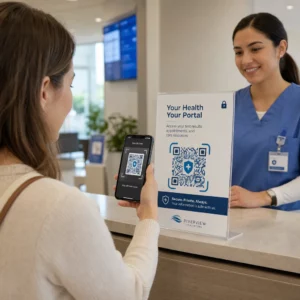
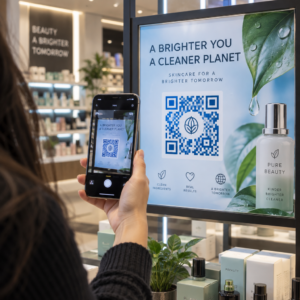
Haben Ihre Kunden Schwierigkeiten, Hilfe zu finden, wenn sie sie am dringendsten benötigen? Im Telekommunikationsbereich führt langsamer oder fragmentierter Support zu Abwanderung – und 17 % der Kunden haben einen Anbieter bereits wegen schlechter Self-Service-Erfahrungen verlassen. Diese Seite zeigt Ihnen, wie QR-Codes Kunden sofortigen Zugriff auf die richtigen Support-Ressourcen ermöglichen, das Ticketvolumen reduzieren und die Zufriedenheit an jedem Berührungspunkt verbessern.
Warum Self-Service in der Telekommunikation wichtig ist
Die Kundenerwartungen haben sich entscheidend in Richtung Self-Service verschoben. Etwa 67 % der Kunden ziehen es vor, Probleme selbst zu lösen, anstatt mit einem Agenten zu sprechen, und 90 % erwarten von Marken, ein Online-Self-Service-Portal anzubieten. Speziell in der Telekommunikation ist die Nachfrage nach Self-Service seit Covid um 21 % gestiegen, und 69 % der Kunden versuchen, technische Probleme selbst zu beheben, bevor sie einen Vor-Ort-Besuch anfordern.
Doch mehr als 70 % der Kunden, die Self-Service-Kanäle nutzen, können ihr Problem online nicht vollständig lösen. Die Lücke ist kein Mangel an Interesse – es ist ein Mangel an einfachem Zugang. Kunden brechen Support-Vorgänge ab, wenn die Navigation verwirrend ist, Menüs versteckt sind oder sie die richtige Seite nicht schnell genug finden.
QR-Codes schließen diese Lücke. Ein einziger Scan verbindet einen Kunden direkt mit der exakten Ressource, die er benötigt, ohne Menüs, Suchen oder Wartezeiten.
Hauptvorteile von QR-Codes im Telekommunikations-Support
Schnellerer Zugriff auf die richtigen Ressourcen
Anstatt komplexe Telefonmenüs zu navigieren oder lange FAQ-Seiten zu durchsuchen, führt ein schneller Scan Kunden direkt zur benötigten Support-Ressource. Telekommunikationsunternehmen können QR-Codes auf Produktverpackungen, Rechnungen, Geräteetiketten und Einzelhandelsbeschilderungen platzieren – jeder Code verlinkt zu einem relevanten Ziel wie einer Einrichtungsanleitung, einem Fehlerbehebungsablauf oder einem Live-Chat.
Zum Beispiel kann ein auf dem Etikett eines Routers gedruckter QR-Code direkt zu Schritten zur Netzwerkfehlerbehebung verlinken. Ein Code auf einer Monatsrechnung kann das Kontoverwaltungsportal öffnen. Diese Art des kontextbezogenen Zugriffs beseitigt Reibung und reduziert das Volumen wiederholter Kontakte in Ihrer Support-Warteschlange.
Sie können diese Codes mit dem Pageloot QR-Code-Generator, der URLs, PDFs, Formulare und über 25 weitere Inhaltstypen unterstützt.
Personalisierte Support-Erlebnisse
Statische Support-Seiten bieten jedem Kunden den gleichen Inhalt. Dynamische QR-Codes ändern das. Da die Ziel-URL über ein zentrales Dashboard verwaltet wird, können Sie denselben gedruckten Code auf unterschiedliche Inhalte verweisen, basierend auf Gerätetyp, Serviceplan, Region oder Tageszeit – ohne ein einziges Etikett neu drucken zu müssen.
EIN dynamischer QR-Code auf einer SIM-Kartenverpackung kann beispielsweise Postpaid-Kunden zu einer Aktivierungsanleitung und Prepaid-Kunden zu einem Aufladeportal weiterleiten. Wenn sich Ihre Support-Zeiten ändern oder Sie eine neue Self-Service-Funktion einführen, aktualisieren Sie das Ziel einmal, und jeder eingesetzte Code spiegelt die Änderung sofort wider.
Personalisierte Support-Links im großen Maßstab bereitstellen Verwenden Sie die Pageloot QR-Code-Generator für Telekommunikation um dynamische Codes zu erstellen, die Kunden jedes Mal mit der richtigen Ressource verbinden – ohne Materialien neu drucken zu müssen.
Vereinfachte Feedback-Erfassung
Das Sammeln von Kundenfeedback ist schwierig, wenn der Prozess umständlich ist. Auf Rechnungen, Begrüßungsschreiben oder Verpackungen gedruckte QR-Codes verlinken direkt zu einem Feedback-Formular und erfassen Antworten, solange die Erfahrung noch frisch ist.
Mit einer Google Formular QR-Code ist eine praktische Möglichkeit, Kunden zu einer strukturierten Umfrage zu leiten. Dynamische Codes ermöglichen es Ihnen, das Ziel des Formulars jederzeit zu ändern – nützlich, wenn Sie Umfragen rotieren oder verschiedene Fragebögen testen möchten, ohne Materialien neu verteilen zu müssen. Für einen tieferen Einblick in die Implementierung, siehe wie man QR-Codes für die Feedback-Erfassung erstellt.
Reduzierte Supportkosten durch Automatisierung
Indem Kunden zu Self-Service-Ressourcen geleitet werden – Passwort-Resets, Abrechnungs-FAQs, Anleitungen zur Geräteeinrichtung – reduzieren QR-Codes das Volumen der Anrufe und Tickets, die Ihr Support-Team erreichen. Derzeit werden 56% der Kundenprobleme im Telekommunikationsbereich durch Self-Service-Tools gelöst. QR-Codes beschleunigen diesen Trend, indem sie diese Tools im Moment des Bedarfs leichter auffindbar machen.

Aufgaben, die zuvor die Beteiligung eines Agenten erforderten – Kontoaktualisierungen, Tarifvergleiche, Serviceaktivierung – können über QR-verknüpfte Portale abgewickelt werden, wodurch Ihr Team für komplexe Probleme frei wird, die wirklich menschliche Aufmerksamkeit erfordern.
So implementieren Sie QR-Codes für den Telekommunikations-Support
Die richtigen Anwendungsfälle identifizieren
Beginnen Sie damit, die häufigsten Support-Kontaktpunkte abzubilden und jeden mit einem QR-verknüpften Ziel zu koppeln:
- Verpackungs- und Geräteetiketten – Link zu gerätespezifischen Einrichtungsanleitungen oder Video-Tutorials
- Monatliche Rechnungen und Fakturen – Link zu Kontoverwaltung, Zahlungsportalen oder Abrechnungs-FAQs
- Beschilderung im Einzelhandel und am Serviceschalter – Link zum Live-Chat oder zur Terminplanung
- Materialien für Außendiensttechniker – Link zu Seiten mit Servicestatus oder Feedback-Formularen nach dem Besuch
- E-Mail-Signaturen – Link zu Hilfeartikel oder zur Einreichung von Support-Tickets
Für Inhalte, die sich häufig ändern – wie Service-Benachrichtigungen oder aktualisierte Fehlerbehebungsanleitungen – verwenden Sie dynamische QR-Codes damit Sie Ziele aktualisieren können, ohne neu drucken zu müssen. Für dauerhafte Ressourcen wie ein festes PDF-Benutzerhandbuch funktioniert ein statischer Code gut.
Erstellen und Anpassen Ihrer Codes
Sobald Sie Ihre Anwendungsfälle definiert haben, generieren Sie Codes, die Kunden erkennen und denen sie vertrauen. Passen Sie jeden Code mit Ihren Markenfarben und Ihrem Logo an, um Legitimität zu signalisieren – dies ist wichtig in einer Branche, in der Phishing ein echtes Problem darstellt. Befolgen Sie Best Practices für die sichere QR-Code-Generierung, einschließlich der ständigen Verlinkung zu HTTPS-Zielen und der Verwendung von Marken-URLs.
Für Codes, die auf herunterladbare Dokumentation verlinken, ein PDF QR-Code ermöglicht Kunden den sofortigen Zugriff auf Benutzerhandbücher, Garantieinformationen oder Servicevereinbarungen. Für Support-Abläufe, die mehrere Links konsolidieren – FAQs, Live-Chat, Rechnungszahlung – ziehen Sie eine QR-Code-Landingpage in Betracht, die alle Optionen in einer einzigen mobilfreundlichen Oberfläche präsentiert.
Schreiben Sie spezifischen Call-to-Action-Text neben jeden Code. Verwenden Sie statt “Hier scannen” Formulierungen wie “Scannen Sie, um Ihr Gerät zu beheben” oder “Scannen Sie, um Ihre Rechnung in 30 Sekunden zu bezahlen.” Gezielte Anweisungen übertreffen generische Aufforderungen durchweg.
Platzieren Sie Codes dort, wo Kunden sie benötigen
Die Platzierung bestimmt, wie viele Scans Sie tatsächlich erhalten. Wertvolle Standorte sind:
- Geräteverpackungen und Geräteetiketten (wo Kunden auf Einrichtungsprobleme stoßen)
- Monatliche Rechnungen und Servicebenachrichtigungen (wo Abrechnungsfragen aufkommen)
- Kundendienstschalter und Einzelhandelsstandorte (wo Kunden bereits Hilfe suchen)
- Fahrzeuge und Materialien von Außendiensttechnikern (für die Nachbereitung nach dem Service)
- Digitale Oberflächen wie E-Mails, Konten-Dashboards und die Unternehmenswebsite
Für physische Platzierungen beachten Sie die Größenrichtlinien von Best Practices für die Benutzerfreundlichkeit von QR-Codes: mindestens 0,8 × 0,8 Zoll für das Scannen aus nächster Nähe, mit matten Oberflächen zur Reduzierung von Blendung. Platzieren Sie Codes in einer angenehmen Höhe – etwa drei bis vier Fuß über dem Boden für bodenstehende Displays. Für detaillierte Platzierungsrichtlinien siehe die Richtlinien für die Platzierung von QR-Codes auf Marketingmaterialien.
Stellen Sie sicher, dass jedes Ziel mobiloptimiert ist und schnell lädt. Kunden, die von einem Telefon aus scannen, erwarten, dass die Seite sofort funktioniert – siehe Best Practices für mobile QR-Code-Landingpages für technische Hinweise zur Seitengeschwindigkeit und zum berührungsfreundlichen Design.
Leistung verfolgen und verfeinern
Nutzen Sie nach der Bereitstellung Analysen, um zu verstehen, wie Kunden mit Ihren Support-Codes interagieren. Dynamische QR-Codes erfassen Scan-Zahlen, Zeitstempel, Gerätetypen und geografische Standorte – Daten, die Spitzenzeiten des Supports, Regionen mit hoher Nachfrage und die am häufigsten genutzten Ressourcen der Kunden aufzeigen.

QR-Code-Verfolgung ermöglicht auch die Konversionsanalyse: Welcher Prozentsatz der rechnungsbezogenen Scans führt zu einer abgeschlossenen Zahlung? Welche Fehlerbehebungscodes führen zu gelösten Problemen im Vergleich zu Eskalationen? Diese Daten helfen Ihnen, unterdurchschnittliche Platzierungen zu identifizieren, den Zielinhalt zu verbessern und Support-Mitarbeiter in Spitzenzeiten der Nachfrage einzusetzen.
Viele QR-Code-Management-Plattformen integrieren sich auch in Analysetools wie Google Analytics und bieten Ihnen eine einheitliche Ansicht des physischen und digitalen Kundenverhaltens.
Sehen Sie genau, wo und wann Kunden scannen Verfolgen Sie die Scan-Aktivität über jeden Berührungspunkt hinweg mit dem Pageloot Link QR-Code-Generator – erhalten Sie Echtzeitdaten zu Gerätetyp, Standort und Engagement, um Ihr Support-Erlebnis kontinuierlich zu optimieren.
Erweiterte Anwendungen
Dynamische Codes für die Weiterleitung im Live-Support
Dynamische QR-Codes können Kunden zu Live-Chat-Systemen leiten, die die Echtzeit-Verfügbarkeit von Agenten anzeigen, oder zu Planungstools, über die Kunden einen Rückruf buchen können. Wenn Notfallprotokolle aktiviert werden oder sich die Servicezeiten ändern, aktualisieren Sie das Ziel einmal – jeder gedruckte Code im Feld spiegelt die Änderung sofort wider, ohne dass ein Neudruck erforderlich ist.
Sicherheit und Datenschutz
Für QR-Codes, die zu Kontoverwaltungsportalen oder Abrechnungssystemen verlinken, wenden Sie geeignete Sicherheitskontrollen an. Passwortgeschützte Codes fügen eine Authentifizierungsebene für sensible Ziele hinzu. Verwenden Sie immer HTTPS-Links, verifizieren Sie, dass Landing Pages SSL-zertifiziert sind, und verwenden Sie gebrandete Designs, um Kunden zu helfen, legitime Codes von Phishing-Versuchen zu unterscheiden. Siehe Best Practices für die sichere QR-Code-Generierung für eine vollständige Checkliste.
QR-Codes, die in öffentlichen Bereichen platziert werden, sollten auf allgemeine Support-Ressourcen verlinken. Codes auf privaten Dokumenten wie Rechnungen können sicher mit kontospezifischen Tools verbunden werden, da der Zugriff bereits auf den Empfänger beschränkt ist.
Integration über Support-Kanäle hinweg
QR-Codes funktionieren neben anderen Support-Kanälen, anstatt sie zu ersetzen. Ein Scan könnte einen Hilfeartikel öffnen, aber wenn der Kunde weiterhin Unterstützung benötigt, sollte die Landing Page eine Live-Chat-Option oder eine Support-Telefonnummer anzeigen. Für einen umfassenderen Blick darauf, wie dieses Modell in digitalen Handelskontexten angewendet wird, siehe QR-Codes für den Support im E-Commerce.
Sie können auch QR-gesteuerte Workflows verwenden, um automatisierte Follow-up-Nachrichten zu senden – eine Zufriedenheitsumfrage 24 Stunden nach einem Technikerbesuch oder eine Einrichtungsanleitung, wenn ein Kunde die Verpackung eines neuen Geräts scannt. Diese Art von Kundenfeedback via QR-Code Schleife schafft einen kontinuierlichen Verbesserungszyklus ohne zusätzlichen manuellen Aufwand.
Messen, was funktioniert
Verfolgen Sie diese wichtigen Leistungsindikatoren vor und nach der Bereitstellung von QR-Codes:
- Lösungsrate – Prozentsatz der gescannten Support-Sitzungen, die das Problem des Kunden ohne Agentenkontakt lösen
- Scan-Abschlussrate – Prozentsatz der Scans, die zu einer abgeschlossenen Aktion führen (Zahlung getätigt, Formular eingereicht, Anleitung angesehen)
- Support-Ticket-Volumen – Vergleichen Sie die wöchentlichen Gesamtzahlen vor und nach der Bereitstellung, um die Entlastung zu quantifizieren
- Kundenzufriedenheitswerte – Korrelieren Sie die Scan-Aktivität mit den Ergebnissen von Umfragen nach der Interaktion
- Spitzen-Scan-Zeiten und -Orte – Nutzen Sie diese Daten, um die Personalbesetzung und Ressourcenaktualisierungen an die tatsächliche Nachfrage anzupassen
Legen Sie vor dem Start Basis-Metriken fest und überprüfen Sie diese dann monatlich. Wenn ein Code nicht funktioniert, überprüfen Sie die Sichtbarkeit der Platzierung, aktualisieren Sie den Call-to-Action-Text oder verbessern Sie die Zielseite. Kleine Anpassungen, die auf echten Scan-Daten basieren, übertreffen durchweg Annahmen darüber, was Kunden wünschen.
QR-Codes sind am effektivsten, wenn sie als lebendiges System behandelt werden – durchdacht eingesetzt, konsequent verfolgt und basierend auf den Daten verfeinert. Telekommunikationsanbieter, die diesen Ansatz verfolgen, senken die Supportkosten, verbessern die Lösungsraten und bieten Kunden die schnelle, selbstgesteuerte Erfahrung, die sie erwarten.
Beginnen Sie damit, Ihre zwei oder drei Support-Kontaktpunkte mit dem höchsten Volumen zu identifizieren, generieren Sie QR-Codes für jeden und messen Sie die Auswirkungen. Nutzen Sie die QR-Code-Tools von Pageloot für die Telekommunikation um dynamische, gebrandete, verfolgbare Codes zu erstellen, die Sie ohne Neudruck aktualisieren können – so bleibt Ihre Support-Infrastruktur aktuell, während sich Ihre Dienste weiterentwickeln.
Häufig gestellte Fragen
Telekom-QR-Codes können auf fast jede digitale Ressource verlinken: Fehlerbehebungsanleitungen, PDF-Benutzerhandbücher, Kontoverwaltungsportale, Zahlungsseiten, Live-Chat-Fenster, Feedback-Formulare, Video-Tutorials und mobil-optimierte Landingpages, die mehrere Support-Optionen an einem Ort zusammenfassen. Dynamische QR-Codes ermöglichen es Ihnen, das Ziel jederzeit zu aktualisieren, sodass derselbe gedruckte Code auf verschiedene Inhalte verlinken kann, wenn sich Ihre Support-Ressourcen ändern.
Statische QR-Codes kodieren ein festes Ziel, das nach der Erstellung des Codes nicht mehr geändert werden kann. Dynamische QR-Codes verwenden einen Weiterleitungslink, der über ein zentrales Dashboard verwaltet wird, sodass Sie das Ziel aktualisieren können, ohne neu drucken zu müssen. Für den Telekommunikationssupport sind dynamische Codes im Allgemeinen die bessere Wahl, da sich Support-Inhalte häufig ändern – Fehlerbehebungsanleitungen werden aktualisiert, Servicezeiten verschieben sich und neue Self-Service-Tools werden eingeführt. Dynamische Codes bieten auch Scan-Analysen, die statische Codes nicht unterstützen.
Verknüpfen Sie QR-Codes immer mit HTTPS-gesicherten Zielen und verwenden Sie markengeschützte, wiedererkennbare Designs, damit Kunden legitime Codes von Phishing-Versuchen unterscheiden können. Für Codes, die auf kontospezifische Tools oder Abrechnungsportale zugreifen, fügt ein Passwortschutz eine Authentifizierungsebene hinzu. Verwenden Sie dynamische QR-Codes, damit Sie einen kompromittierten Code sofort deaktivieren oder umleiten können, ohne Materialien neu drucken zu müssen. Die Aufklärung der Kunden darüber, wie legitime QR-Codes aussehen und wie Ziele überprüft werden können, bevor Daten übermittelt werden, ist ebenfalls eine wichtige Schutzschicht.