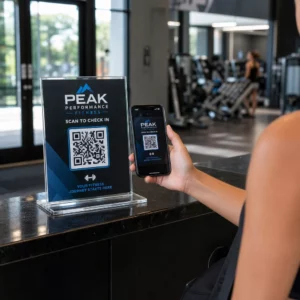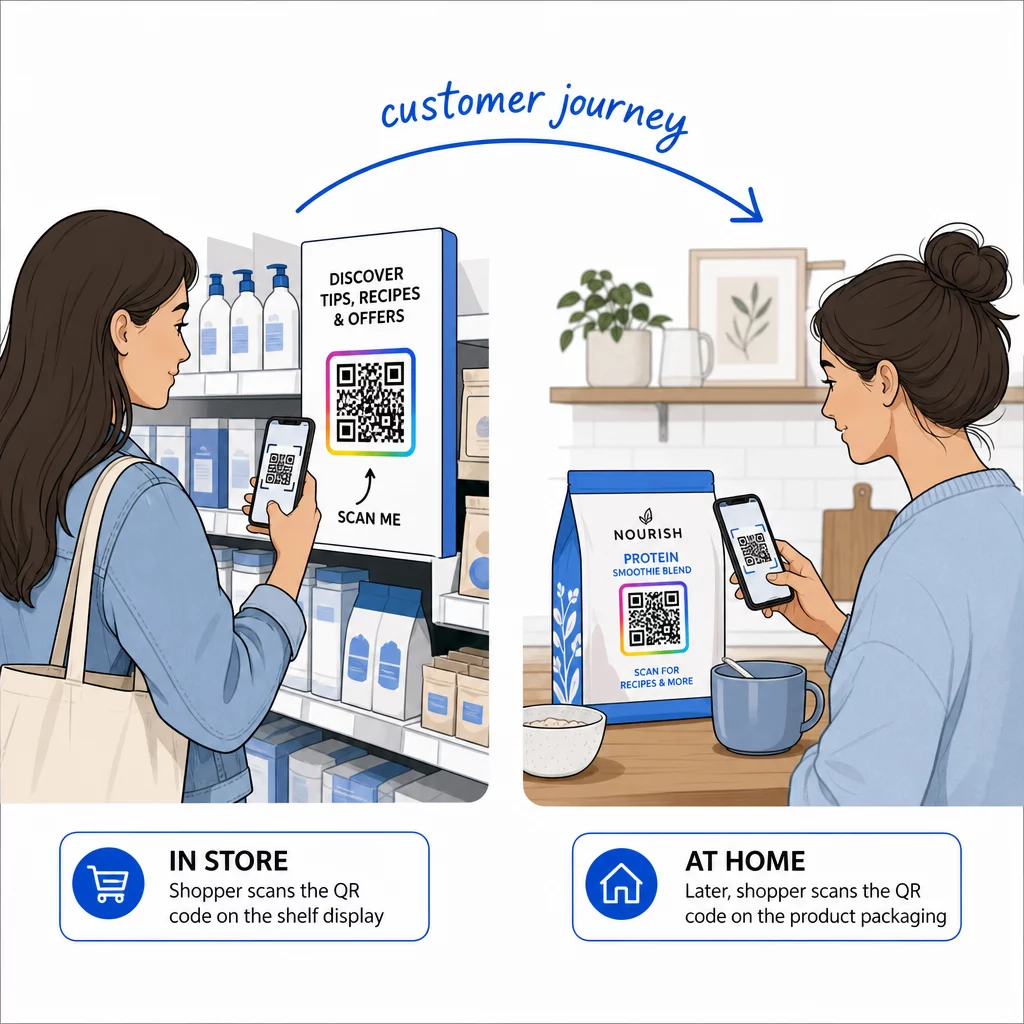
Where should your QR codes go – on the product itself or on the shelf display next to it? The placement decision shapes when customers engage, what actions they take, and what data you collect. This guide breaks down the strategic differences so you can choose the approach that fits your goals, or combine both for maximum reach.
How Packaging and Display QR Codes Serve Different Moments
QR codes on product packaging and in-store displays both bridge physical and digital experiences, but they operate at different points in the customer journey. Understanding that distinction is the starting point for any effective placement strategy.
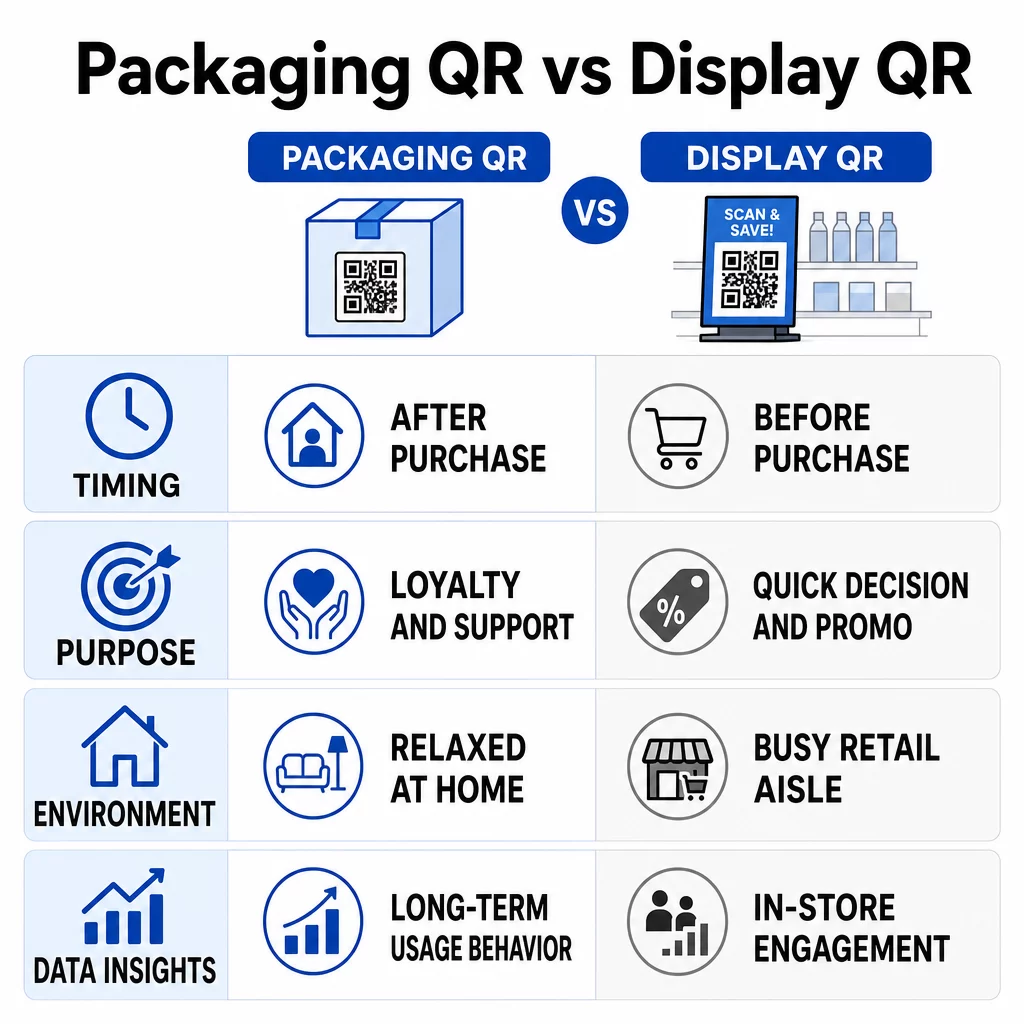
| Factor | Packaging QR Codes | Store Display QR Codes |
|---|---|---|
| Timing | Post-purchase | Pre-purchase |
| Purpose | Build long-term relationships | Drive immediate actions |
| Environment | Relaxed (home or office) | Busy (in-store) |
| Content Updates | Requires dynamic codes | Supports real-time updates |
| Data Insights | Tracks ongoing customer behavior | Captures in-store actions |
| Reach | Customers who already own the product | All store visitors, including browsers |
Consumer adoption supports both approaches. In a 2024 survey, 64% of shoppers reported scanning a QR code on a product while shopping in stores, and 61% reported scanning one after purchase. That overlap means there is genuine demand for engagement at both moments.
QR Codes on Product Packaging
Packaging has evolved from a purely functional or branding surface into a direct marketing channel. Once a customer takes a product home, the packaging becomes a persistent touchpoint that can keep delivering value long after the purchase.
What Packaging QR Codes Can Do
Brands are using packaging QR codes to extend the conversation well beyond the checkout counter. Common applications include:
- Product information and transparency – Linking to ingredient lists, sourcing details, nutritional facts, allergen warnings, and third-party certifications helps build trust. Brands like Cocokind use QR codes to share detailed sustainability data including carbon emissions and recycling guidance.
- Usage content – How-to videos, recipes, assembly instructions, and tips give customers immediate, practical value. This type of content encourages engagement that reinforces a purchase decision and reduces post-purchase regret.
- Promotions and loyalty – QR codes can link to coupons, exclusive offers, loyalty sign-up forms, and repeat-purchase incentives, turning a one-time buyer into a returning customer.
- Brand storytelling – Brands can share their origin story, ethical practices, and community involvement through digital content that would never fit on a physical label.
- Product authentication – Brands like Tangle Teezer use QR codes on packaging to verify that products are genuine, protecting against counterfeits and building consumer confidence.
According to research, 79% of consumers say they are more likely to purchase products with a QR code that provides additional product information. That figure reflects how packaging QR codes can influence decisions even before the product reaches home.
Connect Your Packaging to Measurable Digital Experiences Want to update your packaging content without reprinting? Pageloot’s QR codes for product packaging let you link to videos, loyalty programs, product details, and more – all managed from one dashboard.
Design and Placement Guidelines for Packaging
Getting the physical execution right is as important as the content behind the code. Key considerations include:
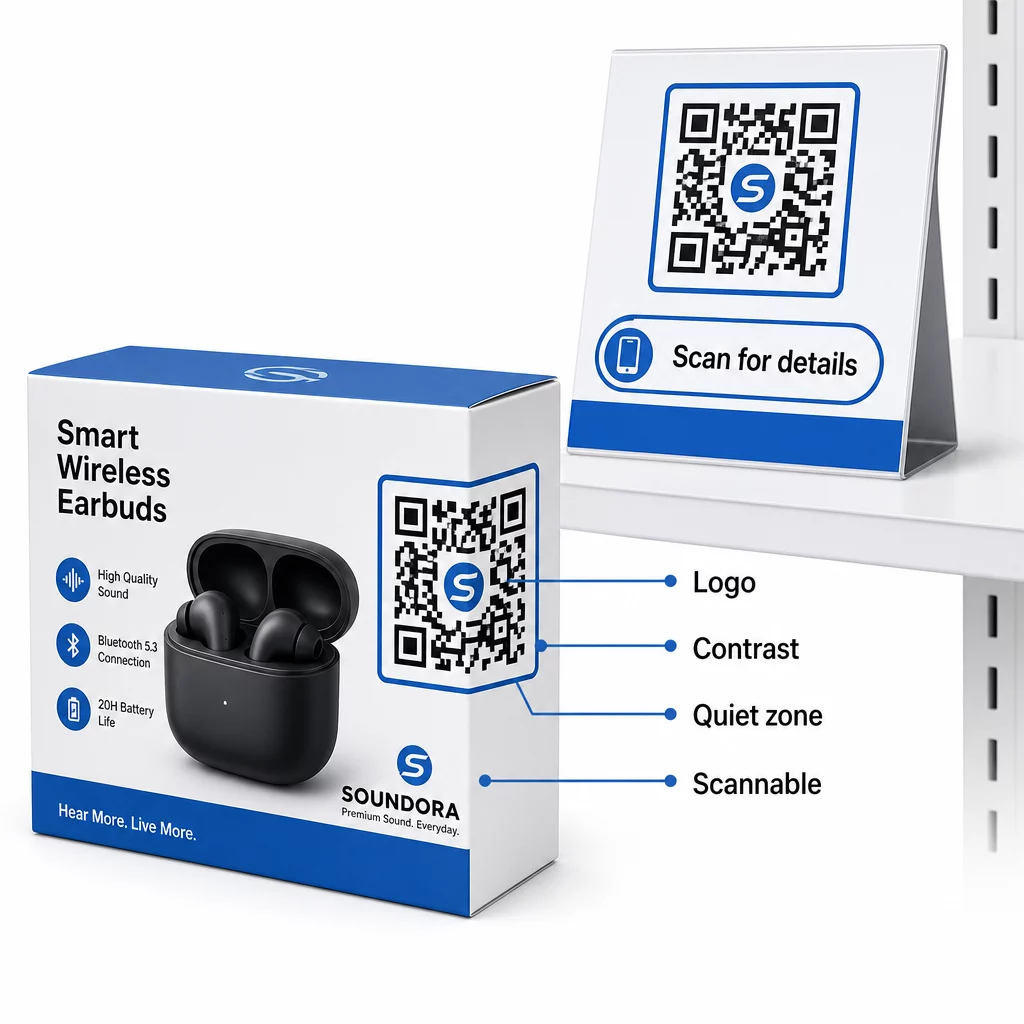
- Minimum size – A QR code on packaging should be at least 2 × 2 cm (0.8 × 0.8 inches) for reliable scanning at arm’s length. More complex data or smaller modules require a larger code. The QR code sizing guide for print materials explains how data density, scanning distance, and material type all affect the minimum dimensions you should use.
- Quiet zone – Maintain a clear border of at least four module-widths on all sides. This buffer zone prevents the scanner from confusing surrounding design elements with the code itself.
- Placement on the pack – Avoid corners, folds, seams, and curved surfaces where distortion can interfere with scanning. GS1 recommends the lower-right quadrant of the back of the pack as the preferred position for point-of-sale scanning, while brands can add a second code to the front for consumer engagement such as promotions or product information.
- Contrast – Use a dark code on a light background. Avoid red or orange for the dark elements and avoid reflective or busy backgrounds. Poor contrast is one of the most common causes of failed scans.
- Testing – Always test the printed code on the actual substrate, under varied lighting, and across multiple devices before committing to a full production run. Glossy finishes can cause glare that reduces reliability; matte surfaces generally perform better.
For a full breakdown of placement logic across print formats, the QR code placement guide for marketing materials covers the key rules in detail.
Benefits of Packaging QR Codes
- They stay with the product throughout its lifecycle, enabling repeated engagement over days, weeks, or months.
- Dynamic QR codes allow real-time content updates – new promotions, updated instructions, or seasonal content – without reprinting packaging.
- Scan data reveals when, where, and how often customers engage, giving you a window into post-purchase behavior that most marketing channels cannot provide.
- Replacing printed inserts, manuals, and warranty cards with digital content accessed via QR code can significantly reduce printing costs.
Limitations to Consider
- Space constraints on small packaging can make it difficult to include a properly sized, scannable code without compromising aesthetics or regulatory requirements.
- Consumers unfamiliar with QR codes may not scan without a clear, compelling call-to-action explaining the benefit.
- Damaged, poorly printed, or low-contrast codes will fail to scan. Static QR codes cannot be corrected after printing, which is why dynamic codes are strongly recommended for packaging applications.
- Security concerns around malicious QR codes have made some consumers cautious. Using a reputable platform and ensuring your code links to a branded, recognizable destination helps address this.
QR Codes on Store Displays
In-store displays give brands access to shoppers at the moment they are actively considering a purchase. Unlike packaging, display codes do not follow customers home – but they reach a much broader audience, including browsers who have not yet decided to buy.
Where to Place QR Codes In-Store
Placement determines whether a customer notices and acts on a QR code. The most effective in-store locations include:
- End caps and promotional displays – High-traffic spots at aisle ends naturally draw attention. QR codes here can link to limited-time deals, bundle offers, or product comparison pages.
- Shelf talkers near specific products – Positioning a code directly beside an item connects it to reviews, specifications, demo videos, or complementary product suggestions. This is particularly effective for high-consideration purchases where customers want more information before committing.
- Checkout and waiting areas – Downtime near the register is an ideal moment to prompt loyalty sign-ups, app downloads, or exclusive mobile offers.
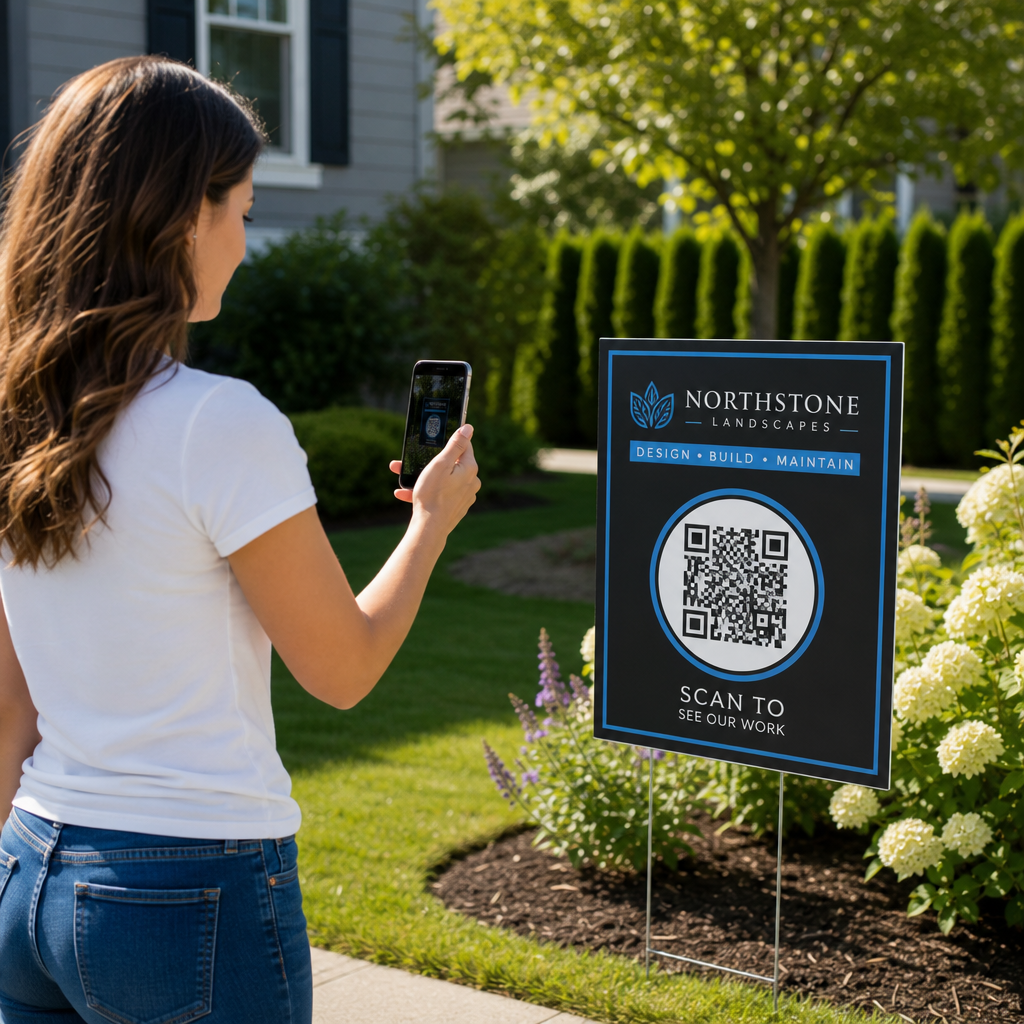
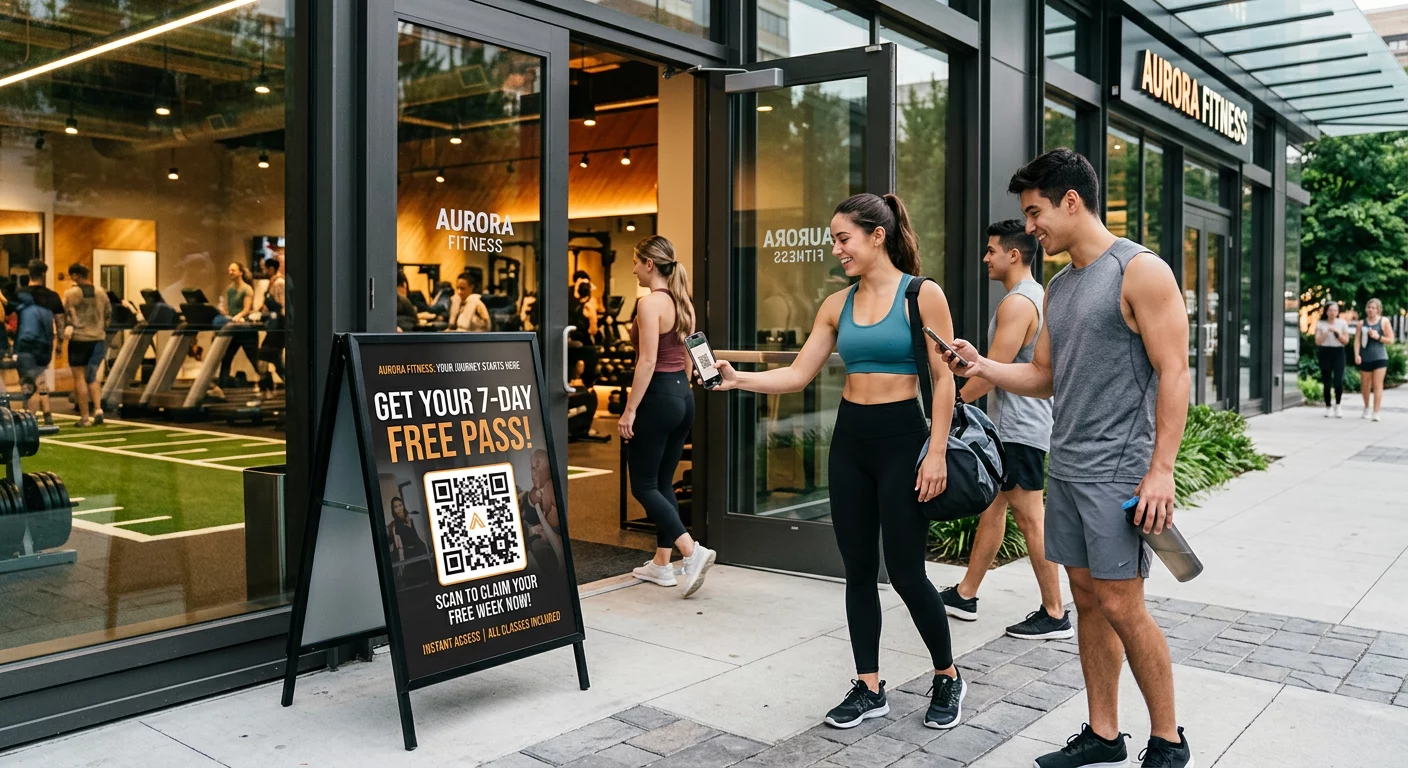
- Window displays and storefront signage – Even after hours, storefront QR codes can link curious passersby to store details, upcoming events, or online shopping options.
The top QR code placements for retail stores guide provides detailed recommendations for each in-store zone.
Design and Size Requirements for In-Store Displays
Store displays present different scanning conditions than packaging. Customers are typically standing at arm’s length or farther, often in variable lighting, and moving quickly. Sizing needs to account for this:
- Follow the 10:1 ratio rule: a QR code should be approximately one-tenth the expected scanning distance in width. A code intended to be scanned from 50 cm should be at least 5 cm wide; one viewed from a meter away should be at least 10 cm wide. The guidelines for QR code sizing on printed materials walk through this in detail.
- Place codes at eye level (roughly 3.5–5.5 feet from the floor) and in positions easy to reach. Avoid floor-level placement or locations above comfortable viewing height.
- Use high contrast and avoid glossy or reflective surfaces that create glare under store lighting.
- Maintain a quiet zone of at least four module-widths on all sides, and ensure the code sits on a clean, solid background rather than a busy graphic pattern.
- Test in the actual store environment before deployment, including under the specific lighting conditions of the display location.
For additional guidance on avoiding common errors, the QR code readability best practices page covers contrast, sizing, and environment-specific testing in depth.
Benefits of In-Store Display QR Codes
- They reach customers at the highest-intent moment – when they are physically in front of the product and actively considering a purchase.
- They give shoppers immediate self-service access to information without requiring a sales associate, which research shows many customers prefer.
- Dynamic QR codes on displays allow retailers to update promotions, pricing information, or seasonal content in real time without reprinting signage.
- They convert anonymous in-store browsers into identified contacts by directing them to loyalty sign-up pages, apps, or email capture forms.
- Scan data reveals which displays generate the most engagement, helping you optimize store layout and promotional strategy over time.
Limitations to Consider
- Poor lighting or awkward placement can make scanning difficult. Unlike packaging, a display cannot be repositioned by the customer for a better angle.
- Display QR codes only work while the customer is in the store, which limits the window for repeated engagement compared to packaging codes that travel home with the product.
- Public displays are vulnerable to tampering – malicious actors can cover legitimate codes with fraudulent ones. Regular physical inspection of displayed codes is an important part of any in-store QR program.
- Slow in-store Wi-Fi or mobile-unfriendly landing pages can turn a promising interaction into a frustrating dead end. The destination page experience matters as much as the code itself.
Keep Your In-Store Campaigns Current Without Reprinting Update promotions, swap seasonal content, and track scan performance across all your displays from one place. Explore QR codes for retail to see how dynamic codes can streamline your in-store marketing.
When to Use Packaging, Displays, or Both
You do not always have to choose one placement over the other. Many brands use both to cover the full customer journey – displays to capture interest at the shelf, packaging to sustain engagement at home.
Use packaging QR codes when:
- Your product benefits from post-purchase support, such as how-to content, recipes, or usage tutorials
- Building long-term customer relationships and loyalty is a priority
- Transparency about ingredients, sourcing, or sustainability is central to your brand
- You want to collect first-party data through loyalty sign-ups or feedback forms after purchase
Use store display QR codes when:
- You need to influence purchase decisions in the moment
- Time-sensitive promotions need to reach shoppers who haven’t yet committed to buying
- Driving immediate actions – app downloads, loyalty sign-ups, or coupon redemptions – is the main campaign goal
- You want to measure engagement at specific in-store locations
Use both when:
- Consistent messaging across the full customer journey is important to your brand
- You want pre-purchase education at the shelf and post-purchase support at home
- Collecting data from both in-store behavior and at-home usage informs your marketing strategy
For businesses running QR code campaigns across both surfaces, the QR codes for e-commerce page covers how to connect in-store and online touchpoints into a unified experience.
Making QR Codes Effective Across Both Placements
Use Dynamic QR Codes
Dynamic QR codes are the standard choice for both packaging and display applications. Unlike static codes, they allow you to update the destination URL at any time after printing – so a seasonal promotion can become a product guide, and a discontinued landing page can be redirected, all without reprinting. They also provide analytics data including scan time, device type, and geographic location, which helps you refine placement and content decisions over time.
Customize for Scannability and Brand Recognition
Branded QR codes – with your logo, brand colors, and a clear frame – perform better than generic black-and-white codes because they signal legitimacy and give customers a reason to trust the scan. When customizing, maintain sufficient contrast between the code modules and the background, keep any logo to no more than 30% of the code area, and use a higher error correction level (Q or H) to ensure the code still scans reliably with design elements overlaid.
Write Clear Calls-to-Action
A QR code without a call-to-action is a missed opportunity. Specific, benefit-focused prompts outperform generic ones:
- “Scan to watch the how-to video”
- “Scan for an exclusive discount”
- “Scan to check ingredients and certifications”
- “Scan to join our loyalty program”
The call-to-action should appear directly adjacent to the code and communicate a concrete benefit before the customer decides whether to scan.
Test Before You Deploy
Test every QR code on multiple devices – both iOS and Android, including older models with lower-resolution cameras – before printing or deploying. Test under the actual lighting conditions the code will face: in-store displays under retail lighting, packaging codes under home and office lighting. Confirm that the destination page loads quickly and renders correctly on mobile. For QR codes for product labels, ensure the code survives the final packaging production process, including any lamination, varnish, or folding.
Choosing the Right Approach for Your Goals
Both placements deliver real value when executed well. Packaging QR codes build lasting relationships by staying with the customer long after purchase. Store display QR codes capture attention and drive action at the highest-intent moment in the shopping journey. The most effective strategies use both surfaces with coordinated messaging – consistent brand experience at the shelf and continued engagement at home.
Whether you are starting with a single placement or managing codes across dozens of retail locations, tracking performance is what separates guesswork from strategy. The Pageloot QR code generator lets you create, customize, and manage dynamic QR codes for both packaging and in-store displays, with analytics that show exactly where and when customers are engaging. Explore QR code solutions by industry to find the approach that fits your retail context.
Frequently Asked Questions
A practical minimum is 2 × 2 cm (about 0.8 × 0.8 inches) for reliable scanning at arm’s length. If your code contains complex data or will be scanned from a greater distance, increase the size accordingly. Always maintain a clear quiet zone of at least four module-widths around the code, and avoid placing it on folds, seams, or curved surfaces where distortion can prevent scanning.
Dynamic QR codes let you change the destination URL at any time after the code is printed or displayed – so you can update seasonal promotions, swap expired offers, or redirect to new content without reprinting packaging or display materials. They also provide analytics data including scan counts, device types, scan times, and geographic locations, which helps you measure campaign performance and optimize placement decisions over time.
It is generally better to use separate codes for each placement. Using distinct codes allows you to track engagement separately – seeing how post-purchase packaging scans differ from in-store display scans – and to serve different content appropriate to each context. A packaging code might link to usage videos and loyalty sign-ups, while a display code might prioritize a time-sensitive promotion or a product comparison page.