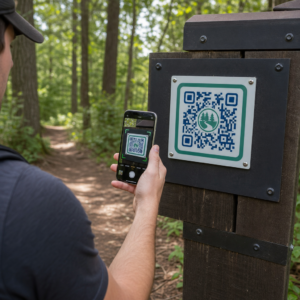
Kæmper dine kunder med at finde hjælp, når de har mest brug for det? Inden for telekommunikation fører langsom eller fragmenteret support til kundeafgang – og 17% af kunderne har allerede forladt en udbyder på grund af dårlige selvbetjeningsoplevelser. Denne side viser dig, hvordan QR-koder giver kunderne øjeblikkelig adgang til de rette supportressourcer, reducerer antallet af sager og forbedrer tilfredsheden ved hvert kontaktpunkt.
Hvorfor selvbetjening er vigtigt inden for telekommunikation
Kundernes forventninger har skiftet afgørende mod selvbetjening. Omkring 67% af kunderne foretrækker at løse problemer på egen hånd frem for at tale med en medarbejder, og 90% forventer, at brands tilbyder en online selvbetjeningsportal. Specifikt inden for telekommunikation er efterspørgslen efter selvbetjening vokset 21% siden Covid, og 69% af kunderne forsøger at fejlfinde tekniske problemer, før de anmoder om et hjemmebesøg.
Alligevel lykkes det ikke for mere end 70% af de kunder, der prøver selvbetjeningskanaler, at løse deres problem fuldt ud online. Hullet er ikke mangel på interesse – det er mangel på nem adgang. Kunder opgiver supportforløb, når navigationen er forvirrende, menuer er gemt væk, eller de ikke kan finde den rigtige side hurtigt nok.
QR-koder lukker det hul. En enkelt scanning forbinder en kunde direkte til den præcise ressource, de har brug for, uden menuer, søgninger eller ventetider.
Nøglefordele ved QR-koder i telesupport
Hurtigere adgang til de rette ressourcer
I stedet for at navigere i komplekse telefonmenuer eller scrolle gennem lange FAQ-sider fører en hurtig scanning kunderne direkte til den supportressource, de har brug for. Teleselskaber kan placere QR-koder på produktemballage, fakturaer, udstyrsetiketter og butiksskilte – hver især med link til en relevant destination som en opsætningsguide, fejlfindingsflow eller livechat.
For eksempel kan en QR-kode trykt på en routers etiket linke direkte til trin til netværksfejlfinding. En kode på en månedlig regning kan åbne portalen til kontostyring. Denne form for kontekstuel adgang fjerner friktion og reducerer antallet af gentagne kontakter, der rammer din supportkø.
Du kan generere disse koder ved hjælp af Pageloot QR-kodegenerator, som understøtter URL'er, PDF'er, formularer og over 25 andre indholdstyper.
Personlige supportoplevelser
Statiske supportsider serverer det samme indhold til alle kunder. Dynamiske QR-koder ændrer det. Fordi destinations-URL'en administreres via et centralt dashboard, kan du pege den samme trykte kode mod forskelligt indhold baseret på enhedstype, serviceplan, region eller tidspunkt på dagen – uden at genudskrive en eneste etiket.
EN dynamisk QR-kode på en SIM-kortpakke kan for eksempel omdirigere postpaid-kunder til en aktiveringsguide og prepaid-kunder til en optankningsportal. Hvis dine supporttider ændres, eller du lancerer en ny selvbetjeningsfunktion, opdaterer du destinationen én gang, og hver implementeret kode afspejler ændringen øjeblikkeligt.
Implementer personlige supportlinks i stor skala Brug Pageloot QR-kodegenerator til telekommunikation at skabe dynamiske koder, der forbinder kunder med den rette ressource hver gang – uden at genoptrykke materialer.
Forenklet Indsamling af Feedback
Det er svært at indsamle kundefeedback, når processen er besværlig. QR-koder trykt på regninger, velkomstbreve eller emballage linker direkte til en feedbackformular, der indfanger svar, mens oplevelsen stadig er frisk.
Brug af en Google Form QR-kode er en praktisk måde at lede kunder til en struktureret undersøgelse. Dynamiske koder lader dig ændre formularens destination når som helst – nyttigt, når du vil rotere undersøgelser eller teste forskellige spørgeskemaer uden at omfordele materialer. For et dybere kig på implementering, se hvordan man opretter QR-koder til feedbackindsamling.
Reducerede Supportomkostninger Gennem Automatisering
Ved at lede kunder til selvbetjeningsressourcer – nulstilling af adgangskode, ofte stillede spørgsmål om fakturering, vejledninger til opsætning af enheder – reducerer QR-koder mængden af opkald og sager, der når dit supportteam. I øjeblikket løses 56% af telekommunikationskundeproblemer gennem selvbetjeningsværktøjer. QR-koder accelererer den tendens ved at gøre disse værktøjer lettere at finde i det øjeblik, de er nødvendige.

Opgaver, der tidligere krævede agentinvolvering – kontoopdateringer, plan sammenligninger, serviceaktivering – kan håndteres via QR-linkede portaler, hvilket frigør dit team til komplekse problemer, der virkelig kræver menneskelig opmærksomhed.
Sådan Implementeres QR-koder til Telekommunikationssupport
Identificer de Rette Anvendelsestilfælde
Start med at kortlægge de mest almindelige supportkontaktpunkter og parre hvert med en QR-linket destination:
- Emballage og udstyrsetiketter – link til enhedsspecifikke opsætningsvejledninger eller videotutorials
- Månedlige regninger og fakturaer – link til kontostyring, betalingsportaler eller ofte stillede spørgsmål om fakturering
- Skiltning i butikker og ved servicedeske – link til livechat eller aftalebooking
- Materialer til feltserviceteknikere – link til sider med servicestatus eller feedbackformularer efter besøg
- E-mailsignaturer – link til hjælpecenterartikler eller indsendelse af supportbilletter
For indhold, der ændrer sig ofte – såsom serviceadvarsler eller opdaterede fejlfindingsguider – brug dynamiske QR-koder så du kan opdatere destinationer uden at genudskrive. For permanente ressourcer som en fast PDF-brugermanual fungerer en statisk kode fint.
Opret og tilpas dine koder
Når du har defineret dine brugsscenarier, skal du generere koder, som kunderne vil genkende og stole på. Tilpas hver kode med dine brandfarver og logo for at signalere legitimitet – dette er vigtigt i en branche, hvor phishing er en reel bekymring. Følg bedste praksis for sikker QR-kodegenerering, herunder altid at linke til HTTPS-destinationer og bruge brandede URL'er.
For koder, der linker til downloadbar dokumentation, en PDF QR-kode giver kunderne øjeblikkelig adgang til brugermanualer, garantiinformation eller serviceaftaler. For supportflows, der samler flere links – ofte stillede spørgsmål, livechat, regningsbetaling – overvej en QR-kode landingsside der præsenterer alle muligheder i en enkelt mobilvenlig grænseflade.
Skriv specifik call-to-action-tekst nær hver kode. I stedet for “Scan her” skal du bruge sprog som “Scan for at fejlfinde din enhed” eller “Scan for at betale din regning på 30 sekunder.” Målrettede instruktioner overgår konsekvent generiske anvisninger.
Placer koder, hvor kunderne har brug for dem
Placering bestemmer, hvor mange scanninger du faktisk modtager. Steder med høj værdi inkluderer:
- Udstyrsemballage og enhedsetiketter (hvor kunder oplever opsætningsudfordringer)
- Månedlige regninger og servicemeddelelser (hvor faktureringsspørgsmål opstår)
- Kundeservicepulte og detailforretninger (hvor kunder allerede søger hjælp)
- Feltteknikerkøretøjer og -materialer (til opfølgning efter service)
- Digitale overflader som e-mails, kontooversigter og virksomhedens hjemmeside
For fysiske placeringer, følg størrelsesvejledning fra bedste praksis for QR-kodebrugervenlighed: minimum 0,8 × 0,8 tommer til scanning på nært hold, med matte overflader for at reducere genskin. Placer koder i en behagelig højde – cirka tre til fire fod fra jorden for gulvstående displays. For detaljeret placeringsvejledning, se retningslinjer for placering af QR-koder på markedsføringsmateriale.
Sørg for, at hver destination er mobiloptimeret og indlæses hurtigt. Kunder, der scanner fra en telefon, forventer, at siden fungerer med det samme – se bedste praksisser for mobile QR-kode landingssider for teknisk vejledning om sidehastighed og berøringsvenligt design.
Spor ydeevne og forfin
Efter implementering skal du bruge analyser til at forstå, hvordan kunder interagerer med dine supportkoder. Dynamiske QR-koder indsamler scanningsantal, tidsstempler, enhedstyper og geografiske placeringer – data, der afslører spidsbelastningstider for support, regioner med høj efterspørgsel, og hvilke ressourcer kunderne bruger mest.

QR-kodesporing muliggør også konverteringsanalyse: hvilken procentdel af regningsrelaterede scanninger resulterer i en gennemført betaling? Hvilke fejlfindingskoder fører til løste problemer versus eskaleringer? Disse data hjælper dig med at identificere underpræsterende placeringer, forbedre destinationsindhold og allokere supportpersonale til perioder med spidsbelastning.
Mange QR-kodeadministrationsplatforme integreres også med analyseværktøjer som Google Analytics, hvilket giver dig et samlet overblik over både fysisk og digital kundeadfærd.
Se præcis hvor og hvornår kunder scanner Spor scanningsaktivitet på tværs af hvert berøringspunkt med Pageloot Link QR-kodegenerator – få realtidsdata om enhedstype, placering og engagement for løbende at optimere din supportoplevelse.
Avancerede applikationer
Dynamiske koder til routing af live support
Dynamiske QR-koder kan dirigere kunder til live chat-systemer, der viser agenttilgængelighed i realtid, eller til planlægningsværktøjer, hvor kunder kan booke et tilbagekald. Hvis nødprotokoller aktiveres, eller servicetider ændres, opdaterer du destinationen én gang – hver udskrevet kode i felten afspejler ændringen øjeblikkeligt uden genudskrivning.
Sikkerhed og databeskyttelse
For QR-koder, der linker til kontoadministrationsportaler eller faktureringssystemer, skal du anvende passende sikkerhedskontroller. Adgangskodebeskyttede koder tilføjer et autentificeringslag for følsomme destinationer. Brug altid HTTPS-links, verificer at landingssider er SSL-certificerede, og brug brandede designs for at hjælpe kunder med at skelne legitime koder fra phishing-forsøg. Se bedste praksis for sikker QR-kodegenerering for en komplet tjekliste.
QR-koder placeret i offentlige rum bør linke til generelle supportressourcer. Koder på private dokumenter som fakturaer kan sikkert forbinde til kontospecifikke værktøjer, da adgangen allerede er begrænset til modtageren.
Integration på tværs af supportkanaler
QR-koder fungerer sammen med andre supportkanaler i stedet for at erstatte dem. En scanning kan åbne en hjælpecenterartikel, men hvis kunden stadig har brug for assistance, bør landingssiden vise en live chat-mulighed eller et supporttelefonnummer. For et bredere kig på, hvordan denne model anvendes på tværs af digitale handelskontekster, se QR-koder til support i e-handel.
Du kan også bruge QR-udløste arbejdsgange til at sende automatiserede opfølgningsbeskeder – en tilfredshedsundersøgelse 24 timer efter et teknikerbesøg, eller en opsætningsvejledning når en kunde scanner en ny enheds emballage. Denne form for kundefeedback via QR-kode loop skaber en kontinuerlig forbedringscyklus uden yderligere manuel indsats.
Måling af hvad der virker
Spor disse nøglepræstationsindikatorer før og efter implementering af QR-koder:
- Løsningsrate – procentdel af scannede supportsessioner, der løser kundens problem uden agentkontakt
- Scan-til-færdiggørelsesrate – procentdel af scanninger, der resulterer i en fuldført handling (betaling foretaget, formular indsendt, guide vist)
- Antal supportbilletter – sammenlign ugentlige totaler før og efter implementering for at kvantificere afbøjning
- Kundetilfredshedsscore – korreler scanningsaktivitet med resultater fra efter-interaktionsundersøgelser
- Spidsbelastningstider og -steder for scanninger – brug disse data til at tilpasse bemanding og ressourceopdateringer med den faktiske efterspørgsel
Etabler grundlæggende målinger før lancering, og gennemgå derefter månedligt. Hvis en kode ikke fungerer, skal du kontrollere placeringens synlighed, opdatere call-to-action-teksten eller forbedre destinationssiden. Små justeringer baseret på reelle scanningsdata overgår konsekvent antagelser om, hvad kunderne ønsker.
QR-koder er mest effektive, når de behandles som et levende system – implementeret gennemtænkt, sporet konsekvent og forfinet baseret på, hvad dataene viser. Telekomudbydere, der anvender denne tilgang, reducerer supportomkostninger, forbedrer løsningsrater og giver kunderne den hurtige, selvstyrede oplevelse, de forventer.
Start med at identificere dine to eller tre supportkontaktpunkter med størst volumen, generer QR-koder for hver, og mål effekten. Brug Pageloots QR-kodeværktøjer til telekommunikation til at oprette dynamiske, brandede, sporbare koder, som du kan opdatere uden at genudskrive – så din supportinfrastruktur forbliver opdateret, efterhånden som dine tjenester udvikler sig.
Ofte stillede spørgsmål
Telekom QR-koder kan linke til næsten enhver digital ressource: fejlfindingsguider, PDF-brugermanualer, kontoadministrationsportaler, betalingssider, live chat-vinduer, feedbackformularer, videotutorials og mobiloptimerede landingssider, der samler flere supportmuligheder ét sted. Dynamiske QR-koder lader dig opdatere destinationen når som helst, så den samme printede kode kan linke til forskelligt indhold, efterhånden som dine supportressourcer ændrer sig.
Statiske QR-koder koder en fast destination, der ikke kan ændres, efter at koden er oprettet. Dynamiske QR-koder bruger et omdirigeringslink, der administreres via et centralt dashboard, så du kan opdatere destinationen uden at genudskrive. Til telesupport er dynamiske koder generelt det bedre valg, fordi supportindhold ændres ofte – fejlfindingsguider opdateres, servicetider ændres, og nye selvbetjeningsværktøjer lanceres. Dynamiske koder giver også scanningsanalyse, hvilket statiske koder ikke understøtter.
Link altid QR-koder til HTTPS-sikrede destinationer, og brug brandede, genkendelige designs, så kunderne kan skelne legitime koder fra phishing-forsøg. For koder, der giver adgang til kontospecifikke værktøjer eller faktureringsportaler, tilføjer adgangskodebeskyttelse et autentificeringslag. Brug dynamiske QR-koder, så du kan deaktivere eller omdirigere en kompromitteret kode øjeblikkeligt uden at genoptrykke materialer. At uddanne kunderne i, hvordan legitime QR-koder ser ud, og hvordan man verificerer destinationer, før man indsender data, er også et vigtigt beskyttelseslag.