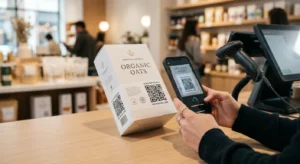
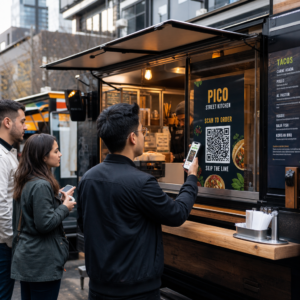
Küzdenek az ügyfelei, hogy segítséget találjanak, amikor a legnagyobb szükségük van rá? A telekommunikációban a lassú vagy töredezett támogatás lemorzsolódáshoz vezet – és az ügyfelek 17%-a már elhagyott egy szolgáltatót a rossz önkiszolgáló élmények miatt. Ez az oldal megmutatja, hogyan biztosítanak a QR-kódok azonnali hozzáférést az ügyfeleknek a megfelelő támogatási forrásokhoz, csökkentik a jegyek számát és javítják az elégedettséget minden érintkezési ponton.
Miért fontos az önkiszolgálás a telekommunikációban
Az ügyfelek elvárásai határozottan az önkiszolgálás felé tolódtak el. Az ügyfelek körülbelül 67%-a inkább maga oldja meg a problémákat, minthogy ügynökkel beszéljen, és 90%-uk elvárja a márkáktól, hogy online önkiszolgáló portált kínáljanak. Kifejezetten a telekommunikációban az önkiszolgálás iránti kereslet 21%-kal nőtt a Covid óta, és az ügyfelek 69%-a megpróbálja elhárítani a technikai problémákat, mielőtt otthoni látogatást kérne.
Mégis, az önkiszolgáló csatornákat kipróbáló ügyfelek több mint 70%-a nem tudja teljesen megoldani a problémáját online. A hiány nem az érdeklődés hiánya – hanem a könnyű hozzáférés hiánya. Az ügyfelek feladják a támogatási folyamatokat, ha a navigáció zavaros, a menük el vannak rejtve, vagy nem találják elég gyorsan a megfelelő oldalt.
A QR-kódok áthidalják ezt a szakadékot. Egyetlen beolvasás közvetlenül ahhoz a forráshoz kapcsolja az ügyfelet, amire szüksége van, menük, keresések vagy várakozási idők nélkül.
A QR-kódok fő előnyei a telekommunikációs támogatásban
Gyorsabb hozzáférés a megfelelő forrásokhoz
Ahelyett, hogy bonyolult telefonmenükben navigálnának vagy hosszú GYIK oldalakat görgetnének, egy gyors beolvasás közvetlenül a szükséges támogatási forráshoz vezeti az ügyfeleket. A telekommunikációs vállalatok elhelyezhetnek QR-kódokat termékcsomagoláson, számlákon, berendezések címkéin és kiskereskedelmi táblákon – mindegyik egy releváns célhoz kapcsolódva, mint például egy beállítási útmutató, hibaelhárítási folyamat vagy élő chat.
Például egy router címkéjére nyomtatott QR-kód közvetlenül a hálózati hibaelhárítási lépésekhez vezethet. Egy havi számlán lévő kód megnyithatja a fiókkezelő portált. Ez a fajta kontextuális hozzáférés megszünteti a súrlódást és csökkenti a támogatási sorba érkező ismétlődő kapcsolatfelvételek számát.
Ezeket a kódokat a következővel generálhatja: Pageloot QR-kód generátor, amely támogatja az URL-eket, PDF-eket, űrlapokat és több mint 25 egyéb tartalomtípust.
Személyre szabott támogatási élmények
A statikus támogatási oldalak ugyanazt a tartalmat szolgáltatják minden ügyfélnek. A dinamikus QR-kódok ezen változtatnak. Mivel a cél URL egy központi irányítópulton keresztül kezelhető, ugyanazt a nyomtatott kódot különböző tartalmakra irányíthatja eszköz típusa, szolgáltatási csomag, régió vagy napszak alapján – anélkül, hogy egyetlen címkét is újra kellene nyomtatnia.
A dinamikus QR-kód például egy SIM-kártya csomagolásán, átirányíthatja az előfizetéses ügyfeleket egy aktiválási útmutatóhoz, az előre fizetett ügyfeleket pedig egy feltöltési portálhoz. Ha a támogatási órái megváltoznak, vagy új önkiszolgáló funkciót indít, egyszer frissíti a célt, és minden telepített kód azonnal tükrözi a változást.
Személyre szabott támogatási linkek telepítése nagy méretekben Használja a Pageloot QR-kód generátor telekommunikációhoz dinamikus kódok létrehozására, amelyek minden alkalommal a megfelelő forráshoz irányítják az ügyfeleket – anyagok újranyomtatása nélkül.
Egyszerűsített visszajelzésgyűjtés
Az ügyfél-visszajelzések gyűjtése nehézkes, ha a folyamat kényelmetlen. A számlákra, üdvözlőlevelekre vagy csomagolásra nyomtatott QR-kódok közvetlenül egy visszajelzési űrlapra mutatnak, rögzítve a válaszokat, amíg az élmény még friss.
Egy Google Form QR-kód praktikus módja annak, hogy az ügyfeleket egy strukturált felmérésre irányítsuk. A dinamikus kódok lehetővé teszik az űrlap céljának bármikori cseréjét – ez hasznos, ha felméréseket szeretne rotálni vagy különböző kérdőíveket tesztelni anélkül, hogy újra kellene osztania az anyagokat. A megvalósítás részletesebb áttekintéséhez lásd: hogyan készítsünk QR-kódokat visszajelzésgyűjtéshez.
Csökkentett támogatási költségek automatizálás révén
Az ügyfelek önkiszolgáló forrásokhoz – jelszó-visszaállítás, számlázási GYIK, eszközbeállítási útmutatók – irányításával a QR-kódok csökkentik a támogatási csapatához érkező hívások és jegyek számát. Jelenleg a távközlési ügyfélproblémák 56%-a önkiszolgáló eszközökön keresztül oldódik meg. A QR-kódok felgyorsítják ezt a tendenciát azáltal, hogy ezeket az eszközöket könnyebben megtalálhatóvá teszik, amikor szükség van rájuk.

Azok a feladatok, amelyek korábban ügynöki beavatkozást igényeltek – fiókfrissítések, csomagösszehasonlítások, szolgáltatásaktiválás – QR-kódhoz kapcsolt portálokon keresztül kezelhetők, felszabadítva csapatát azokra a komplex problémákra, amelyek valóban emberi figyelmet igényelnek.
Hogyan implementáljunk QR-kódokat a távközlési támogatáshoz
A megfelelő felhasználási esetek azonosítása
Kezdje a leggyakoribb támogatási érintkezési pontok feltérképezésével, és párosítsa mindegyiket egy QR-kódhoz kapcsolt célállomással:
- Csomagolás és berendezés címkék – link eszközspecifikus beállítási útmutatókhoz vagy videó oktatóanyagokhoz
- Havi számlák és számlakivonatok – link fiókkezeléshez, fizetési portálokhoz vagy számlázási GYIK-hez
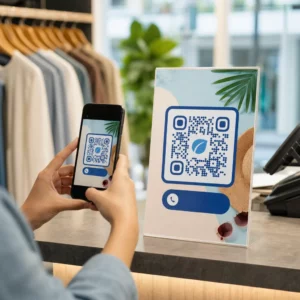
- Kiskereskedelmi és ügyfélszolgálati táblák – link élő csevegéshez vagy időpontfoglaláshoz
- Helyszíni technikus anyagok – link szolgáltatási állapotoldalakhoz vagy látogatás utáni visszajelzési űrlapokhoz
- E-mail aláírások – link súgóközpont cikkekhez vagy támogatási jegy beküldéséhez
Gyakran változó tartalomhoz – mint például szolgáltatási riasztások vagy frissített hibaelhárítási útmutatók – használjon dinamikus QR kódok így újranyomtatás nélkül frissítheti a célhelyeket. Állandó erőforrásokhoz, mint például egy rögzített PDF felhasználói kézikönyv, egy statikus kód is megfelelő.
Kódok létrehozása és testreszabása
Miután meghatározta a felhasználási eseteket, hozzon létre olyan kódokat, amelyeket az ügyfelek felismernek és megbíznak. Szabja testre az egyes kódokat márkaszíneivel és logójával a jogszerűség jelzésére – ez fontos egy olyan iparágban, ahol az adathalászat valós aggodalomra ad okot. Kövesse biztonságos QR-kód generálási legjobb gyakorlatok, beleértve az mindig HTTPS célhelyekre mutató linkeket és a márkás URL-ek használatát.
Letölthető dokumentációra mutató kódokhoz egy PDF QR-kód lehetővé teszi az ügyfelek számára, hogy azonnal hozzáférjenek felhasználói kézikönyvekhez, garanciális információkhoz vagy szolgáltatási szerződésekhez. Több linket – GYIK, élő csevegés, számlafizetés – egyesítő támogatási folyamatokhoz fontolja meg egy QR-kód céloldal amely egyetlen mobilbarát felületen mutatja be az összes lehetőséget.
Írjon konkrét cselekvésre ösztönző szöveget minden kód mellé. A “Szkenneljen ide” helyett használjon olyan megfogalmazást, mint “Szkenneljen az eszköz hibaelhárításához” vagy “Szkenneljen a számla 30 másodperc alatti kifizetéséhez”. A célzott utasítások következetesen felülmúlják az általános felszólításokat.
Helyezze el a kódokat ott, ahol az ügyfeleknek szükségük van rájuk
Az elhelyezés határozza meg, hogy valójában hány beolvasást kap. A nagy értékű helyek a következők:
- Berendezések csomagolása és eszközcímkék (ahol az ügyfelek beállítási kihívásokkal találkoznak)
- Havi számlák és szolgáltatási értesítések (ahol számlázási kérdések merülnek fel)
- Ügyfélszolgálati pultok és kiskereskedelmi helyszínek (ahol az ügyfelek már segítséget keresnek)
- Helyszíni technikus járművek és anyagok (szolgáltatás utáni nyomon követéshez)
- Digitális felületek, mint például e-mailek, fiók irányítópultok és a cég weboldala
Fizikai elhelyezéseknél kövesse a méretezési útmutatót innen: QR kód használhatósági legjobb gyakorlatok: minimum 0,8 × 0,8 hüvelyk közeli szkenneléshez, matt felülettel a tükröződés csökkentése érdekében. Helyezze el a kódokat kényelmes magasságban – körülbelül három-négy lábnyira a talajtól az álló kijelzők esetében. Részletes elhelyezési útmutatóért lásd a útmutatót a QR-kódok marketinganyagokon való elhelyezéséhez.
Győződjön meg róla, hogy minden céloldal mobilra optimalizált és gyorsan betöltődik. A telefonról szkennelő ügyfelek elvárják, hogy az oldal azonnal működjön – lásd a mobil QR-kód céloldal bevált gyakorlatokat műszaki útmutatót az oldal sebességéről és az érintésbarát tervezésről.
Teljesítmény nyomon követése és finomítása
A telepítés után használjon analitikát annak megértéséhez, hogyan lépnek kapcsolatba az ügyfelek a támogatási kódjaival. A dinamikus QR-kódok gyűjtik a szkennelések számát, időbélyegeket, eszköztípusokat és földrajzi helyeket – olyan adatokat, amelyek felfedik a csúcsidőket, a nagy keresletű régiókat és azt, hogy az ügyfelek mely erőforrásokat használják a leggyakrabban.

QR-kód követés lehetővé teszi a konverziós elemzést is: a számlával kapcsolatos szkennelések hány százaléka eredményez sikeres fizetést? Mely hibaelhárítási kódok vezetnek megoldott problémákhoz az eszkalációkhoz képest? Ezek az adatok segítenek az alulteljesítő elhelyezések azonosításában, a céloldali tartalom javításában és a támogatási személyzet csúcsidőszakokra történő allokálásában.
Sok QR-kód kezelő platform integrálódik olyan analitikai eszközökkel is, mint a Google Analytics, egységes képet adva a fizikai és digitális ügyfélviselkedésről.
Pontosan láthatja, hol és mikor szkennelnek az ügyfelek Kövesse nyomon a szkennelési tevékenységet minden érintkezési ponton a Pageloot Link QR-kód Generátor – valós idejű adatokat kaphat az eszköz típusáról, helyéről és elkötelezettségéről, hogy folyamatosan optimalizálja támogatási élményét.
Fejlett alkalmazások
Dinamikus kódok élő támogatás irányításához
A dinamikus QR-kódok az ügyfeleket élő chat rendszerekhez irányíthatják, amelyek valós idejű ügynök elérhetőséget mutatnak, vagy ütemező eszközökhöz, ahol az ügyfelek visszahívást foglalhatnak. Ha vészhelyzeti protokollok aktiválódnak, vagy a szolgáltatási órák megváltoznak, egyszer frissíti a célállomást – minden kinyomtatott kód a terepen azonnal tükrözi a változást újranyomtatás nélkül.
Biztonság és adatvédelem
A fiókkezelő portálokra vagy számlázási rendszerekre mutató QR-kódok esetén alkalmazzon megfelelő biztonsági ellenőrzéseket. A jelszóval védett kódok hitelesítési réteget adnak az érzékeny célállomásokhoz. Mindig HTTPS linkeket használjon, ellenőrizze, hogy a céloldalak SSL-tanúsítvánnyal rendelkeznek-e, és használjon márkás dizájnokat, hogy segítse az ügyfeleket megkülönböztetni a legitim kódokat az adathalász kísérletektől. Lásd biztonságos QR-kód generálási legjobb gyakorlatok a teljes ellenőrzőlistáért.
A nyilvános helyeken elhelyezett QR-kódoknak általános támogatási forrásokra kell mutatniuk. A magánjellegű dokumentumokon, például számlákon lévő kódok biztonságosan csatlakozhatnak fiókspecifikus eszközökhöz, mivel a hozzáférés már korlátozott a címzett számára.
Integráció a támogatási csatornák között
A QR-kódok más támogatási csatornákkal együtt működnek, nem pedig helyettesítik azokat. Egy szkennelés megnyithat egy súgóközpont cikket, de ha az ügyfélnek továbbra is segítségre van szüksége, a céloldalnak fel kell kínálnia egy élő chat opciót vagy egy támogatási telefonszámot. Azon szélesebb körű áttekintésért, hogy ez a modell hogyan alkalmazható a digitális kereskedelem különböző kontextusaiban, lásd QR-kódok támogatáshoz az e-kereskedelemben.
QR-kód által kiváltott munkafolyamatokat is használhat automatizált nyomon követő üzenetek küldésére – elégedettségi felmérés 24 órával egy technikus látogatása után, vagy beállítási útmutató, amikor egy ügyfél beolvassa egy új eszköz csomagolását. Ez a fajta ügyfél visszajelzés QR-kódon keresztül hurok folyamatos fejlesztési ciklust hoz létre további manuális erőfeszítés nélkül.
Mérni, ami működik
Kövesse nyomon ezeket a kulcsfontosságú teljesítménymutatókat a QR-kód bevezetése előtt és után:
- Megoldási arány – a beolvasott támogatási munkamenetek azon százaléka, amelyek ügynöki kapcsolat nélkül megoldják az ügyfél problémáját
- Beolvasás-teljesítés arány – a beolvasások azon százaléka, amelyek befejezett műveletet eredményeznek (befizetés, űrlap elküldése, útmutató megtekintése)
- Támogatási jegyek száma – hasonlítsa össze a heti összesítéseket a bevezetés előtt és után a terelés számszerűsítéséhez
- Ügyfél-elégedettségi pontszámok – korrelálja a beolvasási tevékenységet az interakció utáni felmérések eredményeivel
- Csúcsidőben történő beolvasások ideje és helye – használja ezeket az adatokat a személyzet és az erőforrások frissítésének összehangolására a tényleges kereslettel
Hozzon létre alapvető mérőszámokat a bevezetés előtt, majd havonta ellenőrizze azokat. Ha egy kód nem teljesít jól, ellenőrizze az elhelyezés láthatóságát, frissítse a cselekvésre ösztönző szöveget, vagy javítsa a céloldalt. A valós beolvasási adatokon alapuló apró módosítások következetesen felülmúlják az ügyfelek igényeiről szóló feltételezéseket.
A QR-kódok akkor a leghatékonyabbak, ha élő rendszerként kezelik őket – átgondoltan telepítik, következetesen nyomon követik, és az adatok alapján finomítják. Azok a távközlési szolgáltatók, amelyek ezt a megközelítést alkalmazzák, csökkentik a támogatási költségeket, javítják a megoldási arányokat, és biztosítják az ügyfeleknek azt a gyors, önálló élményt, amit elvárnak.
Kezdje azzal, hogy azonosítja a két vagy három legnagyobb forgalmú támogatási érintkezési pontot, generáljon QR-kódokat mindegyikhez, és mérje meg a hatást. Használja a Pageloot QR-kód eszközeit a távközléshez dinamikus, márkás, nyomon követhető kódok létrehozására, amelyeket újranyomtatás nélkül frissíthet – így támogatási infrastruktúrája naprakész marad, ahogy szolgáltatásai fejlődnek.
Gyakori kérdések
A Telekom QR kódok szinte bármilyen digitális erőforrásra hivatkozhatnak: hibaelhárítási útmutatókra, PDF felhasználói kézikönyvekre, fiókkezelő portálokra, fizetési oldalakra, élő csevegőablakokra, visszajelzési űrlapokra, videós oktatóanyagokra és mobilra optimalizált céloldalakra, amelyek több támogatási lehetőséget egyesítenek egy helyen. A dinamikus QR kódok lehetővé teszik, hogy bármikor frissítse a célhelyet, így ugyanaz a nyomtatott kód különböző tartalomra hivatkozhat, ahogy a támogatási erőforrásai változnak.
A statikus QR-kódok rögzített célállomást kódolnak, amelyet a kód létrehozása után nem lehet megváltoztatni. A dinamikus QR-kódok egy központi irányítópulton keresztül kezelt átirányítási linket használnak, így újranyomtatás nélkül frissítheti a célállomást. A telekommunikációs támogatás esetében a dinamikus kódok általában jobb választásnak bizonyulnak, mert a támogatási tartalom gyakran változik – a hibaelhárítási útmutatók frissülnek, a szolgáltatási órák változnak, és új önkiszolgáló eszközök indulnak. A dinamikus kódok szkennelési analitikát is biztosítanak, amit a statikus kódok nem támogatnak.
Mindig HTTPS-biztosított célhelyekre hivatkozzon a QR-kódokkal, és használjon márkás, felismerhető dizájnokat, hogy az ügyfelek meg tudják különböztetni a legitim kódokat az adathalász kísérletektől. Azoknál a kódoknál, amelyek fiókspecifikus eszközökhöz vagy számlázási portálokhoz férnek hozzá, a jelszavas védelem egy hitelesítési réteget ad hozzá. Használjon dinamikus QR-kódokat, hogy azonnal deaktiválhassa vagy átirányíthassa a kompromittált kódot anélkül, hogy újra kellene nyomtatnia az anyagokat. Az ügyfelek oktatása arról, hogy hogyan néznek ki a legitim QR-kódok, és hogyan ellenőrizzék a célhelyeket bármilyen adat elküldése előtt, szintén fontos védelmi réteg.