Are your telemarketing calls generating interest but losing momentum once the conversation ends? That gap between a promising phone call and a completed action is where most leads fall through. This guide shows you how to use QR codes to close that gap – bridging live outreach with trackable digital follow-through.
Why Telemarketing Needs a Digital Bridge
Phone-based outreach still works, but it rarely closes on its own. A prospect might be interested during a call yet fail to follow up because the next step requires too much effort – typing a URL, searching for a landing page, or waiting for an email.
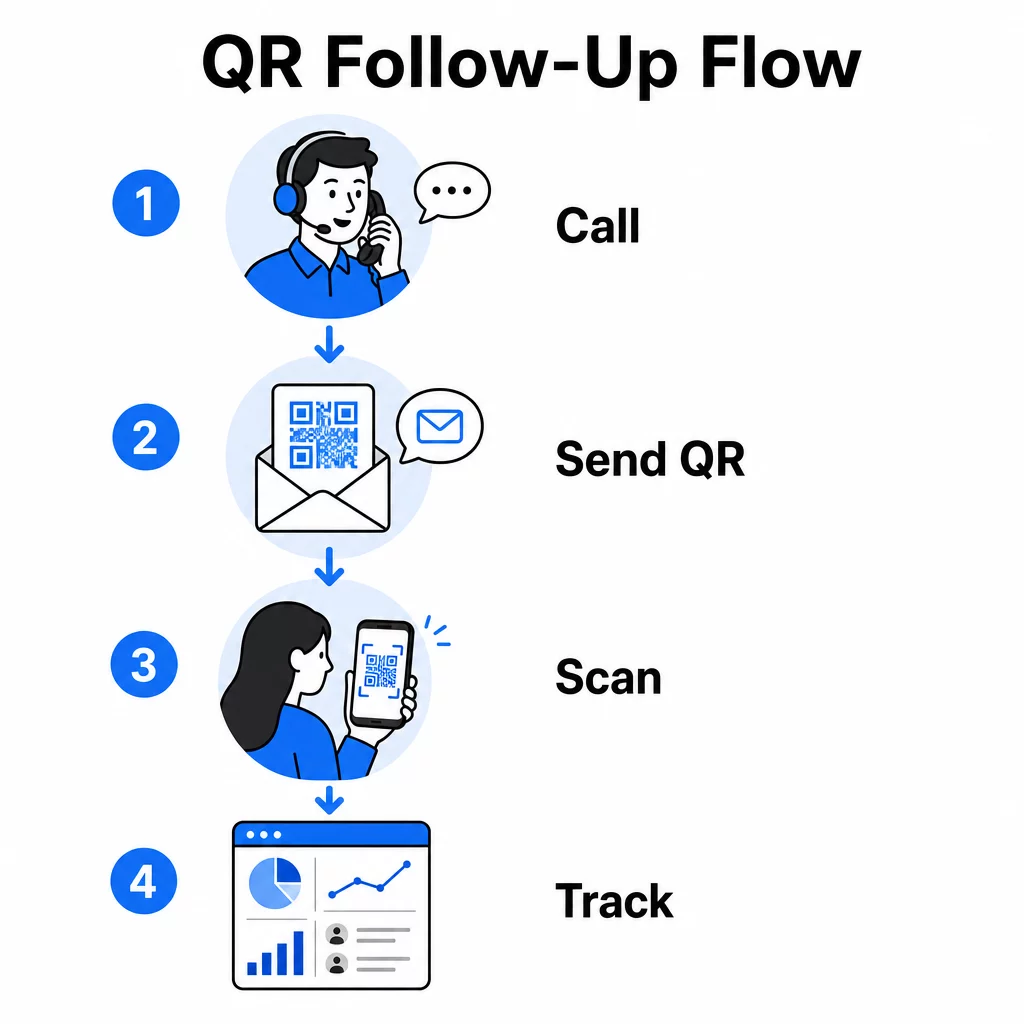
QR codes solve this by giving prospects an instant, frictionless path from the conversation to a digital action. Whether you send a QR code via SMS immediately after a call or include one in a printed leave-behind, the prospect can scan and act on their own schedule. That convenience reduces drop-off and keeps engagement alive long after the call ends.
QR codes also give your team something that traditional telemarketing has always lacked: measurable data on what happens after the call. Every scan is a trackable event, giving you visibility into which conversations translated into real interest and which campaigns need adjustment.
How QR Codes Fit Into Telemarketing Workflows
During and After the Call
The most effective QR code integrations happen at natural handoff points in the telemarketing process. Here are the primary touchpoints where QR codes add the most value:
- SMS follow-up: Immediately after a call, send a text containing a QR code that links to a relevant landing page, product overview, or sign-up form. This keeps the momentum going while respecting the prospect’s time.
- Email follow-up: Instead of attaching documents or listing multiple links, embed a single QR code in your follow-up email that directs prospects to a personalized landing page. A clean, focused experience outperforms a cluttered inbox every time.
- Printed materials: If your team uses brochures, one-pagers, or direct mail, include a QR code tied to whatever product or offer was discussed on the call. Prospects who hold on to the material have a quick way to re-engage.
- Feedback and qualification: Share a QR code that leads to a short form where prospects can share their needs, timeline, or questions at their own pace. This gives your sales team better information before the next touchpoint.
The key principle is relevance. A QR code that leads directly to the content discussed on the call feels helpful. A generic QR code that drops prospects on a homepage feels like an afterthought.
Create QR Codes That Match Your Campaign Use the Link QR Code Generator to build codes that send prospects directly to specific landing pages, offer pages, or forms – no homepage detours.
Personalizing QR Codes by Audience Segment
One of the practical strengths of QR codes in telemarketing is the ability to tailor them by campaign or audience type. A code sent to small business prospects can lead to resources designed specifically for their scale, while a separate code for enterprise contacts routes to case studies and enterprise pricing.
This segmentation makes the post-call experience feel more personal and ensures that prospects receive content that is actually relevant to their situation. With dynamic QR codes, you can update the destination of any code without reprinting or resending – so if your offer changes mid-campaign, the code stays current automatically.
Measuring What Happens After Every Call
Data is where QR codes genuinely transform telemarketing from an intuition-driven activity into a measurable channel. Every scan generates a data point, and with the right setup, those data points tell a coherent story about campaign performance.
The core metrics to track include:
- Total scans vs. unique scans: Distinguishes overall activity from individual prospect interest
- Scan timing: Reveals when prospects engage after a call, which helps refine follow-up timing
- Geographic data: Shows where responses are concentrated, useful for regional campaigns
- Device type: Confirms whether your landing pages are rendering correctly for the devices your audience actually uses
When you append UTM parameters to the destination URLs behind your QR codes, you can pass scan data directly into Google Analytics or your CRM. This lets you attribute pipeline activity back to specific telemarketing campaigns, calls, or even individual reps.
For a full breakdown of tracking setup and key metrics, see the guide on tracking QR code scans in real time.
Monitor Your Campaign in Real-Time Want to see exactly where and when your prospects are engaging after calls? Use the QR Code Analytics dashboard to track scans by location, device, and timing – all in one place.
Static vs. Dynamic QR Codes for Telemarketing
Choosing the right QR code type affects both your operational flexibility and your tracking capability. The difference comes down to two factors: editability and analytics.
| Feature | Static QR Code | Dynamic QR Code |
|---|---|---|
| Destination editable after creation | No | Yes |
| Scan tracking and analytics | No | Yes |
| Cost | Free | Subscription required |
| Best for | Fixed, permanent content | Active campaigns, follow-ups |
For most telemarketing applications, dynamic QR codes are the better choice. Campaigns evolve – offers change, landing pages get updated, and A/B tests require new destinations. A dynamic code lets you make those changes without contacting every prospect again or reprinting materials. If a follow-up SMS has already gone out, you can still update where that QR code leads.
Static QR codes work well for content that never changes, such as a permanent support page or a fixed product specification sheet. For everything else in an active campaign, dynamic codes provide the flexibility and measurement capability you need.
For more detail on when to use each type, see the static vs. dynamic QR code comparison.
Practical Examples by Campaign Type
Understanding where QR codes fit conceptually is useful, but seeing how they map to specific telemarketing scenarios makes implementation more straightforward.
- Webinar or event promotion: After a call promoting an upcoming webinar, send a QR code via SMS that links directly to the registration page. Removing the step of searching for the event dramatically increases sign-up rates.
- Limited-time offers: When a telemarketer discusses a time-sensitive discount, a follow-up QR code can link directly to a checkout or claim page with the offer pre-applied – turning expressed interest into a completed transaction.
- Lead qualification: Share a QR code linking to a brief needs-assessment form. Prospects fill it out at their convenience, and your team uses the responses to prioritize follow-up and tailor the next conversation.
- Feedback collection: Instead of conducting a lengthy phone survey, send a QR code to a short feedback form immediately after the call. Response rates improve when the format respects the prospect’s time.
Each of these use cases benefits from mobile-optimized landing pages. Since every scan happens on a smartphone, the destination needs to load quickly and function cleanly on small screens. The mobile QR code landing page best practices guide covers the technical standards that make the post-scan experience work.
Building QR Codes That Get Scanned
A QR code that nobody scans delivers no value. Maximizing scan rates in a telemarketing context requires attention to both design and context.
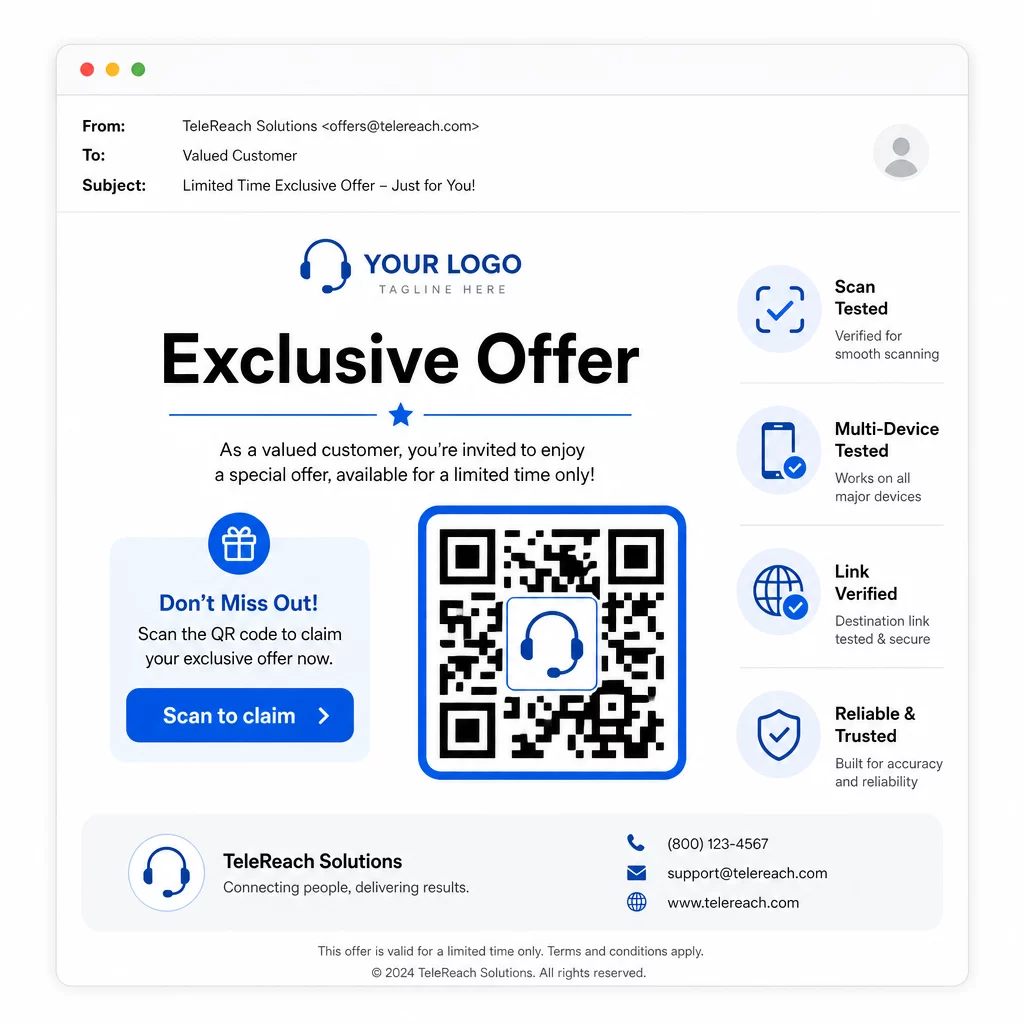
- Add your brand logo: A QR code with a logo is more visually distinctive and builds trust with prospects who are deciding whether to engage.
- Use a clear call to action: Include brief instructional text near the code – something like “Scan for your exclusive offer” or “Scan to register” – so prospects know exactly what they’ll get.
- Ensure sufficient contrast: Dark modules on a light background are the baseline for reliable scanning across different lighting conditions and device cameras.
- Test before sending: Scan your QR code on multiple devices and in the format it will actually be delivered – whether that’s in an SMS, email, or printed material.
If you want to test which design or destination performs better with a given audience segment, A/B testing your QR code campaigns with dynamic codes lets you run parallel versions and compare results without distributing multiple physical codes.
For a comprehensive pre-launch checklist, the QR code marketing checklist for small businesses covers the key steps from goal-setting to campaign execution.
Compliance Considerations for Telemarketing
Using QR codes doesn’t change the legal framework that governs how your team contacts prospects in the first place. The Telephone Consumer Protection Act (TCPA) requires prior express written consent before sending marketing texts or using automated dialing systems, and the FTC’s Telemarketing Sales Rule requires calls to be made only between 8:00 a.m. and 9:00 p.m. local time for the recipient. Telemarketers must also honor the National Do Not Call Registry and maintain their own internal do-not-call lists.
If your follow-up QR code is delivered via SMS, that message is subject to the same TCPA requirements as any other marketing text. Consent should be obtained before sending any code-containing messages to cell phones.
QR codes themselves are a neutral delivery mechanism – their compliance implications depend entirely on how and to whom they are distributed. QR codes give telemarketing campaigns something they have historically lacked: a measurable, flexible connection between what happens on the phone and what happens next. When you pair strong outreach with trackable digital follow-through, you create a complete picture of campaign performance and a better experience for the people you’re trying to reach.
Get started with the QR Code Generator to build your first campaign-ready code, or explore QR code solutions by industry to see how other sectors are putting the same approach to work.
Frequently Asked Questions
Yes, if you use a dynamic QR code. Dynamic codes point to a short redirect URL that can be changed at any time, even after the code has been distributed via SMS, email, or print. The physical code itself stays the same – only the destination changes. This means you can update an offer, fix a broken link, or swap out a landing page without contacting prospects again.
Dynamic QR codes log scan-level data including the total number of scans, unique scan counts, timestamps, geographic location (typically city-level), and device type (iOS, Android, desktop). When you add UTM parameters to your destination URLs, that data can also flow into Google Analytics or your CRM, allowing you to attribute conversions directly to specific campaigns or calls.
The QR code itself is not regulated, but the SMS containing it is. Under the Telephone Consumer Protection Act, sending a marketing text message to a cell phone using an automated system requires prior express written consent from the recipient. The FTC’s Telemarketing Sales Rule and the National Do Not Call Registry also apply. If your follow-up workflow involves texting a QR code to prospects, that message must comply with the same rules as any other marketing text.