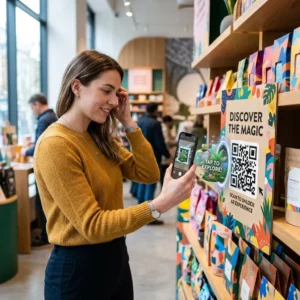
Czy Twoje rozmowy telemarketingowe generują zainteresowanie, ale tracą impet po zakończeniu rozmowy? Ta luka między obiecującą rozmową telefoniczną a zakończoną akcją to miejsce, w którym większość potencjalnych klientów przepada. Ten przewodnik pokazuje, jak używać kodów QR, aby zamknąć tę lukę – łącząc bezpośredni kontakt z cyfrowym śledzeniem działań.
Dlaczego telemarketing potrzebuje cyfrowego mostu
Kontakt telefoniczny nadal działa, ale rzadko sam w sobie prowadzi do finalizacji. Potencjalny klient może być zainteresowany podczas rozmowy, ale nie podejmie dalszych działań, ponieważ następny krok wymaga zbyt wiele wysiłku – wpisania adresu URL, wyszukania strony docelowej lub czekania na e-mail.
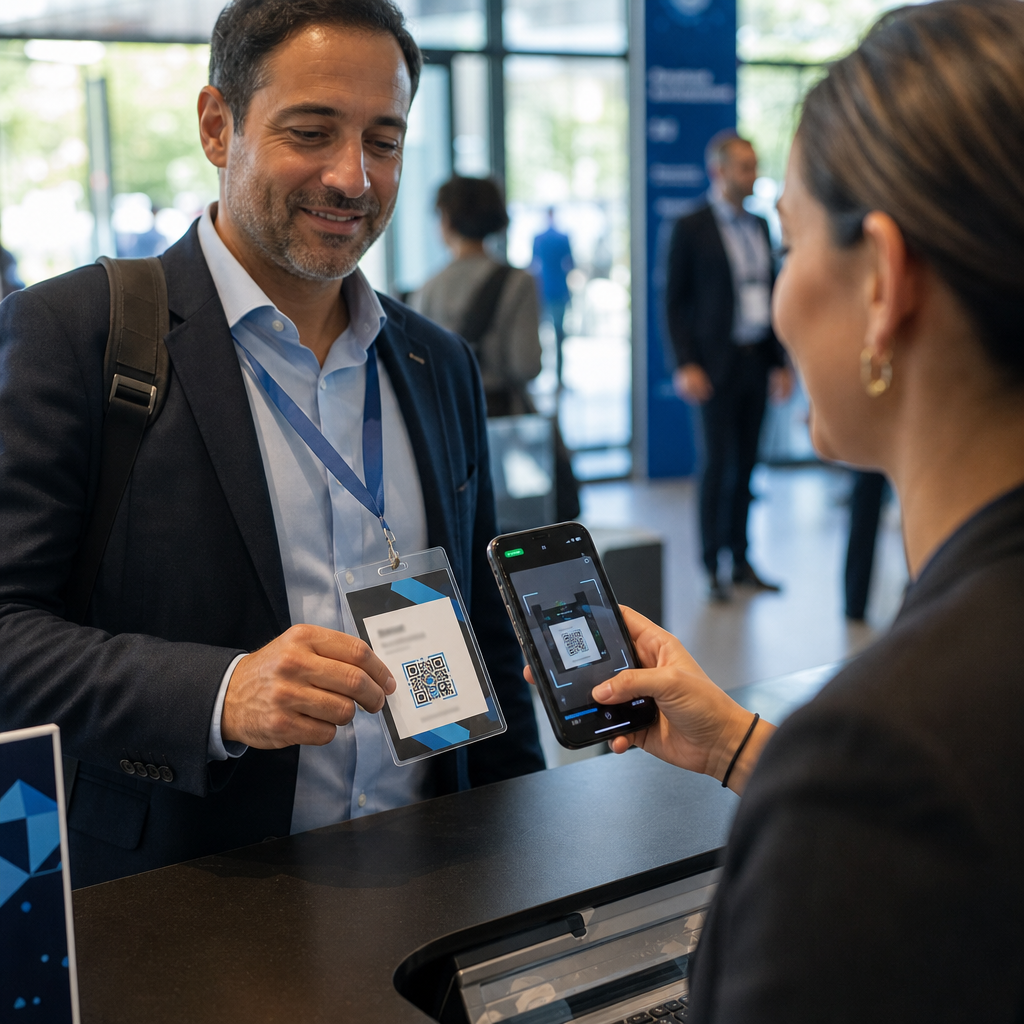
Kody QR rozwiązują ten problem, dając potencjalnym klientom natychmiastową, bezproblemową ścieżkę od rozmowy do działania cyfrowego. Niezależnie od tego, czy wyślesz kod QR SMS-em natychmiast po rozmowie, czy umieścisz go w drukowanym materiale, potencjalny klient może zeskanować i działać według własnego harmonogramu. Ta wygoda zmniejsza rezygnację i utrzymuje zaangażowanie długo po zakończeniu rozmowy.
Kody QR dają również Twojemu zespołowi coś, czego tradycyjnemu telemarketingowi zawsze brakowało: mierzalne dane o tym, co dzieje się po rozmowie. Każde skanowanie to zdarzenie, które można śledzić, dając Ci wgląd w to, które rozmowy przełożyły się na prawdziwe zainteresowanie i które kampanie wymagają dostosowania.
Jak kody QR pasują do procesów telemarketingowych
W trakcie i po rozmowie
Najskuteczniejsze integracje kodów QR mają miejsce w naturalnych punktach przekazania w procesie telemarketingowym. Oto główne punkty styku, w których kody QR dodają największą wartość:
- Dalsze działania SMS-em: Natychmiast po rozmowie wyślij wiadomość tekstową zawierającą kod QR, który prowadzi do odpowiedniej strony docelowej, przeglądu produktu lub formularza rejestracyjnego. Utrzymuje to impet, szanując jednocześnie czas potencjalnego klienta.
- Dalsze działania e-mailem: Zamiast załączać dokumenty lub wymieniać wiele linków, umieść pojedynczy kod QR w e-mailu uzupełniającym, który kieruje potencjalnych klientów do spersonalizowanej strony docelowej. Czyste, skoncentrowane doświadczenie zawsze przewyższa zaśmieconą skrzynkę odbiorczą.
- Materiały drukowane: Jeśli Twój zespół używa broszur, jednostronicowych materiałów lub poczty bezpośredniej, dołącz kod QR powiązany z produktem lub ofertą omawianą podczas rozmowy. Potencjalni klienci, którzy zachowają materiał, mają szybki sposób na ponowne zaangażowanie.
- Informacje zwrotne i kwalifikacja: Udostępnij kod QR, który prowadzi do krótkiego formularza, w którym potencjalni klienci mogą podzielić się swoimi potrzebami, harmonogramem lub pytaniami we własnym tempie. Daje to Twojemu zespołowi sprzedaży lepsze informacje przed kolejnym punktem kontaktu.
Kluczową zasadą jest trafność. Kod QR, który prowadzi bezpośrednio do treści omawianych podczas rozmowy, wydaje się pomocny. Ogólny kod QR, który przenosi potencjalnych klientów na stronę główną, wydaje się być czymś dodanym na końcu.
Twórz kody QR, które pasują do Twojej kampanii Użyj Generator kodów QR do linków aby tworzyć kody, które kierują potencjalnych klientów bezpośrednio do konkretnych stron docelowych, stron ofertowych lub formularzy – bez objazdów przez stronę główną.
Personalizowanie kodów QR według segmentu odbiorców
Jedną z praktycznych zalet kodów QR w telemarketingu jest możliwość dostosowania ich do kampanii lub typu odbiorców. Kod wysłany do potencjalnych klientów z małych firm może prowadzić do zasobów zaprojektowanych specjalnie dla ich skali, podczas gdy oddzielny kod dla kontaktów korporacyjnych kieruje do studiów przypadków i cenników dla przedsiębiorstw.
Ta segmentacja sprawia, że doświadczenie po rozmowie telefonicznej jest bardziej osobiste i zapewnia, że potencjalni klienci otrzymują treści faktycznie odpowiadające ich sytuacji. Dzięki dynamiczne kody QR, możesz zaktualizować miejsce docelowe dowolnego kodu bez ponownego drukowania lub wysyłania – więc jeśli Twoja oferta zmieni się w trakcie kampanii, kod automatycznie pozostaje aktualny.
Mierzenie tego, co dzieje się po każdej rozmowie
Dane to obszar, w którym kody QR naprawdę przekształcają telemarketing z działalności opartej na intuicji w mierzalny kanał. Każde skanowanie generuje punkt danych, a przy odpowiedniej konfiguracji te punkty danych opowiadają spójną historię o wydajności kampanii.
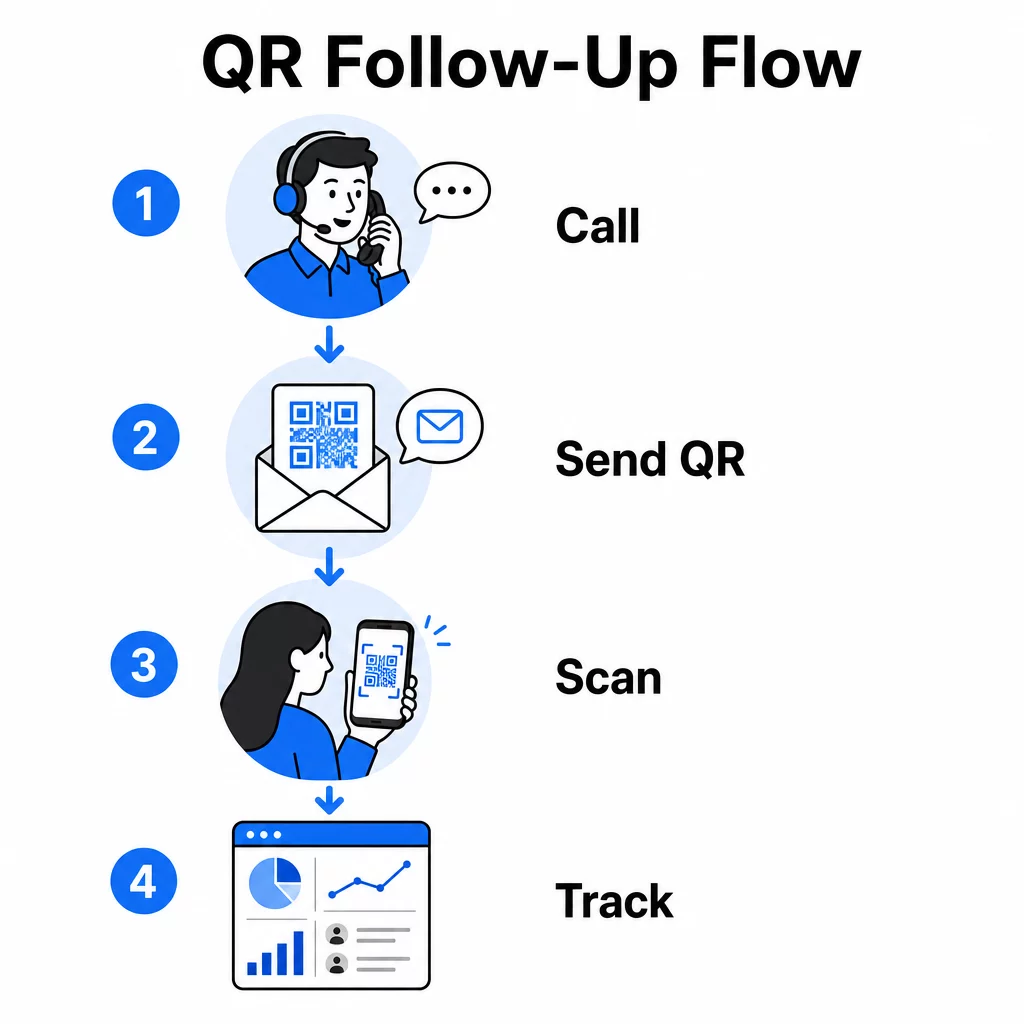
Kluczowe metryki do śledzenia to:
- Całkowita liczba skanów vs. unikalne skany: Rozróżnia ogólną aktywność od indywidualnego zainteresowania potencjalnego klienta
- Czas skanowania: Ujawnia, kiedy potencjalni klienci angażują się po rozmowie, co pomaga doprecyzować czas dalszych działań
- Dane geograficzne: Pokazuje, gdzie koncentrują się odpowiedzi, przydatne w kampacjach regionalnych
- Typ urządzenia: Potwierdza, czy Twoje strony docelowe wyświetlają się poprawnie na urządzeniach, których faktycznie używają Twoi odbiorcy
Kiedy dołączysz parametrów UTM do docelowych adresów URL za Twoimi kodami QR, możesz przekazać dane ze skanowania bezpośrednio do Google Analytics lub Twojego systemu CRM. Pozwala to przypisać aktywność w lejku sprzedażowym do konkretnych kampanii telemarketingowych, rozmów, a nawet poszczególnych przedstawicieli.
Aby uzyskać pełny opis konfiguracji śledzenia i kluczowych wskaźników, zobacz przewodnik dotyczący śledzenia skanów kodów QR w czasie rzeczywistym.
Monitoruj swoją kampanię w czasie rzeczywistym Chcesz dokładnie zobaczyć, gdzie i kiedy Twoi potencjalni klienci angażują się po rozmowach? Użyj panelu analitycznego kodów QR aby śledzić skany według lokalizacji, urządzenia i czasu – wszystko w jednym miejscu.
Statyczne vs. Dynamiczne Kody QR dla Telemarketingu
Wybór odpowiedniego typu kodu QR wpływa zarówno na elastyczność operacyjną, jak i możliwości śledzenia. Różnica sprowadza się do dwóch czynników: edytowalności i analityki.
| FUNKCJA | Statyczny kod QR | Dynamiczny kod QR |
|---|---|---|
| Miejsce docelowe edytowalne po utworzeniu | Nie | Tak |
| Śledzenie skanowania i analityka | Nie | Tak |
| Koszt | Bezpłatnie | Wymagana subskrypcja |
| Najlepsze dla | Stała, trwała zawartość | Aktywne kampanie, działania następcze |
Dla większości zastosowań telemarketingowych, dynamiczne kody QR są lepszym wyborem. Kampanie ewoluują – oferty się zmieniają, strony docelowe są aktualizowane, a testy A/B wymagają nowych miejsc docelowych. Dynamiczny kod pozwala wprowadzać te zmiany bez ponownego kontaktowania się z każdym potencjalnym klientem lub ponownego drukowania materiałów. Jeśli SMS z przypomnieniem został już wysłany, nadal możesz zaktualizować, dokąd prowadzi ten kod QR.
Statyczne kody QR sprawdzają się w przypadku treści, które nigdy się nie zmieniają, takich jak stała strona wsparcia lub stała karta specyfikacji produktu. We wszystkich innych przypadkach w aktywnej kampanii, kody dynamiczne zapewniają elastyczność i możliwości pomiaru, których potrzebujesz.
Aby uzyskać więcej szczegółów na temat tego, kiedy używać każdego typu, zobacz porównanie statycznych i dynamicznych kodów QR.
Praktyczne Przykłady według Typu Kampanii
Zrozumienie, gdzie kody QR pasują koncepcyjnie, jest przydatne, ale zobaczenie, jak mapują się na konkretne scenariusze telemarketingowe, sprawia, że wdrożenie jest prostsze.
- Promocja webinaru lub wydarzenia: Po rozmowie promującej nadchodzące webinarium, wyślij kod QR przez SMS, który prowadzi bezpośrednio do strony rejestracji. Usunięcie kroku wyszukiwania wydarzenia znacząco zwiększa wskaźniki rejestracji.
- Oferty ograniczone czasowo: Kiedy telemarketer omawia rabat ograniczony czasowo, kod QR wysłany w ramach kontynuacji może prowadzić bezpośrednio do strony płatności lub odbioru z już zastosowaną ofertą – zamieniając wyrażone zainteresowanie w zakończoną transakcję.
- Kwalifikacja leadów: Udostępnij kod QR prowadzący do krótkiego formularza oceny potrzeb. Potencjalni klienci wypełniają go w dogodnym dla siebie czasie, a Twój zespół wykorzystuje odpowiedzi do priorytetyzacji dalszych działań i dostosowania kolejnej rozmowy.
- Zbieranie opinii: Zamiast przeprowadzać długą ankietę telefoniczną, wyślij kod QR do krótkiego formularza opinii natychmiast po rozmowie. Wskaźniki odpowiedzi poprawiają się, gdy format szanuje czas potencjalnego klienta.
Każdy z tych przypadków użycia korzysta ze stron docelowych zoptymalizowanych pod kątem urządzeń mobilnych. Ponieważ każde skanowanie odbywa się na smartfonie, miejsce docelowe musi ładować się szybko i działać płynnie na małych ekranach. przewodnik po najlepszych praktykach dla mobilnych stron docelowych z kodami QR obejmuje standardy techniczne, które sprawiają, że doświadczenie po zeskanowaniu działa.
Tworzenie kodów QR, które są skanowane
Kod QR, którego nikt nie skanuje, nie przynosi żadnej wartości. Maksymalizacja wskaźników skanowania w kontekście telemarketingu wymaga uwagi zarówno na projekt, jak i kontekst.
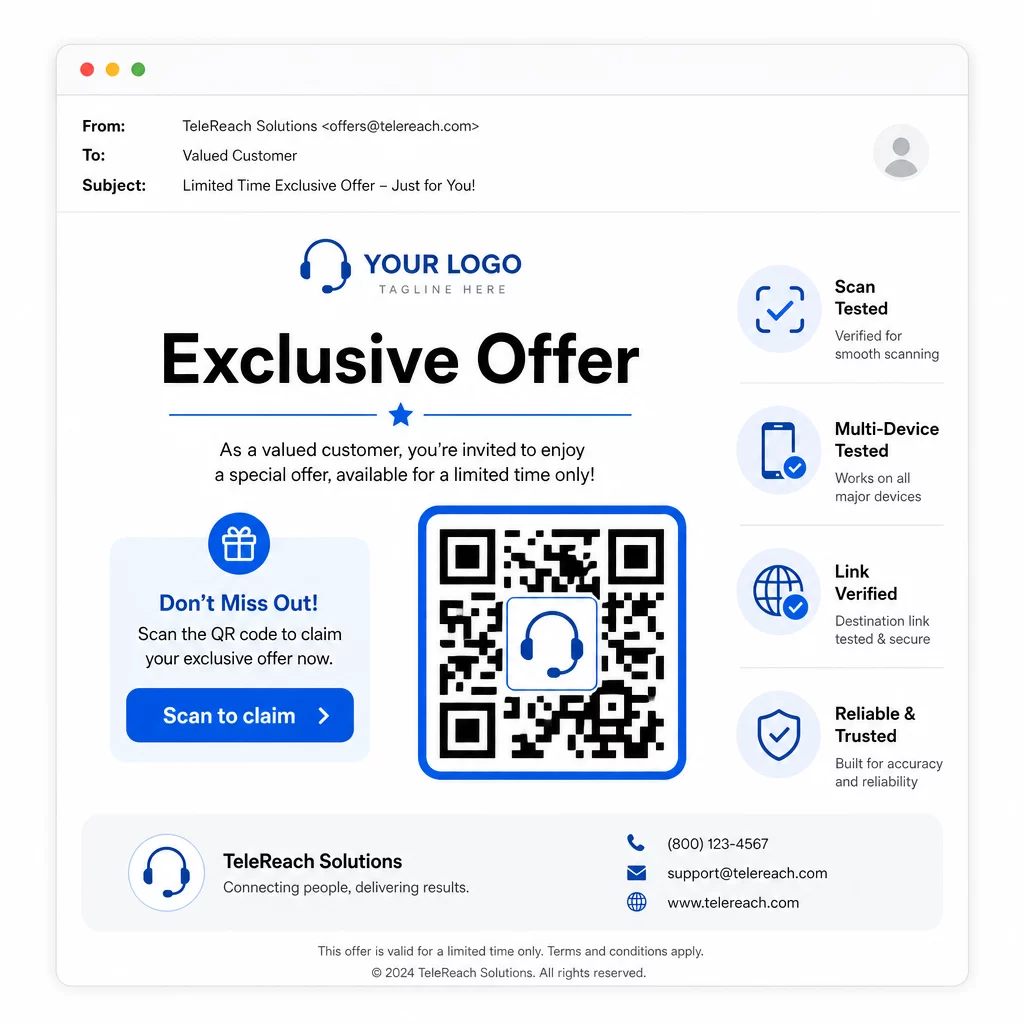
- Dodaj logo swojej marki: A Kod QR z logo jest bardziej wyróżniające wizualnie i buduje zaufanie wśród potencjalnych klientów, którzy decydują, czy się zaangażować.
- Użyj wyraźnego wezwania do działania: Dołącz krótki tekst instruktażowy w pobliżu kodu – coś w stylu “Zeskanuj, aby otrzymać ekskluzywną ofertę” lub “Zeskanuj, aby się zarejestrować” – aby potencjalni klienci dokładnie wiedzieli, co otrzymają.
- Zapewnij wystarczający kontrast: Ciemne moduły na jasnym tle stanowią podstawę niezawodnego skanowania w różnych warunkach oświetleniowych i za pomocą różnych aparatów urządzeń.
- Testuj przed wysłaniem: Zeskanuj swój kod QR na wielu urządzeniach i w formacie, w jakim faktycznie zostanie dostarczony – czy to w wiadomości SMS, e-mailu, czy materiale drukowanym.
Jeśli chcesz sprawdzić, który projekt lub cel działa lepiej w przypadku danego segmentu odbiorców, Testowanie A/B kampanii z kodami QR z dynamicznymi kodami pozwala uruchamiać równoległe wersje i porównywać wyniki bez rozpowszechniania wielu fizycznych kodów.
Aby uzyskać kompleksową listę kontrolną przed uruchomieniem, Marketing z kodem QR: lista kontrolna dla małych firm obejmuje kluczowe kroki od wyznaczania celów po realizację kampanii.
Kwestie zgodności dla telemarketingu
Używanie kodów QR nie zmienia ram prawnych, które regulują sposób, w jaki Twój zespół kontaktuje się z potencjalnymi klientami. Ustawa o ochronie konsumentów telefonicznych (TCPA) wymaga uprzedniej wyraźnej pisemnej zgody przed wysłaniem tekstów marketingowych lub użyciem zautomatyzowanych systemów wybierania numerów, a Zasada Sprzedaży Telemarketingowej FTC wymaga, aby połączenia były wykonywane tylko między 8:00 a 21:00 czasu lokalnego odbiorcy. Telemarketerzy muszą również przestrzegać Krajowego Rejestru „Nie dzwoń” i prowadzić własne wewnętrzne listy „nie dzwoń”.
Jeśli Twój kod QR do dalszego kontaktu jest dostarczany za pośrednictwem SMS-a, ta wiadomość podlega tym samym wymogom TCPA co każdy inny tekst marketingowy. Zgoda powinna zostać uzyskana przed wysłaniem jakichkolwiek wiadomości zawierających kod na telefony komórkowe.
Kody QR same w sobie są neutralnym mechanizmem dostarczania – ich implikacje dotyczące zgodności z przepisami zależą wyłącznie od tego, jak i komu są dystrybuowane. Kody QR dają kampaniom telemarketingowym coś, czego historycznie im brakowało: mierzalne, elastyczne połączenie między tym, co dzieje się przez telefon, a tym, co dzieje się dalej. Kiedy połączysz silne działania informacyjne z cyfrowym śledzeniem dalszych działań, stworzysz pełny obraz wydajności kampanii i lepsze doświadczenie dla osób, do których próbujesz dotrzeć.
Rozpocznij z Generator kodów QR aby zbudować swój pierwszy kod gotowy do kampanii, lub odkryj rozwiązaniami kodów QR według branży aby zobaczyć, jak inne sektory wykorzystują to samo podejście.
Najczęściej zadawane pytania
Tak, jeśli używasz dynamicznego kodu QR. Kody dynamiczne wskazują na krótki adres URL przekierowania, który można zmienić w dowolnym momencie, nawet po rozpowszechnieniu kodu za pośrednictwem SMS-a, e-maila lub druku. Sam fizyczny kod pozostaje taki sam – zmienia się tylko miejsce docelowe. Oznacza to, że możesz zaktualizować ofertę, naprawić uszkodzony link lub zmienić stronę docelową bez ponownego kontaktowania się z potencjalnymi klientami.
Dynamiczne kody QR rejestrują dane na poziomie skanowania, w tym całkowitą liczbę skanów, liczbę unikalnych skanów, znaczniki czasu, lokalizację geograficzną (zazwyczaj na poziomie miasta) oraz typ urządzenia (iOS, Android, komputer stacjonarny). Kiedy dodasz parametry UTM do swoich docelowych adresów URL, te dane mogą również przepływać do Google Analytics lub Twojego CRM, co pozwala przypisać konwersje bezpośrednio do konkretnych kampanii lub połączeń.
Sam kod QR nie jest regulowany, ale SMS go zawierający już tak. Zgodnie z Ustawą o ochronie konsumentów telefonicznych, wysyłanie marketingowej wiadomości tekstowej na telefon komórkowy za pomocą zautomatyzowanego systemu wymaga uprzedniej wyraźnej pisemnej zgody odbiorcy. Obowiązują również Zasada Sprzedaży Telemarketingowej FTC i Krajowy Rejestr „Nie dzwoń”. Jeśli Twój proces dalszych działań obejmuje wysyłanie kodu QR do potencjalnych klientów, ta wiadomość musi być zgodna z tymi samymi zasadami, co każdy inny tekst marketingowy.