Skaber dine telemarketingopkald interesse, men mister momentum, når samtalen slutter? Det hul mellem et lovende telefonopkald og en fuldført handling er der, hvor de fleste leads falder fra. Denne guide viser dig, hvordan du bruger QR-koder til at lukke det hul – ved at bygge bro mellem live opsøgende arbejde og sporbar digital opfølgning.
Hvorfor telemarketing har brug for en digital bro
Telefonbaseret opsøgende arbejde virker stadig, men det lukker sjældent af sig selv. En potentiel kunde kan være interesseret under et opkald, men undlader at følge op, fordi det næste skridt kræver for meget indsats – at indtaste en URL, søge efter en landingsside eller vente på en e-mail.
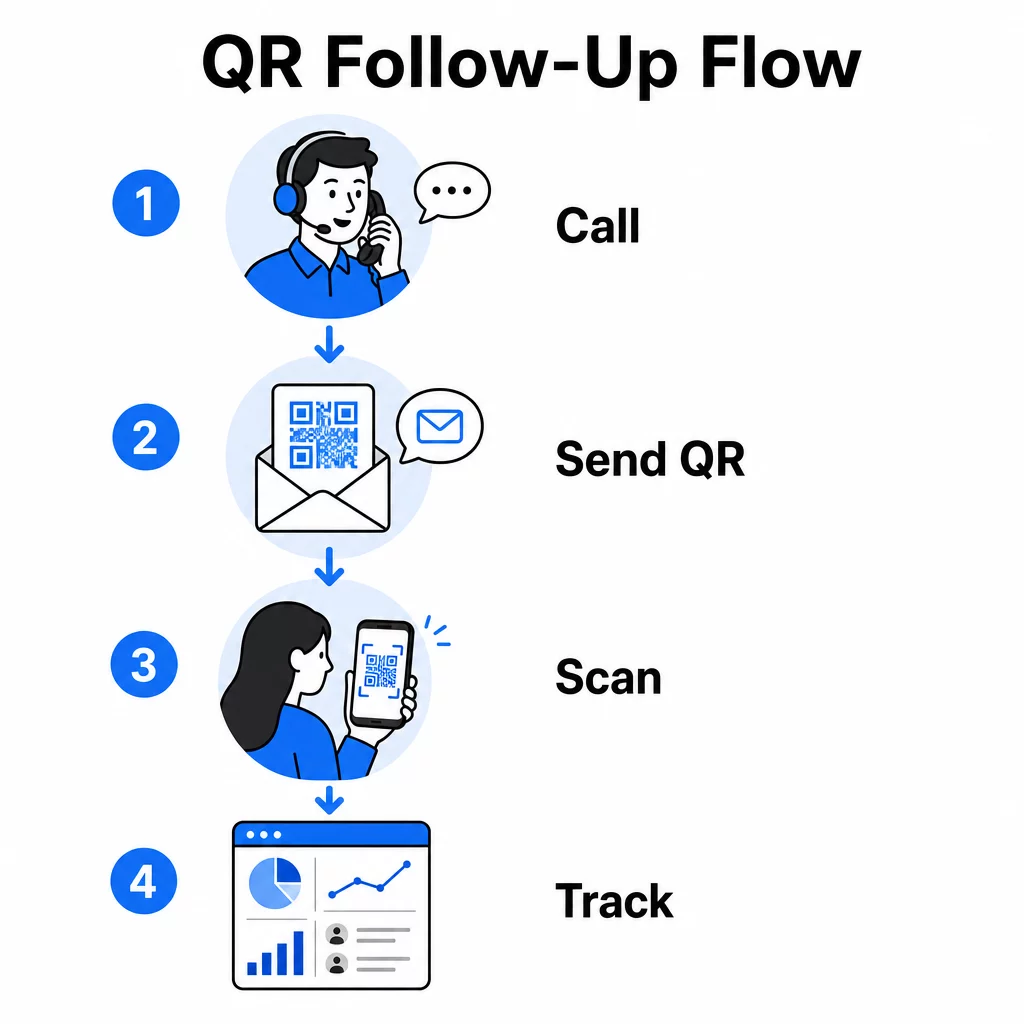
QR-koder løser dette ved at give potentielle kunder en øjeblikkelig, friktionsfri vej fra samtalen til en digital handling. Uanset om du sender en QR-kode via SMS umiddelbart efter et opkald eller inkluderer en i et trykt materiale, kan den potentielle kunde scanne og handle efter deres egen tidsplan. Den bekvemmelighed reducerer frafald og holder engagementet i live længe efter opkaldet er afsluttet.
QR-koder giver også dit team noget, som traditionel telemarketing altid har manglet: målbare data om, hvad der sker efter opkaldet. Hver scanning er en sporbar begivenhed, der giver dig indsigt i, hvilke samtaler der førte til reel interesse, og hvilke kampagner der skal justeres.
Hvordan QR-koder passer ind i telemarketing-arbejdsgange
Under og efter opkaldet
De mest effektive QR-kodeintegrationer sker ved naturlige overleveringspunkter i telemarketingprocessen. Her er de primære kontaktpunkter, hvor QR-koder tilføjer mest værdi:
- SMS-opfølgning: Umiddelbart efter et opkald, send en tekst med en QR-kode, der linker til en relevant landingsside, produktoversigt eller tilmeldingsformular. Dette holder momentum i gang, samtidig med at den potentielle kundes tid respekteres.
- E-mail-opfølgning: I stedet for at vedhæfte dokumenter eller liste flere links, indlejre en enkelt QR-kode i din opfølgende e-mail, der dirigerer potentielle kunder til en personlig landingsside. En ren, fokuseret oplevelse overgår en rodet indbakke hver gang.
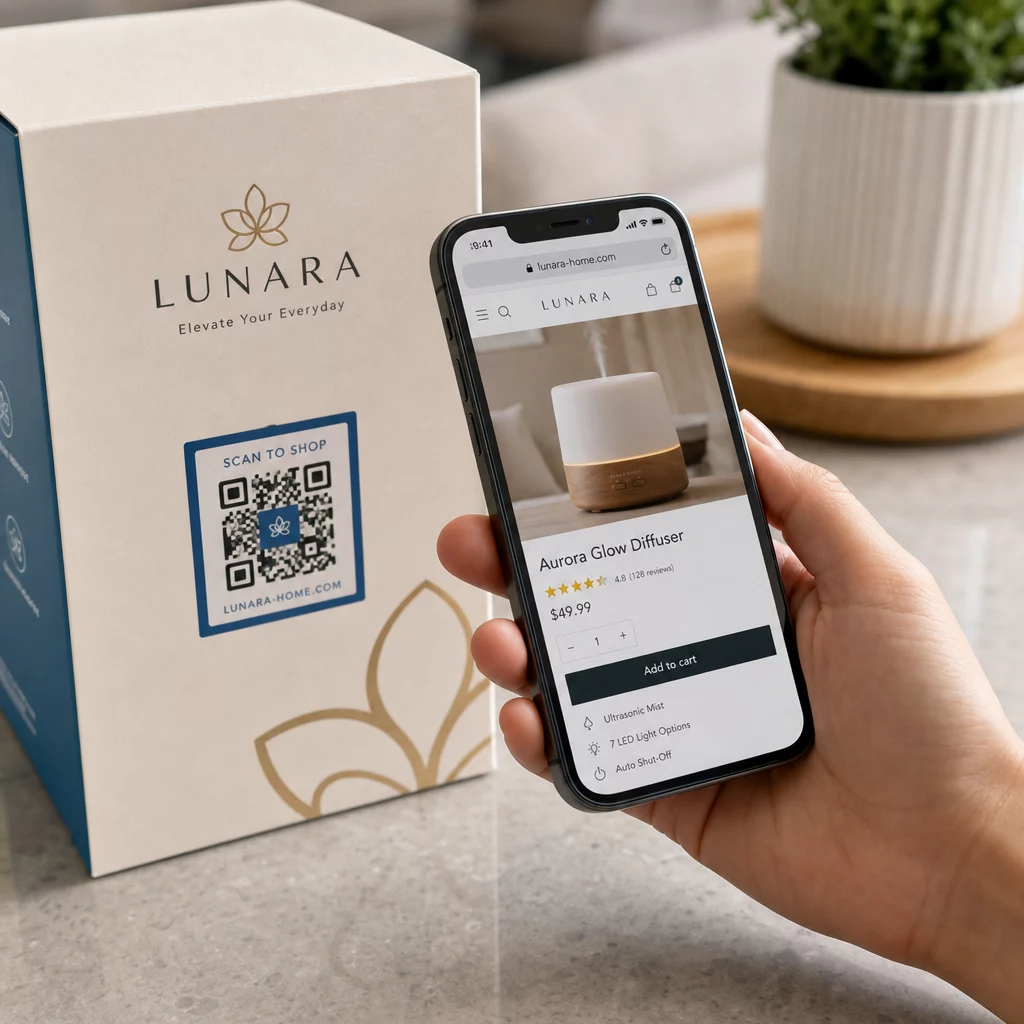
- Trykte materialer: Hvis dit team bruger brochurer, one-pagers eller direct mail, inkluder en QR-kode, der er knyttet til det produkt eller tilbud, der blev diskuteret under opkaldet. Potentielle kunder, der beholder materialet, har en hurtig måde at genengagere sig på.
- Feedback og kvalifikation: Del en QR-kode, der fører til en kort formular, hvor potentielle kunder kan dele deres behov, tidslinje eller spørgsmål i deres eget tempo. Dette giver dit salgsteam bedre information før næste kontaktpunkt.
Nøgleprincippet er relevans. En QR-kode, der fører direkte til indholdet diskuteret under opkaldet, føles hjælpsom. En generisk QR-kode, der sender potentielle kunder til en startside, føles som en eftertanke.
Opret QR-koder, der matcher din kampagne Brug Link QR-kodegenerator til at bygge koder, der sender potentielle kunder direkte til specifikke landingssider, tilbudssider eller formularer – uden omveje via hjemmesiden.
Personliggørelse af QR-koder efter målgruppesegment
En af de praktiske styrker ved QR-koder i telemarketing er evnen til at skræddersy dem efter kampagne- eller målgruppetype. En kode sendt til potentielle små virksomhedskunder kan føre til ressourcer designet specifikt til deres skala, mens en separat kode til virksomhedskontakter dirigerer til casestudier og virksomhedspriser.
Denne segmentering får oplevelsen efter opkaldet til at føles mere personlig og sikrer, at potentielle kunder modtager indhold, der faktisk er relevant for deres situation. Med dynamiske QR-koder, kan du opdatere destinationen for enhver kode uden at genudskrive eller gensende – så hvis dit tilbud ændrer sig midt i kampagnen, forbliver koden automatisk aktuel.
Måling af, hvad der sker efter hvert opkald
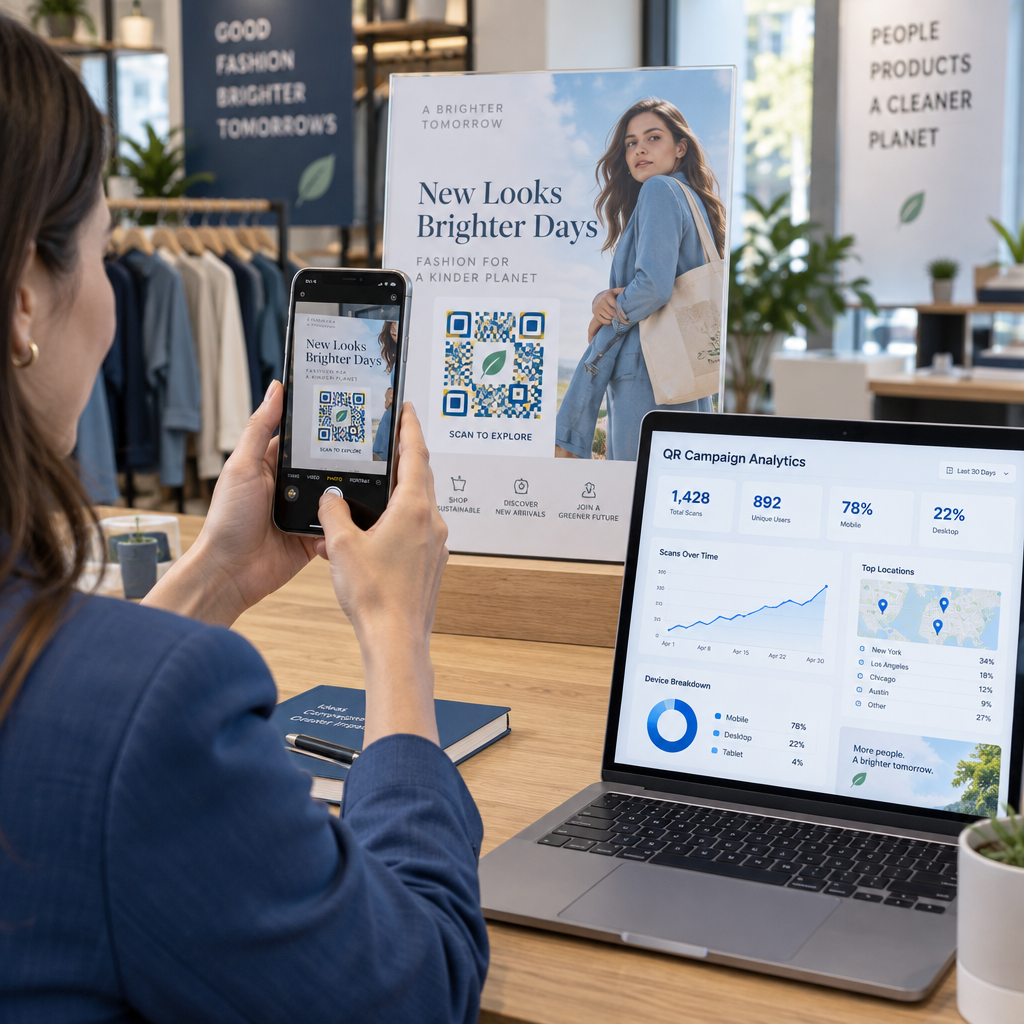
Data er der, hvor QR-koder for alvor forvandler telemarketing fra en intuitionsdrevet aktivitet til en målbar kanal. Hver scanning genererer et datapunkt, og med den rette opsætning fortæller disse datapunkter en sammenhængende historie om kampagnens ydeevne.
De vigtigste målinger at spore inkluderer:
- Samlede scanninger vs. unikke scanninger: Adskiller overordnet aktivitet fra individuel potentiel kundes interesse
- Scanningstidspunkt: Afslører, hvornår potentielle kunder engagerer sig efter et opkald, hvilket hjælper med at forfine opfølgningstidspunktet
- Geografiske data: Viser, hvor svar er koncentreret, nyttigt for regionale kampagner
- Enhedstype: Bekræfter, om dine landingssider gengives korrekt for de enheder, dit publikum faktisk bruger
Når du tilføjer UTM-parametre til destinations-URL'erne bag dine QR-koder, kan du sende scanningsdata direkte ind i Google Analytics eller dit CRM. Dette giver dig mulighed for at tilskrive pipeline-aktivitet tilbage til specifikke telemarketingkampagner, opkald eller endda individuelle sælgere.
For en fuld oversigt over sporingsopsætning og nøglemålinger, se guiden om sporing af QR-kodescanninger i realtid.
Overvåg din kampagne i realtid Vil du se præcis hvor og hvornår dine potentielle kunder engagerer sig efter opkald? Brug QR-kodeanalyse-dashboardet til at spore scanninger efter placering, enhed og tidspunkt – alt samlet ét sted.
Statiske vs. Dynamiske QR-koder til Telemarketing
Valg af den rigtige QR-kodetype påvirker både din operationelle fleksibilitet og din sporingskapacitet. Forskellen handler om to faktorer: redigerbarhed og analyse.
| FUNKTION | Statisk QR-kode | Dynamisk QR-kode |
|---|---|---|
| Destination kan redigeres efter oprettelse | Nej, det er det ikke | Ja |
| Scanningssporing og -analyse | Nej, det er det ikke | Ja |
| Omkostninger | Ledig | Abonnement påkrævet |
| Bedst til | Fast, permanent indhold | Aktive kampagner, opfølgninger |
For de fleste telemarketingapplikationer, dynamiske QR-koder er det bedre valg. Kampagner udvikler sig – tilbud ændrer sig, landingssider opdateres, og A/B-tests kræver nye destinationer. En dynamisk kode giver dig mulighed for at foretage disse ændringer uden at kontakte hver potentiel kunde igen eller genoptrykke materialer. Hvis en opfølgende SMS allerede er sendt ud, kan du stadig opdatere, hvor QR-koden fører hen.
Statiske QR-koder fungerer godt til indhold, der aldrig ændrer sig, såsom en permanent supportside eller et fast produktspecifikationsark. For alt andet i en aktiv kampagne giver dynamiske koder den fleksibilitet og målingskapacitet, du har brug for.
For flere detaljer om, hvornår du skal bruge hver type, se sammenligning af statiske vs. dynamiske QR-koder.
Praktiske eksempler efter kampagnetype
At forstå, hvor QR-koder passer konceptuelt, er nyttigt, men at se, hvordan de passer til specifikke telemarketingscenarier, gør implementeringen mere ligetil.
- Webinar- eller begivenhedspromovering: Efter et opkald, der promoverer et kommende webinar, send en QR-kode via SMS, der linker direkte til registreringssiden. Fjernelse af trinnet med at søge efter begivenheden øger tilmeldingsraterne dramatisk.
- Tidsbegrænsede tilbud: Når en telemarketingmedarbejder diskuterer en tidsfølsom rabat, kan en opfølgende QR-kode linke direkte til en kasse- eller kravside med tilbuddet forhåndsanvendt – hvilket omdanner udtrykt interesse til en gennemført transaktion.
- Kvalificering af kundeemner: Del en QR-kode, der linker til en kort behovsanalyseformular. Kundeemner udfylder den, når det passer dem, og dit team bruger svarene til at prioritere opfølgning og skræddersy den næste samtale.
- Indsamling af feedback: I stedet for at udføre en lang telefonundersøgelse, send en QR-kode til en kort feedbackformular umiddelbart efter opkaldet. Svarprocenterne forbedres, når formatet respekterer kundeemnets tid.
Hver af disse anvendelsestilfælde drager fordel af mobiloptimerede landingssider. Da hver scanning sker på en smartphone, skal destinationen indlæses hurtigt og fungere fejlfrit på små skærme. Den guide til bedste praksis for mobile QR-kode landingssider dækker de tekniske standarder, der får oplevelsen efter scanningen til at fungere.
Sådan bygger du QR-koder, der bliver scannet
En QR-kode, som ingen scanner, leverer ingen værdi. Maksimering af scanningsrater i en telemarketingkontekst kræver opmærksomhed på både design og kontekst.
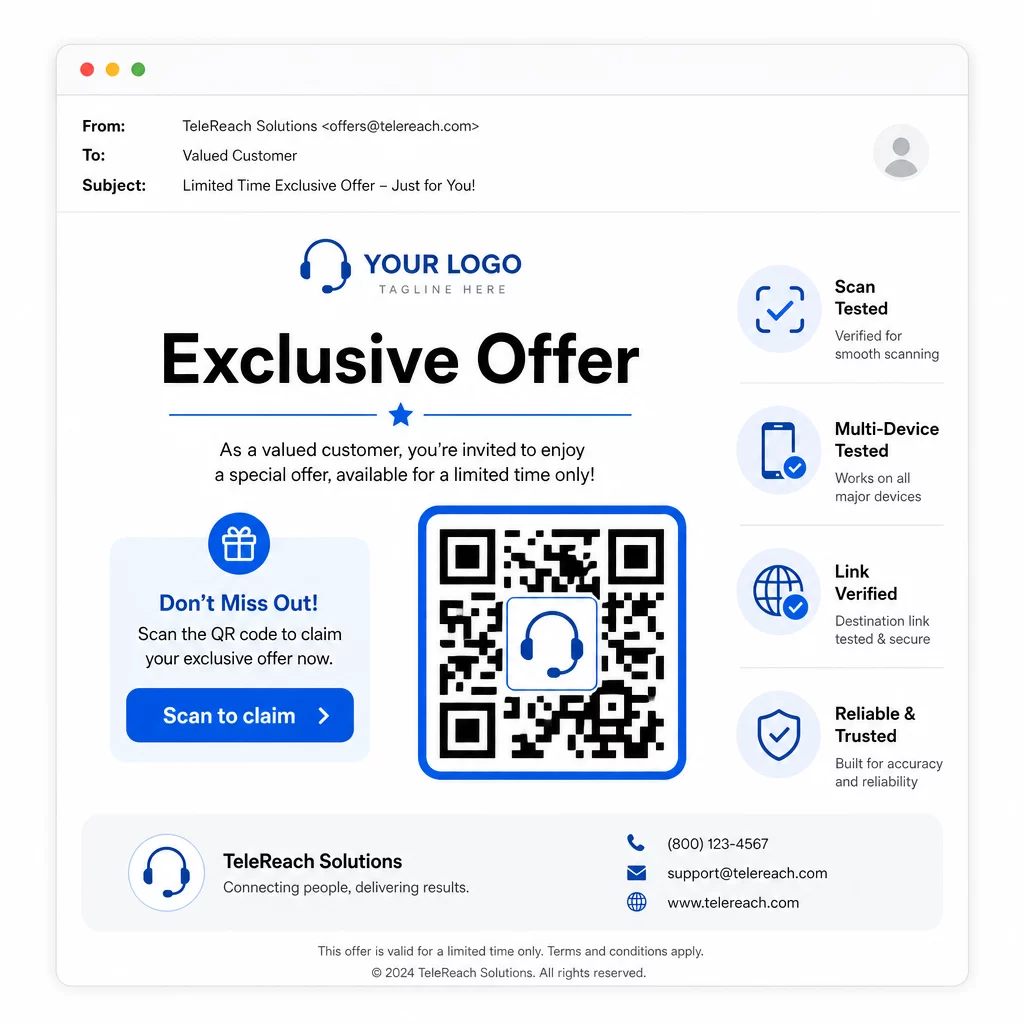
- Tilføj dit brandlogo: En QR-kode med logo er mere visuelt særpræget og opbygger tillid hos kundeemner, der beslutter, om de vil engagere sig.
- Brug en klar opfordring til handling: Inkluder kort instruktionstekst nær koden – noget i stil med “Scan for dit eksklusive tilbud” eller “Scan for at registrere” – så kundeemner ved præcis, hvad de får.
- Sørg for tilstrækkelig kontrastMørke moduler på en lys baggrund er grundlaget for pålidelig scanning under forskellige lysforhold og med forskellige enhedskameraer.
- Test før afsendelseScan din QR-kode på flere enheder og i det format, den faktisk vil blive leveret i – uanset om det er i en SMS, e-mail eller trykt materiale.
Hvis du vil teste, hvilket design eller destination der fungerer bedst med et givent publikumssegment, A/B-test af dine QR-kodekampagner med dynamiske koder giver dig mulighed for at køre parallelle versioner og sammenligne resultater uden at distribuere flere fysiske koder.
For en omfattende tjekliste før lancering, QR-kode marketing: Tjekliste til små virksomheder dækker de vigtigste trin fra målsætning til kampagneudførelse.
Overvejelser om overholdelse for telemarketing
Brug af QR-koder ændrer ikke den juridiske ramme, der styrer, hvordan dit team kontakter potentielle kunder i første omgang. The Telephone Consumer Protection Act (TCPA) kræver forudgående udtrykkelig skriftlig samtykke, før der sendes marketingtekster eller bruges automatiserede opkaldssystemer, og FTC's Telemarketing Sales Rule kræver, at opkald kun foretages mellem kl. 8.00 og 21.00 lokal tid for modtageren. Telemarketere skal også respektere National Do Not Call Registry og vedligeholde deres egne interne lister over personer, der ikke ønsker at blive kontaktet.
Hvis din opfølgende QR-kode leveres via SMS, er denne besked underlagt de samme TCPA-krav som enhver anden marketingtekst. Samtykke skal indhentes, før der sendes meddelelser, der indeholder koder, til mobiltelefoner.
QR-koder er i sig selv en neutral leveringsmekanisme – deres overholdelsesimplikationer afhænger udelukkende af, hvordan og til hvem de distribueres. QR-koder giver telemarketingkampagner noget, de historisk har manglet: en målbar, fleksibel forbindelse mellem, hvad der sker på telefonen, og hvad der sker derefter. Når du parrer stærk opsøgende indsats med sporbar digital opfølgning, skaber du et komplet billede af kampagnens ydeevne og en bedre oplevelse for de mennesker, du forsøger at nå.
Kom i gang med QR-kodegenerator for at bygge din første kampagneklare kode, eller udforsk QR-kodeløsninger efter branche for at se, hvordan andre sektorer anvender den samme tilgang.
Ofte stillede spørgsmål
Ja, hvis du bruger en dynamisk QR-kode. Dynamiske koder peger på en kort omdirigerings-URL, der kan ændres når som helst, selv efter koden er blevet distribueret via SMS, e-mail eller print. Selve den fysiske kode forbliver den samme – kun destinationen ændres. Dette betyder, at du kan opdatere et tilbud, rette et ødelagt link eller udskifte en landingsside uden at kontakte potentielle kunder igen.
Dynamiske QR-koder logger scanningsdata, herunder det samlede antal scanninger, antal unikke scanninger, tidsstempler, geografisk placering (typisk på byniveau) og enhedstype (iOS, Android, desktop). Når du tilføjer UTM-parametre til dine destinations-URL'er, kan disse data også strømme ind i Google Analytics eller dit CRM, hvilket giver dig mulighed for at tilskrive konverteringer direkte til specifikke kampagner eller opkald.
Selve QR-koden er ikke reguleret, men den SMS, der indeholder den, er. I henhold til Telephone Consumer Protection Act kræver afsendelse af en marketingtekstbesked til en mobiltelefon ved hjælp af et automatiseret system forudgående udtrykkelig skriftlig samtykke fra modtageren. FTC's Telemarketing Sales Rule og National Do Not Call Registry gælder også. Hvis dit opfølgende workflow involverer at sende en QR-kode via SMS til potentielle kunder, skal denne besked overholde de samme regler som enhver anden marketingtekst.