Чи ваші телемаркетингові дзвінки викликають інтерес, але втрачають імпульс, щойно розмова закінчується? Цей розрив між багатообіцяючим телефонним дзвінком і завершеною дією є місцем, де більшість потенційних клієнтів втрачаються. Цей посібник показує, як використовувати QR-коди, щоб закрити цей розрив – поєднуючи живе охоплення з відстежуваним цифровим подальшим супроводом.
Чому телемаркетингу потрібен цифровий міст
Телефонне охоплення все ще працює, але рідко завершується самостійно. Потенційний клієнт може бути зацікавлений під час дзвінка, але не зможе продовжити, оскільки наступний крок вимагає занадто багато зусиль – введення URL-адреси, пошук цільової сторінки або очікування електронного листа.
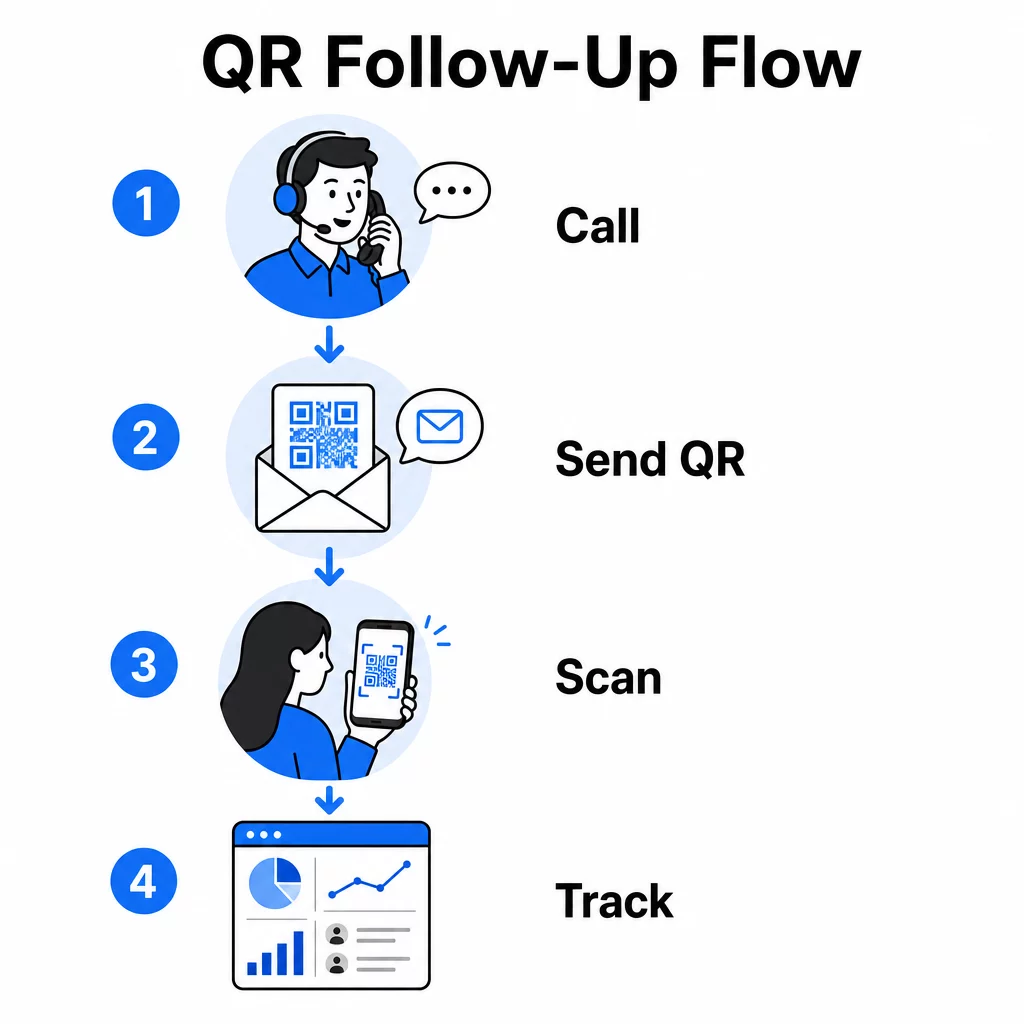
QR-коди вирішують цю проблему, надаючи потенційним клієнтам миттєвий, безперешкодний шлях від розмови до цифрової дії. Незалежно від того, чи надсилаєте ви QR-код через SMS відразу після дзвінка, чи включаєте його в друкований роздатковий матеріал, потенційний клієнт може сканувати та діяти за власним розкладом. Ця зручність зменшує відтік і підтримує залученість ще довго після завершення дзвінка.
QR-коди також надають вашій команді те, чого завжди бракувало традиційному телемаркетингу: вимірювані дані про те, що відбувається після дзвінка. Кожне сканування є подією, що відстежується, надаючи вам уявлення про те, які розмови перетворилися на реальний інтерес, а які кампанії потребують коригування.
Як QR-коди вписуються в робочі процеси телемаркетингу
Під час та після дзвінка
Найефективніші інтеграції QR-кодів відбуваються в природних точках передачі в процесі телемаркетингу. Ось основні точки контакту, де QR-коди додають найбільшу цінність:
- Подальші дії через SMS: Відразу після дзвінка надішліть текстове повідомлення, що містить QR-код, який посилається на відповідну цільову сторінку, огляд продукту або форму реєстрації. Це підтримує імпульс, поважаючи час потенційного клієнта.
- Подальші дії через електронну пошту: Замість того, щоб прикріплювати документи або перераховувати кілька посилань, вбудуйте один QR-код у свій подальший електронний лист, який спрямовує потенційних клієнтів на персоналізовану цільову сторінку. Чистий, сфокусований досвід завжди перевершує захаращену поштову скриньку.
- Друковані матеріали: Якщо ваша команда використовує брошури, односторінкові матеріали або пряму поштову розсилку, включіть QR-код, пов'язаний з продуктом або пропозицією, що обговорювалася під час дзвінка. Потенційні клієнти, які зберігають матеріал, мають швидкий спосіб повторно залучитися.
- Зворотний зв'язок та кваліфікація: Поділіться QR-кодом, який веде до короткої форми, де потенційні клієнти можуть поділитися своїми потребами, термінами або питаннями у власному темпі. Це надає вашій команді продажів кращу інформацію перед наступною точкою контакту.
Ключовий принцип – релевантність. QR-код, який веде безпосередньо до вмісту, обговорюваного під час дзвінка, здається корисним. Загальний QR-код, який перекидає потенційних клієнтів на домашню сторінку, здається недоречним.
Створюйте QR-коди, які відповідають вашій кампанії Використовувати Генератор QR-кодів для посилань для створення кодів, які надсилають потенційних клієнтів безпосередньо на конкретні цільові сторінки, сторінки пропозицій або форми – без обхідних шляхів через домашню сторінку.
Персоналізація QR-кодів за сегментом аудиторії
Однією з практичних переваг QR-кодів у телемаркетингу є можливість адаптувати їх за кампанією або типом аудиторії. Код, надісланий потенційним клієнтам малого бізнесу, може вести до ресурсів, розроблених спеціально для їхнього масштабу, тоді як окремий код для корпоративних контактів спрямовує до кейсів та корпоративних цін.
Така сегментація робить досвід після дзвінка більш персональним і гарантує, що потенційні клієнти отримують контент, який дійсно відповідає їхній ситуації. З динамічні QR-коди, ви можете оновлювати призначення будь-якого коду без повторного друку або надсилання – тож якщо ваша пропозиція змінюється в середині кампанії, код автоматично залишається актуальним.
Вимірювання того, що відбувається після кожного дзвінка
Дані – це те, де QR-коди справді перетворюють телемаркетинг з інтуїтивно керованої діяльності на вимірюваний канал. Кожне сканування генерує точку даних, і за правильного налаштування ці точки даних розповідають послідовну історію про ефективність кампанії.
Основні показники для відстеження включають:
- Загальна кількість сканувань проти унікальних сканувань: Відрізняє загальну активність від індивідуального інтересу потенційного клієнта
- Час сканування: Показує, коли потенційні клієнти взаємодіють після дзвінка, що допомагає уточнити час подальших дій
- Географічні дані: Показує, де зосереджені відповіді, що корисно для регіональних кампаній
- Тип пристрою: Підтверджує, чи правильно відображаються ваші цільові сторінки на пристроях, які фактично використовує ваша аудиторія
Коли ви додаєте UTM-параметри до цільових URL-адрес за вашими QR-кодами, ви можете передавати дані сканування безпосередньо в Google Analytics або вашу CRM. Це дозволяє вам віднести активність воронки продажів до конкретних телемаркетингових кампаній, дзвінків або навіть окремих представників.
Для повного розбору налаштування відстеження та ключових метрик дивіться посібник щодо відстеження сканувань QR-кодів у реальному часі.
Відстежуйте свою кампанію в реальному часі Хочете точно бачити, де і коли ваші потенційні клієнти взаємодіють після дзвінків? Використовуйте панель аналітики QR-кодів для відстеження сканувань за місцезнаходженням, пристроєм та часом – все в одному місці.
Статичні проти динамічних QR-кодів для телемаркетингу
Вибір правильного типу QR-коду впливає як на вашу операційну гнучкість, так і на можливості відстеження. Різниця зводиться до двох факторів: можливості редагування та аналітики.
| ФУНКЦІЯ | Статичний QR-код | Динамічний QR-код |
|---|---|---|
| Призначення можна редагувати після створення | Ні. | Так. |
| Відстеження та аналітика сканування | Ні. | Так. |
| Вартість | Безкоштовно | Потрібна підписка |
| Найкраще для | Фіксований, постійний вміст | Активні кампанії, подальші дії |
Для більшості застосувань у телемаркетингу, динамічні QR-коди є кращим вибором. Кампанії розвиваються – пропозиції змінюються, цільові сторінки оновлюються, а A/B-тести вимагають нових призначень. Динамічний код дозволяє вносити ці зміни, не зв'язуючись з кожним потенційним клієнтом знову і не передруковуючи матеріали. Якщо SMS-повідомлення для подальших дій вже було надіслано, ви все одно можете оновити, куди веде цей QR-код.
Статичні QR-коди добре підходять для контенту, який ніколи не змінюється, наприклад, для постійної сторінки підтримки або фіксованого аркуша специфікацій продукту. Для всього іншого в активній кампанії динамічні коди забезпечують необхідну гнучкість та можливість вимірювання.
Для отримання додаткової інформації про те, коли використовувати кожен тип, дивіться порівняння статичних і динамічних QR-кодів.
Практичні приклади за типом кампанії
Розуміння того, де QR-коди концептуально вписуються, є корисним, але бачення того, як вони співвідносяться з конкретними сценаріями телемаркетингу, робить впровадження простішим.
- Просування вебінару або події: Після дзвінка, що рекламує майбутній вебінар, надішліть QR-код через SMS, який веде безпосередньо на сторінку реєстрації. Видалення кроку пошуку події значно збільшує кількість реєстрацій.
- Обмежені за часом пропозиції: Коли телемаркетолог обговорює термінову знижку, наступний QR-код може вести безпосередньо на сторінку оформлення замовлення або отримання пропозиції з уже застосованою знижкою – перетворюючи виявлений інтерес на завершену транзакцію.
- Кваліфікація потенційних клієнтів: Поділіться QR-кодом, що веде до короткої форми оцінки потреб. Потенційні клієнти заповнюють її у зручний для них час, а ваша команда використовує відповіді для пріоритезації подальших дій та адаптації наступної розмови.
- Збір відгуків: Замість проведення тривалого телефонного опитування, надішліть QR-код на коротку форму зворотного зв'язку відразу після дзвінка. Рівень відповідей покращується, коли формат поважає час потенційного клієнта.
Кожен із цих варіантів використання виграє від мобільно-оптимізованих цільових сторінок. Оскільки кожне сканування відбувається на смартфоні, цільова сторінка повинна швидко завантажуватися та чисто функціонувати на малих екранах. The посібник з найкращих практик для мобільних цільових сторінок з QR-кодами охоплює технічні стандарти, які забезпечують ефективну роботу після сканування.
Створення QR-кодів, які сканують
QR-код, який ніхто не сканує, не приносить жодної цінності. Максимізація показників сканування в контексті телемаркетингу вимагає уваги як до дизайну, так і до контексту.
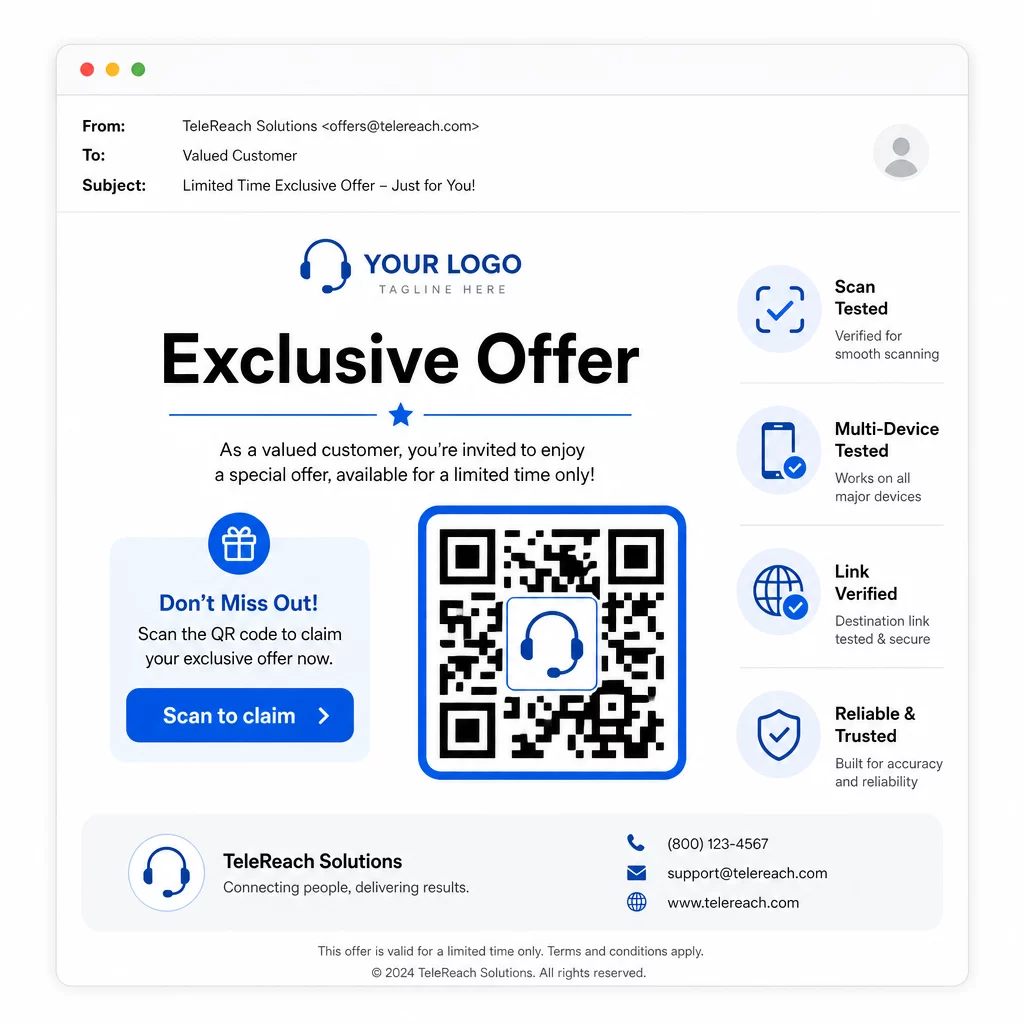
- Додайте логотип вашого бренду: А QR-код з логотипом є більш візуально відмінним і викликає довіру у потенційних клієнтів, які вирішують, чи варто взаємодіяти.
- Використовуйте чіткий заклик до дії: Включіть короткий інструктивний текст біля коду – щось на кшталт “Скануйте для вашої ексклюзивної пропозиції” або “Скануйте для реєстрації” – щоб потенційні клієнти точно знали, що вони отримають.
- Забезпечте достатній контраст: Темні модулі на світлому фоні є основою для надійного сканування в різних умовах освітлення та на камерах пристроїв.
- Тестуйте перед відправкою: Скануйте свій QR-код на кількох пристроях і в тому форматі, в якому він буде фактично доставлений – чи то в SMS, електронному листі, чи в друкованому матеріалі.
Якщо ви хочете перевірити, який дизайн або призначення краще працює з певним сегментом аудиторії, A/B тестування ваших кампаній з QR-кодами з динамічними кодами дозволяє запускати паралельні версії та порівнювати результати без розповсюдження кількох фізичних кодів.
Для вичерпного контрольного списку перед запуском, Маркетинговий чек-лист QR-кодів для малого бізнесу охоплює ключові кроки від встановлення цілей до виконання кампанії.
Міркування щодо відповідності для телемаркетингу
Використання QR-кодів не змінює правову базу, яка регулює те, як ваша команда контактує з потенційними клієнтами. Закон про захист прав споживачів телефонних послуг (TCPA) вимагає попередньої чіткої письмової згоди перед надсиланням маркетингових текстових повідомлень або використанням автоматизованих систем набору номера, а Правило FTC щодо продажу за допомогою телемаркетингу вимагає здійснювати дзвінки лише між 8:00 ранку та 9:00 вечора за місцевим часом для одержувача. Телемаркетологи також повинні дотримуватися Національного реєстру "Не дзвонити" та вести власні внутрішні списки "не дзвонити".
Якщо ваш наступний QR-код доставляється через SMS, це повідомлення підпадає під ті ж вимоги TCPA, що й будь-який інший маркетинговий текст. Згода повинна бути отримана перед надсиланням будь-яких повідомлень, що містять код, на мобільні телефони.
Самі QR-коди є нейтральним механізмом доставки – їхні наслідки щодо відповідності повністю залежать від того, як і кому вони розповсюджуються. QR-коди надають телемаркетинговим кампаніям те, чого їм історично бракувало: вимірюваний, гнучкий зв'язок між тим, що відбувається по телефону, і тим, що відбувається далі. Коли ви поєднуєте потужне охоплення з відстежуваним цифровим подальшим виконанням, ви створюєте повну картину ефективності кампанії та кращий досвід для людей, яких ви намагаєтеся охопити.
Почніть з Генератор QR-кодів щоб створити свій перший код, готовий до кампанії, або дослідити рішеннями QR-кодів за галузями щоб побачити, як інші сектори застосовують той самий підхід.
Поширені запитання
Так, якщо ви використовуєте динамічний QR-код. Динамічні коди вказують на коротку URL-адресу перенаправлення, яку можна змінити в будь-який час, навіть після того, як код було розповсюджено через SMS, електронну пошту або друковані матеріали. Сам фізичний код залишається незмінним – змінюється лише призначення. Це означає, що ви можете оновити пропозицію, виправити непрацююче посилання або замінити цільову сторінку, не зв'язуючись з потенційними клієнтами знову.
Динамічні QR-коди реєструють дані на рівні сканування, включаючи загальну кількість сканувань, кількість унікальних сканувань, часові мітки, географічне розташування (зазвичай на рівні міста) та тип пристрою (iOS, Android, настільний комп'ютер). Коли ви додаєте UTM-параметри до цільових URL-адрес, ці дані також можуть надходити в Google Analytics або вашу CRM, дозволяючи вам безпосередньо приписувати конверсії певним кампаніям або дзвінкам.
Сам QR-код не регулюється, але SMS, що його містить, – так. Згідно із Законом про захист прав споживачів телефонних послуг, надсилання маркетингового текстового повідомлення на мобільний телефон за допомогою автоматизованої системи вимагає попередньої чіткої письмової згоди від одержувача. Також застосовуються Правило FTC щодо продажу за допомогою телемаркетингу та Національний реєстр "Не дзвонити". Якщо ваш робочий процес подальшої взаємодії передбачає надсилання QR-коду потенційним клієнтам через текстове повідомлення, це повідомлення повинно відповідати тим самим правилам, що й будь-який інший маркетинговий текст.