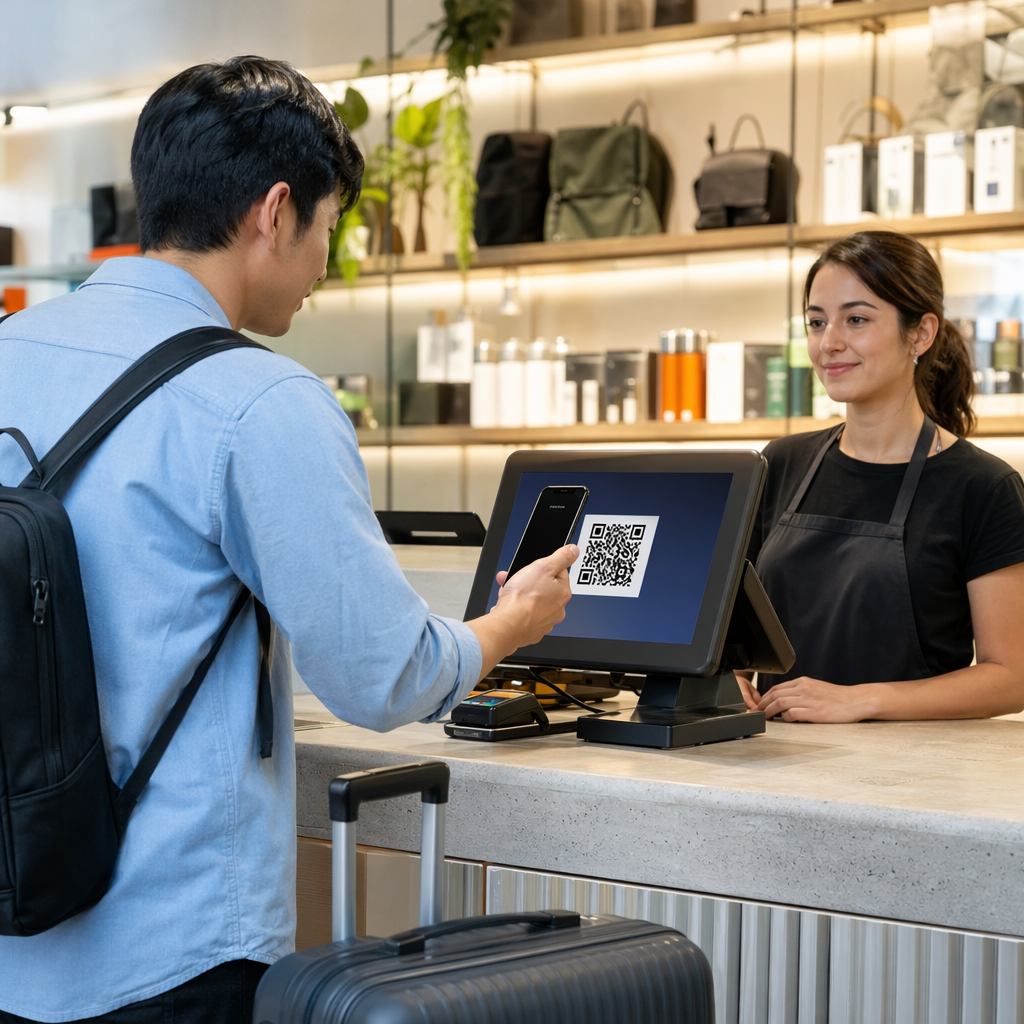
Are you struggling to capture sales from international travelers who prefer mobile wallets over traditional credit cards? Excluding these popular global payment methods can lead to high cart abandonment rates and missed revenue at checkout. This guide explains the technical steps and API requirements to integrate Alipay and WeChat Pay QR codes into your payment workflow for a seamless customer experience.
Technical Foundations of QR Code Payments
Modern payment workflows for Alipay and WeChat Pay typically rely on a merchant-presented mode. In this scenario, your system generates a unique QR code for each transaction, which the customer then scans using their mobile app. This method is highly effective for both physical retail and digital storefronts because it removes the need for expensive card-reading hardware and reduces transaction friction.
When a customer uses a mobile wallet to pay, the transaction data is transmitted through encrypted channels to the payment provider. Using QR codes for payments allows for instant confirmation, as the provider notifies your backend the moment the user authorizes the funds. This real-time feedback loop is essential for businesses that need to trigger immediate order fulfillment or provide instant digital receipts.
Merchant Account Setup and API Requirements
Before you can generate a single payment code, you must register as a merchant with the respective platforms. For Alipay, U.S.-based businesses generally need to provide business registration paperwork, tax identification numbers, and bank account details. WeChat Pay requires similar documentation through the Tencent merchant portal, including proof of compliance with the PCI-DSS compliance guide to ensure the security of the payment environment.
Once your accounts are approved, you will be issued critical API credentials. These typically include:
- A Unique Merchant ID (MCHID) or App ID.
- API Keys or Secret Keys for request signing.
- Webhook URLs for receiving asynchronous payment notifications.
- Certificate files for secure RSA or SHA-256 communication.
These credentials allow your server to communicate with the payment gateways. For WeChat Pay, you will likely use the Native Payment Order Placement (v3) or Unified Order (v2) APIs. These interfaces require specific fields like `outtradeno` (your unique transaction ID), `totalfee`, and `notifyurl` to successfully initiate a transaction.
Generating Dynamic Payment QR Codes
The most secure way to handle transactions is through dynamic QR codes. Unlike a static code that always points to the same destination, a dynamic code is generated specifically for a single order. When your backend calls the Alipay or WeChat Pay API, the provider returns a `code_url` or an `orderCodeForm`. Your system then uses a QR code generator to turn that URL into a scannable image for the customer.
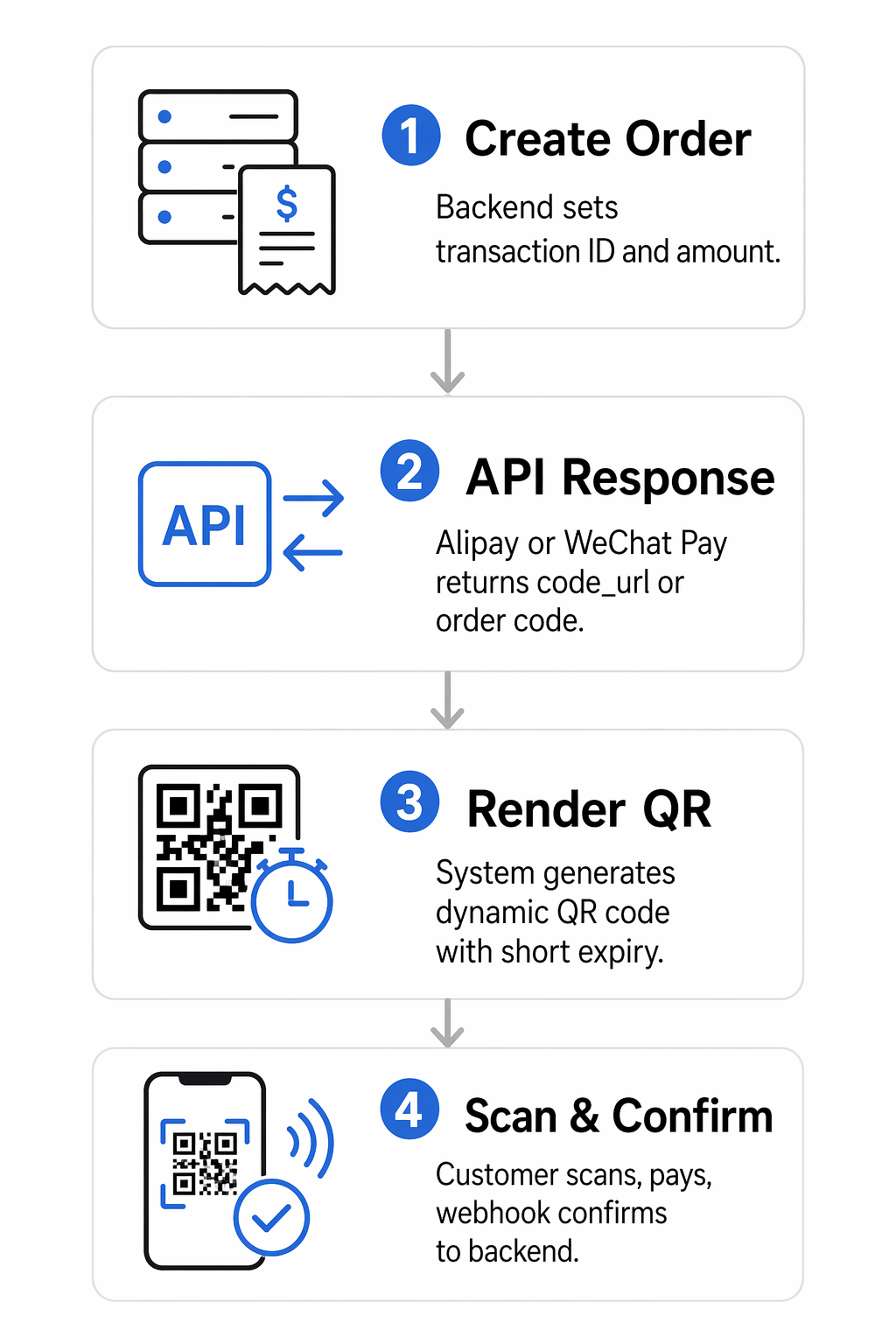
Dynamic codes offer significant security advantages. For instance, the `paymentExpiryTime` parameter can be set so the code expires after a few minutes, preventing unauthorized use of old transaction links. Additionally, dynamic QR codes allow you to track scan data in real time, giving you insight into when and where your customers are engaging with your payment touchpoints.
Create Secure Payment Codes Instantly Want to generate trackable and branded QR codes for your checkout process? Use the Dynamic QR Code Generator to build secure payment flows and monitor transaction performance today.
Security, Compliance, and Signature Validation
Security is the most critical component of payment integration. Both Alipay and WeChat Pay require all API requests and responses to be signed. This process involves creating a signature string based on the request method, URI, and body, then encrypting it with your private key. The payment provider uses your public key to verify that the message has not been tampered with during transit.
Beyond encryption, you must be aware of the risks in QR payments, such as malicious code replacement. To mitigate these risks:
- Always validate the signature of incoming webhooks to ensure they actually originated from the payment provider.
- Use TLS 1.2 or higher for all server-to-server communication.
- Implement rate limiting on your payment initiation endpoints to prevent brute-force attacks.
- Regularly audit your logs for unusual patterns, such as a high volume of initiated orders that never reach the payment confirmation stage.
By following these protocols, you ensure that your integration remains compliant with global financial regulations and protects your customers’ sensitive data.
Integration Scenarios for POS and E-commerce
In a physical retail setting, you can display the generated QR code on a customer-facing screen or print it directly onto a receipt. This allows the customer to scan a QR code in WeChat or Alipay instantly. For older POS systems that lack screens, many merchants use a printed “Payment Station” flyer that features a dynamic display or integrates with a third-party processor like Stripe to bridge the gap between physical and digital payments.
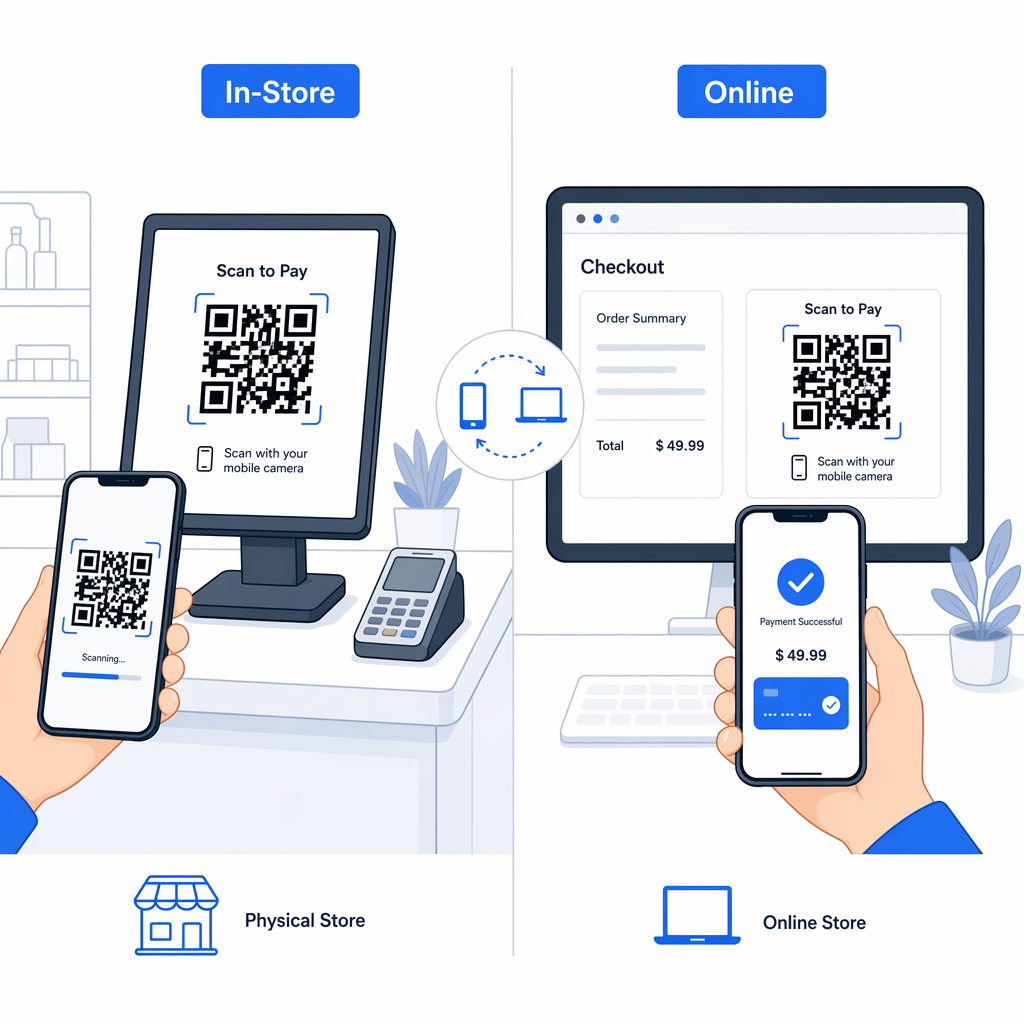
For online stores, QR codes for e-commerce are typically embedded on the final checkout page. When the user selects Alipay or WeChat Pay as their method, the screen updates to show the transaction code. Once the customer scans and pays on their phone, the website uses a webhook to automatically redirect the user to a “Thank You” or confirmation page. This cross-device interaction has been shown to improve conversion rates, as seen in various e-commerce case studies where mobile wallet adoption simplified the user journey.
Before going live, always test your workflow in a sandbox environment. This allows you to simulate successful payments, expired codes, and refund scenarios without moving real currency. Once you are confident in the stability of your API calls, you can switch to the production environment and begin accepting global mobile payments.
Frequently Asked Questions
Static codes contain a fixed link and are often used for simple peer-to-peer transfers, while dynamic codes are generated for each specific transaction. Dynamic codes are more secure because they include unique order IDs and can be set to expire after a certain period.
No, customers use the built-in scanners within the Alipay or WeChat apps. Merchants can also verify the status of a transaction using a standard QR code scanner if they need to check the raw data during the testing or debugging phase.
Alipay and WeChat Pay typically handle the conversion from Chinese Yuan (CNY) to your local currency, such as USD, at the time of the transaction. You should check your merchant agreement for the specific exchange rates and settlement terms provided by your acquirer.