A telemarketing hívásai érdeklődést keltenek, de lendületüket vesztik, amint a beszélgetés véget ér? Az ígéretes telefonhívás és a befejezett művelet közötti szakadék az, ahol a legtöbb potenciális ügyfél elveszik. Ez az útmutató megmutatja, hogyan használhatja a QR-kódokat e szakadék áthidalására – összekötve az élő megkeresést a nyomon követhető digitális utókövetéssel.
Miért van szüksége a telemarketingnek digitális hídra?
A telefonos megkeresés még mindig működik, de ritkán zárul le önmagában. Egy potenciális ügyfél érdeklődhet a hívás során, mégis elmulasztja a nyomon követést, mert a következő lépés túl sok erőfeszítést igényel – URL beírása, céloldal keresése vagy e-mailre várás.
A QR-kódok ezt úgy oldják meg, hogy azonnali, súrlódásmentes utat biztosítanak a potenciális ügyfeleknek a beszélgetéstől a digitális műveletig. Akár SMS-ben küld el egy QR-kódot közvetlenül a hívás után, akár egy nyomtatott anyagba foglalja bele, a potenciális ügyfél a saját ütemterve szerint szkennelhet és cselekedhet. Ez a kényelem csökkenti a lemorzsolódást, és életben tartja az elkötelezettséget jóval a hívás befejezése után is.
A QR-kódok emellett olyat is adnak a csapatának, ami a hagyományos telemarketingből mindig hiányzott: mérhető adatokat arról, hogy mi történik a hívás után. Minden szkennelés egy nyomon követhető esemény, amely betekintést nyújt abba, hogy mely beszélgetések váltottak ki valódi érdeklődést, és mely kampányok igényelnek módosítást.
Hogyan illeszkednek a QR-kódok a telemarketing munkafolyamatokba?
A hívás alatt és után
A leghatékonyabb QR-kód integrációk a telemarketing folyamat természetes átadási pontjain történnek. Íme a fő érintkezési pontok, ahol a QR-kódok a legnagyobb értéket adják:
- SMS-es utókövetés: Közvetlenül a hívás után küldjön egy szöveges üzenetet, amely egy QR-kódot tartalmaz, és amely egy releváns céloldalra, termékáttekintésre vagy regisztrációs űrlapra mutat. Ez fenntartja a lendületet, miközben tiszteletben tartja a potenciális ügyfél idejét.
- E-mail utókövetés: A dokumentumok csatolása vagy több link felsorolása helyett ágyazzon be egyetlen QR-kódot az utókövető e-mailjébe, amely a potenciális ügyfeleket egy személyre szabott céloldalra irányítja. A tiszta, fókuszált élmény minden alkalommal felülmúlja a zsúfolt beérkező leveleket.
- Nyomtatott anyagok: Ha csapata brosúrákat, egyoldalas anyagokat vagy direkt marketing leveleket használ, mellékeljen egy QR-kódot, amely ahhoz a termékhez vagy ajánlathoz kapcsolódik, amelyet a hívás során megvitattak. Azok a potenciális ügyfelek, akik megtartják az anyagot, gyorsan újra kapcsolatba léphetnek.
- Visszajelzés és minősítés: Osszon meg egy QR-kódot, amely egy rövid űrlapra vezet, ahol a potenciális ügyfelek a saját tempójukban oszthatják meg igényeiket, ütemtervüket vagy kérdéseiket. Ez jobb információkat biztosít az értékesítési csapatának a következő érintkezési pont előtt.
A kulcsfontosságú elv a relevancia. Egy QR-kód, amely közvetlenül a hívás során megvitatott tartalomra vezet, hasznosnak tűnik. Egy általános QR-kód, amely a potenciális ügyfeleket egy kezdőlapra dobja, utólagos gondolatnak tűnik.
Hozzon létre a kampányához illeszkedő QR-kódokat Használja a Link QR-kód generátor olyan kódok létrehozására, amelyek közvetlenül meghatározott céloldalakra, ajánlati oldalakra vagy űrlapokra irányítják a potenciális ügyfeleket – a kezdőlap kikerülésével.
QR-kódok személyre szabása közönségszegmens szerint
A QR-kódok egyik gyakorlati erőssége a telemarketingben az, hogy kampány vagy közönségtípus szerint testre szabhatók. A kisvállalkozások potenciális ügyfeleinek küldött kód olyan forrásokhoz vezethet, amelyeket kifejezetten az ő méretükre terveztek, míg a nagyvállalati kapcsolattartók számára külön kód az esettanulmányokhoz és a nagyvállalati árakhoz irányít.
Ez a szegmentálás személyesebbé teszi a hívás utáni élményt, és biztosítja, hogy a potenciális ügyfelek valóban releváns tartalmat kapjanak a helyzetükhöz. A dinamikus QR kódok, segítségével bármely kód célját frissítheti újranyomtatás vagy újraküldés nélkül – így ha az ajánlata megváltozik a kampány közepén, a kód automatikusan naprakész marad.
A hívások utáni események mérése
Az adatok azok, ahol a QR-kódok valóban átalakítják a telemarketinget egy intuícióvezérelt tevékenységből mérhető csatornává. Minden szkennelés adatpontot generál, és megfelelő beállítással ezek az adatpontok koherens történetet mesélnek el a kampány teljesítményéről.
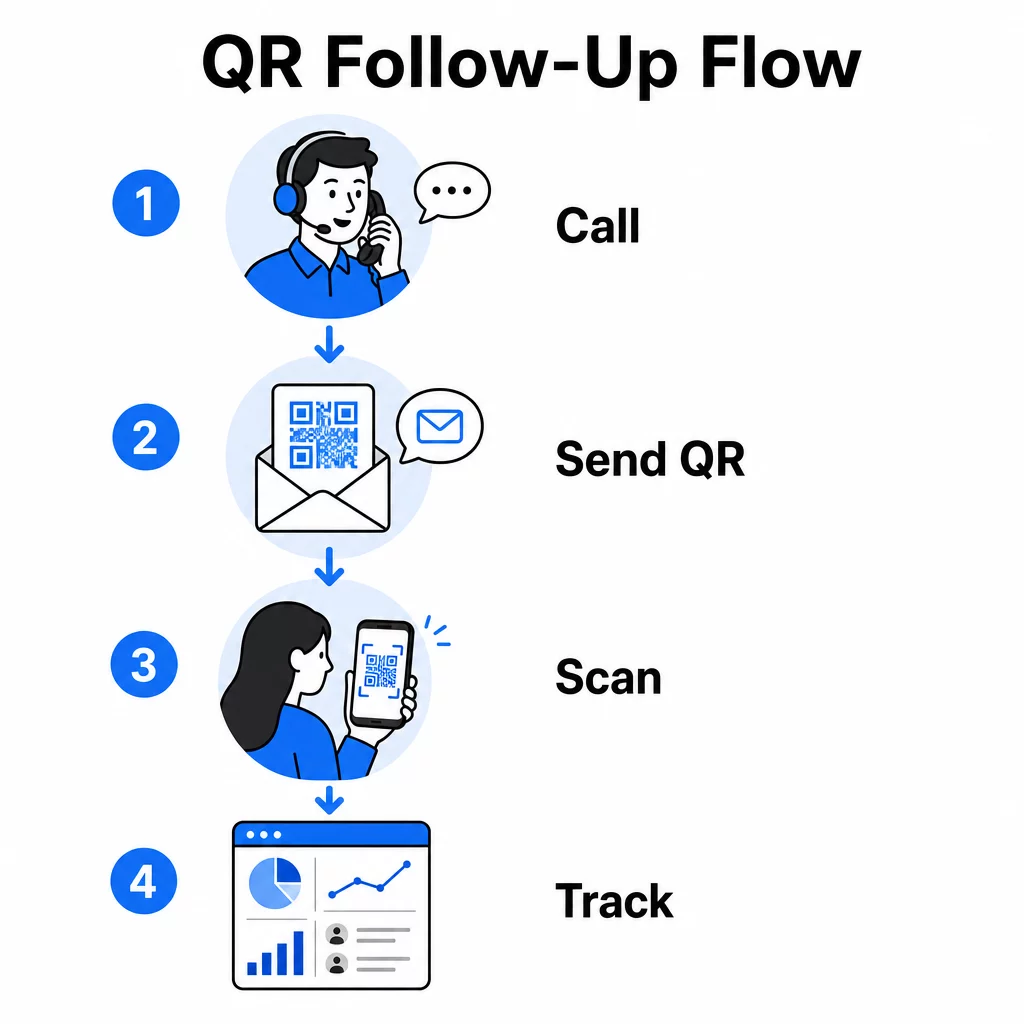
A nyomon követendő alapvető mutatók a következők:
- Összes szkennelés vs. egyedi szkennelések: Megkülönbözteti az általános tevékenységet az egyéni potenciális ügyfél érdeklődésétől
- Szkennelési időzítés: Feltárja, hogy a potenciális ügyfelek mikor lépnek kapcsolatba a hívás után, ami segít finomítani a nyomon követés időzítését
- Földrajzi adatok: Megmutatja, hol koncentrálódnak a válaszok, ami hasznos a regionális kampányokhoz
- Eszköztípus: Megerősíti, hogy a céloldalai helyesen jelennek-e meg azokon az eszközökön, amelyeket a közönsége ténylegesen használ
Amikor hozzáfűzi a UTM paraméterek a QR-kódjai mögötti cél URL-ekhez, közvetlenül átadhatja a szkennelési adatokat a Google Analyticsbe vagy a CRM-jébe. Ez lehetővé teszi, hogy a pipeline tevékenységet visszavezesse konkrét telemarketing kampányokhoz, hívásokhoz, vagy akár egyéni képviselőkhöz.
A nyomon követés beállításának és a kulcsfontosságú mérőszámok teljes áttekintéséért lásd az útmutatót a QR-kód szkennelések valós idejű nyomon követéséről.
Kampányának valós idejű nyomon követése Pontosan látni szeretné, hol és mikor lépnek interakcióba az érdeklődői a hívások után? Használja a QR-kód analitikai irányítópultot a szkennelések nyomon követésére hely, eszköz és időpont szerint – mindezt egy helyen.
Statikus vs. dinamikus QR-kódok telemarketinghez
A megfelelő QR-kód típus kiválasztása befolyásolja mind az operatív rugalmasságot, mind a nyomon követési képességet. A különbség két tényezőre vezethető vissza: szerkeszthetőség és analitika.
| FUNKCIÓ | Statikus QR-kód | Dinamikus QR-kód |
|---|---|---|
| Cél szerkeszthető létrehozás után | Nem | Igen |
| Szkenneléskövetés és elemzés | Nem | Igen |
| Költségek | Ingyenes | Előfizetés szükséges |
| Legjobb: | Rögzített, állandó tartalom | Aktív kampányok, utókövetések |
A legtöbb telemarketing alkalmazás esetén, dinamikus QR kódok a jobb választás. A kampányok fejlődnek – az ajánlatok változnak, a céloldalak frissülnek, és az A/B tesztek új célokat igényelnek. A dinamikus kód lehetővé teszi ezeket a változtatásokat anélkül, hogy minden érdeklődőt újra fel kellene vennie, vagy újra kellene nyomtatnia az anyagokat. Ha már kiküldtek egy utókövető SMS-t, akkor is frissítheti, hová vezet az a QR-kód.
A statikus QR-kódok jól működnek olyan tartalom esetén, amely soha nem változik, például egy állandó támogatási oldal vagy egy rögzített termékspecifikációs lap. Minden más aktív kampány esetén a dinamikus kódok biztosítják a szükséges rugalmasságot és mérési képességet.
Részletesebb információkért arról, hogy mikor melyik típust érdemes használni, lásd a statikus vs. dinamikus QR-kód összehasonlítás.
Gyakorlati példák kampánytípus szerint
Annak megértése, hogy a QR-kódok hol illeszkednek koncepcionálisan, hasznos, de ha látjuk, hogyan illeszkednek konkrét telemarketing forgatókönyvekhez, az egyszerűsíti a megvalósítást.
- Webinár vagy esemény promóciója: Egy közelgő webináriumot népszerűsítő hívás után küldjön egy QR-kódot SMS-ben, amely közvetlenül a regisztrációs oldalra mutat. Az esemény keresésének lépésének eltávolítása drámaian növeli a regisztrációs arányt.
- Korlátozott idejű ajánlatok: Amikor egy telemarketinges időérzékeny kedvezményről beszél, egy utólagos QR-kód közvetlenül egy fizetési vagy igénylési oldalra mutathat, ahol az ajánlat már előre alkalmazva van – ezzel a kifejezett érdeklődést befejezett tranzakcióvá alakítva.
- Érdeklődők minősítése: Osszon meg egy QR-kódot, amely egy rövid igényfelmérő űrlapra mutat. Az érdeklődők kényelmük szerint kitöltik, és csapata a válaszokat felhasználja a nyomon követés prioritásainak meghatározására és a következő beszélgetés személyre szabására.
- Visszajelzés gyűjtése: Hosszadalmas telefonos felmérés helyett küldjön egy QR-kódot egy rövid visszajelzési űrlapra közvetlenül a hívás után. A válaszadási arányok javulnak, ha a formátum tiszteletben tartja az érdeklődő idejét.
Ezen felhasználási esetek mindegyike profitál a mobilra optimalizált céloldalakból. Mivel minden beolvasás okostelefonon történik, a céloldalnak gyorsan be kell töltenie és tisztán kell működnie kis képernyőkön. A mobil QR-kód céloldal legjobb gyakorlatok útmutatója lefedi azokat a technikai szabványokat, amelyek biztosítják a beolvasás utáni élmény működését.
Beolvasható QR-kódok készítése
Egy olyan QR-kód, amelyet senki sem olvas be, nem nyújt értéket. A beolvasási arányok maximalizálása telemarketing környezetben figyelmet igényel mind a tervezésre, mind a kontextusra.
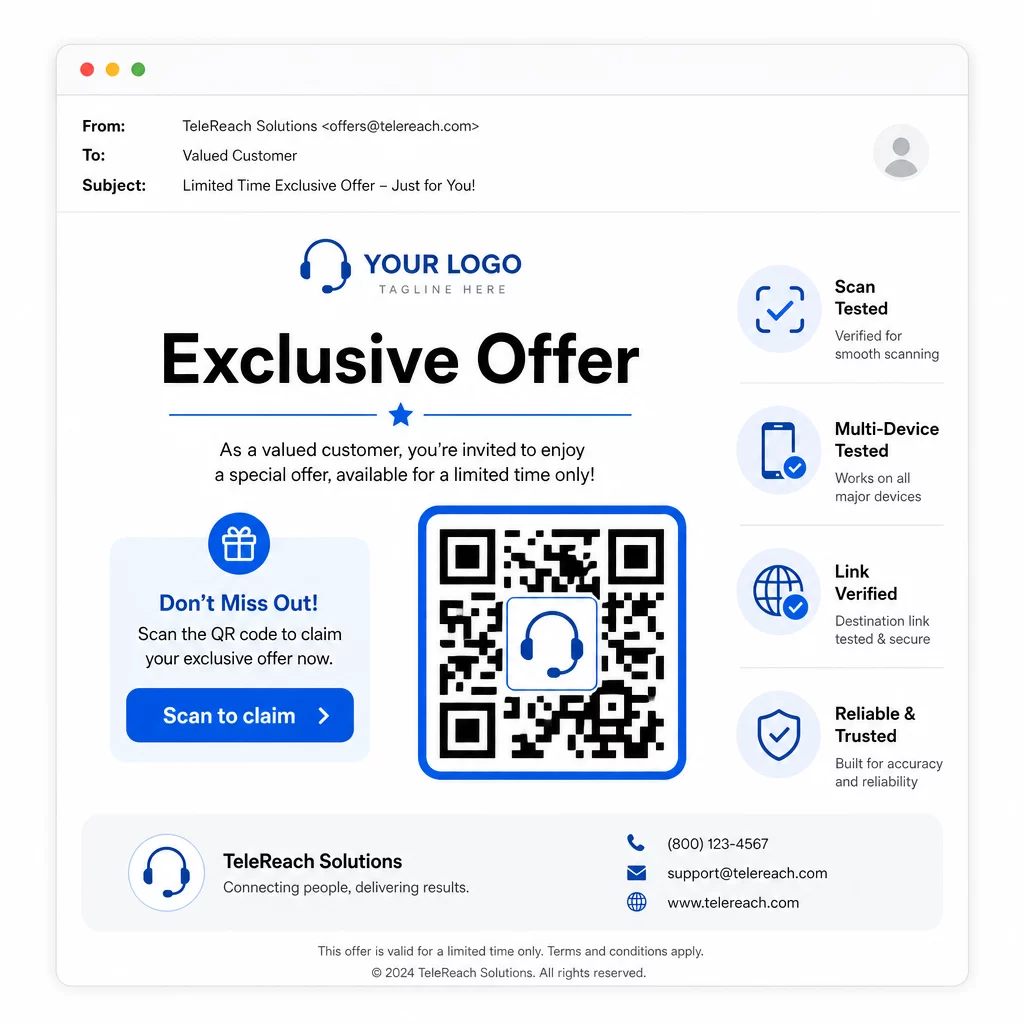
- Adja hozzá márkája logóját: A QR kód logóval vizuálisan megkülönböztetőbb, és bizalmat épít az érdeklődőkben, akik eldöntik, hogy részt vesznek-e.
- Használjon egyértelmű cselekvésre ösztönzést: Tartalmazzon rövid útmutató szöveget a kód közelében – például “Olvassa be exkluzív ajánlatáért” vagy “Olvassa be a regisztrációhoz” – így az érdeklődők pontosan tudják, mit kapnak.
- Biztosítson elegendő kontrasztotSötét modulok világos háttéren jelentik az alapját a megbízható szkennelésnek különböző fényviszonyok és eszköz kamerák esetén.
- Tesztelje küldés előttSzkennelje be QR-kódját több eszközön és abban a formátumban, ahogyan ténylegesen kézbesítésre kerül – legyen az SMS-ben, e-mailben vagy nyomtatott anyagban.
Ha tesztelni szeretné, melyik design vagy célállomás teljesít jobban egy adott közönségszegmensnél, A/B tesztelje QR-kód kampányait dinamikus kódokkal lehetővé teszi, hogy párhuzamos verziókat futtasson és összehasonlítsa az eredményeket anélkül, hogy több fizikai kódot terjesztene.
Egy átfogó indulás előtti ellenőrzőlistához a QR-kód marketing ellenőrzőlista kisvállalkozások számára lefedi a kulcsfontosságú lépéseket a célkitűzéstől a kampány végrehajtásáig.
Megfelelőségi szempontok a telemarketinghez
A QR-kódok használata nem változtatja meg azt a jogi keretet, amely szabályozza, hogy csapata hogyan lép kapcsolatba a potenciális ügyfelekkel. A Telephone Consumer Protection Act (TCPA) előzetes írásbeli hozzájárulást ír elő marketing SMS-ek küldése vagy automatizált tárcsázó rendszerek használata előtt, az FTC Telemarketing Sales Rule pedig előírja, hogy a hívásokat csak a címzett helyi ideje szerint reggel 8:00 és este 9:00 óra között lehet kezdeményezni. A telemarketingeseknek tiszteletben kell tartaniuk a Nemzeti Ne Hívjon Nyilvántartást (National Do Not Call Registry), és saját belső ne hívjon listákat kell fenntartaniuk.
Ha a nyomon követő QR-kód SMS-ben kerül kézbesítésre, az üzenetre ugyanazok a TCPA követelmények vonatkoznak, mint bármely más marketing SMS-re. Hozzájárulást kell szerezni, mielőtt bármilyen kódot tartalmazó üzenetet küldene mobiltelefonokra.
A QR-kódok önmagukban semleges kézbesítési mechanizmusok – megfelelőségi következményeik teljes mértékben attól függnek, hogyan és kinek terjesztik őket. A QR-kódok olyasmit adnak a telemarketing kampányoknak, ami történelmileg hiányzott belőlük: mérhető, rugalmas kapcsolatot az között, ami a telefonon történik, és ami ezután következik. Amikor az erős elérést nyomon követhető digitális utókövetéssel párosítja, teljes képet kap a kampány teljesítményéről és jobb élményt nyújt azoknak az embereknek, akiket megpróbál elérni.
Kezdje el a QR Kód Generátor hogy elkészítse első kampányra kész kódját, vagy fedezze fel QR-kód megoldásokat iparágak szerint hogy lássa, más szektorok hogyan alkalmazzák ugyanezt a megközelítést.
Gyakori kérdések
Igen, ha dinamikus QR-kódot használ. A dinamikus kódok egy rövid átirányítási URL-re mutatnak, amely bármikor megváltoztatható, még azután is, hogy a kódot SMS-ben, e-mailben vagy nyomtatásban terjesztették. Maga a fizikai kód változatlan marad – csak a cél változik. Ez azt jelenti, hogy frissítheti az ajánlatot, kijavíthat egy hibás linket, vagy lecserélhet egy céloldalt anélkül, hogy újra kapcsolatba lépne a potenciális ügyfelekkel.
Dinamikus QR-kódok naplózzák a szkennelési szintű adatokat, beleértve az összes szkennelés számát, az egyedi szkennelések számát, az időbélyegeket, a földrajzi helyet (jellemzően városi szinten) és az eszköz típusát (iOS, Android, asztali). Amikor UTM paramétereket ad hozzá a cél URL-jeihez, ezek az adatok beáramolhatnak a Google Analyticsbe vagy a CRM-jébe is, lehetővé téve, hogy a konverziókat közvetlenül meghatározott kampányokhoz vagy hívásokhoz rendelje.
Maga a QR-kód nem szabályozott, de az azt tartalmazó SMS igen. A Telephone Consumer Protection Act értelmében marketing szöveges üzenet küldése mobiltelefonra automatizált rendszer használatával előzetes írásbeli hozzájárulást igényel a címzettől. Az FTC Telemarketing Sales Rule és a Nemzeti Ne Hívjon Nyilvántartás (National Do Not Call Registry) is alkalmazandó. Ha a nyomon követési munkafolyamata magában foglalja egy QR-kód elküldését SMS-ben a potenciális ügyfeleknek, akkor az üzenetnek meg kell felelnie ugyanazoknak a szabályoknak, mint bármely más marketing szöveges üzenetnek.