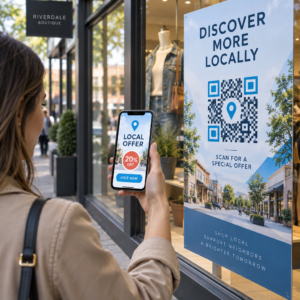
Apelurile tale de telemarketing generează interes, dar își pierd avântul odată ce conversația se încheie? Acest decalaj dintre un apel telefonic promițător și o acțiune finalizată este locul unde majoritatea lead-urilor se pierd. Acest ghid îți arată cum să folosești codurile QR pentru a închide acest decalaj – conectând contactul direct cu o urmărire digitală trasabilă.
De ce telemarketingul are nevoie de o punte digitală
Contactul telefonic încă funcționează, dar rareori finalizează de unul singur. Un potențial client ar putea fi interesat în timpul unui apel, dar să nu reușească să dea curs pentru că pasul următor necesită prea mult efort – tastarea unei adrese URL, căutarea unei pagini de destinație sau așteptarea unui e-mail.
Codurile QR rezolvă acest lucru oferind potențialilor clienți o cale instantanee, fără fricțiuni, de la conversație la o acțiune digitală. Indiferent dacă trimiți un cod QR prin SMS imediat după un apel sau îl incluzi într-un material tipărit, potențialul client poate scana și acționa conform propriului program. Această comoditate reduce abandonul și menține implicarea vie mult timp după încheierea apelului.
Codurile QR oferă, de asemenea, echipei tale ceva ce telemarketingul tradițional a lipsit întotdeauna: date măsurabile despre ce se întâmplă după apel. Fiecare scanare este un eveniment trasabil, oferindu-ți vizibilitate asupra căror conversații s-au transformat în interes real și ce campanii necesită ajustări.
Cum se integrează codurile QR în fluxurile de lucru ale telemarketingului
În timpul și după apel
Cele mai eficiente integrări de coduri QR au loc în punctele naturale de transfer din procesul de telemarketing. Iată principalele puncte de contact unde codurile QR adaugă cea mai mare valoare:
- Urmărire prin SMS: Imediat după un apel, trimite un mesaj text care conține un cod QR ce duce la o pagină de destinație relevantă, o prezentare a produsului sau un formular de înscriere. Acest lucru menține avântul, respectând în același timp timpul potențialului client.
- Urmărire prin e-mail: În loc să atașezi documente sau să listezi mai multe linkuri, încorporează un singur cod QR în e-mailul tău de urmărire care direcționează potențialii clienți către o pagină de destinație personalizată. O experiență curată, concentrată, depășește de fiecare dată un inbox aglomerat.
- Materiale tipărite: Dacă echipa ta folosește broșuri, materiale de o pagină sau corespondență directă, include un cod QR legat de produsul sau oferta discutată în timpul apelului. Potențialii clienți care păstrează materialul au o modalitate rapidă de a se reangaja.
- Feedback și calificare: Partajează un cod QR care duce la un formular scurt unde potențialii clienți își pot împărtăși nevoile, termenele sau întrebările în ritmul lor propriu. Acest lucru oferă echipei tale de vânzări informații mai bune înainte de următorul punct de contact.
Principiul cheie este relevanța. Un cod QR care duce direct la conținutul discutat în timpul apelului pare util. Un cod QR generic care trimite potențialii clienți pe o pagină principală pare o idee ulterioară.
Creați coduri QR care se potrivesc campaniei dumneavoastră Folosește Generator de coduri QR pentru linkuri pentru a construi coduri care trimit potențialii clienți direct către pagini de destinație specifice, pagini de oferte sau formulare – fără ocoluri prin pagina principală.
Personalizarea codurilor QR în funcție de segmentul de public
Una dintre punctele forte practice ale codurilor QR în telemarketing este capacitatea de a le adapta în funcție de campanie sau tip de public. Un cod trimis potențialilor clienți din afaceri mici poate duce la resurse concepute special pentru scara lor, în timp ce un cod separat pentru contactele din întreprinderi mari direcționează către studii de caz și prețuri pentru întreprinderi.
Această segmentare face ca experiența post-apel să se simtă mai personală și asigură că potențialii clienți primesc conținut care este de fapt relevant pentru situația lor. Cu codurile QR dinamice, puteți actualiza destinația oricărui cod fără a-l retipări sau retrimite – astfel încât, dacă oferta dumneavoastră se modifică în timpul campaniei, codul rămâne actualizat automat.
Măsurarea a ceea ce se întâmplă după fiecare apel
Datele sunt locul unde codurile QR transformă cu adevărat telemarketingul dintr-o activitate bazată pe intuiție într-un canal măsurabil. Fiecare scanare generează un punct de date, iar cu o configurare corectă, acele puncte de date spun o poveste coerentă despre performanța campaniei.
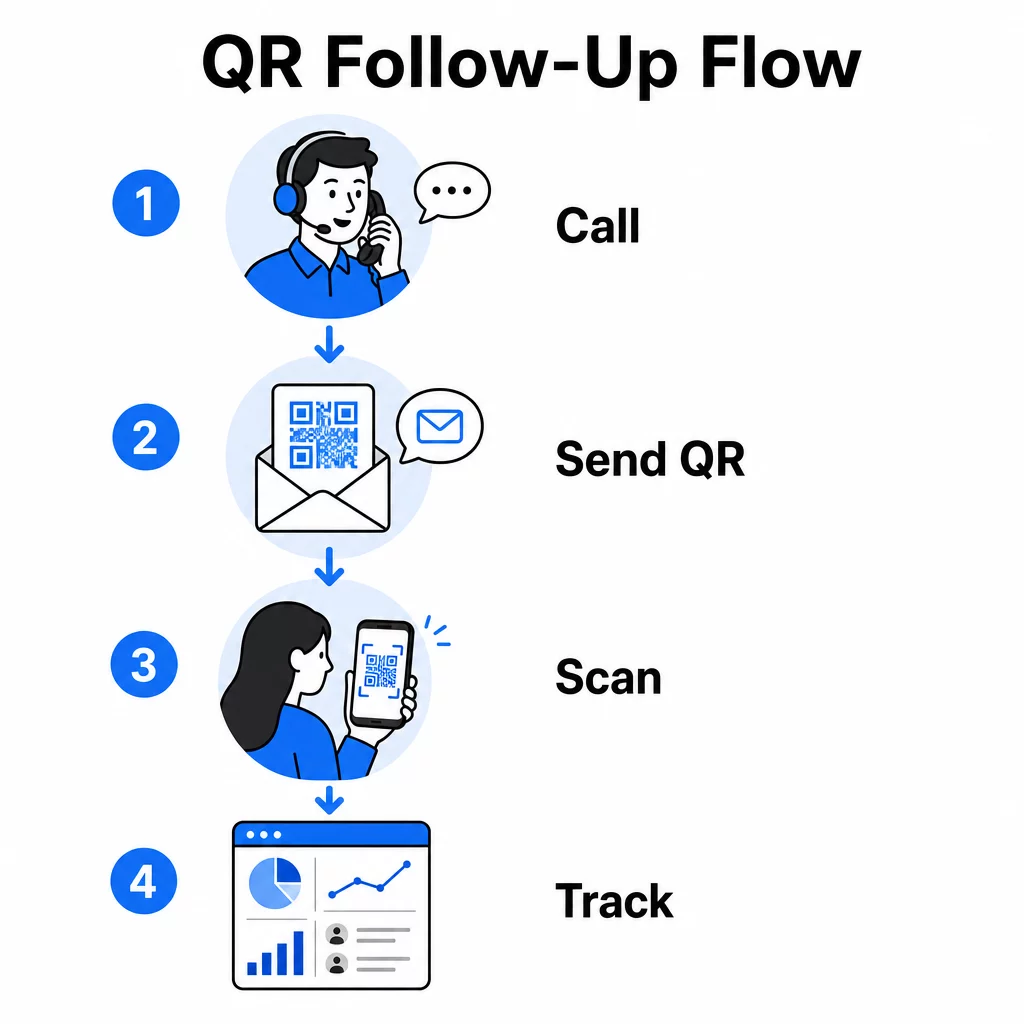
Metricile cheie de urmărit includ:
- Scanări totale vs. scanări unice: Distinge activitatea generală de interesul individual al potențialilor clienți
- Momentul scanării: Dezvăluie când potențialii clienți se angajează după un apel, ceea ce ajută la rafinarea momentului urmăririi
- Date geografice: Arată unde sunt concentrate răspunsurile, util pentru campaniile regionale
- Tipul dispozitivului: Confirmă dacă paginile dumneavoastră de destinație se randează corect pentru dispozitivele pe care publicul dumneavoastră le utilizează efectiv
Când adăugați parametrilor UTM la URL-urile de destinație din spatele codurilor dumneavoastră QR, puteți transmite datele de scanare direct în Google Analytics sau în CRM-ul dumneavoastră. Acest lucru vă permite să atribuiți activitatea din pipeline campaniilor specifice de telemarketing, apelurilor sau chiar reprezentanților individuali.
Pentru o defalcare completă a configurării urmăririi și a indicatorilor cheie, consultați ghidul despre urmărirea scanărilor codurilor QR în timp real.
Monitorizează-ți Campania în Timp Real Doriți să vedeți exact unde și când interacționează prospecții dvs. după apeluri? Utilizați tabloul de bord Analiză Coduri QR pentru a urmări scanările după locație, dispozitiv și moment – totul într-un singur loc.
Coduri QR statice vs. dinamice pentru telemarketing
Alegerea tipului corect de cod QR afectează atât flexibilitatea operațională, cât și capacitatea de urmărire. Diferența se reduce la doi factori: editabilitate și analiză.
| FUNCȚIE | Cod QR static | Cod QR dinamic |
|---|---|---|
| Destinație editabilă după creare | Nu | Da |
| Urmărirea și analiza scanărilor | Nu | Da |
| Cost | Gratuit | Abonament necesar |
| Cel mai bun pentru | Conținut fix, permanent | Campanii active, follow-up-uri |
Pentru majoritatea aplicațiilor de telemarketing, codurile QR dinamice sunt alegerea mai bună. Campaniile evoluează – ofertele se schimbă, paginile de destinație sunt actualizate, iar testele A/B necesită noi destinații. Un cod dinamic vă permite să faceți aceste modificări fără a contacta din nou fiecare prospect sau a retipări materiale. Dacă un SMS de follow-up a fost deja trimis, puteți totuși actualiza unde duce acel cod QR.
Codurile QR statice funcționează bine pentru conținutul care nu se modifică niciodată, cum ar fi o pagină de suport permanentă sau o fișă de specificații de produs fixă. Pentru orice altceva într-o campanie activă, codurile dinamice oferă flexibilitatea și capacitatea de măsurare de care aveți nevoie.
Pentru mai multe detalii despre când să utilizați fiecare tip, consultați comparația codurilor QR statice vs. dinamice.
Exemple practice pe tip de campanie
Înțelegerea locului în care se încadrează conceptual codurile QR este utilă, dar a vedea cum se mapează acestea la scenarii specifice de telemarketing face implementarea mai simplă.
- Promovare webinar sau eveniment: După un apel de promovare a unui webinar viitor, trimiteți un cod QR prin SMS care se leagă direct la pagina de înregistrare. Eliminarea pasului de căutare a evenimentului crește dramatic ratele de înscriere.
- Oferte pe termen limitat: Când un telemarketer discută despre o reducere cu termen limitat, un cod QR de follow-up poate duce direct la o pagină de checkout sau de revendicare cu oferta pre-aplicată – transformând interesul exprimat într-o tranzacție finalizată.
- Calificarea lead-urilor: Partajați un cod QR care duce la un scurt formular de evaluare a nevoilor. Potențialii clienți îl completează la conveniența lor, iar echipa dumneavoastră folosește răspunsurile pentru a prioritiza follow-up-ul și a adapta următoarea conversație.
- Colectare feedback: În loc să efectuați un sondaj telefonic lung, trimiteți un cod QR către un scurt formular de feedback imediat după apel. Ratele de răspuns se îmbunătățesc atunci când formatul respectă timpul potențialului client.
Fiecare dintre aceste cazuri de utilizare beneficiază de pagini de destinație optimizate pentru mobil. Deoarece fiecare scanare are loc pe un smartphone, destinația trebuie să se încarce rapid și să funcționeze impecabil pe ecrane mici. Ghidul de bune practici pentru paginile de destinație cu coduri QR mobile acoperă standardele tehnice care fac ca experiența post-scanare să funcționeze.
Crearea de coduri QR care sunt scanate
Un cod QR pe care nimeni nu-l scanează nu oferă nicio valoare. Maximizarea ratelor de scanare într-un context de telemarketing necesită atenție atât la design, cât și la context.
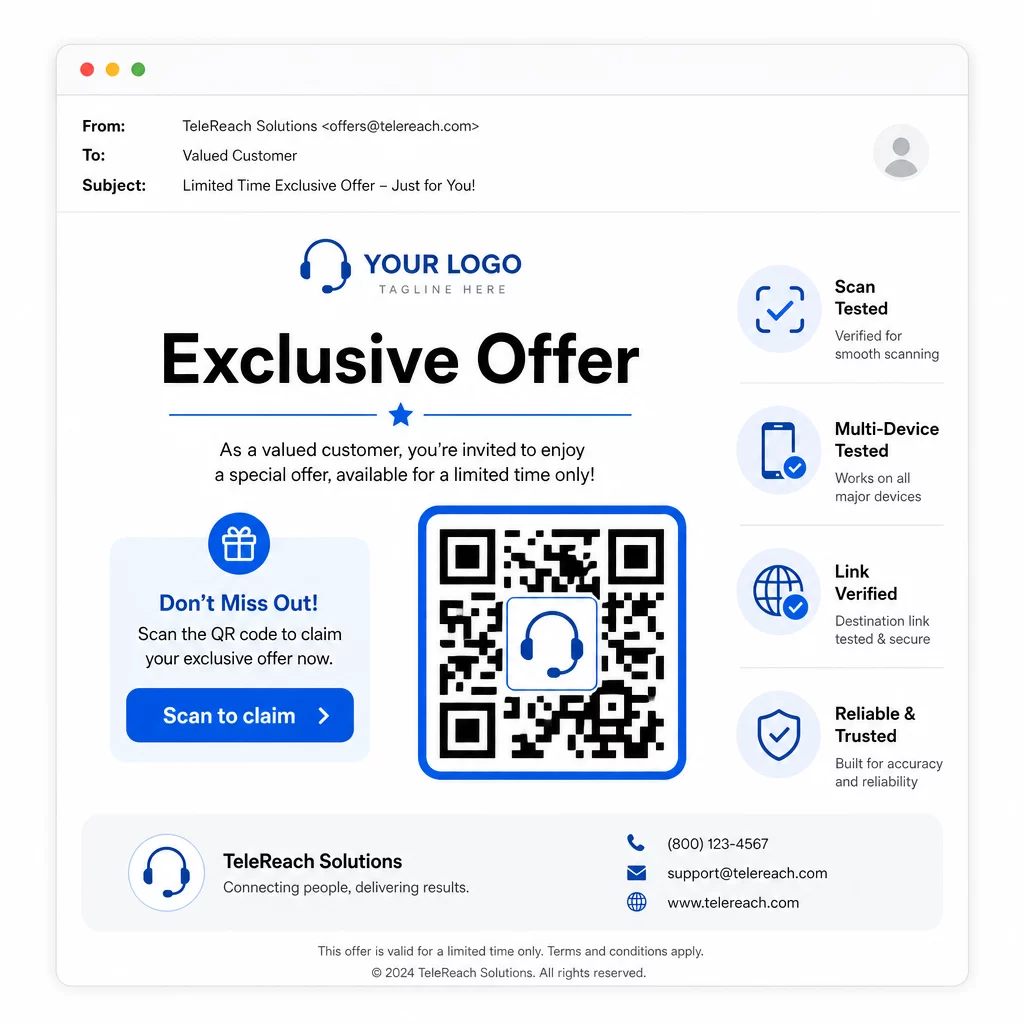
- Adăugați logo-ul brandului dumneavoastră: O Cod QR cu logo este mai distinctiv vizual și construiește încredere cu potențialii clienți care decid dacă să se implice.
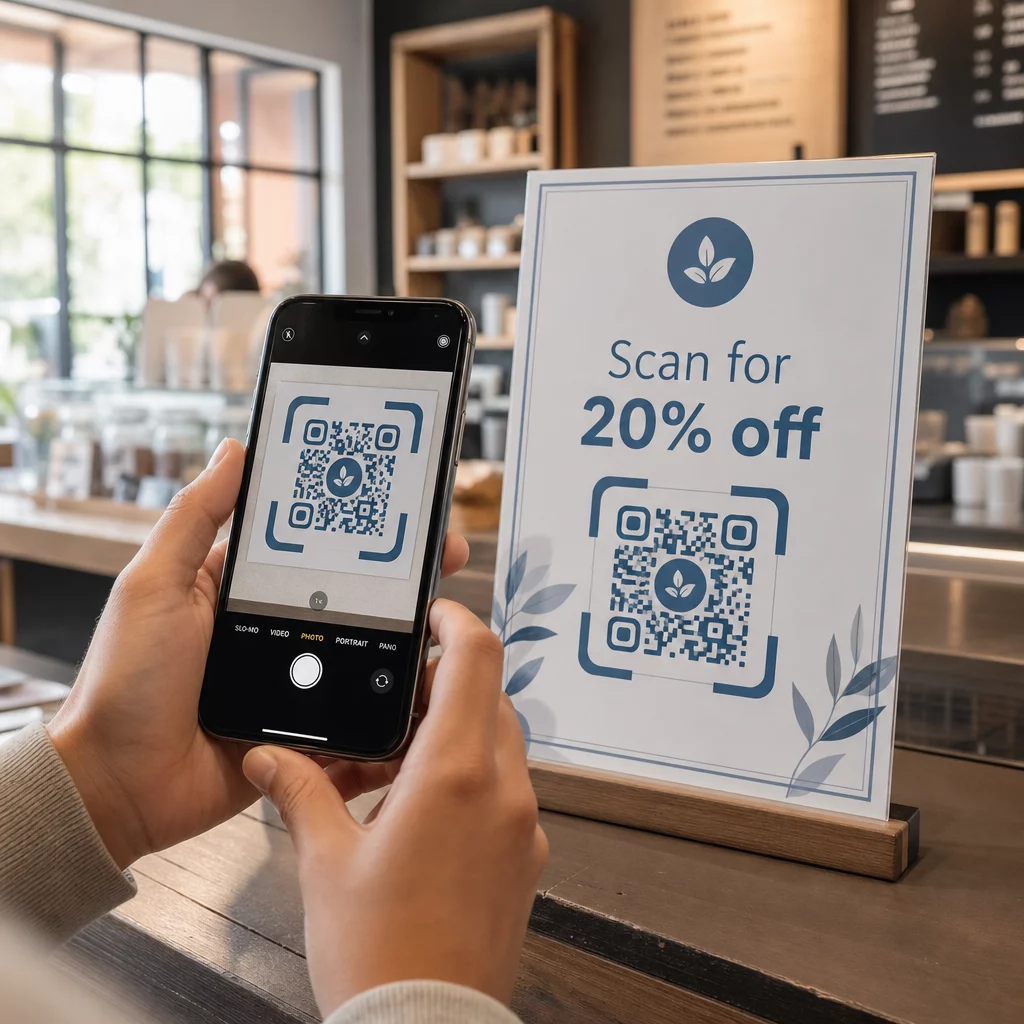
- Utilizați un apel la acțiune clar: Includeți un text scurt de instrucțiuni lângă cod – ceva de genul “Scanați pentru oferta dumneavoastră exclusivă” sau “Scanați pentru a vă înregistra” – astfel încât potențialii clienți să știe exact ce vor obține.
- Asigurați un contrast suficient: Modulele întunecate pe un fundal deschis reprezintă baza pentru scanarea fiabilă în diferite condiții de iluminare și cu camerele dispozitivelor.
- Testează înainte de a trimite: Scanează-ți codul QR pe mai multe dispozitive și în formatul în care va fi livrat efectiv – fie că este vorba de un SMS, e-mail sau material tipărit.
Dacă vrei să testezi ce design sau destinație funcționează mai bine cu un anumit segment de public, Testarea A/B a campaniilor tale cu coduri QR cu coduri dinamice îți permite să rulezi versiuni paralele și să compari rezultatele fără a distribui mai multe coduri fizice.
Pentru o listă de verificare completă înainte de lansare, Lista de verificare pentru marketing cu coduri QR pentru afaceri mici acoperă pașii cheie de la stabilirea obiectivelor la execuția campaniei.
Considerații de conformitate pentru telemarketing
Utilizarea codurilor QR nu modifică cadrul legal care guvernează modul în care echipa ta contactează prospecții în primul rând. Legea privind protecția consumatorilor de telefonie (TCPA) impune consimțământul scris expres prealabil înainte de a trimite mesaje text de marketing sau de a utiliza sisteme automate de apelare, iar Regula de vânzări prin telemarketing a FTC impune ca apelurile să fie efectuate numai între orele 8:00 și 21:00, ora locală a destinatarului. Telemarketerii trebuie, de asemenea, să respecte Registrul Național Nu Sunați și să-și mențină propriile liste interne de nu sunați.
Dacă codul tău QR de follow-up este livrat prin SMS, acel mesaj este supus acelorași cerințe TCPA ca orice alt text de marketing. Consimțământul ar trebui obținut înainte de a trimite orice mesaje care conțin coduri către telefoanele mobile.
Codurile QR în sine sunt un mecanism neutru de livrare – implicațiile lor de conformitate depind în întregime de modul și cui sunt distribuite. Codurile QR oferă campaniilor de telemarketing ceva ce le-a lipsit istoric: o conexiune măsurabilă, flexibilă între ceea ce se întâmplă la telefon și ceea ce urmează. Atunci când combini o abordare puternică cu o urmărire digitală trasabilă, creezi o imagine completă a performanței campaniei și o experiență mai bună pentru persoanele pe care încerci să le atingi.
Începeți cu Generator de coduri QR pentru a-ți construi primul cod gata de campanie, sau explorează soluții de coduri QR pe industrie pentru a vedea cum alte sectoare aplică aceeași abordare.
Întrebări frecvente
Da, dacă utilizați un cod QR dinamic. Codurile dinamice direcționează către o adresă URL scurtă de redirecționare care poate fi schimbată în orice moment, chiar și după ce codul a fost distribuit prin SMS, e-mail sau materiale tipărite. Codul fizic în sine rămâne același – doar destinația se schimbă. Acest lucru înseamnă că puteți actualiza o ofertă, repara un link rupt sau schimba o pagină de destinație fără a contacta din nou potențialii clienți.
Codurile QR dinamice înregistrează date la nivel de scanare, incluzând numărul total de scanări, numărul de scanări unice, marcajele temporale, locația geografică (de obicei la nivel de oraș) și tipul dispozitivului (iOS, Android, desktop). Când adăugați parametri UTM la URL-urile dvs. de destinație, acele date pot, de asemenea, să ajungă în Google Analytics sau în CRM-ul dvs., permițându-vă să atribuiți conversiile direct campaniilor sau apelurilor specifice.
Codul QR în sine nu este reglementat, dar SMS-ul care îl conține este. Conform Legii privind protecția consumatorilor de telefonie, trimiterea unui mesaj text de marketing către un telefon mobil folosind un sistem automatizat necesită consimțământul scris expres prealabil din partea destinatarului. Se aplică, de asemenea, Regula de vânzări prin telemarketing a FTC și Registrul Național Nu Sunați. Dacă fluxul tău de lucru de follow-up implică trimiterea unui cod QR prin SMS către prospecți, acel mesaj trebuie să respecte aceleași reguli ca orice alt text de marketing.