Skapar dina telefonförsäljningssamtal intresse men tappar fart när samtalet avslutas? Det gapet mellan ett lovande telefonsamtal och en slutförd åtgärd är där de flesta leads faller bort. Den här guiden visar dig hur du använder QR-koder för att överbrygga det gapet – genom att koppla levande uppsökande verksamhet med spårbar digital uppföljning.
Varför telefonförsäljning behöver en digital brygga
Telefonbaserad uppsökande verksamhet fungerar fortfarande, men den leder sällan till avslut på egen hand. En prospekt kan vara intresserad under ett samtal men misslyckas med att följa upp eftersom nästa steg kräver för mycket ansträngning – att skriva in en URL, söka efter en landningssida eller vänta på ett e-postmeddelande.
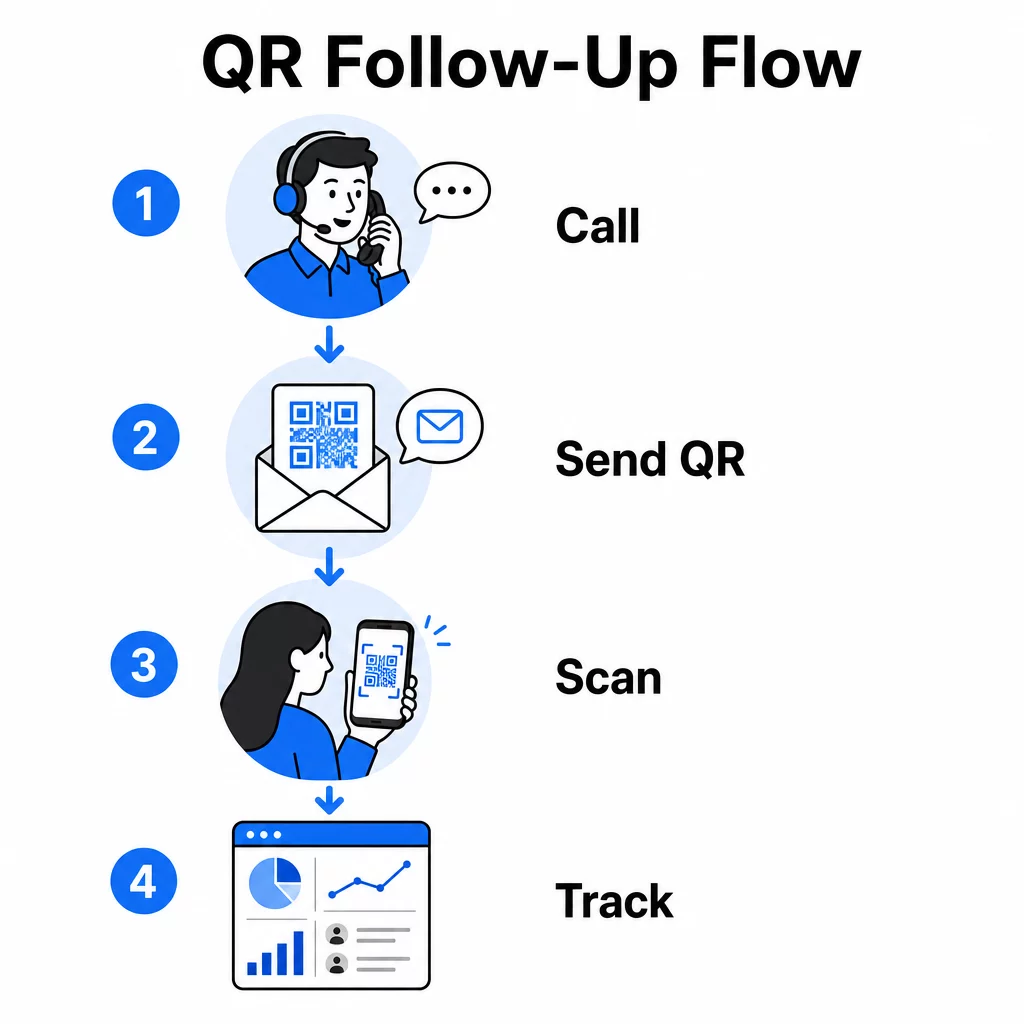
QR-koder löser detta genom att ge prospekter en omedelbar, friktionsfri väg från konversationen till en digital åtgärd. Oavsett om du skickar en QR-kod via SMS omedelbart efter ett samtal eller inkluderar en i ett tryckt material, kan prospekten skanna och agera enligt sitt eget schema. Den bekvämligheten minskar bortfall och håller engagemanget vid liv långt efter att samtalet avslutats.
QR-koder ger också ditt team något som traditionell telefonförsäljning alltid har saknat: mätbar data om vad som händer efter samtalet. Varje skanning är en spårbar händelse, vilket ger dig insikt i vilka konversationer som översattes till verkligt intresse och vilka kampanjer som behöver justeras.
Hur QR-koder passar in i telefonförsäljningsarbetsflöden
Under och efter samtalet
De mest effektiva QR-kodintegrationerna sker vid naturliga överlämningspunkter i telefonförsäljningsprocessen. Här är de primära kontaktpunkterna där QR-koder tillför mest värde:
- SMS-uppföljning: Omedelbart efter ett samtal, skicka ett SMS som innehåller en QR-kod som länkar till en relevant landningssida, produktöversikt eller anmälningsformulär. Detta håller momentumet igång samtidigt som prospektens tid respekteras.
- E-postuppföljning: Istället för att bifoga dokument eller lista flera länkar, bädda in en enda QR-kod i ditt uppföljningsmejl som leder prospekter till en personlig landningssida. En ren, fokuserad upplevelse överträffar en rörig inkorg varje gång.
- Tryckt material: Om ditt team använder broschyrer, enbladare eller direktreklam, inkludera en QR-kod kopplad till den produkt eller det erbjudande som diskuterades under samtalet. Prospekter som behåller materialet har ett snabbt sätt att återengagera sig.
- Feedback och kvalificering: Dela en QR-kod som leder till ett kort formulär där prospekter kan dela sina behov, tidslinje eller frågor i sin egen takt. Detta ger ditt säljteam bättre information inför nästa kontaktpunkt.
Nyckelprincipen är relevans. En QR-kod som leder direkt till innehållet som diskuterades under samtalet känns hjälpsam. En generisk QR-kod som skickar prospekter till en startsida känns som en eftertanke.
Skapa QR-koder som matchar din kampanj Använd Länk QR-kodgenerator för att bygga koder som skickar prospekt direkt till specifika landningssidor, erbjudandesidor eller formulär – inga omvägar via startsidan.
Anpassa QR-koder efter målgruppssegment
En av de praktiska styrkorna med QR-koder inom telemarketing är förmågan att skräddarsy dem efter kampanj- eller målgruppstyp. En kod som skickas till småföretagsprospekt kan leda till resurser som är specifikt utformade för deras skala, medan en separat kod för företagskontakter leder till fallstudier och företagsprissättning.
Denna segmentering gör att upplevelsen efter samtalet känns mer personlig och säkerställer att prospekt får innehåll som faktiskt är relevant för deras situation. Med dynamiska QR-koder, kan du uppdatera destinationen för vilken kod som helst utan att skriva ut eller skicka om – så om ditt erbjudande ändras mitt i kampanjen, förblir koden aktuell automatiskt.
Mäta vad som händer efter varje samtal
Data är där QR-koder verkligen förvandlar telemarketing från en intuitionsdriven aktivitet till en mätbar kanal. Varje skanning genererar en datapunkt, och med rätt inställning berättar dessa datapunkter en sammanhängande historia om kampanjens prestanda.
De viktigaste mätvärdena att spåra inkluderar:
- Totalt antal skanningar vs. unika skanningar: Skiljer övergripande aktivitet från individuellt prospektintresse
- Skanningstidpunkt: Avslöjar när prospekt engagerar sig efter ett samtal, vilket hjälper till att förfina uppföljningstiden
- Geografisk data: Visar var svar är koncentrerade, användbart för regionala kampanjer
- Enhetstyp: Bekräftar om dina landningssidor återges korrekt för de enheter din målgrupp faktiskt använder
När du lägger till UTM-parametrar till destinations-URL:erna bakom dina QR-koder kan du skicka skanningsdata direkt till Google Analytics eller ditt CRM. Detta gör att du kan tillskriva pipelineaktivitet tillbaka till specifika telemarketingkampanjer, samtal eller till och med enskilda säljare.
För en fullständig genomgång av spårningsinställningar och nyckeltal, se guiden om spårning av QR-kodskanningar i realtid.
Övervaka din kampanj i realtid Vill du se exakt var och när dina prospekt engagerar sig efter samtal? Använd QR-kodanalyspanelen för att spåra skanningar efter plats, enhet och tid – allt på ett ställe.
Statiska vs. dynamiska QR-koder för telemarketing
Att välja rätt typ av QR-kod påverkar både din operativa flexibilitet och din spårningsförmåga. Skillnaden beror på två faktorer: redigerbarhet och analys.
| FUNKTION | Statisk QR-kod | Dynamisk QR-kod |
|---|---|---|
| Destination redigerbar efter skapande | Nej | Ja |
| Skanningsspårning och analys | Nej | Ja |
| Kostnad | Fri | Prenumeration krävs |
| 9. Bäst för | Fast, permanent innehåll | Aktiva kampanjer, uppföljningar |
För de flesta telemarketingapplikationer, dynamiska QR-koder är det bättre valet. Kampanjer utvecklas – erbjudanden ändras, landningssidor uppdateras och A/B-tester kräver nya destinationer. En dynamisk kod låter dig göra dessa ändringar utan att kontakta varje prospekt igen eller trycka om material. Om ett uppföljnings-SMS redan har skickats ut kan du fortfarande uppdatera vart QR-koden leder.
Statiska QR-koder fungerar bra för innehåll som aldrig ändras, som en permanent supportsida eller ett fast produktspecifikationsblad. För allt annat i en aktiv kampanj ger dynamiska koder den flexibilitet och mätförmåga du behöver.
För mer detaljer om när du ska använda varje typ, se jämförelse mellan statiska och dynamiska QR-koder.
Praktiska exempel per kampanjtyp
Att förstå var QR-koder passar konceptuellt är användbart, men att se hur de matchar specifika telemarketingscenarier gör implementeringen enklare.
- Webinar- eller evenemangskampanj: Efter ett samtal som marknadsför ett kommande webbinarium, skicka en QR-kod via SMS som länkar direkt till registreringssidan. Att ta bort steget att söka efter evenemanget ökar registreringsfrekvensen dramatiskt.
- Tidsbegränsade erbjudanden: När en telefonförsäljare diskuterar en tidsbegränsad rabatt kan en uppföljande QR-kod länka direkt till en kassa- eller anspråkssida med erbjudandet förifyllt – vilket förvandlar uttryckt intresse till en slutförd transaktion.
- Kvalificering av leads: Dela en QR-kod som länkar till ett kort formulär för behovsanalys. Potentiella kunder fyller i det när det passar dem, och ditt team använder svaren för att prioritera uppföljning och skräddarsy nästa konversation.
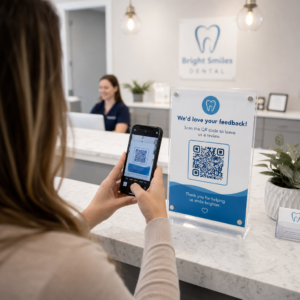
- Insamling av feedback: Istället för att genomföra en lång telefonundersökning, skicka en QR-kod till ett kort feedbackformulär omedelbart efter samtalet. Svarsfrekvensen förbättras när formatet respekterar den potentiella kundens tid.
Var och en av dessa användningsfall drar nytta av mobiloptimerade landningssidor. Eftersom varje skanning sker på en smartphone måste destinationen laddas snabbt och fungera smidigt på små skärmar. Den guide för bästa praxis för mobila QR-kodlandningssidor täcker de tekniska standarder som får upplevelsen efter skanningen att fungera.
Bygga QR-koder som blir skannade
En QR-kod som ingen skannar levererar inget värde. Att maximera skanningsfrekvensen i en telemarketingkontext kräver uppmärksamhet på både design och sammanhang.
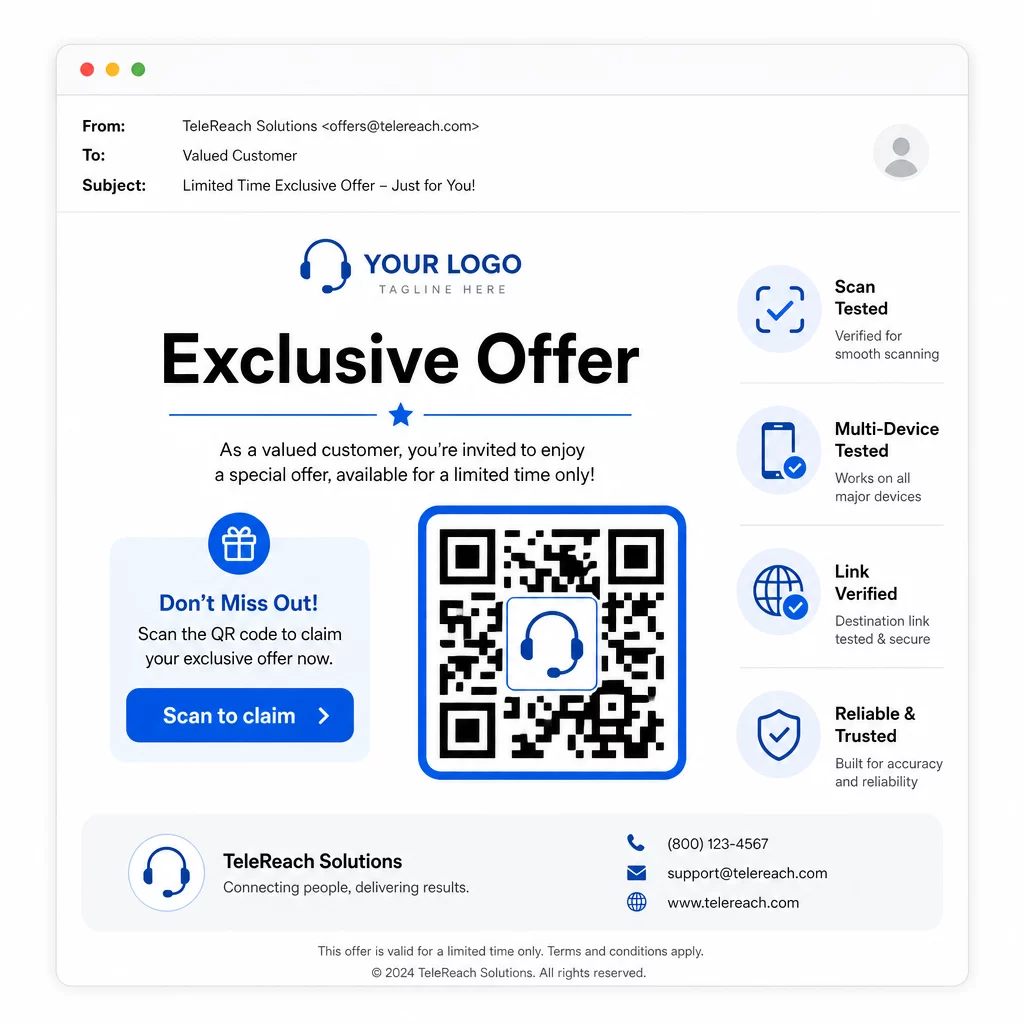
- Lägg till din varumärkeslogotyp: En QR-kod med logotyp är mer visuellt distinkt och bygger förtroende hos potentiella kunder som bestämmer sig för om de ska engagera sig.
- Använd en tydlig uppmaning till handling: Inkludera kort instruktionstext nära koden – något i stil med “Skanna för ditt exklusiva erbjudande” eller “Skanna för att registrera dig” – så att potentiella kunder vet exakt vad de får.
- Säkerställ tillräcklig kontrast: Mörka moduler på en ljus bakgrund är grunden för tillförlitlig skanning under olika ljusförhållanden och med olika enhetskameror.
- Testa innan du skickar: Skanna din QR-kod på flera enheter och i det format den faktiskt kommer att levereras – oavsett om det är i ett SMS, e-post eller tryckt material.
Om du vill testa vilken design eller destination som presterar bättre med ett visst målgruppssegment, A/B-testa dina QR-kodkampanjer med dynamiska koder låter dig köra parallella versioner och jämföra resultat utan att distribuera flera fysiska koder.
För en omfattande checklista före lansering, Checklista för QR-kodsmarknadsföring i småföretag täcker nyckelstegen från målsättning till kampanjutförande.
Efterlevnadsöverväganden för telemarketing
Att använda QR-koder ändrar inte det rättsliga ramverket som styr hur ditt team kontaktar potentiella kunder från första början. The Telephone Consumer Protection Act (TCPA) kräver förhandsuttryckligt skriftligt samtycke innan marknadsförings-SMS skickas eller automatiserade uppringningssystem används, och FTC:s Telemarketing Sales Rule kräver att samtal endast får göras mellan kl. 08.00 och 21.00 lokal tid för mottagaren. Telemarknadsförare måste också respektera National Do Not Call Registry och upprätthålla sina egna interna spärrlistor.
Om din uppföljande QR-kod levereras via SMS, omfattas det meddelandet av samma TCPA-krav som alla andra marknadsförings-SMS. Samtycke bör inhämtas innan några kodinnehållande meddelanden skickas till mobiltelefoner.
QR-koder i sig är en neutral leveransmekanism – deras efterlevnadskonsekvenser beror helt på hur och till vem de distribueras. QR-koder ger telemarketingkampanjer något de historiskt har saknat: en mätbar, flexibel koppling mellan vad som händer i telefon och vad som händer härnäst. När du kombinerar stark uppsökande verksamhet med spårbar digital uppföljning, skapar du en komplett bild av kampanjens prestanda och en bättre upplevelse för de människor du försöker nå.
Kom igång med QR-kodgenerator för att bygga din första kampanjklara kod, eller utforska QR-kodlösningar per bransch för att se hur andra sektorer använder samma tillvägagångssätt.
Vanliga frågor
Ja, om du använder en dynamisk QR-kod. Dynamiska koder pekar på en kort omdirigerings-URL som kan ändras när som helst, även efter att koden har distribuerats via SMS, e-post eller tryck. Själva den fysiska koden förblir densamma – endast destinationen ändras. Detta innebär att du kan uppdatera ett erbjudande, åtgärda en trasig länk eller byta ut en målsida utan att kontakta potentiella kunder igen.
Dynamiska QR-koder loggar skanningsdata inklusive det totala antalet skanningar, unika skanningar, tidsstämplar, geografisk plats (vanligtvis på stadsnivå) och enhetstyp (iOS, Android, dator). När du lägger till UTM-parametrar till dina destinations-URL:er kan den datan också flöda in i Google Analytics eller ditt CRM, vilket gör att du kan tillskriva konverteringar direkt till specifika kampanjer eller samtal.
Själva QR-koden är inte reglerad, men SMS:et som innehåller den är det. Enligt Telephone Consumer Protection Act kräver sändning av ett marknadsförings-SMS till en mobiltelefon med ett automatiserat system förhandsuttryckligt skriftligt samtycke från mottagaren. FTC:s Telemarketing Sales Rule och National Do Not Call Registry gäller också. Om ditt uppföljningsarbetsflöde innebär att skicka en QR-kod via SMS till potentiella kunder, måste det meddelandet följa samma regler som alla andra marknadsförings-SMS.