Erzeugen Ihre Telemarketing-Anrufe Interesse, verlieren aber an Schwung, sobald das Gespräch beendet ist? Diese Lücke zwischen einem vielversprechenden Telefonanruf und einer abgeschlossenen Aktion ist der Punkt, an dem die meisten Leads verloren gehen. Dieser Leitfaden zeigt Ihnen, wie Sie QR-Codes verwenden, um diese Lücke zu schließen – indem Sie die direkte Kontaktaufnahme mit einer nachverfolgbaren digitalen Weiterverfolgung verbinden.
Warum Telemarketing eine digitale Brücke braucht
Telefonische Kontaktaufnahme funktioniert immer noch, führt aber selten von selbst zum Abschluss. Ein Interessent könnte während eines Anrufs interessiert sein, versäumt es aber, nachzufassen, weil der nächste Schritt zu viel Aufwand erfordert – eine URL einzutippen, nach einer Landingpage zu suchen oder auf eine E-Mail zu warten.
QR-Codes lösen dies, indem sie Interessenten einen sofortigen, reibungslosen Weg vom Gespräch zu einer digitalen Aktion bieten. Egal, ob Sie einen QR-Code sofort nach einem Anruf per SMS senden oder ihn in einem gedruckten Handout beifügen, der Interessent kann ihn scannen und nach seinem eigenen Zeitplan handeln. Diese Bequemlichkeit reduziert den Abbruch und hält das Engagement lange nach dem Ende des Anrufs aufrecht.
QR-Codes geben Ihrem Team auch etwas, das dem traditionellen Telemarketing immer gefehlt hat: messbare Daten darüber, was nach dem Anruf passiert. Jeder Scan ist ein nachverfolgbares Ereignis, das Ihnen Einblick gibt, welche Gespräche in echtes Interesse umgewandelt wurden und welche Kampagnen angepasst werden müssen.
Wie QR-Codes in Telemarketing-Workflows passen
Während und nach dem Anruf
Die effektivsten QR-Code-Integrationen erfolgen an natürlichen Übergabepunkten im Telemarketing-Prozess. Hier sind die wichtigsten Berührungspunkte, an denen QR-Codes den größten Mehrwert bieten:
- SMS-Nachverfolgung: Senden Sie unmittelbar nach einem Anruf eine SMS mit einem QR-Code, der auf eine relevante Landingpage, Produktübersicht oder ein Anmeldeformular verweist. Dies hält den Schwung aufrecht und respektiert gleichzeitig die Zeit des Interessenten.
- E-Mail-Nachverfolgung: Anstatt Dokumente anzuhängen oder mehrere Links aufzulisten, betten Sie einen einzigen QR-Code in Ihre Follow-up-E-Mail ein, der Interessenten zu einer personalisierten Landingpage leitet. Eine klare, fokussierte Erfahrung übertrifft einen überladenen Posteingang jedes Mal.
- Gedruckte Materialien: Wenn Ihr Team Broschüren, One-Pager oder Direktwerbung verwendet, fügen Sie einen QR-Code hinzu, der mit dem Produkt oder Angebot verknüpft ist, das im Gespräch besprochen wurde. Interessenten, die das Material behalten, haben eine schnelle Möglichkeit zur erneuten Kontaktaufnahme.
- Feedback und Qualifizierung: Teilen Sie einen QR-Code, der zu einem kurzen Formular führt, in dem Interessenten ihre Bedürfnisse, ihren Zeitplan oder ihre Fragen in ihrem eigenen Tempo teilen können. Dies gibt Ihrem Vertriebsteam bessere Informationen vor dem nächsten Kontaktpunkt.
Das Schlüsselprinzip ist Relevanz. Ein QR-Code, der direkt zum im Gespräch besprochenen Inhalt führt, wirkt hilfreich. Ein generischer QR-Code, der Interessenten auf eine Homepage leitet, wirkt wie ein nachträglicher Einfall.
Erstellen Sie QR-Codes, die zu Ihrer Kampagne passen Verwenden Sie die Link QR-Code-Generator um Codes zu erstellen, die Interessenten direkt zu bestimmten Landingpages, Angebotsseiten oder Formularen senden – ohne Umwege über die Startseite.
Personalisierung von QR-Codes nach Zielgruppensegment
Eine der praktischen Stärken von QR-Codes im Telemarketing ist die Möglichkeit, sie nach Kampagnen- oder Zielgruppentyp anzupassen. Ein Code, der an Kleinunternehmer gesendet wird, kann zu speziell auf deren Größe zugeschnittenen Ressourcen führen, während ein separater Code für Unternehmenskontakte zu Fallstudien und Unternehmenspreisen leitet.
Diese Segmentierung macht das Erlebnis nach dem Anruf persönlicher und stellt sicher, dass Interessenten Inhalte erhalten, die tatsächlich für ihre Situation relevant sind. Mit dynamische QR-Codes, können Sie das Ziel jedes Codes aktualisieren, ohne ihn neu drucken oder versenden zu müssen – wenn sich Ihr Angebot also mitten in der Kampagne ändert, bleibt der Code automatisch aktuell.
Messen, was nach jedem Anruf passiert
Daten sind der Punkt, an dem QR-Codes das Telemarketing wirklich von einer intuitiven Aktivität in einen messbaren Kanal verwandeln. Jeder Scan erzeugt einen Datenpunkt, und mit der richtigen Einrichtung erzählen diese Datenpunkte eine kohärente Geschichte über die Kampagnenleistung.
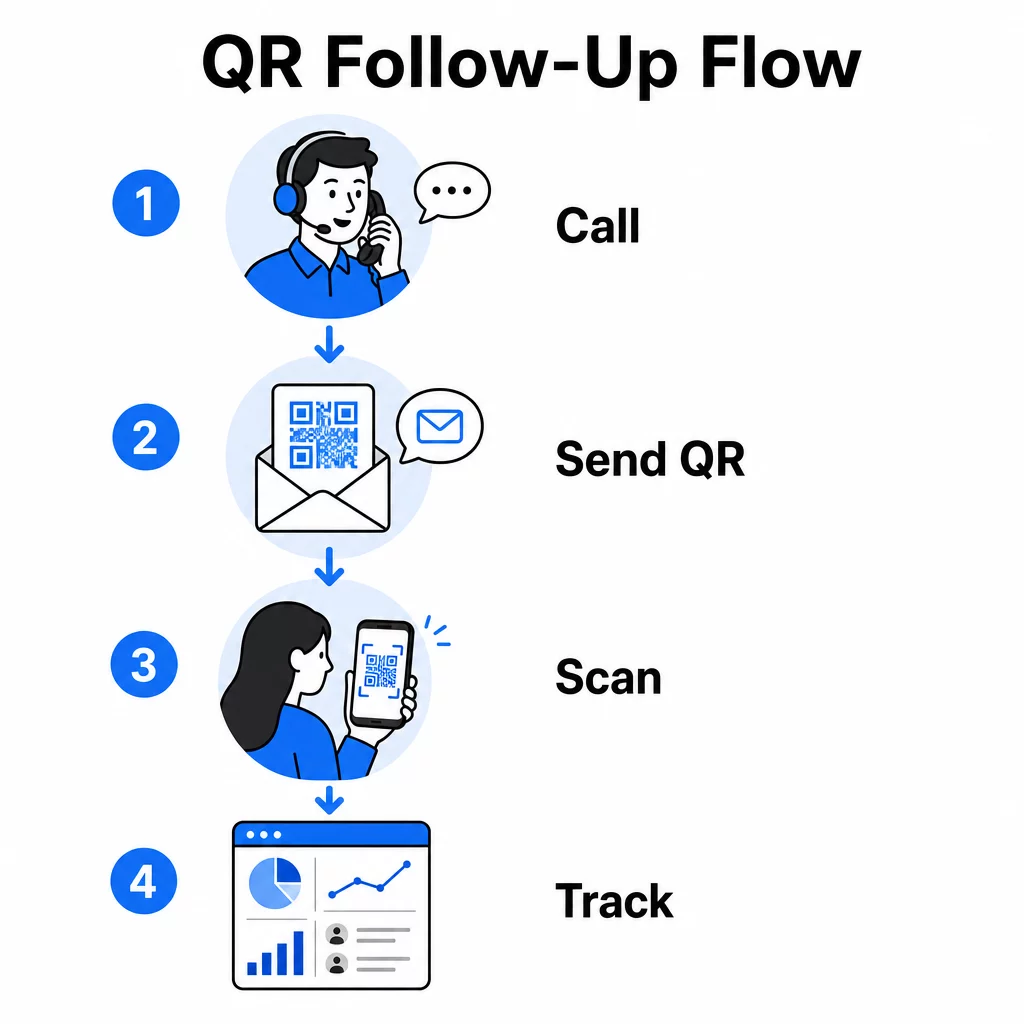
Die wichtigsten zu verfolgenden Metriken umfassen:
- Gesamtscans vs. eindeutige Scans: Unterscheidet die Gesamtaktivität vom individuellen Interesse der Interessenten
- Scan-Zeitpunkt: Zeigt, wann Interessenten nach einem Anruf interagieren, was hilft, den Zeitpunkt der Nachverfolgung zu verfeinern
- Geografische Daten: Zeigt, wo sich die Antworten konzentrieren, nützlich für regionale Kampagnen
- Gerätetyp: Bestätigt, ob Ihre Landingpages auf den Geräten, die Ihr Publikum tatsächlich verwendet, korrekt dargestellt werden
Wenn Sie anhängen UTM-Parameter an die Ziel-URLs hinter Ihren QR-Codes, können Sie Scandaten direkt an Google Analytics oder Ihr CRM übermitteln. Dies ermöglicht es Ihnen, Pipeline-Aktivitäten bestimmten Telemarketing-Kampagnen, Anrufen oder sogar einzelnen Mitarbeitern zuzuordnen.
Für eine vollständige Aufschlüsselung der Tracking-Einrichtung und der wichtigsten Metriken, siehe den Leitfaden zu Verfolgung von QR-Code-Scans in Echtzeit.
Überwachen Sie Ihre Kampagne in Echtzeit Möchten Sie genau sehen, wo und wann Ihre Interessenten nach Anrufen interagieren? Nutzen Sie das QR-Code-Analyse-Dashboard um Scans nach Standort, Gerät und Zeitpunkt zu verfolgen – alles an einem Ort.
Statische vs. dynamische QR-Codes für Telemarketing
Die Wahl des richtigen QR-Code-Typs beeinflusst sowohl Ihre operative Flexibilität als auch Ihre Tracking-Fähigkeit. Der Unterschied liegt in zwei Faktoren: Bearbeitbarkeit und Analyse.
| FUNKTION | Statischer QR-Code | Dynamischer QR-Code |
|---|---|---|
| Ziel nach Erstellung bearbeitbar | Nein | Ja |
| Scan-Tracking und -Analyse | Nein | Ja |
| Kosten | Kostenlos | Abonnement erforderlich |
| Am besten für | Feste, dauerhafte Inhalte | Aktive Kampagnen, Nachfassaktionen |
Für die meisten Telemarketing-Anwendungen, dynamische QR-Codes sind die bessere Wahl. Kampagnen entwickeln sich weiter – Angebote ändern sich, Landing Pages werden aktualisiert und A/B-Tests erfordern neue Ziele. Ein dynamischer Code ermöglicht es Ihnen, diese Änderungen vorzunehmen, ohne jeden Interessenten erneut kontaktieren oder Materialien neu drucken zu müssen. Wenn bereits eine Follow-up-SMS versendet wurde, können Sie immer noch aktualisieren, wohin dieser QR-Code führt.
Statische QR-Codes eignen sich gut für Inhalte, die sich nie ändern, wie z.B. eine permanente Support-Seite oder ein festes Produktdatenblatt. Für alles andere in einer aktiven Kampagne bieten dynamische Codes die Flexibilität und Messbarkeit, die Sie benötigen.
Für weitere Details, wann welcher Typ zu verwenden ist, siehe die Vergleich von statischen vs. dynamischen QR-Codes.
Praktische Beispiele nach Kampagnentyp
Zu verstehen, wo QR-Codes konzeptionell passen, ist nützlich, aber zu sehen, wie sie sich auf spezifische Telemarketing-Szenarien abbilden lassen, macht die Implementierung einfacher.
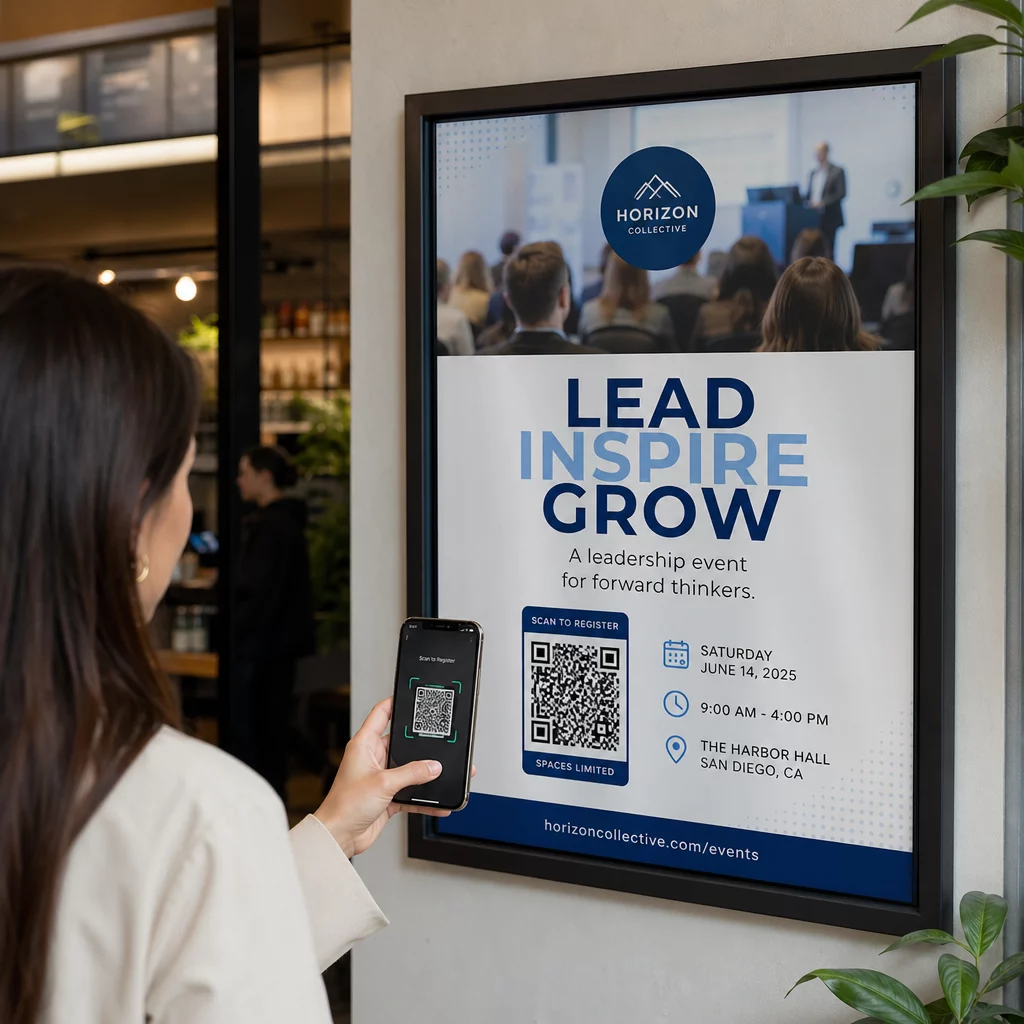
- Webinar- oder Event-Promotion: Nach einem Anruf, der ein bevorstehendes Webinar bewirbt, senden Sie einen QR-Code per SMS, der direkt zur Registrierungsseite führt. Das Weglassen des Schritts, nach der Veranstaltung zu suchen, erhöht die Anmelderaten drastisch.
- Zeitlich begrenzte Angebote: Wenn ein Telemarketer einen zeitlich begrenzten Rabatt bespricht, kann ein nachfolgender QR-Code direkt zu einer Kasse oder einer Anspruchsseite mit bereits angewendetem Angebot führen – wodurch aus bekundetem Interesse eine abgeschlossene Transaktion wird.
- Lead-Qualifizierung: Teilen Sie einen QR-Code, der zu einem kurzen Bedarfsanalyseformular führt. Interessenten füllen es nach Belieben aus, und Ihr Team nutzt die Antworten, um die Nachverfolgung zu priorisieren und das nächste Gespräch anzupassen.
- Feedback-Sammlung: Anstatt eine lange Telefonumfrage durchzuführen, senden Sie sofort nach dem Anruf einen QR-Code zu einem kurzen Feedback-Formular. Die Rücklaufquoten verbessern sich, wenn das Format die Zeit des Interessenten respektiert.
Jeder dieser Anwendungsfälle profitiert von mobiloptimierten Landing Pages. Da jeder Scan auf einem Smartphone erfolgt, muss das Ziel schnell laden und auf kleinen Bildschirmen sauber funktionieren. Der Leitfaden für Best Practices für mobile QR-Code-Landingpages behandelt die technischen Standards, die das Erlebnis nach dem Scan ermöglichen.
QR-Codes erstellen, die gescannt werden
Ein QR-Code, den niemand scannt, liefert keinen Wert. Die Maximierung der Scanraten im Telemarketing-Kontext erfordert Aufmerksamkeit sowohl für Design als auch für Kontext.
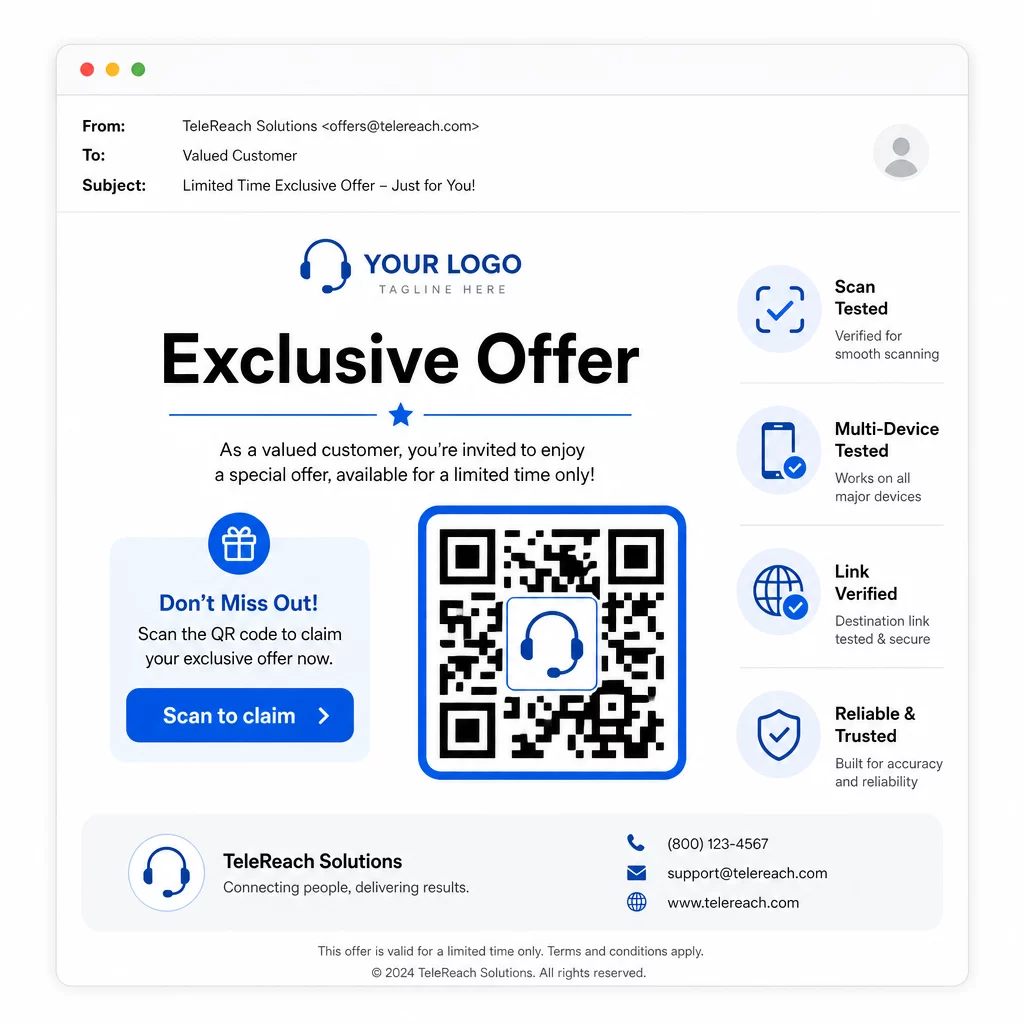
- Fügen Sie Ihr Markenlogo hinzu: A QR-Code mit Logo ist optisch unverwechselbarer und schafft Vertrauen bei Interessenten, die entscheiden, ob sie sich engagieren sollen.
- Verwenden Sie einen klaren Call-to-Action: Fügen Sie einen kurzen Anweisungstext in der Nähe des Codes ein – etwas wie “Scannen Sie für Ihr exklusives Angebot” oder “Scannen Sie zur Registrierung” – damit Interessenten genau wissen, was sie erhalten.
- Sorgen Sie für ausreichenden Kontrast: Dunkle Module auf hellem Hintergrund sind die Grundlage für zuverlässiges Scannen unter verschiedenen Lichtverhältnissen und mit unterschiedlichen Gerätekameras.
- Vor dem Versand testen: Scannen Sie Ihren QR-Code auf mehreren Geräten und in dem Format, in dem er tatsächlich zugestellt wird – sei es in einer SMS, E-Mail oder gedrucktem Material.
Wenn Sie testen möchten, welches Design oder Ziel bei einem bestimmten Zielgruppensegment besser abschneidet, A/B-Tests Ihrer QR-Code-Kampagnen mit dynamischen Codes ermöglichen es Ihnen, parallele Versionen auszuführen und Ergebnisse zu vergleichen, ohne mehrere physische Codes zu verteilen.
Für eine umfassende Checkliste vor dem Start, die QR-Code Marketing Checkliste für kleine Unternehmen deckt die wichtigsten Schritte von der Zielsetzung bis zur Kampagnenausführung ab.
Compliance-Überlegungen für Telemarketing
Die Verwendung von QR-Codes ändert nichts am rechtlichen Rahmen, der regelt, wie Ihr Team potenzielle Kunden überhaupt kontaktiert. Der Telephone Consumer Protection Act (TCPA) erfordert eine vorherige ausdrückliche schriftliche Zustimmung, bevor Marketing-SMS gesendet oder automatisierte Wählsysteme verwendet werden, und die Telemarketing Sales Rule der FTC verlangt, dass Anrufe nur zwischen 8:00 Uhr morgens und 21:00 Uhr abends Ortszeit des Empfängers getätigt werden. Telemarketer müssen auch das Nationale Register für unerwünschte Anrufe (National Do Not Call Registry) beachten und ihre eigenen internen Sperrlisten führen.
Wenn Ihr Follow-up-QR-Code per SMS zugestellt wird, unterliegt diese Nachricht denselben TCPA-Anforderungen wie jede andere Marketing-SMS. Die Zustimmung sollte eingeholt werden, bevor Nachrichten, die Codes enthalten, an Mobiltelefone gesendet werden.
QR-Codes selbst sind ein neutraler Zustellmechanismus – ihre Compliance-Auswirkungen hängen vollständig davon ab, wie und an wen sie verteilt werden. QR-Codes geben Telemarketing-Kampagnen etwas, das ihnen historisch gefehlt hat: eine messbare, flexible Verbindung zwischen dem, was am Telefon passiert, und dem, was als Nächstes geschieht. Wenn Sie eine starke Kontaktaufnahme mit einer nachverfolgbaren digitalen Weiterverfolgung kombinieren, schaffen Sie ein vollständiges Bild der Kampagnenleistung und ein besseres Erlebnis für die Menschen, die Sie erreichen möchten.
Beginnen Sie mit dem QR-Code-Generator um Ihren ersten kampagnenbereiten Code zu erstellen, oder erkunden Sie QR-Code-Lösungen nach Branche um zu sehen, wie andere Sektoren denselben Ansatz anwenden.
Häufig gestellte Fragen
Ja, wenn Sie einen dynamischen QR-Code verwenden. Dynamische Codes verweisen auf eine kurze Weiterleitungs-URL, die jederzeit geändert werden kann, selbst nachdem der Code per SMS, E-Mail oder Druck verteilt wurde. Der physische Code selbst bleibt gleich – nur das Ziel ändert sich. Das bedeutet, Sie können ein Angebot aktualisieren, einen defekten Link reparieren oder eine Landingpage austauschen, ohne die Interessenten erneut kontaktieren zu müssen.
Dynamische QR-Codes protokollieren Scan-Daten, einschließlich der Gesamtzahl der Scans, der Anzahl der eindeutigen Scans, Zeitstempel, des geografischen Standorts (typischerweise auf Stadtebene) und des Gerätetyps (iOS, Android, Desktop). Wenn Sie UTM-Parameter zu Ihren Ziel-URLs hinzufügen, können diese Daten auch in Google Analytics oder Ihr CRM fließen, sodass Sie Konversionen direkt bestimmten Kampagnen oder Aufrufen zuordnen können.
Der QR-Code selbst ist nicht reguliert, aber die SMS, die ihn enthält, ist es. Gemäß dem Telephone Consumer Protection Act erfordert das Senden einer Marketing-Textnachricht an ein Mobiltelefon mithilfe eines automatisierten Systems eine vorherige ausdrückliche schriftliche Zustimmung des Empfängers. Die Telemarketing Sales Rule der FTC und das Nationale Register für unerwünschte Anrufe (National Do Not Call Registry) gelten ebenfalls. Wenn Ihr Follow-up-Workflow das Senden eines QR-Codes per SMS an potenzielle Kunden beinhaltet, muss diese Nachricht denselben Regeln entsprechen wie jede andere Marketing-SMS.