Ever scanned a QR code on a rental car and wondered what it’s actually for – or whether it’s safe? Rental companies increasingly use QR codes to replace paperwork, speed up vehicle pickups, and deliver a fully contactless experience. This page explains every common use case, how to tell a legitimate code from a fraudulent one, and how rental businesses can set up their own QR code workflows.
Why Car Rental Companies Are Adopting QR Codes
The shift toward digital-first car rentals has accelerated significantly. Online bookings accounted for over 71% of global car rental revenue in 2024, and customers who book digitally naturally expect the pickup and return process to match that same convenience. Meanwhile, 48 million Americans rented cars in 2023 – a 19.4% increase over the prior year – putting pressure on rental locations to move customers through faster without adding staff.
QR codes fit directly into that gap. A single printed or displayed code can replace a printed rental agreement, a counter visit, a verbal briefing about vehicle features, and a feedback card – all at once. For customers, the result is less time waiting and more time driving.
What QR Codes Are Actually Used For in Car Rentals
Rental companies deploy QR codes at several distinct points in the customer journey. Here is what you are most likely to encounter.

Contactless Vehicle Pickup
This is the most common use. After completing digital check-in online or via a mobile app, customers receive a QR code that serves as their authorization to collect a specific vehicle. At the lot, they scan the code – either at a kiosk, on a key box, or directly via the app – and the system verifies their booking and releases the key or unlocks keyless access.
Major rental brands already promote the ability to skip the counter entirely, with customers selecting their car and verifying their details on a smartphone before they even land. The QR code is the last step that closes the loop between a completed digital booking and physical vehicle access.
Rental Agreement and Documentation Access
Instead of handing over a printed multi-page rental contract, companies use a QR code placed on a confirmation email, key packet, or the car’s dashboard to link customers directly to their digital rental agreement. Scanning opens a PDF of the contract, insurance terms, or damage policy – readable on any smartphone without downloading a separate app.
This approach also makes it easier to update documents. With a dynamic PDF QR code, the underlying document can be changed – updated terms, revised insurance wording, new vehicle notes – without reprinting any physical materials. The code itself stays the same.
Share Rental Documents Without the Paperwork Need to give customers instant access to rental agreements, vehicle manuals, or insurance terms? Use the PDF QR Code Generator to link any document to a scannable code – and update it any time without reprinting.
Vehicle Orientation and Feature Guides
Unfamiliar vehicle controls cause frustration, especially for customers picking up a car in a rush. A QR code on the dashboard, sun visor, or glove box can link directly to a short instructional guide, video walkthrough, or PDF explaining how to pair a phone via Bluetooth, adjust the parking sensors, or operate the fuel cap.
This reduces calls to customer service and improves the experience for first-time renters of a particular vehicle model. A link QR code works well here – if the vehicle model changes in a fleet rotation, the destination URL can be updated without replacing the physical sticker in the car.
Navigation and Location Assistance
A QR code in the vehicle or on the rental contract can link directly to a Google Maps location – useful for directing customers to a return lot, a fuel station near the airport, or a specific drop-off zone. The Google Maps QR Code Generator generates a code that opens a precise location in the Maps app with a single scan, removing any ambiguity about where to go.
Customer Feedback and Post-Rental Surveys
Collecting feedback immediately after a rental – while the experience is fresh – produces more reliable data than a follow-up email sent days later. A QR code on the return receipt, key drop box, or exit signage can link directly to a short survey form. The Google Form QR Code Generator makes it straightforward to connect a printed code to a feedback form, and scan tracking lets you see how many customers actually engage with it.
For businesses looking to build their public review profile, a Google Review QR code placed on the receipt or dashboard prompts satisfied customers to leave feedback directly on Google – without any friction.
Loyalty Program Enrollment and Promotions
A QR code at the counter, on a key wallet, or in a confirmation email can link to a loyalty sign-up page, a referral offer, or a promotional discount for a future booking. Because these links frequently change with seasonal campaigns, using a dynamic link QR code means the destination can be updated without reprinting materials across a fleet of locations.
Is It Safe to Scan a QR Code in a Rental Car?
This is a reasonable question, and the honest answer is: it depends on the source. Legitimate QR codes placed by a rental company – on dashboard stickers, key packets, or official confirmation emails – are safe and link to company-owned content.

The risk comes from tampered codes. As documented in parking-related QR scams, criminals sometimes place fake QR code stickers over legitimate ones to redirect unsuspecting users to fraudulent payment pages. Before scanning any code on a rental vehicle or at a rental kiosk, check for:
- Physical tampering: A sticker placed over another sticker is a warning sign.
- URL preview: Most modern smartphone cameras display a URL preview before opening it. Verify the domain matches the rental company’s official website.
- Unexpected payment requests: A legitimate rental QR code should not ask you to re-enter payment details you already provided at booking.
If anything looks off, contact the rental desk directly rather than scanning.
How Rental Businesses Should Set Up QR Codes
For rental operators building or improving a QR code system, the following practices make a meaningful difference in both reliability and customer experience.
Use Dynamic Codes for Anything That Might Change
Fleet vehicle guides, return lot locations, and promotional offers all change regularly. Static QR codes encode a fixed destination – if that destination changes, the old code becomes useless. Dynamic QR codes point to a redirect URL managed through a platform like Pageloot, so the destination can be updated instantly without touching the physical code. This is especially valuable for codes printed on key fobs, dashboard stickers, or signage.
Size and Placement Matter for Reliable Scanning
A QR code that does not scan defeats its purpose. Follow these baseline standards when designing for physical placement:
- Minimum size: 2 cm × 2 cm (0.8 in × 0.8 in) for any code customers will scan up close. Use the 10:1 scanning distance rule for signage – a code 10 cm wide is reliably readable from about 100 cm away.
- Contrast: Dark modules on a light background. Avoid printing dark codes on dark surfaces or using color combinations with low contrast.
- Quiet zone: Leave a clear border of blank space around every code – no text, patterns, or varnish bleeding into the edges.
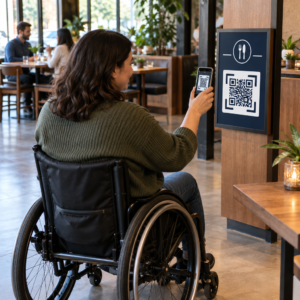
- Placement height: For kiosk-mounted or in-vehicle placements, aim for 3–5 feet from the ground to keep codes accessible for all users, including those using wheelchairs.
Always Include a Text Alternative
Not every customer can or wants to scan a QR code. Place a short URL, phone number, or written instruction next to every QR code so customers have a fallback. This is good accessibility practice and prevents a single point of failure if a customer’s camera is not working or there is no network signal in a parking structure.
Label Each Code Clearly
Tell customers what they are scanning before they scan it. A simple label – “Scan for your rental agreement” or “Scan to find the return lot” – reduces hesitation and increases scan rates. It also helps customers distinguish a legitimate company code from something that does not belong there.
Track Performance Through Analytics
Dynamic QR codes built on a platform with analytics let rental businesses see which codes get scanned, when, and from which locations. This data helps identify whether customers are actually reading vehicle orientation guides, engaging with loyalty offers, or dropping off before completing a feedback form. Use that insight to adjust placement, improve copy, or redesign underperforming codes.
See Which QR Codes Your Customers Actually Use With dynamic QR codes from Pageloot, you can track every scan by time, location, and device – and update destinations without reprinting a single sticker.
Test Before Deploying Across a Fleet
Before placing a code on dozens of vehicle dashboards, test it on multiple devices – different iPhone models, different Android models – at the expected scanning distance and in the actual lighting conditions of your vehicles. Verify the linked page loads correctly on mobile, not just desktop. A broken or slow-loading page after a successful scan creates a worse impression than no QR code at all.
QR Codes and the Broader Contactless Rental Experience
QR codes work best as one component of a connected workflow, not a standalone feature. The rental companies seeing the strongest results are those that combine digital booking, mobile check-in, QR-based document access, and digital return into a single coherent experience. Customers who complete the entire rental without visiting a counter – booking online, selecting their vehicle, scanning to retrieve it, and dropping the key in a box on the way out – consistently report faster, less stressful experiences.
This matters because QR code adoption is growing across virtually every service industry, and customer expectations are rising with it. A rental company that still hands over a paper contract and a printed map is increasingly out of step with what customers expect from a modern service interaction.
For rental businesses exploring QR codes for the first time, or looking to expand beyond a basic pickup workflow, the Pageloot QR Code Generator covers the full range of use cases – from PDF documents and Google Forms to location links and review collection – with dynamic editing and analytics built in. You can also explore QR code solutions across other industries to see how similar businesses are putting the same tools to work.
Frequently Asked Questions
Rental companies use in-vehicle QR codes for several purposes: linking to a digital copy of the rental agreement, providing a vehicle orientation guide (how to connect Bluetooth, use parking sensors, and so on), directing customers to the fuel return location, or collecting post-rental feedback. If the code is on an official sticker from the rental company, it is safe to scan – but always check the URL preview before opening the destination.
Yes, at many rental companies. The contactless rental process typically involves booking online, verifying your identity digitally, receiving a QR code or digital key on your phone, scanning at the lot to access the vehicle, and returning it via a key drop without counter interaction. Identity verification requirements – including presenting a valid physical driver’s license – may still apply depending on the company and location.
By using dynamic QR codes rather than static ones. A dynamic QR code points to a redirect URL managed through a platform like Pageloot. If the destination changes – for example, a vehicle guide URL, a return lot map, or a seasonal promotion – you update the destination in the platform dashboard and the existing printed code automatically points to the new content. No reprinting required.