Oletko koskaan skannannut QR-koodin vuokra-autosta ja miettinyt, mihin se oikeasti on – tai onko se turvallinen? Vuokrausyritykset käyttävät yhä enemmän QR-koodeja korvatakseen paperityöt, nopeuttaakseen ajoneuvojen noutoa ja tarjotakseen täysin kontaktittoman kokemuksen. Tämä sivu selittää jokaisen yleisen käyttötapauksen, miten erottaa laillinen koodi vilpillisestä, ja miten vuokrausyritykset voivat perustaa omat QR-koodityönkulkunsa.
Miksi autovuokraamot ottavat käyttöön QR-koodeja
Siirtymä digitaalisiin autovuokrauksiin on kiihtynyt merkittävästi. Verkkovaraukset muodostivat yli 71% maailmanlaajuisista autovuokraustuloista vuonna 2024, ja digitaalisesti varaavat asiakkaat odottavat luonnollisesti nouto- ja palautusprosessin vastaavan samaa mukavuutta. Samaan aikaan 48 miljoonaa amerikkalaista vuokrasi autoja vuonna 2023 – 19.4% lisäys edelliseen vuoteen verrattuna – mikä painostaa vuokrauspisteitä siirtämään asiakkaita nopeammin ilman lisähenkilökuntaa.
QR-koodit sopivat suoraan tähän aukkoon. Yksi painettu tai näytetty koodi voi korvata painetun vuokrasopimuksen, tiskillä käynnin, suullisen tiedotuksen ajoneuvon ominaisuuksista ja palautekortin – kaikki kerralla. Asiakkaiden kannalta tuloksena on vähemmän odotusaikaa ja enemmän ajoaikaa.
Mihin QR-koodeja todella käytetään autovuokrauksessa
Vuokrausyritykset ottavat QR-koodeja käyttöön useissa eri kohdissa asiakaspolkua. Tässä on, mitä todennäköisimmin kohtaat.

Kontaktiton ajoneuvon nouto
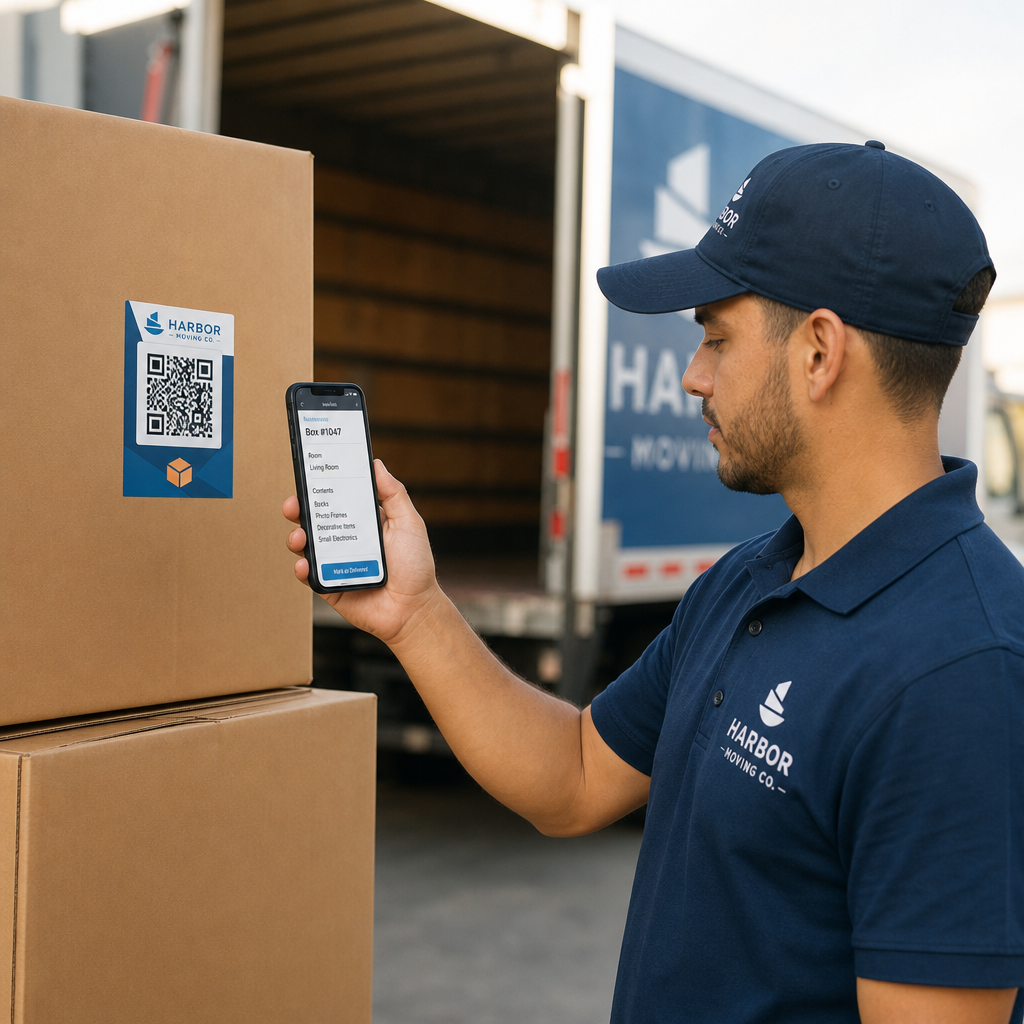
Tämä on yleisin käyttötarkoitus. Suoritettuaan digitaalisen sisäänkirjautumisen verkossa tai mobiilisovelluksen kautta asiakkaat saavat QR-koodin, joka toimii heidän valtuutuksenaan noutaa tietty ajoneuvo. Pysäköintialueella he skannaavat koodin – joko kioskilla, avainlaatikossa tai suoraan sovelluksen kautta – ja järjestelmä vahvistaa heidän varauksensa ja luovuttaa avaimen tai avaa avaimettoman pääsyn.
Suuret vuokrausbrändit mainostavat jo mahdollisuutta ohittaa tiski kokonaan, asiakkaiden valitessa autonsa ja vahvistaessa tietonsa älypuhelimella jo ennen saapumistaan. QR-koodi on viimeinen vaihe, joka sulkee silmukan valmiin digitaalisen varauksen ja fyysisen ajoneuvon pääsyn välillä.
Vuokrasopimuksen ja dokumentaation käyttö
Sen sijaan, että luovuttaisivat painetun monisivuisen vuokrasopimuksen, yritykset käyttävät vahvistussähköpostiin, avainpakettiin tai auton kojelautaan sijoitettua QR-koodia linkittääkseen asiakkaat suoraan digitaaliseen vuokrasopimukseensa. Skannaus avaa sopimuksen, vakuutusehtojen tai vahinkopolitiikan PDF-tiedoston – luettavissa millä tahansa älypuhelimella ilman erillisen sovelluksen lataamista.
Tämä lähestymistapa helpottaa myös asiakirjojen päivittämistä. Käyttämällä dynaamista PDF QR-koodia, taustalla olevaa asiakirjaa voidaan muuttaa – päivitetyt ehdot, tarkistetut vakuutussanankäänteet, uudet ajoneuvotiedot – ilman fyysisten materiaalien uudelleenpainamista. Koodi itsessään pysyy samana.
Jaa vuokrausasiakirjat ilman paperityötä Tarvitseeko asiakkaille antaa välitön pääsy vuokrasopimuksiin, ajoneuvokäsikirjoihin tai vakuutusehtoihin? Käytä PDF QR-koodi generaattori linkittääksesi minkä tahansa asiakirjan skannattavaan koodiin – ja päivitä sitä milloin tahansa ilman uudelleenpainamista.
Ajoneuvon opastus ja ominaisuusoppaat
Tuntemattomat ajoneuvon hallintalaitteet aiheuttavat turhautumista, erityisesti asiakkaille, jotka noutavat auton kiireessä. Kojelaudassa, aurinkolipassa tai hansikaslokerossa oleva QR-koodi voi linkittää suoraan lyhyeen käyttöoppaaseen, video-ohjeeseen tai PDF-tiedostoon, joka selittää, miten puhelin paritetaan Bluetoothin kautta, pysäköintianturit säädetään tai polttoainekorkki avataan.
Tämä vähentää asiakaspalvelupuheluita ja parantaa kokemusta tietyn ajoneuvomallin ensikertalaisille vuokraajille. linkin QR-koodi toimii hyvin tässä – jos ajoneuvomalli vaihtuu kalustokierrossa, kohde-URL voidaan päivittää ilman fyysisen tarran vaihtamista autossa.
Navigointi- ja sijaintiapu
Ajoneuvossa tai vuokrasopimuksessa oleva QR-koodi voi linkittää suoraan Google Maps -sijaintiin – hyödyllinen asiakkaiden ohjaamiseen palautuspaikalle, lentokentän lähellä olevalle huoltoasemalle tai tietylle palautusalueelle. Google Maps QR-koodi generaattori luo koodin, joka avaa tarkan sijainnin Kartat-sovelluksessa yhdellä skannauksella, poistaen kaiken epäselvyyden siitä, minne mennä.
Asiakaspalaute ja vuokrauksen jälkeiset kyselyt
Palautteen kerääminen välittömästi vuokrauksen jälkeen – kun kokemus on tuore – tuottaa luotettavampaa tietoa kuin päiviä myöhemmin lähetetty seurantaviesti. Palautuskuitissa, avainten palautuslaatikossa tai poistumiskyltissä oleva QR-koodi voi linkittää suoraan lyhyeen kyselylomakkeeseen. Google Forms QR-koodi generaattori tekee painetun koodin yhdistämisestä palautelomakkeeseen suoraviivaista, ja skannausseuranta antaa sinun nähdä, kuinka moni asiakas todella käyttää sitä.
Yrityksille, jotka haluavat rakentaa julkista arvosteluprofiiliaan, Google-arvostelun QR-koodia kuitille tai kojelaudalle asetettu kehotus saa tyytyväiset asiakkaat jättämään palautetta suoraan Googleen – vaivattomasti.
Kanta-asiakasohjelmaan liittyminen ja kampanjat
QR-koodi tiskillä, avainlompakossa tai vahvistussähköpostissa voi linkittää kanta-asiakasohjelman rekisteröitymissivulle, suositustarjoukseen tai kampanja-alennukseen tulevaa varausta varten. Koska nämä linkit muuttuvat usein kausittaisten kampanjoiden myötä, dynaamisen linkin QR-koodi tarkoittaa, että kohde voidaan päivittää ilman materiaalien uudelleenpainamista useissa toimipisteissä.
Onko turvallista skannata QR-koodi vuokra-autossa?
Tämä on perusteltu kysymys, ja rehellinen vastaus on: se riippuu lähteestä. Vuokrausyhtiön asettamat aidot QR-koodit – kojelaudan tarroissa, avainnipussa tai virallisissa vahvistussähköposteissa – ovat turvallisia ja linkittävät yrityksen omistamaan sisältöön.

Riski tulee manipuloiduista koodeista. Kuten pysäköintiin liittyvissä QR-huijauksissa on dokumentoitu, rikolliset asettavat joskus väärennettyjä QR-kooditarroja aitojen päälle ohjatakseen pahaa-aavistamattomat käyttäjät vilpillisille maksusivuille. Ennen kuin skannaat koodia vuokra-autossa tai vuokrauspisteessä, tarkista seuraavat asiat:
- Fyysinen peukalointi: Tarra, joka on asetettu toisen tarran päälle, on varoitusmerkki.
- URL-esikatselu: Useimmat nykyaikaiset älypuhelinkamerat näyttävät URL-esikatselun ennen sen avaamista. Varmista, että verkkotunnus vastaa vuokrausyhtiön virallista verkkosivustoa.
- Odottamattomat maksupyynnöt: Aito vuokrauksen QR-koodi ei saisi pyytää sinua syöttämään uudelleen maksutietoja, jotka olet jo antanut varauksen yhteydessä.
Jos jokin näyttää epäilyttävältä, ota suoraan yhteyttä vuokrauspisteeseen skannaamisen sijaan.
Miten vuokrausyritysten tulisi ottaa QR-koodit käyttöön
Vuokraustoimijoille, jotka rakentavat tai parantavat QR-koodijärjestelmää, seuraavat käytännöt tekevät merkittävän eron sekä luotettavuudessa että asiakaskokemuksessa.
Käytä dynaamisia koodeja kaikkeen, mikä saattaa muuttua
Ajoneuvokannan oppaat, palautuspaikkojen sijainnit ja kampanjatarjoukset kaikki muuttuvat säännöllisesti. Staattiset QR-koodit koodaavat kiinteän kohteen – jos kohde muuttuu, vanha koodi muuttuu hyödyttömäksi. Dynaamiset QR-koodit osoittavat uudelleenohjaus-URL-osoitteeseen, jota hallitaan alustan kautta, kuten Pageloot, joten kohde voidaan päivittää välittömästi koskematta fyysiseen koodiin. Tämä on erityisen arvokasta avaimenperiin, kojelaudan tarroihin tai kyltteihin painetuille koodeille.
Koko ja sijoittelu ovat tärkeitä luotettavan skannauksen kannalta
QR-koodi, joka ei skannaa, menettää tarkoituksensa. Noudata näitä perusstandardeja fyysistä sijoittelua suunnitellessasi:
- Vähimmäiskoko: 2 cm × 2 cm (0,8 tuumaa × 0,8 tuumaa) kaikille koodeille, jotka asiakkaat skannaavat läheltä. Käytä 10:1 skannausetäisyyssääntöä kylteissä – 10 cm leveä koodi on luotettavasti luettavissa noin 100 cm:n etäisyydeltä.
- Kontrasti: Tummat moduulit vaalealla taustalla. Vältä tummien koodien tulostamista tummille pinnoille tai käyttämästä väriyhdistelmiä, joissa on heikko kontrasti.
- Hiljainen vyöhyke: Jätä selkeä tyhjä tila jokaisen koodin ympärille – ei tekstiä, kuvioita tai lakkaa valumassa reunoille.
- Sijoituskorkeus: Kioskiin asennetuissa tai ajoneuvoon sijoitetuissa koodeissa pyri 3–5 jalan korkeuteen maasta pitääksesi koodit kaikkien käyttäjien, myös pyörätuolia käyttävien, saatavilla.
Sisällytä aina tekstivaihtoehto
Kaikki asiakkaat eivät voi tai halua skannata QR-koodia. Aseta lyhyt URL-osoite, puhelinnumero tai kirjallinen ohje jokaisen QR-koodin viereen, jotta asiakkailla on varavaihtoehto. Tämä on hyvää saavutettavuuskäytäntöä ja estää yhden vian pisteen, jos asiakkaan kamera ei toimi tai pysäköintihallissa ei ole verkkosignaalia.
Merkitse jokainen koodi selkeästi
Kerro asiakkaille, mitä he skannaavat ennen kuin he skannaavat sen. Yksinkertainen merkintä – “Skannaa vuokrasopimuksesi” tai “Skannaa löytääksesi palautuspaikan” – vähentää epäröintiä ja lisää skannausmääriä. Se auttaa myös asiakkaita erottamaan laillisen yrityskoodin jostakin, mikä ei kuulu sinne.
Seuraa suorituskykyä analytiikan avulla
Dynaamiset QR-koodit, jotka on rakennettu analytiikkaa sisältävälle alustalle, antavat vuokrausyritysten nähdä, mitkä koodit skannataan, milloin ja mistä sijainneista. Tämä data auttaa tunnistamaan, lukevatko asiakkaat todella ajoneuvojen käyttöoppaita, osallistuvatko he kanta-asiakastarjouksiin vai keskeyttävätkö he ennen palautelomakkeen täyttämistä. Käytä tätä tietoa sijoittelun säätämiseen, tekstin parantamiseen tai huonosti toimivien koodien uudelleensuunnitteluun.
Katso, mitä QR-koodeja asiakkaasi todella käyttävät Dynaamisten QR-koodien avulla Pageloot, voit seurata jokaista skannausta ajan, sijainnin ja laitteen mukaan – ja päivittää kohteita tulostamatta yhtäkään tarraa uudelleen.
Testaa ennen käyttöönottoa koko kalustossa
Ennen kuin asetat koodin kymmenille ajoneuvojen kojelaudoille, testaa se useilla laitteilla – eri iPhone-malleilla, eri Android-malleilla – odotetulla skannausetäisyydellä ja ajoneuvojesi todellisissa valaistusolosuhteissa. Varmista, että linkitetty sivu latautuu oikein mobiililaitteella, ei vain työpöydällä. Rikkinäinen tai hitaasti latautuva sivu onnistuneen skannauksen jälkeen luo huonomman vaikutelman kuin ei QR-koodia ollenkaan.
QR-koodit ja laajempi kontaktiton vuokrauskokemus
QR-koodit toimivat parhaiten yhtenä osana yhdistettyä työnkulkua, eivät itsenäisenä ominaisuutena. Vuokrausyritykset, jotka saavat parhaat tulokset, ovat niitä, jotka yhdistävät digitaalisen varauksen, mobiili sisäänkirjautumisen, QR-pohjaisen asiakirjojen käytön ja digitaalisen palautuksen yhdeksi yhtenäiseksi kokemukseksi. Asiakkaat, jotka suorittavat koko vuokrauksen käymättä tiskillä – varaamalla verkossa, valitsemalla ajoneuvonsa, skannaamalla sen noutaakseen ja pudottamalla avaimen laatikkoon poistuessaan – raportoivat johdonmukaisesti nopeammista ja vähemmän stressaavista kokemuksista.
Tämä on tärkeää, koska QR-koodien käyttöönotto kasvaa lähes kaikilla palvelualoilla, ja asiakkaiden odotukset kasvavat sen myötä. Vuokrausyritys, joka edelleen luovuttaa paperisopimuksen ja painetun kartan, on yhä enemmän ristiriidassa sen kanssa, mitä asiakkaat odottavat modernilta palveluvuorovaikutukselta.
Vuokrausyrityksille, jotka tutkivat QR-koodeja ensimmäistä kertaa, tai jotka haluavat laajentaa perusnoutotyönkulun ulkopuolelle, Pageloot QR-koodigeneraattori kattaa kaikki käyttökohteet – PDF-dokumenteista ja Google Forms -lomakkeista sijaintilinkkeihin ja arvostelujen keräämiseen – dynaamisella muokkauksella ja sisäänrakennetulla analytiikalla. Voit myös tutustua QR-koodiratkaisuihin muilla toimialoilla nähdäksesi, miten vastaavat yritykset hyödyntävät samoja työkaluja.
Usein kysytyt kysymykset
Vuokrausyritykset käyttävät ajoneuvon sisäisiä QR-koodeja useisiin tarkoituksiin: linkittämiseen vuokrasopimuksen digitaaliseen kopioon, ajoneuvon käyttöoppaan tarjoamiseen (miten yhdistää Bluetooth, käyttää pysäköintiantureita ja niin edelleen), asiakkaiden ohjaamiseen polttoaineen palautuspaikkaan tai vuokrauksen jälkeisen palautteen keräämiseen. Jos koodi on vuokrausyrityksen virallisessa tarrassa, se on turvallista skannata – mutta tarkista aina URL-esikatselu ennen määränpään avaamista.
Kyllä, monissa vuokrausyrityksissä. Kontaktiton vuokrausprosessi sisältää tyypillisesti online-varauksen, henkilöllisyyden digitaalisen varmistamisen, QR-koodin tai digitaalisen avaimen vastaanottamisen puhelimeesi, skannauksen pysäköintialueella ajoneuvoon pääsemiseksi ja sen palauttamisen avainten jättöpaikan kautta ilman tiskillä asiointia. Henkilöllisyyden todentamisvaatimukset – mukaan lukien voimassa olevan fyysisen ajokortin esittäminen – voivat edelleen olla voimassa yrityksestä ja sijainnista riippuen.
Käyttämällä dynaamisia QR-koodeja staattisten sijaan. Dynaaminen QR-koodi osoittaa uudelleenohjaus-URL-osoitteeseen, jota hallitaan Pagelootin kaltaisen alustan kautta. Jos kohde muuttuu – esimerkiksi ajoneuvo-oppaan URL-osoite, palautuspaikan kartta tai kausiluonteinen kampanja – päivität kohteen alustan hallintapaneelissa ja olemassa oleva painettu koodi osoittaa automaattisesti uuteen sisältöön. Uudelleenpainatusta ei tarvita.