Czy kiedykolwiek zeskanowałeś kod QR na samochodzie z wypożyczalni i zastanawiałeś się, do czego właściwie służy – lub czy jest bezpieczny? Firmy wynajmujące samochody coraz częściej używają kodów QR, aby zastąpić dokumentację, przyspieszyć odbiór pojazdów i zapewnić w pełni bezkontaktowe doświadczenie. Ta strona wyjaśnia każdy typowy przypadek użycia, jak odróżnić legalny kod od fałszywego oraz jak firmy wynajmujące mogą skonfigurować własne przepływy pracy z kodami QR.
Dlaczego firmy wynajmujące samochody przyjmują kody QR
Przejście na cyfrowe wypożyczanie samochodów znacznie przyspieszyło. Rezerwacje online stanowiły ponad 71% globalnych przychodów z wynajmu samochodów w 2024 roku, a klienci rezerwujący cyfrowo naturalnie oczekują, że proces odbioru i zwrotu będzie odpowiadał tej samej wygodzie. Tymczasem 48 milionów Amerykanów wynajęło samochody w 2023 roku – co stanowi wzrost o 19,4% w stosunku do poprzedniego roku – wywierając presję na punkty wynajmu, aby szybciej obsługiwały klientów bez zwiększania personelu.
Kody QR idealnie pasują do tej luki. Pojedynczy wydrukowany lub wyświetlony kod może zastąpić drukowaną umowę najmu, wizytę przy ladzie, ustne omówienie funkcji pojazdu i kartę opinii – wszystko naraz. Dla klientów rezultatem jest mniej czasu na czekanie i więcej czasu na jazdę.
Do czego faktycznie służą kody QR w wypożyczalniach samochodów
Firmy wynajmujące wdrażają kody QR w kilku różnych punktach podróży klienta. Oto, z czym najprawdopodobniej się spotkasz.

Bezkontaktowy odbiór pojazdu
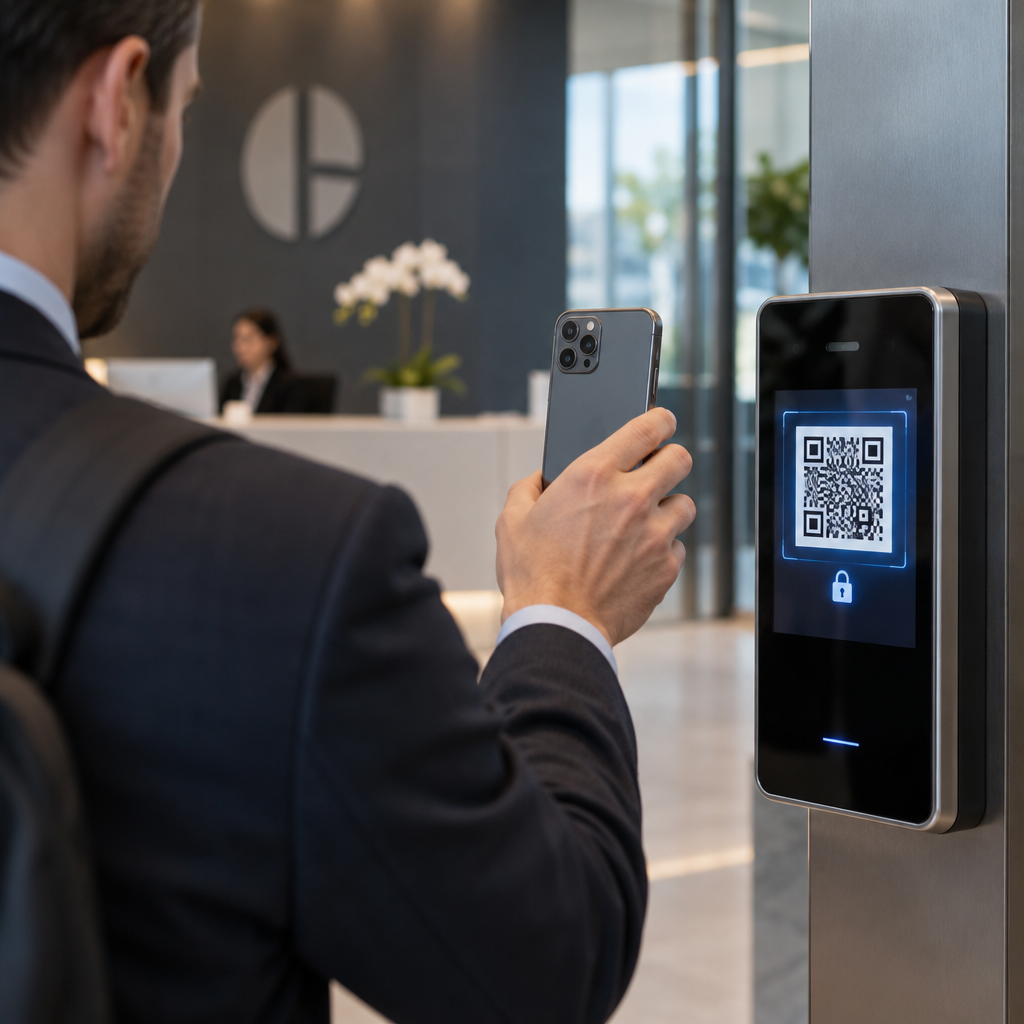
Jest to najczęstsze zastosowanie. Po zakończeniu cyfrowej odprawy online lub za pośrednictwem aplikacji mobilnej, klienci otrzymują kod QR, który służy jako ich autoryzacja do odbioru konkretnego pojazdu. Na parkingu skanują kod – albo w kiosku, na skrzynce na klucze, albo bezpośrednio przez aplikację – a system weryfikuje ich rezerwację i wydaje klucz lub odblokowuje dostęp bezkluczykowy.
Główne marki wynajmu już promują możliwość całkowitego pominięcia obsługi przy ladzie, a klienci wybierają samochód i weryfikują swoje dane na smartfonie, zanim jeszcze wylądują. Kod QR jest ostatnim krokiem, który zamyka pętlę między zakończoną rezerwacją cyfrową a fizycznym dostępem do pojazdu.
Dostęp do umowy najmu i dokumentacji
Zamiast wręczać wydrukowaną, wielostronicową umowę najmu, firmy wykorzystują kod QR umieszczony w e-mailu potwierdzającym, pakiecie kluczy lub na desce rozdzielczej samochodu, aby połączyć klientów bezpośrednio z ich cyfrową umową najmu. Skanowanie otwiera plik PDF z umową, warunkami ubezpieczenia lub polityką dotyczącą szkód – czytelny na każdym smartfonie bez pobierania oddzielnej aplikacji.
Takie podejście ułatwia również aktualizowanie dokumentów. Dzięki dynamicznemu kodowi QR PDF, podstawowy dokument może zostać zmieniony – zaktualizowane warunki, zmienione sformułowania ubezpieczenia, nowe uwagi dotyczące pojazdu – bez ponownego drukowania jakichkolwiek materiałów fizycznych. Sam kod pozostaje taki sam.
Udostępniaj dokumenty najmu bez papierkowej roboty Potrzebujesz zapewnić klientom natychmiastowy dostęp do umów najmu, instrukcji pojazdów lub warunków ubezpieczenia? Użyj Generator kodów QR do PDF aby połączyć dowolny dokument z kodem do zeskanowania – i aktualizować go w dowolnym momencie bez ponownego drukowania.
Orientacja pojazdu i przewodniki po funkcjach
Nieznane elementy sterujące pojazdu powodują frustrację, zwłaszcza u klientów odbierających samochód w pośpiechu. Kod QR na desce rozdzielczej, osłonie przeciwsłonecznej lub w schowku może prowadzić bezpośrednio do krótkiego przewodnika instruktażowego, instruktażu wideo lub pliku PDF wyjaśniającego, jak sparować telefon przez Bluetooth, wyregulować czujniki parkowania lub obsługiwać korek wlewu paliwa.
To zmniejsza liczbę połączeń z obsługą klienta i poprawia doświadczenie dla osób wynajmujących dany model pojazdu po raz pierwszy. A kodu QR z linku sprawdza się tutaj – jeśli model pojazdu zmieni się w rotacji floty, docelowy adres URL można zaktualizować bez wymiany fizycznej naklejki w samochodzie.
Nawigacja i pomoc w lokalizacji
Kod QR w pojeździe lub na umowie najmu może prowadzić bezpośrednio do lokalizacji w Google Maps – przydatne do kierowania klientów na parking zwrotny, stację paliw w pobliżu lotniska lub do konkretnej strefy odbioru. System Generator kodów QR do Google Maps generuje kod, który otwiera precyzyjną lokalizację w aplikacji Mapy za pomocą jednego skanu, eliminując wszelką niepewność co do miejsca docelowego.
Opinie klientów i ankiety po wynajmie
Zbieranie opinii natychmiast po wynajmie – gdy doświadczenie jest świeże – daje bardziej wiarygodne dane niż e-mail wysłany kilka dni później. Kod QR na potwierdzeniu zwrotu, skrzynce na klucze lub oznakowaniu wyjścia może prowadzić bezpośrednio do krótkiego formularza ankiety. System Generator kodów QR do Google Forms ułatwia połączenie wydrukowanego kodu z formularzem opinii, a śledzenie skanów pozwala zobaczyć, ilu klientów faktycznie z niego korzysta.
Dla firm, które chcą budować swój profil recenzji publicznych, kod kodu QR do opinii Google umieszczony na paragonie lub desce rozdzielczej zachęca zadowolonych klientów do pozostawienia opinii bezpośrednio w Google – bez żadnych przeszkód.
Rejestracja w programie lojalnościowym i promocje
Kod QR przy ladzie, na portfelu na klucze lub w e-mailu potwierdzającym może prowadzić do strony rejestracji w programie lojalnościowym, oferty polecającej lub rabatu promocyjnego na przyszłą rezerwację. Ponieważ te linki często zmieniają się wraz z kampaniami sezonowymi, użycie dynamicznego kodu QR z linku oznacza, że miejsce docelowe można zaktualizować bez ponownego drukowania materiałów w całej flocie lokalizacji.
Czy skanowanie kodu QR w samochodzie wynajmowanym jest bezpieczne?
To rozsądne pytanie, a szczera odpowiedź brzmi: to zależy od źródła. Legalne kody QR umieszczone przez firmę wynajmującą – na naklejkach na desce rozdzielczej, pakietach kluczy lub oficjalnych e-mailach potwierdzających – są bezpieczne i prowadzą do treści należących do firmy.

Ryzyko wynika z manipulowanych kodów. Jak udokumentowano w oszustwach QR związanych z parkowaniem, przestępcy czasami umieszczają fałszywe naklejki z kodami QR na legalnych, aby przekierować niczego niepodejrzewających użytkowników na fałszywe strony płatności. Przed zeskanowaniem jakiegokolwiek kodu na pojeździe wynajmowanym lub w kiosku wynajmu, sprawdź:
- Fizyczne manipulacje: Naklejka umieszczona na innej naklejce jest sygnałem ostrzegawczym.
- Podgląd adresu URL: Większość nowoczesnych aparatów smartfonów wyświetla podgląd adresu URL przed jego otwarciem. Sprawdź, czy domena odpowiada oficjalnej stronie internetowej firmy wynajmującej.
- Nieoczekiwane żądania płatności: Legalny kod QR wynajmu nie powinien prosić o ponowne wprowadzenie danych płatniczych, które już podałeś podczas rezerwacji.
Jeśli coś wygląda podejrzanie, skontaktuj się bezpośrednio z punktem wynajmu, zamiast skanować.
Jak firmy wynajmujące powinny konfigurować kody QR
Dla operatorów wynajmu budujących lub ulepszających system kodów QR, następujące praktyki mają znaczący wpływ zarówno na niezawodność, jak i doświadczenie klienta.
Używaj kodów dynamicznych do wszystkiego, co może się zmienić
Przewodniki po pojazdach flotowych, lokalizacje parkingów zwrotnych i oferty promocyjne zmieniają się regularnie. Statyczne kody QR kodują stałe miejsce docelowe – jeśli to miejsce docelowe się zmieni, stary kod staje się bezużyteczny. Dynamiczne kody QR wskazują na adres URL przekierowania zarządzany za pośrednictwem platformy takiej jak Pageloot, dzięki czemu miejsce docelowe można zaktualizować natychmiast bez dotykania fizycznego kodu. Jest to szczególnie cenne w przypadku kodów wydrukowanych na brelokach, naklejkach na desce rozdzielczej lub oznakowaniu.
Rozmiar i umiejscowienie mają znaczenie dla niezawodnego skanowania
Kod QR, który się nie skanuje, traci swój cel. Przestrzegaj tych podstawowych standardów podczas projektowania fizycznego umiejscowienia:
- Minimalny rozmiar: 2 cm × 2 cm (0,8 cala × 0,8 cala) dla każdego kodu, który klienci będą skanować z bliska. Użyj zasady odległości skanowania 10:1 dla oznakowania – kod o szerokości 10 cm jest niezawodnie czytelny z odległości około 100 cm.
- Kontrast: Ciemne moduły na jasnym tle. Unikaj drukowania ciemnych kodów na ciemnych powierzchniach lub używania kombinacji kolorów o niskim kontraście.
- Strefa ciszy: Pozostaw wyraźną ramkę pustej przestrzeni wokół każdego kodu – bez tekstu, wzorów lub lakieru wnikającego w krawędzie.
- Wysokość umiejscowienia: W przypadku umiejscowienia na kiosku lub w pojeździe, dąż do wysokości 3–5 stóp od ziemi, aby kody były dostępne dla wszystkich użytkowników, w tym osób korzystających z wózków inwalidzkich.
Zawsze dołącz alternatywę tekstową
Nie każdy klient może lub chce zeskanować kod QR. Umieść krótki adres URL, numer telefonu lub pisemną instrukcję obok każdego kodu QR, aby klienci mieli alternatywę. Jest to dobra praktyka dostępności i zapobiega pojedynczemu punktowi awarii, jeśli aparat klienta nie działa lub nie ma sygnału sieciowego w strukturze parkingowej.
Oznacz każdy kod wyraźnie
Powiedz klientom, co skanują, zanim to zrobią. Prosta etykieta – “Skanuj, aby uzyskać umowę najmu” lub “Skanuj, aby znaleźć parking zwrotny” – zmniejsza wahanie i zwiększa wskaźniki skanowania. Pomaga to również klientom odróżnić legalny kod firmy od czegoś, co tam nie należy.
Śledź wydajność za pomocą analityki
Dynamiczne kody QR zbudowane na platformie z analityką pozwalają firmom wynajmującym zobaczyć, które kody są skanowane, kiedy i z jakich lokalizacji. Dane te pomagają zidentyfikować, czy klienci faktycznie czytają przewodniki orientacyjne pojazdów, korzystają z ofert lojalnościowych, czy rezygnują przed wypełnieniem formularza opinii. Wykorzystaj te spostrzeżenia do dostosowania umiejscowienia, poprawy treści lub przeprojektowania kodów o niskiej wydajności.
Zobacz, których kodów QR faktycznie używają Twoi klienci Z dynamicznymi kodami QR od Pageloot, możesz śledzić każde skanowanie według czasu, lokalizacji i urządzenia – i aktualizować miejsca docelowe bez ponownego drukowania ani jednej naklejki.
Testuj przed wdrożeniem w całej flocie
Zanim umieścisz kod na dziesiątkach desek rozdzielczych pojazdów, przetestuj go na wielu urządzeniach – różnych modelach iPhone'ów, różnych modelach Androida – w oczekiwanej odległości skanowania i w rzeczywistych warunkach oświetleniowych Twoich pojazdów. Sprawdź, czy połączona strona ładuje się poprawnie na urządzeniach mobilnych, a nie tylko na komputerach stacjonarnych. Uszkodzona lub wolno ładująca się strona po udanym skanowaniu tworzy gorsze wrażenie niż brak kodu QR w ogóle.
Kody QR i szersze bezdotykowe doświadczenie wynajmu
Kody QR najlepiej sprawdzają się jako jeden element połączonego przepływu pracy, a nie samodzielna funkcja. Firmy wynajmujące, które odnotowują najsilniejsze wyniki, to te, które łączą cyfrową rezerwację, mobilną odprawę, dostęp do dokumentów oparty na kodach QR i cyfrowy zwrot w jedno spójne doświadczenie. Klienci, którzy realizują cały wynajem bez wizyty przy ladzie – rezerwując online, wybierając swój pojazd, skanując go w celu odbioru i wrzucając kluczyk do skrzynki w drodze wyjścia – konsekwentnie zgłaszają szybsze, mniej stresujące doświadczenia.
Ma to znaczenie, ponieważ Przyjęcie kodów QR rośnie w praktycznie każdej branży usługowej, a oczekiwania klientów rosną wraz z nim. Firma wynajmująca, która nadal wręcza papierową umowę i drukowaną mapę, coraz bardziej odbiega od tego, czego klienci oczekują od nowoczesnej interakcji serwisowej.
Dla firm wynajmujących, które po raz pierwszy badają kody QR, lub chcących rozszerzyć się poza podstawowy przepływ pracy związany z odbiorem, te Pageloot Generator kodów QR obejmuje pełen zakres przypadków użycia – od dokumentów PDF i formularzy Google po linki do lokalizacji i zbieranie recenzji – z wbudowaną dynamiczną edycją i analityką. Możesz również zbadać rozwiązania kodów QR w innych branżach aby zobaczyć, jak podobne firmy wykorzystują te same narzędzia.
Najczęściej zadawane pytania
Wypożyczalnie używają kodów QR w pojazdach w kilku celach: linkowania do cyfrowej kopii umowy najmu, zapewniania przewodnika po pojeździe (jak podłączyć Bluetooth, używać czujników parkowania i tak dalej), kierowania klientów do miejsca zwrotu paliwa lub zbierania opinii po wynajmie. Jeśli kod znajduje się na oficjalnej naklejce od wypożyczalni, można go bezpiecznie zeskanować – ale zawsze sprawdź podgląd adresu URL przed otwarciem docelowej strony.
Tak, w wielu firmach wynajmujących. Bezdotykowy proces wynajmu zazwyczaj obejmuje rezerwację online, cyfrową weryfikację tożsamości, otrzymanie kodu QR lub cyfrowego klucza na telefon, skanowanie na parkingu w celu uzyskania dostępu do pojazdu i zwrot za pomocą skrzynki na klucze bez interakcji z obsługą. Wymagania dotyczące weryfikacji tożsamości – w tym przedstawienie ważnego fizycznego prawa jazdy – mogą nadal obowiązywać w zależności od firmy i lokalizacji.
Używając dynamicznych kodów QR zamiast statycznych. Dynamiczny kod QR wskazuje na przekierowujący adres URL zarządzany za pośrednictwem platformy takiej jak Pageloot. Jeśli miejsce docelowe się zmieni – na przykład adres URL przewodnika po pojeździe, mapa miejsca zwrotu lub promocja sezonowa – aktualizujesz miejsce docelowe w panelu sterowania platformy, a istniejący wydrukowany kod automatycznie wskazuje na nową zawartość. Nie jest wymagane ponowne drukowanie.