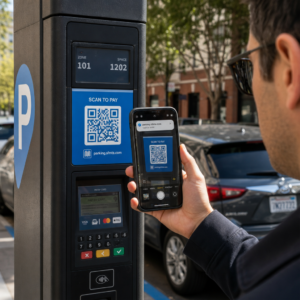
Ar kada nors nuskenavote QR kodą ant nuomojamo automobilio ir susimąstėte, kam jis iš tikrųjų skirtas – ar ar jis saugus? Nuomos įmonės vis dažniau naudoja QR kodus, kad pakeistų popierinius dokumentus, pagreitintų transporto priemonių atsiėmimą ir užtikrintų visiškai bekontaktę patirtį. Šiame puslapyje paaiškinami visi dažniausiai pasitaikantys naudojimo atvejai, kaip atskirti teisėtą kodą nuo apgaulingo ir kaip nuomos įmonės gali nustatyti savo QR kodų darbo eigą.
Kodėl automobilių nuomos įmonės diegia QR kodus
Perėjimas prie skaitmeninių automobilių nuomos paslaugų gerokai paspartėjo. Internetinės rezervacijos sudarė daugiau nei 71% pasaulinių automobilių nuomos pajamų 2024 m., o klientai, kurie rezervuoja skaitmeniniu būdu, natūraliai tikisi, kad atsiėmimo ir grąžinimo procesas atitiks tą patį patogumą. Tuo tarpu 2023 m. 48 milijonai amerikiečių išsinuomojo automobilius – tai 19,4% daugiau nei ankstesniais metais – todėl nuomos vietos patiria spaudimą greičiau aptarnauti klientus, nepridėdamos darbuotojų.
QR kodai puikiai užpildo šią spragą. Vienas atspausdintas arba parodytas kodas gali vienu metu pakeisti atspausdintą nuomos sutartį, apsilankymą prie prekystalio, žodinį instruktažą apie transporto priemonės ypatybes ir atsiliepimų kortelę. Klientams tai reiškia mažiau laiko laukiant ir daugiau laiko vairuojant.
Kam iš tikrųjų naudojami QR kodai automobilių nuomoje
Nuomos įmonės diegia QR kodus keliuose skirtinguose klientų kelionės taškuose. Štai ką greičiausiai sutiksite.

Bekontaktis transporto priemonės atsiėmimas
Tai yra dažniausiai pasitaikantis naudojimas. Baigę skaitmeninę registraciją internetu arba per mobiliąją programėlę, klientai gauna QR kodą, kuris yra jų leidimas atsiimti konkretų automobilį. Aikštelėje jie nuskaito kodą – kioske, raktų dėžutėje arba tiesiogiai per programėlę – ir sistema patikrina jų rezervaciją bei išduoda raktą arba atrakina beraktę prieigą.
Pagrindiniai nuomos prekių ženklai jau reklamuoja galimybę visiškai praleisti aptarnavimo punktą, klientams pasirenkant automobilį ir patvirtinant savo duomenis išmaniajame telefone dar prieš atvykstant. QR kodas yra paskutinis žingsnis, užbaigiantis ryšį tarp užbaigto skaitmeninio užsakymo ir fizinės prieigos prie transporto priemonės.
Nuomos sutartis ir dokumentacijos prieiga
Užuot įteikus atspausdintą daugialapę nuomos sutartį, įmonės naudoja QR kodą, patalpintą patvirtinimo el. laiške, raktų pakete arba automobilio prietaisų skydelyje, kad klientai būtų tiesiogiai nukreipti į jų skaitmeninę nuomos sutartį. Nuskaičius atidaromas sutarties, draudimo sąlygų ar žalos politikos PDF failas – skaitomas bet kuriame išmaniajame telefone, neatsisiunčiant atskiros programėlės.
Šis metodas taip pat palengvina dokumentų atnaujinimą. Naudojant dinaminį PDF QR kodą, pagrindinis dokumentas gali būti keičiamas – atnaujintos sąlygos, peržiūrėta draudimo formuluotė, naujos transporto priemonės pastabos – neperspausdinant jokių fizinių medžiagų. Pats kodas išlieka toks pat.
Dalinkitės nuomos dokumentais be popierizmo Reikia suteikti klientams tiesioginę prieigą prie nuomos sutarčių, transporto priemonių vadovų ar draudimo sąlygų? Naudokite PDF QR kodo generatorius norėdami susieti bet kurį dokumentą su nuskaitomu kodu – ir atnaujinkite jį bet kuriuo metu neperspausdinant.
Transporto priemonės pristatymas ir funkcijų vadovai
Nepažįstami transporto priemonės valdikliai sukelia nusivylimą, ypač klientams, skubantiems pasiimti automobilį. QR kodas ant prietaisų skydelio, saulės skydelio ar daiktadėžės gali tiesiogiai nukreipti į trumpą instrukcijų vadovą, vaizdo įrašo apžvalgą arba PDF failą, paaiškinantį, kaip susieti telefoną per Bluetooth, reguliuoti parkavimo jutiklius ar atidaryti degalų bako dangtelį.
Tai sumažina skambučių į klientų aptarnavimo skyrių skaičių ir pagerina patirtį pirmą kartą nuomojantiems konkretų transporto priemonės modelį. A nuorodos QR kodui čia puikiai tinka – jei transporto priemonės modelis pasikeičia parko rotacijos metu, paskirties URL gali būti atnaujintas, nekeičiant fizinio lipduko automobilyje.
Navigacija ir vietos nustatymo pagalba
QR kodas transporto priemonėje arba ant nuomos sutarties gali tiesiogiai nukreipti į „Google Maps“ vietą – naudinga nukreipiant klientus į grąžinimo aikštelę, degalinę netoli oro uosto arba į konkrečią išlaipinimo zoną. Tai Google Maps QR kodo generatorius sugeneruoja kodą, kuris vienu nuskaitymu atidaro tikslią vietą „Maps“ programėlėje, pašalindamas bet kokį neaiškumą dėl to, kur eiti.
Klientų atsiliepimai ir apklausos po nuomos
Atsiliepimų rinkimas iškart po nuomos – kol patirtis dar šviežia – duoda patikimesnius duomenis nei vėliau, po kelių dienų, išsiųstas el. laiškas. QR kodas ant grąžinimo kvito, raktų dėžutės arba išėjimo nuorodų gali tiesiogiai nukreipti į trumpą apklausos formą. Tai Google formos QR kodo generatorius leidžia lengvai susieti atspausdintą kodą su atsiliepimų forma, o nuskaitymų stebėjimas leidžia pamatyti, kiek klientų iš tikrųjų ja naudojasi.
Įmonėms, norinčioms sukurti savo viešą atsiliepimų profilį, Google atsiliepimų QR kodui padėtas ant kvito arba prietaisų skydelio skatina patenkintus klientus palikti atsiliepimą tiesiogiai „Google“ – be jokių kliūčių.
Lojalumo programos registracija ir akcijos
QR kodas prie prekystalio, ant raktų dėklo arba patvirtinimo el. laiške gali nukreipti į lojalumo registracijos puslapį, nukreipimo pasiūlymą arba reklaminę nuolaidą būsimam užsakymui. Kadangi šios nuorodos dažnai keičiasi su sezoninėmis kampanijomis, naudojant dinaminį nuorodos QR kodui reiškia, kad paskirties vieta gali būti atnaujinta neperspausdinant medžiagų visame vietų parke.
Ar saugu nuskaityti QR kodą nuomojamame automobilyje?
Tai pagrįstas klausimas, o sąžiningas atsakymas yra: tai priklauso nuo šaltinio. Teisėti QR kodai, kuriuos pateikia nuomos įmonė – ant prietaisų skydelio lipdukų, raktų pakuočių arba oficialių patvirtinimo el. laiškų – yra saugūs ir nukreipia į įmonei priklausantį turinį.

Rizika kyla dėl suklastotų kodų. Kaip dokumentuota su parkavimu susijusiose QR sukčiavimo schemose, nusikaltėliai kartais užklijuoja netikrus QR kodo lipdukus ant teisėtų, kad nukreiptų nieko neįtariančius vartotojus į apgaulingus mokėjimo puslapius. Prieš nuskaitydami bet kokį kodą nuomojamoje transporto priemonėje arba nuomos kioske, patikrinkite:
- Fizinis klastojimas: Lipdukas, užklijuotas ant kito lipduko, yra įspėjamasis ženklas.
- URL peržiūra: Dauguma šiuolaikinių išmaniųjų telefonų kamerų rodo URL peržiūrą prieš jį atidarant. Patikrinkite, ar domenas atitinka nuomos įmonės oficialią svetainę.
- Netikėti mokėjimo prašymai: Teisėtas nuomos QR kodas neturėtų prašyti iš naujo įvesti mokėjimo duomenų, kuriuos jau pateikėte užsakydami.
Jei kas nors atrodo ne taip, susisiekite tiesiogiai su nuomos punktu, užuot skenavę.
Kaip nuomos įmonės turėtų nustatyti QR kodus
Nuomos operatoriams, kuriantiems ar tobulinantiems QR kodų sistemą, šios praktikos daro didelį skirtumą tiek patikimumo, tiek klientų patirties atžvilgiu.
Naudokite dinaminius kodus viskam, kas gali keistis
Parko transporto priemonių vadovai, grąžinimo aikštelių vietos ir reklaminiai pasiūlymai reguliariai keičiasi. Statiniai QR kodai užkoduoja fiksuotą paskirties vietą – jei ta paskirties vieta pasikeičia, senasis kodas tampa nenaudingas. Dinaminiai QR kodai nukreipia į peradresavimo URL, valdomą per platformą, pvz. Puslapis, todėl paskirties vieta gali būti atnaujinta akimirksniu, neliečiant fizinio kodo. Tai ypač vertinga kodams, atspausdintiems ant raktų pakabukų, prietaisų skydelio lipdukų arba iškabų.
Dydis ir išdėstymas yra svarbūs patikimam nuskaitymui
QR kodas, kuris nenuskaito, praranda savo paskirtį. Laikykitės šių pagrindinių standartų, projektuodami fiziniam išdėstymui:
- Mažiausias dydis: 2 cm × 2 cm (0,8 colio × 0,8 colio) bet kokiam kodui, kurį klientai skenuos iš arti. Naudokite 10:1 nuskaitymo atstumo taisyklę iškaboms – 10 cm pločio kodas yra patikimai nuskaitomas maždaug iš 100 cm atstumo.
- Kontrastas: Tamsūs moduliai šviesiame fone. Venkite spausdinti tamsius kodus ant tamsių paviršių arba naudoti spalvų derinius su mažu kontrastu.
- Tylioji zona: Palikite aiškų tuščios erdvės kraštą aplink kiekvieną kodą – jokio teksto, raštų ar lako, patenkančio į kraštus.
- Išdėstymo aukštis: Kioskuose montuojamiems arba transporto priemonėse esantiems išdėstymams siekite 3–5 pėdų nuo žemės, kad kodai būtų prieinami visiems vartotojams, įskaitant tuos, kurie naudojasi neįgaliųjų vežimėliais.
Visada įtraukite teksto alternatyvą
Ne kiekvienas klientas gali arba nori nuskaityti QR kodą. Padėkite trumpą URL, telefono numerį arba rašytinę instrukciją šalia kiekvieno QR kodo, kad klientai turėtų atsarginį variantą. Tai gera prieinamumo praktika ir apsaugo nuo vieno gedimo taško, jei kliento kamera neveikia arba nėra tinklo signalo automobilių stovėjimo aikštelėje.
Aiškiai pažymėkite kiekvieną kodą
Pasakykite klientams, ką jie skenuoja, prieš jiems skenuojant. Paprasta etiketė – “Nuskaitykite, kad gautumėte nuomos sutartį” arba “Nuskaitykite, kad rastumėte grąžinimo aikštelę” – sumažina dvejones ir padidina nuskaitymo dažnumą. Tai taip pat padeda klientams atskirti teisėtą įmonės kodą nuo to, kas ten neturėtų būti.
Stebėkite našumą per analizę
Dinaminiai QR kodai, sukurti platformoje su analitika, leidžia nuomos įmonėms matyti, kurie kodai yra nuskaitomi, kada ir iš kokių vietų. Šie duomenys padeda nustatyti, ar klientai iš tikrųjų skaito transporto priemonių orientavimo vadovus, naudojasi lojalumo pasiūlymais arba pasitraukia nebaigę atsiliepimų formos. Naudokite šią įžvalgą, kad pakoreguotumėte išdėstymą, pagerintumėte tekstą arba perdarytumėte prastai veikiančius kodus.
Pažiūrėkite, kuriuos QR kodus jūsų klientai iš tikrųjų naudoja Su dinaminiais QR kodais iš Puslapis, galite stebėti kiekvieną nuskaitymą pagal laiką, vietą ir įrenginį – ir atnaujinti paskirties vietas neperspausdinant nė vieno lipduko.
Išbandykite prieš diegdami visame parke
Prieš dedant kodą ant dešimčių transporto priemonių prietaisų skydelių, išbandykite jį ant kelių įrenginių – skirtingų „iPhone“ modelių, skirtingų „Android“ modelių – numatytu nuskaitymo atstumu ir faktinėmis apšvietimo sąlygomis jūsų transporto priemonėse. Patikrinkite, ar susietas puslapis įkeliamas teisingai mobiliajame telefone, ne tik darbalaukyje. Sugedęs arba lėtai įkeliamas puslapis po sėkmingo nuskaitymo sukuria blogesnį įspūdį nei jokio QR kodo apskritai.
QR kodai ir platesn
QR kodai geriausiai veikia kaip sujungtos darbo eigos dalis, o ne kaip atskira funkcija. Nuomos įmonės, pasiekiančios geriausius rezultatus, yra tos, kurios sujungia skaitmeninį užsakymą, mobilųjį registravimąsi, prieigą prie dokumentų per QR kodą ir skaitmeninį grąžinimą į vieną nuoseklią patirtį. Klientai, kurie visą nuomos procesą atlieka neapsilankę prie prekystalio – užsisakydami internetu, pasirinkdami transporto priemonę, nuskaitydami kodą, kad ją atsiimtų, ir palikdami raktą dėžutėje išeidami – nuolat praneša apie greitesnę ir mažiau streso keliančią patirtį.
Tai svarbu, nes QR kodų naudojimas auga beveik visose paslaugų pramonės šakose, o kartu su juo auga ir klientų lūkesčiai. Nuomos įmonė, kuri vis dar įteikia popierinę sutartį ir atspausdintą žemėlapį, vis labiau atsilieka nuo to, ko klientai tikisi iš šiuolaikinės paslaugų sąveikos.
Nuomos įmonėms, kurios pirmą kartą tyrinėja QR kodus arba nori išplėsti savo veiklą už pagrindinio atsiėmimo proceso ribų, „Pageloot“ QR kodų generatorius apima visą naudojimo atvejų spektrą – nuo PDF dokumentų ir „Google“ formų iki vietos nuorodų ir atsiliepimų rinkimo – su integruotu dinaminiu redagavimu ir analitika. Taip pat galite ištirti QR kodų sprendimus kitose pramonės šakose , kad pamatytumėte, kaip panašios įmonės naudoja tuos pačius įrankius.
Dažniausiai užduodami klausimai
Nuomos įmonės naudoja transporto priemonėse esančius QR kodus keliems tikslams: susiejimui su skaitmenine nuomos sutarties kopija, pateikiant transporto priemonės orientacinį vadovą (kaip prijungti „Bluetooth“, naudoti parkavimo jutiklius ir pan.), nukreipiant klientus į degalų grąžinimo vietą arba renkant atsiliepimus po nuomos. Jei kodas yra ant oficialaus nuomos įmonės lipduko, jį saugu nuskaityti – bet visada patikrinkite URL peržiūrą prieš atidarydami paskirties vietą.
Taip, daugelyje nuomos įmonių. Bekontaktis nuomos procesas paprastai apima užsakymą internetu, tapatybės patvirtinimą skaitmeniniu būdu, QR kodo arba skaitmeninio rakto gavimą telefone, nuskaitymą aikštelėje, kad būtų galima pasiekti transporto priemonę, ir jos grąžinimą per raktų dėžutę be sąveikos su prekystaliu. Tapatybės patvirtinimo reikalavimai – įskaitant galiojančio fizinio vairuotojo pažymėjimo pateikimą – vis dar gali būti taikomi, priklausomai nuo įmonės ir vietos.
Naudojant dinaminius QR kodus, o ne statinius. Dinaminis QR kodas nukreipia į nukreipimo URL, valdomą per platformą, pvz., Pageloot. Jei paskirties vieta pasikeičia – pavyzdžiui, transporto priemonės vadovo URL, grąžinimo aikštelės žemėlapis arba sezoninė akcija – atnaujinate paskirties vietą platformos prietaisų skydelyje, o esamas atspausdintas kodas automatiškai nukreipia į naują turinį. Pakartotinis spausdinimas nereikalingas.