هل سبق لك مسح رمز QR على سيارة مستأجرة وتساءلت ما هو الغرض منه بالفعل – أو ما إذا كان آمناً؟ تستخدم شركات التأجير بشكل متزايد رموز QR لتحل محل الأوراق، وتسريع استلام المركبات، وتقديم تجربة بدون تلامس بالكامل. تشرح هذه الصفحة كل حالة استخدام شائعة، وكيفية التمييز بين الرمز الشرعي والرمز الاحتيالي، وكيف يمكن لشركات التأجير إعداد سير عمل رموز QR الخاصة بها.
لماذا تتبنى شركات تأجير السيارات رموز QR
تسارع التحول نحو تأجير السيارات الرقمي أولاً بشكل كبير. شكلت الحجوزات عبر الإنترنت أكثر من 71% من إيرادات تأجير السيارات العالمية في عام 2024، ويتوقع العملاء الذين يحجزون رقمياً بطبيعة الحال أن تتطابق عملية الاستلام والإرجاع مع نفس هذه الراحة. في غضون ذلك، استأجر 48 مليون أمريكي سيارات في عام 2023 – بزيادة قدرها 19.4% عن العام السابق – مما يضع ضغطاً على مواقع التأجير لنقل العملاء بشكل أسرع دون إضافة موظفين.
تتناسب رموز QR مباشرة مع هذه الفجوة. يمكن لرمز واحد مطبوع أو معروض أن يحل محل اتفاقية تأجير مطبوعة، وزيارة إلى الكاونتر، وإحاطة شفهية حول ميزات السيارة، وبطاقة ملاحظات – كل ذلك في وقت واحد. بالنسبة للعملاء، تكون النتيجة وقتاً أقل في الانتظار ووقتاً أطول في القيادة.
ما هي الاستخدامات الفعلية لرموز QR في تأجير السيارات
تنشر شركات التأجير رموز QR في عدة نقاط مميزة في رحلة العميل. إليك ما من المرجح أن تواجهه.

استلام المركبة بدون تلامس
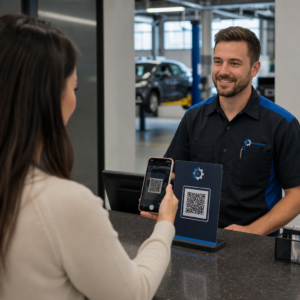
هذا هو الاستخدام الأكثر شيوعاً. بعد إكمال تسجيل الدخول الرقمي عبر الإنترنت أو عبر تطبيق جوال، يتلقى العملاء رمز QR يعمل كإذن لهم لاستلام مركبة معينة. في الموقع، يقومون بمسح الرمز – إما في كشك، أو على صندوق مفاتيح، أو مباشرة عبر التطبيق – ويتحقق النظام من حجزهم ويصدر المفتاح أو يفتح الوصول بدون مفتاح.
تروج العلامات التجارية الكبرى للتأجير بالفعل للقدرة على تخطي الكاونتر بالكامل، حيث يختار العملاء سيارتهم ويتحققون من تفاصيلهم على هاتف ذكي قبل حتى وصولهم. رمز QR هو الخطوة الأخيرة التي تغلق الحلقة بين الحجز الرقمي المكتمل والوصول الفعلي للمركبة.
الوصول إلى اتفاقية التأجير والوثائق
بدلاً من تسليم عقد تأجير مطبوع متعدد الصفحات، تستخدم الشركات رمز QR موضوعاً على بريد إلكتروني للتأكيد، أو حزمة مفاتيح، أو لوحة قيادة السيارة لربط العملاء مباشرة باتفاقية التأجير الرقمية الخاصة بهم. يفتح المسح ملف PDF للعقد، أو شروط التأمين، أو سياسة الأضرار – قابلة للقراءة على أي هاتف ذكي دون تنزيل تطبيق منفصل.
هذا النهج يجعل تحديث المستندات أسهل أيضاً. باستخدام رمز QR ديناميكي لملف PDF, ، يمكن تغيير المستند الأساسي – شروط محدثة، صياغة تأمين منقحة، ملاحظات مركبة جديدة – دون إعادة طباعة أي مواد مادية. يبقى الرمز نفسه كما هو.
مشاركة مستندات التأجير بدون أوراق هل تحتاج إلى منح العملاء وصولاً فورياً إلى اتفاقيات التأجير، أو أدلة المركبات، أو شروط التأمين؟ استخدم مولد باركود QR لملف PDF لربط أي مستند برمز قابل للمسح – وتحديثه في أي وقت دون إعادة الطباعة.
توجيه المركبة وأدلة الميزات
تسبب أدوات التحكم غير المألوفة في المركبة إحباطاً، خاصة للعملاء الذين يستلمون سيارة على عجل. يمكن لرمز QR على لوحة القيادة، أو حاجب الشمس، أو صندوق القفازات أن يربط مباشرة بدليل تعليمي قصير، أو جولة فيديو، أو ملف PDF يشرح كيفية إقران هاتف عبر البلوتوث، أو ضبط حساسات الركن، أو تشغيل غطاء الوقود.
هذا يقلل من المكالمات إلى خدمة العملاء ويحسن التجربة للمستأجرين لأول مرة لنموذج مركبة معين. باركود الرابط يعمل بشكل جيد هنا – إذا تغير نموذج المركبة في دورة الأسطول، يمكن تحديث عنوان URL الوجهة دون استبدال الملصق المادي في السيارة.
الملاحة والمساعدة في تحديد الموقع
يمكن لرمز QR في المركبة أو على عقد الإيجار أن يربط مباشرة بموقع على خرائط Google – مفيد لتوجيه العملاء إلى موقف إرجاع، أو محطة وقود بالقرب من المطار، أو منطقة تسليم محددة. مولد باركود QR لموقع Google Maps يولد رمزاً يفتح موقعاً دقيقاً في تطبيق الخرائط بمسح واحد، مزيلاً أي غموض حول مكان الذهاب.
ملاحظات العملاء واستبيانات ما بعد التأجير
جمع الملاحظات فوراً بعد التأجير – بينما التجربة طازجة – ينتج بيانات أكثر موثوقية من رسالة بريد إلكتروني للمتابعة تُرسل بعد أيام. يمكن لرمز QR على إيصال الإرجاع، أو صندوق إسقاط المفاتيح، أو لافتات الخروج أن يربط مباشرة بنموذج استبيان قصير. مولد باركود QR لنموذج Google Forms يجعل من السهل ربط رمز مطبوع بنموذج ملاحظات، ويتيح لك تتبع المسح معرفة عدد العملاء الذين يتفاعلون معه بالفعل.
للشركات التي تتطلع إلى بناء ملف تعريف مراجعتها العامة، باركود تقييمات جوجل وُضِعَ على الإيصال أو لوحة القيادة يحث العملاء الراضين على ترك تعليقات مباشرة على Google – دون أي عوائق.
التسجيل في برنامج الولاء والعروض الترويجية
يمكن لرمز QR عند الكاونتر، على محفظة مفاتيح، أو في رسالة بريد إلكتروني للتأكيد أن يربط بصفحة تسجيل ولاء، أو عرض إحالة، أو خصم ترويجي لحجز مستقبلي. نظرًا لأن هذه الروابط تتغير بشكل متكرر مع الحملات الموسمية، فإن استخدام رمز ديناميكي باركود الرابط يعني أنه يمكن تحديث الوجهة دون إعادة طباعة المواد عبر أسطول من المواقع.
هل من الآمن مسح رمز QR في سيارة مستأجرة؟
هذا سؤال معقول، والإجابة الصادقة هي: يعتمد ذلك على المصدر. رموز QR الشرعية التي تضعها شركة تأجير – على ملصقات لوحة القيادة، أو حزم المفاتيح، أو رسائل البريد الإلكتروني الرسمية للتأكيد – آمنة وتربط بمحتوى مملوك للشركة.

يأتي الخطر من الرموز التي تم التلاعب بها. كما هو موثق في عمليات الاحتيال المتعلقة برموز QR الخاصة بمواقف السيارات, ، يضع المجرمون أحيانًا ملصقات رموز QR مزيفة فوق الرموز الشرعية لإعادة توجيه المستخدمين غير المرتابين إلى صفحات دفع احتيالية. قبل مسح أي رمز على سيارة مستأجرة أو في كشك تأجير، تحقق مما يلي:
- التلاعب المادي: الملصق الموضوع فوق ملصق آخر هو علامة تحذير.
- معاينة عنوان URL: تعرض معظم كاميرات الهواتف الذكية الحديثة معاينة لعنوان URL قبل فتحه. تحقق من أن النطاق يطابق الموقع الرسمي لشركة التأجير.
- طلبات الدفع غير المتوقعة: لا ينبغي لرمز QR شرعي لتأجير السيارات أن يطلب منك إعادة إدخال تفاصيل الدفع التي قدمتها بالفعل عند الحجز.
إذا بدا أي شيء مريبًا، اتصل بمكتب التأجير مباشرةً بدلاً من المسح.
كيف يجب على شركات التأجير إعداد رموز QR
لمشغلي التأجير الذين يقومون ببناء أو تحسين نظام رمز QR، فإن الممارسات التالية تحدث فرقًا ذا مغزى في كل من الموثوقية وتجربة العملاء.
استخدم الرموز الديناميكية لأي شيء قد يتغير
أدلة أسطول المركبات، ومواقع مواقف العودة، والعروض الترويجية تتغير جميعها بانتظام. تقوم رموز QR الثابتة بتشفير وجهة ثابتة – إذا تغيرت تلك الوجهة، يصبح الرمز القديم عديم الفائدة. تشير رموز QR الديناميكية إلى عنوان URL لإعادة التوجيه تتم إدارته عبر منصة مثل باجلوت, ، بحيث يمكن تحديث الوجهة على الفور دون لمس الرمز المادي. هذا ذو قيمة خاصة للرموز المطبوعة على سلاسل المفاتيح، أو ملصقات لوحة القيادة، أو اللافتات.
الحجم والموضع مهمان للمسح الموثوق به
رمز QR الذي لا يتم مسحه يهزم الغرض منه. اتبع هذه المعايير الأساسية عند التصميم للموضع المادي:
- الحد الأدنى للحجم: 2 سم × 2 سم (0.8 بوصة × 0.8 بوصة) لأي رمز سيمسحه العملاء عن قرب. استخدم قاعدة مسافة المسح 10:1 للافتات – رمز بعرض 10 سم يمكن قراءته بشكل موثوق من حوالي 100 سم.
- مقابلة: وحدات داكنة على خلفية فاتحة. تجنب طباعة الرموز الداكنة على الأسطح الداكنة أو استخدام مجموعات ألوان ذات تباين منخفض.
- منطقة هادئة: اترك حدودًا واضحة من المساحة الفارغة حول كل رمز – لا نصوص أو أنماط أو ورنيش يتسرب إلى الحواف.
- ارتفاع الموضع: للمواضع المثبتة على الأكشاك أو داخل المركبات، استهدف 3-5 أقدام من الأرض للحفاظ على الرموز سهلة الوصول لجميع المستخدمين، بمن فيهم مستخدمو الكراسي المتحركة.
قم دائمًا بتضمين بديل نصي
لا يستطيع كل عميل أو يرغب في مسح رمز QR. ضع عنوان URL قصيرًا أو رقم هاتف أو تعليمات مكتوبة بجانب كل رمز QR حتى يكون لدى العملاء خيار احتياطي. هذه ممارسة جيدة لإمكانية الوصول وتمنع نقطة فشل واحدة إذا كانت كاميرا العميل لا تعمل أو لا توجد إشارة شبكة في موقف للسيارات.
قم بتسمية كل رمز بوضوح
أخبر العملاء بما يقومون بمسحه قبل أن يمسحوه. تسمية بسيطة – “امسح للحصول على اتفاقية الإيجار الخاصة بك” أو “امسح للعثور على موقف العودة” – تقلل التردد وتزيد من معدلات المسح. كما أنها تساعد العملاء على تمييز رمز الشركة الشرعي عن شيء لا ينتمي إلى هناك.
تتبع الأداء من خلال التحليلات
تتيح رموز QR الديناميكية المبنية على منصة مزودة بتحليلات لشركات التأجير معرفة الرموز التي يتم مسحها، ومتى، ومن أي المواقع. تساعد هذه البيانات في تحديد ما إذا كان العملاء يقرأون بالفعل أدلة توجيه المركبات، أو يتفاعلون مع عروض الولاء، أو يتوقفون قبل إكمال نموذج التعليقات. استخدم هذه الرؤية لضبط الموضع، أو تحسين النص، أو إعادة تصميم الرموز ذات الأداء الضعيف.
شاهد رموز QR التي يستخدمها عملاؤك بالفعل باستخدام رموز QR الديناميكية من باجلوت, ، يمكنك تتبع كل عملية مسح حسب الوقت والموقع والجهاز – وتحديث الوجهات دون إعادة طباعة ملصق واحد.
اختبر قبل النشر عبر أسطول
قبل وضع رمز على عشرات لوحات قيادة المركبات، اختبره على أجهزة متعددة – طرازات iPhone مختلفة، طرازات Android مختلفة – على مسافة المسح المتوقعة وفي ظروف الإضاءة الفعلية لمركباتك. تحقق من أن الصفحة المرتبطة تُحمّل بشكل صحيح على الهاتف المحمول، وليس فقط على سطح المكتب. صفحة معطلة أو بطيئة التحميل بعد مسح ناجح تخلق انطباعًا أسوأ من عدم وجود رمز QR على الإطلاق.
رموز QR وتجربة التأجير اللاتلامسية الأوسع
تعمل رموز QR بشكل أفضل كعنصر واحد من سير عمل متصل، وليس كميزة مستقلة. شركات التأجير التي تحقق أقوى النتائج هي تلك التي تجمع بين الحجز الرقمي، وتسجيل الدخول عبر الهاتف المحمول، والوصول إلى المستندات القائم على رمز QR، والإرجاع الرقمي في تجربة واحدة متماسكة. العملاء الذين يكملون عملية التأجير بأكملها دون زيارة مكتب – الحجز عبر الإنترنت، واختيار مركبتهم، والمسح لاستلامها، وإسقاط المفتاح في صندوق عند المغادرة – يبلغون باستمرار عن تجارب أسرع وأقل إرهاقًا.
هذا مهم لأن يتزايد اعتماد رموز QR في كل صناعة خدمات تقريبًا, ، وتتزايد توقعات العملاء معها. شركة تأجير لا تزال تسلم عقدًا ورقيًا وخريطة مطبوعة أصبحت متخلفة بشكل متزايد عن ما يتوقعه العملاء من تفاعل خدمة حديث.
لشركات التأجير التي تستكشف رموز QR للمرة الأولى، أو تتطلع إلى التوسع إلى ما هو أبعد من سير عمل الاستلام الأساسي، فإن الـ Pageloot مولد رمز الاستجابة السريعة يغطي النطاق الكامل لحالات الاستخدام – من مستندات PDF ونماذج Google إلى روابط المواقع وجمع المراجعات – مع التحرير الديناميكي والتحليلات المضمنة. يمكنك أيضًا استكشاف حلول رموز QR عبر الصناعات الأخرى لترى كيف تستخدم الشركات المماثلة نفس الأدوات.
الأسئلة الشائعة
تستخدم شركات التأجير رموز QR داخل المركبة لعدة أغراض: للربط بنسخة رقمية من اتفاقية الإيجار، وتوفير دليل توجيه للمركبة (كيفية توصيل البلوتوث، واستخدام مستشعرات الركن، وما إلى ذلك)، وتوجيه العملاء إلى موقع إعادة الوقود، أو جمع ملاحظات ما بعد الإيجار. إذا كان الرمز على ملصق رسمي من شركة التأجير، فمن الآمن مسحه – ولكن تحقق دائمًا من معاينة الرابط قبل فتح الوجهة.
نعم، في العديد من شركات التأجير. تتضمن عملية التأجير اللاتلامسية عادةً الحجز عبر الإنترنت، والتحقق من هويتك رقميًا، واستلام رمز QR أو مفتاح رقمي على هاتفك، والمسح في الموقع للوصول إلى المركبة، وإعادتها عبر صندوق إسقاط المفاتيح دون تفاعل مع المكتب. قد تظل متطلبات التحقق من الهوية – بما في ذلك تقديم رخصة قيادة فعلية صالحة – سارية اعتمادًا على الشركة والموقع.
باستخدام رموز QR الديناميكية بدلاً من الثابتة. يشير رمز QR الديناميكي إلى عنوان URL لإعادة التوجيه تتم إدارته عبر منصة مثل Pageloot. إذا تغيرت الوجهة – على سبيل المثال، عنوان URL لدليل مركبة، أو خريطة لموقف عودة، أو عرض ترويجي موسمي – يمكنك تحديث الوجهة في لوحة تحكم المنصة ويشير الرمز المطبوع الحالي تلقائيًا إلى المحتوى الجديد. لا حاجة لإعادة الطباعة.