Už jste někdy naskenovali QR kód na pronajatém autě a přemýšleli, k čemu vlastně slouží – nebo zda je bezpečný? Půjčovny aut stále častěji používají QR kódy k nahrazení papírování, urychlení vyzvednutí vozidel a poskytnutí plně bezkontaktního zážitku. Tato stránka vysvětluje každý běžný případ použití, jak rozeznat legitimní kód od podvodného a jak si půjčovny mohou nastavit vlastní pracovní postupy s QR kódy.
Proč půjčovny aut zavádějí QR kódy
Posun k digitálním půjčovnám aut se výrazně zrychlil. Online rezervace tvořily v roce 2024 přes 71 % celosvětových příjmů z pronájmu aut a zákazníci, kteří si rezervují digitálně, přirozeně očekávají, že proces vyzvednutí a vrácení bude odpovídat stejnému pohodlí. Mezitím si v roce 2023 pronajalo auto 48 milionů Američanů – což je nárůst o 19,4 % oproti předchozímu roku – což vytváří tlak na půjčovny, aby odbavovaly zákazníky rychleji, aniž by musely přidávat personál.
QR kódy se přímo hodí do této mezery. Jediný vytištěný nebo zobrazený kód může nahradit tištěnou nájemní smlouvu, návštěvu přepážky, ústní instruktáž o funkcích vozidla a kartu zpětné vazby – vše najednou. Pro zákazníky je výsledkem méně čekání a více času za volantem.
K čemu se QR kódy skutečně používají v půjčovnách aut
Půjčovny aut nasazují QR kódy v několika odlišných bodech zákaznické cesty. Zde je to, s čím se s největší pravděpodobností setkáte.

Bezkontaktní vyzvednutí vozidla
Toto je nejběžnější použití. Po dokončení digitálního odbavení online nebo prostřednictvím mobilní aplikace obdrží zákazníci QR kód, který slouží jako jejich oprávnění k vyzvednutí konkrétního vozidla. Na parkovišti naskenují kód – buď u kiosku, na schránce na klíče, nebo přímo přes aplikaci – a systém ověří jejich rezervaci a uvolní klíč nebo odemkne bezklíčový přístup.
Velké půjčovny aut již propagují možnost zcela přeskočit přepážku, kdy si zákazníci vyberou auto a ověří své údaje na chytrém telefonu ještě před přistáním. QR kód je posledním krokem, který uzavírá smyčku mezi dokončenou digitální rezervací a fyzickým přístupem k vozidlu.
Přístup k nájemní smlouvě a dokumentaci
Namísto předávání tištěné vícestránkové nájemní smlouvy používají společnosti QR kód umístěný na potvrzovacím e-mailu, balíčku klíčů nebo palubní desce vozu, aby zákazníky přímo propojily s jejich digitální nájemní smlouvou. Naskenování otevře PDF smlouvy, pojistných podmínek nebo zásad pro škody – čitelné na jakémkoli chytrém telefonu bez stahování samostatné aplikace.
Tento přístup také usnadňuje aktualizaci dokumentů. S dynamickým QR kódem PDF, podkladový dokument lze změnit – aktualizované podmínky, revidované znění pojištění, nové poznámky k vozidlu – bez opětovného tisku jakýchkoli fyzických materiálů. Samotný kód zůstává stejný.
Sdílejte nájemní dokumenty bez papírování Potřebujete zákazníkům poskytnout okamžitý přístup k nájemním smlouvám, manuálům vozidel nebo pojistným podmínkám? Použijte QR kód PDF generátor k propojení jakéhokoli dokumentu se skenovatelným kódem – a aktualizujte jej kdykoli bez opětovného tisku.
Orientace ve vozidle a průvodci funkcemi
Neznámé ovládací prvky vozidla způsobují frustraci, zejména u zákazníků, kteří si auto vyzvedávají ve spěchu. QR kód na palubní desce, sluneční cloně nebo v přihrádce může přímo odkazovat na krátkého instruktážního průvodce, video návod nebo PDF vysvětlující, jak spárovat telefon přes Bluetooth, nastavit parkovací senzory nebo ovládat víčko palivové nádrže.
To snižuje počet volání na zákaznickou podporu a zlepšuje zážitek pro první nájemce konkrétního modelu vozidla. QR kód z odkazu zde funguje dobře – pokud se model vozidla změní v rotaci vozového parku, cílová URL adresa může být aktualizována bez výměny fyzické nálepky v autě.
Navigace a pomoc s polohou
QR kód ve vozidle nebo na nájemní smlouvě může přímo odkazovat na polohu v Google Maps – užitečné pro nasměrování zákazníků na parkoviště pro vrácení, čerpací stanici poblíž letiště nebo konkrétní zónu pro odevzdání. Google Maps QR kód generátor vygeneruje kód, který jediným skenováním otevře přesnou polohu v aplikaci Mapy, čímž odstraní jakoukoli nejasnost ohledně toho, kam jít.
Zpětná vazba od zákazníků a průzkumy po pronájmu
Sbírání zpětné vazby ihned po pronájmu – dokud je zážitek čerstvý – produkuje spolehlivější data než následný e-mail odeslaný o několik dní později. QR kód na potvrzení o vrácení, schránce na klíče nebo výjezdovém značení může přímo odkazovat na krátký formulář průzkumu. Google formulář QR kód generátor usnadňuje propojení tištěného kódu s formulářem zpětné vazby a sledování skenování vám umožní zjistit, kolik zákazníků se s ním skutečně zapojí.
Pro firmy, které chtějí budovat svůj veřejný profil recenzí, QR kód Google recenzí Umístěné na účtence nebo palubní desce vyzývá spokojené zákazníky, aby zanechali zpětnou vazbu přímo na Googlu – bez jakýchkoli překážek.
Registrace do věrnostního programu a propagace
QR kód u pultu, na pouzdře na klíče nebo v potvrzovacím e-mailu může odkazovat na stránku pro registraci do věrnostního programu, nabídku doporučení nebo propagační slevu na budoucí rezervaci. Protože se tyto odkazy často mění se sezónními kampaněmi, použití dynamického QR kód z odkazu znamená, že cíl lze aktualizovat bez opětovného tisku materiálů napříč celou sítí poboček.
Je bezpečné skenovat QR kód v pronajatém autě?
To je oprávněná otázka a upřímná odpověď zní: záleží na zdroji. Legitimní QR kódy umístěné půjčovnou – na nálepkách na palubní desce, obalech na klíče nebo v oficiálních potvrzovacích e-mailech – jsou bezpečné a odkazují na obsah vlastněný společností.

Riziko pochází z manipulovaných kódů. Jak zdokumentováno v podvodech s QR kódy souvisejících s parkováním, zločinci někdy umisťují falešné nálepky s QR kódy přes legitimní, aby přesměrovali nic netušící uživatele na podvodné platební stránky. Před skenováním jakéhokoli kódu na pronajatém vozidle nebo u půjčovny zkontrolujte:
- Fyzická manipulace: Nálepka umístěná přes jinou nálepku je varovným signálem.
- Náhled URL: Většina moderních fotoaparátů chytrých telefonů zobrazí náhled URL před jejím otevřením. Ověřte, že doména odpovídá oficiálním webovým stránkám půjčovny.
- Neočekávané platební požadavky: Legitimní QR kód půjčovny by vás neměl žádat o opětovné zadání platebních údajů, které jste již zadali při rezervaci.
Pokud něco vypadá podezřele, kontaktujte přímo půjčovnu namísto skenování.
Jak by půjčovny měly nastavit QR kódy
Pro provozovatele půjčoven, kteří budují nebo vylepšují systém QR kódů, mají následující postupy významný dopad na spolehlivost i zákaznickou zkušenost.
Používejte dynamické kódy pro cokoli, co se může změnit
Průvodci vozidel vozového parku, umístění parkovišť pro vrácení a propagační nabídky se pravidelně mění. Statické QR kódy kódují pevný cíl – pokud se tento cíl změní, starý kód se stane nepoužitelným. Dynamické QR kódy odkazují na přesměrovací URL spravovanou prostřednictvím platformy, jako je Pageloot, takže cíl lze okamžitě aktualizovat, aniž by se dotkli fyzického kódu. To je obzvláště cenné pro kódy vytištěné na přívěscích na klíče, nálepkách na palubní desku nebo značení.
Velikost a umístění jsou důležité pro spolehlivé skenování
QR kód, který nelze naskenovat, postrádá svůj smysl. Při navrhování fyzického umístění dodržujte tyto základní standardy:
- Minimální velikost: 2 cm × 2 cm (0,8 palce × 0,8 palce) pro jakýkoli kód, který zákazníci budou skenovat zblízka. Použijte pravidlo vzdálenosti skenování 10:1 pro značení – kód široký 10 cm je spolehlivě čitelný zhruba ze 100 cm.
- Kontrast: Tmavé moduly na světlém pozadí. Vyhněte se tisku tmavých kódů na tmavé povrchy nebo používání barevných kombinací s nízkým kontrastem.
- Klidová zóna: Kolem každého kódu ponechte jasný okraj prázdného prostoru – žádný text, vzory nebo lak zasahující do okrajů.
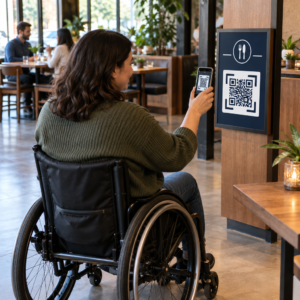
- Výška umístění: Pro umístění na kioscích nebo ve vozidlech se snažte o výšku 90–150 cm od země, aby kódy byly přístupné všem uživatelům, včetně těch na invalidním vozíku.
Vždy zahrňte textovou alternativu
Ne každý zákazník může nebo chce naskenovat QR kód. Umístěte krátkou URL adresu, telefonní číslo nebo písemný pokyn vedle každého QR kódu, aby zákazníci měli záložní možnost. Jedná se o dobrou praxi přístupnosti a zabraňuje jedinému bodu selhání, pokud nefunguje fotoaparát zákazníka nebo není signál sítě v parkovacím domě.
Každý kód jasně označte
Řekněte zákazníkům, co skenují, než to naskenují. Jednoduchý popisek – “Naskenujte pro vaši nájemní smlouvu” nebo “Naskenujte pro nalezení parkoviště pro vrácení” – snižuje váhání a zvyšuje míru skenování. Pomáhá to také zákazníkům rozlišit legitimní firemní kód od něčeho, co tam nepatří.
Sledujte výkon prostřednictvím analýz
Dynamické QR kódy vytvořené na platformě s analytikou umožňují půjčovnám vidět, které kódy jsou skenovány, kdy a z jakých míst. Tato data pomáhají identifikovat, zda zákazníci skutečně čtou průvodce orientací vozidla, zapojují se do věrnostních nabídek, nebo odcházejí před dokončením formuláře zpětné vazby. Využijte tento poznatek k úpravě umístění, zlepšení textu nebo přepracování nedostatečně výkonných kódů.
Zjistěte, které QR kódy vaši zákazníci skutečně používají S dynamickými QR kódy od Pageloot, můžete sledovat každé skenování podle času, místa a zařízení – a aktualizovat cíle bez přetiskování jediné nálepky.
Testujte před nasazením v celém vozovém parku
Před umístěním kódu na desítky palubních desek vozidel jej otestujte na více zařízeních – různých modelech iPhonů, různých modelech Androidů – v očekávané skenovací vzdálenosti a ve skutečných světelných podmínkách vašich vozidel. Ověřte, že propojená stránka se správně načítá na mobilu, nejen na počítači. Rozbitá nebo pomalu se načítající stránka po úspěšném skenování vytváří horší dojem než žádný QR kód vůbec.
QR kódy a širší bezkontaktní zážitek z pronájmu
QR kódy fungují nejlépe jako jedna součást propojeného pracovního postupu, nikoli jako samostatná funkce. Půjčovny, které dosahují nejsilnějších výsledků, jsou ty, které kombinují digitální rezervaci, mobilní odbavení, přístup k dokumentům na základě QR kódů a digitální vrácení do jedné ucelené zkušenosti. Zákazníci, kteří dokončí celý pronájem bez návštěvy přepážky – rezervace online, výběr vozidla, skenování pro jeho vyzvednutí a vhození klíče do schránky při odjezdu – důsledně hlásí rychlejší a méně stresující zážitky.
To je důležité, protože Přijetí QR kódů roste prakticky ve všech odvětvích služeb, a s tím rostou i očekávání zákazníků. Půjčovna, která stále předává papírovou smlouvu a tištěnou mapu, je stále více mimo krok s tím, co zákazníci očekávají od moderní servisní interakce.
Pro půjčovny, které poprvé zkoumají QR kódy, nebo se snaží rozšířit za základní pracovní postup vyzvednutí, je Generátor QR kódu Pageloot pokrývá celou škálu případů použití – od PDF dokumentů a Google formulářů po odkazy na lokace a sběr recenzí – s dynamickým editováním a vestavěnou analýzou. Můžete také prozkoumat řešení QR kódů napříč dalšími odvětvími abyste viděli, jak podobné podniky využívají stejné nástroje.
Často kladené otázky
Půjčovny používají QR kódy ve vozidle pro několik účelů: odkazování na digitální kopii nájemní smlouvy, poskytování průvodce orientací ve vozidle (jak připojit Bluetooth, používat parkovací senzory a tak dále), směřování zákazníků k místu vrácení paliva nebo sbírání zpětné vazby po pronájmu. Pokud je kód na oficiální nálepce od půjčovny, je bezpečné jej naskenovat – ale vždy zkontrolujte náhled URL před otevřením cíle.
Ano, u mnoha půjčoven. Bezkontaktní proces pronájmu obvykle zahrnuje online rezervaci, digitální ověření vaší identity, obdržení QR kódu nebo digitálního klíče na váš telefon, skenování na parkovišti pro přístup k vozidlu a jeho vrácení prostřednictvím schránky na klíče bez interakce s přepážkou. Požadavky na ověření identity – včetně předložení platného fyzického řidičského průkazu – se mohou stále uplatňovat v závislosti na společnosti a lokalitě.
Použitím dynamických QR kódů namísto statických. Dynamický QR kód odkazuje na přesměrovávací URL spravovanou prostřednictvím platformy jako Pageloot. Pokud se cíl změní – například URL průvodce vozidla, mapa parkoviště pro vrácení nebo sezónní akce – aktualizujete cíl na řídicím panelu platformy a stávající vytištěný kód automaticky odkazuje na nový obsah. Není nutný žádný dotisk.