Вы когда-нибудь сканировали QR-код на арендованном автомобиле и задавались вопросом, для чего он на самом деле нужен – или безопасно ли это? Компании по прокату все чаще используют QR-коды для замены бумажной работы, ускорения получения автомобилей и обеспечения полностью бесконтактного опыта. Эта страница объясняет каждый распространенный вариант использования, как отличить легитимный код от мошеннического, и как арендные компании могут настроить свои собственные рабочие процессы с QR-кодами.
Почему компании по прокату автомобилей внедряют QR-коды
Переход к цифровым автопрокатам значительно ускорился. Онлайн-бронирования составили более 71% мирового дохода от проката автомобилей в 2024 году, и клиенты, бронирующие в цифровом формате, естественно ожидают, что процесс получения и возврата будет соответствовать тому же удобству. Тем временем, 48 миллионов американцев арендовали автомобили в 2023 году – это на 19,4% больше, чем в предыдущем году – что оказывает давление на пункты проката, требуя быстрее обслуживать клиентов без увеличения штата.
QR-коды идеально вписываются в этот пробел. Один напечатанный или отображаемый код может заменить печатный договор аренды, посещение стойки, устный инструктаж о функциях автомобиля и карточку обратной связи – все сразу. Для клиентов результатом является меньше времени на ожидание и больше времени на вождение.
Для чего на самом деле используются QR-коды в прокате автомобилей
Компании по прокату развертывают QR-коды в нескольких различных точках на пути клиента. Вот с чем вы, скорее всего, столкнетесь.

Бесконтактное получение автомобиля
Это наиболее распространенное использование. После завершения цифровой регистрации онлайн или через мобильное приложение клиенты получают QR-код, который служит их разрешением на получение конкретного автомобиля. На стоянке они сканируют код – либо на киоске, на ящике для ключей, либо непосредственно через приложение – и система проверяет их бронирование и выдает ключ или открывает бесключевой доступ.
Крупные бренды по прокату уже продвигают возможность полностью пропустить стойку, при этом клиенты выбирают свой автомобиль и проверяют свои данные на смартфоне еще до приземления. QR-код — это последний шаг, который замыкает цикл между завершенным цифровым бронированием и физическим доступом к автомобилю.
Доступ к договору аренды и документации
Вместо того чтобы передавать печатный многостраничный договор аренды, компании используют QR-код, размещенный в электронном письме с подтверждением, на брелоке для ключей или на приборной панели автомобиля, чтобы напрямую связать клиентов с их цифровым договором аренды. Сканирование открывает PDF-файл договора, условий страхования или политики возмещения ущерба – читаемый на любом смартфоне без загрузки отдельного приложения.
Этот подход также упрощает обновление документов. С помощью динамический QR-код PDF, базовый документ может быть изменен – обновленные условия, пересмотренные формулировки страхования, новые примечания к автомобилю – без перепечатки каких-либо физических материалов. Сам код остается прежним.
Делитесь документами аренды без бумажной волокиты Нужно предоставить клиентам мгновенный доступ к договорам аренды, руководствам по эксплуатации автомобиля или условиям страхования? Используйте QR код на пдф файл чтобы связать любой документ с сканируемым кодом – и обновлять его в любое время без перепечатки.
Руководства по ориентации и функциям автомобиля
Незнакомые элементы управления автомобилем вызывают разочарование, особенно у клиентов, забирающих автомобиль в спешке. QR-код на приборной панели, солнцезащитном козырьке или в бардачке может напрямую ссылаться на краткое инструктивное руководство, видеообзор или PDF, объясняющий, как подключить телефон через Bluetooth, настроить датчики парковки или управлять крышкой топливного бака.
Это сокращает количество звонков в службу поддержки клиентов и улучшает опыт для арендаторов, пользующихся впервые конкретной моделью автомобиля. QR-кода ссылки хорошо работает здесь – если модель автомобиля меняется при ротации автопарка, целевой URL может быть обновлен без замены физической наклейки в автомобиле.
Помощь в навигации и определении местоположения
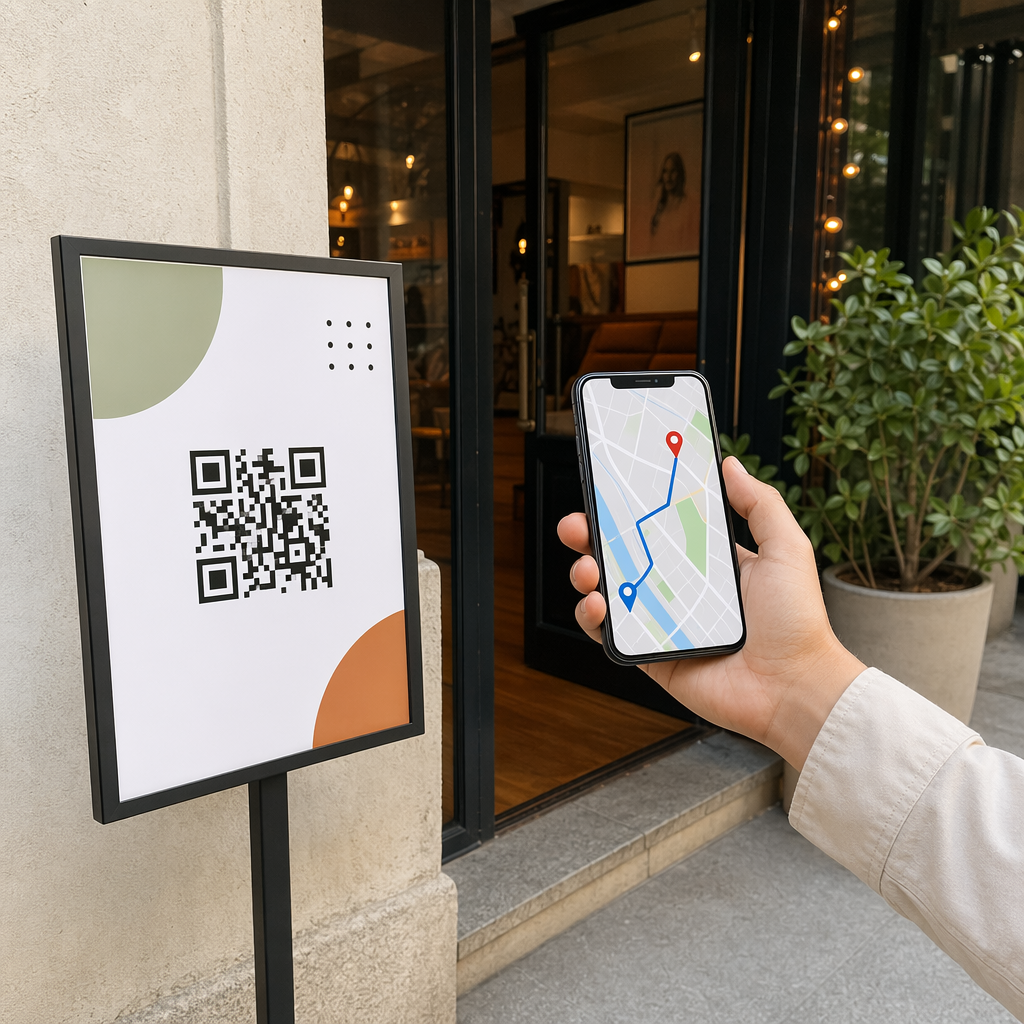
QR-код в автомобиле или в договоре аренды может напрямую ссылаться на местоположение в Google Картах – это полезно для направления клиентов на стоянку возврата, заправочную станцию рядом с аэропортом или в определенную зону высадки. QR код на карте Google Maps генерирует код, который открывает точное местоположение в приложении Карт одним сканированием, устраняя любую двусмысленность относительно того, куда идти.
Обратная связь с клиентами и опросы после аренды
Сбор обратной связи сразу после аренды – пока опыт свеж – дает более надежные данные, чем последующее электронное письмо, отправленное через несколько дней. QR-код на квитанции о возврате, ящике для сдачи ключей или на вывеске при выезде может напрямую ссылаться на короткую форму опроса. Как создать QR код для гугл формы позволяет легко подключить печатный код к форме обратной связи, а отслеживание сканирований позволяет вам видеть, сколько клиентов на самом деле взаимодействуют с ним.
Для компаний, стремящихся создать свой публичный профиль отзывов, QR-кода отзывов Google размещенный на чеке или приборной панели, побуждает довольных клиентов оставлять отзывы непосредственно в Google – без каких-либо затруднений.
Регистрация в программе лояльности и акции
QR-код на стойке, на брелоке или в электронном письме с подтверждением может вести на страницу регистрации в программе лояльности, предложение по реферальной программе или акционную скидку на будущее бронирование. Поскольку эти ссылки часто меняются в зависимости от сезонных кампаний, использование динамического QR-кода ссылки означает, что пункт назначения может быть обновлен без перепечатки материалов по всему парку локаций.
Безопасно ли сканировать QR-код в арендованном автомобиле?
Это разумный вопрос, и честный ответ таков: это зависит от источника. Легитимные QR-коды, размещенные прокатной компанией – на наклейках на приборной панели, брелоках или в официальных электронных письмах с подтверждением – безопасны и ведут к контенту, принадлежащему компании.

Риск исходит от поддельных кодов. Как документировано в мошенничествах с QR-кодами, связанных с парковкой, преступники иногда наклеивают поддельные QR-коды поверх легитимных, чтобы перенаправить ничего не подозревающих пользователей на мошеннические платежные страницы. Перед сканированием любого кода на арендованном автомобиле или в пункте проката проверьте следующее:
- Физическое вмешательство: Наклейка, наклеенная поверх другой наклейки, является предупреждающим знаком.
- Предварительный просмотр URL: Большинство современных камер смартфонов отображают предварительный просмотр URL перед его открытием. Убедитесь, что домен соответствует официальному сайту прокатной компании.
- Неожиданные запросы на оплату: Легитимный QR-код проката не должен запрашивать у вас повторный ввод платежных данных, которые вы уже предоставили при бронировании.
Если что-то выглядит подозрительно, свяжитесь с пунктом проката напрямую, вместо сканирования.
Как компаниям по прокату следует настраивать QR-коды
Для операторов проката, создающих или улучшающих систему QR-кодов, следующие практики существенно влияют как на надежность, так и на качество обслуживания клиентов.
Используйте динамические коды для всего, что может измениться
Руководства по транспортным средствам автопарка, места стоянок для возврата и рекламные предложения — все это регулярно меняется. Статические QR-коды кодируют фиксированное назначение – если это назначение меняется, старый код становится бесполезным. Динамические QR-коды указывают на URL-адрес перенаправления, управляемый через платформу, такую как Пейджлут, поэтому назначение может быть обновлено мгновенно без изменения физического кода. Это особенно ценно для кодов, напечатанных на брелоках, наклейках на приборной панели или вывесках.
Размер и размещение имеют значение для надежного сканирования
QR-код, который не сканируется, теряет свой смысл. Придерживайтесь этих базовых стандартов при проектировании физического размещения:
- Минимальный размер: 2 см × 2 см (0,8 дюйма × 0,8 дюйма) для любого кода, который клиенты будут сканировать вблизи. Используйте правило расстояния сканирования 10:1 для вывесок – код шириной 10 см надежно читается примерно со 100 см.
- Контраст: Темные модули на светлом фоне. Избегайте печати темных кодов на темных поверхностях или использования цветовых комбинаций с низкой контрастностью.
- Тихая зона: Оставляйте четкую границу пустого пространства вокруг каждого кода – без текста, узоров или растекания лака по краям.
- Высота размещения: Для размещения на киосках или в транспортных средствах стремитесь к высоте 3–5 футов от земли, чтобы коды были доступны для всех пользователей, включая тех, кто пользуется инвалидными колясками.
Всегда включайте текстовую альтернативу
Не каждый клиент может или хочет сканировать QR-код. Разместите короткий URL-адрес, номер телефона или письменную инструкцию рядом с каждым QR-кодом, чтобы у клиентов был запасной вариант. Это хорошая практика доступности и предотвращает единую точку отказа, если камера клиента не работает или нет сигнала сети на парковке.
Четко маркируйте каждый код
Сообщите клиентам, что они сканируют, прежде чем они это сделают. Простая метка – “Сканируйте для получения договора аренды” или “Сканируйте, чтобы найти место возврата” – уменьшает колебания и увеличивает количество сканирований. Это также помогает клиентам отличить легитимный код компании от того, что там не должно быть.
Отслеживайте производительность с помощью аналитики
Динамические QR-коды, созданные на платформе с аналитикой, позволяют арендным компаниям видеть, какие коды сканируются, когда и из каких мест. Эти данные помогают определить, действительно ли клиенты читают руководства по эксплуатации транспортных средств, взаимодействуют ли с предложениями лояльности или уходят, не заполнив форму обратной связи. Используйте эти данные для корректировки размещения, улучшения текста или переработки неэффективных кодов.
Узнайте, какие QR-коды Ваши клиенты действительно используют С динамическими QR-кодами от Пейджлут, вы можете отслеживать каждое сканирование по времени, местоположению и устройству – и обновлять пункты назначения без перепечатки единой наклейки.
Тестируйте перед развертыванием по всему автопарку
Перед размещением кода на десятках приборных панелей автомобилей, протестируйте его на нескольких устройствах – разных моделях iPhone, разных моделях Android – на ожидаемом расстоянии сканирования и в реальных условиях освещения ваших автомобилей. Убедитесь, что связанная страница загружается корректно на мобильных устройствах, а не только на настольных. Неработающая или медленно загружающаяся страница после успешного сканирования создает худшее впечатление, чем полное отсутствие QR-кода.
QR-коды и более широкий опыт бесконтактной аренды
QR-коды лучше всего работают как один из компонентов связанного рабочего процесса, а не как отдельная функция. Компании по аренде, достигающие наилучших результатов, — это те, которые объединяют цифровое бронирование, мобильную регистрацию, доступ к документам на основе QR-кодов и цифровой возврат в единый согласованный опыт. Клиенты, которые завершают всю аренду, не посещая стойку – бронируя онлайн, выбирая свой автомобиль, сканируя для его получения и оставляя ключ в ящике на выходе – постоянно сообщают о более быстрых и менее стрессовых впечатлениях.
Это важно, потому что внедрение QR-кодов растет практически во всех сферах услуг, и ожидания клиентов растут вместе с ним. Компания по аренде, которая до сих пор выдает бумажный договор и печатную карту, все больше отстает от того, что клиенты ожидают от современного сервисного взаимодействия.
Для компаний по аренде, впервые изучающих QR-коды, или желающих выйти за рамки базового рабочего процесса получения, Генератор QR-кодов охватывает весь спектр вариантов использования – от PDF-документов и Google Forms до ссылок на местоположения и сбора отзывов – с встроенными динамическим редактированием и аналитикой. Вы также можете изучить решения с QR-кодами в других отраслях чтобы увидеть, как аналогичные предприятия используют те же инструменты.
Часто задаваемые вопросы
Компании по прокату используют QR-коды в автомобилях для нескольких целей: ссылка на цифровую копию договора аренды, предоставление руководства по эксплуатации автомобиля (как подключить Bluetooth, использовать датчики парковки и так далее), направление клиентов к месту возврата топлива или сбор отзывов после аренды. Если код находится на официальной наклейке от компании по прокату, его безопасно сканировать – но всегда проверяйте предварительный просмотр URL-адреса перед открытием пункта назначения.
Да, во многих компаниях по аренде. Бесконтактный процесс аренды обычно включает онлайн-бронирование, цифровую проверку личности, получение QR-кода или цифрового ключа на телефон, сканирование на стоянке для доступа к автомобилю и его возврат через ящик для ключей без взаимодействия со стойкой. Требования к проверке личности – включая предъявление действующего физического водительского удостоверения – могут по-прежнему применяться в зависимости от компании и местоположения.
Используя динамические QR-коды вместо статических. Динамический QR-код указывает на URL-адрес перенаправления, управляемый через платформу, такую как Pageloot. Если назначение меняется – например, URL-адрес руководства по транспортному средству, карта возвратной стоянки или сезонная акция – вы обновляете назначение в панели управления платформы, и существующий напечатанный код автоматически указывает на новое содержимое. Перепечатка не требуется.