Ai scanat vreodată un cod QR pe o mașină de închiriat și te-ai întrebat la ce servește de fapt – sau dacă este sigur? Companiile de închiriere folosesc din ce în ce mai mult codurile QR pentru a înlocui documentele, a accelera preluarea vehiculelor și a oferi o experiență complet contactless. Această pagină explică fiecare caz de utilizare comun, cum să distingi un cod legitim de unul fraudulos și cum pot companiile de închiriere să-și configureze propriile fluxuri de lucru cu coduri QR.
De ce companiile de închiriere auto adoptă codurile QR
Trecerea către închirieri auto prioritare digital s-a accelerat semnificativ. Rezervările online au reprezentat peste 71% din veniturile globale din închirieri auto în 2024, iar clienții care rezervă digital se așteaptă, în mod natural, ca procesul de preluare și returnare să se potrivească aceleiași comodități. Între timp, 48 de milioane de americani au închiriat mașini în 2023 – o creștere de 19,4% față de anul precedent – punând presiune pe locațiile de închiriere să proceseze clienții mai rapid fără a adăuga personal.
Codurile QR se încadrează direct în acest gol. Un singur cod tipărit sau afișat poate înlocui un contract de închiriere tipărit, o vizită la ghișeu, o informare verbală despre caracteristicile vehiculului și o fișă de feedback – toate deodată. Pentru clienți, rezultatul este mai puțin timp de așteptare și mai mult timp de condus.
La ce sunt folosite de fapt codurile QR în închirierile auto
Companiile de închiriere implementează coduri QR în mai multe puncte distincte ale călătoriei clientului. Iată ce este cel mai probabil să întâlniți.

Preluare contactless a vehiculului
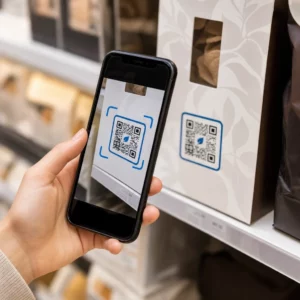
Aceasta este cea mai comună utilizare. După finalizarea check-in-ului digital online sau printr-o aplicație mobilă, clienții primesc un cod QR care servește drept autorizație pentru a prelua un anumit vehicul. La parcare, aceștia scanează codul – fie la un chioșc, pe o cutie de chei, fie direct prin aplicație – iar sistemul le verifică rezervarea și eliberează cheia sau deblochează accesul fără cheie.
Marile branduri de închirieri promovează deja posibilitatea de a sări complet peste ghișeu, clienții selectându-și mașina și verificându-și detaliile pe un smartphone înainte chiar de a ateriza. Codul QR este ultimul pas care închide bucla dintre o rezervare digitală finalizată și accesul fizic la vehicul.
Contract de Închiriere și Acces la Documentație
În loc să predea un contract de închiriere tipărit, cu mai multe pagini, companiile folosesc un cod QR plasat pe un e-mail de confirmare, pe pachetul de chei sau pe bordul mașinii pentru a conecta clienții direct la contractul lor digital de închiriere. Scanarea deschide un PDF al contractului, al termenilor de asigurare sau al politicii de daune – lizibil pe orice smartphone fără a descărca o aplicație separată.
Această abordare facilitează, de asemenea, actualizarea documentelor. Cu un cod QR PDF dinamic, documentul subiacent poate fi modificat – termeni actualizați, formulare de asigurare revizuită, noi note despre vehicul – fără a retipări materiale fizice. Codul în sine rămâne același.
Partajați Documente de Închiriere Fără Hârtii Trebuie să oferiți clienților acces instantaneu la contracte de închiriere, manuale de vehicul sau termeni de asigurare? Utilizați Generator cod QR PDF pentru a lega orice document de un cod scanabil – și actualizați-l oricând fără a retipări.
Orientare Vehicul și Ghiduri de Funcționalități
Controalele necunoscute ale vehiculului provoacă frustrare, mai ales pentru clienții care preiau o mașină în grabă. Un cod QR pe bord, parasolar sau torpedou poate face legătura direct cu un ghid scurt de instrucțiuni, un tutorial video sau un PDF explicând cum să asociați un telefon prin Bluetooth, să reglați senzorii de parcare sau să operați capacul rezervorului de combustibil.
Acest lucru reduce apelurile către serviciul clienți și îmbunătățește experiența pentru cei care închiriază pentru prima dată un anumit model de vehicul. Un cod QR cu link funcționează bine aici – dacă modelul vehiculului se schimbă într-o rotație a flotei, URL-ul de destinație poate fi actualizat fără a înlocui autocolantul fizic din mașină.
Navigație și Asistență pentru Localizare
Un cod QR în vehicul sau pe contractul de închiriere poate face legătura direct la o locație Google Maps – util pentru a direcționa clienții către un lot de returnare, o stație de alimentare lângă aeroport sau o zonă specifică de predare. Sistemul Generează cod QR Google Maps generează un cod care deschide o locație precisă în aplicația Maps cu o singură scanare, eliminând orice ambiguitate cu privire la destinație.
Feedback clienți și Sondaje post-închiriere
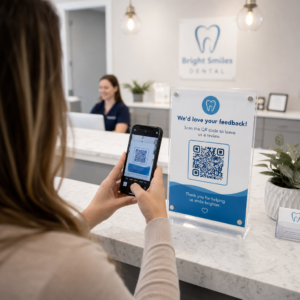
Colectarea feedback-ului imediat după o închiriere – în timp ce experiența este proaspătă – produce date mai fiabile decât un e-mail de Generator cod QR Google Forms makes it straightforward to connect a printed code to a feedback form, and scan tracking lets you see how many customers actually engage with it.
For businesses looking to build their public review profile, a cod QR pentru recenzii Google placed on the receipt or dashboard prompts satisfied customers to leave feedback directly on Google – without any friction.
Loyalty Program Enrollment and Promotions
A QR code at the counter, on a key wallet, or in a confirmation email can link to a loyalty sign-up page, a referral offer, or a promotional discount for a future booking. Because these links frequently change with seasonal campaigns, using a dynamic cod QR cu link means the destination can be updated without reprinting materials across a fleet of locations.
Is It Safe to Scan a QR Code in a Rental Car?
This is a reasonable question, and the honest answer is: it depends on the source. Legitimate QR codes placed by a rental company – on dashboard stickers, key packets, or official confirmation emails – are safe and link to company-owned content.

The risk comes from tampered codes. As documented in parking-related QR scams, criminals sometimes place fake QR code stickers over legitimate ones to redirect unsuspecting users to fraudulent payment pages. Before scanning any code on a rental vehicle or at a rental kiosk, check for:
- Manipularea fizică: A sticker placed over another sticker is a warning sign.
- URL preview**: Majoritatea camerelor de smartphone moderne afișează o previzualizare a URL-ului înainte de a-l deschide. Verificați dacă domeniul corespunde site-ului oficial al companiei de închirieri.
- Solicitări de plată neașteptate**: Un cod QR legitim pentru închiriere nu ar trebui să vă ceară să reintroduceți detaliile de plată pe care le-ați furnizat deja la rezervare.
Dacă ceva pare în neregulă, contactați direct biroul de închirieri în loc să scanați.
Cum ar trebui să configureze codurile QR companiile de închirieri
Pentru operatorii de închirieri care construiesc sau îmbunătățesc un sistem de coduri QR, următoarele practici fac o diferență semnificativă atât în fiabilitate, cât și în experiența clienților.
Utilizați coduri dinamice pentru orice s-ar putea schimba
Ghidurile vehiculelor din flotă, locațiile de returnare și ofertele promoționale se schimbă toate în mod regulat. Codurile QR statice codifică o destinație fixă – dacă acea destinație se schimbă, vechiul cod devine inutil. Codurile QR dinamice indică o adresă URL de redirecționare gestionată printr-o platformă precum Pageloot, astfel încât destinația poate fi actualizată instantaneu fără a atinge codul fizic. Acest lucru este deosebit de valoros pentru codurile imprimate pe brelocuri, autocolante de bord sau semnalistică.
Dimensiunea și amplasarea contează pentru o scanare fiabilă
Un cod QR care nu scanează își pierde scopul. Respectați aceste standarde de bază atunci când proiectați pentru amplasarea fizică:
- Dimensiunea minimă: 2 cm × 2 cm (0.8 in × 0.8 in) pentru orice cod pe care clienții îl vor scana de aproape. Utilizați regula distanței de scanare 10:1 pentru semnalistică – un cod lat de 10 cm este lizibil în mod fiabil de la aproximativ 100 cm distanță.
- Contrast: Module întunecate pe un fundal deschis. Evitați imprimarea codurilor întunecate pe suprafețe întunecate sau utilizarea combinațiilor de culori cu contrast scăzut.
- Zonă liniștită: Lăsați o margine clară de spațiu gol în jurul fiecărui cod – fără text, modele sau lac care să se extindă în margini.
- Înălțimea amplasării: Pentru amplasările pe chioșcuri sau în vehicule, vizați o înălțime de 3-5 picioare de la sol pentru a menține codurile accesibile tuturor utilizatorilor, inclusiv celor care folosesc scaune cu rotile.
Includeți întotdeauna o alternativă text
Nu fiecare client poate sau vrea să scaneze un cod QR. Plasați o adresă URL scurtă, un număr de telefon sau o instrucțiune scrisă lângă fiecare cod QR, astfel încât clienții să aibă o alternativă. Aceasta este o bună practică de accesibilitate și previne un singur punct de eșec dacă camera unui client nu funcționează sau nu există semnal de rețea într-o parcare supraetajată.
Etichetați fiecare cod clar
Spuneți clienților ce scanează înainte de a scana. O etichetă simplă – “Scanați pentru contractul dvs. de închiriere” sau “Scanați pentru a găsi parcarea de returnare” – reduce ezitarea și crește ratele de scanare. De asemenea, îi ajută pe clienți să distingă un cod legitim al companiei de ceva ce nu-și are locul acolo.
Urmăriți performanța prin analize
Codurile QR dinamice construite pe o platformă cu analize permit companiilor de închiriere să vadă ce coduri sunt scanate, când și din ce locații. Aceste date ajută la identificarea dacă clienții citesc efectiv ghidurile de orientare a vehiculelor, se implică în oferte de loialitate sau renunță înainte de a completa un formular de feedback. Folosiți această perspectivă pentru a ajusta plasarea, a îmbunătăți textul sau a reproiecta codurile cu performanțe slabe.
Vedeți ce coduri QR folosesc de fapt clienții dvs. Cu coduri QR dinamice de la Pageloot, puteți urmări fiecare scanare după oră, locație și dispozitiv – și puteți actualiza destinațiile fără a retipări niciun autocolant.
Testați înainte de a implementa pe întreaga flotă
Înainte de a plasa un cod pe zeci de borduri de vehicule, testați-l pe mai multe dispozitive – diferite modele de iPhone, diferite modele de Android – la distanța de scanare așteptată și în condițiile reale de iluminare ale vehiculelor dumneavoastră. Verificați dacă pagina conectată se încarcă corect pe mobil, nu doar pe desktop. O pagină ruptă sau cu încărcare lentă după o scanare reușită creează o impresie mai proastă decât lipsa oricărui cod QR.
Codurile QR și Experiența de Închiriere Fără Contact Mai Amplă
Codurile QR funcționează cel mai bine ca o componentă a unui flux de lucru conectat, nu ca o funcțional.
Acest lucru contează deoarece Adoptarea codurilor QR este în creștere în aproape fiecare industrie de servicii, iar așteptările clienților cresc odată cu aceasta. O companie de închirieri care încă predă un contract pe hârtie și o hartă tipărită este din ce în ce mai în dezacord cu ceea ce se așteaptă clienții de la o interacțiune modernă de servicii.
Pentru companiile de închirieri care explorează codurile QR pentru prima dată, sau care doresc să se extindă dincolo de un flux de lucru de preluare de bază, Generator de coduri QR Pageloot acoperă întreaga gamă de cazuri de utilizare – de la documente PDF și formulare Google la linkuri de locație și colectare de recenzii – cu editare dinamică și analize încorporate. Puteți explora, de asemenea, soluții de coduri QR în alte industrii pentru a vedea cum afaceri similare utilizează aceleași instrumente.
Întrebări frecvente
Companiile de închiriere utilizează coduri QR în vehicul în mai multe scopuri: pentru a face legătura cu o copie digitală a contractului de închiriere, pentru a oferi un ghid de orientare a vehiculului (cum să conectați Bluetooth, să utilizați senzorii de parcare și așa mai departe), pentru a direcționa clienții către locația de returnare a combustibilului sau pentru a colecta feedback-ul post-închiriere. Dacă codul este pe un autocolant oficial de la compania de închiriere, este sigur de scanat – dar verificați întotdeauna previzualizarea URL-ului înainte de a deschide destinația.
Da, la multe companii de închirieri. Procesul de închiriere fără contact implică de obicei rezervarea online, verificarea digitală a identității, primirea unui cod QR sau a unei chei digitale pe telefon, scanarea la parcare pentru a accesa vehiculul și returnarea acestuia printr-un sistem de depunere a cheilor fără interacțiune la ghișeu. Cerințele de verificare a identității – inclusiv prezentarea unui permis de conducere fizic valid – pot fi în continuare aplicabile în funcție de companie și locație.
Prin utilizarea codurilor QR dinamice mai degrabă decât a celor statice. Un cod QR dinamic indică o adresă URL de redirecționare gestionată printr-o platformă precum Pageloot. Dacă destinația se schimbă – de exemplu, o adresă URL a ghidului vehiculului, o hartă a lotului de returnare sau o promoție sezonieră – actualizați destinația în tabloul de bord al platformei și codul imprimat existent indică automat către noul conținut. Nu este necesară reimprimarea.