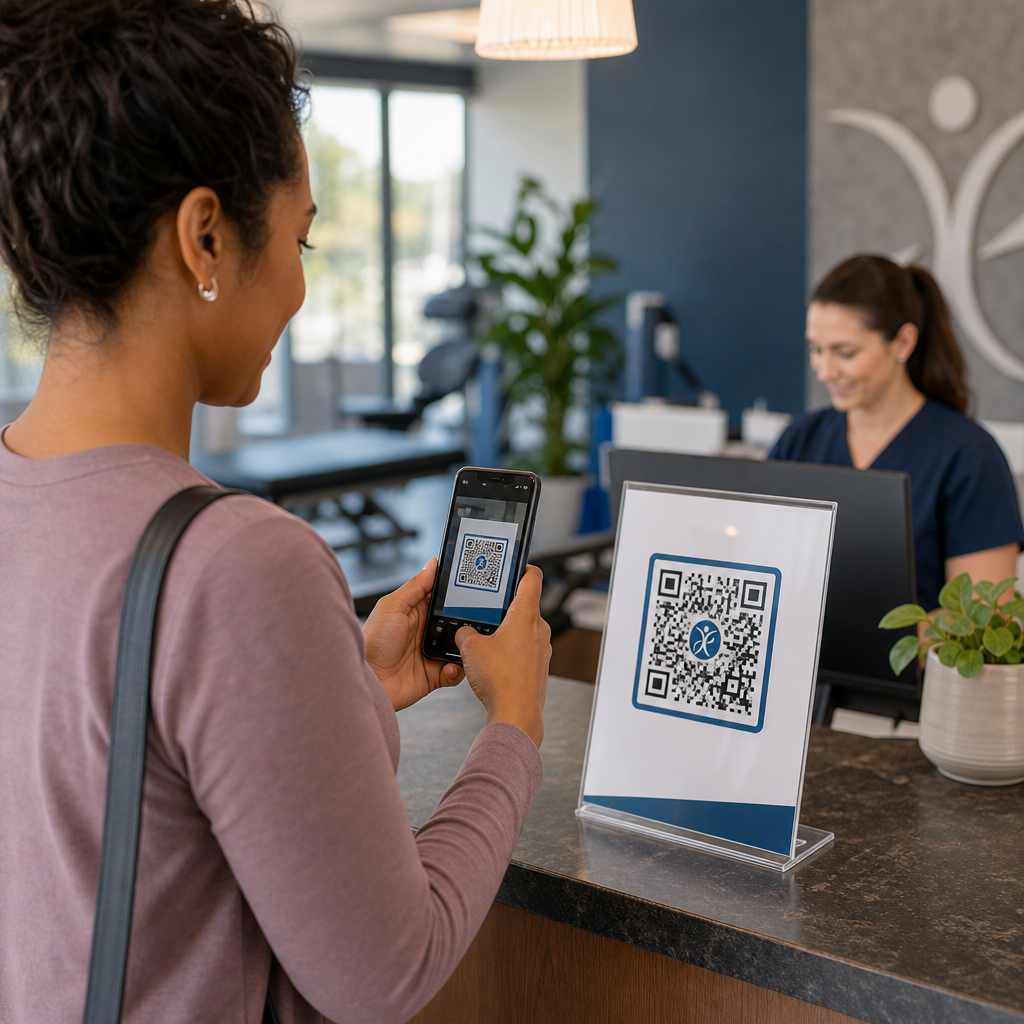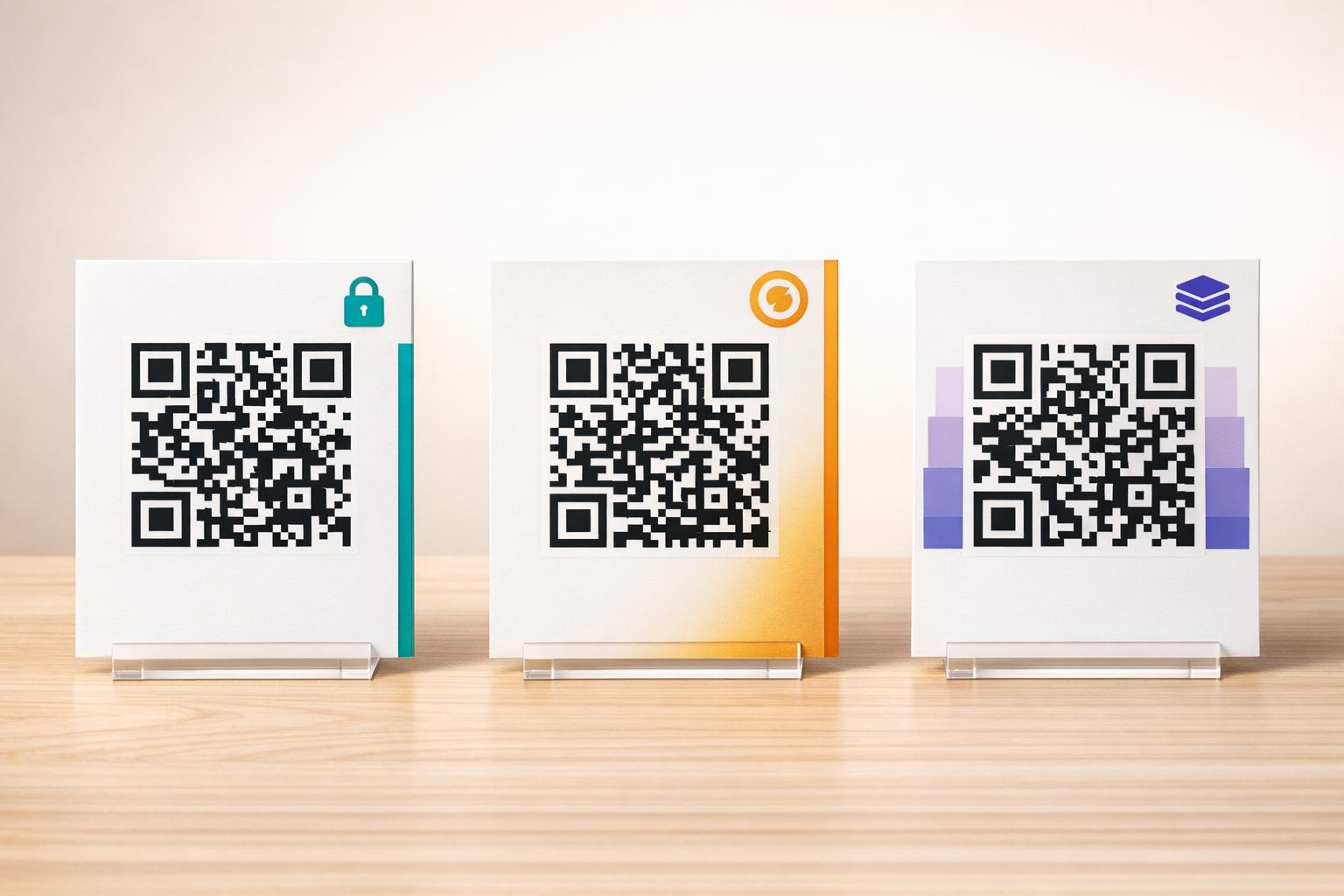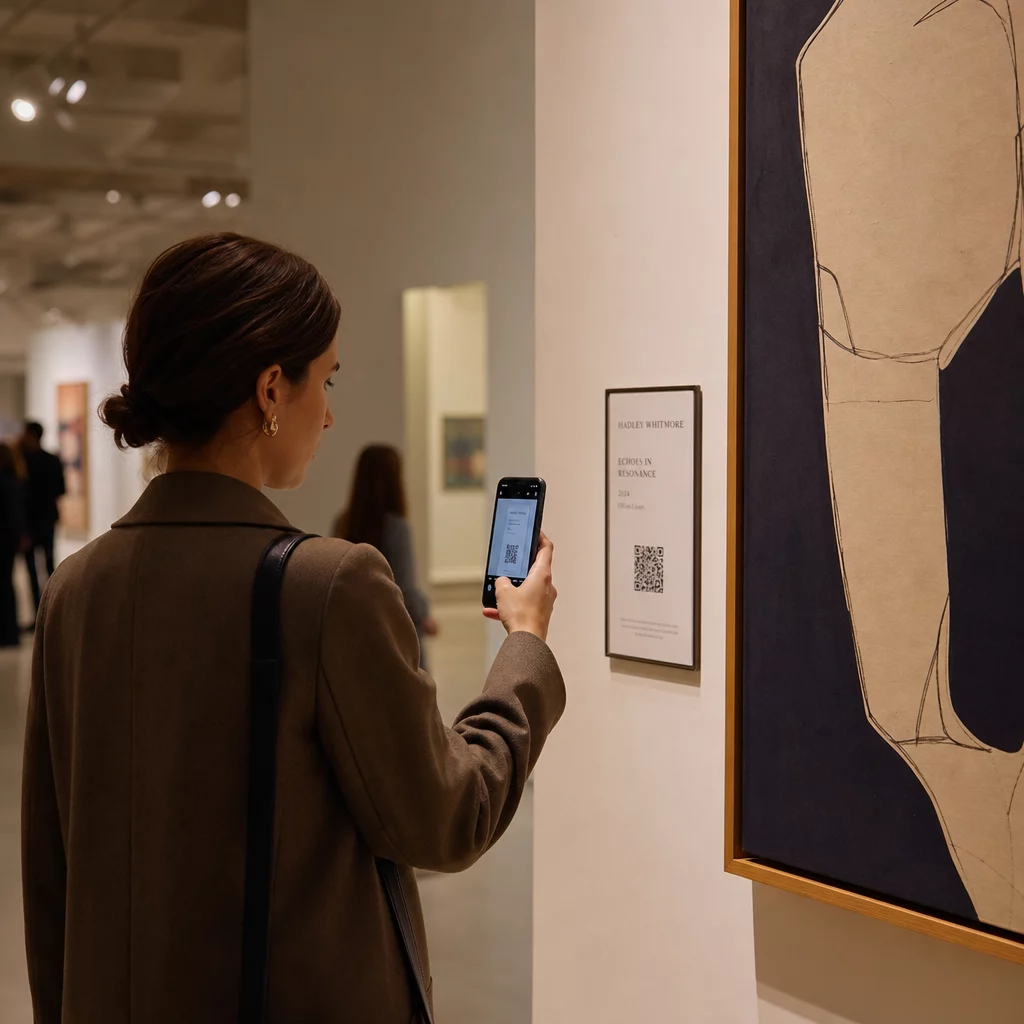
How do you add rich digital context to a physical artwork without cluttering the gallery wall or breaking the spell of the piece? That tension – between information and immersion – is exactly what QR codes in art installations are designed to resolve. This guide covers real-world examples, design principles, and practical steps for curators and artists who want to build scannable digital layers into their exhibitions.
Case Studies: How Museums and Artists Are Using QR Codes
Mehendi QR Code Art Installation
This temporary project merged the tradition of henna art with the practicality of QR codes. Visitors could scan the henna-based designs to complete digital transactions or make donations. Because henna naturally fades, the installation became a meditation on impermanence while demonstrating how QR codes can connect cultural traditions to modern digital interactions.
Spatial QR Code Integration at the Pinault Collection
At the Pinault Collection in Rennes, France, curators embedded QR codes into museum floors and transitional spaces rather than crowding gallery walls with text panels. Using the MySmartJourney platform, the codes delivered gamified content – pop-art tutorials and visual puzzles – during moments that would otherwise be idle, such as queue times. The result was increased engagement without disrupting the gallery’s visual flow, a model worth studying for any institution balancing information delivery with aesthetic integrity.
Erarta Museum’s Extended Visitor Experience
The Erarta Museum used QR codes to extend the visit beyond the gallery itself. Codes placed near artworks allowed guests to explore detailed exhibit information, learn about artists, and purchase high-quality reproductions. Rather than forcing every visitor through the same linear experience, this approach gave people the freedom to go as deep as their curiosity would take them – a more personalized interaction than any fixed wall label can offer.
Elkoy Artist Collective’s Bauhaus-Inspired QR Codes
The Elkoy Artist Collective reimagined QR codes through the lens of Bauhaus principles. By incorporating geometric shapes, bold colors, and minimalist design, they transformed standard black-and-white codes into compositional elements. Each code linked to essays explaining the relationship between historical design movements and modern technology. Their work is a clear demonstration that a QR code can be part of the artwork rather than an annotation on it.
Brooklyn Museum’s Early Adoption Lessons
The Brooklyn Museum was an early adopter of QR codes, but their initial efforts hit real friction – visitors needed third-party apps to scan, which most people didn’t have. Engagement only surged after Apple and Android integrated QR readers directly into smartphone cameras. The lesson is practical: even a well-conceived idea can fail without the right infrastructure in place. Timing and technical accessibility matter as much as creative vision.
Benefits of QR Codes in Art Installations
Deeper Visitor Engagement
QR codes shift visitors from passive observers to active participants. Instead of absorbing what fits on a wall label, a visitor can scan and access artist interviews, behind-the-scenes video, audio guides, or augmented reality overlays that animate a static work. Museums can also use codes to trigger digital scavenger hunts or quizzes, which are especially effective for families and younger audiences.
QR codes for museums also open up meaningful accessibility improvements. Multilingual audio guides, closed captions, and repeated-playback video for visitors with learning disabilities all become possible through a single scan on a visitor’s own device. Research confirms that visitors with learning disabilities particularly value the ability to watch or listen to content multiple times at their own pace.
One practical caveat: not every visitor carries a smartphone – school groups are a frequently cited example. QR codes should be treated as an enhancement layer, not the only path to information. Always provide an alternative way to access the same content, whether that is a nearby URL, a printed handout, or a staff-assisted option.
Add a Digital Layer to Your Next Exhibition The Dynamic QR Code Generator lets you update linked content at any time – no reprinting required – so your codes stay current throughout the run of an installation.
Design Flexibility and Artistic Integration
QR codes no longer have to look like QR codes in the traditional sense. Colors, shapes, embedded logos, and custom patterns can all be applied while preserving scannability, provided contrast and quiet zones are respected (more on that below). The Elkoy Collective’s Bauhaus-inspired codes and the Pinault Collection’s floor-embedded codes both show that thoughtful placement and visual design can make a code feel native to an installation rather than grafted onto it.
A useful guiding principle from curatorial practice: “The QR code should be designed to be discreet and elegant, complementing the exhibit rather than distracting from it.” That standard applies whether the code appears on a small label beside a painting or is integrated directly into the surface of a sculptural work.
Analytics and Real-Time Visitor Insights
One of the most practical arguments for QR codes in exhibitions is the data they generate. Every scan is a signal: which works are drawing sustained interest, when peak engagement occurs, which gallery zones visitors linger in, and which content formats – video, audio, text – are being consumed most.
| Data Point | Insight Provided |
|---|---|
| Total Scans | Measures overall interest in a specific piece or zone |
| Unique Scans | Tracks individual visitor engagement |
| Scan Time | Identifies peak hours and visitor flow patterns |
| Operating System | Offers technical insights for mobile optimization |
| Scan Location | Evaluates the effectiveness of QR code placement |
Dynamic QR codes make this data even more actionable. Because the destination URL can be changed without reprinting the physical code, a curator can respond to scan data in real time – swapping out a video that isn’t resonating for one that is, or adding accessibility content mid-run based on visitor feedback. For a fuller picture of how AR QR codes transform museum storytelling, augmented reality layers can be added or updated the same way.
What to Link: Content That Adds Value
The content behind the code matters as much as the code itself. Museums and artists have found the following content types consistently useful:
- Artist statements and interviews – hearing an artist describe their process in their own words creates a connection no wall text can replicate; a YouTube QR code handles this cleanly
- Audio guides – narrated descriptions or soundscapes linked via an MP3 QR code work particularly well for works where the visual experience should remain undisturbed
- Extended catalog content – detailed provenance, scholarly essays, or exhibition catalogs delivered as a PDF QR code
- Image galleries – process photographs, installation views, or comparative works accessible through an image gallery QR code
- Virtual tours – for visitors who want to explore related works or sister institutions, a QR code linking to a virtual tour extends the experience beyond the physical space
- Visitor feedback forms – placed at exit points or near anchor works to capture qualitative responses
Keep the linked destination simple. Shorter URLs encode as less dense patterns, which scan faster and more reliably. Dynamic QR codes solve this systematically by encoding only a short redirect link regardless of how complex the destination becomes.
Design and Placement: Making Codes Scannable and Unobtrusive
Getting the visual and physical execution right is where many installations stumble. The principles below are drawn from accessibility guidance and QR code readability research.
Contrast and Color
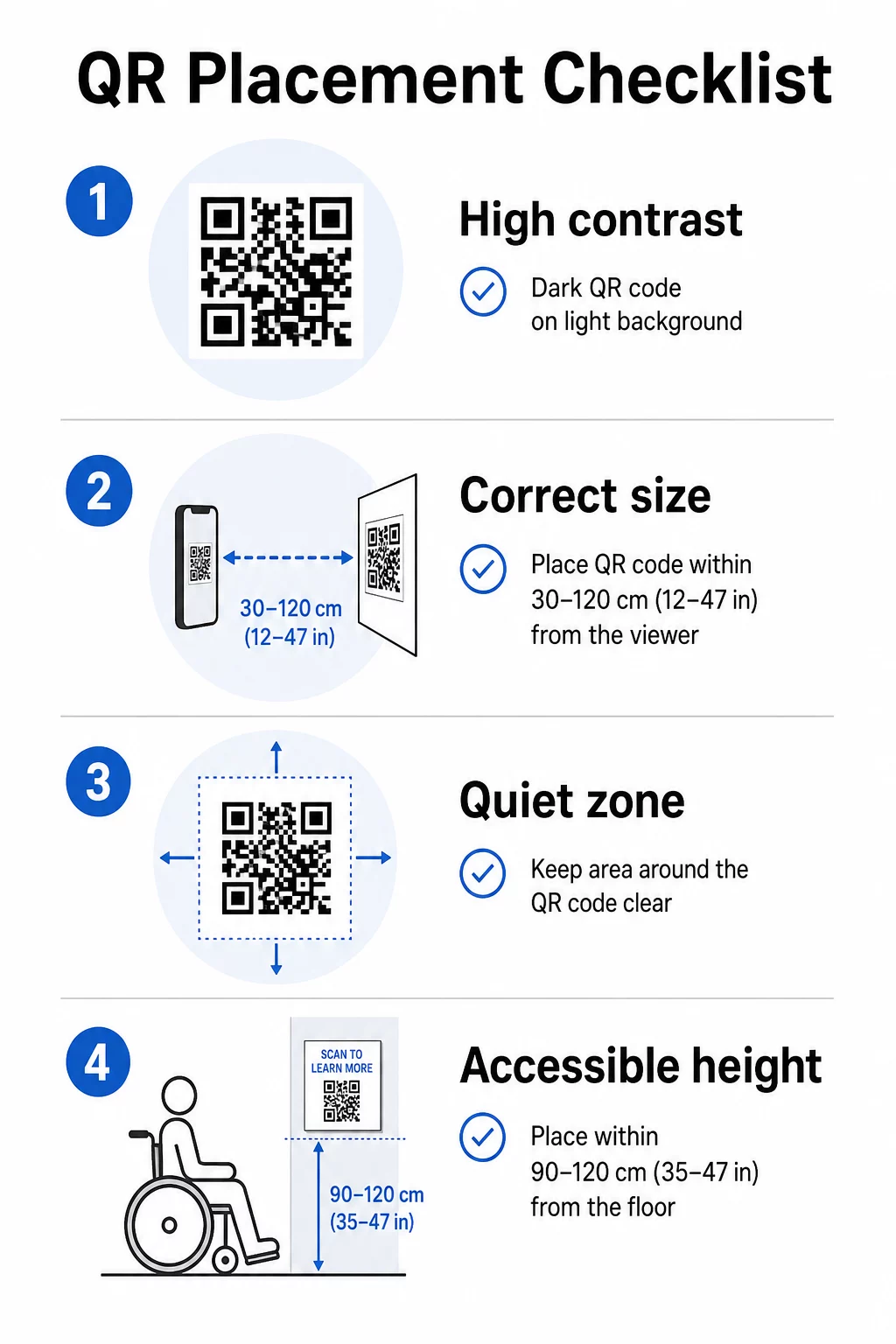
The foreground of the code must be dark and the background light – not the reverse. Inverted codes (light pattern on dark background) fail on a significant portion of smartphone cameras. For custom-colored codes, target at least a 3:1 contrast ratio between the code modules and the background surface. A comprehensive breakdown of contrast rules is available in the QR code color contrast best practices guide.
Gradients and shadows introduce mid-tones that confuse scanners. If you want a stylized code that fits the installation’s palette, use solid colors and test thoroughly.
Size and Scanning Distance
A reliable rule: the code should be roughly one-tenth the size of the expected scanning distance. A code intended to be scanned from arm’s length (about 10 inches) needs to be at least 1 inch square. For installation signage viewed from further away, scale accordingly. The absolute minimum for close-range scanning is 2 × 2 cm (approximately 0.8 × 0.8 inches). More detail on sizing is available in the QR code placement guide.
Quiet Zones
Every QR code requires a clear margin – called the quiet zone – of at least four modules on all sides. No text, patterns, or decorative elements should intrude on this space. If you’re embedding a code into a patterned surface or an artwork’s edge, this is the constraint most likely to cause scanning failures.
Physical Accessibility
Height and location determine who can actually use the code. Placement should be reachable by visitors using wheelchairs or those of restricted growth – roughly 2.5 to 4 feet from the floor for comfortable access. Avoid placing codes on curved surfaces, reflective glass, or materials that create glare under gallery lighting.
Label Copy
A label near the code should explain plainly what the visitor will find after scanning and how to scan it. Not every visitor is familiar with the process, and even experienced scanners benefit from knowing whether they’re about to see a three-minute video or a 12-page catalog essay. Plain language, short sentences, and adequate font size all contribute to usability. Keep labels concise – visitors skim, and the most essential information should appear first.
Keep Exhibition Content Current Without Reprinting Art galleries can use the Dynamic QR Code Generator to update artist bios, swap audio guides, or add new content even after an exhibition opens – without touching the physical signage.
Test Before You Install
Print the code at final size and scan it with at least two devices – an iPhone and an Android phone – under the lighting conditions the installation will actually use. Gallery lighting is often warm and directional, which can affect contrast differently than standard office light. Matte finishes reduce glare and generally outperform glossy surfaces for reliable scanning. More testing guidance is in the QR code readability best practices guide.
Using Dynamic QR Codes for Evolving Exhibitions
A static QR code encodes a fixed destination. Once printed, the only way to change where it points is to reprint it. Dynamic QR codes work differently: the code itself points to a short redirect, and you change the redirect destination at any time from a dashboard.
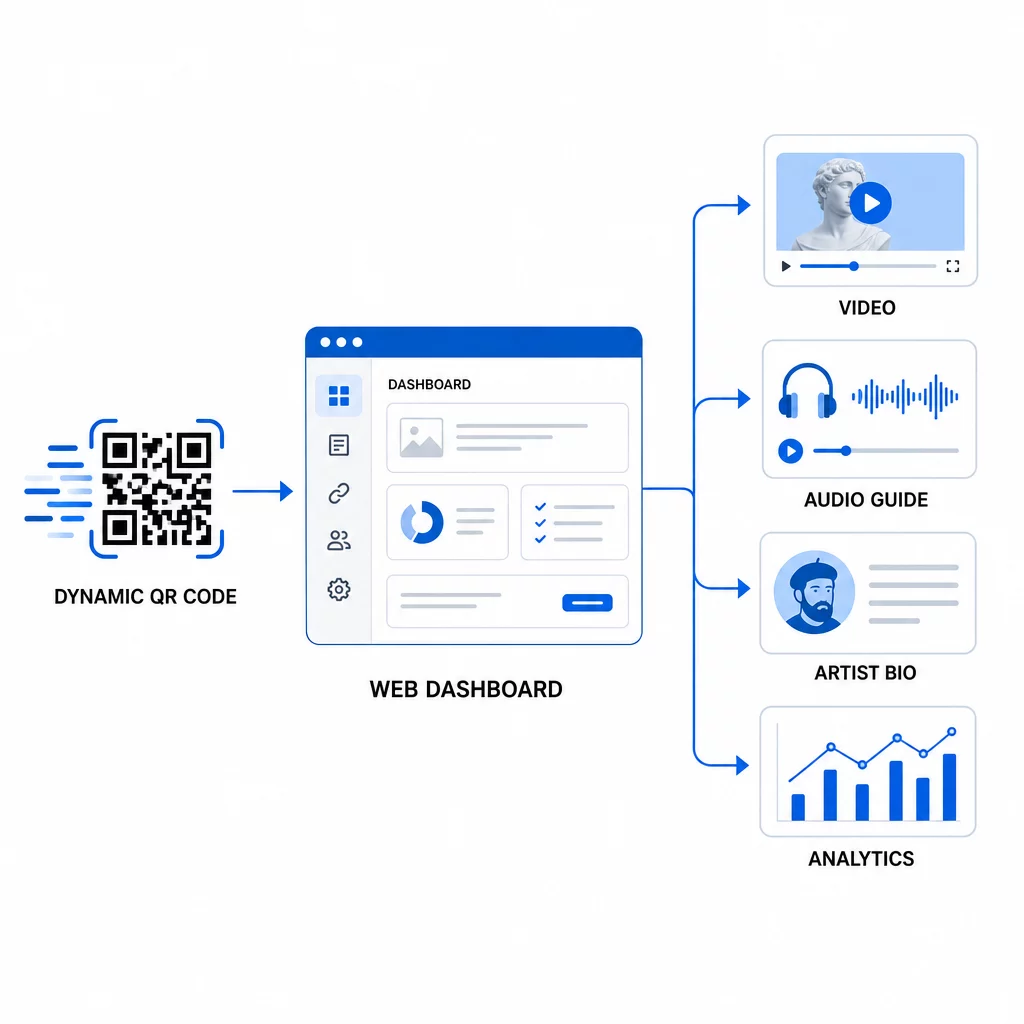
For art installations, this distinction is significant:
- An exhibition that runs for several months can shift its linked content as the show evolves – adding new artist commentary, swapping a teaser video for a full documentary, or updating provenance details as research develops
- Temporary installations can reuse the same physical code across multiple events by simply updating the destination
- Analytics remain tied to the same code, giving a continuous performance record rather than fragmented data across reprints
The Smithsonian has used this approach to manage access to large digital collections efficiently, reducing both costs and environmental waste from reprinted materials. For curators managing multi-venue or traveling exhibitions, the ability to set up a virtual art tour with QR codes and update it centrally is a significant operational advantage.
Frequently Asked Questions
Design the code using colors drawn from the artwork’s palette, but maintain a dark foreground on a light background and target at least a 3:1 contrast ratio. Keep the quiet zone clear on all sides and test the printed version with multiple devices before installing. Higher error correction levels (Q or H) allow for more visual customization – including embedded logos – while preserving scan reliability.
The most effective content types are artist interviews or video statements, audio guides, extended catalog essays or provenance documents, process images, and visitor feedback forms. Match the format to the audience and the work: video suits process-heavy or performance-based pieces, while audio works well alongside pieces where the visual experience should go uninterrupted.
Dynamic QR codes with built-in analytics record aggregate data – total scans, unique scans, scan time, device type, and geographic location – without capturing personal information from individual visitors. Platforms like Pageloot’s dynamic QR code generator provide this data in a dashboard view, giving curators actionable insights while respecting visitor privacy.