Are you looking for practical ways to modernize your golf facility? Paper-based processes, outdated signage, and missed engagement opportunities cost courses time and revenue every season. This guide walks you through the most effective ways to use QR codes across your facility – from digital scorecards and tee markers to payments and player feedback.
Why Golf Courses Are Adopting QR Codes
Golf participation in the U.S. reached an all-time high of 48.1 million total participants in 2025, up 50% over the past decade. With roughly 16,000 courses competing for that demand, the player experience has become a key differentiator – and QR codes offer a low-cost, high-impact way to improve it.
QR codes work by encoding a URL, document, or other destination into a scannable image. When a player points their smartphone camera at the code, it instantly opens whatever content you’ve linked – no app download required for most modern devices. Golf facilities can place these codes on printed materials, signage, golf carts, and tee markers to connect the physical course with digital resources.
The real operational advantage comes from dynamic QR codes – codes that let you update the linked content at any time without reprinting the physical code. If your scorecard link changes, your menu is updated, or your course map is revised, you simply change the destination in your dashboard. For a full breakdown of how this works, see the differences between static and dynamic QR codes.
Digital Scorecards via QR Code
One of the most practical applications for any golf facility is replacing paper scorecards with QR-code-accessible digital versions.
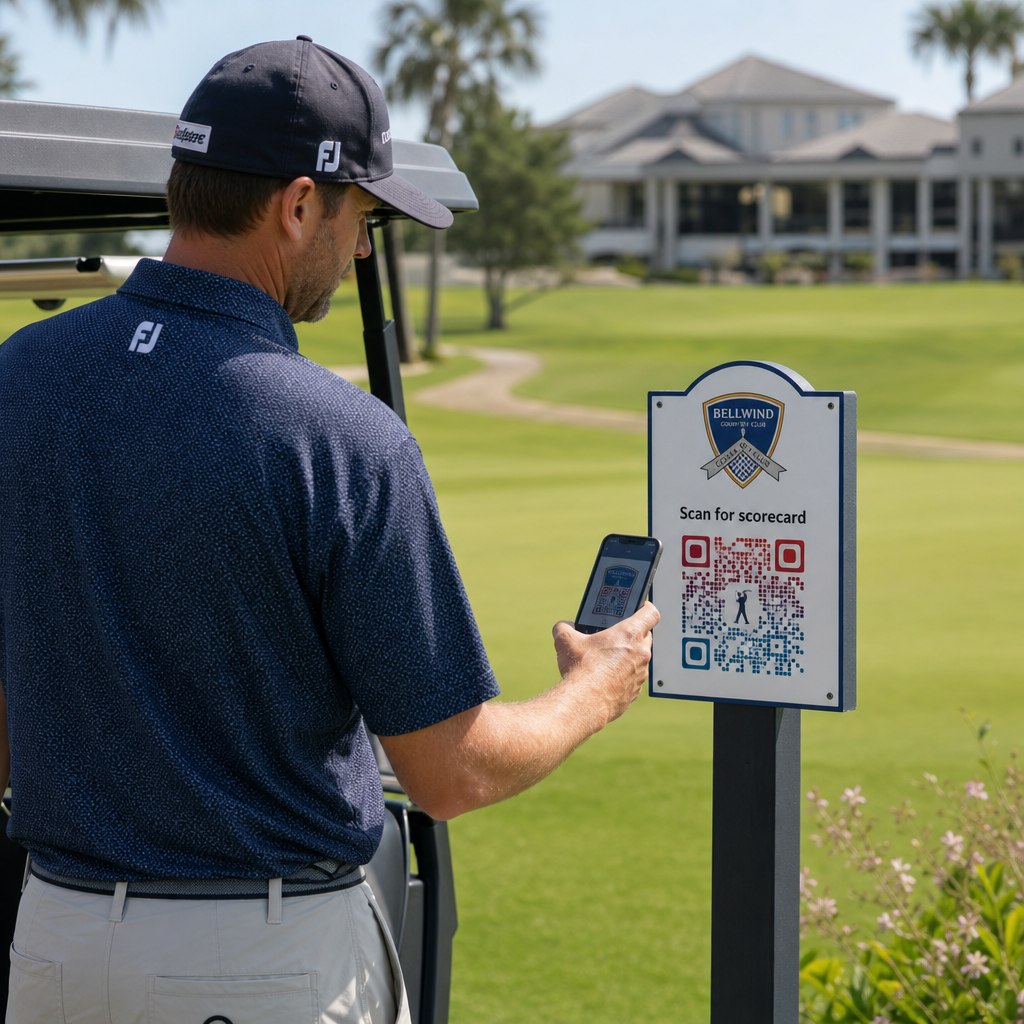
A digital scorecard is any mobile-friendly interface that lets players record their score hole-by-hole on their smartphone. Players scan a QR code at the first tee, the pro shop, or on the cart, and the scorecard opens directly in their browser – no paper, no pencil, no redistribution after rounds.
The USGA’s Rules of Golf confirm that a scorecard may be in any paper or electronic form approved by the Committee, provided it allows scores to be entered per hole, certified by the player and marker, and correctly identifies each hole. Committees may even require players to use an electronic scorecard rather than a paper one. This gives your facility full flexibility to make the switch official for competitions and casual rounds alike.
From an operations standpoint, digital scorecards reduce the post-round paperwork rush, give staff real-time visibility into round progress, and feed live leaderboards during tournaments. Players benefit from built-in score tracking, round history, and game statistics that paper never offered.
To set this up, link your digital scorecard platform URL to a link QR code and place that code on:
- First-tee signage
- Golf carts (cart-mounted stickers or laminated cards)
- Printed scorecards as a supplement
- The pro shop check-in counter
Using a dynamic QR code here is especially practical – if you switch scorecard providers or update the URL, you update the link in your dashboard and every printed code continues to work.
Switch to Digital Scorecards Without Reprinting Create a dynamic QR code for your scorecard link and update the destination anytime without touching your printed materials. Try the QR Code Generator free for 14 days.
Tee Marker and Hole Information QR Codes
QR codes on tee markers give players instant access to hole layouts, yardage charts, local rules, and playing tips – content that would otherwise require printed inserts or clubhouse displays.
A common approach is to link each tee marker’s QR code to a mobile-friendly PDF or landing page specific to that hole. Players scan at the tee, see the hole diagram, understand the optimal line, and play faster and more confidently. This is particularly valuable for first-time visitors navigating an unfamiliar course.
You can create these using a PDF QR code generator if your hole guides are PDF documents, or a link QR code generator if you host the content on a web page or landing page. Sustainability-focused operators have also used tee marker QR codes for “Scan and Learn” local rules information, replacing printed rules sheets and reducing administrative time on the course.
Pro Shop and Clubhouse Menus
If your clubhouse or turn café serves food and beverages, a QR code menu removes the cost and hassle of reprinting physical menus whenever items or prices change. Players scan the code at the bar, the cart barn window, or a table in the dining area and view a current digital menu. When your kitchen changes offerings for the season, you update the linked content – not the QR code itself.
Pageloot’s menu QR code generator supports both PDF menus and web-based menus, and lets you add your club logo and brand colors to keep the code consistent with your facility’s visual identity. For placement, a QR code on a table tent in the dining area is one of the most effective formats – players see it at eye level and have a natural moment to scan while seated.
Contactless Payments on the Course
QR codes can simplify payment at several touchpoints: the pro shop, the beverage cart, the range, and tournament registration. Players scan a payment QR code linked to your payment processor and complete the transaction on their phone without handling cash or a card terminal.
You can create a payment-linked QR code using a PayPal QR code generator or a standard link QR code pointing to your payment page. These work well on beverage carts, merchandise displays, and anywhere a physical terminal is impractical.
Course Navigation and Location QR Codes
For large facilities, players often need help finding specific amenities – the practice facility, the halfway house, a satellite pro shop, or the clubhouse entrance from the parking lot. A Google Maps QR code opens your facility’s location or a specific point on the property directly in the player’s maps application with a single scan.
These are useful on:
- Directional signage at course entrances
- Tournament welcome packets
- Website contact pages for players navigating from off-site
Wi-Fi Access for Players and Staff
Offering Wi-Fi in the clubhouse, locker room, or dining area? A Wi-Fi QR code lets players connect instantly without staff needing to read out a password. Players scan the code and connect automatically – no manual entry required. You can create one using Pageloot’s QR code generator by entering your network name, security type, and password, then posting the resulting code in the clubhouse or cart staging area.
Player Feedback and Google Reviews
After a round, players are often in the right mindset to leave a review or complete a feedback form – but friction kills follow-through. A QR code on the scorecard, the receipt, or a sign near the exit removes that friction entirely.
- A Google Review QR code sends players directly to your Google Business review page, making it a one-tap action.
- A customer feedback QR code can link to a survey where players rate pace of play, course conditions, staff, and amenities.
Place these codes where players naturally pause after finishing – the scorer’s table, the bag drop, the bar – and pair them with a simple prompt like “How was your round today?”
Signage, Marketing, and Event Promotions
QR codes work on virtually every printed surface across your facility. Tournament entry signage and flyers can link directly to an online registration page. Clubhouse and driving range banners can point to a membership inquiry landing page. Sponsor signage on tee boxes can link to a sponsor’s website, making sponsorship packages more measurable and valuable to partners. Seasonal promotions are especially easy to manage – update the destination of a posted QR code when offers change and there is no new print required.
For outdoor signage, follow QR code placement guidance and position codes between 3.5 and 5.5 feet from the ground at eye level, with a clean, high-contrast background. Codes placed on reflective or curved surfaces scan poorly, so opt for flat, matte-finish substrates wherever possible.
Tracking Which QR Codes Perform
One advantage that paper signage never offered is measurable engagement. Dynamic QR codes record every scan with data including location, device type, time of day, total scans, and unique scans. This tells you which tee boxes get the most scorecard activity, which menu stations drive the most food orders, and which marketing materials generate real traffic.
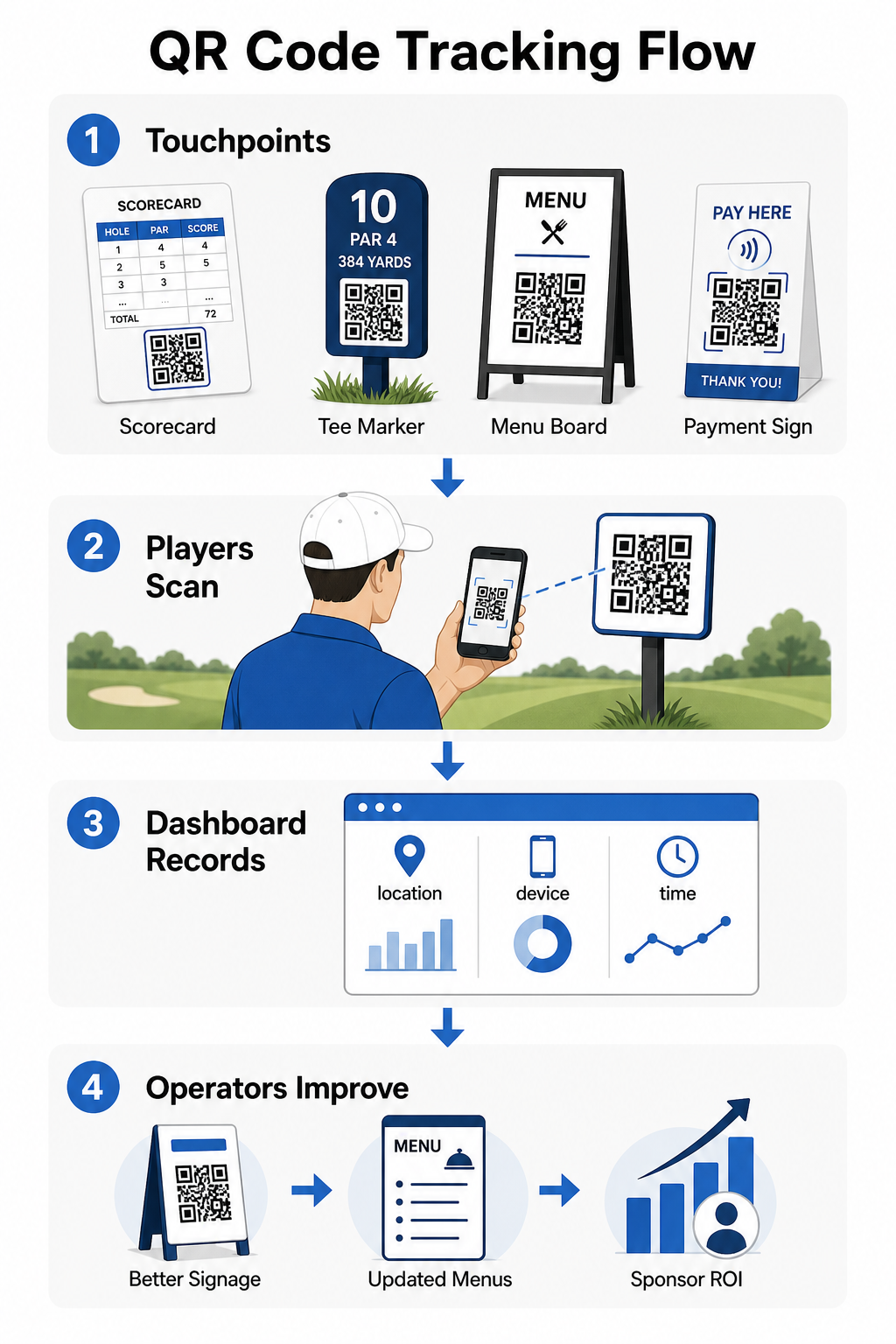
You can use this data to refine placement, improve underperforming signage, and demonstrate ROI on sponsor activations. Learn more about how QR code tracking works and what metrics to monitor across your facility.
See Exactly Where Players Are Engaging Track scans by location, device, and time across your entire facility from one dashboard. Get started with Pageloot’s QR code solutions and access real-time analytics on every code you deploy.
Design and Placement Basics for Golf Environments
Before printing QR codes for outdoor or high-traffic use, a few technical considerations matter significantly for real-world performance.
Contrast is the most critical factor. Use a dark module color on a light background and aim for a contrast ratio of at least 4:1 between the dark pattern and its background. This ensures reliable scanning in variable outdoor lighting conditions, from overcast mornings to bright afternoon sun.
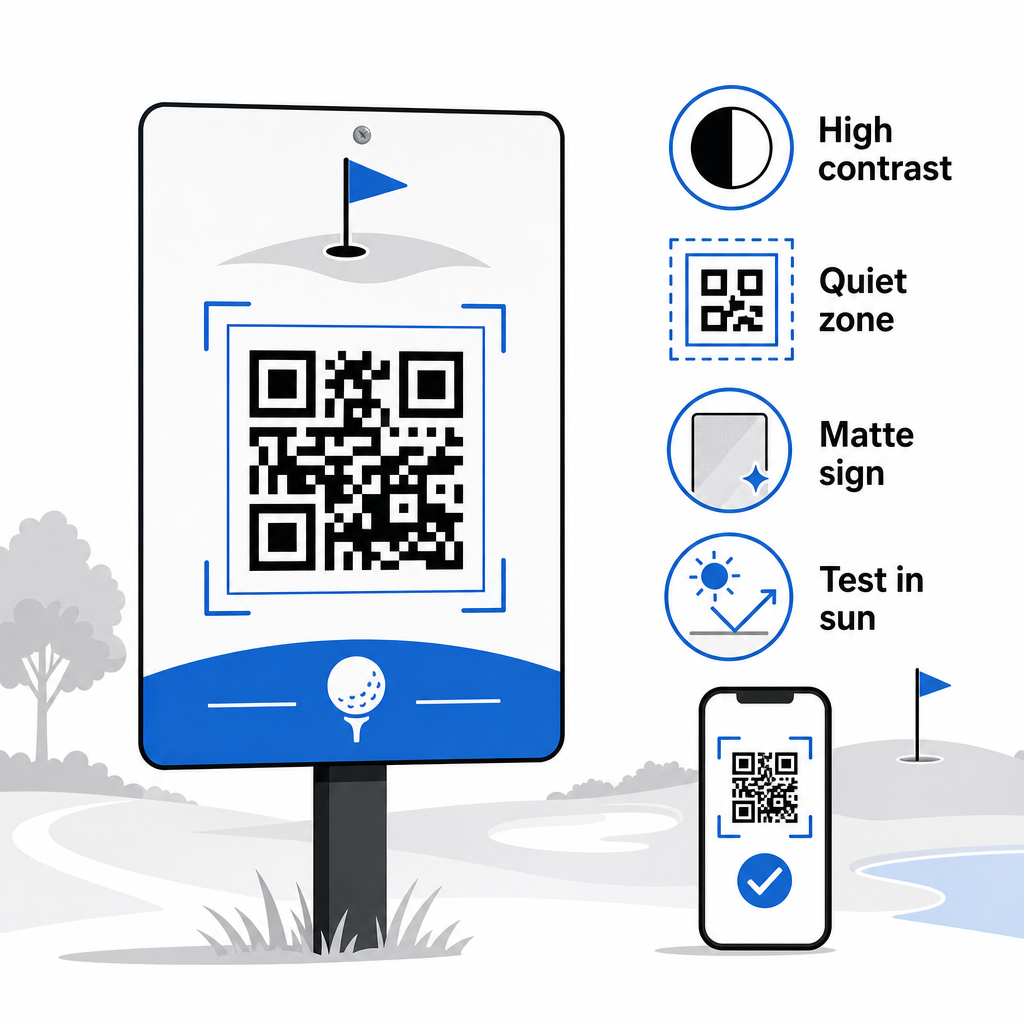
Size should match the expected scanning distance. For tee markers or cart-mounted codes scanned from arm’s length, 2 × 2 cm is the minimum baseline – but larger is always better for outdoor use. A practical rule: for every 10 cm of expected scanning distance, increase code width by 1 cm.
Quiet zone refers to the clear margin of white space surrounding the QR code. Crowding the code with text or graphics directly adjacent will cause scanning failures, so preserve that border on all sides.
Logos can improve visual appeal and reinforce your club’s brand identity within the QR code itself, but keep any logo to no more than 30% of the code area and use high error correction (Q or H level) to maintain reliability. Full details are available in Pageloot’s QR code readability guidelines.
Testing should always happen before printing at scale. Scan each code on multiple devices and in the actual environment – bright outdoor sunlight, low-light indoor settings, and glare conditions – to confirm it performs as expected. Learn more about how to use QR codes effectively before your first deployment.
QR codes give golf operators a practical, updatable way to connect every physical touchpoint on the course with useful digital content. The most effective facilities use them consistently across scorecards, signage, menus, and player engagement – and track performance to keep improving. Start with one or two high-impact use cases, measure the results, and expand from there. Visit Pageloot’s QR code generator to create your first code, or explore industry-specific QR code solutions to find the right format for your facility.
Frequently Asked Questions
Yes. The USGA Rules of Golf state that a scorecard may be in any paper or electronic form approved by the Committee, as long as it allows scores to be entered per hole, certified by the player and marker, and correctly identified to each hole. Committees may even require electronic scorecards in place of paper ones. Always confirm approval with your tournament committee before use.
If you use a dynamic QR code, you update the destination URL in your dashboard and the existing printed codes automatically redirect to the new content – no reprinting of tee markers, cart stickers, or signage required. Static QR codes encode the URL permanently, so any link change requires producing new printed materials.
Use high-contrast colors – dark modules on a light background with at least a 4:1 contrast ratio. Size codes for the expected scanning distance using the 10:1 rule: 1 cm of code width per 10 cm of distance. Choose flat, matte-finish materials to avoid glare, and test each code in actual outdoor lighting before deployment. The full QR code readability guidelines cover additional detail on size, contrast, and quiet zones.