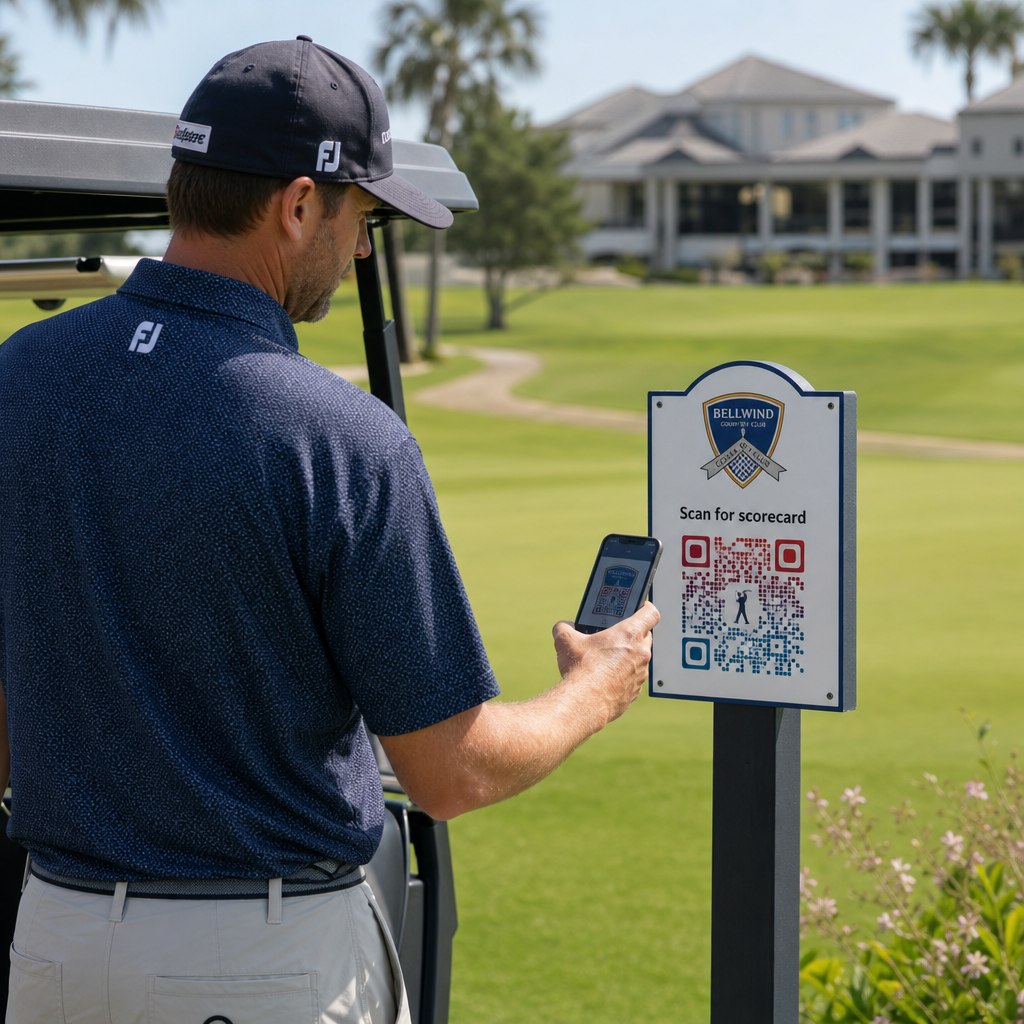
Etsitkö käytännöllisiä tapoja modernisoida golfkeskustasi? Paperipohjaiset prosessit, vanhentuneet opasteet ja menetettyjen sitouttamismahdollisuuksien vuoksi kentät menettävät aikaa ja tuloja joka kausi. Tämä opas esittelee tehokkaimmat tavat käyttää QR-koodeja koko keskuksessasi – digitaalisista tuloskorteista ja tiimerkeistä maksuihin ja pelaajapalautteeseen.
Miksi golfkentät ottavat käyttöön QR-koodeja
Golfin harrastajamäärä Yhdysvalloissa saavutti kaikkien aikojen ennätyksen, 48,1 miljoonaa osallistujaa vuonna 2025, mikä on 50 % kasvua viimeisen vuosikymmenen aikana. Koska noin 16 000 kenttää kilpailee tästä kysynnästä, pelaajakokemuksesta on tullut keskeinen erottelutekijä – ja QR-koodit tarjoavat edullisen ja vaikuttavan tavan parantaa sitä.
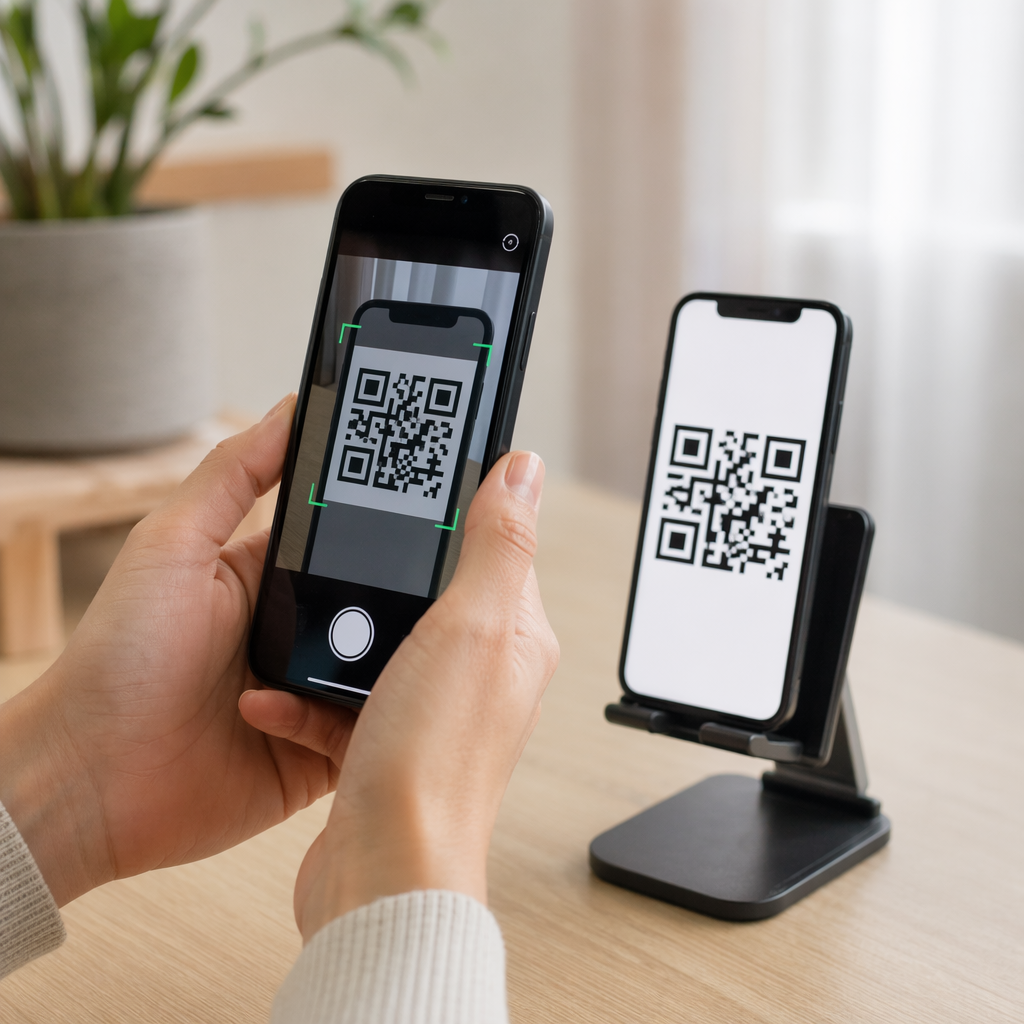
QR-koodit toimivat koodaamalla URL-osoitteen, asiakirjan tai muun kohteen skannattavaan kuvaan. Kun pelaaja osoittaa älypuhelimensa kameran koodiin, se avaa välittömästi linkittämäsi sisällön – useimmissa nykyaikaisissa laitteissa ei tarvita sovelluksen lataamista. Golfkeskukset voivat sijoittaa näitä koodeja painettuihin materiaaleihin, opasteisiin, golfkärryihin ja tiimerkkeihin yhdistääkseen fyysisen kentän digitaalisiin resursseihin.
Todellinen toiminnallinen etu tulee dynaamiset QR-koodit – koodeista, joiden avulla voit päivittää linkitetyn sisällön milloin tahansa ilman fyysisen koodin uudelleenpainamista. Jos tuloskorttilinkkisi muuttuu, valikkosi päivitetään tai kenttäkarttasi tarkistetaan, muutat yksinkertaisesti kohdetta hallintapaneelissasi. Täydellisen selvityksen tästä toiminnasta löydät kohdasta staattisten ja dynaamisten QR-koodien erojen.
Digitaaliset tuloskortit QR-koodin avulla
Yksi käytännöllisimmistä sovelluksista mille tahansa golfkeskukselle on paperisten tuloskorttien korvaaminen QR-koodilla saatavilla olevilla digitaalisilla versioilla.
Digitaalinen tuloskortti on mikä tahansa mobiiliystävällinen käyttöliittymä, jonka avulla pelaajat voivat kirjata tuloksensa reikä reikä -kohtaisesti älypuhelimeensa. Pelaajat skannaavat QR-koodin ensimmäisellä tiillä, pro shopissa tai kärryssä, ja tuloskortti avautuu suoraan heidän selaimeensa – ei paperia, ei kynää, ei uudelleenjakelua kierrosten jälkeen.
USGA:n golfsäännöt vahvistavat, että tuloskortti voi olla missä tahansa paperisessa tai sähköisessä muodossa, jonka komitea on hyväksynyt, edellyttäen, että se mahdollistaa tulosten syöttämisen reikäkohtaisesti, pelaajan ja merkitsijän vahvistamana, ja tunnistaa oikein jokaisen reiän. Komiteat voivat jopa vaatia pelaajia käyttämään sähköistä tuloskorttia paperisen sijaan. Tämä antaa keskuksellesi täyden joustavuuden tehdä vaihdosta virallisen sekä kilpailuihin että vapaa-ajan kierroksiin.
Toiminnallisesta näkökulmasta digitaaliset tuloskortit vähentävät kierroksen jälkeistä paperityörumbaa, antavat henkilökunnalle reaaliaikaisen näkyvyyden kierroksen edistymiseen ja syöttävät live-tulostauluja turnausten aikana. Pelaajat hyötyvät sisäänrakennetusta tulosten seurannasta, kierroshistoriasta ja pelitilastoista, joita paperi ei koskaan tarjonnut.
Tämän määrittämiseksi linkitä digitaalisen tuloskorttialustasi URL-osoite linkin QR-koodi ja aseta kyseinen koodi seuraaviin:
- Ensimmäisen tiin opasteet
- Golfkärryt (kärryyn kiinnitetyt tarrat tai laminoidut kortit)
- Painetut tuloskortit lisänä
- Pro shopin sisäänkirjautumispiste
Dynaamisen QR-koodin käyttö tässä on erityisen käytännöllistä – jos vaihdat tuloskorttipalvelun tarjoajaa tai päivität URL-osoitteen, päivität linkin hallintapaneelissasi ja jokainen painettu koodi toimii edelleen.
Vaihda digitaalisiin tuloskortteihin ilman uudelleenpainamista Luo dynaaminen QR-koodi tuloskorttilinkillesi ja päivitä kohde milloin tahansa koskematta painettuihin materiaaleihisi. Kokeile QR-koodigeneraattori ilmaiseksi 14 päivän ajan.
Tiimerkin ja reiän tiedot QR-koodit
QR-koodit tiimerkeissä antavat pelaajille välittömän pääsyn reiän pohjapiirroksiin, etäisyystaulukoihin, paikallisiin sääntöihin ja pelivinkkeihin – sisältöön, joka muuten vaatisi painettuja liitteitä tai klubitalon näyttöjä.
Yleinen lähestymistapa on linkittää jokaisen tiimerkin QR-koodi mobiiliystävälliseen PDF-tiedostoon tai kyseiselle reiälle omistettuun laskeutumissivuun. Pelaajat skannaavat tiillä, näkevät reiän kaavion, ymmärtävät optimaalisen linjan ja pelaavat nopeammin ja varmemmin. Tämä on erityisen arvokasta ensikertalaisille, jotka navigoivat tuntemattomalla kentällä.
Voit luoda nämä käyttämällä PDF QR-koodi generaattori jos reikäoppaasi ovat PDF-dokumentteja, tai linkin QR-koodigeneraattori jos isännöit sisältöä verkkosivulla tai laskeutumissivulla. Kestävyyteen keskittyneet toimijat ovat myös käyttäneet tiimerkkien QR-koodeja “Skannaa ja opi” -paikallissääntötietoihin, korvaten painetut sääntöarkit ja vähentäen hallinnollista aikaa kentällä.
Pro shopin ja klubitalon ruokalistat
Jos klubitalosi tai käännöskahvilasi tarjoilee ruokaa ja juomia, QR-koodivalikko poistaa fyysisten ruokalistojen uudelleenpainamisen kustannukset ja vaivan aina, kun tuotteet tai hinnat muuttuvat. Pelaajat skannaavat koodin baarissa, kärryhallin ikkunassa tai pöydässä ruokailutilassa ja katsovat ajankohtaista digitaalista ruokalistaa. Kun keittiösi muuttaa tarjontaansa kaudeksi, päivität linkitetyn sisällön – et itse QR-koodia.
Pagelootin Ruokalistan QR-koodi generaattori tukee sekä PDF-valikoita että verkkopohjaisia valikoita ja antaa sinun lisätä klubisi logon ja brändivärit pitääksesi koodin yhdenmukaisena laitoksesi visuaalisen identiteetin kanssa. Sijoittelua varten QR-koodi pöytäkolmiossa ruokailutilassa on yksi tehokkaimmista muodoista – pelaajat näkevät sen silmien tasolla ja heillä on luonnollinen hetki skannata istuessaan.
Lähimaksut kentällä
QR-koodit voivat yksinkertaistaa maksamista useissa kosketuspisteissä: pro shopissa, juomakärryssä, rangella ja turnausrekisteröinnissä. Pelaajat skannaavat maksun QR-koodin, joka on linkitetty maksupalveluntarjoajaasi, ja suorittavat tapahtuman puhelimellaan käsittelemättä käteistä tai korttipäätettä.
Voit luoda maksuun linkitetyn QR-koodin käyttämällä PayPal QR-koodi generaattori tai tavallisen linkin QR-koodi joka osoittaa maksusivullesi. Nämä toimivat hyvin juomakärryissä, myyntinäytöissä ja kaikkialla, missä fyysinen pääte on epäkäytännöllinen.
Kentän navigointi ja sijainnin QR-koodit
Suurissa laitoksissa pelaajat tarvitsevat usein apua tiettyjen palveluiden löytämisessä – harjoitusalueen, puolivälin talon, satelliitti-pro shopin tai klubitalon sisäänkäynnin parkkipaikalta. A Google Maps QR-koodi avaa laitoksesi sijainnin tai tietyn pisteen kiinteistöllä suoraan pelaajan karttasovelluksessa yhdellä skannauksella.
Nämä ovat hyödyllisiä:
- Opasteissa kentän sisäänkäynneillä
- Turnauksen tervetuliaispaketeissa
- Verkkosivuston yhteystiedoissa pelaajille, jotka navigoivat ulkopuolelta
Wi-Fi-yhteys pelaajille ja henkilökunnalle
Tarjoatko Wi-Fiä klubitalossa, pukuhuoneessa tai ruokailutilassa? Wi-Fi QR-koodi antaa pelaajien yhdistää välittömästi ilman, että henkilökunnan tarvitsee lukea salasanaa. Pelaajat skannaavat koodin ja yhdistävät automaattisesti – ei vaadi manuaalista syöttöä. Voit luoda sellaisen käyttämällä Pagelootin QR-koodigeneraattori syöttämällä verkon nimen, suojaustyypin ja salasanan ja sitten julkaisemalla tuloksena olevan koodin klubitalossa tai kärryjen kokoontumisalueella.
Pelaajapalaute ja Google-arvostelut
Kierroksen jälkeen pelaajat ovat usein oikeassa mielentilassa jättääkseen arvostelun tai täyttääkseen palautelomakkeen – mutta kitka tappaa loppuunsaattamisen. QR-koodi tuloskortissa, kuitissa tai kyltissä lähellä uloskäyntiä poistaa tuon kitkan kokonaan.
- A Google-arvostelun QR-koodia lähettää pelaajat suoraan Google Business -arvostelusivullesi, tehden siitä yhden napautuksen toiminnon.
- A asiakaspalautteen QR-koodi voi linkittää kyselyyn, jossa pelaajat arvioivat pelinopeutta, kentän kuntoa, henkilökuntaa ja palveluita.
Aseta nämä koodit paikkoihin, joissa pelaajat luonnollisesti pysähtyvät lopetettuaan – tuloskirjaajan pöytä, bägin jättöpaikka, baari – ja yhdistä ne yksinkertaiseen kehotteeseen, kuten “Miten kierroksesi sujui tänään?”
Opasteet, markkinointi ja tapahtumien promootiot
QR-koodit toimivat käytännössä kaikilla painetuilla pinnoilla laitoksessasi. Turnauksen ilmoittautumisopasteet ja esitteet voivat linkittää suoraan online-rekisteröintisivulle. Klubitalon ja rangen bannerit voivat osoittaa jäsenyyskyselyjen aloitussivulle. Sponsoriopasteet tiiauspaikoilla voivat linkittää sponsorin verkkosivustolle, tehden sponsorointipaketeista mitattavampia ja arvokkaampia kumppaneille. Kausittaiset kampanjat ovat erityisen helppoja hallita – päivitä julkaistun QR-koodin kohde, kun tarjoukset muuttuvat, eikä uutta painatusta tarvita.
Ulko-opasteita varten noudata QR-koodin sijoitteluohjeita ja sijoita koodit 3,5 ja 5,5 jalan korkeuteen maasta silmien tasolle, puhtaalla, korkeakontrastisella taustalla. Heijastaville tai kaareville pinnoille sijoitetut koodit skannaavat huonosti, joten valitse tasaiset, mattapintaiset alustat aina kun mahdollista.
Sen seuraaminen, mitkä QR-koodit toimivat
Yksi etu, jota paperiopasteet eivät koskaan tarjonneet, on mitattavissa oleva sitoutuminen. Dynaamiset QR-koodit tallentavat jokaisen skannauksen tiedoilla, kuten sijainti, laitetyyppi, kellonaika, kokonaisskannaukset ja yksilölliset skannaukset. Tämä kertoo, mitkä tiiauspaikat saavat eniten tuloskorttiaktiivisuutta, mitkä menupisteet tuottavat eniten ruokatilauksia ja mitkä markkinointimateriaalit tuottavat todellista liikennettä.
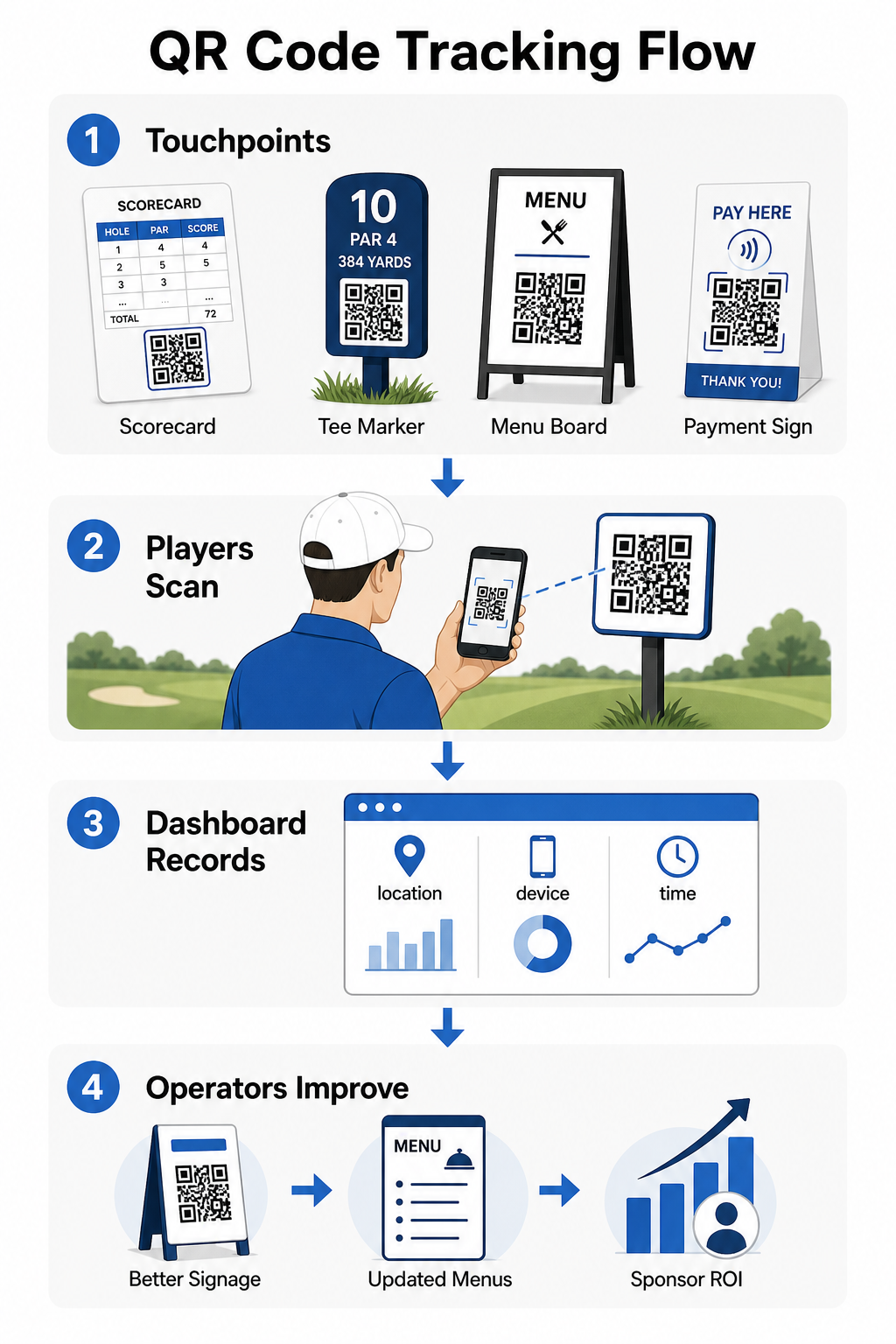
Voit käyttää näitä tietoja sijoittelun tarkentamiseen, alisuoriutuvien opasteiden parantamiseen ja osoittamaan sijoitetun pääoman tuottoa sponsorointiaktivoinneista. Lue lisää miten QR-koodin seuranta toimii ja mitä mittareita seurata laitoksessasi.
Katso tarkalleen, missä pelaajat ovat vuorovaikutuksessa Seuraa skannauksia sijainnin, laitteen ja ajan mukaan koko laitoksessasi yhdestä hallintapaneelista. Aloita Pagelootin QR-koodiratkaisuilla ja pääset käsiksi reaaliaikaisiin analytiikkatietoihin jokaisesta käyttöönotetusta koodista.
Suunnittelun ja sijoittelun perusteet golfympäristöihin
Ennen kuin tulostat QR-koodeja ulko- tai vilkkaaseen käyttöön, muutamat tekniset näkökohdat ovat merkittäviä todellisen maailman suorituskyvyn kannalta.
Kontrasti on kriittisin tekijä. Käytä tummaa moduuliväriä vaalealla taustalla ja pyri kontrastisuhteeseen vähintään 4:1 tumman kuvion ja sen taustan välillä. Tämä varmistaa luotettavan skannauksen vaihtelevissa ulkovalaistusolosuhteissa, pilvisistä aamuista kirkkaaseen iltapäiväaurinkoon.
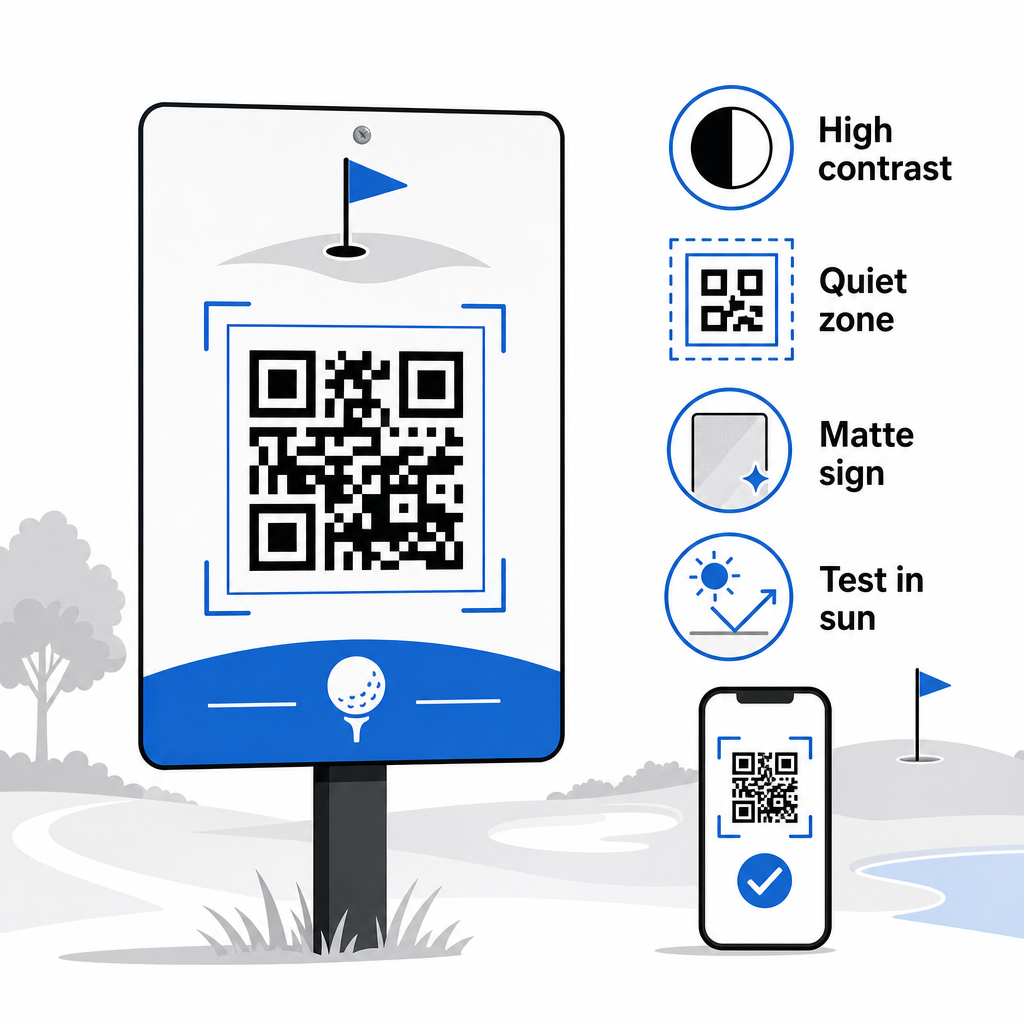
Koko tulisi vastata odotettua skannausetäisyyttä. Tiimerkeille tai kärryyn kiinnitetyille koodeille, jotka skannataan käsivarren etäisyydeltä, 2 × 2 cm on vähimmäisperusta – mutta suurempi on aina parempi ulkokäytössä. Käytännön sääntö: jokaista 10 cm:n odotettua skannausetäisyyttä kohden lisää koodin leveyttä 1 cm:llä.
Hiljainen vyöhyke viittaa QR-koodia ympäröivään selkeään valkoisen tilan marginaaliin. Koodin ahtaminen tekstillä tai grafiikalla suoraan viereen aiheuttaa skannausvirheitä, joten säilytä tämä reunus kaikilla puolilla.
Logot voivat parantaa visuaalista vetovoimaa ja vahvistaa klubisi brändi-identiteettiä itse QR-koodissa, mutta pidä kaikki logot enintään 30 %:ssa koodialueesta ja käytä korkeaa virheenkorjausta (Q- tai H-taso) luotettavuuden ylläpitämiseksi. Täydelliset tiedot ovat saatavilla osoitteessa Pagelootin QR-koodin luettavuusohjeet.
Testaus tulisi aina tapahtua ennen laajamittaista tulostusta. Skannaa jokainen koodi useilla laitteilla ja todellisessa ympäristössä – kirkkaassa ulkoilmassa, hämärissä sisätiloissa ja häikäisevissä olosuhteissa – varmistaaksesi, että se toimii odotetusti. Lue lisää aiheesta miten QR-koodeja käytetään tehokkaasti ennen ensimmäistä käyttöönottoasi.
QR-koodit tarjoavat golfoperaattoreille käytännöllisen, päivitettävän tavan yhdistää jokainen fyysinen kosketuspiste kentällä hyödylliseen digitaaliseen sisältöön. Tehokkaimmat tilat käyttävät niitä johdonmukaisesti tuloskorttien, opasteiden, ruokalistojen ja pelaajien sitouttamisen yhteydessä – ja seuraavat suorituskykyä parantaakseen jatkuvasti. Aloita yhdellä tai kahdella vaikuttavalla käyttötapauksella, mittaa tulokset ja laajenna sieltä. Vieraile Pagelootin QR-koodigeneraattori luodaksesi ensimmäisen koodisi tai tutustu toimialakohtaisia QR-koodiratkaisuja löytääksesi oikean muodon laitoksellesi.
Usein kysytyt kysymykset
Kyllä. USGA:n golfsäännöt toteavat, että tulokortti voi olla missä tahansa paperisessa tai sähköisessä muodossa, jonka toimikunta on hyväksynyt, kunhan se mahdollistaa tulosten syöttämisen reikittäin, pelaajan ja merkitsijän vahvistamana ja oikein tunnistettuna jokaiseen reikään. Toimikunnat voivat jopa vaatia sähköisiä tuloskortteja paperisten sijaan. Varmista aina hyväksyntä turnauskomitealtasi ennen käyttöä.
Jos käytät dynaamista QR-koodia, päivität kohde-URL-osoitteen hallintapaneelissasi ja olemassa olevat painetut koodit ohjaavat automaattisesti uuteen sisältöön – ei tarvita teemerkintöjen, kärrytarrojen tai opasteiden uudelleenpainatusta. Staattiset QR-koodit koodaavat URL-osoitteen pysyvästi, joten mikä tahansa linkin muutos vaatii uusien painettujen materiaalien tuottamista.
Käytä korkeakontrastisia värejä – tummia moduuleja vaalealla taustalla vähintään 4:1 kontrastisuhteella. Mitoita koodit odotetun skannausetäisyyden mukaan käyttäen 10:1 sääntöä: 1 cm koodin leveyttä 10 cm etäisyyttä kohti. Valitse tasaiset, mattapintaiset materiaalit häikäisyn välttämiseksi, ja testaa jokainen koodi todellisessa ulkovalaistuksessa ennen käyttöönottoa. Täydelliset QR-koodin luettavuusohjeet kattavat lisätietoja koosta, kontrastista ja hiljaisista vyöhykkeistä.