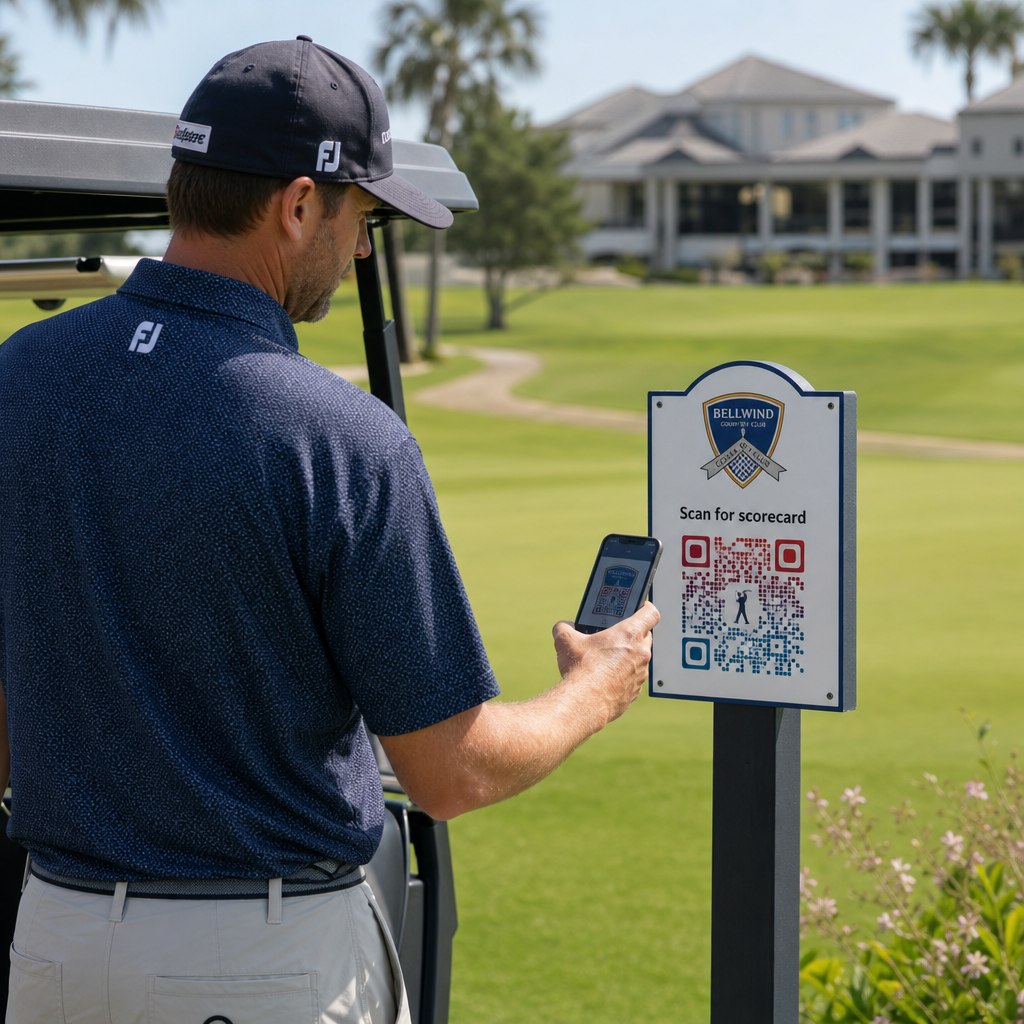
Er du på udkig efter praktiske måder at modernisere din golffacilitet på? Papirbaserede processer, forældet skiltning og forpassede engagementmuligheder koster baner tid og indtægter hver sæson. Denne guide fører dig gennem de mest effektive måder at bruge QR-koder på tværs af din facilitet – fra digitale scorekort og teemarkører til betalinger og spillerfeedback.
Hvorfor golfbaner tager QR-koder i brug
Golfdeltagelsen i USA nåede et rekordhøjt niveau på 48,1 millioner deltagere i 2025, en stigning på 50 % over det seneste årti. Med omkring 16.000 baner, der konkurrerer om den efterspørgsel, er spilleroplevelsen blevet en nøgledifferentiering – og QR-koder tilbyder en billig, høj-effekt måde at forbedre den på.
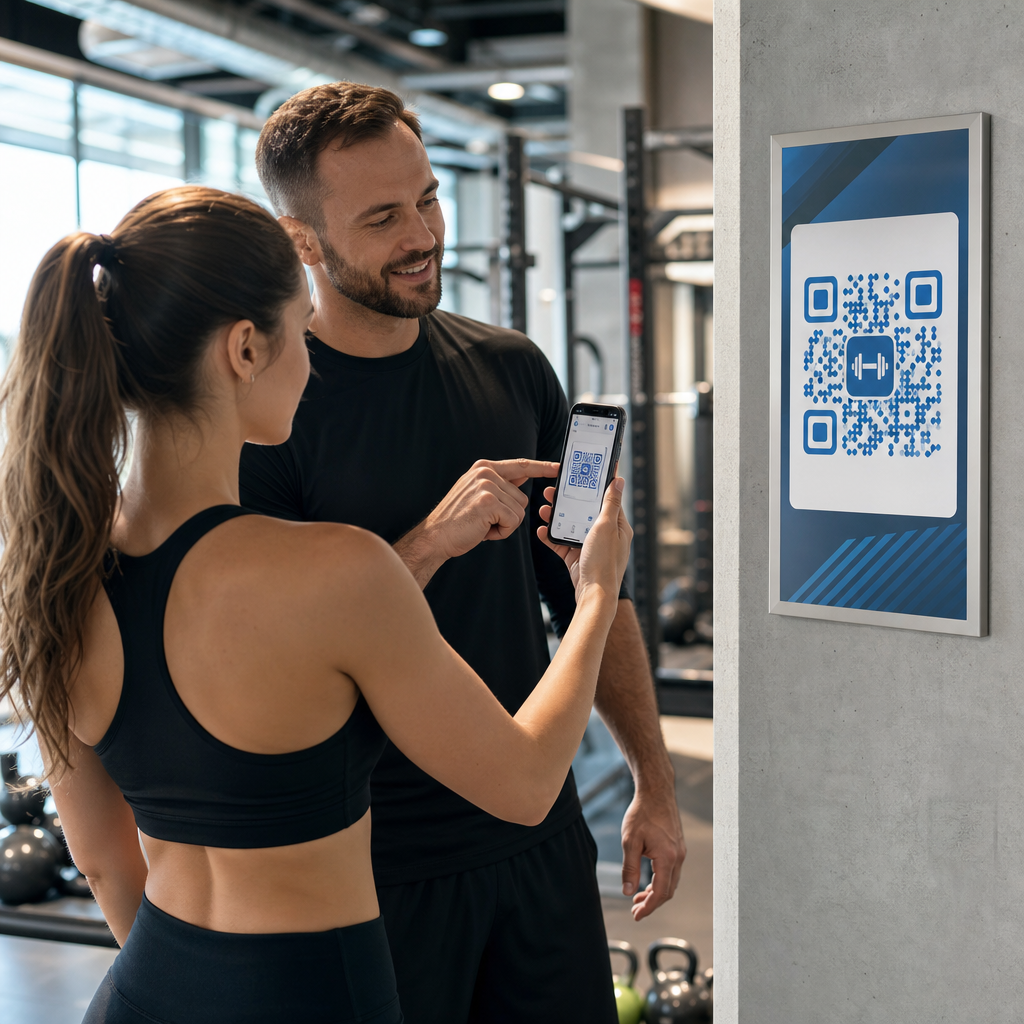
QR-koder fungerer ved at indkode en URL, et dokument eller en anden destination i et scannbart billede. Når en spiller peger sin smartphone-kamera mod koden, åbner den øjeblikkeligt det indhold, du har linket – ingen app-download kræves for de fleste moderne enheder. Golffaciliteter kan placere disse koder på trykte materialer, skiltning, golfvogne og teemarkører for at forbinde den fysiske bane med digitale ressourcer.
Den reelle operationelle fordel kommer fra dynamiske QR-koder – koder, der lader dig opdatere det linkede indhold når som helst uden at genoptrykke den fysiske kode. Hvis dit scorekortlink ændres, din menu opdateres, eller dit banekort revideres, ændrer du blot destinationen i dit dashboard. For en fuld gennemgang af, hvordan dette fungerer, se forskellene mellem statiske og dynamiske QR-koder.
Digitale scorekort via QR-kode
En af de mest praktiske anvendelser for enhver golffacilitet er at erstatte papirscorekort med QR-kode-tilgængelige digitale versioner.
Et digitalt scorekort er enhver mobilvenlig grænseflade, der lader spillere registrere deres score hul for hul på deres smartphone. Spillere scanner en QR-kode ved første tee, proshoppen eller på vognen, og scorekortet åbner direkte i deres browser – intet papir, ingen blyant, ingen omfordeling efter runder.
USGA's Golfregler bekræfter, at et scorekort må være i enhver papir- eller elektronisk form godkendt af Komitéen, forudsat at det tillader scores at blive indtastet pr. hul, certificeret af spilleren og markøren, og korrekt identificerer hvert hul. Komitéer kan endda kræve, at spillere bruger et elektronisk scorekort frem for et papir. Dette giver din facilitet fuld fleksibilitet til at gøre skiftet officielt for både konkurrencer og afslappede runder.
Fra et operationelt synspunkt reducerer digitale scorekort efter-runden papirarbejdsrushet, giver personalet realtidsindsigt i rundens fremskridt og føder live-leaderboards under turneringer. Spillere drager fordel af indbygget score-sporing, rundehistorik og spilstatistik, som papir aldrig tilbød.
For at sætte dette op, link din digitale scorekortplatform URL til en QR-kode til et link og placer den kode på:
- Første-tee skiltning
- Golfvogne (vognmonterede klistermærker eller laminerede kort)
- Trykte scorekort som et supplement
- Proshoppens check-in skranke
At bruge en dynamisk QR-kode her er især praktisk – hvis du skifter scorekortudbyder eller opdaterer URL'en, opdaterer du linket i dit dashboard, og hver trykt kode fortsætter med at virke.
Skift til digitale scorekort uden genoptryk Opret en dynamisk QR-kode til dit scorekortlink, og opdater destinationen når som helst uden at røre dine trykte materialer. Prøv QR-kodegenerator gratis i 14 dage.
Teemarkør- og huloplysnings-QR-koder
QR-koder på teemarkører giver spillere øjeblikkelig adgang til hul-layouts, længdetabeller, lokale regler og spilletips – indhold, der ellers ville kræve trykte indlæg eller klubhusudstillinger.
En almindelig tilgang er at linke hver teemarkørs QR-kode til en mobilvenlig PDF eller landingsside, der er specifik for det hul. Spillere scanner ved tee'en, ser huldiagrammet, forstår den optimale linje og spiller hurtigere og mere selvsikkert. Dette er særligt værdifuldt for førstegangsbesøgende, der navigerer på en ukendt bane.
Du kan oprette disse ved hjælp af en PDF QR-kode generator hvis dine hulguider er PDF-dokumenter, eller en link QR-kodegenerator hvis du hoster indholdet på en webside eller landingsside. Bæredygtighedsfokuserede operatører har også brugt teemarkør-QR-koder til “Scan og Lær” lokale regler information, der erstatter trykte regelark og reducerer administrativ tid på banen.
Proshop- og klubhusmenuer
Hvis dit klubhus eller turn-café serverer mad og drikkevarer, fjerner en QR-kode-menu omkostningerne og besværet ved at genoptrykke fysiske menuer, når varer eller priser ændres. Spillere scanner koden ved baren, vognskursvinduet eller et bord i spiseområdet og ser en aktuel digital menu. Når dit køkken ændrer tilbud for sæsonen, opdaterer du det linkede indhold – ikke selve QR-koden.
Pageloots QR-kode menu generator understøtter både PDF-menuer og webbaserede menuer, og lader dig tilføje dit klublogo og brandfarver for at holde koden konsistent med dit anlægs visuelle identitet. Til placering, en QR-kode på en bordstander i spiseområdet er et af de mest effektive formater – spillere ser den i øjenhøjde og har et naturligt øjeblik til at scanne, mens de sidder ned.
Kontaktløse betalinger på banen
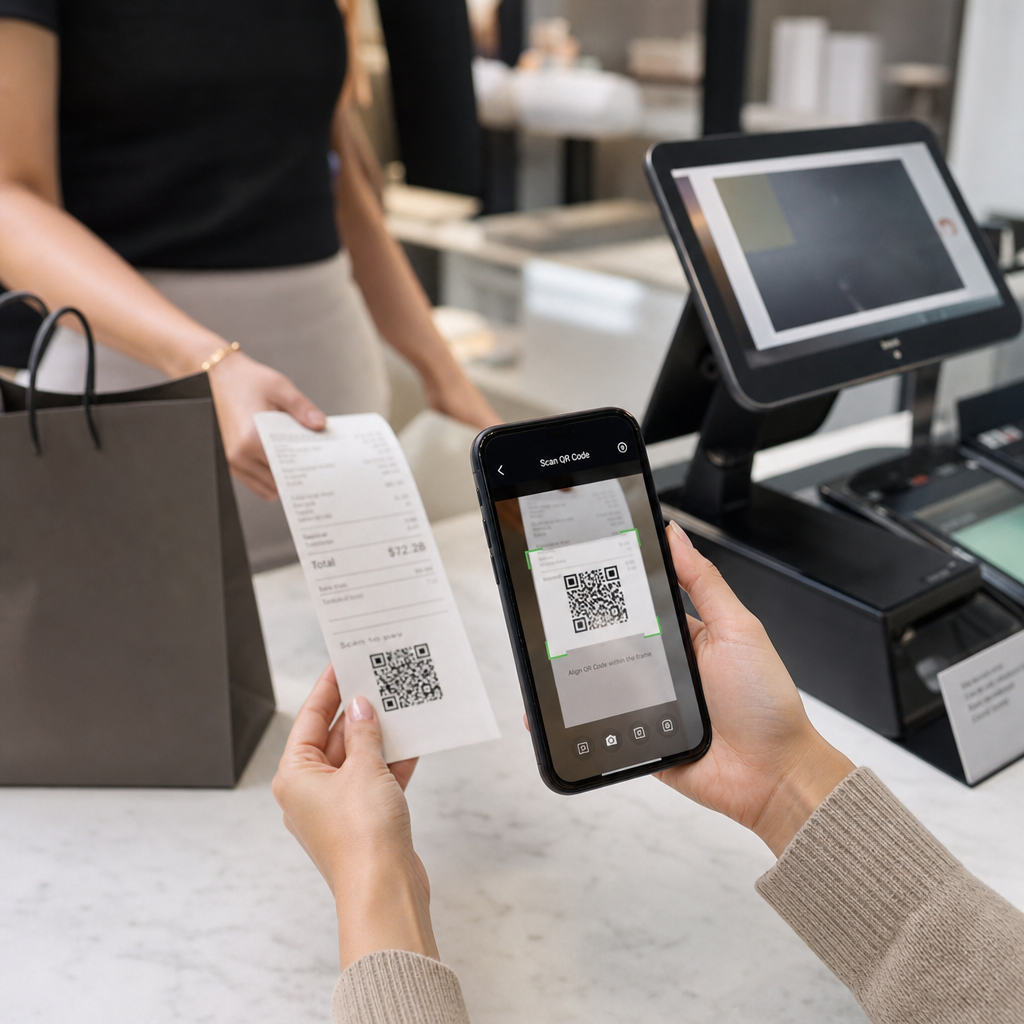
QR-koder kan forenkle betaling ved flere berøringspunkter: proshoppen, drikkevarevognen, driving rangen og turneringsregistreringen. Spillere scanner en betalings-QR-kode, der er knyttet til din betalingsudbyder, og gennemfører transaktionen på deres telefon uden at håndtere kontanter eller en kortterminal.
Du kan oprette en betalings-QR-kode ved hjælp af en PayPal QR-kode generator eller en standard QR-kode til et link der peger på din betalingsside. Disse fungerer godt på drikkevarevogne, vareudstillinger og overalt, hvor en fysisk terminal er upraktisk.
Banenavigation og placerings-QR-koder
For store anlæg har spillere ofte brug for hjælp til at finde specifikke faciliteter – træningsanlægget, halfway house, en satellit-proshop eller klubhusindgangen fra parkeringspladsen. En Google Maps QR-kode åbner dit anlægs placering eller et specifikt punkt på ejendommen direkte i spillerens kortapplikation med en enkelt scanning.
Disse er nyttige på:
- Retningsskilte ved baneindgange
- Turneringsvelkomstpakker
- Hjemmesidens kontaktsider for spillere, der navigerer udefra
Wi-Fi-adgang for spillere og personale
Tilbyder du Wi-Fi i klubhuset, omklædningsrummet eller spiseområdet? En Wi-Fi QR-kode lader spillere oprette forbindelse øjeblikkeligt uden at personalet behøver at læse en adgangskode op. Spillere scanner koden og opretter forbindelse automatisk – ingen manuel indtastning påkrævet. Du kan oprette en ved hjælp af Pageloots QR-kodegenerator ved at indtaste dit netværksnavn, sikkerhedstype og adgangskode, og derefter opsætte den resulterende kode i klubhuset eller vognopsamlingsområdet.
Spillerfeedback og Google-anmeldelser
Efter en runde er spillere ofte i den rette stemning til at give en anmeldelse eller udfylde en feedbackformular – men friktion dræber opfølgningen. En QR-kode på scorekortet, kvitteringen eller et skilt nær udgangen fjerner den friktion fuldstændigt.
- EN QR-kode til Google-anmeldelser sender spillere direkte til din Google My Business-anmeldelsesside, hvilket gør det til en handling med ét tryk.
- EN QR-kode til kundefeedback kan linke til en undersøgelse, hvor spillere bedømmer spilletempo, baneforhold, personale og faciliteter.
Placer disse koder, hvor spillere naturligt holder pause efter at have afsluttet – scorerbordet, bag drop, baren – og par dem med en simpel opfordring som “Hvordan var din runde i dag?”
Skiltning, marketing og begivenhedskampagner
QR-koder fungerer på stort set alle trykte overflader på dit anlæg. Turneringsindgangsskilte og flyers kan linke direkte til en online registreringsside. Klubhus- og driving range-bannere kan pege på en landingsside for medlemskabsforespørgsler. Sponsorskilte på teesteder kan linke til en sponsors hjemmeside, hvilket gør sponsorpakker mere målbare og værdifulde for partnere. Sæsonbestemte kampagner er særligt nemme at administrere – opdater destinationen for en opsat QR-kode, når tilbud ændres, og der er ingen ny udskrivning påkrævet.
For udendørs skiltning, følg vejledning om placering af QR-koder og placer koder mellem 3,5 og 5,5 fod fra jorden i øjenhøjde, med en ren baggrund med høj kontrast. Koder placeret på reflekterende eller buede overflader scanner dårligt, så vælg flade, mat-finish underlag, hvor det er muligt.
Sporing af hvilke QR-koder der performer
En fordel, som papirskiltning aldrig tilbød, er målbar engagement. Dynamiske QR-koder registrerer hver scanning med data, herunder placering, enhedstype, tidspunkt på dagen, samlede scanninger og unikke scanninger. Dette fortæller dig, hvilke teesteder der får mest scorekortaktivitet, hvilke menustationer der genererer flest madbestillinger, og hvilke marketingmaterialer der genererer reel trafik.
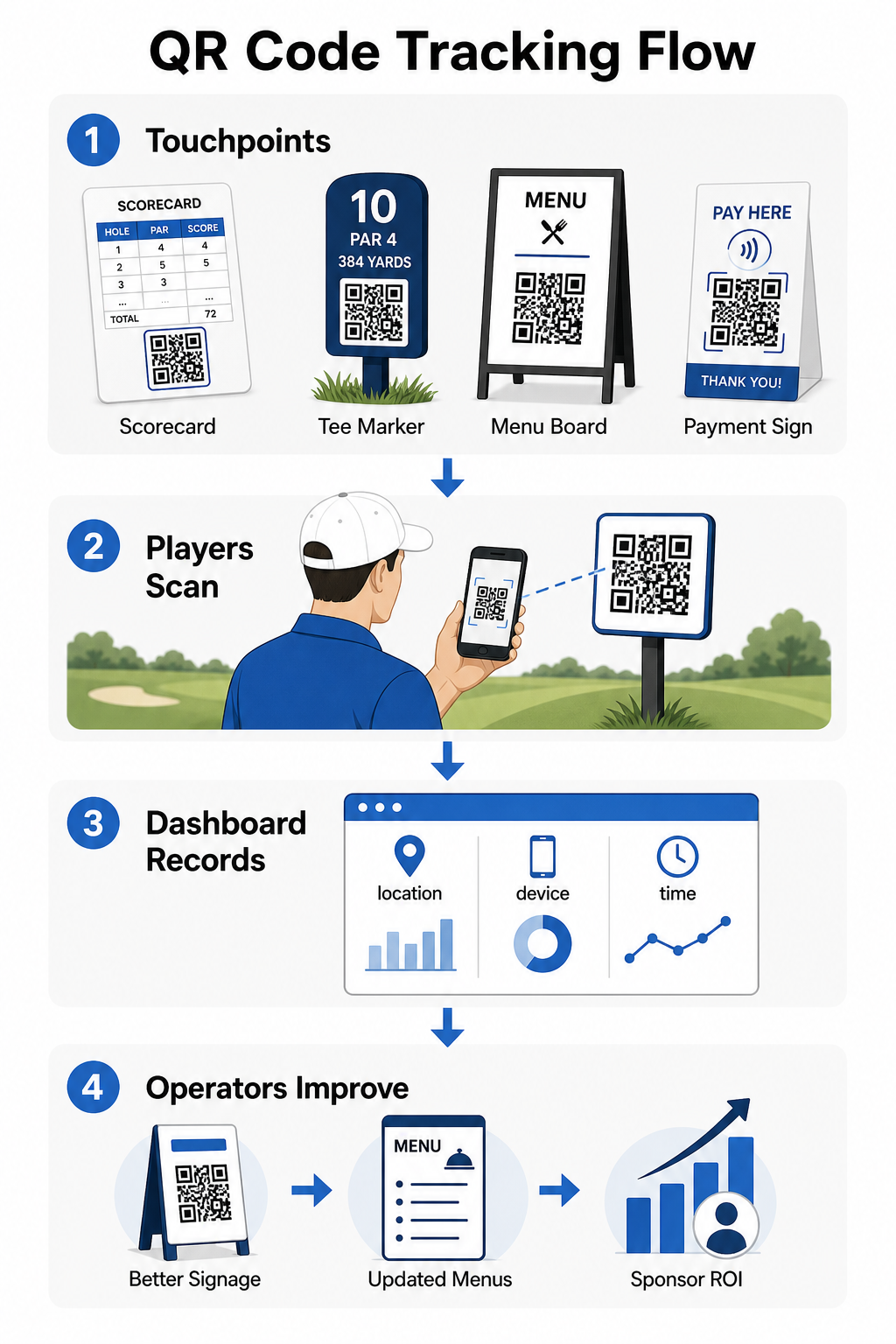
Du kan bruge disse data til at forfine placering, forbedre underpræsterende skiltning og demonstrere ROI på sponsoraktiveringer. Lær mere om hvordan QR-kodesporing fungerer og hvilke målinger du skal overvåge på tværs af dit anlæg.
Se præcis hvor spillere engagerer sig Spor scanninger efter placering, enhed og tid på tværs af hele dit anlæg fra ét dashboard. Kom i gang med Pageloots QR-kodeløsninger og få adgang til realtidsanalyse på hver kode, du implementerer.
Design- og placeringsgrundlag for golfmiljøer
Før du udskriver QR-koder til udendørs brug eller brug med høj trafik, er et par tekniske overvejelser afgørende for den virkelige ydeevne.
Kontrast er den mest kritiske faktor. Brug en mørk modulfarve på en lys baggrund og sigt efter en kontrastforhold på mindst 4:1 mellem det mørke mønster og dets baggrund. Dette sikrer pålidelig scanning under varierende udendørs lysforhold, fra overskyede morgener til lys eftermiddagssol.
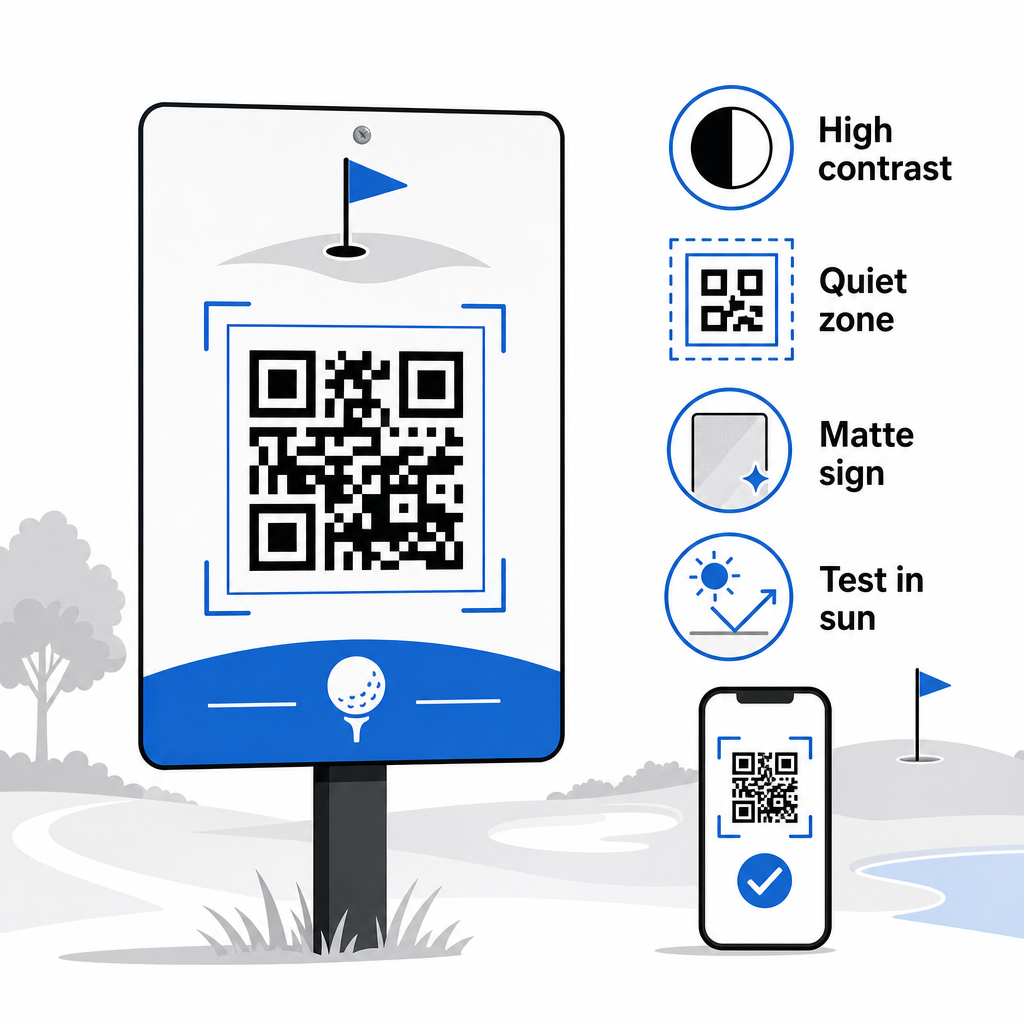
Størrelse bør matche den forventede scanningsafstand. For teemarkører eller vognmonterede koder scannet fra armslængde er 2 × 2 cm den minimale basislinje – men større er altid bedre til udendørs brug. En praktisk regel: for hver 10 cm forventet scanningsafstand, øg kodens bredde med 1 cm.
Stillezone henviser til den klare margen af hvidt rum omkring QR-koden. At overfylde koden med tekst eller grafik direkte ved siden af vil forårsage scanningsfejl, så bevar den kant på alle sider.
Logoer kan forbedre den visuelle appel og forstærke din klubs brandidentitet inden for selve QR-koden, men hold ethvert logo til ikke mere end 30% af kodeområdet og brug høj fejlkorrektion (Q- eller H-niveau) for at opretholde pålideligheden. Fuldstændige detaljer er tilgængelige i Pageloots retningslinjer for læsbarhed af QR-koder.
Test bør altid ske før udskrivning i stor skala. Scan hver kode på flere enheder og i det faktiske miljø – skarpt udendørs sollys, indendørs omgivelser med svagt lys og blændingsforhold – for at bekræfte, at den fungerer som forventet. Lær mere om hvordan man bruger QR-koder effektivt før din første implementering.
QR-koder giver golfoperatører en praktisk, opdaterbar måde at forbinde hvert fysiske kontaktpunkt på banen med nyttigt digitalt indhold. De mest effektive faciliteter bruger dem konsekvent på tværs af scorekort, skiltning, menuer og spillerengagement – og sporer ydeevnen for at fortsætte med at forbedre. Start med en eller to høj-impact brugsscenarier, mål resultaterne, og udvid derfra. Besøg Pageloots QR-kodegenerator for at oprette din første kode, eller udforsk branchespecifikke QR-kodeløsninger for at finde det rigtige format til din facilitet.
Ofte stillede spørgsmål
Ja. USGA Golfreglerne angiver, at et scorekort må være i enhver papir- eller elektronisk form godkendt af Komitéen, så længe det tillader scores at blive indtastet pr. hul, certificeret af spilleren og markøren, og korrekt identificeret til hvert hul. Komitéer kan endda kræve elektroniske scorekort i stedet for papirudgaver. Bekræft altid godkendelse med din turneringskomité før brug.
Hvis du bruger en dynamisk QR-kode, opdaterer du destinations-URL'en i dit dashboard, og de eksisterende printede koder omdirigerer automatisk til det nye indhold – ingen genprintning af tee-markører, vognklistermærker eller skiltning påkrævet. Statiske QR-koder koder URL'en permanent, så enhver linkændring kræver produktion af nye printede materialer.
Brug farver med høj kontrast – mørke moduler på en lys baggrund med mindst et 4:1 kontrastforhold. Størrelsesbestem koder til den forventede scanningsafstand ved hjælp af 10:1-reglen: 1 cm kodebredde pr. 10 cm afstand. Vælg flade, matte materialer for at undgå genskin, og test hver kode i faktisk udendørs belysning før implementering. De fulde retningslinjer for QR-kodelæsbarhed dækker yderligere detaljer om størrelse, kontrast og stille zoner.