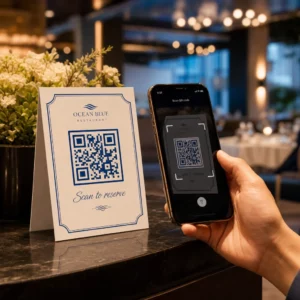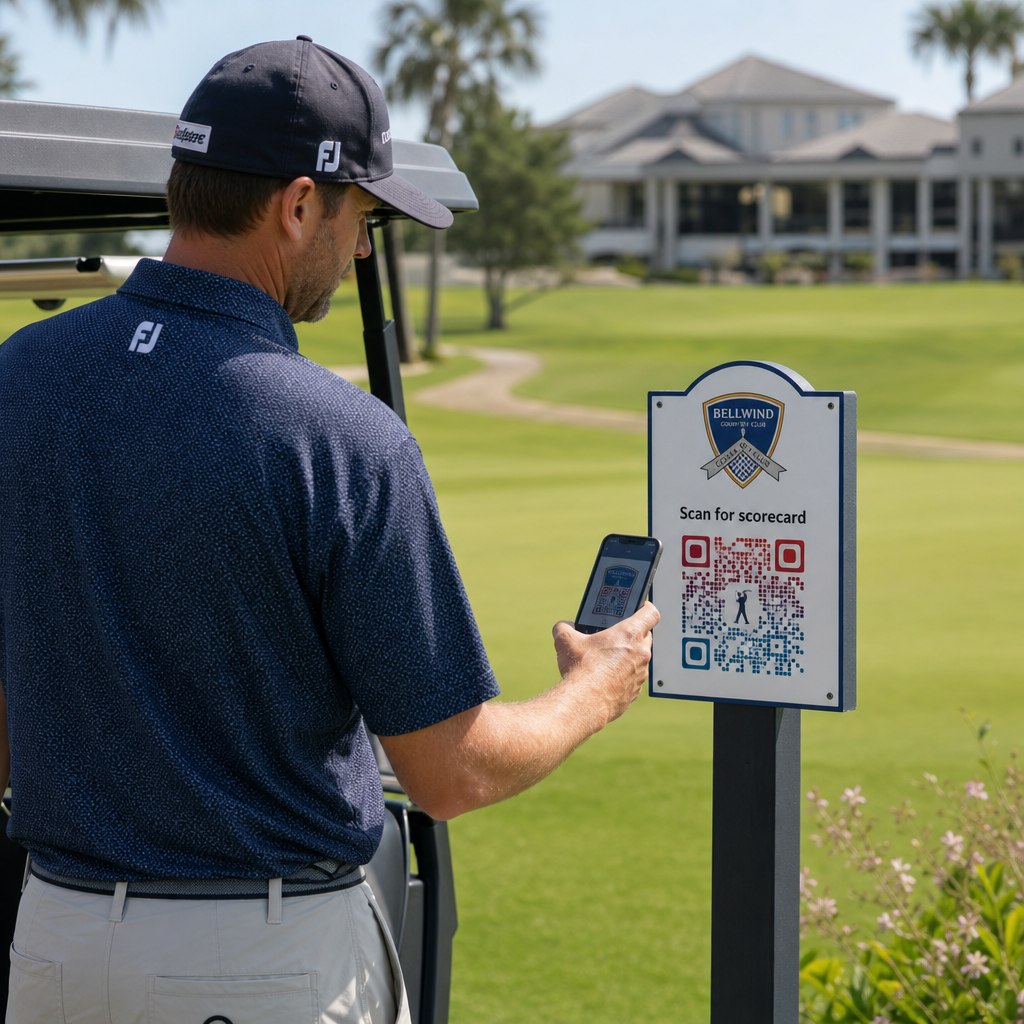
Keres gyakorlati módokat golfpályája modernizálására? A papír alapú folyamatok, az elavult táblák és az elmulasztott kapcsolattartási lehetőségek minden szezonban időt és bevételt jelentenek a pályáknak. Ez az útmutató bemutatja a QR-kódok leghatékonyabb felhasználási módjait a létesítményében – a digitális eredményjelzőktől és elütőjelzőktől a fizetésekig és a játékosok visszajelzéseiig.
Miért alkalmaznak a golfpályák QR-kódokat?
A golfban való részvétel az Egyesült Államokban 2025-ben elérte a valaha volt legmagasabb szintet, 48,1 millió résztvevővel, ami 50%-os növekedést jelent az elmúlt évtizedben. Mivel nagyjából 16 000 pálya verseng ezért a keresletért, a játékosélmény kulcsfontosságú megkülönböztető tényezővé vált – és a QR-kódok alacsony költségű, nagy hatású módot kínálnak annak javítására.
A QR-kódok úgy működnek, hogy egy URL-t, dokumentumot vagy más célállomást kódolnak egy szkennelhető képbe. Amikor egy játékos okostelefonjának kameráját a kódra irányítja, az azonnal megnyitja a linkelt tartalmat – a legtöbb modern eszközhöz nincs szükség alkalmazás letöltésére. A golfpályák ezeket a kódokat nyomtatott anyagokra, táblákra, golfkocsikra és elütőjelzőkre helyezhetik, hogy összekapcsolják a fizikai pályát a digitális erőforrásokkal.
Az igazi működési előny abból származik, hogy dinamikus QR kódok – olyan kódok, amelyek lehetővé teszik a linkelt tartalom bármikori frissítését a fizikai kód újranyomtatása nélkül. Ha az eredményjelző linkje megváltozik, a menü frissül, vagy a pályatérkép módosul, egyszerűen megváltoztatja a célállomást a műszerfalán. A működés részletes leírásáért lásd a statikus és dinamikus QR-kódok közötti különbségek.
Digitális eredményjelzők QR-kóddal
Az egyik legpraktikusabb alkalmazás bármely golfpálya számára a papír alapú eredményjelzők QR-kóddal elérhető digitális verziókra cserélése.
A digitális eredményjelző bármilyen mobilbarát felület, amely lehetővé teszi a játékosok számára, hogy lyukról lyukra rögzítsék eredményüket okostelefonjukon. A játékosok beolvasnak egy QR-kódot az első elütőnél, a pro shopban vagy a kocsiban, és az eredményjelző közvetlenül megnyílik a böngészőjükben – nincs papír, nincs ceruza, nincs újraelosztás a körök után.
Az USGA golfszabályai megerősítik, hogy az eredményjelző bármilyen papír vagy elektronikus formában lehet, amelyet a Bizottság jóváhagyott, feltéve, hogy lehetővé teszi az eredmények lyukonkénti beírását, a játékos és a jelölő általi hitelesítését, és helyesen azonosítja az egyes lyukakat. A Bizottságok akár meg is követelhetik a játékosoktól, hogy elektronikus eredményjelzőt használjanak a papír alapú helyett. Ez teljes rugalmasságot biztosít létesítményének, hogy hivatalossá tegye a váltást mind a versenyek, mind a baráti körök számára.
Működési szempontból a digitális eredményjelzők csökkentik a kör utáni papírmunka rohanását, valós idejű betekintést nyújtanak a személyzetnek a kör előrehaladásába, és élő eredménytáblákat táplálnak a versenyek során. A játékosok profitálnak a beépített pontszámkövetésből, a körök előzményeiből és a játékstatisztikákból, amelyeket a papír soha nem kínált.
Ennek beállításához linkelje digitális eredményjelző platformjának URL-jét egy link QR-kóddal és helyezze el ezt a kódot a következőkre:
- Első elütő táblák
- Golfkocsik (kocsira szerelt matricák vagy laminált kártyák)
- Nyomtatott eredményjelzők kiegészítésként
- A pro shop bejelentkezési pultja
Dinamikus QR-kód használata itt különösen praktikus – ha szolgáltatót vált, vagy frissíti az URL-t, frissíti a linket a műszerfalán, és minden nyomtatott kód továbbra is működik.
Váltás digitális eredményjelzőkre újranyomtatás nélkül Hozzon létre egy dinamikus QR-kódot az eredményjelző linkjéhez, és frissítse a célállomást bármikor anélkül, hogy hozzányúlna a nyomtatott anyagokhoz. Próbálja ki a QR Kód Generátor ingyen 14 napig.
Elütőjelző és lyukinformációs QR-kódok
Az elütőjelzőkön lévő QR-kódok azonnali hozzáférést biztosítanak a játékosoknak a lyukelrendezésekhez, távolságtáblázatokhoz, helyi szabályokhoz és játéktippekhez – olyan tartalomhoz, amely egyébként nyomtatott betéteket vagy klubházi kijelzőket igényelne.
Gyakori megközelítés, hogy minden elütőjelző QR-kódját egy mobilbarát PDF-hez vagy az adott lyukra specifikus céloldalhoz kapcsolják. A játékosok beolvasnak az elütőnél, megnézik a lyukdiagramot, megértik az optimális vonalat, és gyorsabban és magabiztosabban játszanak. Ez különösen értékes az első alkalommal érkező látogatók számára, akik ismeretlen pályán navigálnak.
Ezeket létrehozhatja egy PDF QR kód generátor ha a lyukkal kapcsolatos útmutatói PDF dokumentumok, vagy egy link QR-kód generátor ha a tartalmat egy weboldalon vagy céloldalon tárolja. A fenntarthatóságra összpontosító üzemeltetők az elütőjelző QR-kódokat is használták a “Szkenneld és Tanulj” helyi szabályok információihoz, felváltva a nyomtatott szabálylapokat és csökkentve az adminisztratív időt a pályán.
Pro Shop és Klubházi Menük
Ha a klubháza vagy a forduló kávézója ételt és italt szolgál fel, egy QR-kód menü megszünteti a fizikai menük újranyomtatásának költségeit és gondjait, amikor az ételek vagy árak változnak. A játékosok beolvassák a kódot a bárnál, a kocsitároló ablakánál vagy egy asztalnál az étkezőben, és megtekintik az aktuális digitális menüt. Amikor a konyhája megváltoztatja az ajánlatokat a szezonra, frissíti a linkelt tartalmat – nem magát a QR-kódot.
A Pageloot QR kódos digitális menü generátor támogatja a PDF menüket és a web alapú menüket is, és lehetővé teszi, hogy hozzáadja klublogóját és márkaszíneit, hogy a kód összhangban legyen létesítménye vizuális identitásával. Elhelyezéshez egy QR-kód egy asztali kártyán az étkezőben az egyik leghatékonyabb formátum – a játékosok szemmagasságban látják, és természetes pillanatuk van a beolvasásra ülve.
Érintésmentes fizetések a pályán
A QR-kódok egyszerűsíthetik a fizetést több érintkezési ponton: a pro shopban, az italos kocsiban, a gyakorlópályán és a versenyregisztrációnál. A játékosok beolvasnak egy fizetési QR-kódot, amely a fizetési szolgáltatójához kapcsolódik, és befejezik a tranzakciót telefonjukon anélkül, hogy készpénzt vagy kártyaterminált kezelnének.
Létrehozhat egy fizetéshez kapcsolt QR-kódot egy PayPal pénzfogadás QR kóddal vagy egy szabványos link QR-kóddal amely a fizetési oldalára mutat. Ezek jól működnek italos kocsikon, árubemutatókon, és bárhol, ahol egy fizikai terminál nem praktikus.
Pályanavigáció és helymeghatározó QR-kódok
Nagy létesítmények esetén a játékosoknak gyakran segítségre van szükségük bizonyos szolgáltatások megtalálásához – a gyakorlópálya, a félúti ház, egy műholdas pro shop, vagy a klubház bejárata a parkolóból. Egy Google Maps QR-kód megnyitja létesítménye helyét vagy egy adott pontot a birtokon közvetlenül a játékos térképalkalmazásában egyetlen beolvasással.
Ezek hasznosak a következőknél:
- Irányító táblák a pályabejáratoknál
- Verseny üdvözlőcsomagok
- Weboldal kapcsolati oldalak a külső helyszínről navigáló játékosok számára
Wi-Fi hozzáférés játékosok és személyzet számára
Kínál Wi-Fi-t a klubházban, öltözőben vagy étkezőben? Egy Wi-Fi QR-kód lehetővé teszi a játékosoknak, hogy azonnal csatlakozzanak anélkül, hogy a személyzetnek fel kellene olvasnia egy jelszót. A játékosok beolvassák a kódot és automatikusan csatlakoznak – nincs szükség kézi bevitelre. Létrehozhat egyet a Pageloot QR-kód generátorunk felfedezésével kezdheti. hálózatnevének, biztonsági típusának és jelszavának megadásával, majd a kapott kód kihelyezésével a klubházban vagy a kocsi előkészítő területén.
Játékos visszajelzések és Google értékelések
Egy kör után a játékosok gyakran megfelelő hangulatban vannak ahhoz, hogy értékelést hagyjanak vagy kitöltsenek egy visszajelzési űrlapot – de a súrlódás megöli a végrehajtást. Egy QR-kód a pontkártyán, a nyugtán vagy egy kijárat melletti táblán teljesen megszünteti ezt a súrlódást.
- A Google értékelés QR-kóddal közvetlenül a Google Cégem értékelési oldalára küldi a játékosokat, egyetlen érintéssel végrehajtható műveletté téve azt.
- A ügyfél visszajelzés QR-kód kapcsolódhat egy felméréshez, ahol a játékosok értékelik a játék tempóját, a pálya állapotát, a személyzetet és a szolgáltatásokat.
Helyezze el ezeket a kódokat ott, ahol a játékosok természetesen megállnak a befejezés után – a pontozóasztal, a táskaátadó, a bár – és párosítsa őket egy egyszerű kérdéssel, például “Milyen volt a mai köröd?”
Tájékoztató táblák, Marketing és rendezvény promóciók
A QR-kódok gyakorlatilag minden nyomtatott felületen működnek létesítményében. A versenybejegyzési táblák és szórólapok közvetlenül egy online regisztrációs oldalra mutathatnak. A klubház és a driving range bannerek egy tagsági érdeklődési céloldalra mutathatnak. A szponzori táblák a tee boxokon egy szponzor weboldalára mutathatnak, mérhetőbbé és értékesebbé téve a szponzori csomagokat a partnerek számára. A szezonális promóciók különösen könnyen kezelhetők – frissítse a kihelyezett QR-kód célját, amikor az ajánlatok változnak, és nincs szükség új nyomtatásra.
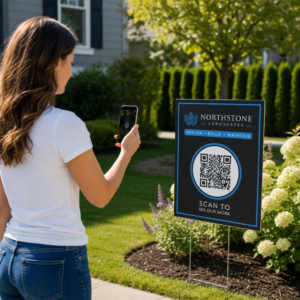
Kültéri táblák esetén kövesse a QR-kód elhelyezési útmutatót és helyezze el a kódokat 3,5 és 5,5 láb (kb. 107-168 cm) magasságban a talajtól, szemmagasságban, tiszta, nagy kontrasztú háttérrel. A fényvisszaverő vagy ívelt felületekre helyezett kódok rosszul olvashatók be, ezért válasszon lapos, matt felületű hordozókat, ahol csak lehetséges.
Annak nyomon követése, hogy mely QR-kódok teljesítenek
Egy előny, amit a papír alapú táblák soha nem kínáltak, a mérhető elkötelezettség. A dinamikus QR-kódok minden beolvasást rögzítenek adatokkal, beleértve a helyszínt, az eszköz típusát, a napszakot, az összes beolvasást és az egyedi beolvasásokat. Ez megmondja, melyik tee boxok kapják a legtöbb pontkártya-aktivitást, melyik menüállomások generálják a legtöbb ételrendelést, és mely marketinganyagok generálnak valós forgalmat.
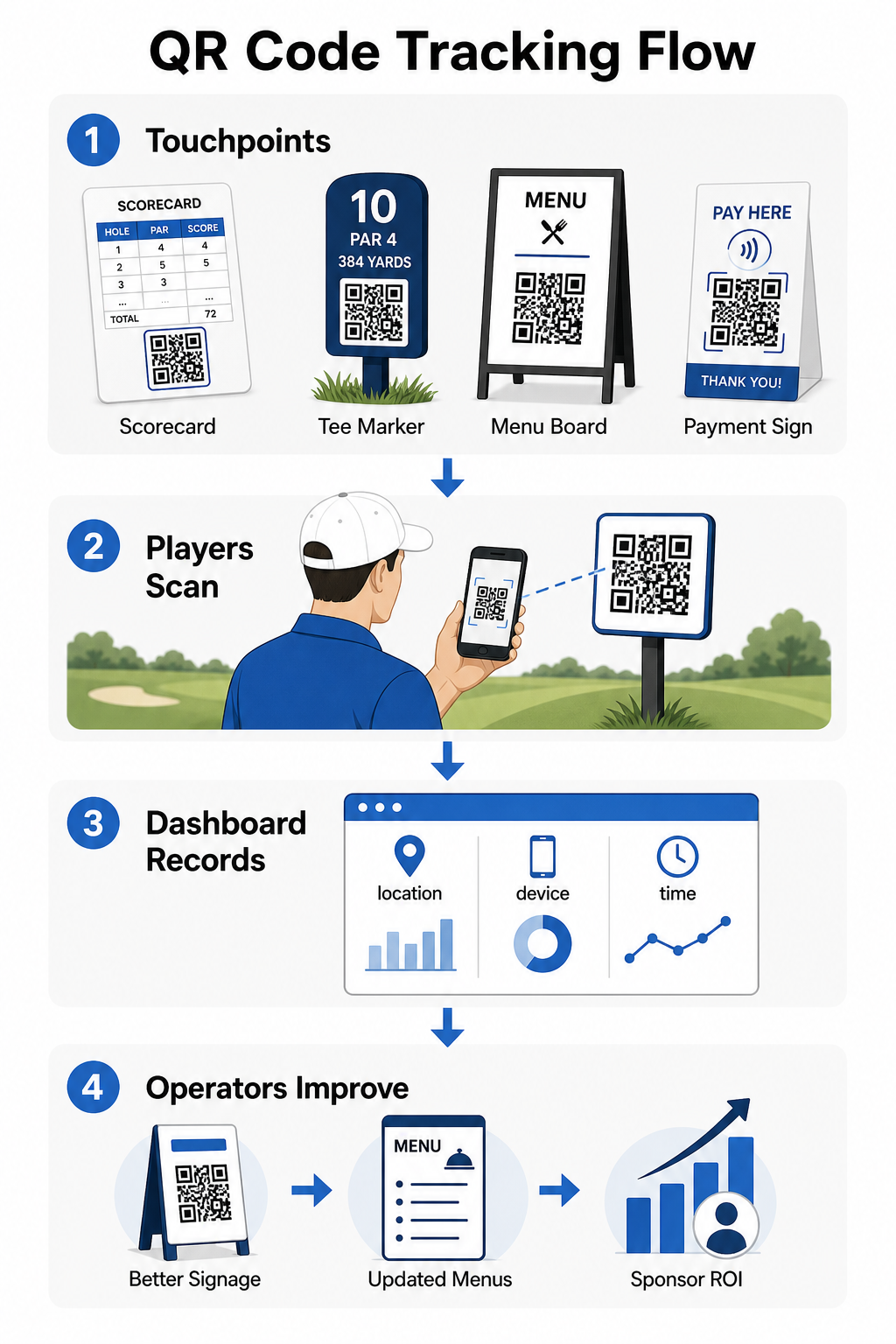
Ezt az adatot felhasználhatja az elhelyezés finomítására, az alulteljesítő táblák javítására és a szponzori aktiválások ROI-jának bemutatására. Tudjon meg többet arról, hogy hogyan működik a QR-kód követés és milyen mutatókat kell figyelni létesítményében.
Pontosan láthatja, hol kapcsolódnak be a játékosok Kövesse nyomon a beolvasásokat helyszín, eszköz és idő szerint az egész létesítményében egyetlen irányítópultról. Kezdje el a Pageloot QR-kód megoldásaival és hozzáférhet valós idejű elemzésekhez minden telepített kódról.
Tervezési és elhelyezési alapok golf környezetekhez
Mielőtt QR-kódokat nyomtatna kültéri vagy nagy forgalmú használatra, néhány technikai szempont jelentősen számít a valós teljesítmény szempontjából.
Kontraszt a legkritikusabb tényező. Használjon sötét modul színt világos háttéren, és törekedjen egy legalább 4:1 kontrasztarányra a sötét minta és a háttere között. Ez biztosítja a megbízható szkennelést változó kültéri fényviszonyok között, a borús reggelektől a ragyogó délutáni napfényig.
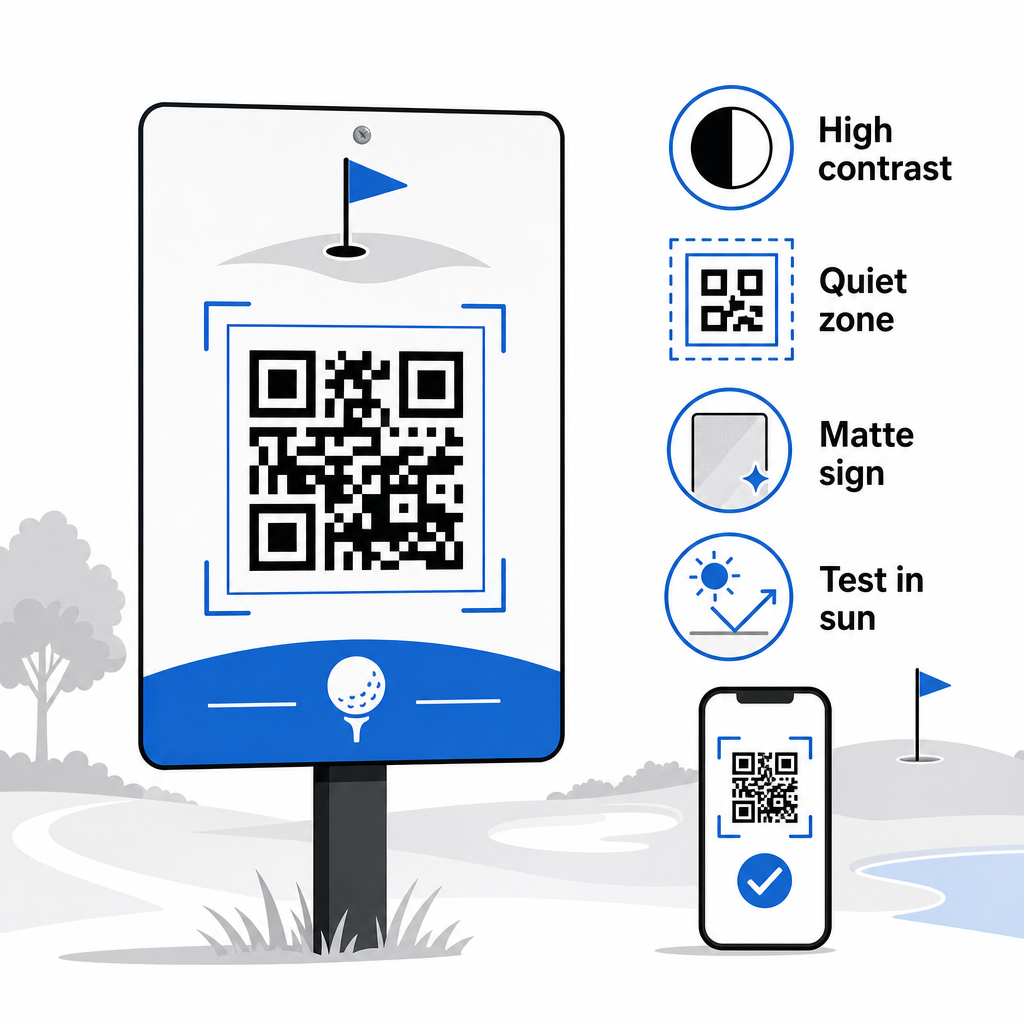
Méret meg kell egyeznie a várható szkennelési távolsággal. Tee jelölőkhöz vagy kocsira szerelt kódokhoz, amelyeket karnyújtásnyiról szkennelnek, a 2 × 2 cm a minimális alapméret – de a nagyobb mindig jobb kültéri használatra. Egy gyakorlati szabály: minden 10 cm várható szkennelési távolságra növelje a kód szélességét 1 cm-rel.
Csendes zóna utal a tiszta fehér tér margójára, amely körülveszi a QR-kódot. A kód zsúfolása közvetlenül mellette lévő szöveggel vagy grafikával szkennelési hibákat okoz, ezért őrizze meg azt a szegélyt minden oldalon.
Logók javíthatja a vizuális vonzerőt és erősítheti klubja márkaidentitását magán a QR-kódon belül, de tartsa a logót a kód területének legfeljebb 30%-án, és használjon magas hibajavítást (Q vagy H szint) a megbízhatóság fenntartásához. A teljes részletek elérhetők itt: A Pageloot QR-kód olvashatósági irányelvei.
Tesztelés mindig meg kell történnie nagyméretű nyomtatás előtt. Szkenneljen be minden kódot több eszközön és a tényleges környezetben – erős kültéri napfényben, gyenge fényviszonyok melletti beltéri környezetben és tükröződéses körülmények között – hogy megerősítse, a várakozásoknak megfelelően működik. Tudjon meg többet erről: hogyan használhatja hatékonyan a QR-kódokat az első telepítés előtt.
A QR-kódok a golfpálya üzemeltetőknek egy praktikus, frissíthető módot adnak minden fizikai érintkezési pont összekapcsolására a pályán hasznos digitális tartalommal. A leghatékonyabb létesítmények következetesen használják őket a pontkártyákon, táblákon, menükön és a játékosok bevonásában – és nyomon követik a teljesítményt a folyamatos fejlesztés érdekében. Kezdje egy vagy két nagy hatású felhasználási esettel, mérje meg az eredményeket, és onnan terjeszkedjen. Látogasson el a Pageloot QR-kód generátorunk felfedezésével kezdheti. oldalára, hogy létrehozza első kódját, vagy fedezze fel ágazatspecifikus QR-kód megoldásoknak oldalát, hogy megtalálja a megfelelő formátumot létesítménye számára.
Gyakori kérdések
Igen. Az USGA Golfszabályai kimondják, hogy egy scorekártya bármilyen papír vagy elektronikus formában lehet, amelyet a Bizottság jóváhagyott, feltéve, hogy lehetővé teszi a pontszámok lyukankénti beírását, amelyet a játékos és a jelölő hitelesít, és minden lyukhoz helyesen azonosítható. A Bizottságok akár meg is követelhetik az elektronikus scorekártyákat a papír alapúak helyett. Mindig erősítse meg a jóváhagyást a versenybizottságával használat előtt.
Ha dinamikus QR-kódot használ, az irányítópultján frissíti a cél URL-t, és a meglévő nyomtatott kódok automatikusan átirányítanak az új tartalomra – nincs szükség elütőjelzők, golfkocsi matricák vagy táblák újranyomtatására. A statikus QR-kódok véglegesen kódolják az URL-t, így bármilyen linkváltozás új nyomtatott anyagok előállítását teszi szükségessé.
Használjon nagy kontrasztú színeket – sötét modulokat világos háttéren, legalább 4:1 kontrasztaránnyal. Méretezze a kódokat a várható szkennelési távolsághoz a 10:1 szabály szerint: 1 cm kódszélesség 10 cm távolságonként. Válasszon lapos, matt felületű anyagokat a tükröződés elkerülése érdekében, és teszteljen minden kódot valós kültéri megvilágításban a telepítés előtt. A teljes QR-kód olvashatósági irányelvek további részleteket tartalmaznak a méretről, a kontrasztról és a csendes zónákról.