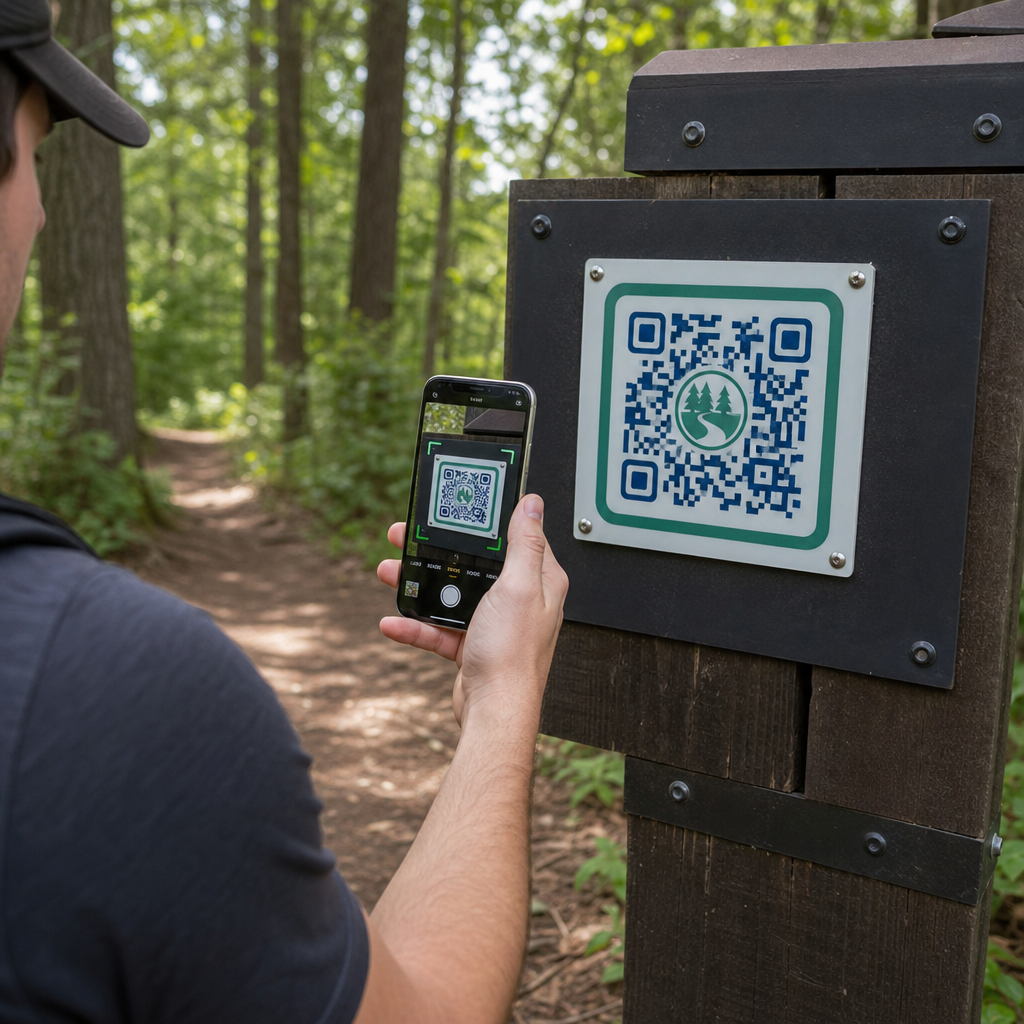
How can park managers deliver updated trail maps and safety alerts without constantly replacing physical signs? Weathered panels and missing paper maps frustrate visitors while draining your operational budget. Placing durable QR codes on trail markers lets you instantly share live conditions, digital maps, and educational content with outdoor recreationists.
How to Design Readable QR Codes for Outdoor Trail Signs
Designing QR codes for outdoor environments requires special attention to viewing distances, lighting variations, and environmental wear. A code that scans easily indoors on a glossy display may fail on a sunny trail if contrast and sizing are not optimized.
- Maintain high color contrast by placing dark foreground modules on a light background. For complete design guidelines, review our QR code color contrast best practices.
- Scale code dimensions according to expected viewing distances using the 10:1 ratio rule. Consult our QR code size guide to pick exact dimensions for your installation.
- Preserve a clear quiet zone margin that is at least four modules wide on all sides of the code.
- Set error correction to level Q or H so the code remains scannable even if partially scratched or dirty.
- Export design files in scalable vector formats like SVG or EPS to prevent pixelation during printing. Learn more about maintaining symbol clarity in our guide on best practices for QR code readability.
Strategic Placement and Ergonomics for Trail Markers
Placement directly influences whether visitors notice and scan your codes. Mounting markers at comfortable physical heights and logical stopping points ensures accessible, safe engagement for all park visitors.
Position codes within an accessible reach range, typically between 3.5 and 5.5 feet (1.0 to 1.7 meters) from the ground. This height accommodates standing adults, children, and visitors in wheelchairs. Keep physical posts slightly offset from the main travel lane to avoid creating obstacles, ensuring markers remain cane-detectable for visually impaired visitors adhering to ADA guidelines.
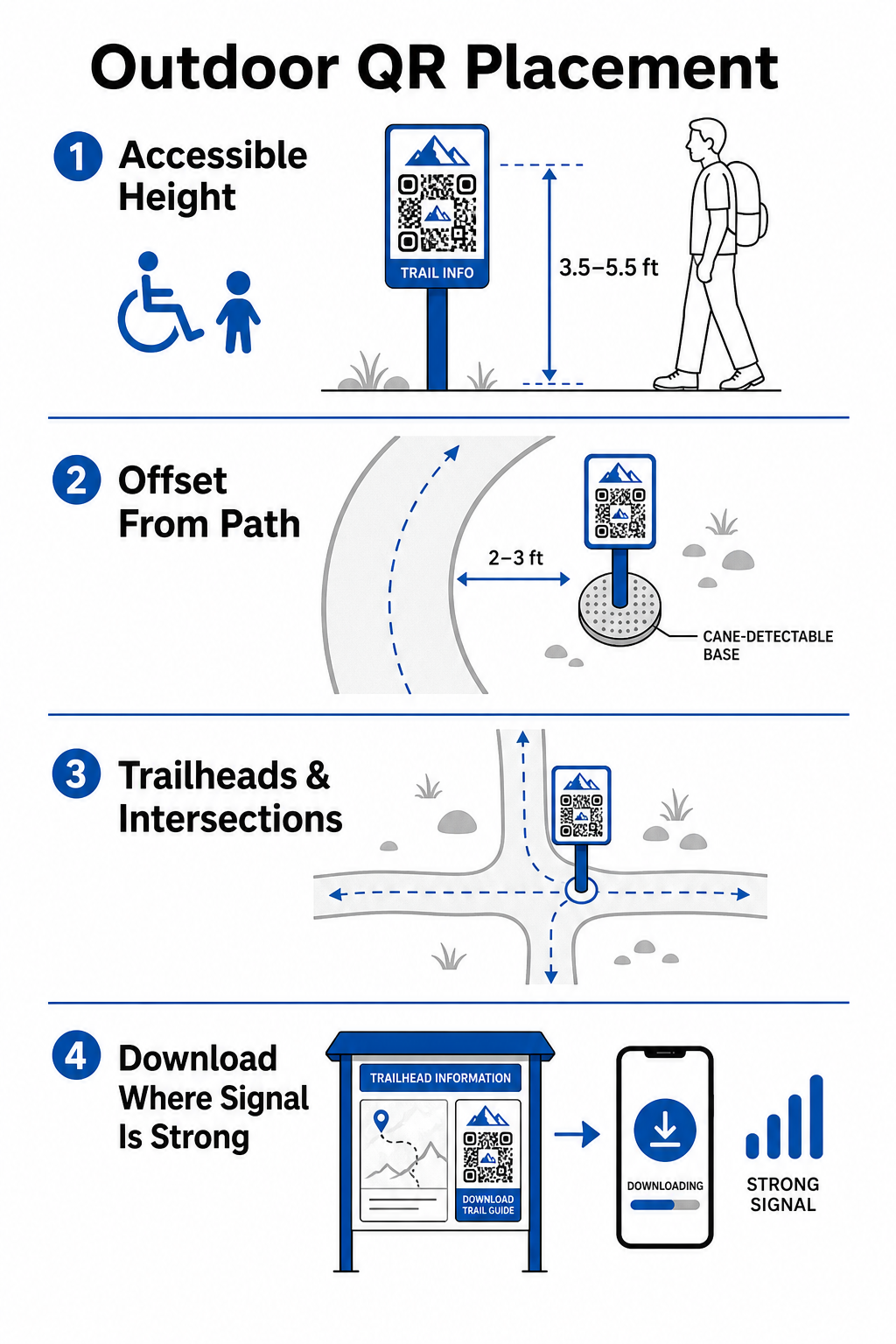
Mount markers at natural pausing points along the path where hikers naturally stop:
- Install codes at trailhead entry points where visitors gather and prepare gear.
- Mount markers at key intersections and trail decision points where navigation aid is needed.
- Place signs near benches, scenic overlooks, and designated resting areas.
- Post markers beside unique natural features and educational points of interest.
Outdoor connectivity varies across remote park acreage. To account for weak cellular service, post clear “Download Before You Go” prompts at main entrance hubs or visitor centers where Wi-Fi or cellular service is strongest. Keep linked web pages lightweight, optimized for fast loading on mobile networks, and simple to navigate.
Update Trail Content Without Reprinting Signage Want to update trail maps, safety notices, or educational content on the fly? Use the Dynamic QR Code Generator to keep your trail markers current without replacing physical posts.
Enhancing Hiker Engagement with Digital QR Content
A QR code on a trail marker should immediately provide practical value to the visitor. Adding clear calls to action next to your code – such as “Scan for Digital Map” or “Scan for Audio Guide” – explains what visitors will gain by scanning.
| Use Case | Recommended Linked Content | Primary Visitor Benefit |
|---|---|---|
| Trailhead Navigation | Interactive digital maps and GPS drop pins | Replaces depleted paper maps and provides live location tracking via a Google Maps QR code generator. |
| Safety & Conditions | Live trail alerts, weather updates, emergency contacts | Delivers real-time information regarding temporary closures, wildlife sightings, or steep terrain. |
| Educational Interpretations | Plant identification guides, historical background, short videos | Enriches self-guided tours using a link QR code generator pointing to mobile-optimized web pages. |
| Offline Documentation | Downloadable PDF trail guides, flora and fauna checklists | Gives hikers access to full-length resources saved directly to their phone using a PDF QR code generator. |
| Visitor Feedback | Simple issue-reporting forms for fallen trees or damaged facilities | Helps maintenance crews gather accurate field reporting directly from trail users. |
For park systems operating in areas with limited cell service, digital maps and trail guides should be offered as downloadable files that visitors can save to local device storage at the trailhead.
Selecting Weather-Resistant Materials and Printing Techniques
Outdoor signage faces constant exposure to ultraviolet rays, moisture, extreme temperatures, and physical wear. Selecting appropriate substrates and protective coatings prevents early fading and scanning failures.
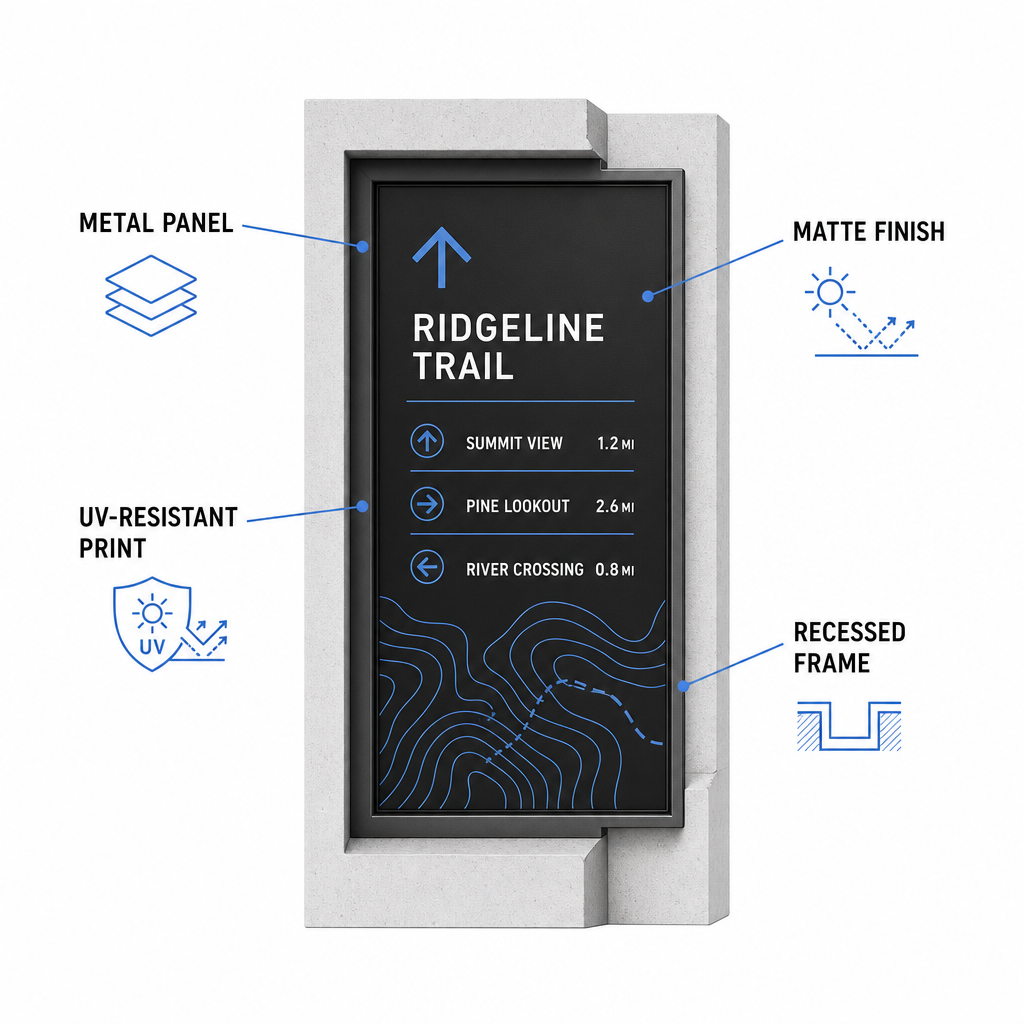
- Select durable substrates like aluminum composite panels, high-density polyethylene, or engraved metal plaques.
- Apply matte lamination or anti-glare finishes to eliminate harsh sunlight reflections.
- Utilize UV-inhibiting inks to protect printed graphics against rapid fading. Read our guide on how printing techniques impact QR code scannability to choose the right production method.
- Install protective framing, recessed wooden posts, or overhead overhangs to shield sign faces from rain and tree sap.
Always perform field tests on actual material samples before completing full production runs. Place prototype markers on site to verify scannability under direct sunlight, heavy shadow, and overcast weather across multiple device models.
Maintaining Physical Markers and Tracking Visitor Engagement
Establishing an ongoing maintenance schedule ensures that physical signage remains clean, legible, and operational year-round.
Conduct physical sign inspections at least twice a year, ideally after severe winter conditions and before peak summer visitation. Inspect markers for physical vandalism, mold growth, tree sap, or faded graphics. Clean sign surfaces using diluted mild detergent, warm water, and a soft microfiber cloth. Avoid abrasive sponges, paper towels, or strong chemical solvents like bleach and ammonia, which can scratch matte lamination or dull protective coatings. Thoroughly rinse away soap residue to eliminate streaks that cause scanning errors.
Using dynamic QR codes allows you to evaluate visitor engagement through built-in analytics software. By tracking QR code performance, park managers can measure parameters like total scan volume, popular visiting hours, device types, and peak locations across the park. If a specific trail section closes for seasonal maintenance, dynamic codes let you instantly redirect visitors to alternative route maps from your management dashboard – eliminating the time and expense of reprinting physical trail signs.
Taking Control of Your Outdoor Trail Signage
Modernizing your park’s physical infrastructure with digital access points makes trail maintenance manageable and keeps visitors informed. By choosing durable materials, ensuring high visual contrast, and linking to mobile-optimized landing pages, you create a seamless offline-to-online experience on every path.
Start building trackable, editable signs for your park system using the Pageloot QR Code Generator today.
Frequently Asked Questions
The minimum recommended physical size for close-range scanning (20–30 cm away) is 2 × 2 cm (0.8 × 0.8 inches). For signs viewed from further away, follow the 10:1 viewing rule, making the code width at least one-tenth of the expected scanning distance.
Place “Download Before You Go” QR codes at trailheads or parking areas where Wi-Fi or cellular signals are strongest. Link these codes to lightweight web pages or downloadable PDFs that visitors can save to local storage for offline viewing along the trail.
Clean signs using warm water mixed with mild soap, applying the solution gently with a soft microfiber cloth or non-abrasive sponge. Avoid paper towels, harsh chemicals like bleach or ammonia, and abrasive scrubbers that scratch protective matte laminates.