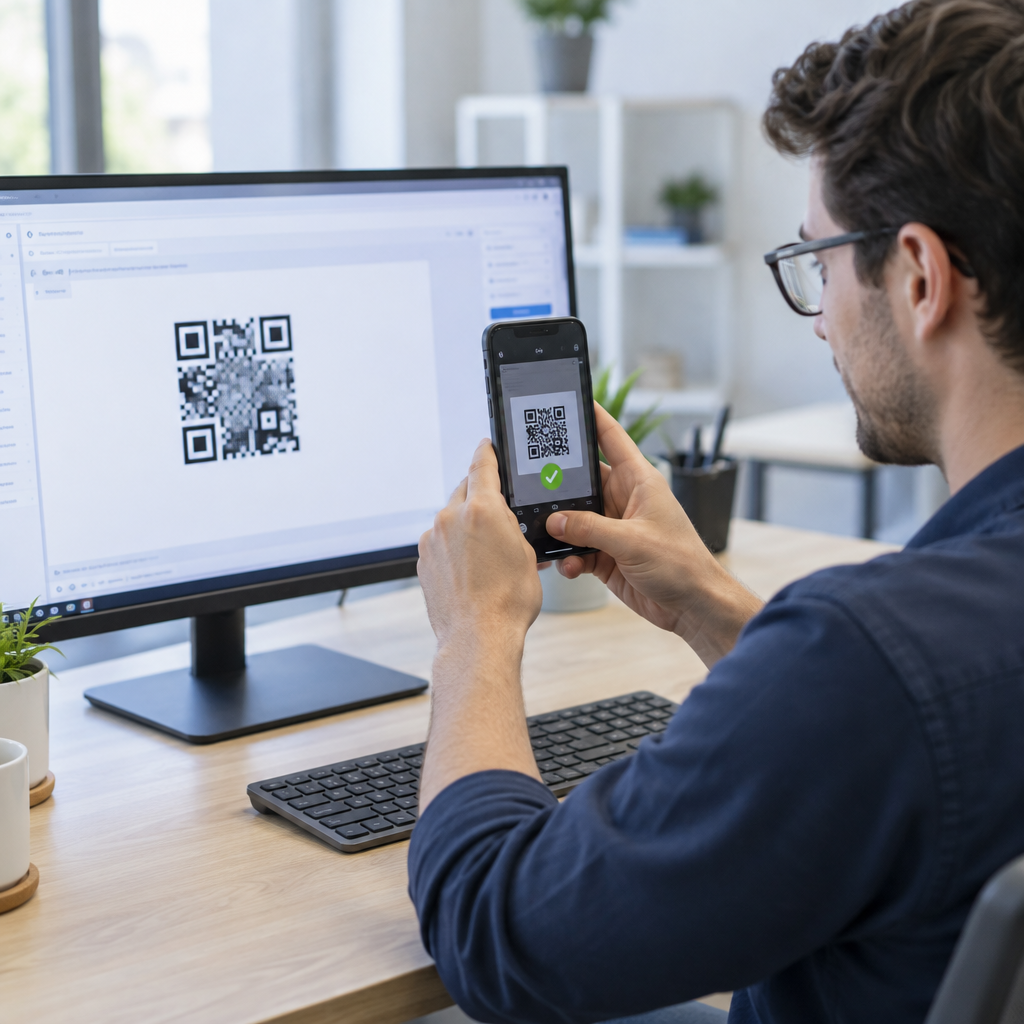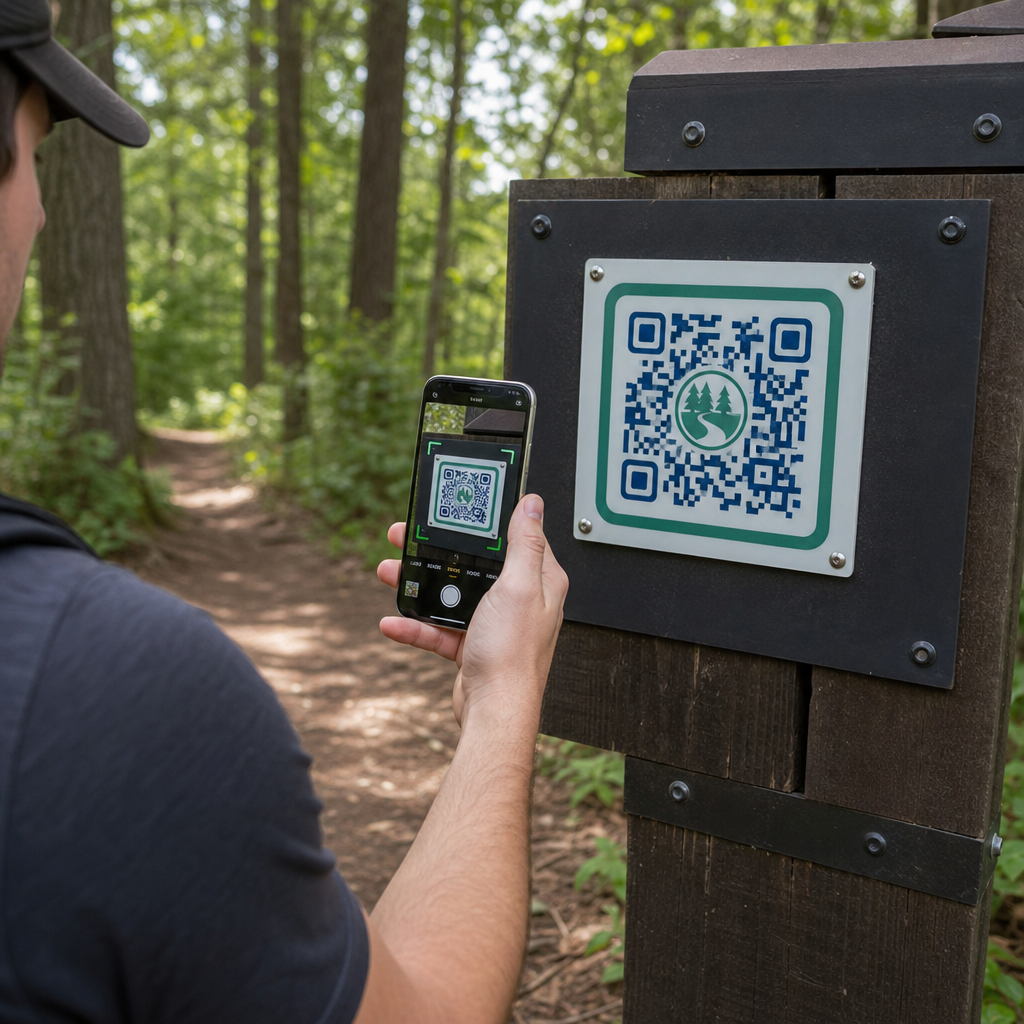
Hogyan juttathatják el a parkfenntartók a frissített útvonaltérképeket és biztonsági figyelmeztetéseket anélkül, hogy folyamatosan cserélnék a fizikai táblákat? Az elkopott panelek és hiányzó papírtérképek bosszantják a látogatókat, miközben lemerítik a működési költségvetést. Tartós QR-kódok elhelyezése az útvonaljelzőkön lehetővé teszi, hogy azonnal megosszák az élő körülményeket, digitális térképeket és oktatási tartalmakat a szabadtéri kikapcsolódni vágyókkal.
Hogyan tervezzünk olvasható QR-kódokat kültéri útvonaljelző táblákhoz
A kültéri környezetbe szánt QR-kódok tervezése különös figyelmet igényel a látótávolságra, a fényviszonyok változásaira és a környezeti kopásra. Egy beltérben, fényes kijelzőn könnyen beolvasható kód meghiúsulhat egy napos ösvényen, ha a kontraszt és a méretezés nincs optimalizálva.
- Tartson magas színkontrasztot úgy, hogy sötét előtér modulokat helyez világos háttérre. A teljes tervezési irányelvekért tekintse meg a QR-kód színkontrasztra vonatkozó legjobb gyakorlatokat.
- Méretezze a kód méreteit a várható látótávolságoknak megfelelően, a 10:1 arány szabályát alkalmazva. Konzultáljon a QR-kód méretezési útmutatónkban című útmutatónkkal az Ön telepítéséhez szükséges pontos méretek kiválasztásához.
- Tartson fenn egy legalább négy modul szélességű, tiszta csendes zóna margót a kód minden oldalán.
- Állítsa a hibajavítást Q vagy H szintre, hogy a kód részleges karcolás vagy szennyeződés esetén is beolvasható maradjon.
- Exportálja a tervezési fájlokat skálázható vektoros formátumokban, mint például SVG vagy EPS, hogy elkerülje a pixelizációt nyomtatás közben. Tudjon meg többet a szimbólumok tisztaságának megőrzéséről a a QR-kód olvashatóságára vonatkozó legjobb gyakorlatokat.
Útvonaljelzők stratégiai elhelyezése és ergonómiája
Az elhelyezés közvetlenül befolyásolja, hogy a látogatók észreveszik-e és beolvassák-e a kódjait. A jelzők kényelmes fizikai magasságban és logikus megállási pontokon történő elhelyezése biztosítja a hozzáférhető, biztonságos interakciót minden parklátogató számára.
Helyezze el a kódokat hozzáférhető magasságban, jellemzően 3,5 és 5,5 láb (1,0 és 1,7 méter) között a talajszinttől. Ez a magasság megfelel az álló felnőtteknek, gyermekeknek és kerekesszékes látogatóknak. A fizikai oszlopokat tartsa kissé eltolva a fő útvonaltól, hogy elkerülje az akadályok létrehozását, biztosítva, hogy a jelzők bottal érzékelhetők maradjanak a látássérült látogatók számára, az ADA irányelveinek megfelelően.
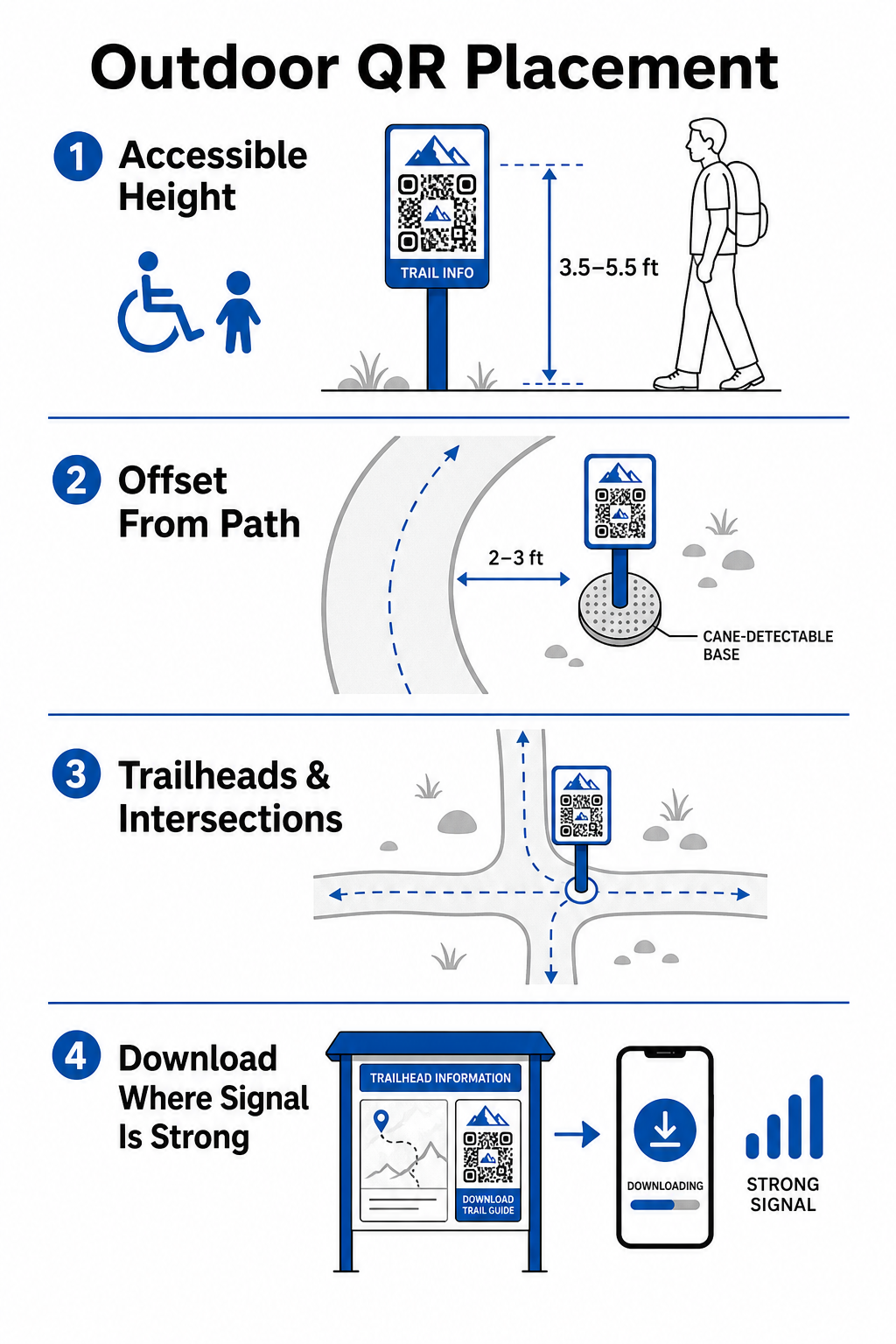
Helyezzen ki jelölőket a túraútvonal természetes pihenőpontjain, ahol a túrázók megállnak:
- Helyezzen el kódokat a túraútvonalak bejáratainál, ahol a látogatók gyülekeznek és felszerelést készítenek elő.
- Helyezzen ki jelölőket a kulcsfontosságú kereszteződésekben és útválasztási pontokon, ahol navigációs segítségre van szükség.
- Helyezzen ki táblákat padok, kilátópontok és kijelölt pihenőhelyek közelébe.
- Helyezzen ki jelölőket egyedi természeti jelenségek és oktatási célú látványosságok mellé.
A kültéri kapcsolat a távoli parkterületeken változó. A gyenge térerő kompenzálására helyezzen ki egyértelmű „Letöltés indulás előtt” felhívásokat a főbejáratoknál vagy látogatóközpontokban, ahol a Wi-Fi vagy mobilhálózat a legerősebb. A hivatkozott weboldalakat tartsa könnyen betölthetőnek, optimalizálja őket a gyors mobilhálózati betöltésre, és tegye egyszerűvé a navigációt.
Frissítse az útvonaltartalmat a táblák újranyomtatása nélkül Szeretné frissíteni a túratérképeket, biztonsági figyelmeztetéseket vagy oktatási tartalmakat menet közben? Használja a Dinamikus QR-kód generátor hogy a túraútvonal jelölői naprakészek maradjanak a fizikai oszlopok cseréje nélkül.
A túrázók bevonásának javítása digitális QR-tartalommal
Egy túraútvonalon elhelyezett QR-kódnak azonnal gyakorlati értéket kell nyújtania a látogatónak. A kód mellé helyezett egyértelmű cselekvésre ösztönző felhívások – például „Szkennelje be a digitális térképért” vagy „Szkennelje be az audio guide-ért” – elmagyarázzák, hogy mit nyernek a látogatók a szkenneléssel.
| Használjon esetet | Ajánlott kapcsolt tartalom | Elsődleges látogatói előny |
|---|---|---|
| Útvonaltábla navigáció | Interaktív digitális térképek és GPS tűk | Helyettesíti az elhasznált papírtérképeket, és élő helymeghatározást biztosít egy Google Térkép QR-kód generátor. |
| Biztonság és körülmények | Élő útvonalriasztások, időjárás-frissítések, segélyhívó számok | Valós idejű információkat nyújt az ideiglenes lezárásokról, vadon élő állatok megfigyeléseiről vagy meredek terepről. |
| Oktatási magyarázatok | Növényhatározók, történelmi háttér, rövid videók | Gazdagítja az önálló túrákat egy link QR-kód generátor mobilra optimalizált weboldalakra mutató |
| Offline dokumentáció | Letölthető PDF útvonalkalauz, növény- és állatvilág ellenőrzőlisták | Hozzáférést biztosít a túrázóknak a telefonjukra közvetlenül mentett teljes körű forrásokhoz egy PDF QR kód generátor. |
| Látogatói visszajelzések | Egyszerű hibabejelentő űrlapok kidőlt fákhoz vagy sérült létesítményekhez | Segíti a karbantartó csapatokat pontos helyszíni jelentések gyűjtésében közvetlenül a túraútvonalak használóitól. |
Azokon a parkrendszereken belül, amelyek korlátozott mobilszolgáltatással rendelkező területeken működnek, a digitális térképeket és útvonalkalauzolókat letölthető fájlokként kell felajánlani, amelyeket a látogatók a túraútvonal elején menthetnek a helyi eszközük tárhelyére.
Időjárásálló anyagok és nyomtatási technikák kiválasztása
A kültéri táblák állandóan ki vannak téve ultraibolya sugaraknak, nedvességnek, extrém hőmérsékleteknek és fizikai kopásnak. A megfelelő hordozóanyagok és védőbevonatok kiválasztása megakadályozza az idő előtti fakulást és a szkennelési hibákat.
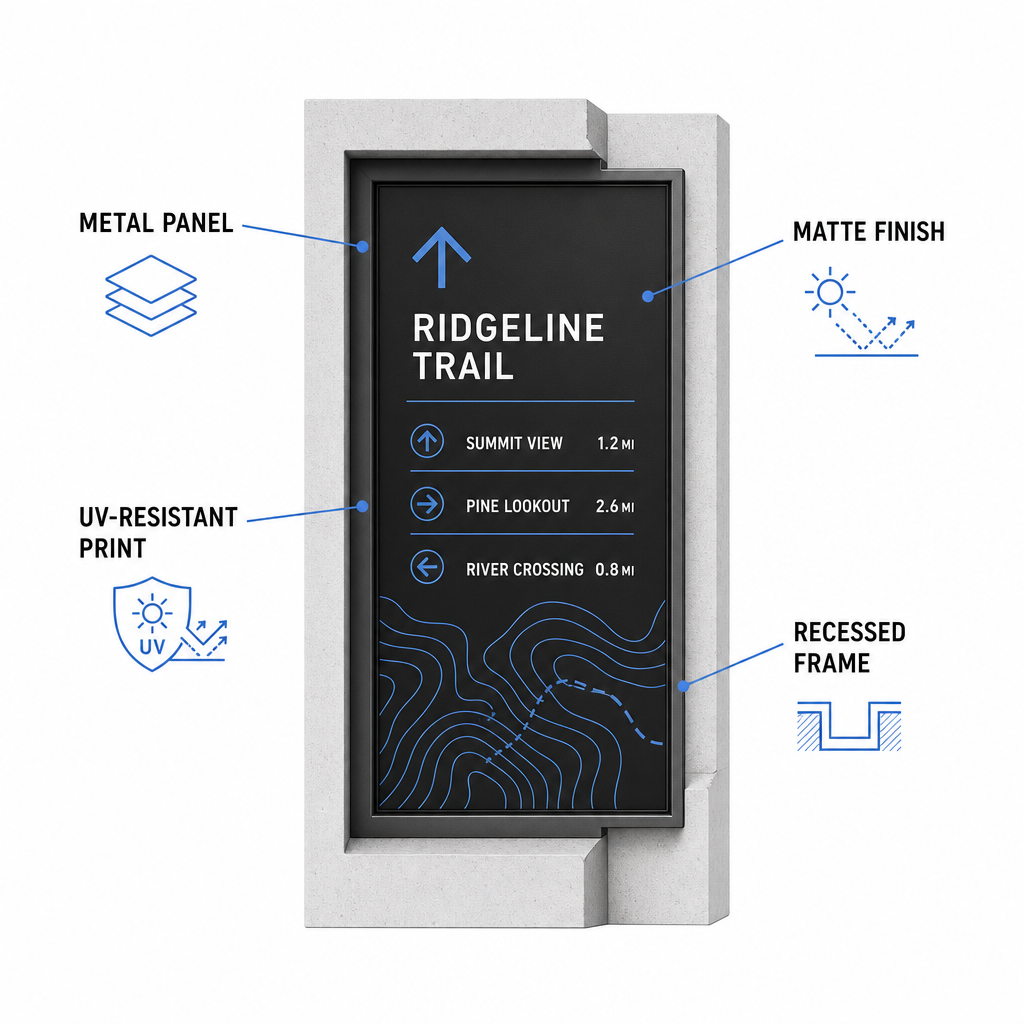
- Válasszon tartós hordozóanyagokat, mint például alumínium kompozit paneleket, nagy sűrűségű polietilént vagy gravírozott fémplaketteket.
- Alkalmazzon matt laminálást vagy tükröződésmentes felületkezelést az erős napfényvisszaverődések kiküszöbölésére.
- Használjon UV-gátló tintákat a nyomtatott grafikák gyors fakulás elleni védelmére. Olvassa el útmutatónkat a 15. az, hogy a nyomtatási technikák hogyan befolyásolják a QR-kód olvashatóságát, nagymértékben függ olyan tényezőktől, mint a tinta elfolyása. Nedvszívó anyagokon, mint például szövet vagy texturált papír, a tinta szétterjedhet, kiterjesztve a sötét modulokat és összehúzva a köztük lévő fehér tereket. a megfelelő gyártási módszer kiválasztásához.
- Szereljen fel védőkeretezést, süllyesztett faoszlopokat vagy tetőkiállásokat, hogy megvédje a táblafelületeket az esőtől és a fanedvtől.
Mielőtt befejezné a teljes gyártási sorozatot, mindig végezzen helyszíni teszteket tényleges anyag mintákon. Helyezzen el prototípus jelzőket a helyszínen, hogy ellenőrizze a szkennelhetőséget közvetlen napfényben, erős árnyékban és borús időben, több eszközmodellen keresztül.
Fizikai jelzők karbantartása és a látogatói elkötelezettség nyomon követése
Egy folyamatos karbantartási ütemterv biztosítja, hogy a fizikai jelzések tiszták, olvashatóak és egész évben működőképesek maradjanak.
Végezzen fizikai táblavizsgálatot évente legalább kétszer, ideális esetben súlyos téli időjárás után és a nyári csúcsforgalom előtt. Vizsgálja meg a jelzéseket fizikai vandalizmus, penész, fanedv vagy kifakult grafika szempontjából. Tisztítsa meg a táblák felületét hígított enyhe tisztítószerrel, meleg vízzel és puha mikroszálas kendővel. Kerülje a durva szivacsokat, papírtörlőket vagy erős kémiai oldószereket, például a fehérítőt és az ammóniát, amelyek megkarcolhatják a matt laminálást vagy elhomályosíthatják a védőbevonatokat. Alaposan öblítse le a szappanmaradékot, hogy elkerülje azokat a csíkokat, amelyek szkennelési hibákat okozhatnak.
A dinamikus QR-kódok használatával a beépített analitikai szoftver segítségével értékelheti a látogatói elkötelezettséget. Ezáltal QR kód teljesítményének nyomon követése, a parkfenntartók mérhetik a paramétereket, például a teljes szkennelési mennyiséget, a népszerű látogatási időket, az eszköz típusait és a csúcsidőben lévő helyszíneket a parkban. Ha egy adott útszakasz szezonális karbantartás miatt zárva tart, a dinamikus kódok lehetővé teszik, hogy azonnal átirányítsa a látogatókat alternatív útvonaltérképekre a kezelőfelületéről – ezzel elkerülve a fizikai útjelző táblák újranyomtatásának idejét és költségeit.
Az Ön szabadtéri útjelző tábláinak irányítása
Parkja fizikai infrastruktúrájának modernizálása digitális hozzáférési pontokkal kezelhetővé teszi az útvonalak karbantartását és tájékoztatja a látogatókat. Tartós anyagok választásával, magas vizuális kontraszt biztosításával és mobilra optimalizált céloldalakhoz való kapcsolódással zökkenőmentes offline-ról online-ra élményt teremt minden útvonalon.
Kezdje el a nyomon követhető, szerkeszthető táblák építését parkrendszeréhez a Pageloot QR Kód Generátor még ma.
Gyakori kérdések
A közeli (20–30 cm távolságból történő) szkenneléshez javasolt minimális fizikai méret 2 × 2 cm (0,8 × 0,8 hüvelyk). A távolabbról nézett táblák esetén kövesse a 10:1 arányú megtekintési szabályt, amely szerint a kód szélességének legalább az elvárt szkennelési távolság egytizedének kell lennie.
Helyezzen „Töltse le indulás előtt” QR-kódokat az útvonalak kezdeténél vagy parkolókban, ahol a Wi-Fi vagy mobiljelek a legerősebbek. Kapcsolja össze ezeket a kódokat könnyű weboldalakkal vagy letölthető PDF-ekkel, amelyeket a látogatók helyi tárhelyre menthetnek offline megtekintés céljából az útvonal mentén.
Tisztítsa a táblákat meleg vízzel, enyhe szappannal keverve, finoman felhordva az oldatot puha mikroszálas kendővel vagy nem dörzsölő szivaccsal. Kerülje a papírtörlőket, erős vegyszereket, mint a fehérítő vagy ammónia, és a dörzsölő súrolókat, amelyek megkarcolhatják a védő matt laminálást.