¿Cómo pueden los administradores de parques ofrecer mapas de senderos actualizados y alertas de seguridad sin reemplazar constantemente las señales físicas? Los paneles deteriorados y los mapas de papel perdidos frustran a los visitantes mientras agotan su presupuesto operativo. Colocar códigos QR duraderos en los marcadores de senderos le permite compartir instantáneamente las condiciones en vivo, mapas digitales y contenido educativo con los entusiastas de la recreación al aire libre.
Cómo Diseñar Códigos QR Legibles para Señales de Senderos al Aire Libre
El diseño de códigos QR para entornos exteriores requiere una atención especial a las distancias de visualización, las variaciones de iluminación y el desgaste ambiental. Un código que se escanea fácilmente en interiores en una pantalla brillante puede fallar en un sendero soleado si el contraste y el tamaño no están optimizados.
- Mantenga un alto contraste de color colocando módulos de primer plano oscuros sobre un fondo claro. Para obtener pautas de diseño completas, revise nuestro mejores prácticas de contraste de color de códigos QR.
- Escale las dimensiones del código según las distancias de visualización esperadas utilizando la regla de proporción 10:1. Consulte nuestro guía de tamaño de códigos QR para elegir las dimensiones exactas para su instalación.
- Conserve un margen de zona tranquila claro que tenga al menos cuatro módulos de ancho en todos los lados del código.
- Establezca la corrección de errores en el nivel Q o H para que el código siga siendo escaneable incluso si está parcialmente rayado o sucio.
- Exporte archivos de diseño en formatos vectoriales escalables como SVG o EPS para evitar la pixelación durante la impresión. Obtenga más información sobre cómo mantener la claridad del símbolo en nuestra guía sobre las mejores prácticas para la legibilidad de los códigos QR.
Ubicación Estratégica y Ergonomía para Marcadores de Senderos
La ubicación influye directamente en si los visitantes notan y escanean sus códigos. Montar los marcadores a alturas físicas cómodas y en puntos de parada lógicos garantiza una participación accesible y segura para todos los visitantes del parque.
Coloque los códigos dentro de un rango de alcance accesible, típicamente entre 3.5 y 5.5 pies (1.0 a 1.7 metros) del suelo. Esta altura se adapta a adultos de pie, niños y visitantes en sillas de ruedas. Mantenga los postes físicos ligeramente desplazados del carril principal de tránsito para evitar crear obstáculos, asegurando que los marcadores sigan siendo detectables con bastón para visitantes con discapacidad visual que cumplan con las pautas de la ADA.
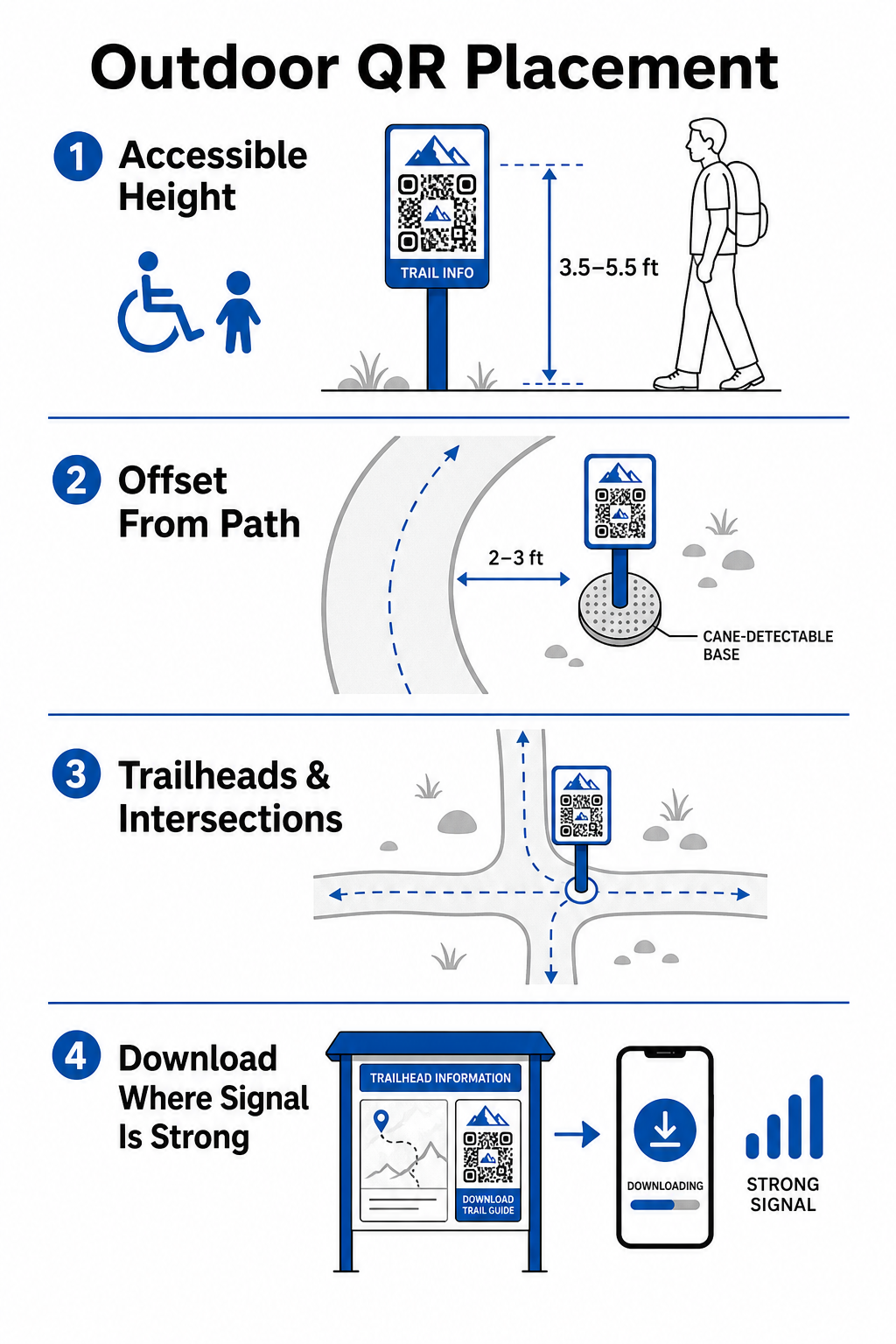
Instale marcadores en puntos de pausa naturales a lo largo del sendero donde los excursionistas se detienen naturalmente:
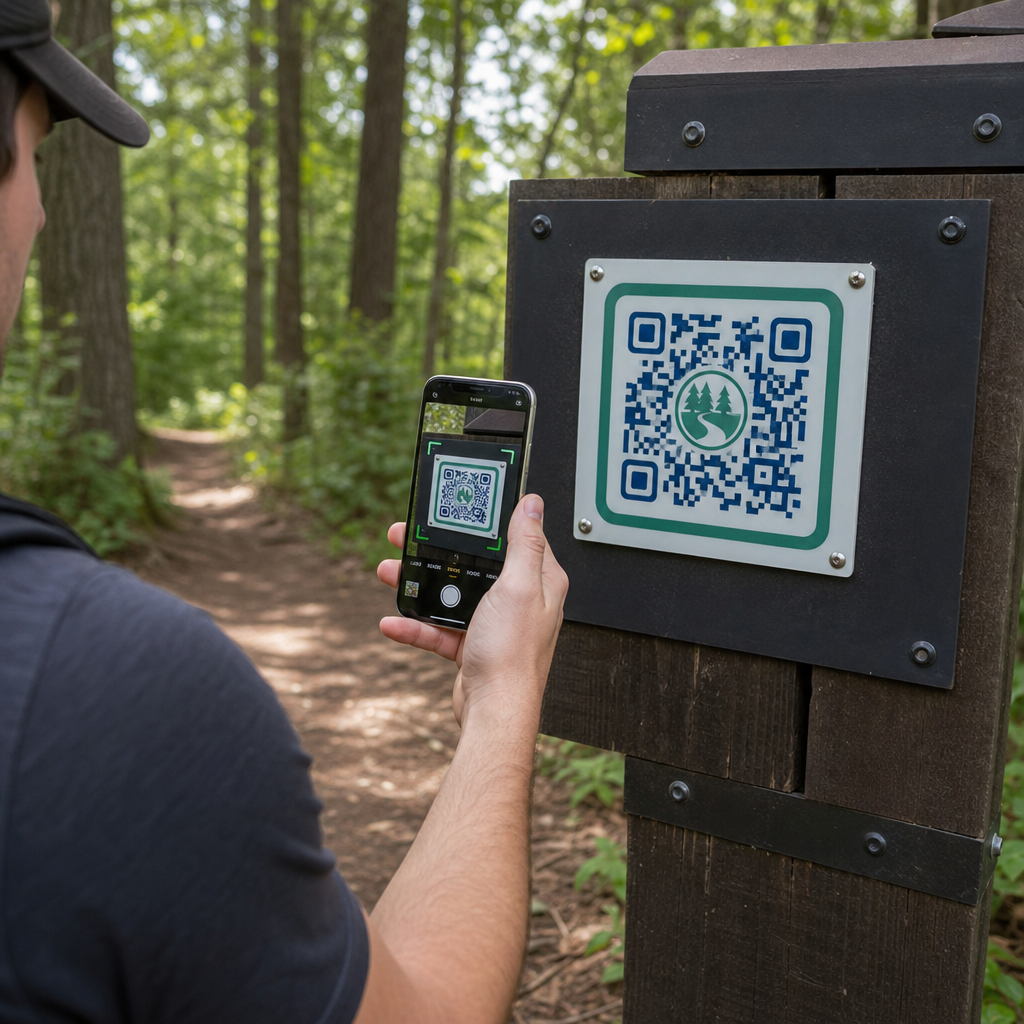
- Instale códigos en los puntos de entrada del sendero donde los visitantes se reúnen y preparan el equipo.
- Instale marcadores en intersecciones clave y puntos de decisión del sendero donde se necesita ayuda para la navegación.
- Coloque señales cerca de bancos, miradores panorámicos y áreas de descanso designadas.
- Coloque marcadores junto a características naturales únicas y puntos de interés educativo.
La conectividad exterior varía en las áreas remotas del parque. Para tener en cuenta el servicio celular débil, coloque avisos claros de “Descargar antes de ir” en los principales puntos de entrada o centros de visitantes donde el Wi-Fi o el servicio celular sea más fuerte. Mantenga las páginas web vinculadas ligeras, optimizadas para una carga rápida en redes móviles y fáciles de navegar.
Actualice el Contenido del Sendero sin Reimprimir Señalización ¿Desea actualizar mapas de senderos, avisos de seguridad o contenido educativo sobre la marcha? Utilice el Generador de códigos QR dinámicos para mantener sus marcadores de sendero actualizados sin reemplazar los postes físicos.
Mejorando la Participación de los Excursionistas con Contenido Digital QR
Un código QR en un marcador de sendero debe proporcionar valor práctico inmediato al visitante. Añadir llamadas a la acción claras junto a su código, como “Escanear para Mapa Digital” o “Escanear para Guía de Audio”, explica lo que los visitantes obtendrán al escanear.
| Caso de uso | Contenido Vinculado Recomendado | Beneficio Principal para el Visitante |
|---|---|---|
| Navegación en el Sendero | Mapas digitales interactivos y puntos de GPS | Reemplaza los mapas de papel agotados y proporciona seguimiento de ubicación en tiempo real a través de un Generador de código QR de Google Maps. |
| Seguridad y Condiciones | Alertas de senderos en vivo, actualizaciones del clima, contactos de emergencia | Ofrece información en tiempo real sobre cierres temporales, avistamientos de vida silvestre o terrenos empinados. |
| Interpretaciones Educativas | Guías de identificación de plantas, antecedentes históricos, videos cortos | Enriquece los recorridos autoguiados utilizando un generador de códigos QR de enlaces que apunta a páginas web optimizadas para móviles. |
| Documentación sin Conexión | Guías de senderos en PDF descargables, listas de flora y fauna | Permite a los excursionistas acceder a recursos completos guardados directamente en su teléfono mediante un Generador de código QR para PDF. |
| Comentarios de los Visitantes | Formularios sencillos para reportar problemas como árboles caídos o instalaciones dañadas | Ayuda a los equipos de mantenimiento a recopilar informes de campo precisos directamente de los usuarios del sendero. |
Para sistemas de parques que operan en áreas con servicio celular limitado, los mapas digitales y guías de senderos deben ofrecerse como archivos descargables que los visitantes puedan guardar en el almacenamiento local de su dispositivo en el inicio del sendero.
Selección de materiales y técnicas de impresión resistentes a la intemperie
La señalización exterior se enfrenta a una exposición constante a los rayos ultravioleta, la humedad, temperaturas extremas y el desgaste físico. La selección de sustratos adecuados y recubrimientos protectores previene el desvanecimiento prematuro y los fallos de escaneo.
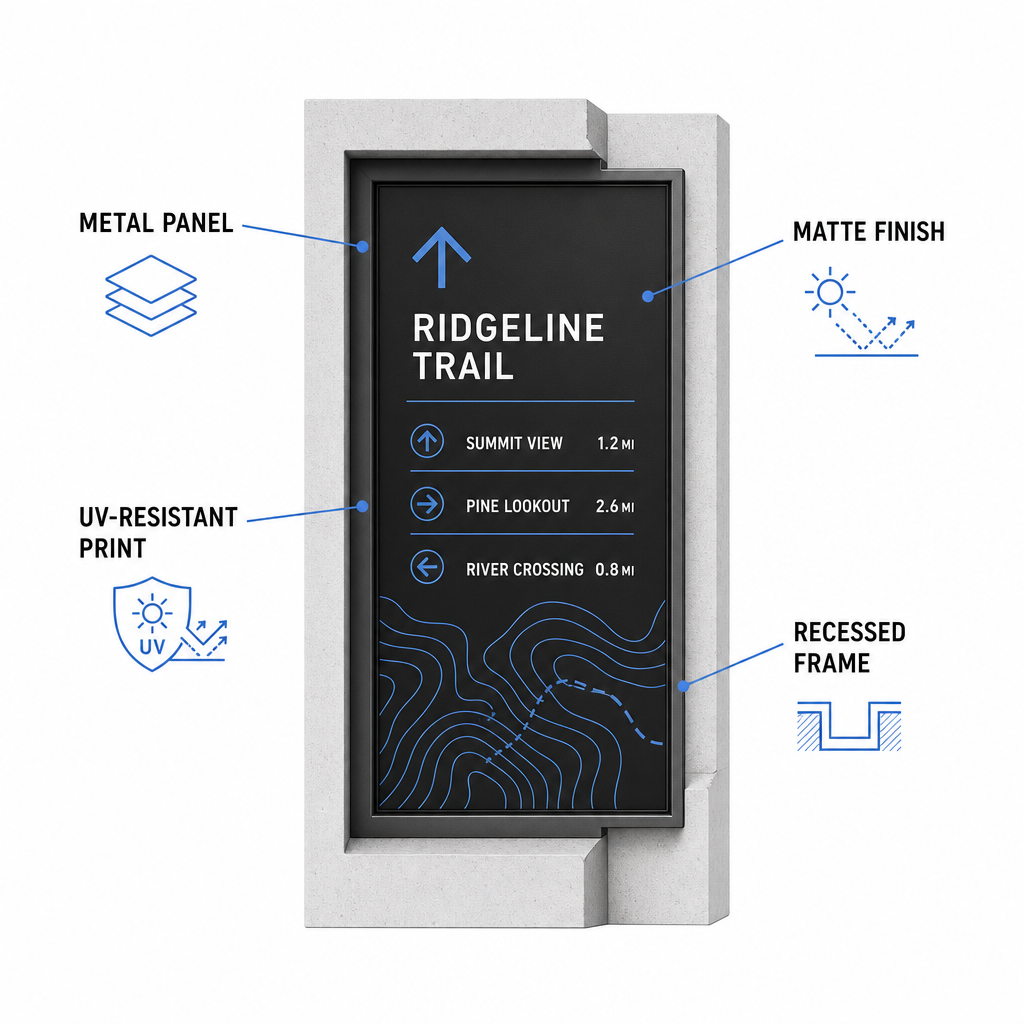
- Seleccione sustratos duraderos como paneles compuestos de aluminio, polietileno de alta densidad o placas de metal grabadas.
- Aplique laminación mate o acabados antirreflejo para eliminar los reflejos intensos de la luz solar.
- Utilice tintas con inhibidores UV para proteger los gráficos impresos contra el desvanecimiento rápido. Lea nuestra guía sobre cómo las técnicas de impresión impactan la escaneabilidad del código QR para elegir el método de producción adecuado.
- Instale marcos protectores, postes de madera empotrados o voladizos superiores para proteger las caras de los letreros de la lluvia y la savia de los árboles.
Realice siempre pruebas de campo con muestras de material reales antes de completar las series de producción completas. Coloque marcadores prototipo en el sitio para verificar la capacidad de escaneo bajo la luz solar directa, sombra intensa y clima nublado en múltiples modelos de dispositivos.
Mantenimiento de marcadores físicos y seguimiento de la interacción de los visitantes
Establecer un programa de mantenimiento continuo asegura que la señalización física permanezca limpia, legible y operativa durante todo el año.
Realice inspecciones físicas de señalización al menos dos veces al año, idealmente después de condiciones invernales severas y antes de la temporada alta de visitas de verano. Inspeccione los marcadores en busca de vandalismo físico, crecimiento de moho, savia de árbol o gráficos descoloridos. Limpie las superficies de los letreros usando un detergente suave diluido, agua tibia y un paño suave de microfibra. Evite esponjas abrasivas, toallas de papel o solventes químicos fuertes como lejía y amoníaco, que pueden rayar la laminación mate o opacar los recubrimientos protectores. Enjuague bien los residuos de jabón para eliminar las rayas que causan errores de escaneo.
El uso de códigos QR dinámicos le permite evaluar la interacción de los visitantes a través de software de análisis integrado. Al rastreando el rendimiento del código QR, los administradores del parque pueden medir parámetros como el volumen total de escaneos, las horas de visita populares, los tipos de dispositivos y las ubicaciones pico en todo el parque. Si una sección específica de un sendero cierra por mantenimiento estacional, los códigos dinámicos le permiten redirigir instantáneamente a los visitantes a mapas de rutas alternativas desde su panel de administración, eliminando el tiempo y el gasto de reimprimir los letreros físicos de los senderos.
Tomando el control de la señalización de sus senderos al aire libre
Modernizar la infraestructura física de su parque con puntos de acceso digital hace que el mantenimiento de los senderos sea manejable y mantiene informados a los visitantes. Al elegir materiales duraderos, asegurar un alto contraste visual y vincular a páginas de destino optimizadas para dispositivos móviles, usted crea una experiencia perfecta de lo offline a lo online en cada sendero.
Comience a construir letreros rastreables y editables para su sistema de parques usando el Generador de códigos QR de Pageloot hoy.
Preguntas frecuentes
El tamaño físico mínimo recomendado para escaneo a corta distancia (a 20–30 cm de distancia) es de 2 × 2 cm (0.8 × 0.8 pulgadas). Para letreros vistos desde más lejos, siga la regla de visualización 10:1, haciendo que el ancho del código sea al menos una décima parte de la distancia de escaneo esperada.
Coloque códigos QR de "Descargue antes de ir" en los inicios de los senderos o áreas de estacionamiento donde las señales Wi-Fi o celulares sean más fuertes. Vincule estos códigos a páginas web livianas o PDFs descargables que los visitantes puedan guardar en el almacenamiento local para ver sin conexión a lo largo del sendero.
Limpie los letreros usando agua tibia mezclada con jabón suave, aplicando la solución suavemente con un paño de microfibra suave o una esponja no abrasiva. Evite las toallas de papel, los productos químicos fuertes como la lejía o el amoníaco, y los estropajos abrasivos que rayan los laminados mate protectores.