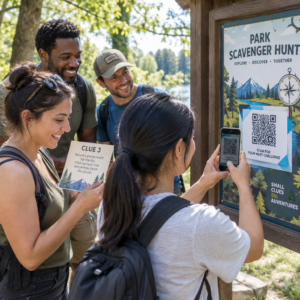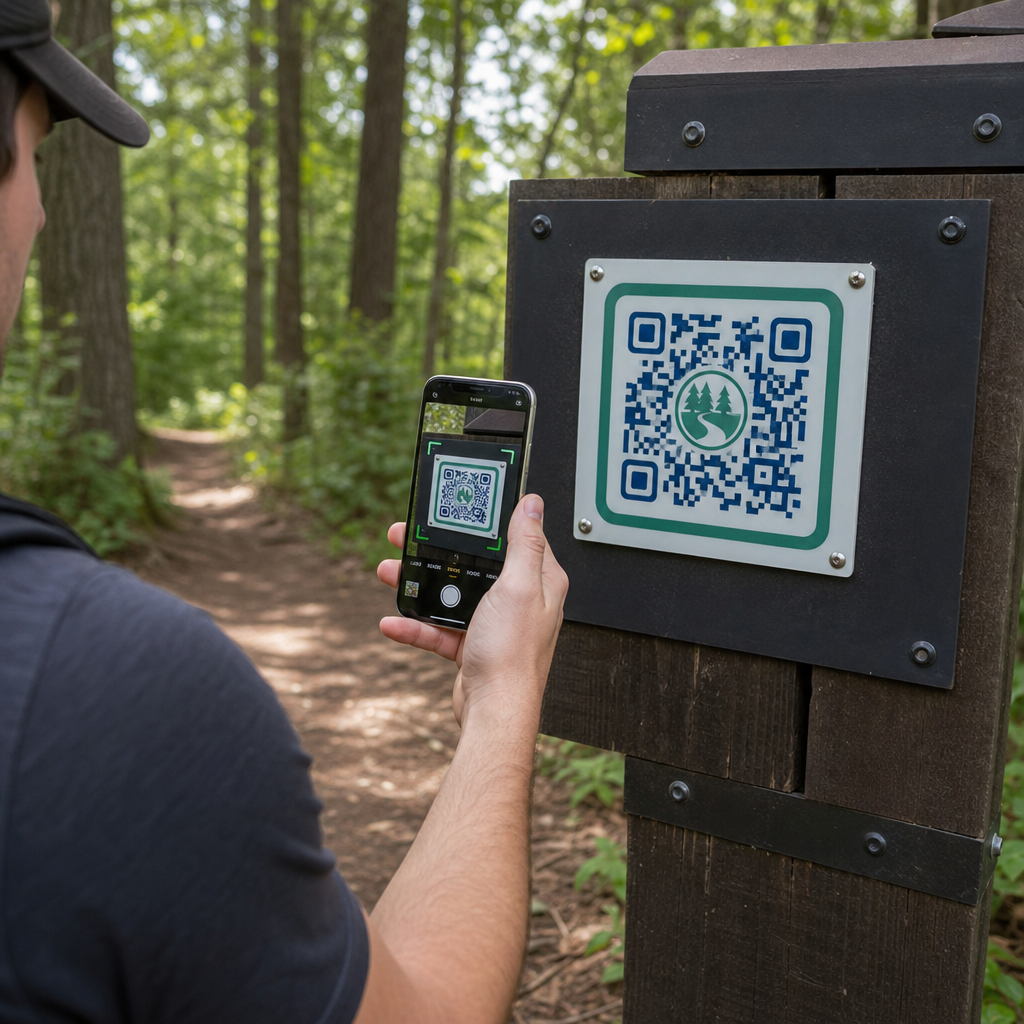
Як керівники парків можуть надавати оновлені карти маршрутів та сповіщення про безпеку, не замінюючи постійно фізичні знаки? Вицвілі панелі та відсутні паперові карти розчаровують відвідувачів, виснажуючи ваш операційний бюджет. Розміщення міцних QR-кодів на маркерах маршрутів дозволяє миттєво ділитися актуальною інформацією, цифровими картами та освітнім контентом з тими, хто займається відпочинком на природі.
Як розробити читабельні QR-коди для зовнішніх знаків маршрутів
Розробка QR-кодів для зовнішнього середовища вимагає особливої уваги до відстані перегляду, варіацій освітлення та впливу навколишнього середовища. Код, який легко сканується в приміщенні на глянцевому дисплеї, може не спрацювати на сонячній стежці, якщо контраст і розмір не оптимізовані.
- Підтримуйте високий колірний контраст, розміщуючи темні модулі переднього плану на світлому фоні. Для отримання повних рекомендацій з дизайну перегляньте наш найкращих практик контрастності кольорів QR-коду.
- Масштабуйте розміри коду відповідно до очікуваних відстаней перегляду, використовуючи правило співвідношення 10:1. Зверніться до нашого посібнику з розмірів QR-кодів щоб вибрати точні розміри для вашої інсталяції.
- Зберігайте чітку "тиху зону" (поле) шириною щонайменше чотири модулі з усіх боків коду.
- Встановіть виправлення помилок на рівень Q або H, щоб код залишався сканованим, навіть якщо він частково подряпаний або забруднений.
- Експортуйте файли дизайну в масштабованих векторних форматах, таких як SVG або EPS, щоб запобігти пікселізації під час друку. Дізнайтеся більше про збереження чіткості символів у нашому посібнику про найкращих практик для читабельності QR-кодів.
Стратегічне розміщення та ергономіка для маркерів маршрутів
Розміщення безпосередньо впливає на те, чи помітять і відсканують ваші коди відвідувачі. Монтаж маркерів на зручній фізичній висоті та в логічних точках зупинки забезпечує доступну та безпечну взаємодію для всіх відвідувачів парку.
Розташовуйте коди в межах доступної досяжності, зазвичай між 3,5 та 5,5 футами (1,0 до 1,7 метра) від землі. Ця висота підходить для дорослих, які стоять, дітей та відвідувачів на інвалідних візках. Тримайте фізичні стовпчики трохи зміщеними від основної смуги руху, щоб уникнути створення перешкод, гарантуючи, що маркери залишаються виявленими тростиною для відвідувачів з вадами зору, дотримуючись рекомендацій ADA.
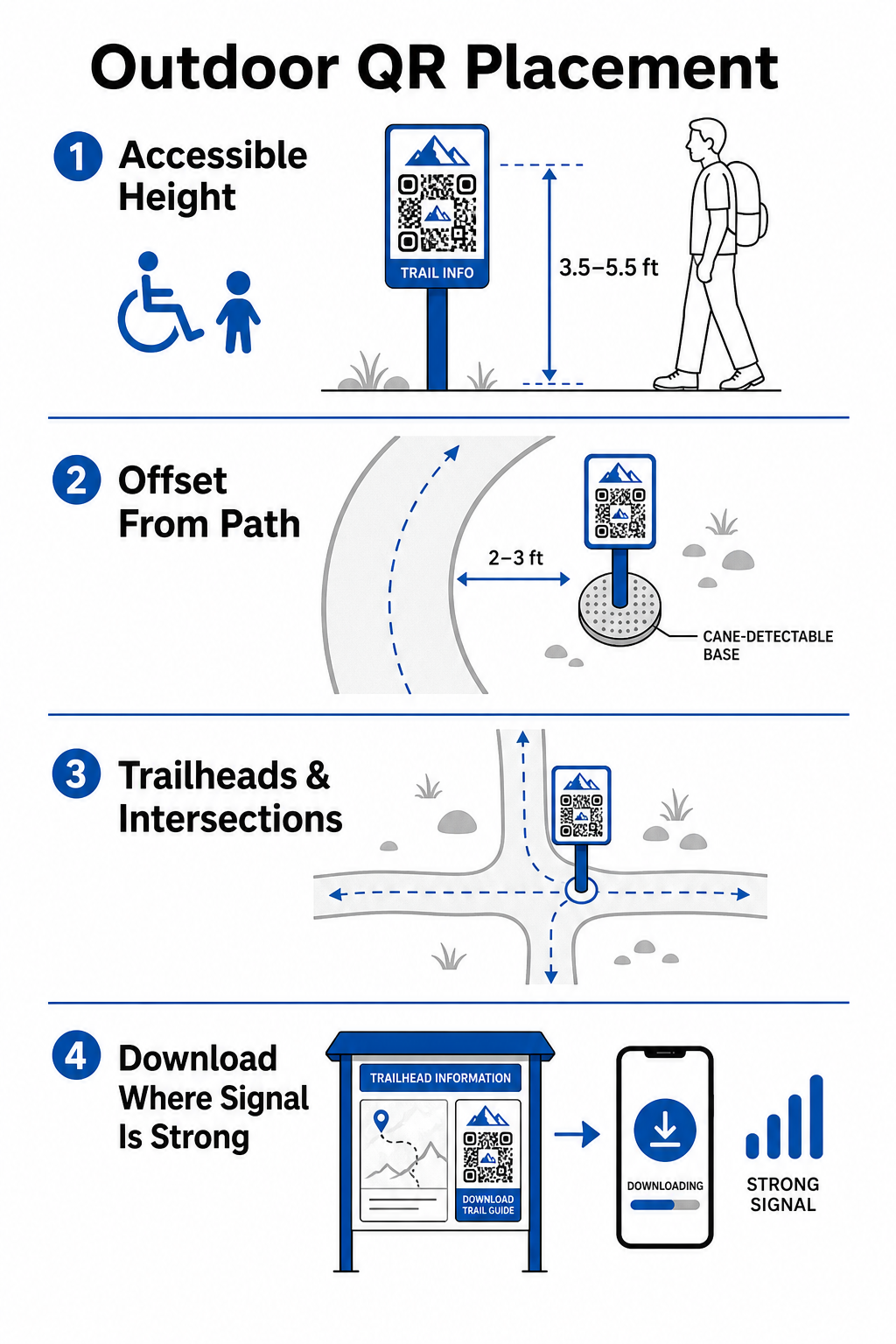
Встановлюйте покажчики в природних місцях для відпочинку вздовж стежки, де туристи зазвичай зупиняються:
- Встановлюйте коди на початкових точках маршруту, де відвідувачі збираються та готують спорядження.
- Встановлюйте покажчики на ключових перехрестях та в точках прийняття рішень на стежці, де потрібна допомога з навігацією.
- Розміщуйте знаки біля лавок, оглядових майданчиків та визначених місць для відпочинку.
- Розміщуйте покажчики поруч з унікальними природними об'єктами та освітніми пам'ятками.
Зв'язок на відкритому повітрі варіюється на віддалених ділянках парку. Щоб врахувати слабкий мобільний зв'язок, розміщуйте чіткі підказки “Завантажте перед поїздкою” на головних входах або в центрах для відвідувачів, де Wi-Fi або мобільний зв'язок є найсильнішим. Зберігайте пов'язані веб-сторінки легкими, оптимізованими для швидкого завантаження в мобільних мережах та простими для навігації.
Оновлюйте вміст маршруту без передруку знаків Хочете оперативно оновити карти маршрутів, повідомлення про безпеку або освітній контент? Використовуйте Динамічний QR код: генератор щоб ваші покажчики маршруту залишалися актуальними без заміни фізичних стовпців.
Покращення взаємодії туристів з цифровим QR-контентом
QR-код на покажчику маршруту повинен негайно надавати практичну цінність для відвідувача. Додавання чітких закликів до дії поруч із вашим кодом – таких як “Скануйте для цифрової карти” або “Скануйте для аудіогіда” – пояснює, що відвідувачі отримають від сканування.
| Приклад використання | Рекомендований пов'язаний контент | Основна вигода для відвідувача |
|---|---|---|
| Навігація на початку маршруту | Інтерактивні цифрові карти та точки GPS | Замінює вичерпані паперові карти та забезпечує відстеження місцезнаходження в реальному часі за допомогою Генератор QR-кодів Google Maps. |
| Безпека & Умови | Сповіщення про стан маршруту в реальному часі, оновлення погоди, контакти екстрених служб | Надає інформацію в реальному часі щодо тимчасових закриттів, спостережень за дикою природою або крутого рельєфу. |
| Освітні інтерпретації | Посібники з ідентифікації рослин, історична довідка, короткі відео | Збагачує самостійні екскурсії за допомогою генератор QR-кодів посилань що вказує на веб-сторінки, оптимізовані для мобільних пристроїв. |
| Офлайн-документація | Завантажувані PDF-путівники по маршрутах, списки флори та фауни | Надає туристам доступ до повноцінних ресурсів, збережених безпосередньо на їхній телефон за допомогою QR-код у форматі PDF. |
| Відгуки відвідувачів | Прості форми для повідомлення про проблеми зі зламаними деревами або пошкодженими об'єктами | Допомагає обслуговуючому персоналу збирати точні польові звіти безпосередньо від користувачів стежок. |
Для паркових систем, що працюють у зонах з обмеженим покриттям мобільного зв'язку, цифрові карти та путівники по стежках слід пропонувати як файли для завантаження, які відвідувачі можуть зберегти в локальному сховищі пристрою на початку маршруту.
Вибір погодостійких матеріалів та методів друку
Зовнішні вивіски постійно піддаються впливу ультрафіолетових променів, вологи, екстремальних температур та фізичного зносу. Вибір відповідних матеріалів та захисних покриттів запобігає ранньому вицвітанню та збоям сканування.
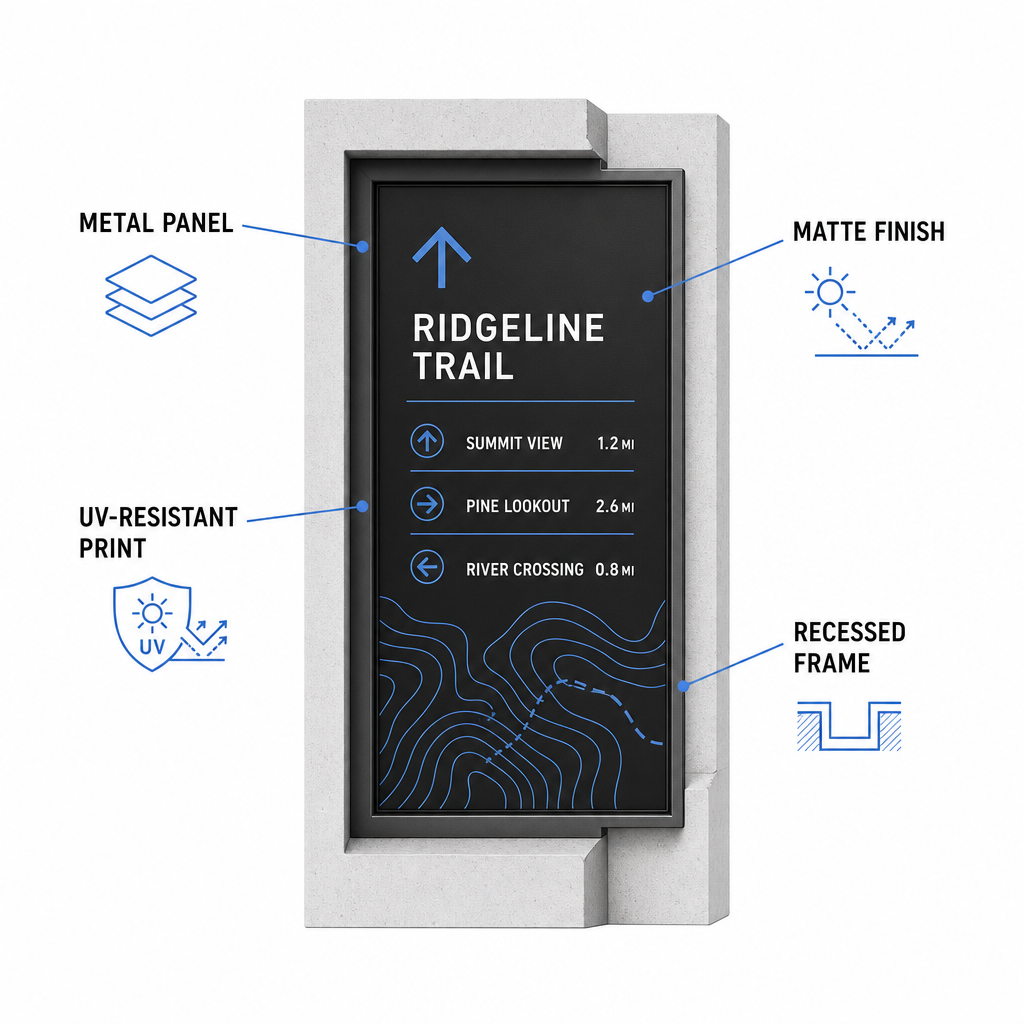
- Вибирайте міцні основи, такі як алюмінієві композитні панелі, поліетилен високої щільності або гравіровані металеві таблички.
- Застосовуйте матове ламінування або антиблікове покриття для усунення сильних відблисків сонячного світла.
- Використовуйте УФ-стійкі чорнила для захисту друкованої графіки від швидкого вицвітання. Прочитайте наш посібник щодо як методи друку впливають на сканованість QR-кодів щоб вибрати правильний метод виробництва.
- Встановіть захисні рами, заглиблені дерев'яні стовпи або навіси для захисту поверхонь вивісок від дощу та деревної смоли.
Завжди проводьте польові випробування на зразках фактичних матеріалів перед повномасштабним виробництвом. Розмістіть прототипи маркерів на місці, щоб перевірити можливість сканування під прямими сонячними променями, у глибокій тіні та в похмуру погоду на різних моделях пристроїв.
Обслуговування фізичних маркерів та відстеження залученості відвідувачів
Встановлення постійного графіка обслуговування гарантує, що фізичні вивіски залишаються чистими, розбірливими та функціональними протягом усього року.
Проводьте фізичний огляд табличок щонайменше двічі на рік, ідеально – після суворих зимових умов та перед піковим літнім сезоном відвідування. Оглядайте таблички на наявність фізичного вандалізму, зростання плісняви, деревного соку або вицвілої графіки. Чистіть поверхні табличок, використовуючи розведений м'який мийний засіб, теплу воду та м'яку серветку з мікрофібри. Уникайте абразивних губок, паперових рушників або сильних хімічних розчинників, таких як відбілювач та аміак, які можуть подряпати матову ламінацію або зіпсувати захисні покриття. Ретельно змивайте залишки мила, щоб уникнути розводів, які спричиняють помилки сканування.
Використання динамічних QR-кодів дозволяє оцінювати залученість відвідувачів за допомогою вбудованого аналітичного програмного забезпечення. Завдяки відстежуєте ефективність QR-коду, менеджери парків можуть вимірювати такі параметри, як загальна кількість сканувань, популярні години відвідування, типи пристроїв та пікові локації по всьому парку. Якщо певна ділянка стежки закривається на сезонне обслуговування, динамічні коди дозволяють миттєво перенаправити відвідувачів на альтернативні карти маршрутів з вашої панелі керування – це усуває витрати часу та коштів на повторний друк фізичних покажчиків стежок.
Візьміть під контроль ваші зовнішні покажчики стежок
Модернізація фізичної інфраструктури вашого парку за допомогою цифрових точок доступу робить обслуговування стежок керованим і тримає відвідувачів у курсі подій. Обираючи довговічні матеріали, забезпечуючи високий візуальний контраст та посилаючись на мобільні оптимізовані цільові сторінки, ви створюєте бездоганний офлайн-онлайн досвід на кожному шляху.
Почніть створювати відстежувані, редаговані покажчики для вашої паркової системи, використовуючи Генератор QR-кодів Pageloot сьогодні.
Поширені запитання
Мінімальний рекомендований фізичний розмір для сканування з близької відстані (20–30 см) становить 2 × 2 см (0,8 × 0,8 дюйма). Для знаків, які розглядаються з більшої відстані, дотримуйтесь правила перегляду 10:1, що означає, що ширина коду має становити щонайменше одну десяту від очікуваної відстані сканування.
Розміщуйте QR-коди «Завантажте перед початком» на початку стежок або на паркувальних майданчиках, де сигнали Wi-Fi або мобільного зв'язку найсильніші. Посилайте ці коди на легкі веб-сторінки або PDF-файли, які відвідувачі можуть зберегти в локальному сховищі для перегляду офлайн під час подорожі стежкою.
Чистіть вивіски теплою водою, змішаною з м'яким милом, обережно наносячи розчин м'якою мікрофібровою тканиною або неабразивною губкою. Уникайте паперових рушників, агресивних хімікатів, таких як відбілювач чи аміак, а також абразивних скребків, які дряпають захисні матові ламінати.