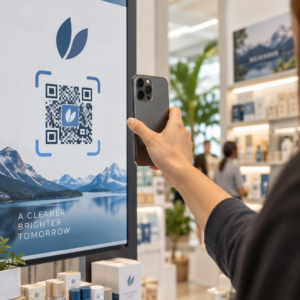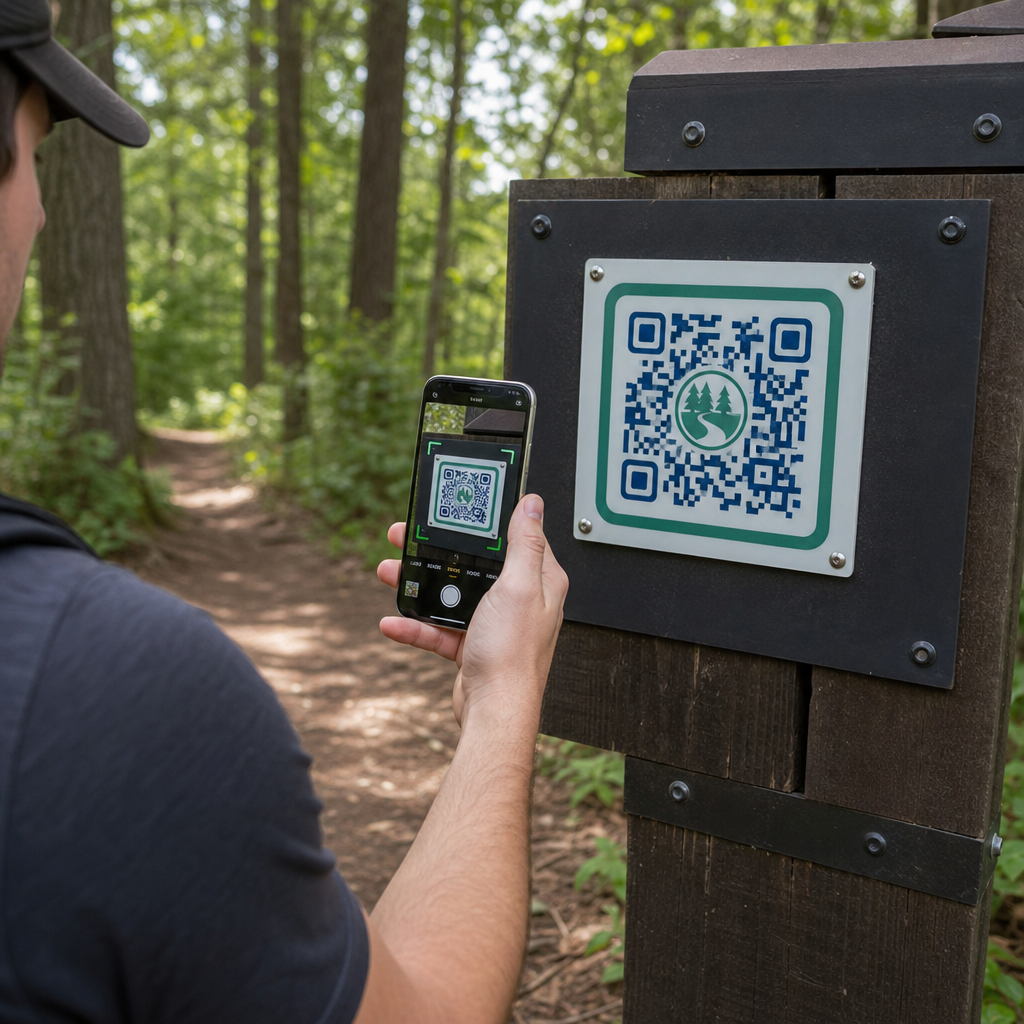
Làm thế nào để các nhà quản lý công viên có thể cung cấp bản đồ đường mòn cập nhật và cảnh báo an toàn mà không cần liên tục thay thế các biển báo vật lý? Các bảng hiệu bị phong hóa và bản đồ giấy bị thiếu làm du khách thất vọng đồng thời tiêu tốn ngân sách hoạt động của bạn. Đặt mã QR bền vững trên các cột mốc đường mòn cho phép bạn chia sẻ ngay lập tức các điều kiện trực tiếp, bản đồ kỹ thuật số và nội dung giáo dục với những người tham gia hoạt động giải trí ngoài trời.
Cách thiết kế mã QR dễ đọc cho biển báo đường mòn ngoài trời
Thiết kế mã QR cho môi trường ngoài trời đòi hỏi sự chú ý đặc biệt đến khoảng cách xem, sự thay đổi ánh sáng và sự hao mòn của môi trường. Một mã có thể quét dễ dàng trong nhà trên màn hình bóng loáng có thể không hoạt động trên một con đường mòn đầy nắng nếu độ tương phản và kích thước không được tối ưu hóa.
- Duy trì độ tương phản màu sắc cao bằng cách đặt các mô-đun nền trước tối trên nền sáng. Để biết hướng dẫn thiết kế đầy đủ, hãy xem các phương pháp hay nhất về độ tương phản màu của mã QR.
- Điều chỉnh kích thước mã theo khoảng cách xem dự kiến bằng quy tắc tỷ lệ 10:1. Tham khảo hướng dẫn kích thước mã QR của chúng tôi để chọn kích thước chính xác cho việc lắp đặt của bạn.
- Duy trì vùng yên tĩnh rõ ràng với lề ít nhất bốn mô-đun ở tất cả các cạnh của mã.
- Đặt mức sửa lỗi thành Q hoặc H để mã vẫn có thể quét được ngay cả khi bị trầy xước hoặc bẩn một phần.
- Xuất tệp thiết kế ở định dạng vector có thể mở rộng như SVG hoặc EPS để tránh vỡ hình (pixelation) trong quá trình in. Tìm hiểu thêm về cách duy trì độ rõ nét của biểu tượng trong hướng dẫn của chúng tôi về các phương pháp hay nhất để đọc mã QR.
Vị trí chiến lược và công thái học cho cột mốc đường mòn
Vị trí đặt trực tiếp ảnh hưởng đến việc du khách có chú ý và quét mã của bạn hay không. Gắn các điểm đánh dấu ở độ cao vật lý thoải mái và các điểm dừng hợp lý đảm bảo sự tương tác an toàn, dễ tiếp cận cho tất cả du khách công viên.
Đặt mã trong tầm với dễ tiếp cận, thường nằm trong khoảng từ 3.5 đến 5.5 feet (1.0 đến 1.7 mét) so với mặt đất. Chiều cao này phù hợp với người lớn đứng, trẻ em và du khách đi xe lăn. Giữ các cột vật lý hơi lệch so với làn đường di chuyển chính để tránh tạo chướng ngại vật, đảm bảo các điểm đánh dấu vẫn có thể được phát hiện bằng gậy đối với du khách khiếm thị tuân thủ hướng dẫn ADA.
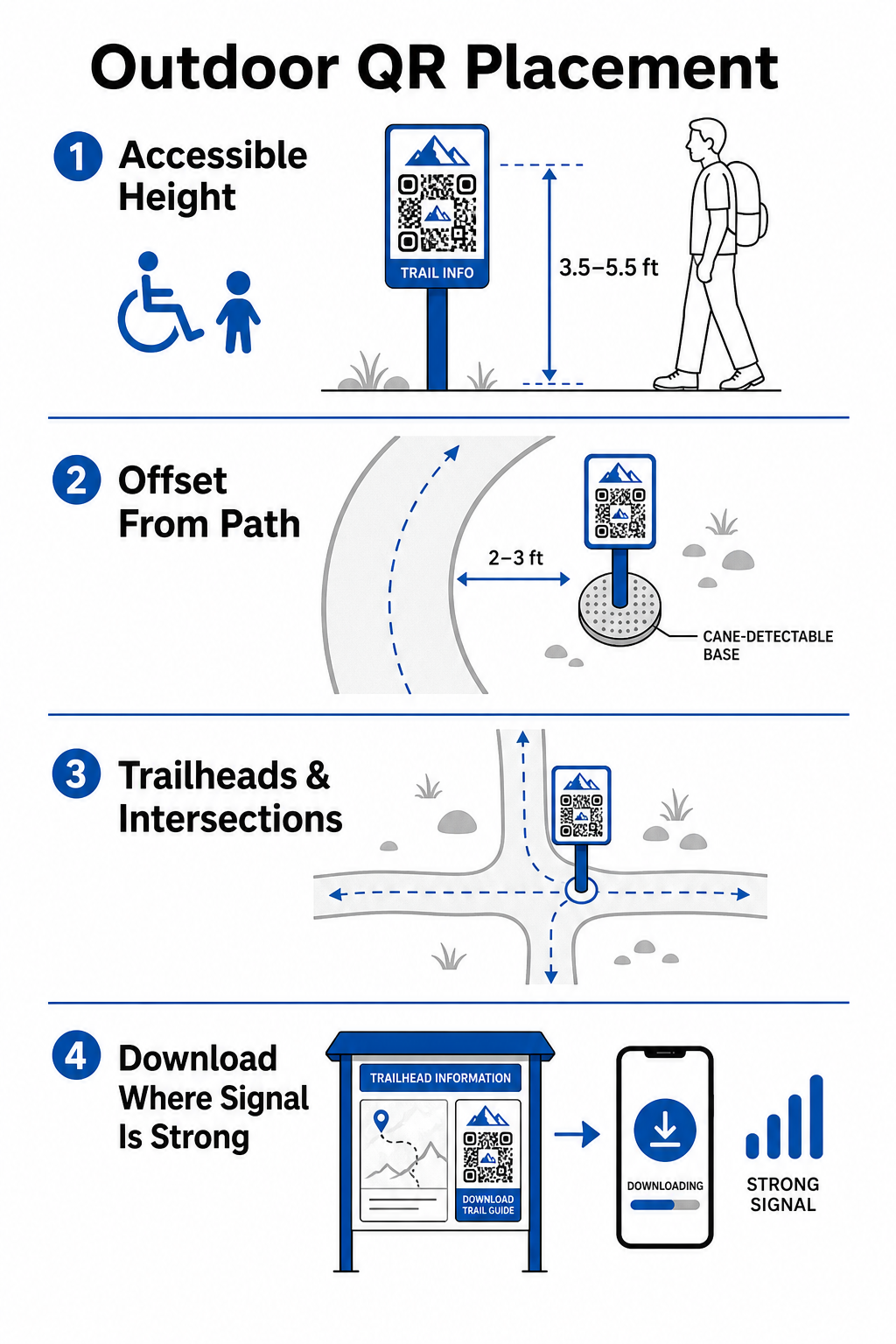
Gắn các điểm đánh dấu tại những điểm dừng chân tự nhiên dọc đường đi, nơi người đi bộ thường dừng lại nghỉ ngơi:
- Cài đặt mã tại các điểm vào đầu đường mòn, nơi du khách tập trung và chuẩn bị đồ dùng.
- Gắn các điểm đánh dấu tại các giao lộ chính và các điểm quyết định trên đường mòn, nơi cần hỗ trợ điều hướng.
- Đặt biển báo gần ghế dài, điểm ngắm cảnh và khu vực nghỉ ngơi được chỉ định.
- Đặt các điểm đánh dấu bên cạnh các đặc điểm tự nhiên độc đáo và các điểm tham quan mang tính giáo dục.
Khả năng kết nối ngoài trời thay đổi trên khắp các khu vực công viên hẻo lánh. Để khắc phục dịch vụ di động yếu, hãy đặt các thông báo rõ ràng “Tải xuống trước khi đi” tại các trung tâm lối vào chính hoặc trung tâm du khách nơi có Wi-Fi hoặc dịch vụ di động mạnh nhất. Giữ các trang web liên kết nhẹ, được tối ưu hóa để tải nhanh trên mạng di động và dễ điều hướng.
Cập nhật nội dung đường mòn mà không cần in lại biển báo Bạn muốn cập nhật bản đồ đường mòn, thông báo an toàn hoặc nội dung giáo dục một cách nhanh chóng? Sử dụng Tạo mã QR động để giữ cho các điểm đánh dấu đường mòn của bạn luôn cập nhật mà không cần thay thế cột vật lý.
Nâng cao sự tương tác của người đi bộ với nội dung QR kỹ thuật số
Mã QR trên điểm đánh dấu đường mòn phải ngay lập tức cung cấp giá trị thiết thực cho du khách. Thêm các lời kêu gọi hành động rõ ràng bên cạnh mã của bạn – chẳng hạn như “Quét để xem bản đồ kỹ thuật số” hoặc “Quét để nghe hướng dẫn âm thanh” – sẽ giải thích những gì du khách sẽ nhận được khi quét.
| Trường hợp sử dụng | Nội dung liên kết được đề xuất | Lợi ích chính cho du khách |
|---|---|---|
| Điều hướng đầu đường mòn | Bản đồ kỹ thuật số tương tác và điểm đánh dấu GPS | Thay thế bản đồ giấy đã hết và cung cấp theo dõi vị trí trực tiếp thông qua một Tạo mã QR địa chỉ Google Map. |
| An toàn & Điều kiện | Cảnh báo đường mòn trực tiếp, cập nhật thời tiết, liên hệ khẩn cấp | Cung cấp thông tin thời gian thực về việc đóng cửa tạm thời, phát hiện động vật hoang dã hoặc địa hình dốc. |
| Giải thích giáo dục | Hướng dẫn nhận dạng thực vật, nền tảng lịch sử, video ngắn | Làm phong phú các chuyến tham quan tự hướng dẫn bằng cách sử dụng một trình tạo mã QR liên kết chỉ đến các trang web được tối ưu hóa cho thiết bị di động. |
| Tài liệu ngoại tuyến | Hướng dẫn đường mòn PDF có thể tải xuống, danh sách kiểm tra hệ thực vật và động vật | Cung cấp cho người đi bộ quyền truy cập vào các tài nguyên đầy đủ được lưu trực tiếp vào điện thoại của họ bằng cách sử dụng một Chuyển PDF sang QR. |
| Phản hồi của du khách | Biểu mẫu báo cáo sự cố đơn giản cho cây đổ hoặc cơ sở vật chất bị hư hỏng | Giúp đội bảo trì thu thập báo cáo thực địa chính xác trực tiếp từ người dùng đường mòn. |
Đối với các hệ thống công viên hoạt động ở những khu vực có dịch vụ di động hạn chế, bản đồ kỹ thuật số và hướng dẫn đường mòn nên được cung cấp dưới dạng tệp có thể tải xuống mà du khách có thể lưu vào bộ nhớ thiết bị cục bộ tại điểm bắt đầu đường mòn.
Lựa chọn vật liệu và kỹ thuật in chống chịu thời tiết
Biển báo ngoài trời phải đối mặt với sự tiếp xúc liên tục với tia cực tím, độ ẩm, nhiệt độ khắc nghiệt và hao mòn vật lý. Việc lựa chọn vật liệu nền và lớp phủ bảo vệ phù hợp sẽ ngăn ngừa phai màu sớm và lỗi quét.
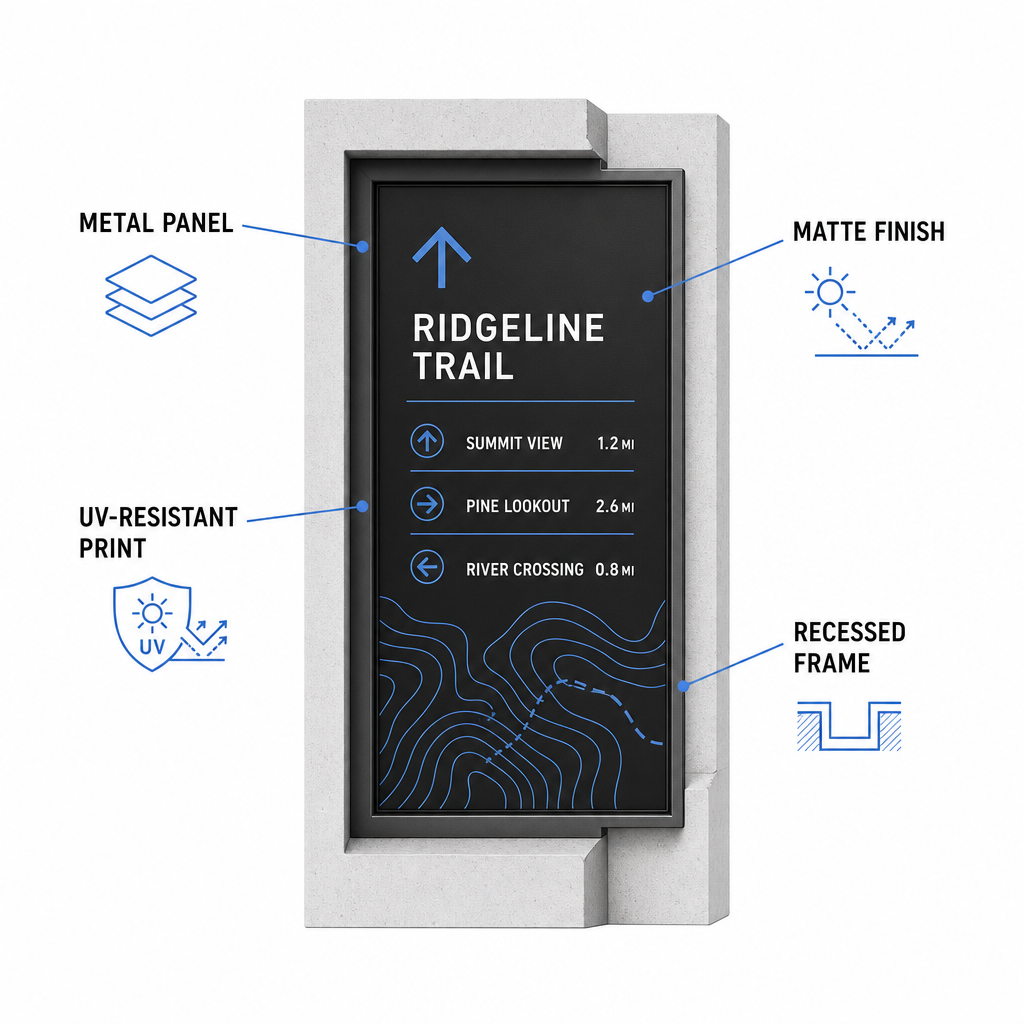
- Chọn vật liệu nền bền như tấm nhôm composite, polyethylene mật độ cao hoặc bảng kim loại khắc.
- Áp dụng cán mờ hoặc lớp hoàn thiện chống lóa để loại bỏ phản xạ ánh sáng mặt trời gay gắt.
- Sử dụng mực chống tia UV để bảo vệ đồ họa in khỏi bị phai màu nhanh chóng. Đọc hướng dẫn của chúng tôi về cách các kỹ thuật in ảnh hưởng đến khả năng quét mã QR để chọn phương pháp sản xuất phù hợp.
- Lắp đặt khung bảo vệ, cột gỗ âm hoặc mái che phía trên để che chắn mặt biển báo khỏi mưa và nhựa cây.
Luôn thực hiện kiểm tra thực địa trên các mẫu vật liệu thực tế trước khi hoàn thành toàn bộ quá trình sản xuất. Đặt các mẫu thử nghiệm tại chỗ để xác minh khả năng quét dưới ánh sáng mặt trời trực tiếp, bóng râm đậm và thời tiết u ám trên nhiều kiểu thiết bị.
Duy trì các điểm đánh dấu vật lý và theo dõi sự tương tác của khách truy cập
Thiết lập lịch trình bảo trì liên tục đảm bảo rằng biển báo vật lý luôn sạch sẽ, dễ đọc và hoạt động quanh năm.
Thực hiện kiểm tra biển báo vật lý ít nhất hai lần một năm, lý tưởng nhất là sau điều kiện mùa đông khắc nghiệt và trước mùa cao điểm hè. Kiểm tra các biển báo xem có bị phá hoại vật lý, nấm mốc phát triển, nhựa cây hoặc đồ họa bị phai màu. Làm sạch bề mặt biển báo bằng cách sử dụng chất tẩy rửa nhẹ đã pha loãng, nước ấm và một miếng vải sợi nhỏ mềm. Tránh dùng miếng bọt biển mài mòn, khăn giấy hoặc các dung môi hóa học mạnh như thuốc tẩy và amoniac, vì chúng có thể làm trầy xước lớp màng mờ hoặc làm mờ lớp phủ bảo vệ. Rửa kỹ cặn xà phòng để loại bỏ các vệt gây lỗi quét.
Sử dụng mã QR động cho phép bạn đánh giá mức độ tương tác của du khách thông qua phần mềm phân tích tích hợp. Bằng cách theo dõi hiệu suất mã QR, các nhà quản lý công viên có thể đo lường các thông số như tổng lượng quét, giờ ghé thăm phổ biến, loại thiết bị và các vị trí cao điểm trong toàn bộ công viên. Nếu một đoạn đường mòn cụ thể đóng cửa để bảo trì theo mùa, mã động cho phép bạn ngay lập tức chuyển hướng du khách đến bản đồ tuyến đường thay thế từ bảng điều khiển quản lý của bạn – loại bỏ thời gian và chi phí in lại các biển báo đường mòn vật lý.
Kiểm soát Biển báo Đường mòn Ngoài trời của Bạn
Hiện đại hóa cơ sở hạ tầng vật lý của công viên bằng các điểm truy cập kỹ thuật số giúp việc bảo trì đường mòn trở nên dễ quản lý và giữ cho du khách luôn được thông tin. Bằng cách chọn vật liệu bền, đảm bảo độ tương phản hình ảnh cao và liên kết đến các trang đích được tối ưu hóa cho thiết bị di động, bạn tạo ra trải nghiệm liền mạch từ ngoại tuyến đến trực tuyến trên mọi con đường.
Bắt đầu xây dựng các biển báo có thể theo dõi, chỉnh sửa cho hệ thống công viên của bạn bằng cách sử dụng Trình tạo mã QR Pageloot của chúng tôi ngay hôm nay.
Câu hỏi thường gặp
Kích thước vật lý tối thiểu được khuyến nghị để quét ở cự ly gần (cách 20–30 cm) là 2 × 2 cm (0,8 × 0,8 inch). Đối với các biển báo được nhìn từ xa hơn, hãy tuân thủ quy tắc xem 10:1, sao cho chiều rộng mã ít nhất bằng một phần mười khoảng cách quét dự kiến.
Đặt mã QR "Tải xuống trước khi đi" tại các đầu đường mòn hoặc khu vực đỗ xe nơi tín hiệu Wi-Fi hoặc di động mạnh nhất. Liên kết các mã này đến các trang web nhẹ hoặc tệp PDF có thể tải xuống mà du khách có thể lưu vào bộ nhớ cục bộ để xem ngoại tuyến dọc theo đường mòn.
Vệ sinh biển báo bằng nước ấm pha xà phòng nhẹ, thoa dung dịch nhẹ nhàng bằng vải sợi nhỏ mềm hoặc bọt biển không mài mòn. Tránh dùng khăn giấy, các hóa chất mạnh như thuốc tẩy hoặc amoniac, và miếng cọ rửa có tính mài mòn làm trầy xước lớp phủ mờ bảo vệ.