How can you offer deep context for an artwork without cluttering the gallery walls with text? Bulky labels distract from the art and overwhelm visitors, leaving little room for contemplation. Implementing thoughtfully designed QR codes solves this dilemma by connecting visitors to digital interpretation while preserving your exhibition’s visual aesthetic.
Designing Codes to Complement Gallery Aesthetics
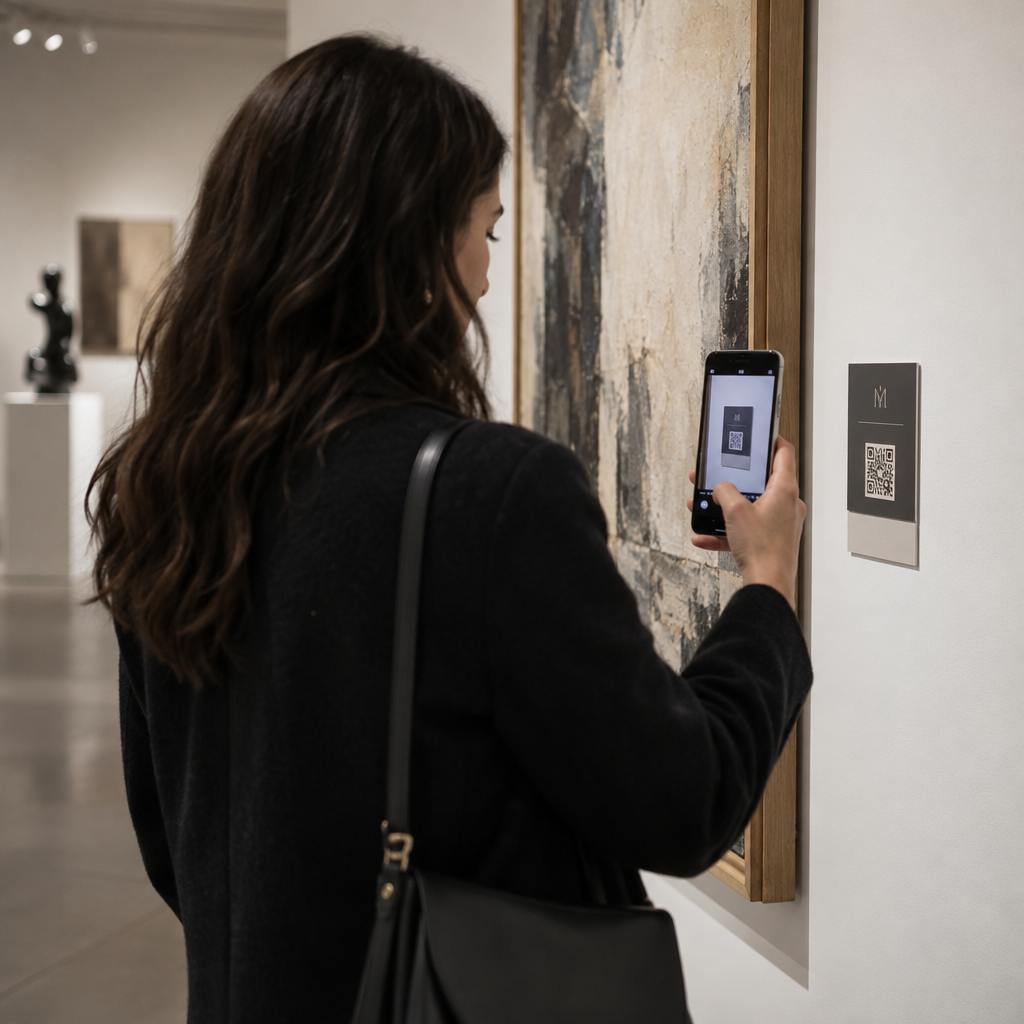
Curators often worry that digital markers will make an intimate exhibition feel commercial. When treated as secondary graphic elements that align with your institutional identity, QR codes support contemplation rather than disrupt it. Customizing code geometry and palette ensures the digital touchpoint feels intentional within the gallery environment.
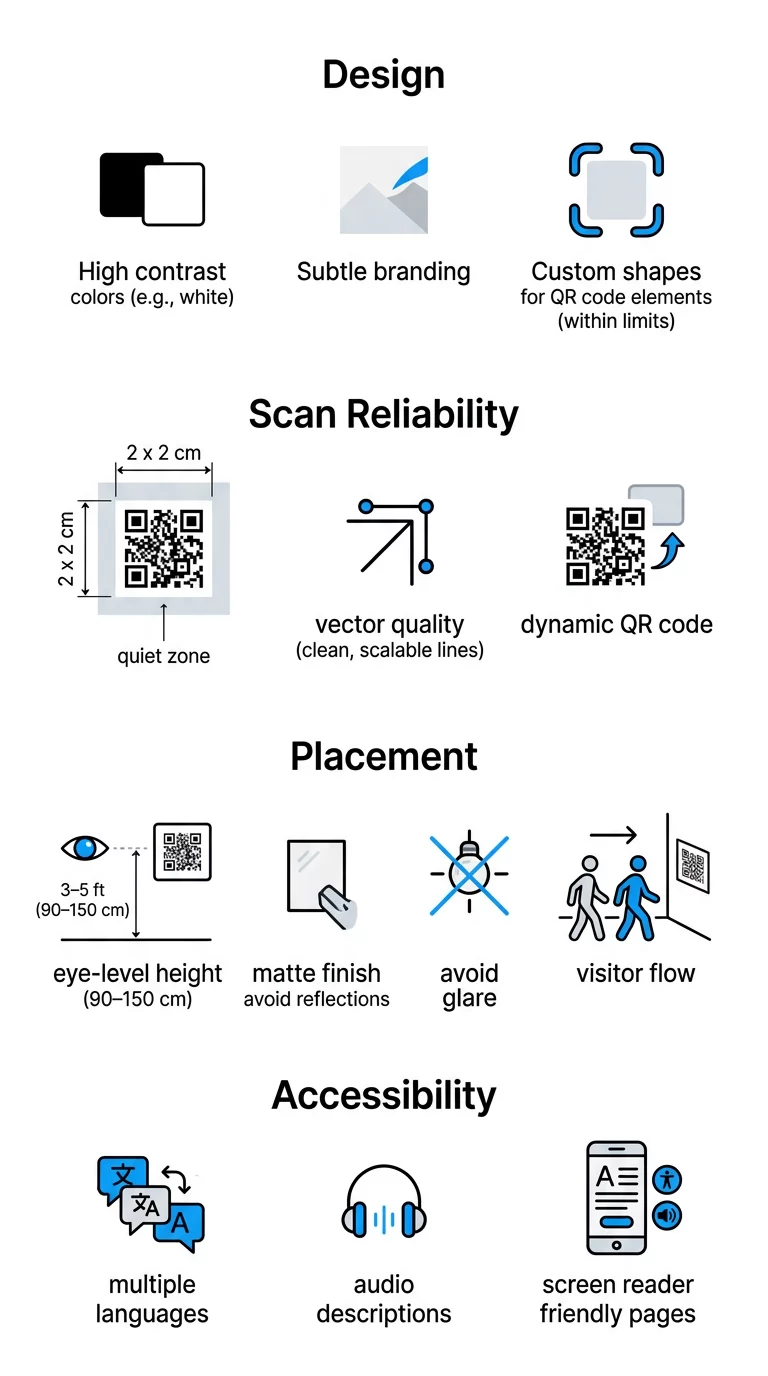
- Maintain high-contrast palettes: Scanners require a sharp contrast between dark modules and light backgrounds to register data instantly. Select dark foregrounds on light backgrounds and avoid inverted designs, which frequently fail under low gallery illumination.
- Coordinate with exhibition palettes: Use muted institutional tones like charcoal, deep slate, or dark bronze against an off-white wall placard instead of generic stark black and white.
- Apply subtle institutional branding: Embed a discreet gallery monogram in the center of the code to foster trust, ensuring the logo occupies less than 20% of the total surface area so scanners decode the pattern without interruption.
- Pair with clear action prompts: Accompany each code with brief framing text such as “Listen to the Artist” or “View Preliminary Sketches” so visitors know the exact value of scanning before taking out their smartphones.
To explore how other cultural spaces integrate graphics into spatial design, review these examples of modern art installations that blend physical art with interactive technology.
Technical Standards for Reliable Scanning
A QR code that fails to load creates immediate visitor frustration. Following established QR code usability best practices guarantees that digital tools assist the visit rather than introduce technical hurdles. These technical parameters are essential in low-light exhibition rooms and historical properties.
- Calculate dimensions based on viewing distance: Follow a 10:1 ratio where viewing distance determines code size. For close-up label scanning at roughly 20 inches, a minimum size of 0.8 x 0.8 inches (2 x 2 cm) works well, though expanding to 1 x 1 inch provides superior reliability for older smartphone cameras.
- Maintain an unobstructed quiet zone: Preserve a clean margin around the code equal to at least four modules in width. Leaving this space free of typography, borders, and graphic motifs enables camera software to isolate the code from the surrounding label.
- Export in vector formats: Print codes from vector files such as SVG or EPS rather than compressed raster images. Vector assets scale without pixelation, which protects edge sharpness during high-resolution museum label printing.
- Select dynamic architecture for updates: Encode dynamic short links rather than dense raw URLs to reduce data matrix complexity. Lower data density enlarges individual modules, which directly supports best practices for QR code readability in moody gallery conditions.
Simplify Exhibition Management with Editable Content Need to update artist statements, audio tours, or video links without reprinting physical labels? Use the Dynamic QR Code Generator to modify destination URLs instantly and monitor visitor engagement across your spaces.
Strategic Placement, Lighting, and Visitor Flow
The physical architecture of your gallery determines how seamlessly visitors adopt digital resources. Glare from directional spotlights and awkward label placement create friction that discourages engagement.
- Position codes at accessible heights: Mount labels between 3 and 5 feet from finished floor level. This eye-line height accommodates standing adults comfortably while remaining easily reachable for seated visitors and wheelchair users.
- Eliminate surface reflections: Fabricate wall text and labels using matte substrates or anti-glare acrylic finishes. Direct spotlighting on high-gloss perspex washes out the code matrix, making camera sensors incapable of reading module patterns.
- Mount codes on secondary signage: Affix codes directly to wall identification placards or interpretive stanchions rather than artwork frames or gallery floors. Visitors look naturally to wall text when seeking deeper context.
- Prevent foot-traffic bottlenecks: Position interpretive codes where patrons can linger without obstructing room entrances or narrow corridors. Distribute high-demand multimedia touchpoints evenly throughout larger galleries to regulate visitor flow.
For broader institutional guidelines on traffic management and ticketing, see our complete guide on QR codes for museums.
Accessibility Standards and Multilingual Access
Digital tools should broaden access to culture rather than narrow it. In the United States, Title II and Title III of the Americans with Disabilities Act require public and private exhibition spaces to ensure effective communication through auxiliary aids. Digital channels make providing these accommodations practical within limited gallery footprints.
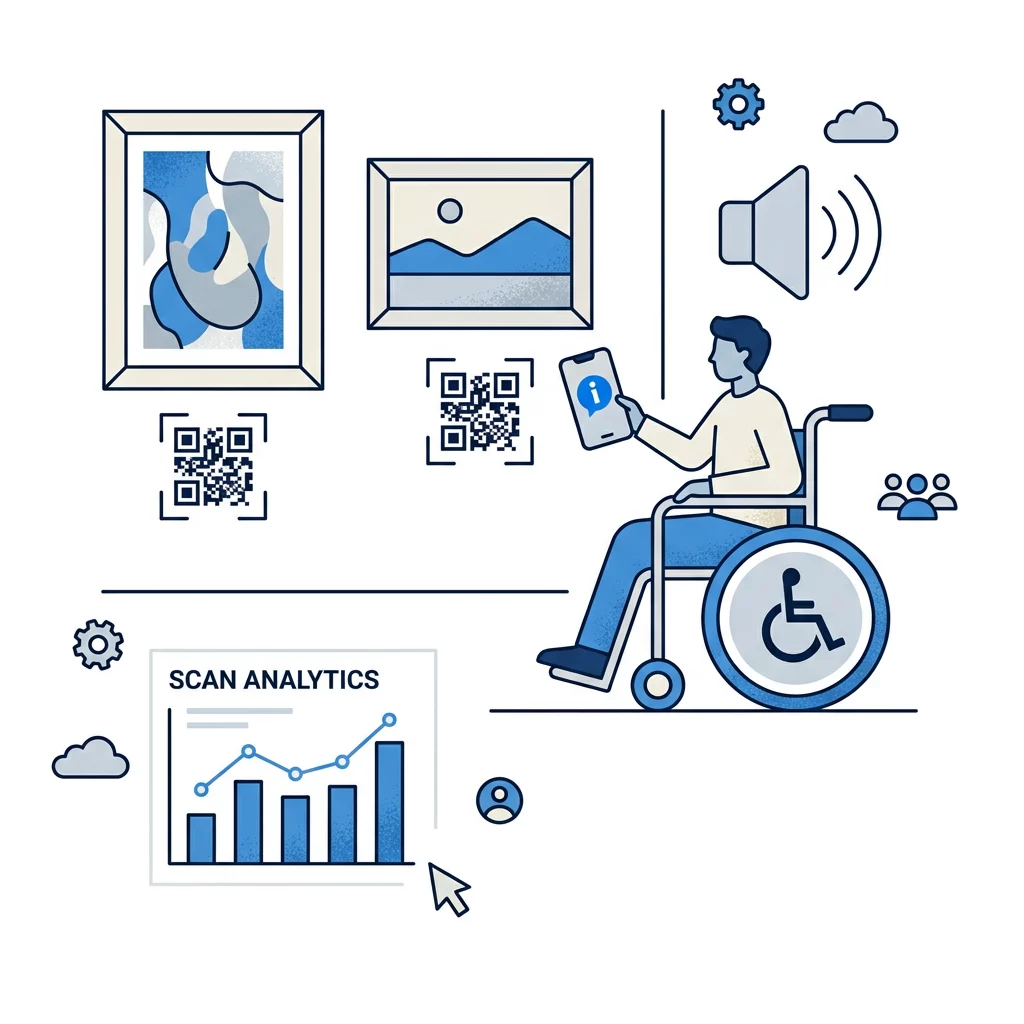
- Provide multi-sensory formats: Pair artwork descriptions with rich audio narration using an MP3 QR code generator so visitors with visual impairments can explore the creative process independently.
- Ensure assistive technology compatibility: Build mobile landing pages that conform to WCAG 2.1 Level AA standards, ensuring full support for voice-dictation systems, screen magnification, and mobile screen readers.
- Retain essential physical information: Display core title, artist, date, and medium text on the physical placard alongside a short, legible web address so visitors without smartphones still receive baseline curatorial context.
- Deliver automatic language routing: Implement multilingual dynamic landing pages that detect a visitor’s mobile browser preferences, automatically displaying translated text and localized audio guides.
Institutions seeking touch-free interaction models can also discover how voice-activated QR codes enhance accessibility across complex public installations.
Delivering Interactive Storytelling and Wayfinding
Connecting a label to the web allows institutions to present deep archival material without cluttering physical gallery surfaces. Choosing the right digital medium turns passive viewing into an active learning experience.
- Introduce video interpretation: Link visitors to studio footage or curator commentary using a YouTube QR code generator to explain complex fabrication methods.
- Distribute digital brochures and floor maps: Share comprehensive exhibition catalogs, essays, and floor plans with a PDF QR code generator to reduce print waste.
- Guide campus visitors between pavilions: Provide directional wayfinding across multi-building grounds using a Google Maps QR code generator so visitors navigate sculpture parks and outdoor installations effortlessly.
- Build immersive spatial experiences: Uncover lost provenance or historical reconstructions by exploring how AR QR codes transform museum storytelling in physical gallery settings.
- Expand access beyond physical visits: Adapt on-site assets into digital exhibitions by reviewing our guide to virtual art tours for remote visitors.
Curators working across multidisciplinary complexes can discover more operational ideas through Pageloot’s specialized industry solutions.
Tracking Visitor Engagement Across Exhibitions
Physical exhibition spaces often rely on anecdotal observation to assess visitor interest. Implementing dynamic digital markers provides concrete behavioral data that informs future programming and label drafting.
By tracking QR codes, curatorial and education departments can observe real-time scan metrics, device languages, and peak visitation hours. The M+ Museum in Hong Kong recorded over 148,000 scans across 42 codes during an exhibition run, identifying precisely which installations prompted audiences to seek deeper context. This quantitative insight reveals which interpretive formats resonate most while upholding visitor privacy through anonymized data collection.
Elevating the Gallery Experience
Successful digital integration respects the quiet authority of the artwork while giving curious visitors immediate access to rich scholarship. Balancing matte, high-contrast visual designs with accessible landing pages and dynamic links ensures your gallery communicates effectively with every guest.
Begin drafting your exhibition’s digital interpretation today by creating responsive, trackable markers with Pageloot’s comprehensive QR tools.
Frequently Asked Questions
For close-range scanning at roughly 20 inches, print the code at least 0.8 x 0.8 inches (2 x 2 cm), though 1 x 1 inch offers better reliability under low gallery lighting. If the code is positioned behind a stanchion or glass barrier, enlarge it according to a 10:1 viewing distance-to-width ratio.
Dynamic QR codes allow exhibition teams to edit destination URLs, audio files, or artist statements after materials are printed, eliminating costly label reprints when links change. They also collect scan metrics, helping curators understand which artworks spark the greatest public interest.
Mount codes between 3 and 5 feet from the floor for wheelchair accessibility, use high-contrast palettes, and build mobile landing pages that conform to WCAG 2.1 AA standards. Always keep essential artwork details on the physical label and pair visual resources with audio alternatives or transcripts.