Struggling to figure out which barcode format your shipping label actually needs? Using the wrong type – or printing it incorrectly – can cause scan failures, routing errors, and delayed packages. This guide walks you through the right barcode formats, creation methods, and print standards so your labels clear every scanner, every time.
Why Shipping Barcodes Matter More Than You Think
Every time a carrier handles your package – at intake, sorting, and final delivery – a scanner reads the barcode on your label. That single scan triggers routing decisions, updates the tracking record, and confirms delivery. If the barcode fails to scan, the package gets set aside for manual processing, which slows everything down and increases the risk of misrouting.
Think of the barcode as the package’s passport. Without a valid, readable one, it doesn’t move efficiently through the system. Carriers process thousands of packages per hour, so barcodes must be accurate and scannable on the first attempt.
The Right Barcode Formats for Shipping Labels
Not every barcode type is built for the demands of shipping. Before you generate anything, it helps to understand which formats carriers actually use and why.
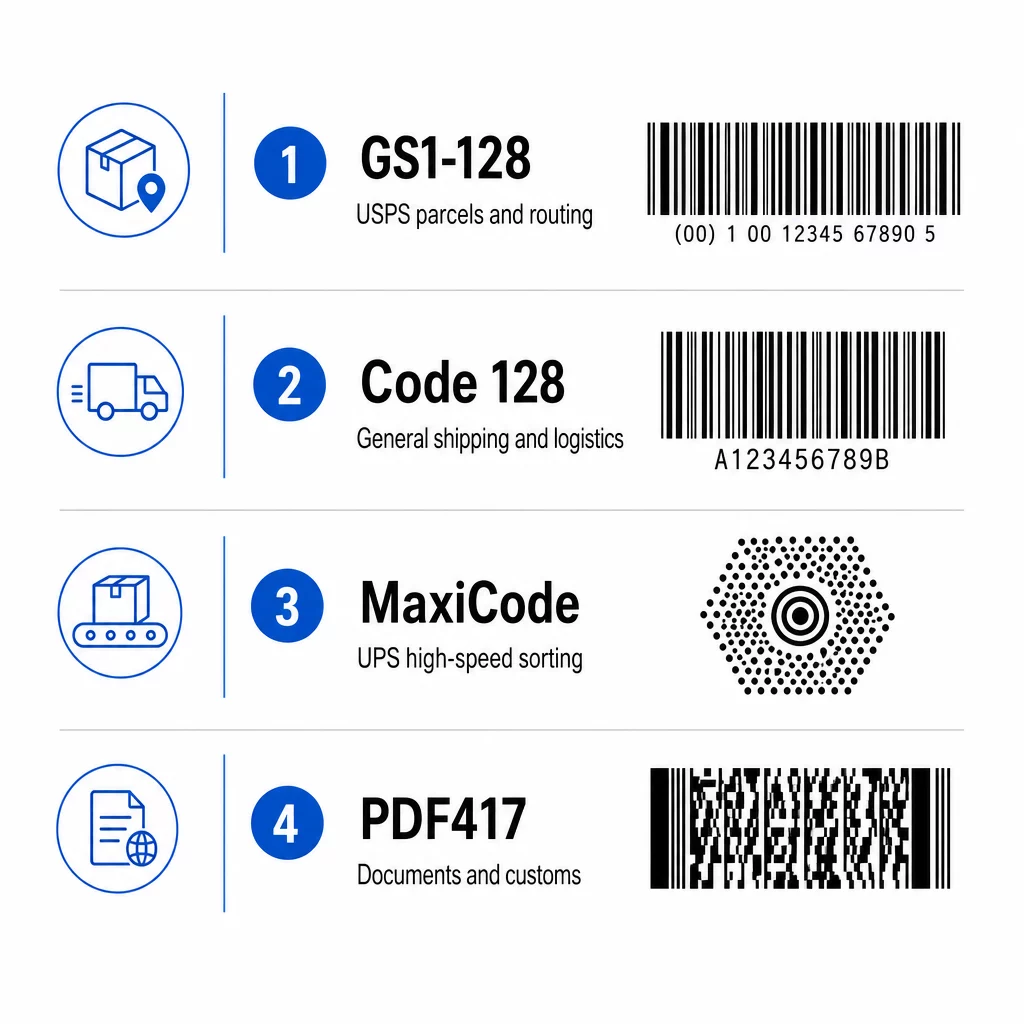
GS1-128 (formerly EAN-128) is the workhorse of the shipping world. It encodes detailed shipment data – sender, recipient, weight, and routing codes – in a compact linear format. USPS requires each parcel to bear a properly prepared GS1-128 barcode that accurately represents the correct ZIP Code or ZIP+4 routing code. It handles unlimited ASCII characters, making it flexible enough for complex shipment data.
Code 128 is a close relative used broadly in shipping and transport logistics. Like GS1-128, it supports unlimited ASCII characters and handles both alphanumeric and numeric data, which is why it appears on everything from warehouse packing slips to carrier manifests.
MaxiCode is the two-dimensional barcode you’ll find on UPS labels. It’s designed specifically for high-speed sorting – automated systems can scan it from any direction, at any orientation, which is essential in a busy distribution center. If you’re shipping through UPS, you’ll encounter MaxiCode on every label.
PDF417 stores large volumes of data in a compact stacked format. You’ll find it on shipping documents, customs forms, and labels where more detailed information needs to travel with the package.
For a deeper look at how these and other barcode types compare, the Pageloot barcode scanner reference covers the most common symbologies used across retail, industrial, and shipping applications.
| Barcode Type | Format | Primary Use in Shipping |
|---|---|---|
| GS1-128 | 1D linear | USPS parcels, routing codes |
| Code 128 | 1D linear | General shipping and transport |
| MaxiCode | 2D matrix | UPS high-speed sorting |
| PDF417 | 2D stacked | Documents, customs, complex data |
Three Ways to Create a Shipping Label Barcode
Use Your Carrier’s Website
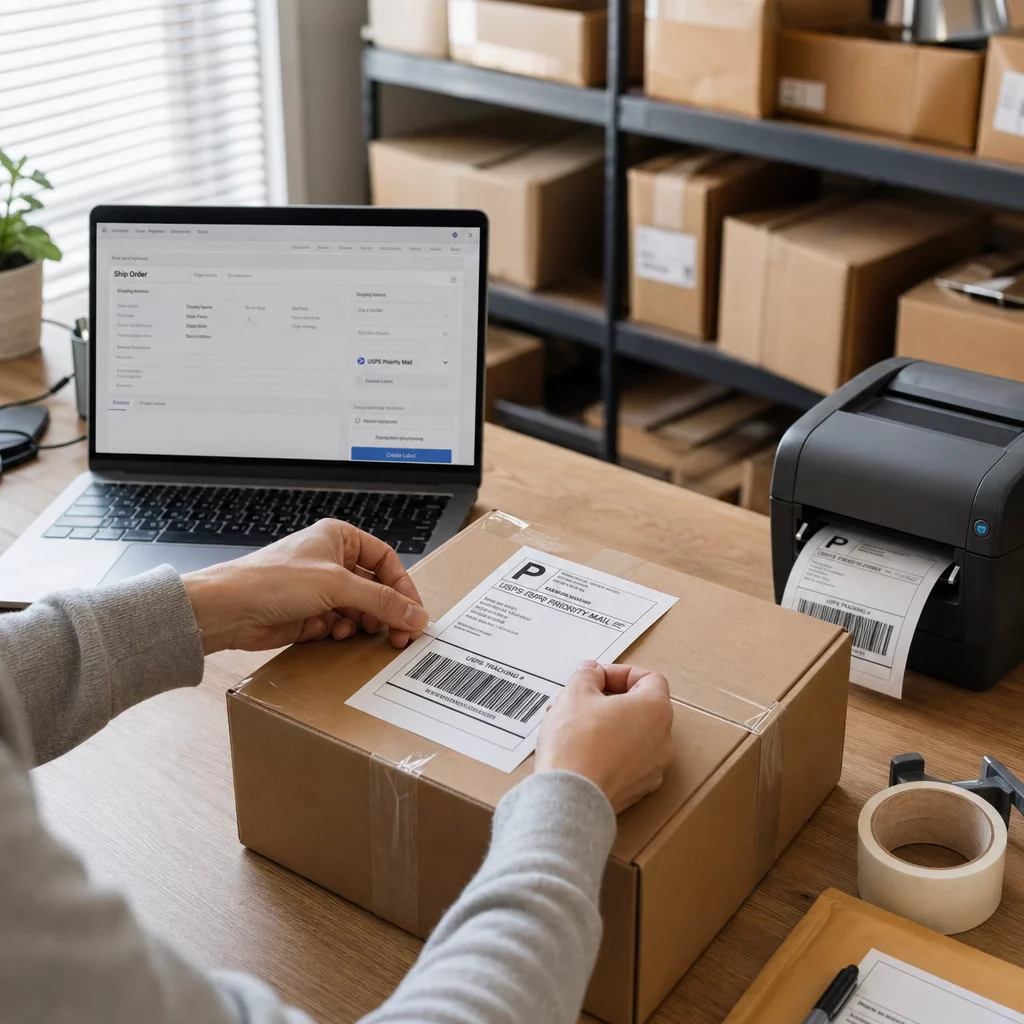
The simplest starting point for low-volume shippers is the carrier’s own platform. USPS, FedEx, and UPS all offer web-based label creation tools where you enter shipment details and the system automatically generates the correct barcode format for that carrier. You download the label as a PDF and print it. The advantage here is accuracy: the carrier controls the barcode specification, so there’s no guesswork about which format to use or how to encode the routing data.
Use Shipping Software
If you’re managing multiple orders or selling across several platforms, dedicated shipping software integrates directly with your store and automates label generation at scale. Platforms like ShipStation, EasyPost, and Shippo connect to multiple carriers and generate compliant labels with the correct barcodes built in. These tools also give you access to discounted postage rates and a dashboard for tracking shipments – an advantage over creating labels one at a time through a carrier portal.
Use a Barcode Generator
For custom workflows or specialized labeling needs, a standalone barcode generator lets you create specific barcode types – Code 128, GS1-128, or others – and incorporate them into your own label design. If you’re also managing product barcodes alongside shipping labels, understanding how to make a barcode from scratch gives you more control over the full process.
Verify Your Labels Before Printing at Scale Want to check whether a barcode is actually scannable before committing to a large print run? Use the Pageloot Barcode Scanner to test your label barcodes directly from an image upload – no hardware scanner required.
Print Quality Standards That Carriers Enforce
Generating the correct barcode type is only half the job. How you print it determines whether scanners can read it reliably. Carriers publish specific quality requirements, and failing to meet them causes scan failures even when the barcode data itself is correct.
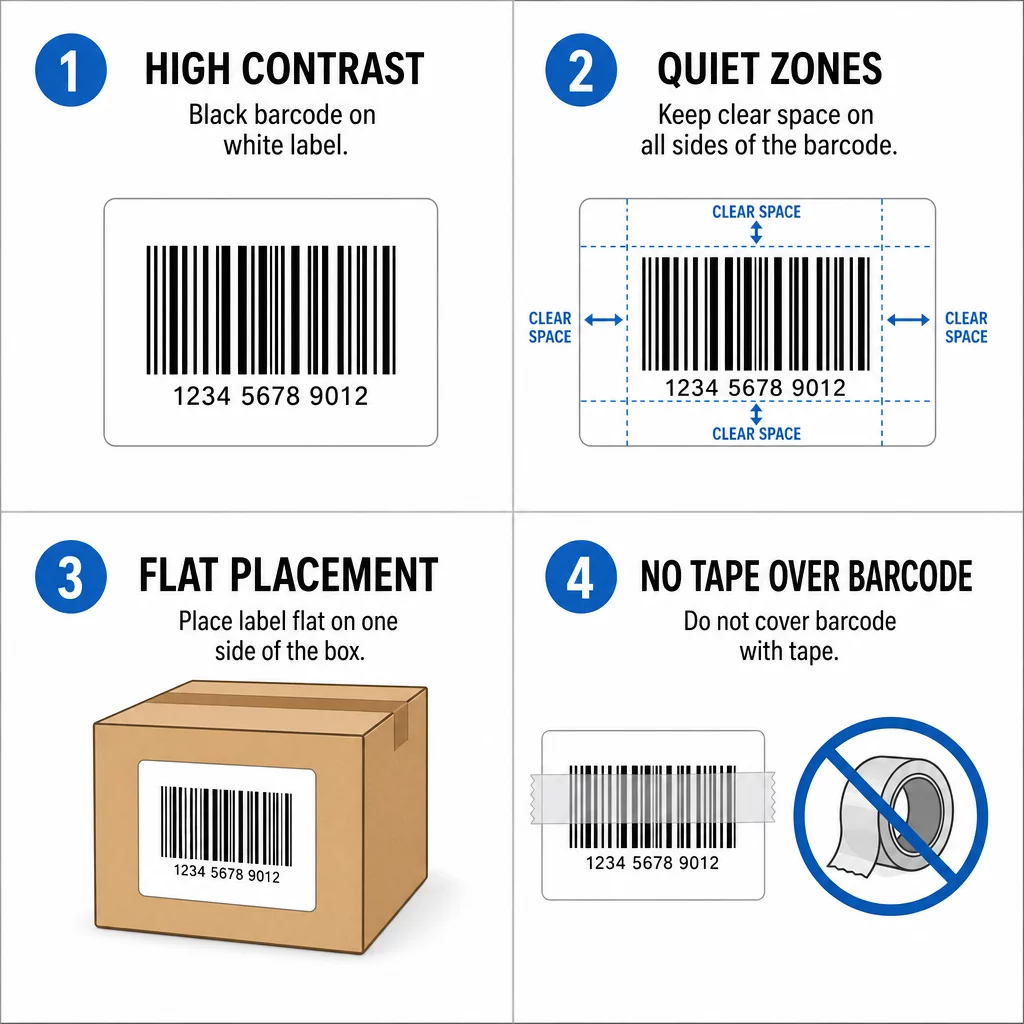
Contrast and substrate. USPS requires barcodes to be printed on a substrate of uniform color and meet reflectance-related requirements. In practice, this means black ink on white or very light backgrounds. Avoid printing barcodes on colored, textured, or glossy surfaces that reduce contrast.
ANSI grade requirements. USPS specifies that all barcodes in a mailing must measure ANSI grade C or above, with 70% achieving grade A or B. ANSI grading assesses bar width consistency, edge definition, and contrast – qualities that determine whether an automated scanner can decode the barcode accurately and quickly.
Quiet zones. Every barcode needs a clear, unmarked border around it – a “quiet zone” – that tells the scanner where the barcode begins and ends. USPS requires quiet zones on both sides of the barcode measuring at least 10 times the X dimension (the width of the narrowest bar). Crowding the barcode with nearby text, logos, or design elements violates this requirement and can cause misreads.
Label placement. FedEx’s packaging guidelines are explicit: do not wrap a label around the corner of a package, and keep the label and packing slip on the same face of the box. A barcode that spans a corner physically distorts under scanning and will likely fail. The label surface also needs to lie flat – any bubbles or wrinkles directly under the barcode will interrupt the scan.
No tape over the barcode. Both FedEx and USPS flag this as a common mistake. Even clear tape causes light reflection issues with overhead scanners, which can make an otherwise perfect barcode unreadable. Leave the barcode area completely uncovered.
What Information a Shipping Label Barcode Encodes
A shipping label is more than a mailing address. The barcode on it encodes several layers of data that carriers use at each stage of the delivery chain:
- Sender name and address, including return address if applicable
- Recipient name, address, and ZIP+4 routing code
- Tracking number for real-time shipment updates
- Service type (Ground, Priority, Express, etc.)
- Package weight and dimensions
- Routing code directing sorting equipment to the correct facility
When this data is encoded correctly and the barcode prints cleanly, the package moves through automated systems without any human intervention. Errors in any of these fields – or a barcode that won’t scan – pull the package out of the automated flow and into slower manual handling.
Choosing the Right Label Material

Label material affects both how well a barcode prints and how long it stays scannable. Paper labels are affordable and work well for standard domestic shipments handled in normal conditions. They’re compatible with most thermal printers and produce high-contrast output suitable for barcode scanning.
For packages that will be exposed to moisture, extreme temperatures, or outdoor conditions, polypropylene labels hold up significantly better. They’re water-resistant, smudge-proof, and harder to tear – all meaningful advantages for packages that spend time in transit through varied environments.
On the printing side, thermal transfer (TT) labels last longer than direct thermal (DT) labels. DT labels are heat-sensitive and can start to fade within six months; TT labels are more durable and better suited for packages that may sit in storage before or after shipment.
Shipping Barcodes vs. QR Codes
You may have noticed QR codes appearing on some shipping documentation and wondered whether they could replace traditional linear barcodes. The short answer for carrier-facing labels is no – the major carriers use specific barcode formats (GS1-128, MaxiCode) that their sorting infrastructure is built around, and substituting a QR code won’t work in those automated systems.
That said, QR codes play a growing role in other parts of the fulfillment process. For customer-facing packaging, returns processing, and order fulfillment workflows, QR codes offer advantages that traditional barcodes can’t match – higher data capacity, damage tolerance, and the ability to link to dynamic content. For a direct comparison of when to use each format, see barcode vs. QR code.
If you’re selling through Amazon and need to understand the specific barcode labeling requirements for FBA shipments, the Amazon FBA barcode labels guide covers those requirements in detail.
Frequently Asked Questions
USPS requires a properly prepared GS1-128 barcode on each parcel, encoded with the correct ZIP Code or ZIP+4 routing code. All barcodes must meet ANSI grade C or above, with 70% achieving grade A or B.
No. Both FedEx and USPS advise against placing any tape – including clear tape – over the barcode area. Clear tape creates light reflection that interferes with overhead scanners and can make an otherwise valid barcode unreadable.
You don’t need industrial equipment for low-volume shipping. A desktop thermal label printer produces high-quality, high-contrast barcodes suitable for carrier scanning. Standard inkjet and laser printers can work in a pinch but are less reliable for barcode printing and not recommended for consistent results.