How can you modernize patient check-ins without risking a data breach? Paper systems are slow and prone to errors, yet digital shifts often trigger HIPAA compliance concerns. This guide explains how to deploy QR codes safely using encryption, dynamic links, and secure management practices.
Navigating the Regulatory Landscape for Medical QR Codes
In the United States, any digital tool used to handle patient information must align with the Health Insurance Portability and Accountability Act (HIPAA) and the HITECH Act. These regulations require that Protected Health Information (PHI) is encrypted and that access is strictly controlled to ensure secure health data sharing across different departments. Healthcare organizations face significant pressure, as 2023 saw 133 million health data breaches, making it essential to use tools that meet federal regulatory compliance standards to avoid penalties.
Beyond HIPAA, the FDA mandates the use of Unique Device Identification (UDI) for medical equipment, often using QR codes to link to digital instructions or maintenance logs. If your facility handles health data through apps or wearables not covered by HIPAA, the FTC Health Breach Notification Rule still applies. This rule requires you to notify consumers immediately if unsecured health data is compromised, a risk that increases as QR scams rose seven times in 2022.
Best Practices for Data Security and Privacy
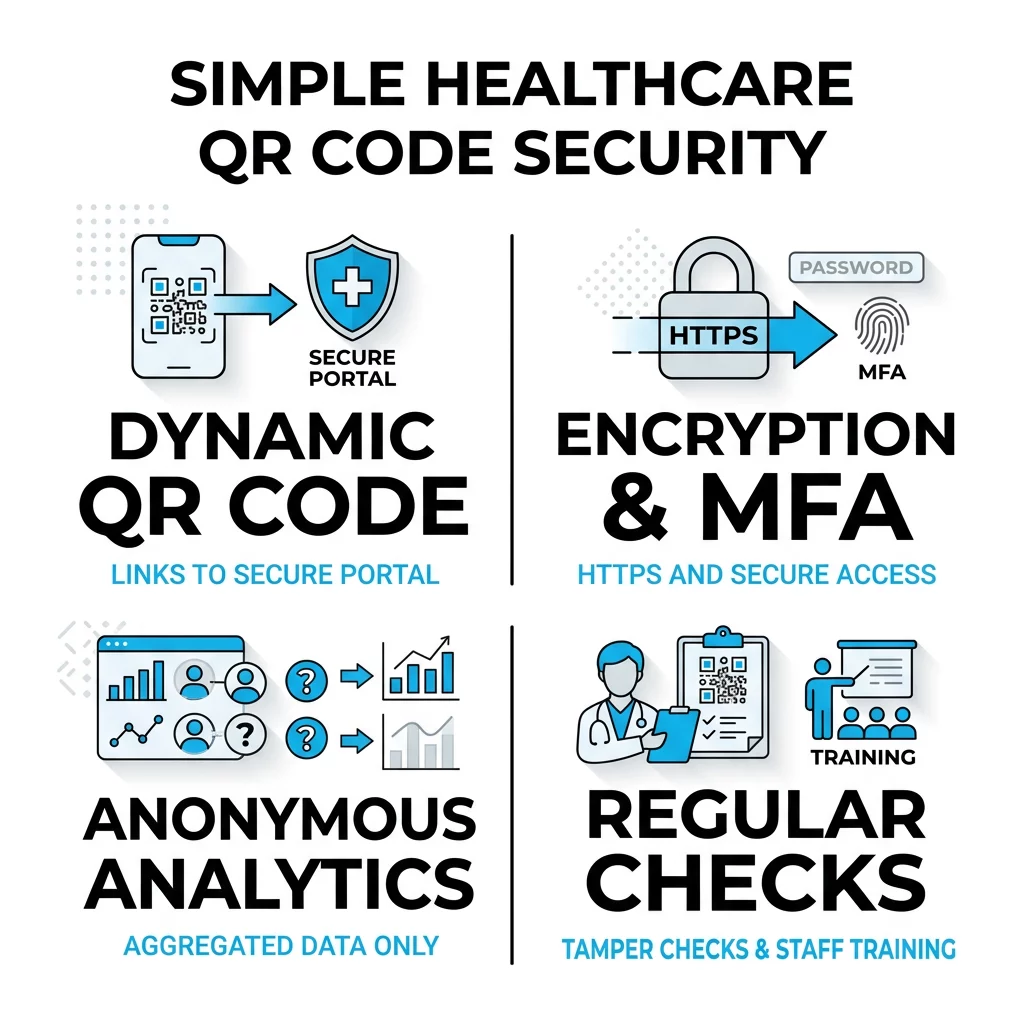
The most critical rule for medical environments is to never encode PHI directly into a static QR code. Because static codes cannot be changed once printed and do not offer native encryption, they represent a significant risk for data interception. Instead, you should utilize secure QR code generation methods that rely on dynamic links.
Implementing Encryption and Access Controls
Dynamic codes act as a secure bridge, linking to a remote URL rather than storing data within the pattern itself. This approach allows you to update the destination or revoke access instantly if you detect a security threat. To maintain a secure environment, you must ensure every landing page uses HTTPS encryption and consider adding password protection or multi-factor authentication for sensitive records. Utilizing role-based access control ensures that only authorized staff can view specific data sets, which helps mitigate QR code privacy risks in high-traffic areas.
Anonymizing Analytics and Data Collection
While tracking scan volume is helpful for workflow management, your analytics platform must prioritize patient privacy. You should configure your data collection to focus on aggregated, non-identifying metrics such as scan counts and general geographic trends. Following GDPR and analytics compliance standards ensures that technical data like IP addresses are anonymized, preventing the accidental creation of a digital footprint that could be traced back to an individual patient.
Secure Your Practice: Create dynamic, password-protected codes with the Pageloot QR Code Generator to maintain compliance while streamlining your clinical workflows.
Practical Use Cases in Medical Settings
Implementing QR technology can significantly reduce administrative bottlenecks and improve the accuracy of the information shared between clinicians and their patients. These digital touchpoints transform physical materials into interactive gateways for real-time information.
Streamlining Patient Check-in
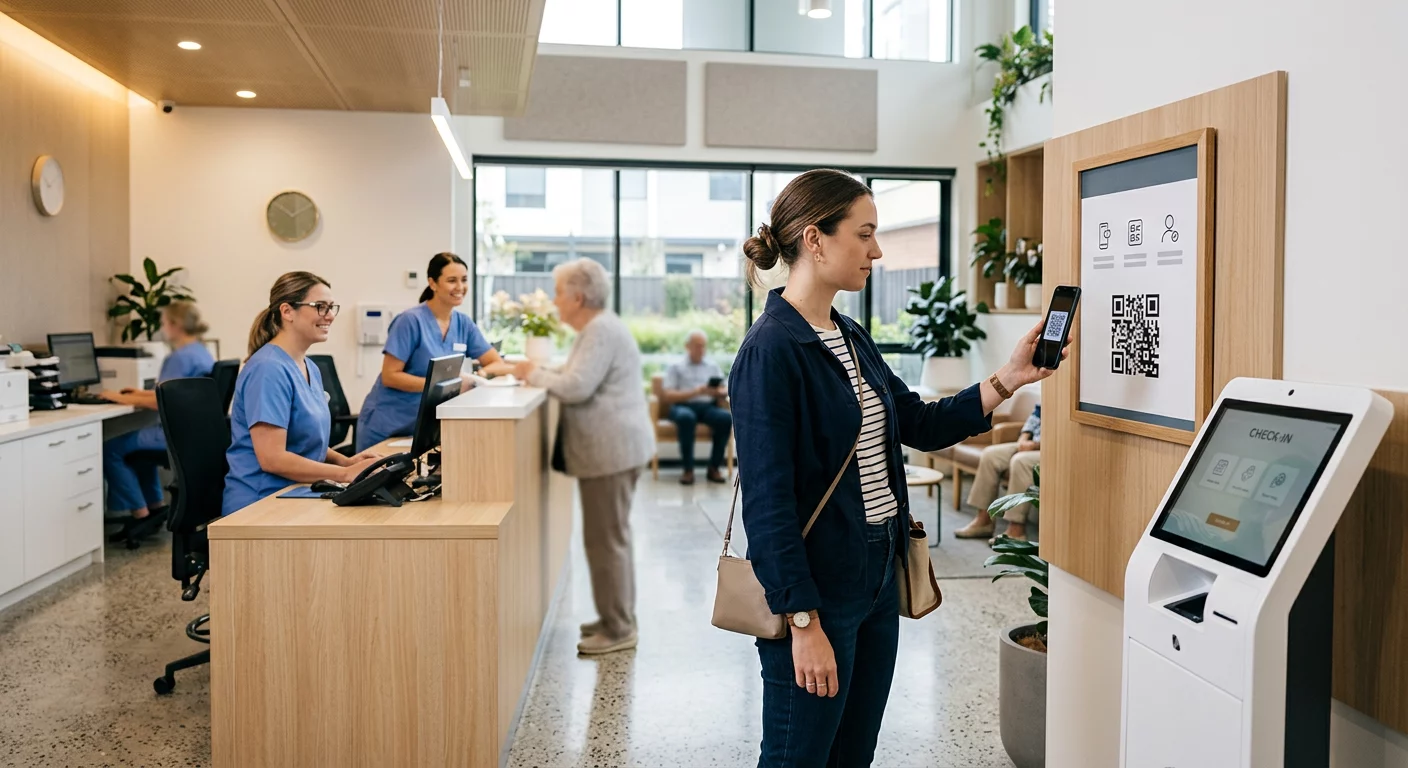
Hospitals have reported significant efficiency gains by placing QR codes at facility entrances. For instance, some NYC hospitals saw a 40% reduction in check-in times, while other facilities managed to vaccinate up to 1,000 people per day by moving intake forms to a digital format. Patients can scan a code to fill out digital forms on their own devices, which minimizes physical contact and reduces the manual data entry errors that often plague paper systems.
Improving Medication Adherence and Instructions
You can improve patient safety and adherence by adding a PDF QR code to medication packaging or discharge summaries. This provides patients with instant access to video tutorials or detailed digital pamphlets that are much easier to read than the small-print labels found on pill bottles. Digital instructions can also be updated instantly if the manufacturer issues new safety guidance, ensuring the patient always has the most current information.
Inventory and Equipment Tracking
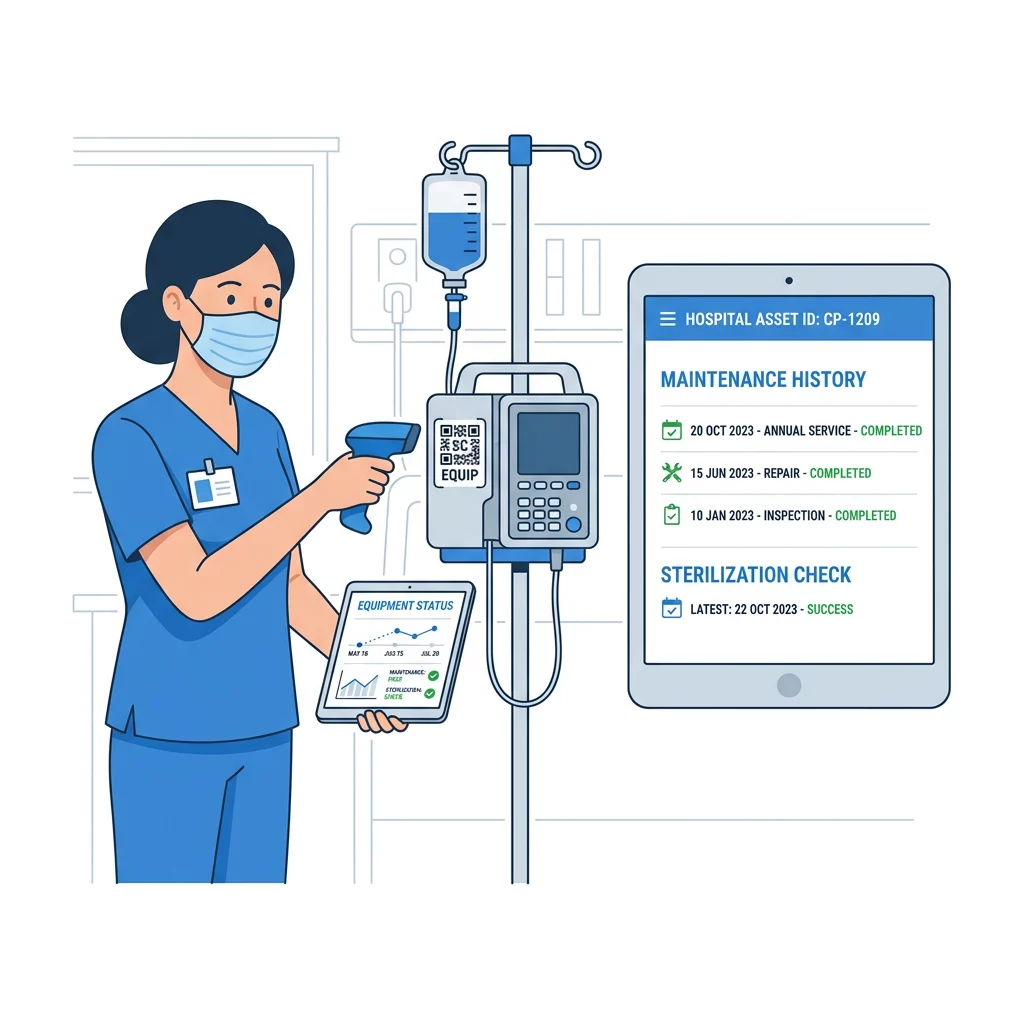
For facility administrators, tracking medical equipment with QR codes simplifies complex inventory audits. Staff can scan a code on a ventilator or infusion pump to see its maintenance history, sterilization status, and user manuals immediately. This reduces the time spent searching for physical logs and ensures that equipment is always ready for patient use.
Enhancing Staff Communication
Clinicians often need to share contact details quickly during shift changes or when consulting with visiting specialists. Using vCard QR codes on ID badges allows staff to exchange professional contact information instantly. This ensures that communication channels remain accurate and open, reducing the risk of lost notes or miscommunicated phone numbers during critical handoffs.
Design, Usability, and Accessibility
A QR code is only effective if it is accessible to your entire patient population, including the elderly and those with visual or motor impairments. Following established usability best practices ensures that your codes work reliably in the varying lighting conditions found in clinical settings.
- Maintain high contrast by using dark foreground colors on a light background, aiming for a 4:1 contrast ratio to ensure the scanner can distinguish the modules.
- Observe proper sizing by making codes at least 0.8 x 0.8 inches for close-range use, or follow the 10:1 scanning ratio for signage viewed from a distance.
- Provide clear context by including a descriptive call-to-action, such as “Scan for patient portal login,” so users understand the destination before they scan.
- Leave an adequate quiet zone around the code, which is the empty whitespace that helps scanners identify the boundaries of the QR symbol.
Before deploying new signage, it is a standard safety procedure to test the codes with a reliable QR code scanner. This verification step ensures the links remain active and the landing pages are mobile-responsive across different devices used by patients.
Mitigating Security Risks and Tampering
Healthcare and construction sectors are currently targeted 19 times more often by QR-related attacks than other industries. One common threat is “quishing,” or QR phishing, where attackers place physical stickers with malicious codes over legitimate medical signage. In early 2024, researchers found over 500,000 phishing emails containing QR codes in PDFs, highlighting the sophistication of these campaigns.
To protect your facility, you should conduct regular physical audits of all displayed QR codes to check for overlays or signs of tampering. Using branded designs with your clinic’s logo and specific colors makes it much harder for an attacker to swap your code for a generic fake. Educating both staff and patients to verify that the URL in their mobile browser matches your official hospital domain is the final line of defense against spoofed landing pages. Reviewing phishing and business risks regularly will help your security team stay ahead of emerging threats like credential theft or session hijacking.
FAQ
QR codes are a delivery mechanism, not a storage tool. They are HIPAA compliant if they do not contain PHI within the code itself and instead link to an encrypted, authenticated landing page managed by a provider with a signed Business Associate Agreement (BAA).
To use QR codes for payments safely, you must ensure the linked payment processor uses tokenization and encryption. Never link a QR code to a page that displays unmasked credit card numbers or sensitive billing details without requiring a secure, authenticated login first.
If you use a dynamic QR code, you can update the destination URL through your management dashboard at any time without reprinting your materials. This allows you to correct broken links or update patient instructions instantly while keeping the same physical code in place. By integrating these strategies, you can leverage QR technology to build a more responsive and patient-centric healthcare environment. Start by using professional tools that prioritize encryption and global privacy standards to ensure your digital transformation remains secure. Reach out to Pageloot today to explore how our dynamic solutions can support your facility’s compliance and efficiency goals.