Are you struggling to get viewers to engage with your video content beyond just pressing play? Passive viewership prevents customers from taking the next step, resulting in missed conversion opportunities. This guide explains how to use QR codes to launch interactive video experiences that drive measurable engagement and higher click-through rates.
Bridging Physical Spaces and Digital Interaction
Traditional video marketing often acts as a one-way street where the audience watches without a clear path to interact. Interactive videos change this dynamic by allowing users to click, shop, or choose their own narrative path directly within the player. Statistics suggest that these interactive formats can achieve click-through rates up to 10 times higher than standard, linear videos.
Connecting these high-performing digital experiences to physical marketing materials requires a reliable bridge. With over 102 million Americans expected to scan QR codes by 2026, these tools have become the standard for connecting offline audiences to online content. This is particularly relevant for younger demographics, as roughly half of Millennial and Gen Z consumers now use QR codes at least once a week.
Strategic Use Cases for Interactive Video QR Codes
Implementing QR codes for video content involves more than just linking to a play button. For marketers, the goal is to create an immersive experience that feels personalized and responsive to the user’s immediate environment.
- Shoppable Product Demos: Place a code on product packaging that launches a video where users can tap items on-screen to add them to a digital cart.
- Instructional Onboarding: Include codes in physical assembly manuals to trigger step-by-step video tutorials, which reduces customer frustration and the need for support tickets.
- Branching Narrative Marketing: Launch a “choose-your-own-adventure” style video from a flyer or billboard to keep users engaged longer as they explore different outcomes.
- Virtual Tours and Real Estate: In-person signage can launch 360-degree interactive tours or video walkthroughs, allowing potential buyers to see a property’s potential instantly.
Create Your First Video QR Code Ready to turn your static marketing materials into an immersive video experience? Use the video QR code generator to upload and share your content in seconds.
Technical Standards for Reliable Scanning
To ensure your interactive video experience launches successfully every time, you must follow specific technical standards. A code that fails to scan or leads to a broken link will immediately disrupt the user experience and lower your campaign ROI.
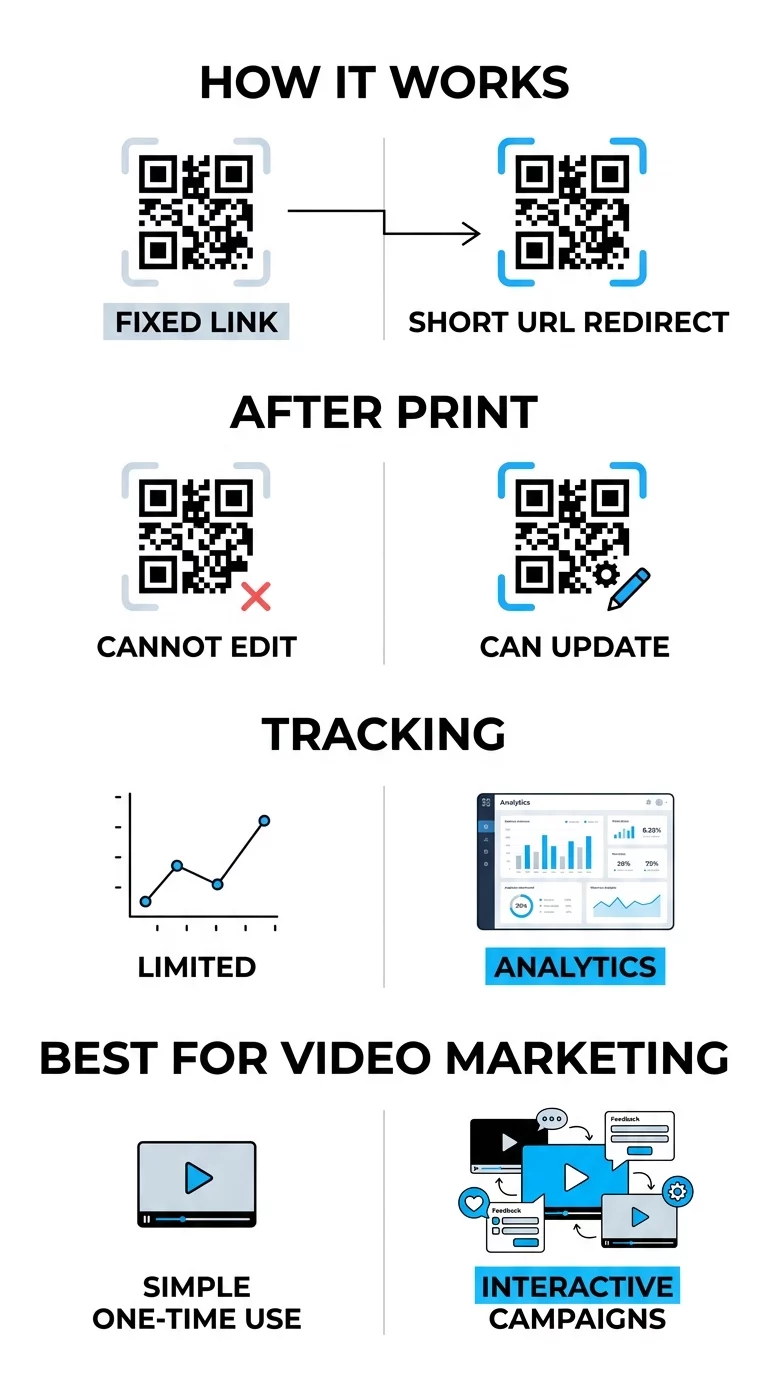
When launching interactive campaigns, it is essential to use dynamic QR codes rather than static ones. Static codes store data directly in the pattern, making them permanent and untrackable. In contrast, dynamic codes use a short redirect URL, allowing you to update the destination link or the interactive landing page even after the materials are printed.
High contrast is also a foundation of scannability. Think of the scanner like a high-speed reader that needs a clear distinction between the code and its background; darker colors absorb light while lighter colors reflect it. Maintaining a dark-on-light color scheme ensures the camera sensor can accurately distinguish the pattern. Additionally, the landing page must be mobile-friendly, as almost all QR scans occur on smartphones.
Tracking Performance and Engagement Metrics
One of the biggest advantages of using QR codes for interactive video is the ability to collect granular data. By tracking QR code scans in real-time, you can see exactly how your audience is interacting with your content and adjust your strategy accordingly.
- Total versus Unique Scans: This metric helps you determine the overall reach of your campaign and identify how many individual users are returning to the content.
- Geographic Data: Identify which physical locations or specific regions are driving the most video views to better allocate your marketing budget.
- Device and Operating System: Understanding whether your audience uses iOS or Android helps you optimize the interactive elements of your video player.
- Time-Based Trends: Monitor when your audience is most active to time future launches or promotional pushes more effectively.
Monitor Your Campaign Performance Want to see exactly where and when your customers are scanning your video materials? Use the QR code generator to create trackable codes and access a full performance dashboard.
Placement Strategies for Maximum Visibility
The physical placement of your QR code is just as important as the digital content it triggers. If a user does not see the code or does not understand the benefit of scanning it, the interactive experience will go unused.
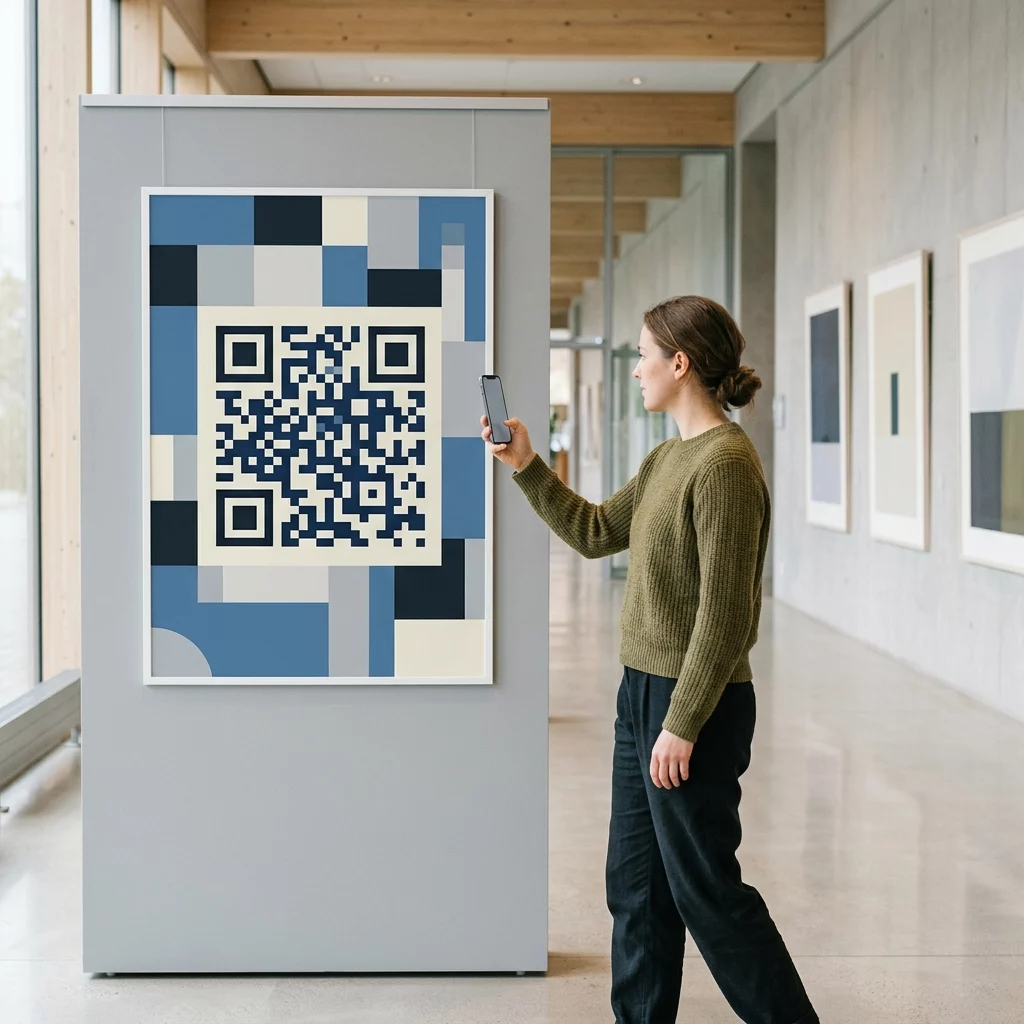
Place codes at eye level, generally between 3.5 and 5.5 feet from the ground, to ensure they fall within the user’s natural line of sight. On digital displays or presentation slides, ensure the code remains visible for at least 15 seconds so viewers have time to open their cameras. You should also include a clear call-to-action (CTA), such as “Scan to See it in Action,” which provides the user with a reason to engage. Customizing the code with your brand colors and logo can further increase trust and recognition, making users more likely to scan.
Frequently Asked Questions
Yes, provided you use a dynamic QR code. These codes allow you to update the destination URL or content through a central dashboard at any time without needing to reprint your materials.
This depends on the generator and the user’s device. Using a specialized YouTube QR code generator allows for smart redirects that can trigger the YouTube app directly for a more seamless viewing experience.
You should maintain a high contrast ratio and use matte finishes for printed materials to prevent glare. Always test the code on multiple devices and under various lighting conditions before full distribution.
To launch a successful interactive video campaign, you must select the right content and a management platform that provides the tracking and flexibility needed for optimization. By following these technical and strategic guidelines, you can turn passive viewers into active participants. Visit our guide on how to create QR codes for videos to begin building your first interactive experience today.