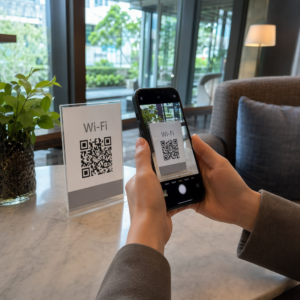
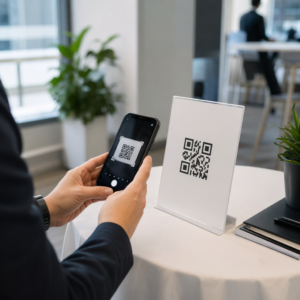
Perlu membantu pelanggan mencari lokasi anda tanpa membuat mereka menaip alamat? Kemasukan alamat secara manual menimbulkan geseran – dan pengunjung yang kecewa. Panduan ini membimbing anda mengubah mana-mana lokasi Google Maps menjadi kod QR yang boleh diimbas dalam beberapa minit.
Mendapatkan Pautan Lokasi Google Maps Anda
Sebelum anda menjana apa-apa, anda memerlukan pautan yang betul dari Google Maps. Pautan yang anda salin menentukan dengan tepat di mana pengguna akan mendarat apabila mereka mengimbas, jadi ketepatan di sini penting.
Cari dan Sematkan Lokasi Anda
Buka Google Maps dan cari destinasi anda. Anda boleh memasukkan nama perniagaan seperti “Starbucks Times Square,” alamat jalan penuh, atau mercu tanda yang dikenali. Jika lokasi tidak mempunyai alamat rasmi – tempat luar, pintu masuk taman, tempat letak kereta – tekan dan tahan pada mudah alih (atau klik pada desktop) untuk menjatuhkan pin di tempat yang tepat.
Setelah disematkan, zum masuk dan sahkan penanda berada di titik yang betul. Jika anda mengarahkan orang ke pintu masuk tertentu dan bukannya jejak bangunan umum, sesuaikan dengan sewajarnya. Langkah tambahan ini mengelakkan kekeliruan apabila pengunjung tiba.
Salin Pautan Lokasi
Dengan lokasi anda disahkan, ketik atau klik Kongsi butang:
- Pada mudah alih: Ketik nama lokasi di bahagian bawah skrin, kemudian ketik ikon Kongsi (anak panah ke atas) dan pilih “Salin ke Papan Keratan.”
- Pada desktop: Klik Kongsi dalam panel maklumat atau di bawah menu tiga titik, kemudian pilih “Salin Pautan.”
URL yang disalin biasanya adalah pautan pendek seperti `maps.app.goo.gl/xyz123`. Pautan yang lebih pendek menghasilkan kod QR yang lebih bersih, kurang padat yang mengimbas dengan lebih dipercayai. Sebelum meneruskan, tampal pautan ke dalam pelayar untuk mengesahkan ia membuka lokasi yang betul.
Jenis pautan yang berbeza mempunyai tujuan yang berbeza:
| Jenis Pautan | Apa Yang Dilakukannya | Contoh Kes Penggunaan |
|---|---|---|
| Pautan Tempat | Membuka perniagaan atau alamat tertentu | Berkongsi kedai atau pejabat |
| Pautan Carian | Memaparkan hasil untuk pertanyaan carian | Menunjukkan “restoran berhampiran lokasi” |
| Pautan Arah | Membuka laluan navigasi yang telah ditetapkan | Menghalakan tetamu dari lapangan terbang ke hotel |
Untuk Kod QR digunakan untuk arah dan perkongsian alamat, Pautan Tempat atau Pautan Arah biasanya berfungsi paling baik – ia melangkau langkah carian dan terus membawa pengguna ke navigasi.
Menjana Kod QR Anda
Dengan pautan anda sedia, lawati Cara buat QR location Google Maps dan tampal URL anda ke dalam medan input. Pilih jenis kod QR – “Pautan” atau “Peta” – dan kod akan dijana serta-merta.
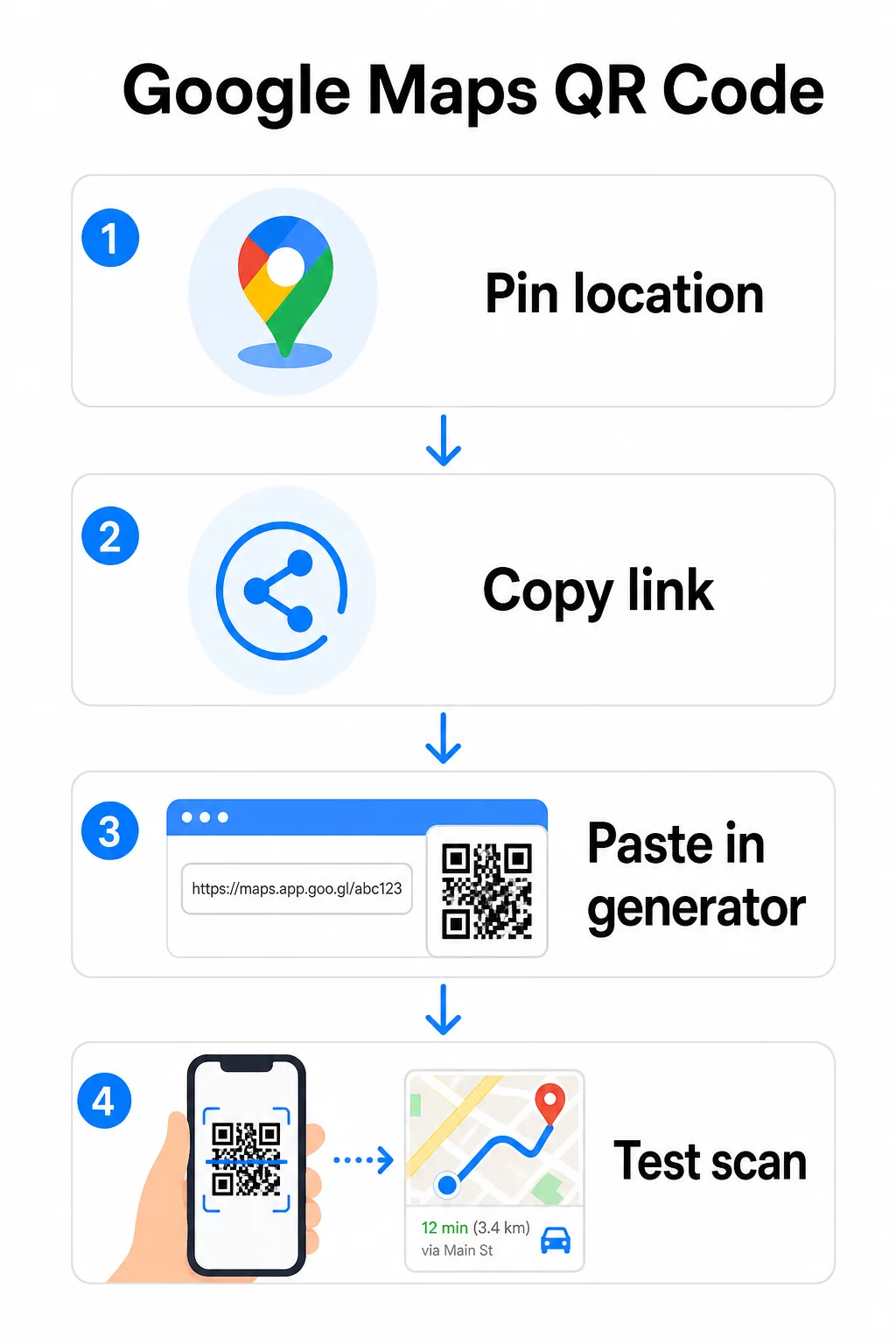
Untuk lokasi kekal tanpa perlu menukar destinasi, a kod QR statik adalah percuma dan tidak pernah luput. Muat turun sebagai PNG dan anda sedia menggunakannya.
Perlu kemas kini lokasi anda atau jejak data imbasan? Menggunakan Penjana Kod Pageloot QR untuk mencipta kod dinamik yang membolehkan anda menukar destinasi pada bila-bila masa dari papan pemuka anda – tiada pencetakan semula diperlukan.
Statik lwn. Dinamik: Yang Mana Anda Perlukan?
Kod QR statik mengekod pautan Google Maps terus ke dalam corak. Ia kekal, percuma, dan berfungsi tanpa sebarang akaun. Kelemahannya: jika lokasi anda berubah, anda perlu menjana dan mencetak semula kod baharu.
Kod QR dinamik menyimpan URL pengalihan pendek sebagai ganti. Anda mengawal ke mana pengalihan itu menunjuk dari papan pemuka Pageloot anda. Ini bermakna:
- Anda boleh mengemas kini destinasi tanpa menyentuh kod yang dicetak
- Anda mendapat analitik masa nyata – kiraan imbasan, jenis peranti, lokasi geografi, dan masa
- Anda boleh menguji dan menukar pautan destinasi untuk acara bermusim atau lokasi sementara
Jika anda mencetak kod pada papan tanda kekal, statik berfungsi dengan baik. Untuk kempen, acara, lokasi pop-up, atau sebarang situasi di mana destinasi mungkin berubah, kod dinamik adalah pilihan praktikal.
Menyesuaikan Kod QR Anda
Kod QR hitam-putih biasa berfungsi, tetapi yang berjenama berprestasi lebih baik. Pilihan penyesuaian Pageloot membolehkan anda:
- Tambah logo syarikat anda ke tengah kod
- Tukar warna agar sepadan dengan palet jenama anda (pastikan corak gelap pada latar belakang cerah untuk pengimbasan yang boleh dipercayai)
- Pilih daripada pelbagai bentuk modul: Bulat, Sengkang, atau Berlian
- Tambah bingkai Seruan Tindakan dengan teks seperti “Imbas untuk Arah” atau “Cari Kami di Peta”
Apabila menambah logo atau warna, gunakan tahap pembetulan ralat Q atau H. Tetapan ini membolehkan kod QR kekal boleh diimbas walaupun sehingga 25–30% daripada corak dihalang oleh logo atau kerosakan kecil. Pastikan logo tidak melebihi 30% daripada jumlah kawasan kod dan pastikan ia tidak bertindih dengan tiga petak “pencari” di sudut.
Untuk bahan cetakan, muat turun kod anda sebagai fail SVG, PDF, atau EPS. Format vektor ini kekal tajam pada sebarang saiz – penting untuk percetakan format besar seperti poster atau papan tanda kedai.
Inginkan kod lokasi berjenama penuh? Yang Penjana Kod QR Pautan menyokong warna tersuai, logo, dan gaya bingkai dengan percubaan percuma 14 hari – tiada kad kredit diperlukan.
Ujian Sebelum Anda Menerbitkan
Sentiasa uji kod QR anda sebelum mencetaknya atau melancarkan kempen langsung. Kod yang rosak atau salah arah merosakkan kepercayaan dan membazirkan kos cetakan.
Lakukan semakan senarai ini:
- Imbas dengan aplikasi kamera asli telefon anda pada kedua-dua iOS dan Android
- Sahkan pautan membuka lokasi yang betul dalam Google Maps
- Uji pada peranti tanpa aplikasi Google Maps dipasang – ia sepatutnya mengalihkan ke Google Maps dalam pelayar
- Imbas dari pelbagai jarak dan dalam keadaan pencahayaan yang berbeza
- Jika anda telah menyesuaikan reka bentuk, sahkan petak pencari sudut dan zon senyap (sempadan kosong di sekeliling kod) tidak terhalang
Untuk kegunaan cetakan, saiz minimum 2 × 2 inci (kira-kira 5 × 5 cm) memastikan kebanyakan peranti boleh mengimbas dengan andal pada jarak dekat. Untuk bahan yang dilihat dari jauh – poster, sepanduk, paparan tingkap – besarkan secara berkadaran. Garis panduan umum: kod hendaklah sekurang-kurangnya satu per sepuluh jarak dari mana orang akan mengimbasnya.
Isu dan penyelesaian biasa:
| Masalah Pengimbasan | Penyelesaian |
|---|---|
| Kod kabur atau berpiksel | Eksport sebagai SVG, PDF, atau EPS untuk cetakan |
| Pengimbas gagal mengecam kod | Tingkatkan kontras; latar depan gelap pada latar belakang cerah |
| Logo menghalang pengimbasan | Pastikan logo tidak menutupi petak sudut; gunakan pembetulan ralat yang lebih tinggi |
| Kod terlalu kecil | Besarkan kepada sekurang-kurangnya 2 × 2 inci untuk bahan fizikal |
| Pautan membuka lokasi yang salah | Sahkan semula pautan Kongsi yang disalin dalam Peta Google sebelum menjana |
Untuk butiran lanjut mengenai saiz, kontras, dan piawaian penempatan, lihat amalan terbaik untuk kebolehbacaan kod QR dan garis panduan kebolehgunaan kod QR.
Di Mana Menggunakan Kod QR Peta Google
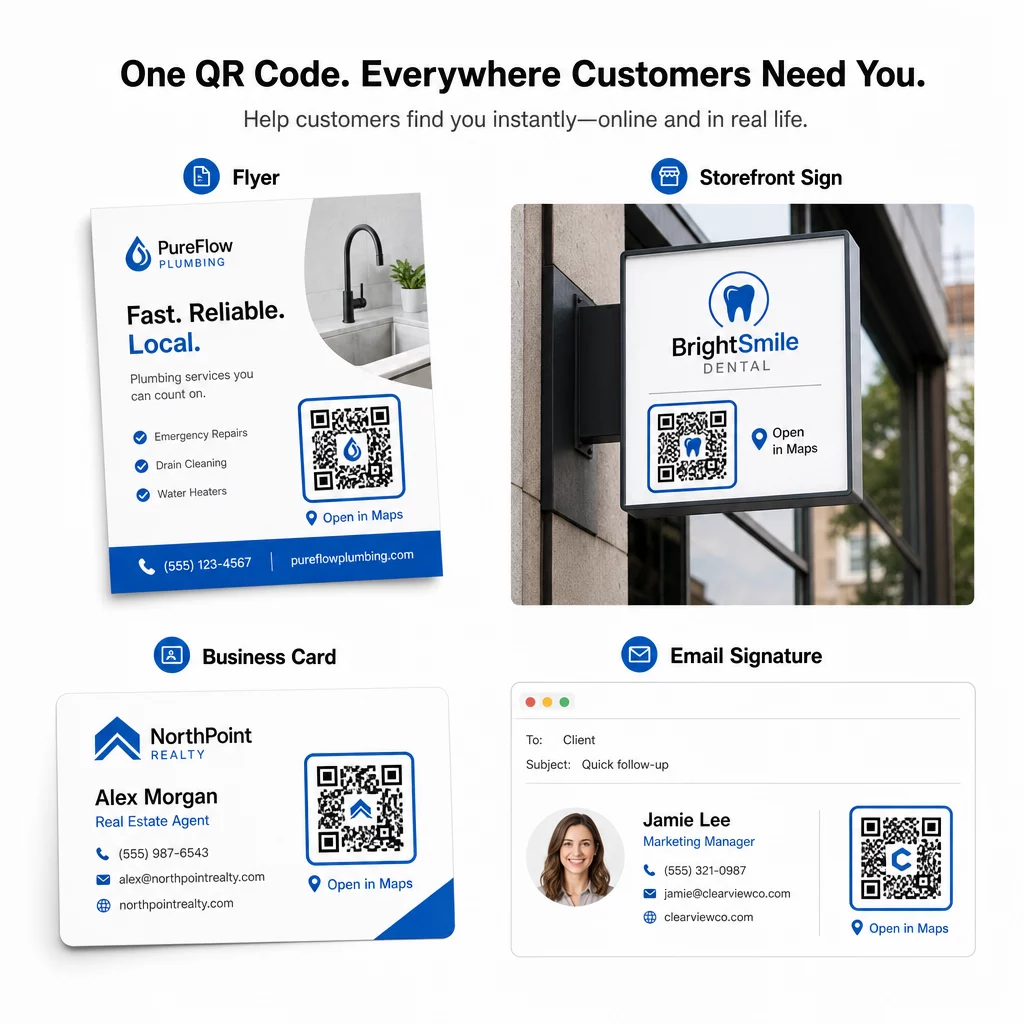
Setelah diuji, kod QR anda sedia untuk digunakan merentasi saluran cetak dan digital:
Bahan cetak:
- Kad perniagaan – gantikan alamat bercetak dengan kod yang boleh diimbas
- Risalah dan brosur – bimbing tetamu acara terus ke lokasi
- Tingkap kedai dan tanda pintu – bantu pelanggan mencari tempat letak kereta atau pintu masuk alternatif
- Papan tanda hartanah – arahkan pembeli ke lokasi rumah terbuka
- Pembungkusan produk – pautkan pelanggan ke lokasi runcit fizikal anda
Saluran digital:
- Tandatangan e-mel – gantikan alamat statik dengan kod lokasi yang boleh diimbas
- Siaran dan Cerita media sosial – promosikan lokasi baharu atau lokasi acara
- Pengaki laman web – biarkan pelawat membuka arah dalam satu ketukan
- Menu digital – bantu pelanggan mencari lokasi kedua atau pejabat katering
Dalam setiap penempatan, sertakan seruan tindakan yang jelas berhampiran kod. “Imbas untuk Arah” atau “Buka dalam Peta” memberitahu pengguna dengan tepat apa yang berlaku apabila mereka mengimbas, yang meningkatkan penglibatan. Untuk panduan mengenai kedudukan dan saiz merentasi bahan yang berbeza, yang Panduan penempatan kod QR untuk pemasaran meliputi cadangan khusus format secara terperinci.
Perbandingan Pelan Pageloot
| CIRI | Pelan Percuma | Pelan Pro | Tersuai/Perusahaan |
|---|---|---|---|
| Jenis Kod QR | Statik Sahaja | Dinamik & Statik | Dinamik & Statik |
| Pautan Boleh Diedit | Tidak | ya | ya |
| Analitik Imbasan | Tiada | Masa Nyata (lokasi, peranti) | Sejarah penuh & pandangan pakar |
| Had Imbasan Tahunan | Tanpa Had (statik) | 250,000 | Tersuai |
| Penyesuaian | Asas (warna, logo) | Pilihan reka bentuk lanjutan | Integrasi jenama penuh |
| Harga Bulanan | $0 | $38.34 | $106.52 |
Pelan percuma merangkumi kod statik kekal tanpa tamat tempoh dan imbasan tanpa had. Pelan berbayar membuka kunci penyuntingan dinamik, analitik masa nyata, dan penyesuaian lanjutan. Pelan Permulaan bermula pada $4.86/bulan dengan 2 kod dinamik dan 15,000 imbasan tahunan – sesuai untuk perniagaan kecil yang menguji format. Semua pelan berbayar termasuk percubaan percuma 14 hari tanpa kad kredit diperlukan.
Seperti yang dikatakan oleh Lucas Jansen, seorang pemaju hartanah yang menggunakan kod QR lokasi Pageloot:
“Ini adalah alat yang sangat baik dan kod QR membawa anda tepat ke tempat yang anda inginkan.”
Untuk lokasi kekal, kod statik percuma adalah laluan paling mudah. Untuk apa-apa yang memerlukan kemas kini, penjejakan, atau pengukuran kempen, kod dinamik memberi anda fleksibiliti dan data untuk diperbaiki dari masa ke masa. Mulakan dengan menyalin pautan Google Maps anda, menjana kod anda di Cara buat QR location Google Maps, dan mengujinya pada peranti sebenar sebelum ia disiarkan.
Soalan lazim
Untuk kebanyakan kegunaan, salin Pautan Tempat dari butang Kongsi dalam Google Maps – ia membuka lokasi tepat terus dalam Google Maps atau pelayar. Jika anda ingin menghantar pengguna terus ke navigasi belok demi belok dari titik permulaan yang tetap, gunakan Pautan Arah sebaliknya. Sentiasa tampal pautan itu ke dalam pelayar dahulu untuk mengesahkan ia menuju ke lokasi yang betul sebelum menjana kod.
Selepas menyemat lokasi anda dalam Google Maps, gunakan butang Kongsi dan salin URL yang disediakannya. Pautan ini terikat pada koordinat sematan tertentu, bukan sekadar carian umum. Elakkan menyalin URL dari bar alamat pelayar anda semasa melayari peta – versi itu mungkin tidak dapat menyelesaikan dengan pasti ke titik yang disematkan. Tampal pautan Kongsi ke dalam pelayar untuk mengesahkan sebelum menjana kod QR.
Gunakan format vektor – SVG, EPS, atau PDF – untuk sebarang aplikasi cetakan. Fail vektor boleh diskalakan ke sebarang saiz tanpa kehilangan ketajaman, tidak seperti eksport PNG atau JPEG yang boleh kelihatan berpiksel pada dimensi cetakan besar. Untuk bahan cetakan, pastikan juga resolusi anda sekurang-kurangnya 300 DPI dan kod itu berukuran sekurang-kurangnya 2 × 2 inci untuk pengimbasan jarak dekat yang boleh dipercayai.