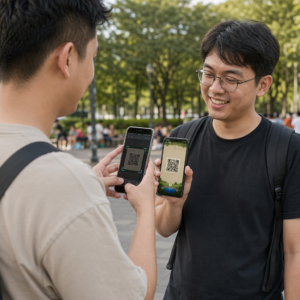
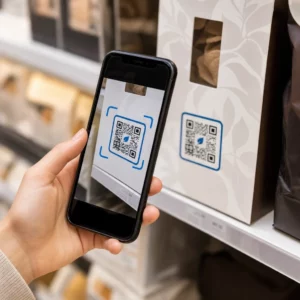
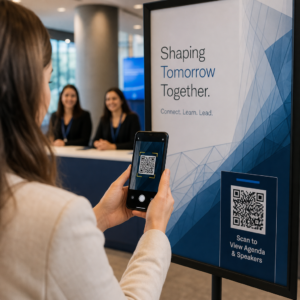
Trebate pomoć kupcima da pronađu vašu lokaciju, a da ne moraju da kucaju adresu? Ručni unos adrese stvara trenje – i frustrirane posetioce. Ovaj vodič vas provodi kroz pretvaranje bilo koje lokacije sa Google mapa u skenabilni QR kod za nekoliko minuta.
Dobijanje linka vaše lokacije sa Google mapa
Pre nego što bilo šta generišete, potreban vam je pravi link sa Google mapa. Link koji kopirate određuje tačno gde će korisnici sleteti kada skeniraju, tako da je preciznost ovde važna.
Pronađite i zakačite svoju lokaciju
Otvorite Google mape i pretražite svoju destinaciju. Možete uneti naziv preduzeća kao što je “Starbucks Times Square”, punu adresu ulice ili prepoznatljiv orijentir. Ako lokacija nema formalnu adresu – mesto na otvorenom, ulaz u park, parking – pritisnite i držite na mobilnom (ili kliknite na desktopu) da biste postavili pin na tačno mesto.
Kada je zakačeno, zumirajte i potvrdite da se marker nalazi na pravom mestu. Ako usmeravate ljude na određeni ulaz, a ne na opšti otisak zgrade, prilagodite se u skladu s tim. Ovaj dodatni korak sprečava zabunu kada posetioci stignu.
Kopirajte link lokacije
Kada je vaša lokacija potvrđena, dodirnite ili kliknite na Podelite dugme:
- Na mobilnom: Dodirnite naziv lokacije na dnu ekrana, zatim dodirnite ikonu za deljenje (strelica nagore) i izaberite “Kopiraj u međuspremnik”.”
- Na računaru: Kliknite na Deli u informativnom panelu ili ispod menija sa tri tačke, zatim izaberite “Kopiraj link”.”
Kopirani URL je obično skraćeni link poput `maps.app.goo.gl/xyz123`. Kraći linkovi proizvode čistije, manje guste QR kodove koji se pouzdanije skeniraju. Pre nego što nastavite, nalepite link u pretraživač da biste potvrdili da otvara ispravnu lokaciju.
Različiti tipovi linkova služe različitim svrhama:
| Tip linka | Šta radi | Primer slučaja upotrebe |
|---|---|---|
| Link za mesto | Otvara određeni posao ili adresu | Deljenje izloga ili kancelarije |
| Link za pretragu | Prikazuje rezultate za upit pretrage | Prikazivanje “restorana u blizini lokacije” |
| Link za uputstva | Otvara unapred podešenu rutu navigacije | Uputstvo gostima od aerodroma do hotela |
За QR kodovi koji se koriste za uputstva i deljenje adrese, link za mesto ili link za uputstva obično najbolje funkcionišu – oni preskaču korak pretrage i direktno prebacuju korisnika u navigaciju.
Generisanje vašeg QR koda
Kada je vaš link spreman, posetite Google Maps QR kod generator i nalepite svoj URL u polje za unos. Izaberite tip QR koda – “Link” ili “Mape” – i kod se odmah generiše.
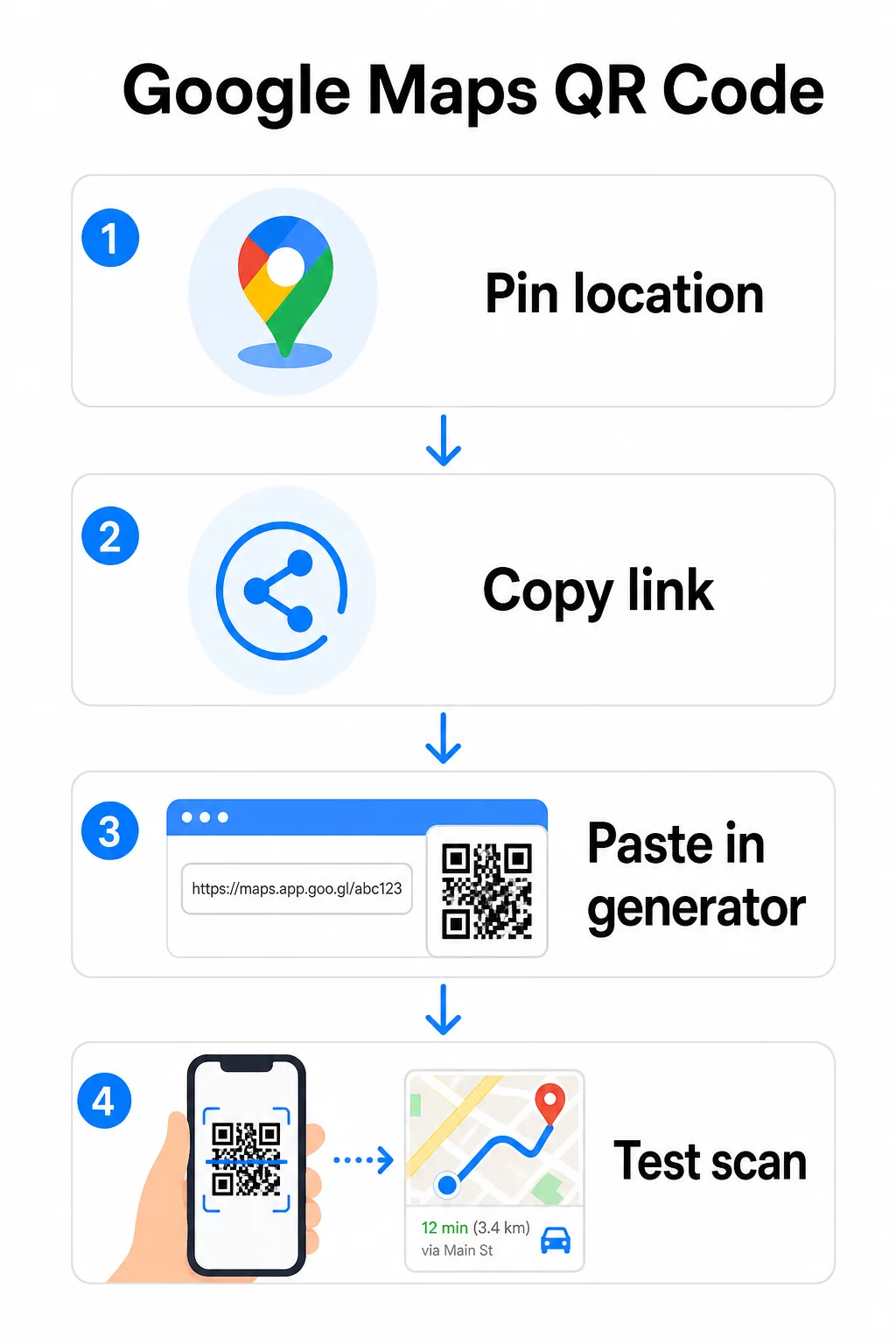
Za stalnu lokaciju bez potrebe za promenom odredišta, a статички КР код je besplatan i nikada ne ističe. Preuzmite ga kao PNG i spremni ste da ga koristite.
Trebate da ažurirate svoju lokaciju ili pratite podatke o skeniranju? Користити Пагелоот генератор КР кодова za kreiranje dinamičkog koda koji vam omogućava da promenite odredište bilo kada sa vaše kontrolne table – nije potrebno ponovno štampanje.
Statički vs. Dinamički: Koji vam je potreban?
Statički QR kod direktno kodira link Google mapa u obrazac. Trajan je, besplatan i radi bez ikakvog naloga. Kompromis: ako se vaša lokacija promeni, morate generisati i ponovo odštampati novi kod.
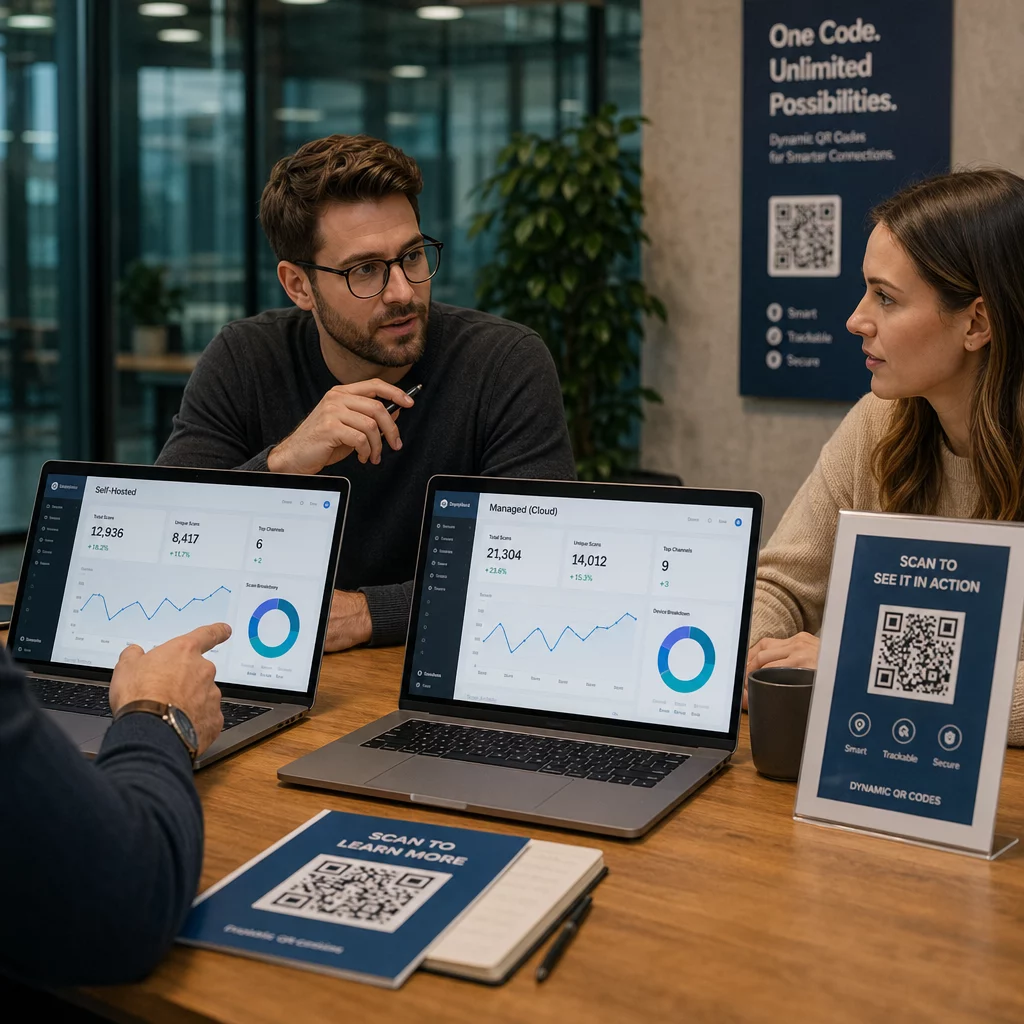
Dinamički QR kod umesto toga čuva kratak URL za preusmeravanje. Vi kontrolišete gde to preusmeravanje vodi sa vaše Pageloot kontrolne table. To znači:
- Možete ažurirati odredište bez dodirivanja odštampanog koda
- Dobijate analitiku u realnom vremenu – broj skeniranja, tipovi uređaja, geografske lokacije i vreme
- Možete testirati i menjati linkove odredišta za sezonske događaje ili privremena mesta
Ako štampate kodove na trajnim natpisima, statički funkcioniše dobro. Za kampanje, događaje, privremene lokacije ili bilo koju situaciju gde se odredište može promeniti, dinamički kodovi su praktičan izbor.
Prilagođavanje vašeg QR koda
Običan crno-beli QR kod funkcioniše, ali brendirani postiže bolje rezultate. Opcije prilagođavanja Pageloot-a vam omogućavaju da:
- Dodajte logo vaše kompanije u centar koda
- Promenite boje da odgovaraju paleti vašeg brenda (držite tamne obrasce na svetloj pozadini za pouzdano skeniranje)
- Izaberite između različitih oblika modula: Okrugli, Crtica ili Dijamant
- Dodajte okvir sa pozivom na akciju sa tekstom poput “Skenirajte za uputstva” ili “Pronađite nas na mapama”
Kada dodajete logo ili boje, koristite nivo korekcije grešaka Q ili H. Ova podešavanja omogućavaju da QR kod ostane skeniran čak i ako je do 25–30% šablona zaklonjeno logom ili manjim oštećenjem. Držite logotipe na ne više od 30% ukupne površine koda i osigurajte da se ne preklapaju sa tri ugaona “pronalazačka” kvadrata.
Za štampane materijale, preuzmite svoj kod kao SVG, PDF ili EPS datoteku. Ovi vektorski formati ostaju oštri u bilo kojoj veličini – ključno za štampanje velikog formata kao što su posteri ili natpisi na izlozima.
Želite potpuno brendiran kod lokacije? Тхе Generator QR kodova za linkove podržava prilagođene boje, logotipe i stilove okvira uz 14-dnevnu besplatnu probu – kreditna kartica nije potrebna.
Testiranje pre objavljivanja
Uvek testirajte svoj QR kod pre nego što ga predate za štampu ili aktivnu kampanju. Neispravan ili pogrešno usmeren kod narušava poverenje i rasipa troškove štampe.
Prođite kroz ovu kontrolnu listu:
- Skenirajte pomoću izvorne aplikacije kamere vašeg telefona na iOS-u i Androidu
- Potvrdite da veza otvara ispravnu lokaciju u Google mapama
- Testirajte na uređaju bez instalirane aplikacije Google Maps – trebalo bi da preusmeri na Google Maps u pregledaču
- Skenirajte sa više udaljenosti i pod različitim svetlosnim uslovima
- Ako ste prilagodili dizajn, potvrdite da ugaoni kvadrati za pronalaženje i tiha zona (prazna ivica oko koda) nisu zaklonjeni
Za štampanu upotrebu, minimalna veličina od 2 × 2 inča (približno 5 × 5 cm) obezbeđuje da većina uređaja može pouzdano da skenira izbliza. Za materijale koji se gledaju sa udaljenosti – postere, banere, izloge – proporcionalno povećajte veličinu. Opšta smernica: kod bi trebalo da bude najmanje jedna desetina udaljenosti sa koje će ga ljudi skenirati.
Uobičajeni problemi i rešenja:
| Problem sa skeniranjem | Rešenje |
|---|---|
| Zamućen ili pikselizovan kod | Izvezite kao SVG, PDF ili EPS za štampu |
| Skener ne prepoznaje kod | Povećajte kontrast; tamni prednji plan na svetloj pozadini |
| Logo blokira skeniranje | Uverite se da logo ne prekriva ugaone kvadrate; koristite višu korekciju grešaka |
| Kod je premali | Povećajte na najmanje 2 × 2 inča za fizičke materijale |
| Link otvara pogrešnu lokaciju | Ponovo proverite kopirani link za deljenje u Google mapama pre generisanja |
Za više detalja o standardima veličine, kontrasta i postavljanja, pogledajte najbolje prakse za čitljivost QR kodova и smernice za upotrebljivost QR koda.
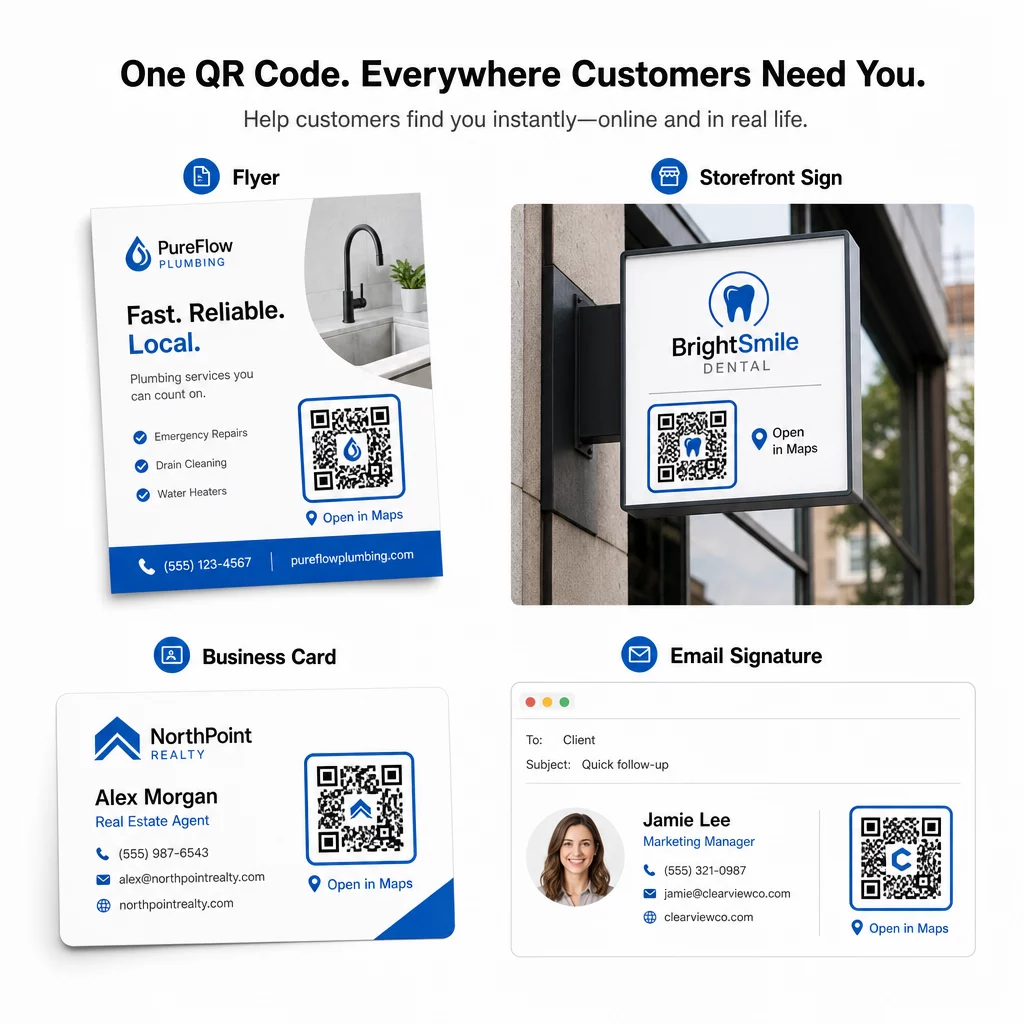
Gde koristiti QR kodove Google mapa
Nakon testiranja, vaš QR kod je spreman za primenu na štampanim i digitalnim kanalima:
Štampani materijali:
- Vizit karte – zamenite štampane adrese kodom koji se može skenirati
- Flajeri i brošure – usmerite goste događaja direktno na lokaciju
- Izlozi prodavnica i natpisi na vratima – pomozite kupcima da pronađu parking ili alternativne ulaze
- Oznake za nekretnine – usmerite kupce na lokacije otvorenih vrata
- Pakovanje proizvoda – povežite kupce sa vašom fizičkom maloprodajnom lokacijom
Digitalni kanali:
- Potpisi u e-pošti – zamenite statične adrese kodom lokacije koji se može skenirati
- Objave i priče na društvenim mrežama – promovišite novu lokaciju ili mesto događaja
- Podnožja veb-sajtova – omogućite posetiocima da otvore uputstva jednim dodirom
- Digitalni meniji – pomozite gostima da pronađu drugu lokaciju ili kancelariju za ketering
Na svakom mestu, uključite jasan poziv na akciju pored koda. “Skenirajte za uputstva” ili “Otvori u mapama” govori korisnicima šta se tačno dešava kada skeniraju, što povećava angažovanje. Za smernice o pozicioniranju i veličini na različitim materijalima, Vodič za postavljanje QR koda za marketing detaljno pokriva preporuke specifične za format.
Poređenje Pageloot planova
| FUNKCIJA | Besplatan plan | Pro plan | Prilagođeno/Preduzeće |
|---|---|---|---|
| Врста КР кода | Samo statičko | Dinamičko i statičko | Dinamičko i statičko |
| Linkovi koji se mogu uređivati | Не | да | да |
| Analitika skeniranja | Nema | U realnom vremenu (lokacija, uređaj) | Kompletna istorija i stručni uvidi |
| Godišnji limit skeniranja | Neograničeno (statičko) | 250,000 | Prilagođeni |
| Подешавање | Osnovno (boje, logo) | Napredne opcije dizajna | Potpuna integracija brenda |
| Mesečna cena | $0 | $38.34 | $106.52 |
Besplatan plan pokriva trajne statičke kodove bez isteka i neograničeno skeniranje. Plaćeni planovi otključavaju dinamičko uređivanje, analitiku u realnom vremenu i napredno prilagođavanje. Starter plan počinje od $4.86/mesečno sa 2 dinamička koda i 15.000 godišnjih skeniranja – pogodno za mala preduzeća koja testiraju format. Svi plaćeni planovi uključuju 14-dnevnu besplatnu probnu verziju bez potrebe za kreditnom karticom.
Kako je to rekao Lucas Jansen, developer nekretnina koji koristi Pageloot-ove QR kodove za lokaciju:
“Ovo je odličan alat i QR kodovi vas vode tačno tamo gde želite.”
Za stalne lokacije, besplatan statički kod je najjednostavniji put. Za sve što zahteva ažuriranja, praćenje ili merenje kampanje, dinamički kodovi vam daju fleksibilnost i podatke za poboljšanje tokom vremena. Započnite kopiranjem linka Google mapa, generisanjem koda na Google Maps QR kod generator, i testiranjem na stvarnom uređaju pre nego što se objavi.
Često postavljana pitanja
Za većinu upotreba, kopirajte vezu do mesta sa dugmeta Podeli u Google mapama – ona otvara tačnu lokaciju direktno u Google mapama ili pretraživaču. Ako želite da pošaljete korisnike direktno u navigaciju korak po korak sa fiksne početne tačke, umesto toga koristite vezu za uputstva. Uvek prvo nalepite vezu u pretraživač da biste potvrdili da vodi do pravog mesta pre nego što generišete kod.
Nakon što ste označili svoju lokaciju u Google Maps, koristite dugme Deli i kopirajte URL koji pruža. Ovaj link je vezan za specifične koordinate oznake, a ne samo za opštu pretragu. Izbegavajte kopiranje URL-a iz adresne trake vašeg pretraživača dok pregledate mapu – ta verzija možda neće pouzdano voditi do označene tačke. Zalepite link za deljenje u pretraživač da biste proverili pre nego što generišete QR kod.
Koristite vektorski format – SVG, EPS ili PDF – za bilo koju primenu u štampi. Vektorski fajlovi se skaliraju na bilo koju veličinu bez gubitka oštrine, za razliku od PNG ili JPEG izvoza koji mogu izgledati pikselizovano pri velikim dimenzijama štampe. Za štampane materijale, takođe obezbedite da je vaša rezolucija najmanje 300 DPI i da kod meri najmanje 2 × 2 inča za pouzdano skeniranje iz blizine.