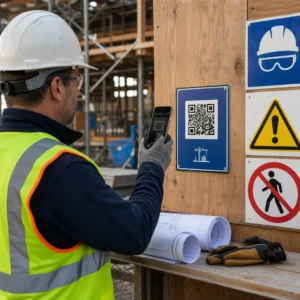
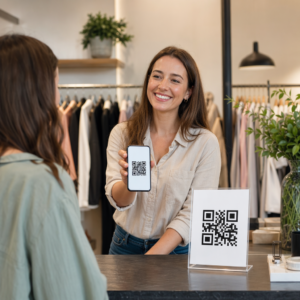
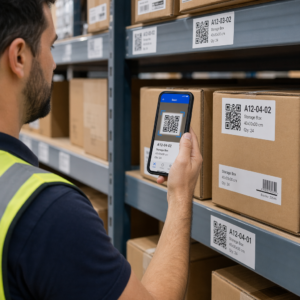
Trebate pomoći kupcima da pronađu vašu lokaciju, a da ne moraju upisivati adresu? Ručni unos adrese stvara trenje – i frustrirane posjetitelje. Ovaj vodič vas provodi kroz pretvaranje bilo koje lokacije s Google karata u QR kod koji se može skenirati u nekoliko minuta.
Dobivanje veze do vaše lokacije na Google kartama
Prije nego što išta generirate, potrebna vam je ispravna veza s Google karata. Veza koju kopirate određuje točno gdje će korisnici sletjeti kada skeniraju, tako da je preciznost ovdje važna.
Pronađite i označite svoju lokaciju
Otvorite Google karte i potražite svoje odredište. Možete unijeti naziv tvrtke poput “Starbucks Times Square”, punu uličnu adresu ili prepoznatljivu znamenitost. Ako lokacija nema formalnu adresu – vanjsko mjesto, ulaz u park, parkiralište – pritisnite i držite na mobilnom uređaju (ili kliknite na stolnom računalu) kako biste postavili pribadaču na točno mjesto.
Nakon što je označeno, zumirajte i potvrdite da se oznaka nalazi na pravom mjestu. Ako ljude usmjeravate na određeni ulaz, a ne na opći tlocrt zgrade, prilagodite se. Ovaj dodatni korak sprječava zabunu kada posjetitelji stignu.
Kopirajte vezu lokacije
Nakon što potvrdite svoju lokaciju, dodirnite ili kliknite Podijelite gumb:
- Na mobilnom uređaju: Dodirnite naziv lokacije na dnu zaslona, zatim dodirnite ikonu Dijeli (strelica prema gore) i odaberite “Kopiraj u međuspremnik”.”
- Na stolnom računalu: Kliknite Dijeli u informacijskoj ploči ili ispod izbornika s tri točke, zatim odaberite “Kopiraj vezu”.”
Kopirani URL je obično skraćena veza poput `maps.app.goo.gl/xyz123`. Kraće veze proizvode čišće, manje guste QR kodove koji se pouzdanije skeniraju. Prije nego što nastavite, zalijepite vezu u preglednik kako biste potvrdili da otvara ispravnu lokaciju.
Različite vrste veza služe različitim svrhama:
| Vrsta veze | Što radi | Primjer slučaja upotrebe |
|---|---|---|
| Veza za mjesto | Otvara određenu tvrtku ili adresu | Dijeljenje izloga ili ureda |
| Veza za pretraživanje | Prikazuje rezultate za upit za pretraživanje | Prikazivanje “restorana u blizini mjesta događaja” |
| Veza za upute | Otvara unaprijed postavljenu navigacijsku rutu | Usmjeravanje gostiju od zračne luke do hotela |
Za QR kodovi koji se koriste za upute i dijeljenje adrese, veza za mjesto ili veza za upute obično najbolje funkcioniraju – preskaču korak pretraživanja i izravno prebacuju korisnika u navigaciju.
Generiranje vašeg QR koda
Kada je vaša veza spremna, posjetite Google karte QR kod generator i zalijepite svoj URL u polje za unos. Odaberite vrstu QR koda – “Veza” ili “Karte” – i kod se odmah generira.
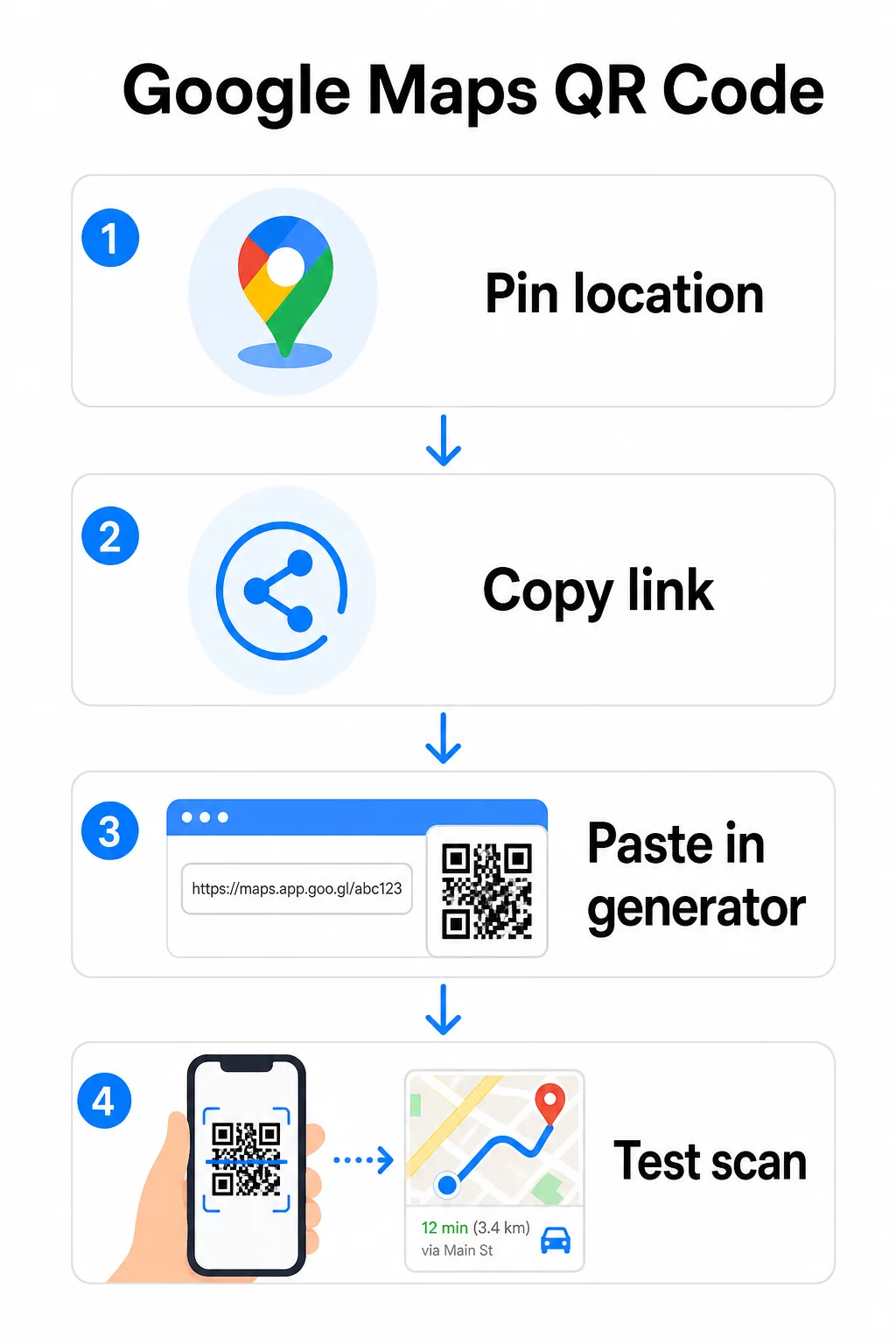
Za trajnu lokaciju bez potrebe za promjenom odredišta, a statički QR kod je besplatan i nikad ne istječe. Preuzmite ga kao PNG i spreman je za korištenje.
Trebate ažurirati svoju lokaciju ili pratiti podatke o skeniranju? Koristiti Pageloot Generator QR kodova za stvaranje dinamičkog koda koji vam omogućuje promjenu odredišta bilo kada s vaše nadzorne ploče – nije potrebno ponovno ispisivanje.
Statički vs. Dinamički: Koji vam treba?
Statički QR kod izravno kodira vezu Google karata u uzorak. Trajan je, besplatan i radi bez ikakvog računa. Kompromis: ako se vaša lokacija promijeni, morate generirati i ponovno ispisati novi kod.
Dinamički QR kod umjesto toga pohranjuje kratki URL za preusmjeravanje. Vi kontrolirate kamo to preusmjeravanje vodi s vaše Pageloot nadzorne ploče. To znači:
- Možete ažurirati odredište bez dodirivanja ispisanog koda
- Dobivate analitiku u stvarnom vremenu – broj skeniranja, vrste uređaja, geografske lokacije i vrijeme
- Možete testirati i mijenjati veze odredišta za sezonske događaje ili privremena mjesta
Ako ispisujete kodove na trajnim natpisima, statički dobro funkcionira. Za kampanje, događaje, privremene lokacije ili bilo koju situaciju gdje se odredište može promijeniti, dinamički kodovi su praktičan izbor.
Prilagodba vašeg QR koda
Običan crno-bijeli QR kod radi, ali brendirani radi bolje. Pagelootove opcije prilagodbe omogućuju vam da:
- Dodate logotip svoje tvrtke u središte koda
- Promijenite boje kako bi odgovarale paleti vašeg brenda (držite tamne uzorke na svijetloj pozadini za pouzdano skeniranje)
- Odaberete između različitih oblika modula: Okrugli, Crtica ili Dijamant
- Dodate okvir s pozivom na akciju s tekstom poput “Skeniraj za upute” ili “Pronađi nas na kartama”
Prilikom dodavanja logotipa ili boja, koristite razinu ispravljanja pogrešaka Q ili H. Ove postavke omogućuju da QR kod ostane skeniran čak i ako je do 25–30% uzorka zaklonjeno logotipom ili manjim oštećenjem. Logotipe držite na najviše 30% ukupne površine koda i osigurajte da se ne preklapaju s tri kutna “pronalazačka” kvadrata.
Za tiskane materijale, preuzmite svoj kod kao SVG, PDF ili EPS datoteku. Ovi vektorski formati ostaju oštri u bilo kojoj veličini – ključno za ispis velikog formata poput plakata ili natpisa na izlozima.
Želite potpuno brendirani kod lokacije? The Generator QR kodova za linkove podržava prilagođene boje, logotipe i stilove okvira uz 14-dnevnu besplatnu probu – kreditna kartica nije potrebna.
Testiranje prije objave
Uvijek testirajte svoj QR kod prije nego što ga pošaljete na ispis ili u kampanju uživo. Neispravan ili pogrešno usmjeren kod narušava povjerenje i uzrokuje nepotrebne troškove ispisa.
Prođite kroz ovaj kontrolni popis:
- Skenirajte s izvornom aplikacijom kamere vašeg telefona na iOS-u i Androidu
- Potvrdite da veza otvara ispravnu lokaciju u Google Kartama
- Testirajte na uređaju bez instalirane aplikacije Google Karte – trebalo bi preusmjeriti na Google Karte u pregledniku
- Skenirajte s više udaljenosti i pod različitim uvjetima osvjetljenja
- Ako ste prilagodili dizajn, potvrdite da kutni pronalazački kvadrati i tiha zona (prazan rub oko koda) nisu zaklonjeni
Za ispis, minimalna veličina je 2 × 2 inča (približno 5 × 5 cm) osigurava da većina uređaja može pouzdano skenirati iz blizine. Za materijale koji se gledaju s udaljenosti – plakate, bannere, izloge – proporcionalno povećajte. Opća smjernica: kod bi trebao biti najmanje jedna desetina udaljenosti s koje će ga ljudi skenirati.
Uobičajeni problemi i rješenja:
| Problem sa skeniranjem | Rješenje |
|---|---|
| Zamagljen ili pikseliziran kod | Izvezite kao SVG, PDF ili EPS za ispis |
| Skener ne prepoznaje kod | Povećajte kontrast; tamna prednja strana na svijetloj pozadini |
| Logo blokira skeniranje | Provjerite da logo ne prekriva kutne kvadrate; koristite veću korekciju pogrešaka |
| Kod je premalen | Povećajte na najmanje 2 × 2 inča za fizičke materijale |
| Veza otvara pogrešnu lokaciju | Ponovno provjerite kopiranu vezu za dijeljenje u Google Kartama prije generiranja |
Za više detalja o standardima veličine, kontrasta i postavljanja, pogledajte najbolje prakse za čitljivost QR koda i smjernice za upotrebljivost QR kodova.
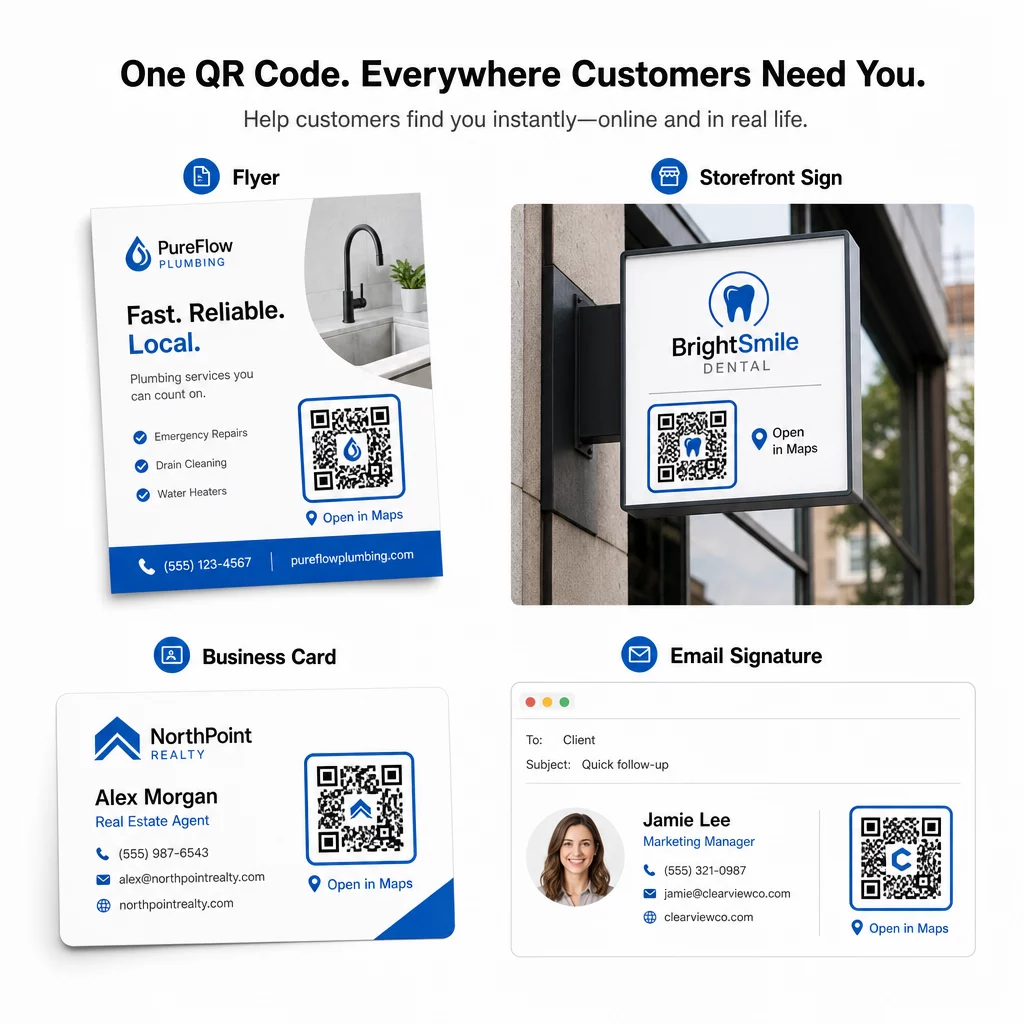
Gdje koristiti QR kodove Google karata
Nakon testiranja, vaš QR kod je spreman za implementaciju na ispisnim i digitalnim kanalima:
Ispisni materijali:
- Posjetnice – zamijenite ispisane adrese kodom koji se može skenirati
- Letci i brošure – usmjerite goste događaja izravno na lokaciju
- Izlozi trgovina i natpisi na vratima – pomozite kupcima pronaći parking ili alternativne ulaze
- Natpisi za nekretnine – usmjerite kupce na lokacije otvorenih vrata
- Pakiranje proizvoda – povežite kupce s vašom fizičkom maloprodajnom lokacijom
Digitalni kanali:
- Potpisi e-pošte – zamijenite statične adrese kodom lokacije koji se može skenirati
- Objave i priče na društvenim mrežama – promovirajte novu lokaciju ili mjesto događaja
- Podnožja web stranica – omogućite posjetiteljima otvaranje uputa jednim dodirom
- Digitalni jelovnici – pomozite gostima pronaći drugu lokaciju ili ured za catering
Na svakom mjestu, uključite jasan poziv na akciju blizu koda. “Skeniraj za upute” ili “Otvori u kartama” govori korisnicima što se točno događa kada skeniraju, što povećava angažman. Za smjernice o pozicioniranju i veličini na različitim materijalima, Vodič za postavljanje QR kodova za marketing detaljno pokriva preporuke specifične za format.
Usporedba Pageloot planova
| ZNAČAJKA | Besplatni plan | Pro plan | Prilagođeno/Poduzeće |
|---|---|---|---|
| Vrsta QR koda | Samo statično | Dinamično i statično | Dinamično i statično |
| Uredive veze | Ne | Da | Da |
| Analitika skeniranja | Nema | U stvarnom vremenu (lokacija, uređaj) | Potpuna povijest i stručni uvidi |
| Godišnje ograničenje skeniranja | Neograničeno (statično) | 250,000 | Prilagođeno |
| Prilagodba | Osnovno (boje, logotip) | Napredne opcije dizajna | Potpuna integracija robne marke |
| Mjesečna cijena | $0 | $38.34 | $106.52 |
Besplatni plan pokriva trajne statične kodove bez isteka i neograničeno skeniranje. Plaćeni planovi otključavaju dinamičko uređivanje, analitiku u stvarnom vremenu i naprednu prilagodbu. Početni plan počinje od 4,86 USD/mjesec s 2 dinamička koda i 15.000 godišnjih skeniranja – prikladan za male tvrtke koje testiraju format. Svi plaćeni planovi uključuju 14-dnevno besplatno probno razdoblje bez potrebe za kreditnom karticom.
Kako je to rekao Lucas Jansen, developer nekretnina koji koristi Pagelootove QR kodove lokacije:
“Ovo je izvrstan alat i QR kodovi vas vode točno tamo gdje želite.”
Za stalne lokacije, besplatni statički kod je najjednostavniji put. Za sve što zahtijeva ažuriranja, praćenje ili mjerenje kampanje, dinamički kodovi daju vam fleksibilnost i podatke za poboljšanje tijekom vremena. Započnite kopiranjem svoje Google karte veze, generiranjem koda na Google karte QR kod generator, i testiranjem na stvarnom uređaju prije nego što krene uživo.
Često postavljana pitanja
Za većinu upotreba, kopirajte vezu mjesta (Place Link) s gumba Dijeli u Google Kartama – ona otvara točnu lokaciju izravno u Google Kartama ili pregledniku. Ako želite korisnike poslati izravno u navigaciju skretanje po skretanje s fiksne početne točke, umjesto toga upotrijebite vezu za upute (Directions Link). Uvijek prvo zalijepite vezu u preglednik kako biste potvrdili da vodi na pravo mjesto prije generiranja koda.
Nakon što ste označili svoju lokaciju u Google Kartama, koristite gumb Dijeli i kopirajte URL koji vam pruža. Ova je veza povezana s određenim koordinatama oznake, a ne samo s općim pretraživanjem. Izbjegavajte kopiranje URL-a iz adresne trake preglednika dok pregledavate kartu – ta se verzija možda neće pouzdano razriješiti na označenu točku. Zalijepite vezu za dijeljenje u preglednik kako biste provjerili prije generiranja QR koda.
Koristite vektorski format – SVG, EPS ili PDF – za bilo koju primjenu u tisku. Vektorske datoteke se skaliraju na bilo koju veličinu bez gubitka oštrine, za razliku od PNG ili JPEG izvoza koji mogu izgledati pikselizirano pri velikim dimenzijama ispisa. Za tiskane materijale, također osigurajte da je vaša rezolucija najmanje 300 DPI i da kod mjeri najmanje 2 × 2 inča za pouzdano skeniranje iz blizine.