
Adakah pengurus komuniti anda terbeban dengan daftar masuk manual, permintaan Wi-Fi, dan konflik tempahan bilik mesyuarat? Mengendalikan kesesakan pentadbiran secara manual membazir masa kakitangan dan menimbulkan masalah kepada ahli yang mengharapkan persekitaran layan diri yang pantas. Mengintegrasikan kod QR strategik di seluruh kemudahan anda mengautomasikan titik sentuh utama dan memodenkan pengurusan ruang kerja harian anda.
Kes Penggunaan Kod QR Praktikal untuk Pengurus Ruang Kerja Bersama
Menggunakan titik masuk tanpa sentuhan di seluruh ruang kerja anda membantu menghapuskan barisan dan membolehkan pasukan anda menumpukan pada pembinaan komuniti daripada tugas sokongan berulang. Dengan menukar titik sentuhan fizikal kepada titik akses digital serta-merta, anda boleh memperkemas aliran kerja harian untuk ahli biasa dan pelawat harian.
Daftar Masuk Ahli dan Pelawat Tanpa Sentuhan
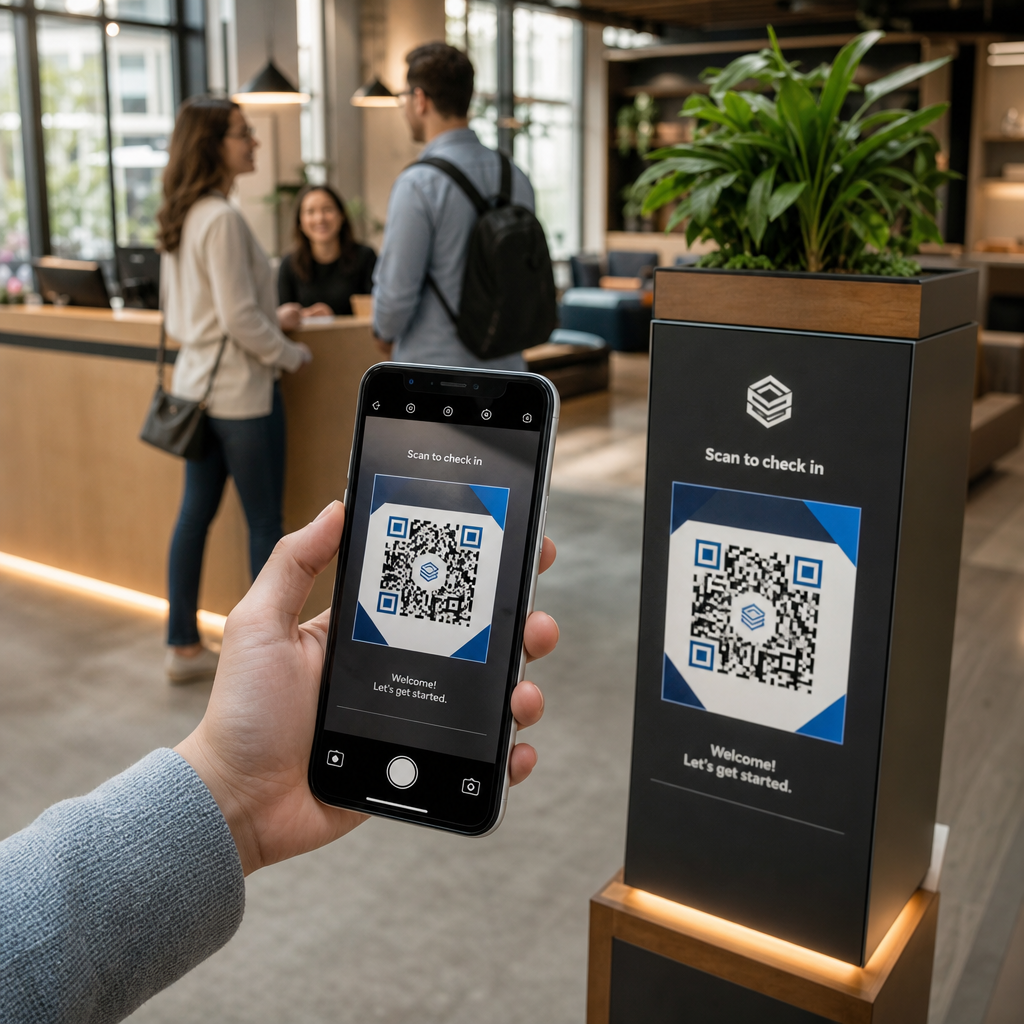
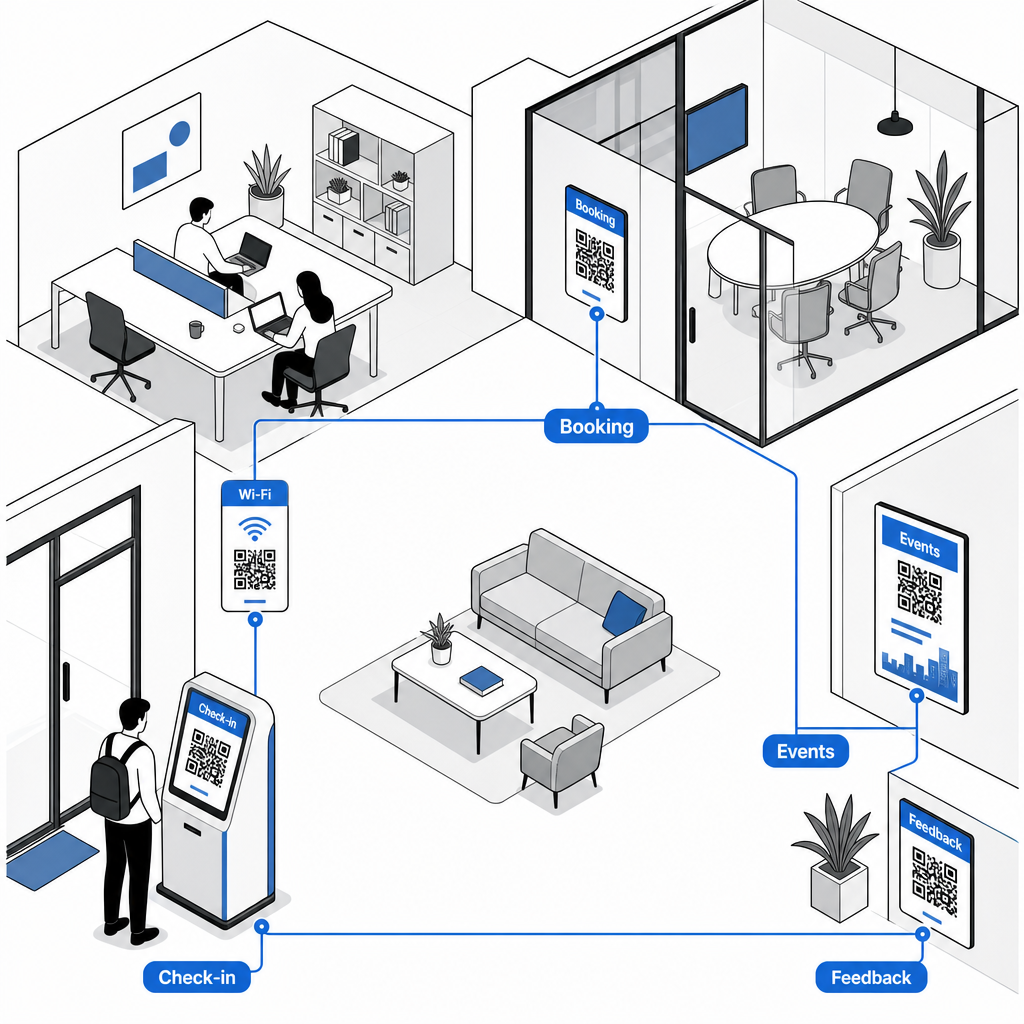
Menggantikan log daftar masuk kertas atau kad kunci fizikal dengan kod QR kehadiran memperkemas kemasukan di meja depan. Pelawat dan ahli hanya mengimbas kod di pintu masuk utama anda menggunakan telefon pintar mereka untuk membuka borang ketibaan digital atau merekod kehadiran mereka secara automatik. Sama seperti sistem daftar masuk automatik yang digunakan di pusat kecergasan, log digital menghapuskan barisan di meja depan, mengurangkan kos pentadbiran, dan menyediakan rekod penggunaan kemudahan yang tepat dan masa nyata.
Akses Wi-Fi Segera Tanpa Kata Laluan Manual
Berkongsi kata laluan rangkaian yang panjang dan kompleks pada papan kapur atau paparan kertas sering menyebabkan kesilapan menaip dan permintaan sokongan berulang. Sama seperti bagaimana hos menguruskan sambungan di penyewaan jangka pendek, anda boleh menyiarkan titik akses rangkaian terus di kawasan yang mempunyai trafik tinggi. Dengan menyediakan penjana kod QR Wi-Fi, anda membenarkan ahli menghalakan kamera peranti mereka ke tanda tersebut untuk menyambung ke Wi-Fi dengan serta-merta tanpa menaip butiran SSID atau kata laluan secara manual.
Tempahan Bilik Mesyuarat dan Meja Atas Permintaan
Meletakkan kod QR terus di luar bilik persidangan atau di meja panas membolehkan ahli melihat ketersediaan bilik secara langsung dan menjadualkan ruang kosong dengan serta-merta. Apabila ahli melihat bilik persidangan kosong, mengimbas papan tanda pintu membawa mereka terus ke portal tempahan web anda di mana mereka boleh menempah bilik dengan segera.
Kemas Kini Pautan Tempahan Tanpa Mencetak Semula Perlu menukar sistem tempahan atau melaraskan pautan bilik di seluruh ruang kerja anda? Gunakan Penjana dynamic QR code untuk mengurus URL yang boleh diedit dan menjejaki penglibatan imbasan dari satu papan pemuka.
Pendaftaran Acara Komuniti dan Peringatan Kalendar
Komuniti coworking berkembang maju dengan acara-acara bersama, seperti sarapan rangkaian, bengkel, dan waktu sosial. Meletakkan kod acara pada paparan digital lobi, bingkai lif, atau papan buletin kawasan umum melalui Cara buat QR code pendaftaran acara memberikan ahli akses tanpa geseran kepada jadual yang akan datang. Ahli mengimbas kod untuk melihat butiran penceramah, menempah tiket, atau menyimpan peringatan acara terus ke kalendar peribadi mereka.
Pengumpulan Maklum Balas dan Permintaan Penyelenggaraan
Mengekalkan piawaian operasi yang tinggi memerlukan maklum balas segera mengenai isu-isu seperti stesen kopi yang habis, peralatan rosak, atau pelarasan suhu bilik. Meletakkan kod tinjauan di kawasan umum, dapur kecil, dan bilik telefon menggunakan Cara buat QR code untuk Google Form membenarkan ahli menghantar permintaan tiket dalam beberapa saat. Untuk mereka bentuk tinjauan yang menghasilkan kadar respons yang lebih tinggi, semak kaedah yang terbukti untuk kod QR maklum balas pelanggan.
Memilih Kod QR Statik vs. Dinamik untuk Kemudahan
Memilih format kod yang betul memastikan infrastruktur digital anda kekal mudah diurus apabila ruang anda berkembang:
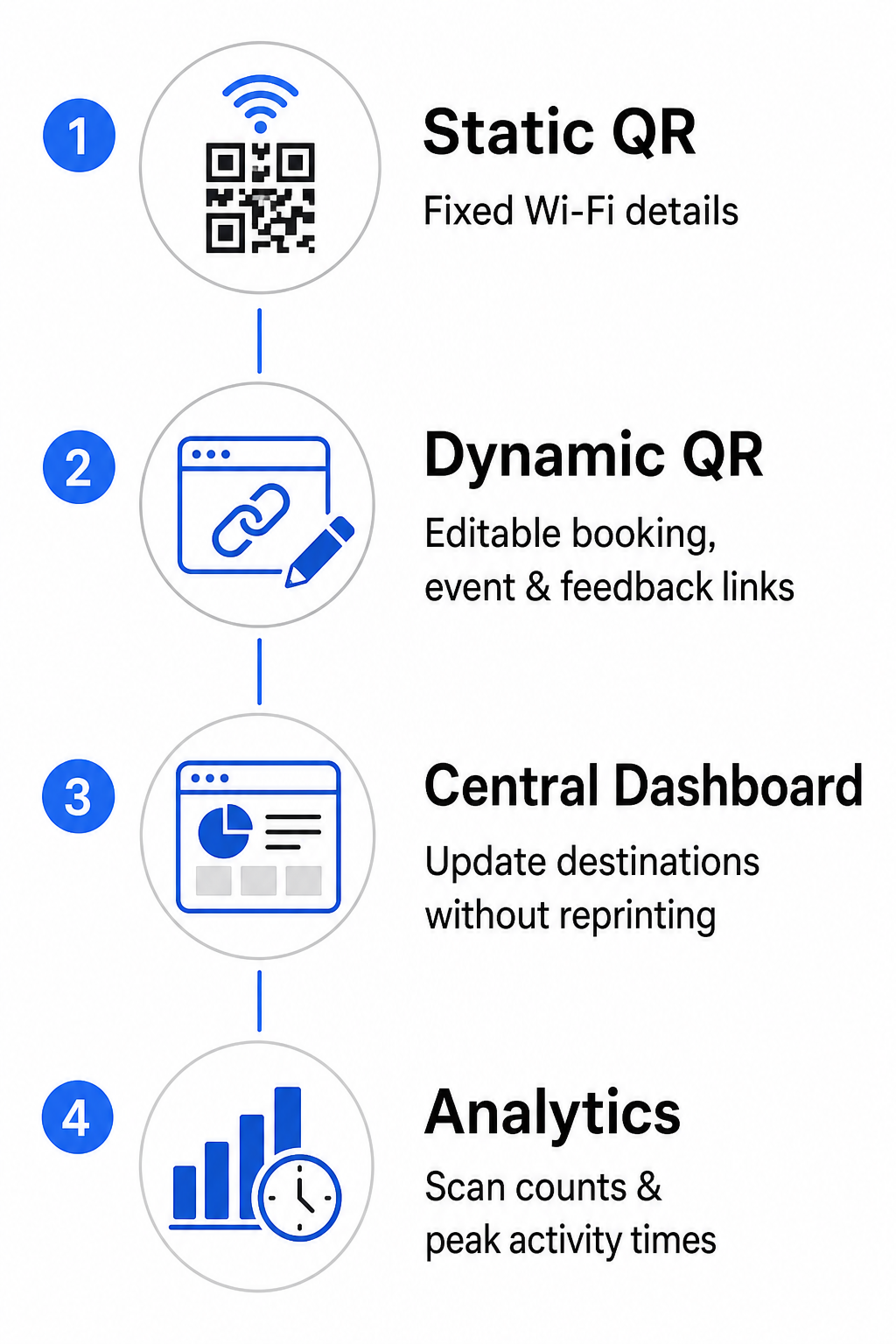
- Kod QR Statik: Ideal untuk maklumat tetap yang tidak pernah berubah, seperti kelayakan rangkaian Wi-Fi kekal termasuk SSID dan kata laluan.
- Kod QR Dinamik: Terbaik untuk pautan operasi aktif seperti portal tempahan bilik, borang maklum balas, dan jadual acara mingguan, membenarkan kemas kini destinasi tanpa menggantikan papan tanda bercetak.
Kod dinamik mengarahkan pengguna melalui pautan ubah hala yang ringan, yang bermaksud pasukan komuniti boleh mengemas kini URL destinasi dalam papan pemuka pusat pada bila-bila masa. Tambahan pula, kod dinamik mengumpul analitik terbina dalam seperti kiraan imbasan, waktu aktiviti puncak, dan jenis peranti. Anda boleh meneroka alatan pengurusan ruang kerja tambahan di Ciri kod QR gambaran keseluruhan atau lihat pilihan yang disesuaikan di aplikasi industri muka surat.
Amalan Terbaik untuk Penempatan dan Kebolehimbasan Kod QR
Untuk memastikan pengimbasan yang boleh dipercayai di seluruh ruang kerja anda, patuhi garis panduan susun atur, saiz, dan kedudukan yang jelas:
- Kekalkan dimensi minimum: Cetak kod pada saiz minimum 2 × 2 cm (0.8 × 0.8 inci) untuk pengimbasan jarak dekat pada tempat letak meja atau bingkai pintu. Untuk jarak pandangan yang lebih jauh, kira lebar kod sekurang-kurangnya satu per sepuluh daripada jarak pengimbasan (contohnya, kod lebar 10 cm untuk mengimbas dari jarak 1 meter).
- Letakkan pada paras mata: Lekapkan papan tanda antara 3.5 dan 5.5 kaki dari tanah pada permukaan rata, licin, mengelakkan sudut, sambungan, atau bahan bertekstur yang memesongkan corak matriks. Untuk panduan susun atur yang komprehensif, semak panduan penempatan kod QR.
- Pastikan kontras warna yang tinggi: Gunakan modul latar depan gelap pada latar belakang terang, mengekalkan nisbah kontras sekurang-kurangnya 4:1 (atau 55% kontras apabila menggunakan warna jenama tersuai).
- Lindungi zon senyap: Sediakan margin tidak bercetak di sekeliling kod sekurang-kurangnya 4 modul – lebar satu petak QR kecil – pada keempat-empat sisi untuk mengelakkan herotan visual.
- Optimumkan pencahayaan dan kebolehcapaian: Pilih kemasan cetakan matte untuk mengelakkan pantulan di bawah lampu terang, dan letakkan kod di kawasan yang terang jauh dari bayang-bayang gelap. Sentiasa sertakan URL teks biasa bersebelahan kod untuk membantu ahli yang lebih suka menaip pautan secara manual.
Mengoptimumkan Aliran Kerja Coworking Anda
Memodenkan operasi kemudahan dengan kod QR strategik mengurangkan beban pentadbiran, menghapuskan kesesakan meja hadapan, dan menyediakan pengalaman layan diri yang lancar yang dituntut oleh profesional moden. Dengan menggantikan log daftar masuk manual, kata laluan Wi-Fi yang rumit, dan jadual kertas dengan titik sentuhan digital yang jelas, pasukan komuniti anda meluangkan masa berharga untuk menumpukan pada penglibatan dan pertumbuhan ahli. Kenal pasti titik geseran utama ruang anda hari ini dan gunakan kod QR tersuai untuk mencipta ruang kerja yang cekap dan berteknologi tinggi.
Soalan lazim
Kod QR bilik mesyuarat seharusnya sekurang-kurangnya 2 × 2 cm (0.8 × 0.8 inci) untuk imbasan jarak dekat. Jika ahli mengimbas dari jarak 1 meter, cetak kod itu sekurang-kurangnya selebar 10 cm untuk mengekalkan imbasan yang boleh dipercayai.
Ya, asalkan anda mencipta kod QR dinamik. Kod dinamik merujuk kepada URL pengalihan, membolehkan anda mengemas kini pautan destinasi di dalam papan pemuka pengurusan anda tanpa mencetak semula papan tanda fizikal.
Kod QR Wi-Fi mengekod SSID rangkaian dan kata laluan. Apabila pengguna menghalakan kamera telefon mereka pada kod tersebut, peranti akan menggesa mereka untuk menyertai rangkaian secara automatik tanpa menaip sebarang kelayakan secara manual.