Adakah anda mencari cara untuk menjadikan pameran muzium anda lebih menarik tanpa merombak keseluruhan pengalaman pelawat anda? Label dinding statik dan brosur bercetak hanya boleh melakukan begitu banyak – pelawat semakin mengharapkan akses digital kepada kandungan yang lebih kaya pada peranti mereka sendiri. Panduan ini merangkumi cara paling praktikal untuk melaksanakan kod QR di muzium, daripada panduan audio dan peta digital hingga tiket dan kebolehcapaian.
Mengapa Muzium Menggunakan Kod QR
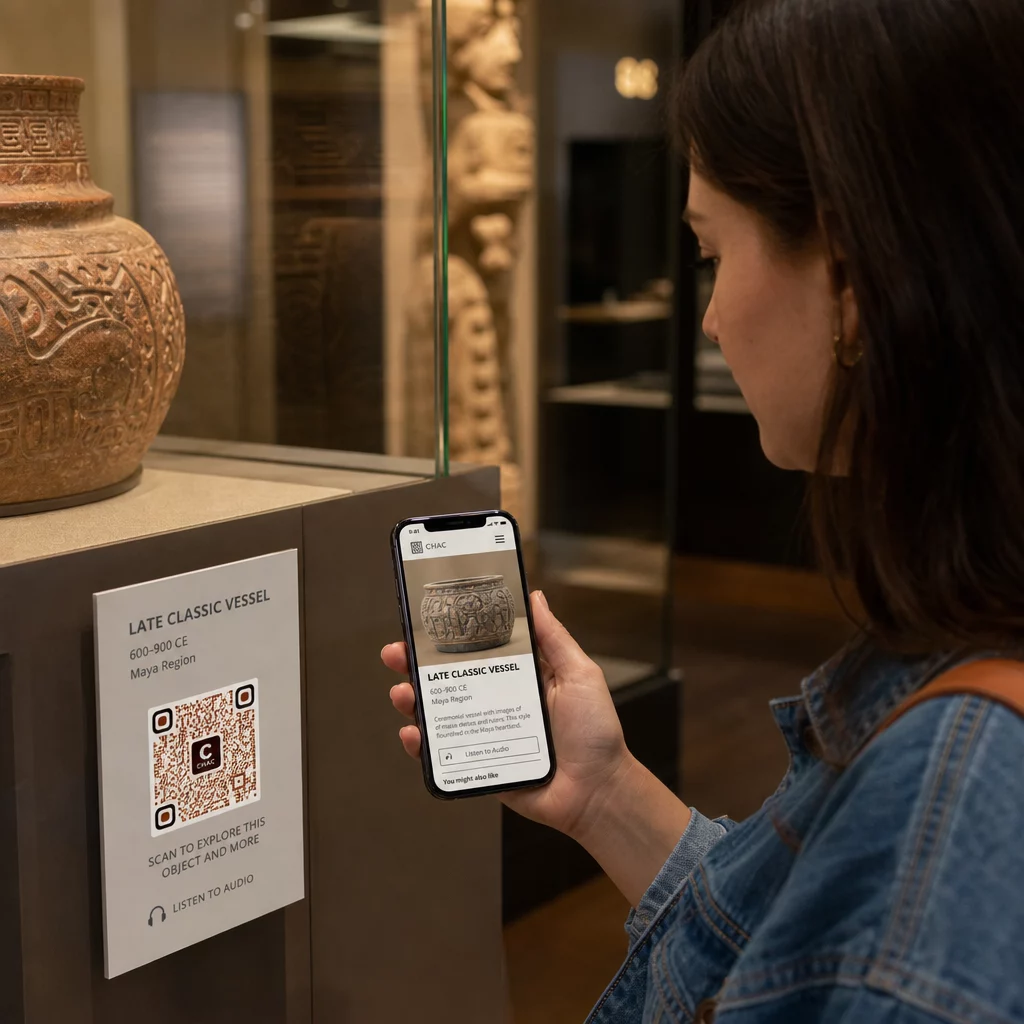
Kod QR memberikan muzium cara kos rendah untuk mencipta sistem maklumat berlapis yang melangkaui apa yang muat pada label fizikal. Seorang pelawat yang berdiri di hadapan artifak boleh mengimbas kod dan serta-merta mengakses teks lanjutan, imej, video, narasi audio, atau bahkan realiti tambahan – semuanya pada telefon pintar mereka sendiri, mengikut kadar mereka sendiri.
Daya tarikan utamanya adalah fleksibiliti. Muzium boleh mengemas kini kandungan yang dipautkan kepada kod pada bila-bila masa tanpa mencetak semula apa-apa, yang menjadikan kod QR dinamik sangat praktikal untuk pameran berputar atau program bermusim. Selain penyampaian kandungan, kod QR juga membuka saluran langsung untuk mengumpul maklum balas pelawat, menawarkan kandungan berbilang bahasa, dan menghubungkan paparan fizikal kepada lawatan maya dan koleksi dalam talian.
Cipta Kod QR Muzium yang Boleh Dikemas Kini Perlu menyegarkan kandungan pameran tanpa mencetak semula papan tanda? Gunakan Penjana Kod QR Dinamik untuk membina kod yang boleh anda edit pada bila-bila masa dari papan pemuka pusat.
Cara Biasa Menggunakan Kod QR di Muzium
| Gunakan Kes | Apa yang Ditawarkan |
|---|---|
| Panduan audio dan video | Cerita pameran yang dinarasikan, temu bual artis, pembinaan semula animasi |
| Peta digital | Pelan lantai boleh navigasi yang diakses pelawat pada telefon mereka |
| Maklumat pameran | Teks lanjutan, konteks sejarah, asal usul artifak |
| Pengalaman interaktif | Tindanan realiti tambahan, pencarian harta karun, kuiz |
| membuat tiket | Kemasukan tanpa sentuh melalui tiket digital boleh imbas |
| Akses WiFi | Sambungan rangkaian segera tanpa menaip kata laluan |
| Maklum balas pelawat | Borang tinjauan diakses terus dari lantai pameran |
| Promosi kedai cenderamata | Pautan ke tawaran kedai eksklusif atau halaman produk dalam talian |
| Derma dan keahlian | Portal untuk memberi atau menyertai diakses dengan satu imbasan |
Panduan Audio dan Video
Lawatan audio berkod QR membolehkan pengunjung mengimbas kod di setiap pameran dan mendengar narasi, ulasan kurator, atau cerita latar belakang pada peranti mereka sendiri. Ini menggantikan peralatan audio sewa yang besar dan menyokong laluan fleksibel, mengikut kadar sendiri melalui muzium. Bagi institusi yang ingin melangkah lebih jauh, Kod QR AR boleh mengubah penceritaan muzium dengan melapisi model 3D atau animasi secara langsung di atas artifak fizikal apabila pengunjung menghalakan telefon mereka ke pameran.
Muzium boleh mencipta panduan audio menggunakan Penjana Kod QR MP3, yang membolehkan anda memuat naik fail audio dan menjana kod boleh imbas yang boleh dimainkan oleh pengunjung terus dari peranti mereka. Untuk kandungan video – seperti temu bual artis atau visualisasi pemulihan langkah demi langkah – a Penjana Kod QR YouTube menjadikannya mudah untuk memautkan mana-mana pameran ke video yang dihoskan.
Peta Digital dan Lawatan Berpandu Sendiri
Muzium besar boleh menggunakan Kod QR PDF untuk memberikan pengunjung peta digital interaktif yang membantu mereka menavigasi bahagian, mencari pameran tertentu, dan merancang lawatan mereka mengikut minat mereka. Meletakkan kod di “perhentian” lawatan yang ditetapkan yang memautkan ke fail audio atau halaman web yang menerangkan apa yang dilihat oleh pengunjung membolehkan penerokaan sepenuhnya bebas hanya dengan telefon pintar.
Untuk melihat dengan lebih mendalam tentang membina pengalaman ini, panduan menggunakan kod QR untuk lawatan maya menerangkan proses persediaan penuh, daripada mengehoskan kandungan anda hingga mereka bentuk dan meletakkan kod.
Maklumat Pameran dan Pengalaman Interaktif
Meletakkan kod QR berhampiran pameran membolehkan pengunjung mengakses konteks tambahan – latar belakang sejarah, biografi artis, asal usul koleksi – tanpa memenuhi label. Sesetengah muzium melangkah lebih jauh dengan mencipta pemburuan harta karun, di mana setiap kod berhampiran artifak menyediakan maklumat tentang objek dan petunjuk yang menunjuk ke perhentian seterusnya. Format ini menggalakkan penerokaan aktif dan memastikan pengunjung terlibat di pelbagai galeri.
Muzium juga telah menggunakan kod QR dalam pemasangan seni moden untuk menghubungkan karya fizikal dengan penceritaan digital, termasuk kandungan gamifikasi dan naratif sejarah reka bentuk yang tertanam dalam kod itu sendiri.
Tiket dan Kemasukan Tanpa Sentuh
Tiket digital melalui kod QR memberikan pengunjung tiket yang boleh diimbas yang boleh mereka tunjukkan di pintu masuk terus dari telefon mereka. Ini memudahkan pengurusan kemasukan, mengurangkan barisan, dan menghilangkan kebergantungan pada stok tiket fizikal – terutamanya berguna untuk tempoh trafik tinggi.
Maklum Balas Pengunjung
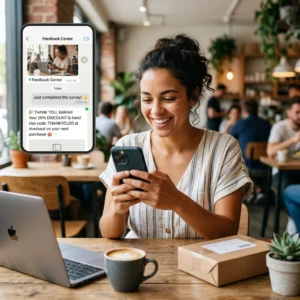
Meletakkan kod QR di pintu keluar atau di seluruh lantai galeri membolehkan pengunjung mengisi borang maklum balas dengan cepat tanpa diberikan tinjauan kertas. Data yang dikumpul membantu muzium memahami pilihan pengunjung, menilai pameran, dan merancang penambahbaikan. A kod QR pautan yang menunjuk ke borang dalam talian adalah cara paling mudah untuk menyediakannya.
Pertimbangan Kebolehcapaian
Kod QR boleh meningkatkan kebolehcapaian secara bermakna apabila dilaksanakan dengan teliti – tetapi ia juga boleh mewujudkan halangan jika keperluan tersebut tidak ditangani terlebih dahulu.
Sediakan alternatif. Tidak setiap pelawat akan mempunyai telefon pintar atau selesa mengimbas kod. Sentiasa tawarkan cara lain untuk mengakses kandungan yang sama, seperti URL bercetak berdekatan, pilihan SMS, atau ahli kakitangan yang boleh membantu. Pelawat yang buta atau mempunyai penglihatan rendah mungkin mendapati akses SMS lebih mudah digunakan berbanding pengimbasan QR.
Reka bentuk untuk kontras dan keterlihatan. Gunakan elemen kod gelap pada latar belakang terang dan sasarkan nisbah kontras sekurang-kurangnya 4:1. Ini memenuhi keperluan kontras bukan teks WCAG 2.1 dan memastikan kod kekal boleh dibaca untuk pelawat dengan penglihatan rendah. Panduan terperinci untuk mencapai ini tersedia dalam amalan terbaik kebolehgunaan kod QR rujukan.
Saiz kod mengikut jarak imbasan. Peraturan umum yang kasar ialah nisbah 10:1 – untuk setiap 10 cm jarak imbasan yang dijangkakan, kod hendaklah sekurang-kurangnya 1 cm lebar. Minimum praktikal untuk kebanyakan penempatan muzium ialah 2 × 2 cm (kira-kira 0.8 × 0.8 inci), walaupun format yang lebih besar adalah lebih baik untuk pameran yang dilihat dari jauh.
Pertimbangkan ketinggian penempatan. Pasang kod pada ketinggian dan sudut yang boleh dicapai dan diimbas dengan selesa oleh pelawat yang menggunakan kerusi roda atau mereka yang mempunyai pertumbuhan terhad. Penempatan paras mata 3 hingga 5 kaki dari lantai berfungsi dengan baik untuk pelawat yang berdiri; penempatan yang lebih rendah mungkin diperlukan untuk keterangkuman penuh.
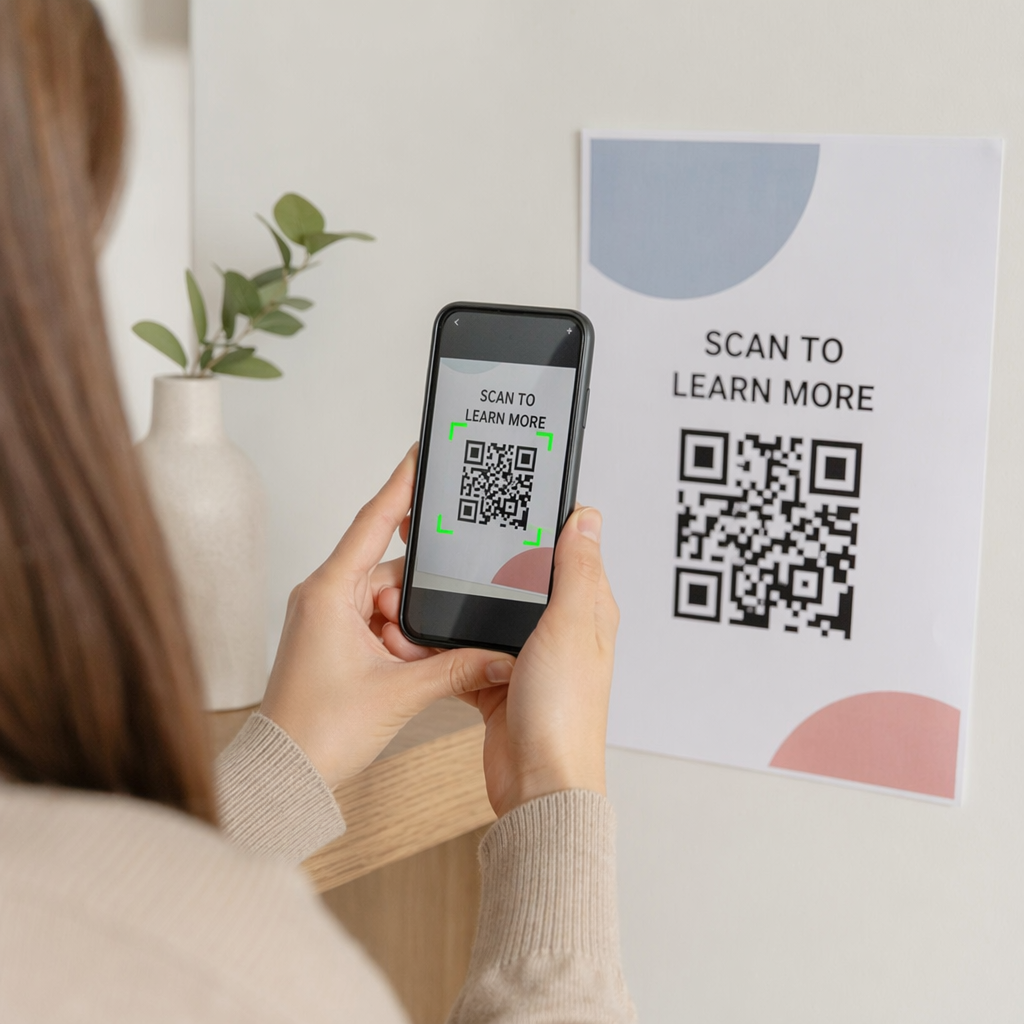
Berikan arahan yang ringkas dan jelas. Tidak semua pelawat akan tahu cara mengimbas kod QR. Arahan ringkas – “Buka aplikasi kamera anda dan halakan ke kod ini” – menghilangkan tekaan. Pastikan arahan konsisten di seluruh muzium supaya pelawat tidak perlu mempelajari semula interaksi di setiap pameran.
Uji dengan teknologi bantuan. Sebelum pelancaran, sahkan bahawa kandungan yang dipautkan dan sebarang kaedah akses alternatif berfungsi dengan betul dengan pembaca skrin dan alat pembesar seperti VoiceOver dan TalkBack.
Untuk muzium yang khususnya berminat dalam kebolehcapaian audio, kod QR diaktifkan suara tawarkan alternatif bebas tangan yang menghubungkan pengimbasan kepada narasi lisan – terutamanya berguna untuk pelawat yang tidak dapat menavigasi antara muka visual dengan selesa.
Cara Menyediakan Kod QR di Muzium Anda
Langkah 1: Takrifkan Kandungan dan Matlamat Anda
Sebelum menjana satu kod pun, tentukan apa yang akan disampaikan oleh setiap kod dan siapa yang akan menggunakannya. Panduan audio untuk artifak utama mempunyai keperluan yang berbeza daripada borang maklum balas di pintu keluar. Petakan jenis kod anda – audio, peta PDF, video, pautan tinjauan – dan padankan setiap satu dengan format kandungan yang sesuai.
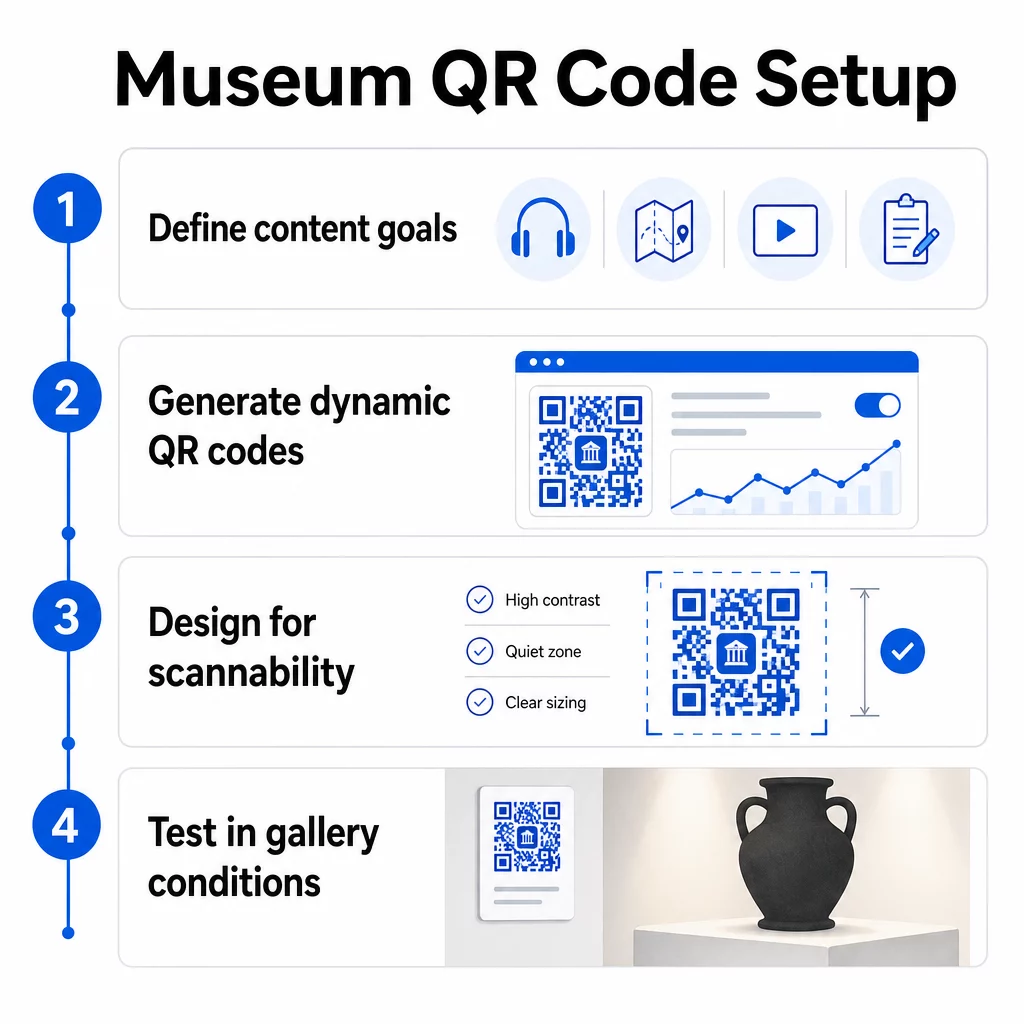
Langkah 2: Jana Kod Anda
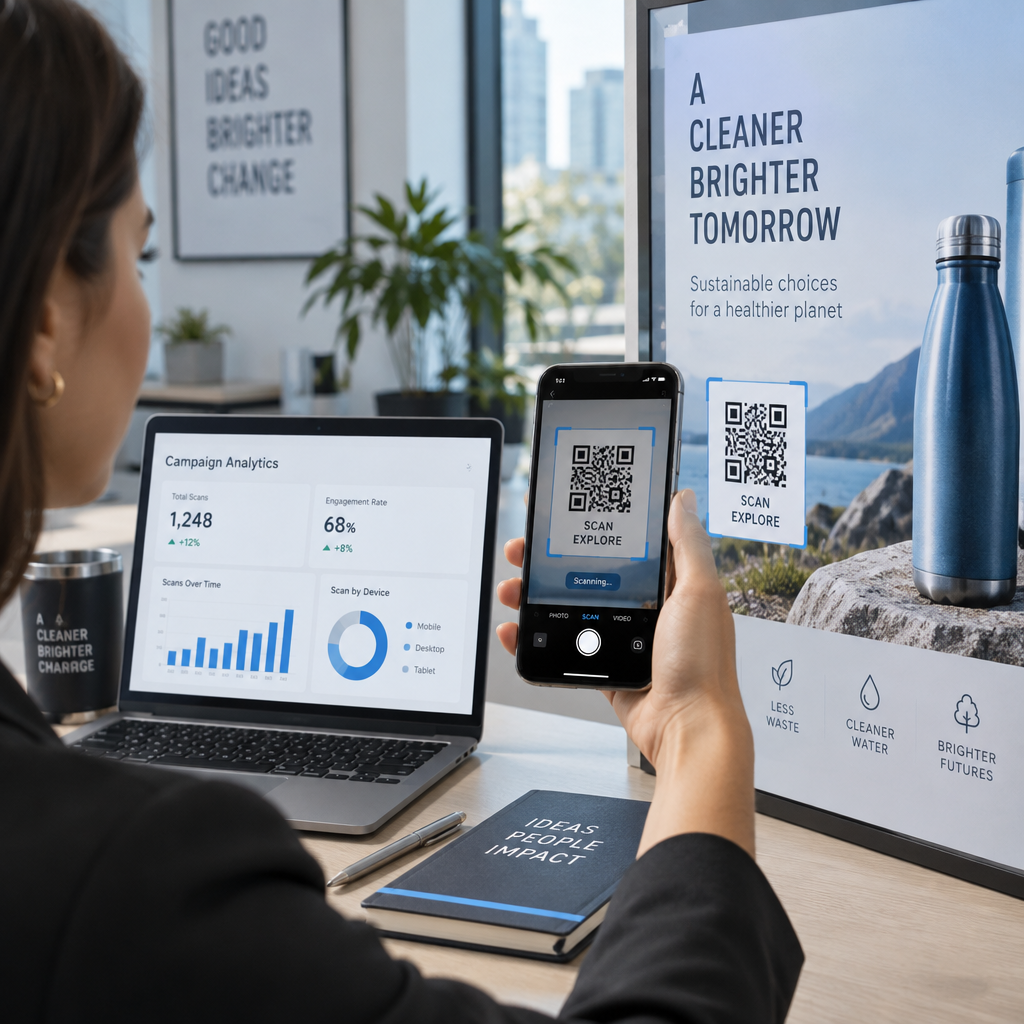
Gunakan platform kod QR yang menyokong kod dinamik supaya anda boleh mengemas kini destinasi tanpa mencetak semula. Pageloot’s Penjana Kod QR membolehkan anda mencipta kod untuk URL, PDF, fail audio, video, dan banyak lagi, kemudian menguruskannya dari satu papan pemuka. Kod dinamik juga menyediakan analitik imbasan – menjejaki jumlah, lokasi, jenis peranti, dan masa – supaya anda dapat melihat pameran mana yang menjana minat paling tinggi.
Jejaki Penglibatan Pameran Ingin tahu artifak mana yang paling banyak menarik minat pengunjung? Gunakan kod QR dinamik dengan analitik terbina dalam untuk memantau data imbasan di setiap pameran di muzium anda.
Langkah 3: Reka Bentuk untuk Kebolehimbasan
Gunakan penjenamaan yang konsisten – warna dan logo muzium anda – sambil mengekalkan kontras tinggi antara kod dan latar belakangnya. Pastikan zon senyap yang jelas (sempadan kosong) di sekeliling setiap kod. Untuk panduan reka bentuk terperinci, artikel amalan terbaik untuk kebolehbacaan kod QR merangkumi nisbah kontras, zon senyap, penempatan logo, dan tahap pembetulan ralat dalam istilah praktikal.
Langkah 4: Cetak dan Letakkan Kod Secara Strategik
Cetak kod dalam saiz yang mencukupi untuk jarak imbasan yang dijangkakan, menggunakan format vektor resolusi tinggi (SVG, EPS, atau PDF) untuk mengelakkan kekaburan. Letakkannya pada paras mata berhampiran pameran yang dirujuk – bukan di seberang bilik. Untuk pemasangan berskala besar atau kompleks, panduan panduan muktamad penempatan kod QR menyediakan nasihat khusus persekitaran yang sesuai untuk tetapan muzium.
Langkah 5: Uji Sebelum Anda Buka
Uji setiap kod pada peranti iOS dan Android, di bawah keadaan pencahayaan sebenar galeri anda. Sahkan bahawa halaman yang dipautkan dimuatkan dengan cepat pada data selular (bukan hanya WiFi), bahawa kandungan audio dan video dimainkan dengan betul, dan bahawa sebarang laluan akses alternatif berfungsi seperti yang dimaksudkan.
Muzium Popular Menggunakan Kod QR
- Muzium Sejarah Alam Semula Jadi Nasional Smithsonian telah menggunakan pengalaman realiti tambahan yang dipautkan QR untuk menghidupkan pameran fizikal dengan lapisan digital dan pembinaan semula 3D.
- Muzium Seni Metropolitan mengintegrasikan akses kod QR ke dalam pengalaman pelawat standardnya sebagai pilihan untuk mengakses panduan digitalnya.
- Muzium Acropolis menawarkan panduan audio berasaskan QR yang membolehkan lawatan berpandu sendiri, menjadikan lawatan lebih fleksibel dan bermaklumat untuk pelawat antarabangsa.
- Muzium British menggunakan kod QR supaya pelawat boleh mengakses kandungan tambahan dan mengetahui lebih lanjut tentang pameran mengikut kadar mereka sendiri.
Untuk perspektif yang lebih luas mengenai aplikasi inovatif, panduan kod QR untuk lawatan seni maya mendokumenkan bagaimana institusi menggunakan alat ini untuk meluaskan pengalaman muzium melangkaui dinding fizikal.
Soalan Lazim
Kod QR muzium boleh memautkan kepada hampir semua kandungan digital: narasi audio, panduan video, pengalaman realiti tambahan, peta PDF, halaman maklumat pameran, teks berbilang bahasa, borang maklum balas, portal derma, atau lawatan maya. Format yang anda pilih bergantung kepada apa yang paling baik memenuhi setiap pameran dan keperluan pengunjung.
Tidak. Telefon pintar iOS dan Android moden boleh mengimbas kod QR secara terus menggunakan aplikasi kamera terbina dalam – tiada aplikasi berasingan diperlukan. Sesetengah peranti lama mungkin memerlukan pengimbas QR khusus, jadi adalah amalan yang baik untuk menyebut perkara ini dalam arahan anda dan memastikan kandungan yang dipautkan anda dimuatkan dengan cepat pada pelayar mudah alih standard.
Kod QR dinamik membolehkan anda mengemas kini kandungan yang ditunjuk oleh kod pada bila-bila masa tanpa mencetak semula kod fizikal. Ini bermakna anda boleh menyegarkan penerangan pameran, menukar fail audio untuk musim baharu, atau membaiki pautan yang rosak tanpa mengganggu papan tanda bercetak anda. Kod dinamik juga menyediakan analitik imbasan – menunjukkan kepada anda pameran mana yang menarik penglibatan paling banyak, pada waktu bila, dan pada peranti mana – memberikan pasukan anda data yang boleh diambil tindakan untuk perancangan pameran dan penambahbaikan pengalaman pengunjung.